1
4.4
Air Filters
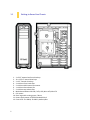
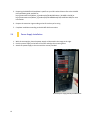
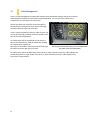
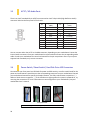
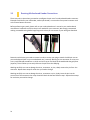
There are three air filters in the NINETEEN HUNDRED: Top, front and PSU intake filter that can be
removed and washed. It is particularly noteworthy that the top and the front filters are combined with
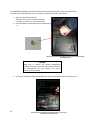
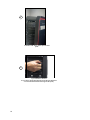
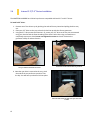
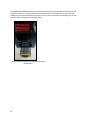
the fan. How to remove the front fan filters? (Picture C) Unscrew top and lower screw to remove fan
filter. Gently clean, if water is used, dry and replace top and lower screw
Note: From time to time it will be necessary to wash the installed air filter. Not washing the air filter will
result in higher system temperatures and possible stability problems. We recommend checking the air
filter at least once a month initially. The frequency will change depending on system usage (users whose
systems run 24/7 will likely have to check/wash more often than those who don’t use their systems
every day) and on environmental conditions.
B
A
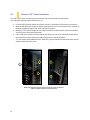
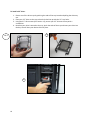
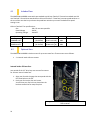
You can access the front filter by opening
the front panel.
Before open the front panel, please remove the screws on the
both sides, the yellow circles show screw located.
C
Air filter
3x 120mm front intake FDB silent fan
25