1
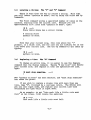
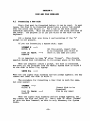
To get rid of this aphorism, use the Delete command •. Make
sure the line you wish deleted is above your ">" prompt, and
type:
>DB
--->
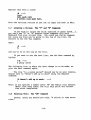
The aphorism is deleted and the Editor automatically closes
up the blank line where the aphorism was.
If you wish to erase more text, simply specify the number of
lines to delete, e.g., to delete 4 lines, type DE 4.
If you specify a string after DE, the editor will delete all
lines down to, but not including, the first line containing that
string. For example, if you later wish to delete all the
aphorisms but the last one, you could go to the top of the file
and type "DE /horse/".
3.9
Locating a String:
The -B- Co. .and
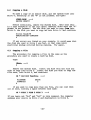
The Bottom command is another method of line location.
get to the bottom of the file, type:
To
>B --->
but you can't make it drink.
If you get a blank line instead·of "but you can't make it
drink," you added a few carriage returns at the end when
originally inputting the file. If so, use the Up command (Up
/but/), and the line will appear. Note that Up is like DElete,
in that you can specify a string that you wish to reach instead
of a number of times to repeat the command. This is true of Next
and Print as well.
3.10
Adding Text:
The -I- Ca.aand
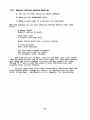
To insert text after your current line, you must get into
Input. Add to your file the line, "(It probably will, though)",
by typing:
>1 --->
INPUT
(It probably viiI, though).
Exit Input with two carriage returns. Remember to enter
Input only when you are at the place in your file where
you want text inserted.
-15-