1
5/8-Port 10/100Mbps Ethernet Mini Switch
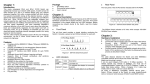
Connect each station to the switch by twisted-pair cable. Plug one RJ-45 connector into a RJ-45 port of the
switch, and plug the other RJ-45 connector into the station’s network adapter. Power on the switch and
then system is ready.
For cable selection, refer to the following table.
In making a switch interconnection, you could use any port to connect another switch with straight or
crossover cable. As all the ports support auto MDI / MDI-X function, using a straight cable to make a
switch-to-switch connection is allowed.
For cable selection, refer to the following table:
Network Speed
Cable Type
10Mbps
Cat. 3, 4, 5 UTP/STP
Max. Length
100 meters
100Mbps
Cat. 5 UTP/STP
100 meters
Standard
IEEE 802.3 10Base-T
IEEE 802.3u 100Base-TX
IEEE 802.3x full duplex operation and flow control
Interface
5* 10/100Mbps RJ-45 Fast Ethernet Ports
8* 10/100Mbps RJ-45 Fast Ethernet Ports
Uplink
Auto MDI/MDI-X(Auto crossover)
Network Speed
10/100Mbps & Full/Half duplex mode auto detection
MAC Address Table
1024 MAC address entries
Memory
5-port: 512K bits
8-port: 768K bits
Power Supply
External Power adapter
0.6A @ 5VDC
Power Consumption 3W Max.
Dimensions
5-port:
121mm (W) x 74.2mm (D) x 26mm (H)
(4.76” (W) x 2.92” (D) x 1.02” (H))
8-port:
159mm (W) x 85mm (D) x 26mm (H)
(6.25” (W) x 3.55” (D) x 1.02” (H))
Weight
5-port: 245g (0.54lb.)
8-port: 335g (0.74lb.)
Operating Temperature 0℃ to 45℃ (32℉ to 113℉)
Storage Temperature -10℃ to 70℃ (14℉ to 158℉)
Humidity
5% to 95% (non-condensing)
Emission Compliance CE Mark Class B, FCC Part 15 Class B, and VCCI Class B
2