1
MA1057 OPC Server User Manual
Table of Contents
1.0 System Features ............................................................................................................................. 1
2.0 System Description and Documentation ........................................................................................... 2
3.0 General Description ......................................................................................................................... 3
4.0 Installing and Configuring an OPC Server ........................................................................................ 3
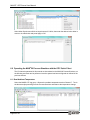
4.1 Installing KEPServerEX and Starting a Project ............................................................................ 3
4.2 Creating a Channel..................................................................................................................... 4
4.3 Creating a Device ....................................................................................................................... 9
4.4 MAQ®20 Demonstration System and Addressing Overview....................................................... 14
4.5 Creating Tag Groups and Tags ................................................................................................. 16
4.5.1 Creating Tags for the MAQ20-JTC, -KTC, -TTC or -RSTC Input Module ....................... 17
4.5.2 Creating Tags for the MAQ20-MVDN, -VDN, -VSN, -IDN or -ISN Input Module ............. 19
4.5.3 Creating Tags for the MAQ20-VO or -IO Output Module ............................................... 21
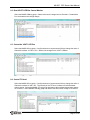
4.5.4 Creating Tags for the MAQ20-DIOL Discrete Input/Output Module ............................... 23
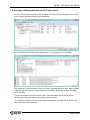
5.0 Reading and Writing Data with the OPC Quick Client ..................................................................... 25
6.0 Operating the MAQ®20 Process Simulator with the OPC Quick Client ............................................ 26
6.1 Read Ambient Temperature...................................................................................................... 26
6.2 Read VOUT2 LED Bar Control Monitor ..................................................................................... 27
6.3 Control the VOUT1 LED Bar ..................................................................................................... 27
6.4 Control TC Heat 1..................................................................................................................... 27
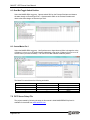
6.5 Read Bat Toggle Switch Position .............................................................................................. 28
6.6 Control Motor Pot 1 .................................................................................................................. 28
7.0 OPC Server Setup File .................................................................................................................. 28
8.0 References .................................................................................................................................... 29
iii