1
6.3.7.
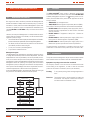
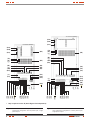
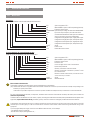
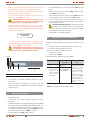
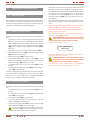
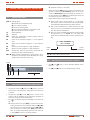
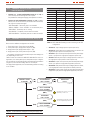
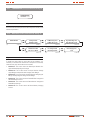
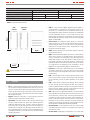
‘‘CONFIGURATION’’ level (screen menu 6.0). See Fig. 36.
CONFIGURATION
Password: *****
(*1)
screen 6.0
Fig. 36. Screen 6.0 «Configuration».
At this level an authorized password will be required to modify some
advanced parameters.
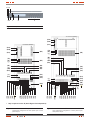
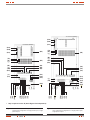
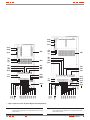
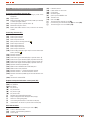
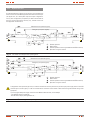
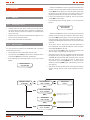
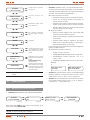
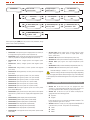
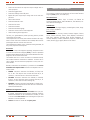
6.3.8. Rated values screens (screen menu 7.0). See Fig. 37.
RATED VALUES
(*1)
(â)
(á)
screen 7.0
I.Voltage=230V
B.Voltage=230V
(*1)
(â)
(á)
screen 7.1
DC Bus Volt=425V
Out. Curre.=86.9A
(*1)
(â)
(á)
I.V Min. Marg=22%
I.V Max. Marg=15%
(*1)
(â)
(á)
screen 7.4
screen 7.2
Inv Voltage=230V
Out Voltage=230V
(*1)
(â)
(á)
screen 7.5
Byp. Min. Marg=17%
Byp. Max. Marg=12%
(*1)
(â)
(á)
screen 7.3
Batt. Charging Curr.
3.6A
(*1)
screen 7.6
Fig. 37. Screen 7.0 «Rated values» and its submenus.
To modify the rated values on the screens of this submenu, it is
necessary to introduce the «Password» on the previous screen 6.0,
otherwise they only will be able to be visualized.
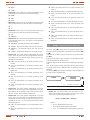
• Screen 7.1: This screen shows the Rated Input Rectifier Voltage and Rated Input Bypass Voltage.
• Screen 7.2: This screen shows the Input Rectifier Voltage
Upper Margin and Input Rectifier Voltage Lower Margin.
• Screen 7.3: This screen shows the Input Bypass Voltage Upper
Margin and Input Bypass Voltage Lower Margin.
• Screen 7.4: This screen shows the Rated DC Bus Voltage and
the Rated Output Current.
• Screen 7.5: This screen shows the Rated Inverter Voltage and
Rated Output Voltage.
• Screen 7.6: This screen shows the Rated Battery Charging
Current.
38
USER MANUAL