1
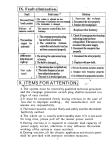
IX. Fault elimination
Fault cause Solution
1. Increase the volume
The volume is adjusted too low.
No sound from 2.1. The
adapter of loudspeaker has been loosened. 2. Reconnect the wire properly
louds peaker 3. The loudspeaker is damaged.
3. Replace the loudspeaker
Fault
Failure of
remote control
The remote control has low
battery.
1. The creepage protection。plug
has not been electrified.
The machine
2. The control line between
cannot be
controller and electric box has
activated not been connected properly.
Underwater 1. The wiring for underwater lamp
lamp does not
is loosen;
light up
2. The bulb is damaged.
Poor radio
result
1. The antenna has not pulled out;
2. The radio frequency has not
been adjusted properly;
3. The user is in weak signal area.
Replace the battery
1. Check if creepage protection plug
indicating lamp has been
extinguished. If the answer is yes,
reconnect the power supply.
2. Reconnect the computer line
properly
1. Reconnect the wire properly;
2. Replace with new bulb.
Carry Out
Standard
GB4706.1-1998
GB4706.48-2000
GB5296.2-1999
USER MANUA
(MODEL£GD-7001)
1. Pull out the antenna and place properly;
2. Readjust radio frequency properly;
3. It is influenced by geographical position.
X. ITEMS FOR ATTENTION
1. The system must be erected by qualified technical personnel
and the creepage protection switch plug shall be mounted in a
place of easy control.
2. It must be connected firmly during erection. In the case of
loss due to improper earthing , the manufacturer will not
assume any responsibility.
3. The motor must be erected flatly and stably and the shell shall
be firmly earthed.
4. The whole set is usually under standby state. If it is not used
for long time, please pull off the master power switch.
5. During erection, it is required to consider load capacity of
power supply circuit, otherwise it may influence the normal
working of the system or cause accident.
6. During erection, all the electric appliances and electric parts
shall be provided with moisture resistant measures.
7
COMPUTER MASSAGE BATHTUB CONTROLL
CONTENTS:
PRODUCTS FUNCTION
1
SPECIFICATIONS
1
SYSTEM INSTALL SKETCH
2
MASSAGE BATHTUB CONTROLLER
CONTROL CONNECT SCHEMATICS 3
PANEL FUNCTION DESCRIPTION
3
SCHEMATIC DRAWING OF REMOTE
4
CONTROL
OPERATION INSTRUCTION
4
FAULT ELIMINATION
7
ITEMS FOR ATTENTION
7
Before you are going to use it,please read
this user manual carefully
2、 Radio section :
I、PRODUCTS FUNCTION:
Thanks for your choosing and buying the Products. Before
you are going to use it,please read this user manual carefully,
It can tell you how to use and it. Then you can use all funct
ions. It has many functions.
1、Highly sensitive water level sensor
2、Bubble bath massage function
3、Surfing function
4、FM Digital Turing Radio and Double Power Amplifier
5、 Ozone sterilization function (SELECTABLE)
6、 Expand audio input function
7、Underwater lamp function
8、Almighty remote controller
(1) Pull out the radio antenna and place in“Y”form. When radio (
)
key is pressed, the screen will appear radio frequency and the volume
will rise from “ 0 ” to “15”DB with slight sound for loudspeaker.
(2)SEARCH:P ress t he key ( SET ) for more than 2 seconds,When the
screen will display the “TUN ” sign, Press (
)or(
) key for
upward or downward frequency selection. Spot pressing is for manual
selection. When the key is pressed for more than 2 seconds, the
frequency will move upward or downward automatically until the
broadcasting station is received. In the case of poor receiving
environment or weak signal for receiving, it is recommended to
select in manual selection mode.
(3)MEMORY:After selecting the broadcasting station, press ( SET )key
to display “M--01”to“M--20”,Then it can be stored in this Number.
The total memory for station is 20. If the received broadcasting station
is not ideal, please pull out antenna and adjust the direction of antenna.
(4)Repeated hearing:Press the ( SET )key for selection of the position
of desired station, the screen will display the Nunber“CH01--CH20”
thus you can hear the voice.
Search and Memory procedure:Press
SET
more
than 2 secons
9、Touch Technology function
10、 Exterior heating apparatus funtion(SELECTABLE)
Press(
)or(
)When displays
Press(
Repeated hearing procedure: Press (
II、SPECIFICATIONS
1 、 Power S upply: AC220-240V 50-60Hz
8、Dielectric strength:1500v,1min
2、PUMP Load: 1000W AC220-240V
9、Lighting load:
3、Bubble bath pump Load:<750W
AC220-240V
20WAC12V
10、Music power: <10W
8
4、S/N radio:>45dB
11、Frequency range:FM88-108MHz
5、 Leak current :<0.25mA
12、 Waterproof grade :IPX4
6、Ozone Load: 10W
AC12V(SELECTABLE)
7、HEATER Power: 1500W AC220-240V(SELECTABLE)
1
SET
)
SET
) key for what you need
(5) Volume adjustment --- The volume can be adjusted by pressing
(
) or (
) key and the screen will display corresponding
volume DB number.
3、EnterAUXFUNTION:
ConnecttheE xterioraudiowirewiththeexternalFaucetofthemain
controlbox,Press( )keytothepositionofAUX,thenchoosethe
suitablevolumebypressing()or()tolisten.
4 Power-off: Pressing of (
) key can switch off all the functions
while display screen set will be in standby state. In case that it
is not used for long time, please pull off the master power switch.
6
light is turned on, LCD display ¡
£
£ key to turn OFF.
) key , the water
¡ sketch,press again
(6). Ozone function(SELECTABLE(: Press (
) key for
over 2 seconds ,the ozone is turned on, LCD display¡ O 3¡
sketch, press again£
£key for over 2 seconds to OFF.
(NOTICE:The working-time of the Ozonizer is 15 minutes.So the Ozonizer
auto is turned off after 15 minutes)
5
10W/8
SPEAKER
750W
BUBBLE BATH PUMP
2
ANT
(5) .Water light function: Press (
MAINBOX
key to turn OFF.
N
sketch, press again
)key ,
L
(4). Bubble bath pump Function: Press (
5
the b ubble bath r pump is turned on, LCD display
INPUT
POWER
deactivated.
WATERSENSOR
HEAT
SET
effectively by pressing heating key (
) more than 2 seconds . The
heating sign (
) will appear on the screen accordingly. If the sign
is dynamic, it means that the working conditions of heater are satisfi-ed and the system is under heating. If the sign is static, it means that
the working conditions are not met and the heater will stop working.
Note: When surfing pump is switched off, this function will also be
CONTROLPANEL
Only after starting the surfing pump can start the heating function
III¡SYSTEM INSTALL SKETCH
(3) Function of heater(SELECTABLE):
1500W
fill water into the bathtub. When the indicating sign
(
) goes out, it has reached standard level. You can press surfing
key (
) on the panel for starting of surfing pump while a dynamic
surfing sign will also appear on the screen accordingly. You can
switch off the surfing function by pressing surfing key (
) on the
panel.Then the surfing pump will stop running and the surfing sign
on the screen will disappear. Note: A、 When the water in the
bathtub Does not reach the standard level, the surfing pump will
not start;only static sign (
)and flashing water shortage sign (
)
appear on the screen.Then you need to fill water into the bathtub.
B、When the surfing pump is activated for 60 minutes, it
will switch off the function automatically.
03
Firstly,
HEATER
OZONE
LAMP (SELECTABLE)
(SELECTABLE)
220V/1.5KW
AC12V20W
AC12V10W
PUMP 1000W
(2) Surfing function:
IV、THE MASSAGE BATHTUB CONTROL CONNECT SCHEMATICS
AC12V
VII. OPERATION INSTRUCTION:
1. Surfing section:
ANT
INPUT
POWER
of power key (
N
AUX INPUT
FUSE
3.15A
and display the temperature. By this time you can perform setting and operation
F1.0ALAC250V
L
N
L
L
) will start the system.The display screen will appear (SPA),
AC12V
Control box
L
(1) ON-OFF operation of the system:
After turning on the creepage switch, the system will be electrified and pressing
M
M
N
L
L
L
N
WATER LINE
N
03 LIG SPK
1KW
M
M
N
LIGHT
AIRPUMP
750W
HEATER
1.5KW
Temp
Sensor
03 Ozone
(SELECT)
AC12V/10W
LevelDetection
V.PANELFUNCTIONDESCRIPTION
Downward
Upward
LAMP
BubbleBathPump
PUMP
RemoteController
Windows
SET
POWER
FM/AUX
Input
Selection
The system can be directly switched off by pressing
power
key (
)
N
L
(SELECT)
LEDDisplay
Switching-off:
SPEAKER
8 /10W
AC12V/20W
WATERPUMP
of various functions according to the requirement of users.
MEM(Memory)
Function
TUN(Search)
Selection
CH+/-(NumberSelect)
3
HEATER(Pressitmorethan
2seconds) SELECTABLE
OZONE(Pressitmorethan
2seconds) SELECTABLE
Modelhasnotheatingfunction:
Modelhasheatingfunction(selecting):Length
displayActualtemperature,Flashingdisplayset
uptemperature.
ModelhasheatingfunctioncansetthePreferencestemperature:
press()or()tochangethePreferencestemperature,onlyin
thestatusof(radio/AUXoff).ThePreferencestemperaturecanbe
setbetween30Cto45C,whenthewatertemperaturereachthe
Preferencestemperature,theheaterwillcometothestatusof
constanttemperature.
4