1
Superclip & Superclip 2 User Manual
Panasonic
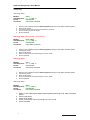
Panasonic X60 Unlock
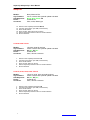
Models:
LED Sequence:
Phone:
Connector
1.
2.
3.
4.
5.
6.
7.
8.
X60,
Blinking, On, Off, Off
Powered On
Jack Plug (labelled T191)
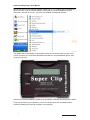
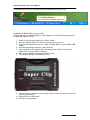
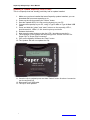
Switch on the Superclip and select Panasonic X60
Connect the phone (Powered ON)
Press “Enter” button.
Wait for Superclips LEDs to return to mode indication.
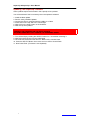
Insert incorrect SIM Card and then power on phone. (1 the phone will not accept)
type 52824** to open service menu
Enter 00000000 (8 Zero’s) into the Network Code
Phone Unlocked
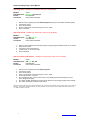
Panasonic X400 Unlock
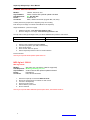
Models:
LED Sequence:
Phone:
Connector
1.
2.
3.
4.
5.
6.
Page. 18
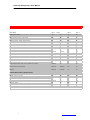
X400,
Blinking, On, Off, Off
Powered Off
Jack Plug (labelled T191)
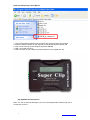
Switch on the Superclip and select Panasonic X60
Connect the phone (Powered Off)
Power on the phone while pressing # and * screen stays white
Press “Enter” button.
LED 2 flashes then 3 then all, and then returns to mode indication.
Phone Unlocked
http://www.superclip2.com