1
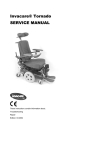
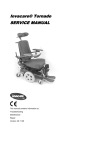
Tornado
Service Manual
5
Troubleshooting the Tornado
5.1
Troubleshooting the Tornado with ACS
If a problem occurs with the wheelchair, then please proceed as follows:
• Identify the possible cause of the fault by using the troubleshooting tables below.
• Check the Status Display on the remote. Identify the error code if it is flashing.
• Perform the necessary checks and repairs as recommended in the table below.
5.1.1
Diagnosing driving faults
PROBLEM
OTHER
SYMPTOMS
POSSIBLE
CAUSE
Wheelchai
r will not
drive
Status display
on remote
lights up
normally and
does not show
an error code
Drive motors
may be
disengaged
• Engage the
drive motors
See User Manual
Status display
on remote
does not light
up
Batteries may
be defective
• Replace the
batteries
See "Replacing
batteries" on page 29
Batteries may
be completely
discharged
• Charge the
batteries
See User Manual
Power supply
to the remote
may be
interrupted
• Check the
main fuse
See "Replacing the main
fuse" on page 34
• Check cables
between
modules for
loose
connections or
damage
See "Checking the
cables" on page 36
Remote may
be defective
• Exchange
the remote on
the wheelchair
for a different
one to
eliminate the
possibility that
the remote
may be the
cause.
See "Replacing the
remote" on page 38
Various causes
• Identify the
error code
See "REM24 Error
Codes and Diagnostic
Codes" on page 18
Status display
on remote is
flashing
As at: 19.03.2004
Page 15
SOLUTION
REFERENCE
Tornado
PROBLEM
Wheelchai
r does not
drive
smoothly
Batteries
cannot be
charged
Wheelchai
r drives
too slowly
Service Manual
OTHER
SYMPTOMS
POSSIBLE
CAUSE
Status display
on remote
flashes 2x,
drive mode
display shows
"U"
None
Speed
reduction
switch on the
lifter may be
defective or
disconnected
• Replace
cable or
switch
See "Adjusting and
replacing the speed
reduction switch" on
page 40
Batteries may
be defective
(voltage not
stable)
• Replace the
batteries
See "Replacing
batteries" on page 29
Drive motor(s)
may be
defective
• Replace the
drive motor(s)
See "Replacing the drive
motors" on page 24
None
Batteries may
be defective
• Replace the
batteries
See "Replacing
batteries" on page 29
LEDs on the
charger are
flashing
Charger may
be defective
• Replace the
charger
See User Manual of the
charger
Status display
on remote
flashes 2x,
drive mode
display shows
"U"
Seat lifter is not
in driving
position (either
too high or too
low), and has
activated the
automatic
speed
reduction.
• Return seat
lifter to driving
position
See User Manual
Speedreduction
micro-switch on
the seat lifter
may be badly
adjusted
• Adjust the
micro-switch
See "Adjusting and
replacing the speed
reduction switch" on
page 40
Remote may
be defective
• Replace the
remote
See "Replacing the
remote" on page 38
Batteries may
be defective
• Replace the
batteries
See "Replacing
batteries" on page 29
None
Page 16
SOLUTION
REFERENCE
As at:19.03.2004
Tornado
Service Manual
5.1.2
Diagnosing problems with electric actuators
In case an electric actuator will not function, identify the source of the problem using the following
table:
PROBLEM
OTHER
SYMPTOMS
POSSIBLE
CAUSE
Electric
Actuator
does not
function
Remote
displays a
flashing "E",
status diode on
the CLAM does
not go out,
even if the
remote is
switched off or
disconnected
CLAM is
defective
• Replace the
CLAM
See "Replacing
components of the ACS or
Shark electronics" on page
27
None
Cable may
be
disconnected
or damaged
• Check that
the cable is
not
disconnected
or damaged. If
necessary,
replace the
cable
See "Checking the cables"
on page 36
Electric
actuator may
be defective
• Test the
actuator
See "Testing an actuator
motor" on page 39
Remote may
be defective
• Exchange
the remote on
the wheelchair
for a different
one to
eliminate the
possibility that
the remote
may be the
cause.
See "Replacing the
remote" on page 38
As at: 19.03.2004
Page 17
SOLUTION
REFERENCE
Tornado
5.1.3
Service Manual
REM24 Error Codes and Diagnostic Codes
The drive electronics are capable of rectifying some errors automatically. In this case the status
display will cease to flash. Please switch the remote on and off several times. Wait approx. 5
seconds each time before switching the remote on again. If this does not rectify the error, locate
the error using the flash codes shown below.
Flash code:
Meaning:
Solution:
Notes
1 x flash
Module defective
Replace defective
module
See "Replacing
components of
the ACS or Shark
electronics" on
page 27
2 x flashes
Accessory error (e.g.
actuator short-circuit)
•
See "Testing an
actuator motor" on
page 39
3 x flashes
Lifter raised or lowered
•
too far (seat not at driving
height)
See User Manual
If lifter is raised,
lower in stages until
the status display
stops flashing. If
lowered too far, raise
lifter in stages until
the status display
stops flashing. If at all
possible, only drive
when the seat is at
driving height.
Fault in right-hand motor. •
Check connecting
plugs
Connection
loose/defective or motor
defective
4 x flashes
5 x flashes
6 x flashes
Check accessory
connections, check
accessories
•
Check motor
Fault in left-hand motor.
Connection
loose/defective or motor
defective
•
Check connecting
plugs
•
Check motor
Fault/brake fault on righthand motor. Connection
loose/defective or motor
defective
•
Check connecting
plugs
Fault/brake fault on lefthand motor. Connection
loose/defective or motor
defective.
•
Page 18
See "Checking
the cables" on
page 36
See "Replacing
the drive motors"
on page 24
See "Checking
the cables" on
page 36
See "Replacing
the drive motors"
on page 24
See "Checking
the cables" on
page 36
See "Replacing
the drive motors"
on page 24
Check connecting
plugs
See "Checking
the cables" on
page 36
See "Replacing
the drive motors"
on page 24
As at:19.03.2004
Tornado
Service Manual
Flash code:
Meaning:
Solution:
Notes
7 x flashes
Completely discharge
battery
•
Pre-charge battery
See User Manual
8 x flashes
Battery voltage too high
•
Switch lights on to
lower battery voltage
See User Manual
of battery charger
•
Check battery
charger
9 or 10 x flashes
Faulty data transmission
between modules
-
Remove all
electronic
modules except
the Power Module
and the Remote.
Re-attach
modules one by
one to determine
which one is
causing the fault.
See "Replacing
components of
the ACS or Shark
electronics" on
page 27
11 x flashes
Motors overloaded /
overheated
•
Switch remote on
and off / wait if
necessary
-
12 x flashes
Module used has
compatibility problems
•
Remove incorrect
module
See "Replacing
components of
the ACS or Shark
electronics" on
page 27
As at: 19.03.2004
Page 19
Tornado
5.2
Service Manual
Troubleshooting the Invacare® Tornado with Shark Remote
If a problem occurs with the wheelchair, then please proceed as follows:
• Identify the possible cause of the fault by using the troubleshooting tables below.
• Check the Status Display on the remote. Identify the error code if it is flashing.
• Perform the necessary checks and repairs as recommended in the table below.
5.2.1
Diagnosing driving faults
PROBLEM
OTHER
SYMPTOMS
POSSIBLE
CAUSE
Wheelchai
r will not
drive
Status display
on remote
lights up
normally and
does not show
an error code
Drive motors
may be
disengaged
• Engage the drive
motors
See User Manual
Status display
on remote
does not light
up
Batteries may
be defective
• Replace the
batteries
See "Replacing
batteries" on page 29
Batteries may
be completely
discharged
• Charge the
batteries
See User Manual
Power supply
to the remote
may be
interrupted
• Check the main
fuse
See "Replacing the
main fuse" on page
34
• Check cables
between modules
for loose
connections or
damage
See "Checking the
cables" on page 36
Remote may
be defective
• Exchange the
remote on the
wheelchair for a
different one to
eliminate the
possibility that the
remote may be
the cause.
See "Replacing the
remote" on page 38
Various causes
• Identify the error
code
See "Shark Error
Codes and
Diagnostic Codes"
on page 22
Status display
on remote is
flashing
Page 20
SOLUTION
REFERENCE
As at:19.03.2004
Tornado
Service Manual
PROBLEM
Wheelchai
r does not
drive
smoothly
Batteries
cannot be
charged
Wheelchai
r drives
too slowly
As at: 19.03.2004
OTHER
SYMPTOMS
None
POSSIBLE
CAUSE
SOLUTION
REFERENCE
Batteries may
be defective
(voltage not
stable)
• Replace the
batteries
See "Replacing
batteries" on page 29
Drive motor(s)
may be
defective
• Replace the
drive motor(s)
See "Replacing the
drive motors" on
page 24
None
Batteries may
be defective
• Replace the
batteries
See "Replacing
batteries" on page 29
LEDs on the
charger are
flashing
Charger may
be defective
• Replace the
charger
See User Manual of
the charger
None
Batteries may
be defective
• Replace the
batteries
See "Replacing
batteries" on page 29
Page 21
Tornado
5.2.2
Service Manual
Shark Error Codes and Diagnostic Codes
The drive electronics are capable of rectifying some errors automatically. In this case the status
display will cease to flash. Please switch the remote on and off several times. Wait approx. 5
seconds each time before switching the remote on again. If this does not rectify the error, identify
the error using the flash codes shown below.
FLASH
CODE
Meaning
Solution
Notes
1
User error
•
Ensure that the joystick is in the
neutral central position (simply release
the joystick) and switch on again.
2
Battery error
•
Check battery and supply cable.
•
See User Manual
Charge batteries. If you switch the
wheelchair off for a few minutes, the
batteries can often recharge to such
an extent that a short run is still
possible. However, you should only do
this in an emergency, as this causes
the batteries to discharge excessively.
•
Replace batteries
See "Replacing
batteries" on page
29
•
Check motor cable and connecting
plugs.
•
Check motor.
See "Checking the
cables" on page
36
3
4
Fault on left-hand
motor (M2)
Fault on right-hand •
motor (M1)
See "Checking the
cables" on page
36
See "Replacing
the drive motors"
on page 24
Check motor cable and connecting
plugs.
•
Check motor.
See "Checking the
cables" on page
36
See "Replacing
the drive motors"
on page 24
5
Error on left-hand
(M2) wheel lock
•
Check cable and connecting plugs.
See "Checking the
cables" on page
36
6
Error on right-hand •
(M1) wheel lock
Check cable and connecting plugs.
See "Checking the
cables" on page
36
7
Error in Shark
remote
•
Check remote bus cable and all
connecting plugs.
•
Replace remote.
See "Checking the
cables" on page
36
See "Replacing
the remote" on
page 38
Page 22
As at:19.03.2004
Tornado
Service Manual
FLASH
CODE
8
Meaning
Error in Shark
power module
Solution
•
•
Notes
Check all cables and connecting plugs See "Checking the
cables" on page
in the Shark system.
36
Replace power module
See "Replacing
components of the
ACS or Shark
electronics" on
page 27
Communication
error in Shark
system
•
10
Unknown error
•
Check all cables and connecting plugs. See "Checking the
cables" on page
36
11
Incompatible
remote
•
The wrong remote type is connected.
Ensure that the power module type
code matches the remote type code.
9
•
Check all cables and connecting plugs See "Checking the
cables" on page
in the Shark system.
36
Replace remote.
See "Replacing
the remote" on
page 38
See "Replacing
the remote" on
page 38
See "Replacing
components of the
ACS or Shark
electronics" on
page 27
As at: 19.03.2004
Page 23