1
122mm+-2
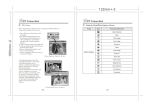
Installing Camera Driver
Under Microsoft Windows 98 / 98SE
Installing Camera Driver
3. A welcome window appears and please click "Next" to got to
next step.
1. Turn on the computer.
165mm+-2
2. Insert the CD into the CD-ROM Drive.
4. The computer will start the installation.
If the PC is set to auto run the program, simply click "Driver"
to start the installation.
If the PC is not set to auto run the program, please go to the
Start Menu, click "Run" and key in
"CD-ROM Drive:\Camera.exe" and then click "OK" Button.
24
5. Click "Finish" to start the installation of DirectX8.1 .
25