1
•
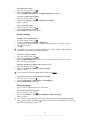
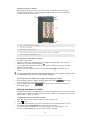
To activate the screen during a call
Press
.
1
2
To enter numbers during a call
During the call, tap Dialpad. A keypad appears.
Enter numbers.
•
To mute the ringtone for an incoming call
When you receive the call, press the volume key.
Recent calls
In the call log, you can view recently missed
1
2
1
2
1
2
3
4
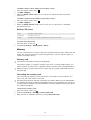
To view your missed calls
When you have missed a call,
downwards.
Tap Missed call.
, received
and dialled
calls.
appears in the status bar. Drag the status bar
To call a number from your call log
From the Home screen, tap Phone > Call log.
next to the number. If you want to edit
If you want to call a number directly, tap
a number before calling, touch and hold the desired number, then select an option.
To add a number from the call log to your contacts
From your Home screen, tap Phone > Call log.
Touch and hold the number, then tap Add to Contacts.
Tap the desired contact, or tap Create new contact.
Edit the contact details and tap Done.
Voicemail
If your subscription includes a voicemail service, callers can leave voice messages for you
when you can't answer calls. Your voicemail service number is normally saved on your SIM
card. If not, you can get the number from your service provider and enter it manually.
1
2
3
4
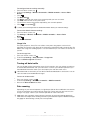
To enter your voicemail number
From the Home screen, tap .
Find and tap Settings > Call settings > Voicemail settings > Voicemail number.
Enter your voicemail number.
Tap OK.
1
2
To call your voicemail service
From your Home screen, tap Phone.
Touch and hold down 1.
Multiple calls
If you have activated call waiting, you can handle multiple calls at the same time. When it
is activated, you will be notified by a beep if you receive another call.
1
2
3
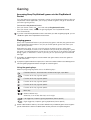
To activate or deactivate call waiting
From the Home screen, tap .
Find and tap Settings > Call settings > Additional settings.
To activate or deactivate call waiting, tap Call waiting.
•
To reject a second call
When you hear repeated beeps during a call, tap Busy.
31
This is an Internet version of this publication. © Print only for private use.