1
TCP54A
iProx RFID Embedded TCP/IP Ethernet Access Controller
for 5,000 users and 50,000 Transaction Records
Dimensions: 101mm x 71mm x 32mm
see http://avea.cc/tcp54asetup.html
for setup information
www.avea.cc
7. Setup the password for LOGIN (Password cannot
be reversed)
8. Setup the RFID reader
9. Setup the System PIN
10. Define the workgroup for reports
11. ADD Cards and enter Card Information
- download the add card file (serial number with
the ID card’s packing) from
http://avea.cc/serialno.html
12. Goto the Access Manager , click “PUT” to put
setting to reader & click “UPLOAD TO
READER” to upload card information to reader
*** Please see User Manual of NET Attendance
http://avea.cc/spec/net%20attendance.pdf for
details of Access Manager setup.
10
8
12
9
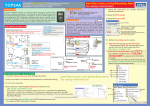
NET ATTENDANCE - QUICK START
1. Connect cables and power (see Wiring Instruction)
2. Setup the reader’s IP address and parameters (see Reader Setup)
3. Turn on the computer.
4.Download and install the NET Attendance software from http://avea.cc/sw/NETTA.zip
Unzip the file - Execute the installer program NETTA.msi. Just f ollow the installation instruction
to finish the installation . The detailed installation manual for the NET Attendance will be
installed automatically into your computer. You can read it by using the Adobe Reader.
User Manual
Installation Manual of
NET Attendance from Start
NET Attendance
6
User Manual
11
NET Attendance
7
5. Print and follow the User Manual of NET Attendance from Start
For details of NET Attendance's Setup.
6. Login the NET Attendance to start SETUP.
Ref: tcp54a\20100511
FOUR MODES OF OPERATION - Wiring Instruction
Access Control (Single reader - outside the premises)
IN Mode : Access Control (Single reader - outside the premises)
IN
for Entrance
with
- forMode
Entrance- with
or without
PINor without PIN
In this mode, the TCP54A
unit is installed
is installed
outside
outside
the premises.
the premises.
1. connect an electric strike to the RELAY TERMINAL
2. connect Ethernet to the RJ45
Rj45 socket
socket
3. Connect the POWER
3
2
2
ETHERNET
ETHERNET
C ABLE
C ABLE
Access Control (Dual readers)
TCP54A as MASTER for entrance + KS232S as SLAVE for exit
-
In this mode, the unit is installed outside the premises as the master. A
KS232S is installed inside the premises as the slave unit. An electric
strike and a bypass switch are connected to the slave and are installed
inside the premises. Pressing the bypass switch or presenting the
authorized cards will release the strike.
3
RJ45
Socket
4
G N D GND
( P o w e( Power
r sup p lysupply
al)
n egati
v e t e rm interminal)
negative
DC IND(CPower
supply
I N ( Powe
r supositive
r mina)
pply p ositte
ive
t ermina)
2
5
1
Bypass
switch
E T H ER N E T
CAB L E
Power
1
Electric
strike
-
1
NORMAL OPEN
COMMON
NORMAL CLOSE
R E L AY TE RM INAL
(TO E L E C TR IC S T RIK E )
- connect power to the POWER TERMINAL
- connect Ethernet to the RJ45 socket
OUT Mode + Access Control (Dual readers)
TCP54A as MASTER for exit + KS232S as SLAVE for entrance
Slave
3
G N D ( P o w e r sup p ly negati v e t e rminal)
DC I N ( Powe r su pp ly po sit ive t ermina)
ET HER NET
CABLE
- access control feature is disabled
1
(Op t io n al)
( B YPA S S S W IT C H )
POWER TER M IN A L
(TO PO W ER 9-12 V 50 0 mA )
CLOCK Mode :
as
Time Clock/
CLOCK
Mode : Time Recorder
Time Clock
/ Time
Recorder
- as
access
control
feature
is disabled
NORMAL
OPEN
NORMAL
OPEN
COMMON
COMMON
NORMAL
CLOSE
NORMAL
CLOSE
INAL
TE RM
REL AY
L
T ERMINA
RELAY
) IKE)
RIK
(TO E(T
LO
TR IC S TIC
E CELECTR
STER
3
(POWER 9-12 V 50 0 m A )
(T O PO W E R)
RJ45
Socket
IN AMLIN A L
PO WPO
ERW
T ER M
T ER
9 -1 2 V
( TO POWER
5 020mA)
(T O POWER
9 -1
V 500mA)
RJ45RJ45
Socket
Socket
IN Mode +
Slave
2
+
N3
“- ” t o P I
4
N
I
P
to
IN5
“TD”
” to P 6
“RD
N
o PI
“+” t
PIN1
PIN2
PIN3
PIN4
PIN5
PIN6
PIN7
PIN8
KS232S slave reader
T C P 54 A re ad e r
*** Remove a ll jum p ers on slave
-
In this mode, the unit is installed inside the premises as the master. A
KS232S is installed outside the premises as the slave unit. An electric
strike is connected to the master inside the premises. Authorized cards
will release the strike. The controller’s states and card information can
be uploaded by the NET Attendance software through the ethernet
network.
4
PO W E R TE R MI NA L
( TO P OWER 9- 1 2V 5 00 m A )
RJ45
Socket
E T H ER N E T
CAB L E
3
GND
DC I N
S L AV E TER M IN A L
1
R E LAY TERMIN A L
(TO E LEC TR IC STRIKE)
TC P 54A r eader
2
To enter configuration mode : hold the '*' key while applying the power
to the reader. 'CONF' will be shown on the reader. Place an ID card over
the reader will register a 'MASTER' card to configuration later without
power off the reader. By presenting the 'MASTER card to the reader, it
will enter the configuration mode directly.
Press ' ' to cycle the parameters to be configured:
*
(R D to PIN 5 )
DATA FROM SLAVE
D ATA TO SLAVE
(TD to P IN4)
“-” to P I N3
“TD” to PIN4
“RD ” to P IN5
"+"t o P I N6
TCP54A READER SETUP
PIN1
PIN2
PIN3
PIN4
PIN5
PIN6
PIN7
PIN8
KS2 3 2S slave rea d er
** * Re m ove all ju mpers o n sla ve
Parameter
IP
Gate
Net
Port
Description
IP address of the reader itself
Gateway IP address
Netmask
Port number
Default
192.168.1.234
192.168.1.1
255.255.255.0
1668
To edit the parameter, press '#' key. '.' is entered by pressing '#' key, i.e.
use enter 192.168.1.123, the key sequence is 192#168#1#123, then
press '#' key to confirm entry or '*' key to cancel the operation.