1
More information on this topic can be found in the
EncoreAnywhere online user manual. Just click ‘Help’ at any
stage to be directed to relevant guides.
EncoreAnywhere Help Guide
2. Modems
1. Physical Setup
1.
Unplug your therapy device from the mains and remove the power cable.
2.
Turn the therapy device round so the back of the device is facing you.
3.
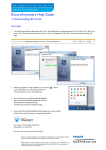
Safely and carefully remove the data card cover from the back of the therapy
device a pictured 3 . Store the data card cover in a safe place in case
you need it in the future.
4.
Leave the current data card in the therapy device.
5.
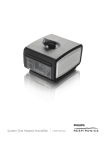
Take the wireless modem from the box and remove
the red cap that protects the connection pins.
Do not touch the connection pins.
6.
Insert the wireless modem into the therapy device,
as shown 6 , until it seats into position. It is not
necessary to remove the data card in order to
install the wireless modem.
7.
Insert the power cable into your therapy device
and plug it into the mains.
8.
Allow up to 30 seconds for the therapy device to recognise that a wireless modem is attached.
9.
On the therapy device screen you should see the following icons:
10. The therapy device is now ready to use with the wireless modem
Note: This help guide does not replace the Wireless Modem Installation and Operation Guide
Respironics and EncoreAnywhere are trademarks of Respironics, Inc. and its affiliates. All rights
reserved. All other trademarks are the property of their respective owners.
Philips Healthcare reserves the right to make changes in specifications and/or to discontinue any
product at any time without notice or obligation and will not be liable for any consequences
resulting from the use of this publication.
More information on this topic can be found in the
EncoreAnywhere online user manual. Just click ‘Help’ at any
stage to be directed to relevant guides.
EncoreAnywhere Help Guide
2. Modems
2. Pairing Modems
1. All modems are shipped as Inactive. An Inactive modem will not be listed in the EncoreAnywhere modem list.
2. A modem must be in Active status in order for it to communicate with EncoreAnywhere.
3. A modem is automatically activated when it is paired with a therapy device through EncoreAnywhere.
4. The modem is paired when the therapy device serial number and the wireless modem serial number are both entered into
the patient’s profile through the patient prescription tab (see below). The modem serial number is entered into the Encore
ID field of the Equipment Assignment pane.
Therapy
device serial
number
Wireless
modem
serial
number
Once Active, the status and information about a modem is available to the Modem Manager.
If the Modem Manager accesses the “Modem Administration” tab and clicks on an Encore ID, the “Modem List” screen will
display the following information seen below :
Respironics and EncoreAnywhere are trademarks of Respironics, Inc. and its affiliates. All rights
reserved. All other trademarks are the property of their respective owners.
Philips Healthcare reserves the right to make changes in specifications and/or to discontinue any
product at any time without notice or obligation and will not be liable for any consequences
resulting from the use of this publication.
More information on this topic can be found in the
EncoreAnywhere online user manual. Just click ‘Help’ at any
stage to be directed to relevant guides.
EncoreAnywhere Help Guide
2. Modems
3. Modem Troubleshooting
What if the modem does not call when first paired and connected to the therapy device?
1. Use the control wheel/push button
on your therapy device to highlight
the info option and press the wheel
2. Using the control wheel/push button,
highlight the status option
and press the wheel.
3. To ensure your wireless modem is
correctly activated you will see a
connectivity bar showing that
there is signal to the wireless modem.
The number of bars will vary from 0 to 5.
2 – 5 bars: Signal strength is good; the modem should be able to connect.
On the modem you will find a small button on the right-hand side.
This is called the call button. Press and hold the call button
for at least three seconds to initiate a manual call.
If you still have problems activating the wireless modem,
contact technical support.
0 – 1 bar: Signal strength is poor; the wireless modem is not able to get a signal.
Try moving the therapy device with modem attached to another area of the house.
If phone signal is poor in your area, a wireless modem may not be the
appropriate technology at this time. Use an alternative connectivity method
such as a Bluetooth accessory module or SD card.
Note: This help guide does not replace the Wireless Modem
Installation and Operation Guide
Press for 3
seconds to
initiate a manual
call
Respironics and EncoreAnywhere are trademarks of Respironics, Inc. and its affiliates. All rights
reserved. All other trademarks are the property of their respective owners.
Philips Healthcare reserves the right to make changes in specifications and/or to discontinue any
product at any time without notice or obligation and will not be liable for any consequences
resulting from the use of this publication.