1
BUYERS LABORATORY TEST REPORT
Xerox WorkCentre Pro 580 Multifunctional
General Appraisal continued
save mode is that rather than requiring a
programming operation to set up a specified time
for later delivery, the user simply presses the
“Toll” key and the document is automatically
stored into memory to be transmitted at the
programmed time. There are, similarly, dedicated
keys for the other three modes, as well as fax
forwarding, which are usually embedded in
nested menus. This design contributes to good
overall ease of use.
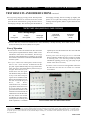
Also contributing to ease of use is the unit’s welllaid-out and uncluttered control panel, which
incorporates a 2-1/2" x 8/16" one-line, 16character LCD display. Moreover, the unit
displayed good procedures for removing and
replacing the imaging cartridge, which contains
toner as well as photoconductor. Further
contributing to ease of maintenance is a selection
of features in the WorkCentre Pro 580’s software,
such as “Clean Drum” and Adjust Shading,”
which helps users deal with output quality
problems. Ease of use as a connected device,
which includes setup of the Windows GDI print
driver via the Xerox installation disk, also proved
to be good. In addition, documentation as well as
the unit’s methods for removing misfeeds and
loading paper were rated “Good.”
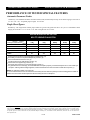
Fax features of the WorkCentre Pro 580 include
a 33.6-Kbps modem, MMR compression, 2-MB
memory (nonupgradable), multi-access,
broadcasting (to 100 destinations), 100 autodial
destinations (20 one-touch keys and 80 speed-dial
destinations), timers (to memory capacity), errorcorrection mode, 30-minute battery backup,
access codes and distinctive-ring detection. The
WorkCentre Pro 580 also demonstrated good
procedures for transmitting from memory after
a failed communication.
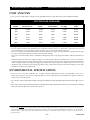
As a convenience copier, the WorkCentre Pro 580,
which can make up 99 copies in one session,
outputs copies at 600-dpi resolution and offers
zoom reduction/enlargement from 50% to 200%
in 1% increments.
Connectivity
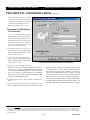
Tested in a single-user environment via a direct
parallel port connection to a PC, the WorkCentre
Pro 580 includes a 600-dpi, Windows GDI print
driver offering basic features that was easy to
use and looks and works the same way on both
tested platforms (Windows 98 SE and NT 4.0;
support is also available for Windows 95, 2000
and Me). And unlike the majority of models
tested in this category, the unit, which did not
experience any compatibility issues, received
BLI’s highest image quality rating for all types
of output produced (text, line art, halftones and
solids) in print mode.
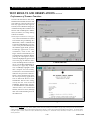
Scanning via the bundled TWAIN scan driver,
which is loaded on the PC and can be used with
any application that supports TWAIN, proved
to be easy. BLI tested the scan function using
the bundled TextBridge Pro Millennium with
OCR capability, which converted a document to
editable text without any text errors, although
there were some formatting errors in the address
line.
Shortcomings
BLI technicians noted the following shortcomings
in the tests: 1) In the fax tests, when the size of
the file exceeds memory capacity, the pages stored
in memory may automatically be sent,
necessitating another call to send the remainder
of the document. 2) Copy quality was rated
“Fair” for text, line art and halftones, while solids
were rated “Good.” 3) As is typical for devices in
this category, ease of adjusting paper trays was
rated “Fair” because when users insert paper into
the vertical tray and adjust the side guides to
accommodate paper of different sizes, they must
remember to change the paper size in the unit’s
“Fax Paper Size” menu. 4) The WorkCentre Pro
580 is less-equipped than some higher-priced
competitors. For example, the unit offers less
standard memory (2 MB) and a smaller standard
continued
Copyright 2002. WARNING: This material is copyrighted by Buyers Laboratory Inc. and is the sole property of Buyers Laboratory. Duplication of this proprietary
report or excerpts from this report, in any manner, whether printed or electronic (including, but not limited to, copying, faxing, scanning or use on a fax-back system),
is illegal and strictly forbidden without written permission from Buyers Laboratory. Violators will be prosecuted to the fullest extent of the law. To purchase reprints
of any BLI reports or articles, contact BLI at (201) 488-0404. Buyers Laboratory Inc., 20 Railroad Avenue, Hackensack, NJ 07601. Or visit our Web site at
www.buyerslab.com.
2-TR
610P717870