1
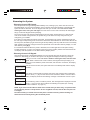
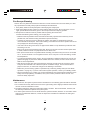
Programming codes from an LCD Keypad:
Master Code
Press the [✱] key to enter the function list. Scroll (< >) to...
Press (*) for<> Press [5] or [✱]. The display will read...
Access Codes
Enter Master
Access Code
Enter your current Master Code. The display will read...
(*) to Edit < > “01P” represents the first access code. Use the arrow (< >) keys to scroll to “40P”
User Code
01P and press the [✱] key to indicate that you wish to program the Master Code. The
display will read...
Enter New Code Enter the new Master Code. The Master Code must be four digits unless otherwise
1234
< > indicated by your installer. Enter digits 0 through 9 only. Once the new code is
entered, the keypad will beep 3 times and the display will read...
(*) to Edit < > Press [#] to exit the code programming function.
User Code
01P
Be sure to record your new Master Code on the “System Information” page in this booklet. NOTE: We
recommend that the factory default Master Code [1234] not be used.
Additional Access Codes
To erase, add or change a user code, press [✱] to enter the functions list. Use the arrow (< >) keys to
scroll to the following message...
Press (*) for<> Press [✱]. Display will read...
Access Codes
Enter Master
Access Code
Enter the Master Code. Display will read...
[*] to Edit <> Use the scroll keys (< >) to find the access code – indicated by “01P” to “34P” or
User Code
01P “41P” to “42P” – you wish to add, change or delete. Press the [✱] key to select the
code you wish to alter. The display will read...
Enter New Code To add or change a code, enter the new code. Access codes must be four digits
1234
< > unless otherwise indicated by your installer. Enter digits 0 through 9 only. To delete
an access code, enter [✱]. Once the 4 digit code or [✱] has been entered, the
keypad sounder will beep 3 times and the display will read...
[*] to Edit <> The “P” means the code has been programmed. If there is no “P” then that code is
User Code
01P deleted. Press [#] to exit the code programming function. The Master Code cannot
be erased.
Remember to record your new code(s) on the “System Information” page in this booklet.
Access Code Attributes
Additional programmable attributes, such as zone bypassing capability, can be activated or
deactivated for each access code. For more information regarding access code attributes, please
contact your installer.
Partition Master Codes
If your system is partitioned, you can have a master code for each partition. Partition 1 master code is
access code 41, partition 2 master code is access code 42.
10