1
Interface setting and factory default
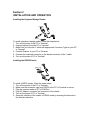
Scan in following order to set up the associated interface:
1、Read the “Configuration ON” barcode to enter the setting mode.
2、Scan the associated interface or Default from the right column.
3、Exit the setting mode by scanning the “Configuration OFF”.
USB
PS/2
Configuration ON
RS232
Configuration OFF
Default