1
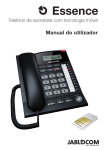
GDP-04� RF – �������� ������� ����� GDP-04i RF includes a short range radio compatible with OASiS wireless devices from JABLOTRON ALARMS a.s. Phone can be used as a social alarm and for operating a wireless relay. GDP-04i RF sends a text message and/or dials a call to defined phone numbers as a result of pressing a panic button enrolled to it. User ‘s Guide S����� / �������� ����� – PANIC ������ All settings are done in the M enu > S e t tin g s > Remote c ont r ol s menu. If you enter the M enu > S e t tin g s you thru all necessary settings. > Remote c ont r ol s menu for the first time, the phone guides Enrolling new devices Choose M enu > S e t tin g s > Remote c ont r ol s > My Remote c ont r ol s and <add new…> to enroll a new panic button or detector. Press the button on a control or insert a battery into the detector. Enter the name under which it will be displayed and press O K . If you want to edit or delete a previously enrolled device, select it in the list and choose O p tions > Edit or D ele te . Up to 10 controls can be enrolled to the phone at the time. You can enroll Jablotron OASiS wireless accessories - RC87 panic button, RC-88 wall button or RC-89 doorbell button, JA-80S smoke detector and others. For list of accessories and typical using scenarios please read the application note on www.jablocom.com/download/. Setting emergency numbers Choose M enu > S e t tin g s > Remote c ont r ol s > Phone numb er s and <add new…> to set a new emergency number. There could be set up to 5 phone numbers. Select an action which you like to make with the phone number: for sending an SMS and making a voice call. for making a voice call only. for sending an SMS only. Setting emergency text message Choose M enu > S e t tin g s > Remote c ont r ol s > Tex t me s s a ge to change an emergency message text. After setting the message press O K . Setting emergency voice message XC_GDP-04i.ENG.MAN.Manual.15.A - 13 - EN