1
Installjac
SESAM
52
10-June-2010
Program version 8.1
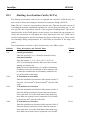
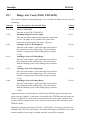
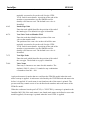
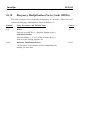
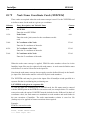
This value controls the time that elapses between equilibrium calculations. Half
a second (0.5 sec.) is usually adequate for a large jacket. You might have to
reduce this number for larger structures. Check the “Error per Timestep” field
on the Time History report.
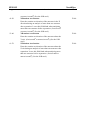
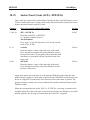
Starting Time
This value controls the start time of time incrementation. The total time of an
analysis is the Starting Time plus the Time Increment times the number of executed increments.
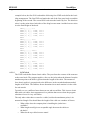
TIME, 50, ,0.5, 0.0
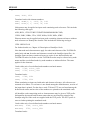
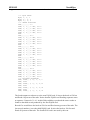
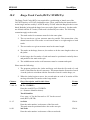
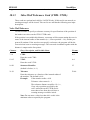
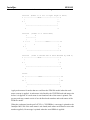
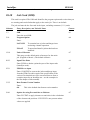
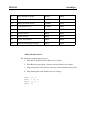
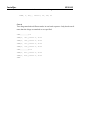
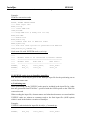
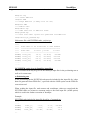
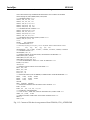
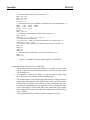
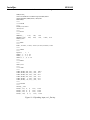
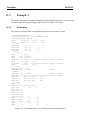
Here is a example of what all the cards would look like together (in the input shown
below the structure data has already been generated and stored in the restart file).
JOB, LINE, NAME
TITLE, Launch Positioning Run
OPTIONS, EQON, NODL, END
RESTART, 1
**** Barge and Jacket Tracks
BLT1, 2111, 2112
BLT2, 2121, 2122
JLT1, 1111, 1112
JLT2, 1121, 1122
**** Rocker Arm Description
RPN1, 4.0, 15.0, 150.0
**** Launch Interaction Parameters
WNCH, 2.5E6, 0.99
FRIC, 0.04, 0.05
RELF, 0.0, 0.0
**** Equilibrium Time Steps
TIME, 50, ,0.5, 0.0
4.6
Running the Program
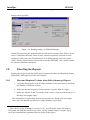
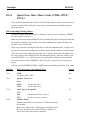
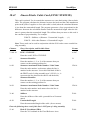
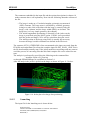
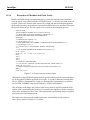
The analysis is started either through Manager (Figure 3.14) or by typing in the following on the command line:
installjac.exe /input=<inputfile>.inp
During the processing, the program reads the structure block data from the RESTART
1file. It then mates the structures and repeats the equilibrium calculations until all the
time steps have completed.
Note: The time remains constant at zero seconds.
Finally the program generates the reports and updates the RESTART file, which contains the structure block data plus the track, rocker arm, winch, force, restraint, and
position data. The updated RESTART file is called a RESTART 2 file.