1
5. Using On-Screen Menu
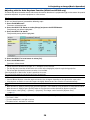
Adjusting White Balance [White Balance]
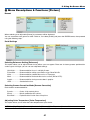
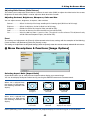
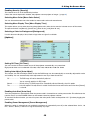
This allows you to adjust the white balance. Contrast for each color (RGB) to adjust the white level of the screen;
Brightness for each color (RGB) is used to adjust the black level of the screen.
Adjusting Contrast, Brightness, Sharpness, Color and Hue
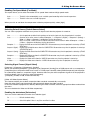
You can adjust contrast, brightness, sharpness, color and hue.
Contrast ................ Adjusts the intensity of the image according to the incoming signal (White level of the image).
Brightness ............. Adjusts the brightness level or the black level of the image.
Sharpness ............. Controls the detail of the image for Video (not valid for RGB).
Color ..................... Increases or decreases the color saturation level (not valid for RGB).
Hue ........................ Varies the color level from +/- green to +/-blue. The red level is used as reference. This adjustment is only
valid for Video and Component inputs (not valid for RGB).
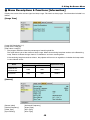
Reset
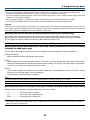
The settings and adjustments for [Picture] will be returned to the factory settings with the exception of the following;
Preset numbers and [Reference] within the [Preset] screen.
The settings and adjustments under [Detail Settings] within the [Preset] screen that are not currently selected will not be reset.
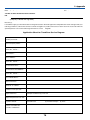
쐄 Menu Descriptions & Functions [Image Options]
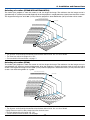
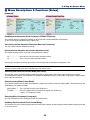
Selecting Aspect Ratio [Aspect Ratio]
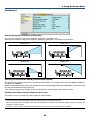
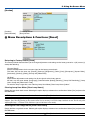
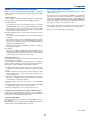
Aspect Ratio allows you to select the best Aspect mode to display your source image.
You can also display the Aspect Ratio menu by pressing the ASPECT button on the remote control.
Normal
Wide Zoom
Cinema
Standard
4:3 Aspect
Left and right
stretched
Left and right
stretched
Normal
Wide Zoom
Cinema
16:9 image displayed
in 4:3 mode
Left and right
stretched
Left and right stretched to
display the true aspect
Native
When 4:3 is selected from
the source (i.e. DVD player),
the following selections will
display:
When 16:9 is selected from
the source (i.e. DVD player),
the following selections will
display:
Native (RGB only): Turns off the scaling feature. The projector displays the current image in its true resolution.
42