1
Chapter 6
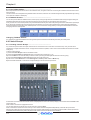
If the analogue gains need to be changed, only the console that is in Full Connect will be able to do this but the second console will be not
be affected by these changes as it has its Gain Tracking switched on.
b) Both operators want to be able to control the analogue gain on the racks:
1) One console should fully connect to the racks using the System / Consoles and Racks panel's Full Connect button for the Optocore
racks.
2) The operators should agree on and set a level of analogue gain that provides enough headroom for the required application.
3) The second console should connect to the racks in Receive Only mode to ensure that it doesn't send its own current gain levels to the
racks. This console may then do a Full Connect to the racks.
4) With both consoles in Full Connect, Gain Tracking should be switched on for both consoles for all the channels that are being shared.
5) If either operator changes the analogue gain there will be no overall level change on either console as the digital trims will always
compensate for the change in analogue gain.
Note: If either operator wishes to change the analogue gain and not have their own console's digital trim compensating, they
should temporarily switch off Gain Tracking on the required channel, make the gain change and then switch gain tracking back
on again.
6.1.3 Gain Tracking and Snapshots ............................................
In a FOH and Monitors system, a great deal of care must be taken if analogue gains are to be changed with snapshots. There are a
number of methods of doing this but as the following points illustrate, there are several things to consider.
Note: Analogue gains are included in the snapshot Input Routing Scope and digital trims are included in the Input Controller
Scope.
It is intended that one console will not have analogue gains in any of its snapshots' scopes. This prevents it from sending any rack
commands at all and therefore it cannot change analogue gains with snapshots.
A similar situation could be created by making the console Receive Only for rack control but this will also prevent manual analogue gain
changes.
In either case, the other console is then in complete control of snapshot gain changes.
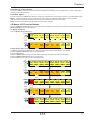
When a session is loaded it starts in Isolate, so if you go to Receive Only then Full Connect you can join the rack sharing without
making any gain changes. If you are responsible for the analogue gains, it is likely that you will want to go straight to Full Connect after
load session.
Subsequently, both consoles can be in Full Connect at all times; this way if either operator spots an over (or under) they can manually
adjust the analogue gain on either console and if Gain Tracking is on for both consoles the balance will not be disturbed.
Note: Problems may occur if both consoles are using snapshots and they have digital trim changes in their snapshots.
In this situation, snapshots must be stored at the same time on both consoles so that the analogue gain changes on the controlling
console will be reflected in a stored digital trim level on the other console which is recalled with the firing of the snapshot.
The console that is not controlling analogue gains should normally have Gain Tracking switched on to enable its digital trims to compensate for the other console's analogue gain changes. This system will work correctly but if the digital trims are subsequently changed with
an in dependent snapshot then the automatic adjustment may be overridden and unanticipated overall levels may result.
Suggested methods:
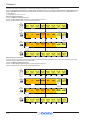
1) Do not change analogue gains with snapshots from either console.
This is the simplest method and involves removing Input Routing Scope from all console snapshots.
Both consoles can be in Full Connect so that either operator can adjust analogue gains manually.
Gain Tracking can be switched on for both consoles to ensure that neither is affected by manual gain changes that are made by the other.
Digital trim changes can be made manually or in snapshots on both consoles as these changes are completely independent of the other
console and cannot affect it in any way.
Note: The drawback of this method is that by removing Input Routing Scope from all console snapshots, the input socket
selection cannot be changed with snapshots.
2) Only change analogue gains with snapshots from one console.
If there is a requirement to change input socket routing and/or analogue gains with snapshots then only one console should control the
gains.
The second console should have either:
a) Input Routing Scope removed from all of its snapshots - this assumes that there is no requirement to change input socket routing
with snapshots.
OR
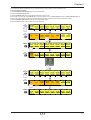
b) It should be in Receive Only for rack commands so that it cannot send its own analogue gain changes but can still have Input
Routing Scope on and therefore change input socket routing with snapshots.
Gain tracking should be switched on for the second console so that unforeseen gain changes on the first will not affect its overall balance.
Gain tracking may also be switched on for the first console but this is not really necessary as the second console will not be controlling the
analogue gains at all.
When the first console stores a snapshot that will change analogue gains, the second console should then store its own snapshot that
reflects the required digital trim settings to compensate for that change. These snapshots should then be fired at the same time (approximately) during the show.
Note: The most important aspect of this procedure is the coordination of snapshots between the two consoles. It is not
advisable for the two operators to store snapshots independently of each other - they must both store snapshots at the same
time.
6-6