1
Exercises
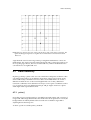
we let an algorithm decide which points to fill in to draw the line, so there is already
computing going on under our noses. The algorithm for drawing lines is quite
complicated and is covered in a later section. For now, it suffices that lines are really
a collection of points with the property that the points join the end points by a
straight line, the shortest possible pattern of connected turned-on pixels between
two points on the display window.
We now have a method for joining two points with a line. In the next chapter, we
will see how lines can be made to have many different meanings.
You should now be able to:
describe what Cartesian coordinates are, and how the origin relates to these
explain what the Processing methods size() background(), point() and
line() do
describe what a pixel is and how this relates to the Processing display window
and to the physical display
write Processing sketches to draw pictures using points and simple lines.
4.11
Exercises
1. In section 4.2 you created a blank sketch, and were asked what size you thought
the sketch was. Without guessing or simply using judgement, how would you
find out the actual size? Why do you think this particular size is used as a
default? Note that when we talk about size, we could be referring to actual
lengths, or to numbers of pixels; it is important to become comfortable about
both of these uses.
2. In Processing, what is the difference between a sketch and a display window?
Why does Processing need both?
3. In Section 4.5.1 you saw an example where we used strokeWeight() to change
the thickness of the stroke. What is actually happening when this is done? What
is the relation between the pixels and the point? At the end of that section we
say that we will use a large stroke to make points more visible. Why then is it
useful for us to have pixels as small as they are? Would not making the physical
size of a pixel bigger improve visibility? What do we lose when we do this?
4. Write a Processing sketch that covers the display window with vertical lines.
Now modify it to do horizonal ones as well. Think about the distance between
the vertical lines, and the distance between the horizontal lines. You could
make them evenly spaced, or you could try to make them less regular. See what
kinds of pictures you can come up with just through innovative use of drawing
lines — this does not purely have to be through spacing; there are many other
creative dimensions that you can explore. Also, think about this in terms of the
previous chapters on the Bauhaus, and creativity in mathematics. In the next
chapter you will learn more about lines in Processing and lines as a creative
vehicle, but for now, try to see how much you can do with what you already
know.
5. Does a bigger physical display size mean there are more or less (or the same
number of) pixels on the screen? Dicuss this, and think about what it means for
Processing and its implementation — will Processing run in the same way on
computers with different sized screens and screen resolutions?
41