1
ClearSCADA Mobile Administration Guide
21
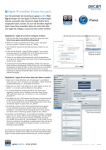
Copy the licence key string into the 'Licence Key' field then clicking the 'Validate Licence' will update
the Licence Status, System Limit, Device Limit and Licence Expiry Date fields with the details of
your licence:
The System Limit field shows the maximum no. of ClearSCADA systems that ClearSCADA Mobile
server is permitted to connect to.
The Device Limit field displays the maximum permitted number of mobile clients.
If the issued licence has an expiry date (in the case of temporary licenses) then the Licence Expiry
Date is shown. The server will cease to operate past this point in time.
© 2012 Schneider Electric