1
NOTES
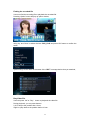
This is the quick installation for the player ,For detailed operation Please down load it from
our website ..
1. Connection
1.1 Connecting the Power Supply
62B62B62B
(1) connect the AC adaptor to the player’s DC IN jack;
1.2 Connecting to a PC
63B63B63B
(1) Make sure the player is powered on;
(2) Plug in the squarish connector of the USB cable to this player’s USB DEVICE port;
(3) Plug in the rectangular connector of the USB cable to computer.
In this way, you can manage content on the built-in HDD of the player on your local PC.
1.3 Connecting a USB Device
64B64B64B
(1) Make sure the player is powered on;
(2) Plug in the USB stick or USB HDD etc. to the USB HOST port of this player.
In this way, you can browse contents on the USB device.
1.4 Connecting a Memory Card
65B65B65B
Memory card can be used by inserting to the card slot
In this way, you can browse contents on the memory card.
1.5 Connecting to a TV
66B66B66B
1.5.1 A/V OUT
(1) Plug in the 3 color connector to the player’s A/V OUT jack;
In this way, you can enjoy the content in the player on TV or other display devices.
1.5.2 Y/Pb/Pr Component OUT
(1) Plug in the 3 color connector to the player’s Y/Pb/Pr jack;
(2) Follow the picture and plug in the 3 color connector to the TV’s Y/Pb/Pr jack.
Audio Connection while using Y/Pb/Pr Video out:
First method: use the audio output from the A/V OUT jack;
Second method: use the audio output from the S/PDIF Coaxial or Optical jack.
In this way, you can also enjoy videos, music, and photos in the player on TV.
1.5.3 HDMI OUT
(1) Plug one connector on your HDMI cable to the player’s HDMI jack;
(2) Plug the other connector on your HDMI cable to the TV’s HDMI jack. Note: The HDMI cable
is an optional accessory sold separately.
In this way, you can have the highest quality video and audio via a single cable.
1.6 Connecting to an Digital Amplifier
67B67B67B
(1) Plug in the RCA connector on your coaxial cable to the player’s S/PDIF Coaxial jack. Or if
you use optical fiber, please plug in the Toslink connector on your optical fiber to the player’s
3