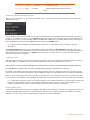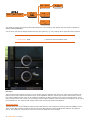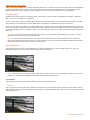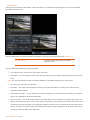
1
SCRATCH User Guide
version 4.3 – April 2009
© ASSIMILATE INC
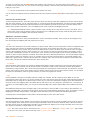
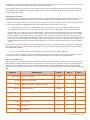
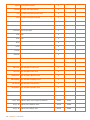
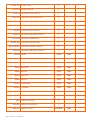
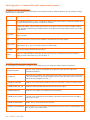
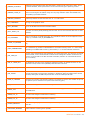
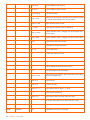
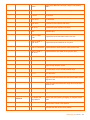
01 – INTRODUCTION ......................................................................................................................... 4
WHAT IS SCRATCH? ........................................................................................................................................ 4
FEATURES ..................................................................................................................................................... 4
CONFIGURATIONS AND LICENSING ................................................................................................................... 4
FULLY LICENSED SCRATCH WORKFLOW DIAGRAM ............................................................................................... 8
ACKNOWLEDGEMENTS .................................................................................................................................... 8
02 – GETTING STARTED .................................................................................................................. 10
INTRODUCTION ........................................................................................................................................... 10
SOFTWARE INSTALLATION ............................................................................................................................. 10
STARTING THE SOFTWARE............................................................................................................................. 17
03 – THE STARTUP SCREEN ............................................................................................................. 28
INTRODUCTION ........................................................................................................................................... 28
MENU BAR BUTTONS ..................................................................................................................................... 29
USERS/PROJECT MENU .................................................................................................................................. 30
USER SETTINGS MENU .................................................................................................................................. 30
PROJECT SETTINGS MENU ............................................................................................................................. 33
SYSTEM SETTINGS MENU .............................................................................................................................. 36
04 – THE CONSTRUCT ...................................................................................................................... 40
INTRODUCTION ........................................................................................................................................... 40
THE VIEW PORT ........................................................................................................................................... 40
THE MAIN MENU ........................................................................................................................................... 46
INTERACTING WITH SHOTS ........................................................................................................................... 47
GLOBAL BUTTONS ........................................................................................................................................ 56
SETTINGS MENU .......................................................................................................................................... 58
MEDIA MENU ............................................................................................................................................... 63
TRAY MENU ................................................................................................................................................. 67
TIMELINE MENU ........................................................................................................................................... 68
COMMAND MENU .......................................................................................................................................... 70
CONFORMING .............................................................................................................................................. 71
MEDIA BROWSER ......................................................................................................................................... 76
05 – THE PLAYER ............................................................................................................................. 79
INTRODUCTION ........................................................................................................................................... 79
PLAYER BASICS............................................................................................................................................ 79
COMMON PLAYER ELEMENTS .......................................................................................................................... 81
PLAYER MENU .............................................................................................................................................. 88
PLAYER SETTINGS MENU ............................................................................................................................... 88
TRAYS ........................................................................................................................................................ 94
PLAYER COMMAND MENU ............................................................................................................................... 95
LUT ............................................................................................................................................................ 96
GUIDES .................................................................................................................................................... 100
THE FILE-BASED PLAYER ............................................................................................................................. 103
06 – THE EDITOR ........................................................................................................................... 105
INTRODUCTION ......................................................................................................................................... 105
SCRATCH User Guide - 1
ENTERING THE EDITOR ............................................................................................................................... 105
THE TIMELINE ............................................................................................................................................ 105
NAVIGATION ............................................................................................................................................. 106
NUMERICAL CONTROL ................................................................................................................................. 107
INTERACTIVE EDITING ................................................................................................................................ 110
EDIT CONTROLS ......................................................................................................................................... 110
SAVING AND LOADING EDITS....................................................................................................................... 112
07 – THE MATRIX .......................................................................................................................... 113
INTRODUCTION ......................................................................................................................................... 113
THE PRIMARY GRADING INTERFACE .............................................................................................................. 113
THE COLOR MENU ...................................................................................................................................... 113
THE LEVELS INTERFACE .............................................................................................................................. 115
THE NUMERIC MENU ................................................................................................................................... 117
VECTORS .................................................................................................................................................. 118
CURVES .................................................................................................................................................... 119
LUT .......................................................................................................................................................... 119
REFERENCE TOOLS ..................................................................................................................................... 120
TRIM BUFFER ............................................................................................................................................. 121
COPY AND PASTE ....................................................................................................................................... 124
THE VERSION STACK .................................................................................................................................. 124
USING TRAYS FOR COLOR GRADING ............................................................................................................. 126
ANIMATION ............................................................................................................................................... 126
THE CURVE EDITOR MENU ........................................................................................................................... 128
SAVING AND LOADING ................................................................................................................................ 133
MATRIX CONFIGURATION SETTINGS ............................................................................................................. 134
08 – SCAFFOLDS ............................................................................................................................ 138
INTRODUCTION ......................................................................................................................................... 138
MANAGING SCAFFOLDS ............................................................................................................................... 138
CANVAS .................................................................................................................................................... 141
SCAFFOLDS INTERACTIONS ......................................................................................................................... 149
QUALIFIER ................................................................................................................................................ 152
TEXTURE ................................................................................................................................................... 155
CAMERA .................................................................................................................................................... 157
TRACKING ................................................................................................................................................. 158
09 – OUTPUT AND PROCESSING .................................................................................................... 161
INTRODUCTION ......................................................................................................................................... 161
THE PROCESS MENU ................................................................................................................................... 161
PLUGINS BROWSER .................................................................................................................................... 166
SCRATCH NATIVE PLUG-INS ......................................................................................................................... 167
PROCESSING ............................................................................................................................................. 173
OUTPUT NODES ......................................................................................................................................... 176
10 – SCRATCH EXTENSIONS AND UTILITIES ................................................................................. 180
INTRODUCTION ......................................................................................................................................... 180
2 - SCRATCH User Guide
DUAL HEAD ............................................................................................................................................... 180
MEDIA LAYER............................................................................................................................................. 180
CONstruct I/O ............................................................................................................................................ 180
LUT EXPORT .............................................................................................................................................. 181
LUT ENCRYPTION ....................................................................................................................................... 181
REMOTE .................................................................................................................................................... 181
PLAYOUT ................................................................................................................................................... 182
ACOPY ...................................................................................................................................................... 184
DISKIO ..................................................................................................................................................... 185
11 – CUSTOMIZING SCRATCH ........................................................................................................ 186
USER INTERFACE ....................................................................................................................................... 186
CUSTOM PULL-DOWNS ................................................................................................................................ 188
CONTROL SURFACES................................................................................................................................... 189
THIRD-PARTY PLUG-INS .............................................................................................................................. 201
DECK CONTROL ......................................................................................................................................... 201
SCRATCH XML............................................................................................................................................ 203
SCRATCH REMOTE ...................................................................................................................................... 209
ENVIRONMENT VARIABLES........................................................................................................................... 210
WACOM TABLET ......................................................................................................................................... 212
OPTIMIZING SCRATCH PERFORMANCE ........................................................................................................... 215
GET FULLY ASSIMILATED ............................................................................................................................. 217
Guide Appendix A - Command Line and Configuration Parameters ................................................ 218
SCRATCH Command Line parameters ............................................................................................................. 218
SCRATCH Configuration Variables in SConfig.txt .............................................................................................. 218
Guide Appendix B - Quick Keys overview ...................................................................................... 221
SCRATCH User Guide - 3
01 – INTRODUCTION
WHAT IS SCRATCH?
ASSIMILATE’s SCRATCH ® Digital Intermediate Process Solution™ is the essential mix that gives post-production facilities
and filmmakers an end-to-end data pipeline for visually complex 2k/4k film, HD, SD, Stereoscopic 3D, and digital film
projects in a single, real-time, easy-to-use, streamlined, resolution-independent workflow. With its robust feature set,
SCRATCH enables you to quickly work from frames to finished footage, as well as increase productivity, create, experiment,
and deliver multi-resolution, multi-format, high quality output, on-time and on-budget.
FEATURES
•
Project-wide data management infrastructure
•
Assemble/edit, conform, review, playback, and finish
•
Advanced primary and secondary color grading, with unlimited layering, six-vector controls
•
Support for third-party 1D, 3D and customer-developed Look-Up-Tables (LUTs), color management systems,
colorist panels, plug-ins for visual effects
•
Audio playback
•
Real-time output to any SMPTE format
CONFIGURATIONS AND LICENSING
SCRATCH is a modular product that can be licensed in a variety of ways to provide individual suites with custom capability
tailored to specific tasks.
For example, one SCRATCH workstation might be configured as a CONFORM station with tools for conforming EDLs and
adjusting edits while another SCRATCH station could be configured as a Colorist station with Primary and Secondary color
grading tools but no editorial capabilities.
This allows each station to perform a specific function without the risk of changing important data. For example, the Colorist
would not be able to alter the edit accidentally.
SCRATCH has full-featured toolsets, which have extensive capabilities and also smaller features called EXTENSIONS that
enable functionality for more specific tasks.
Note: All EXTENSIONS are grouped together under a single toolset called EXTENSIONS; however, they are each licensed
individually.
A brief list of each toolset’s functionality is listed below.
4 - SCRATCH User Guide
PROJECTS
The PROJECTS toolset allows for multiple users and projects so you can;
•
Organize your projects into multiple groups and CONstructs with different resolutions and frame rates
•
Change individual User preferences
•
Save and load CONstructs
•
Support XML-based back-end scripting to remotely manage projects, create CONstructs and perform other project
management tasks without using the SCRATCH User Interface
•
Use a Tray interface to easily reference, match and compare with off-line shots, and other footage
EDIT
The EDIT toolset adds conform and clip editing functionality allowing you to:
•
Display an interactive timeline representation of a CONstruct
•
Modify edit points interactively or through a numeric interface
•
Modify clip timings within the timeline
•
Zoom and Pan on the timeline to focus on specific shots
•
Add an audio clip to the timeline with slip and audio scrub control
•
Use a Tray interface to group clips for comparison and color grading
•
Add and modify dissolves between clips.
•
Create timecode-based conforms based on Edit Decision List (EDL) files
•
Create keycode-based conforms based on Avid Log Exchange (ALE) files
•
Save and load edit decisions independent of the source material
MATRIX
The MATRIX toolset allows you to:
•
Create real-time, non-destructive primary color grades on shots in the CONstruct
•
Work with a heads-up color-grading interface or external control surfaces
•
Adjust color offsets using printer lights
•
Use match grading to align color levels between shots in the CONstruct
•
Perform auto-grading against previously defined black, mid and white points
SCRATCH User Guide - 5
•
Selectively adjust color levels based on 6 user-selectable vectors
•
Adjust individual Red, Green, Blue and Overall color curves
•
View color levels using Histogram and Color Curves views
•
Group shots, create reference libraries, and copy/paste color grades using the Tray interface
•
Animate color values over time using key frames and animation curves
•
Load and save color-grading settings
•
Save LUTs based on primary color grades
SCAFFOLDS
The SCAFFOLDS toolset extends the functionality of the MATRIX, allowing you to:
•
Create and manage multiple SCAFFOLDS in a layering interface
•
Isolate a portion of the image to be affected by the SCAFFOLD using CANVAS shapes with variable softness controls
•
Further qualify SCAFFOLDS with RGB, HSV, or Luma-range keyers
•
Track SCAFFOLDS to images using one, two, or three-point tracking
•
Manipulate SCAFFOLDS within a 3D workspace
PROCESS
The PROCESS toolset allows you to:
•
Process the net result of a CONstruct into new image files
•
Apply real-time, animated shot framing functions such as Scale, Offset and Rotation to create multiple formats and
aspect ratios
•
Add a Processing Queue to the CONstruct
•
Burn-in shot metadata in real-time
•
Control smart processing that allows you to process individual shots as you work, and automatically manages which
frames need to be processed when changes are made
•
Apply stabilization to individual shots to correct or modify the shot framing
•
Make unlimited use of Image Processing Effects and extended capabilities via Third Party Plug-ins at any point in the
creative process
•
Access an open-architecture solution based on the OpenFX API, expanding and tailoring the capabilities of SCRATCH
to specific workflows.
Note: The PROCESS module includes the Pan-Scan, QuickTime Export and Scratcher Plug-Ins by default. Other Third
Party Plug-ins may be purchased from their respective vendors. See Chapter 11 – CUSTOMIZING SCRATCH for details
about SCRATCH Third Party Plug-in vendors.
6 - SCRATCH User Guide
SCRATCH EXTENSIONS
SCRATCH EXTENSIONS are a collection of specific functions which extend the core capabilities of SCRATCH for a particular
task. Each EXTENSION can be licensed separately.
Below is a list of all EXTENSIONS. They are covered in detail in Chapter 10 – SCRATCH EXTENSIONS AND UTILITIES.
DUAL HEAD
The DUAL HEAD EXTENSION allows SCRATCH to be run in a Dual Monitor configuration.
MEDIA LAYER
The MEDIA LAYER EXTENSION allows you to import various additional media files directly into your SCRATCH system, such
as RED .r3d and QuickTime media files.
CONstruct I/O
Allows you to save and load entire CONstructs.
Note: This EXTENSION is usually only necessary for base SCRATCH configurations that need the additional functionality
of saving and loading CONstructs. The save and load functions are included as part of the PROJECTS toolset, so this
EXTENSION would not be necessary if the PROJETS toolset is licensed.
LUT EXPORT
The LUT EXPORT EXTENSION allows you to save and load LUTs in a standard ASCII format.
REMOTE
The REMOTE EXTENSION allows you to send remote playback commands to other SCRATCH systems. This enables multiple
SCRATCH seats in multiple locations to be slaved to each other for collaborative review and playback sessions.
PLAYOUT
The PLAYOUT EXTENSION allows you to output the current CONstruct as an SDI signal with real-time down- and upconversions, frame-rate conversions, color grading and shot framing. SCRATCH can control a VTR to perform frameaccurate layoffs.
Note: PLAYOUT requires the NVIDIA SDI daughter-card option.
SCRATCH User Guide - 7
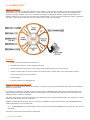
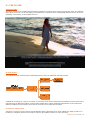
FULLY LICENSED SCRATCH WORKFLOW DIAGRAM
ACKNOWLEDGEMENTS
The following non-proprietary code is used within SCRATCH and derived applications:
FreeType (uses version 2.1.10)
Copyright (c) 1996-2002 The FreeType Project (www.freetype.org)
All rights reserved.
The OpenGL Extension Wrangler Library (1.3.3)
Copyright (C) 2003, 2002, Milan Ikits <[email protected]>
Copyright (C) 2003, 2002, Marcelo E. Magallon <[email protected]>
Copyright (C) 2002, Lev Povalahev <[email protected]>
All rights reserved.
Half float pixel format type
This is the format used on the graphics hardware, and the conversion from, and to this format is provided through software,
which is:
Copyright (c) 2002, Industrial Light & Magic, a division of Lucas Digital Ltd. LLC
All rights reserved.
OpenEXR image format
Copyright (c) 2004, Industrial Light & Magic, a division of Lucasfilm Entertainment Company Ltd. Portions contributed and
copyright held by others as indicated. All rights reserved.
XML toolkit from the GNOME project (libXML2 version 2.6.11)
Copyright (C) 1998-2003 Daniel Veillard. All Rights Reserved.
Additional notices for files contributed to the libXML project:
Copyright (C) 2001 Bjorn Reese <[email protected]>
8 - SCRATCH User Guide
Tiff library:
Copyright (c) 1988-1997 Sam Leffler
Copyright (c) 1991-1997 Silicon Graphics, Inc.
Jpeg library:
The Independent JPEG Group's JPEG software
This software is copyright (C) 1991-1998, Thomas G. Lane.
JPEG 2000 Format image format support is handled through:
Kakadu V6.1, License 00845
Copyright (c) 2001, David Taubman, The University of New South Wales (UNSW)
JasPer
Current version: 1.701.0
JasPer License Version 2.0
Copyright (c) 1999-2000 Image Power, Inc.
Copyright (c) 1999-2000 The University of British Columbia
Copyright (c) 2001-2003 Michael David Adams
All rights reserved.
OFX : Open Plug-Ins For Special Effects
Basic Host implementation uses the specification headers provided by the OFX project, which are:
Copyright (c) 2003-2004, The Foundry Visionmongers Ltd.
All rights reserved.
Trademarks
Windows is a registered trademark of Microsoft Corporation in the United States and other countries.
Pentium is a trademark or registered trademark of Intel Corporation or its subsidiaries in the United States and other
countries.
The following are trademarks of ASSIMILATE Inc.:
ASSIMILATE, ©copyright and trademark, ASSIMILATE Inc, 2004. All rights reserved.
SCRATCH is a registered trademark ® of ASSIMILATE, 2006. SCRATCH SCAFFOLDS, SCRATCH EXTENSIONS, and SCRATCH
Digital Intermediate Process Solution are all trademarks and registered trademarks of ASSIMILATE, 2006, All rights
reserved.
SCRATCH User Guide - 9
02 – GETTING STARTED
INTRODUCTION
This chapter walks you through installing the SCRATCH software, configuring your graphics and system settings, starting
the software and familiarizing you with the SCRATCH User Interface.
SOFTWARE INSTALLATION
Getting SCRATCH up and running takes just three easy steps:
1. 1) Install the SCRATCH software
2. 2) Generate an initial log file and send it to the ASSIMILATE licensing email address
3. 3) Place the license file you receive back from ASSIMILATE into the correct folder
SYSTEM REQUIREMENTS
SCRATCH’s real-time performance relies primarily on the speed of the graphics accelerator and disk sub-system in your host
computer system. System RAM and CPU type are also important but with more latitude.
The basic system requirements are listed below.
HARDWARE
•
Dual-processor workstation
o
AMD Athlon64
o
AMD Opteron
o
Intel Pentium4
o
Intel Xeon
•
PCI Express support
•
3GB Memory minimum
•
High-speed disk sub-system
•
o
SCSI Ultra-320
o
SATA RAID
o
2GB or 4GB Fibre channel
NVIDIA Quadro FX-4600 / 5600 graphics accelerator
o
Optional NVIDIA SDI Output card for direct SDI output from SCRATCH
Disk sub-systems are available in a variety of types, from local storage to high-speed SAN solutions. SCRATCH plays back
media files directly from the disk drives without converting to an intermediate file format; therefore the performance of
SCRATCH is tied directly to the performance of the disk sub-system.
Running SCRATCH on a platform configuration or technology not tested or recommended by ASSIMILATE could result in
unacceptable performance. For information on qualified hardware and recommended graphics and disk systems, check out
the ASSIMILATE website and support site at http://www.assimilateinc.com/ and http://www.assimilatesupport.com/akb/ .
Note: the newly popular R3D file format requires large amounts of CPU performance in order to decode the images in real
time. Your system’s ability to play back R3D files will depend largely on the speed and number of processing cores.
OPERATING SYSTEM
SCRATCH runs on:
•
Windows XP Operating System; Windows XP Professional version Service Pack 2 is recommended.
•
Windows Server 2003; this OS enable the use of LUN volumes bigger than 2TB.
10 - SCRATCH User Guide
INSTALLING THE SCRATCH SOFTWARE
SCRATCH is typically shipped in one of two ways: either on a CD or as a .zip file.
In the case of a .zip file, you need to unzip the file before you can begin the installation.
The file can be unzipped using the default Windows zip utility by right-clicking on the .zip file and choosing ‘Extract’ from the
context menu.
Once the file is unzipped, there is a folder with three files in it; AssimSetup.msi, Install.txt and ReleaseNotes.txt.
The Install.txt file is an overview of the installation process.
The ReleaseNotes.txt file is copied into the main SCRATCH install directory by the installer. See below for more information
about this file.
If you received the SCRATCH software on a CD, the three files above are located on the CD. There’s no need to unzip
anything and the installer can be run directly from the CD.
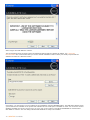
SCRATCH is installed using the .msi file. Double-clicking on this file launches the SCRATCH installer program.
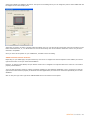
When the installer first launches, an initial dialog is shown, indicating that you are about to install SCRATCH on your
system.
Click NEXT to continue.
SCRATCH is copyright protected and you need a license to use it. See later in this chapter about obtaining a license.
SCRATCH User Guide - 11
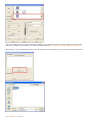
Select I Agree and Click NEXT to continue.
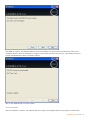
The second dialog shows the folder where the SCRATCH software will be installed. By default, it is C:\Program
Files\Assimilate. It’s recommended that you use the default installation location unless your facility requires that the
software be loaded in a different location.
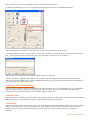
If necessary, you can browse to a new location for the installation using the BROWSE button. The DISK COST button shows
you all of the drives available on the system and estimates of how much space is available on each. You can choose to have
SCRATCH available only to the current user or to every user on the system. The default of EVERYONE is recommended.
Click NEXT to continue. The next dialog indicates that SCRATCH is ready to be installed.
12 - SCRATCH User Guide
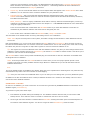
Click NEXT to continue. The SCRATCH software will now be installed. The progress bar will indicate the status of the
installation process. When the installation is complete, which should only take a few seconds; a final dialog will open to
indicate that SCRATCH has been successfully installed.
Click on the CLOSE button to exit the installer.
INSTALLED FILES
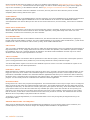
After the installation completes, the SCRATCH files are located in two separate folders on the system as shown below.
SCRATCH User Guide - 13
PROGRAM FILES
The main software is installed at: C:\Program Files\Assimilate. This is where files, which are updated with each software
installation, are located. This is also where the ReleaseNotes.txt file can be found. The Release Notes contain additional
SCRATCH operational information in a short-form manual.
In the C:\Program Files\Assimilate directory are the following folders:
Bin
This folder contains the SCRATCH executable application and all supporting .dll files.
There are also three additional executable programs in the bin folder; acopy.exe, diskio.exe and crypt3dl.exe. These are
command-line utilities that are used for copying media, analyzing disk performance and encrypting 3D LUTs respectively.
See Chapter 10 – SCRATCH EXTENSIONS AND UTILITIES for details on these utilities.
Fonts
The SCRATCH UI can be customized to use any font loaded under Windows. These fonts are loaded simply to ensure that a
default font is available. See Chapter 11 – CUSTOMIZING SCRATCH for more information about customizing the SCRATCH
UI.
Settings
This is the location for many of the SCRATCH configuration files used for setting up features such as external control
surfaces, SCRATCH Remote and deck control functionality. Configuration of these files is covered in detail in Chapter 11 –
CUSTOMIZING SCRATCH. The Settings folder also contains a LUT sub-folder. This folder contians a number of pre-defined
Look-Up-Tables. The list of files is also covered in more detail in Chapter 11.
APPLICATION DATA
Once the software is run a folder is created at: C:\Documents and Settings\All Users\Application Data\Assimilator.
This is where files that carry over between software versions are located. These files and folders are not modified when the
SCRATCH software is updated. This includes files such as SCRATCH license files, User settings, Project folders, SCRATCH log
files and also SCRATCH configuration files.
Note: The Application Data folder is hidden by default in Windows. In order to see this folder you may need to modify
the Windows Explorer settings so that hidden files are shown.
The C:\Documents and Settings\All Users\Application Data\Assimilator folder contains the following sub-folders:
Media
This folder is the default location for the SCRATCH Media Library. The files contained in this folder are managed by
SCRATCH and should not be changed by the user unless directed to do so by Technical Support.
Project
This is the default location for SCRATCH Project folders. Everything pertaining to a particular SCRATCH Project is contained
within that Project’s folder, allowing for easy backup and transportation of SCRATCH Projects. The location of this folder can
be changed within the SCRATCH application. This is only necessary in specialized cases. For normal operation, the default
location should be used. See Chapter 3 – THE STARTUP SCREEN for more information about changing the default location of
SCRATCH Projects.
The SCRATCH Project Folder contains a sub-folder per project created. All project data is stored in the .ref files in the sub
folder. Each time you exit a project a new .reg file is created with the project data, while the previous files are stored as
.#.reg file. This way automatically 3 backups are maintained. Furthermore, when SCRATCH terminates abnormally, the next
time the project is entered again a $$Crash.reg file is saved, to maintain an additional backup. At the same time the log-file
written at the moment of the termination is saved to the project sub-folder as a CrashLog.log file. This file can contain
information about the underlying reason SCRATCH terminated.
Settings
The SETTINGS folder contains several important configuration files:
•
SConfig.txt – This is a text file with settings to tailor SCRATCH to your needs. The file replaces most of the former
Windows Environmental Variables that could be used. When the file is not present (e.g. when upgrading from a
previous version of SCRATCH) the file will be created automatically and copy any values that were set with the
Windows Environmental Variables. After that the settings in the file will override Environmetal Variables. The file
14 - SCRATCH User Guide
contains a short description of each option. The ReleaseNotes.txt file located in the C:\Program Files\Assimilate
folder will hold a more extensive description. See Chapter 11 - Customizing SCRATCH for more information on
Environmental Variables and SConfig.txt parameters.
•
Aspects.cfg– This is a text file that defines the various Aspect Ratios that appear in the ASPECT RATIO menu within
SCRATCH. You can add to this list to customize SCRATCH for your particular needs.
•
ImageFormats.cfg – This is a text file that describes different default Image Formats, which appear in the
FORMAT menu within SCRATCH. Each line of the file describes a particular format with fields for Name, Resolution,
Pixel Ratio and Frame Rate.
NTFS_Tweak.reg – This is a registry modification which adds 2 new keys within the Windows Registry. These keys
optimize the performance of large NTFS volumes. See Chapter 11 – CUSTOMIZING SCRATCH for more details about
using this registry modification.
There are several other files created within the SETTINGS folder as you work with SCRATCH. These files are
maintained by the SCRATCH software and should not be changed by the user.
•
There are also three sub-folders within the SETTINGS folder; LOGS, LUTS and PLUGINS.
The LUTS folder is the default location for saving and loading LUTs for use in SCRATCH.
Note: LUTs may be saved anywhere on the system; this folder is simply the first location in which SCRATCH looks for
saved LUTs.
Each time SCRATCH is run, a new log file is generated in the LOGS folder. The Assimilator.log file is the most current log
from the last time SCRATCH was run. Previous versions are numbered from 1 to 10 with 1 being more recent and 10 being
the oldest. Only the last 10 log files are kept. Older log files are removed each time SCRATCH is run.
Tip: The log files are used to troubleshoot issues with the SCRATCH software. Any time you have strange behavior from
SCRATCH, exit the program and copy the Assimilator.log file from the LOGS folder to another location. This allows you to
preserve it and send it to Technical Support.
The PLUGINS folder is used to store presets of SCRATCH plug-ins. Presets that are stored in this folder are available from
the Plugin Browser in SCRATCH.
Note: In the Project folder also a PLUGIN sub-folder is created. Here you can save project specific presets. These
presets are however not readily available from the Plugin Browser in SCRATCH but you can still load them with the
SCRATCH File Browser.
Users
This is the default location for SCRATCH User folders. Each User has a separate folder containing their user profile and any
customizations they make to the User Interface or Panel Mapping.
Tip: Save your User folder onto a USB Flash Drive so you can take your user settings with you to any SCRATCH system.
In addition to the files and folders that are created, a SCRATCH shortcut icon is created on the desktop. This icon can be
used to launch the SCRATCH software.
GENERATING A LOG FILE
In order to run SCRATCH, you need a license file. The license file is generated by ASSIMILATE based on information in the
SCRATCH log file; Assimilator.log.
To generate a log file, follow these steps:
1. Run SCRATCH by double-clicking the desktop icon. The SCRATCH software launches and you will see the initial
Startup Screen. There will be a notice in red that no valid license was found. This is normal.
2. On the right side of the interface is a button labeled LOG FILES. Pressing this button opens a Windows Explorer to
the location of the SCRATCH log files. You will see a single file called Assimilator.log inside the folder.
SCRATCH User Guide - 15
3. Exit the SCRATCH software using the EXIT button on the left side of the interface.
Note: You must confirm the EXIT command by clicking on OK in the EXIT button. This exits the SCRATCH software.
4. Send an email to mailto:[email protected] the Assimilator.log file attached. Indicate your name and
company information in the email so that you can be easily identified.
INSTALLING THE LICENSE FILE
Your license file will be emailed back to you as an attachment.
Copy the license file into the C:\Documents and Settings\All Users\Application Data\Assimilator\Settings folder. This is the
location where all license files must be located.
SCRATCH is now licensed for the MODULES you have purchased.
Tip: The folder for SCRATCH licenses is located up one directory from the location of the LOG files. You can use the LOG
FILES button in SCRATCH to quickly open the log folder and then go up one directory to the SETTINGS folder.
UPGRADING SCRATCH
The SCRATCH software is updated regularly to add new functionality and improve existing features. To upgrade to a new
version of the software, follow these steps:
1. Back-up all project and user information. This information should be backed up regularly, but it is most important
to have a backup version of your project information before installing a new version should you ever need to revert
back to a previous version for any reason.
2. Remove the SCRATCH software using Add/Remove Programs in the Windows Control Panel.
3. Install the new version of software by running the .msi installer that was provided.
16 - SCRATCH User Guide
Note: A new SCRATCH license may be required when upgrading to new versions of the software. Check the Release
Notes that are included with new versions of the software for information about licensing before beginning the install
process.
Note: It is most important that you check the Release notes of a new version to make sure it is fully backward
compatible with the current version you are running. It is discuraged to switch to a new version while working on a
project but rather to install a new version when starting a new project.
STARTING THE SOFTWARE
THE SCRATCH USER INTERFACE
In broad terms, the SCRATCH software is divided into three sections: The Startup Screen, the CONstruct and the Player.
Throughout each of these sections, the SCRATCH User Interface, or UI, remains consistent.
The UI itself is divided into two distinct areas. The Main Menu panel occupies the lower portion of the screen and has a Menu
Bar across the entire top. Above this is the main workspace area of the UI, called the View Port.
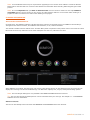
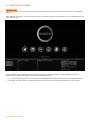
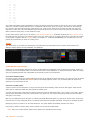
When SCRATCH is launched, the first screen you will see is the Startup Screen. On the Startup Screen, the View Port area
displays the licensing icons and the SCRATCH logo. The Main Menu displays User, Project, and System Settings options.
Note: User and Project Settings are only available if the PROJECTS MODULE has been licensed.
Tip: The View Port area of the Startup Screen can be customized with your own logo. See Chapter 11 – CUSTOMIZING
SCRATCH for more information.
MODULE LICENSING
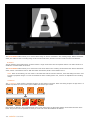
The icons on the Startup Screen will show what MODULES and EXTENSIONS have been licensed.
SCRATCH User Guide - 17
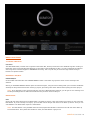
For example, in the image above, the PROJECTS, EDIT and COLOR MODULES have been licensed, since they appear as fullcolor icons. The remaining MODULES have not been licensed since they are grayed out.
LICENSE DETAILS
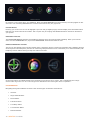
Hovering your cursor over an icon will highlight it (the icon will get slightly larger) and also display more information about
that icon such as the name of the module. This is a quick way of verifying what SCRATCH features have been licensed on
your system.
EXTENSION LICENSING
The EXTENSIONS MODULE includes several different features which can all be licensed separately. When you hover the
cursor over the EXTENSIONS icon, any licensed EXTENSIONS will be shown below the icon.
EXPIRING TEMPORARY LICENSES
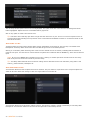
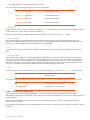
The icons on the Startup Screen will also indicate when a temporary license is nearing its expiration date. SCRATCH licenses
can be layered so that temporary licenses can exist along with permanent licenses. This allows you to add functionality with
temporary licenses without having to swap out entire license files.
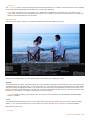
In the image above, the COLOR toolset has a temporary license that is due to expire. This is indicated by the orangecolored outer ring on the icon. The color will get more saturated as the license gets closer to expiration.
UI COMPONENTS
Navigating through the SCRATCH UI is done with several types of elements and functions:
•
Gestures
•
Single-Action Buttons
•
Menu Buttons
•
Pull-Down Menus
•
Text-Entry Slates
•
Text Selection Slates
•
Numerical Slates
18 - SCRATCH User Guide
•
On-screen Calculators
•
Color Selection Palettes
•
Special Purpose Interface Elements
•
Quick Keys
GESTURES
SWIPING
SCRATCH uses a method called ‘swiping’ to control various UI elements. A swipe simply means to move the cursor quickly
off one edge of the UI. When the cursor hits the edge of the UI, whatever swipe action is attached to that edge of the UI will
be executed. This may consist of revealing a menu or clearing a selection. You’ll see swiping referred to in many places
throughout this manual.
CONTROL GEARING
Control Gearing is a gesture for incrementing and decrementing Numerical Slates, similar to using a radio dial. See the
section NUMERICAL SLATES for details on how Control Gearing is used.
SINGLE-ACTION BUTTONS
A single-action button performs one action when clicked. Examples of these are the EXIT and ENTER PROJECT buttons
shown on the Startup Screen. If a button is grayed out, then the function that button performs is not currently available.
CONFIRMING SINGLE-ACTION BUTTONS
Some single-action buttons will require a confirmation to ensure that you really do want to perform the operation. In these
cases, the button will be replaced by a confirmation button, which is really two buttons in one.
Click on the OK part of the button to confirm the action or click on the ESC part of the button to cancel the action.
The Enter key on the keyboard can also be used to confirm the action.
Moving your cursor off the button will cancel the action automatically.
Quick
Key: Enter
Confirm Action
Quick
Key: Esc
Cancel Action
MENU BUTTONS
Menu Buttons are used to select between different sub-menus within the Main Menu. The Menu Button will highlight to
indicate which sub-menu has been selected and the Main Menu will update to display that sub-menu.
An example of this are the four Menu Buttons on the left side of the Startup Screen; User/Project, User Settings, Project
Settings, System Settings. Each of these will call up a different sub-menu.
PULL-DOWN MENUS
Clicking on a pull-down menu will open a list of options for that button.
SCRATCH User Guide - 19
The currently selected option will have its text highlighted. The option under the cursor will have the background of the
button highlighted. Options that are not available will be grayed out.
Click on any option to select it and close the list.
Tip: Pull-down menus will stay open after a single click with the mouse or pen. There is no need to keep the mouse or
pen depressed while selecting from a pull-down menu. This makes the SCRATCH UI easier to use with less strain on the
muscles of the hand.
TEXT ENTRY SLATES
Text Entry Slates are areas where specific alpha-numeric information can be entered. They are flat, non-shaded areas.
Examples of Text Entry Slates are the New User and New Project areas on the Startup Screen.
Clicking on a Text Entry Slate will change the cursor from the default cross to an I-Beam, indicating that the software is
ready for text input. Text can then be entered from the keyboard and confirmed with the ENTER key, which will end the text
input.
Note: Be sure to hit ENTER after completing a text entry. Clicking on another part of the UI will revert the text entry
back to its previous version and cancel any new text entry.
Tip: Text Entry Slates follow all of the usual text editing rules for Windows such as Cut and Paste (using CTRL-C and
CTRL-V), partial selection, backspace etc.
TEXT SELECTION SLATES
Text Selection Slates are lists of options that can be selected. They are similar to a pull-down menu except all options are
visible at all times rather than having to click on a single button to reveal the list.
Text Selection Slates cannot be directly edited; however, the text they contain is usually controlled by a Text Entry Slate.
Examples of Text Selection Slates are the Users and Projects lists on the Startup Screen.
20 - SCRATCH User Guide
NUMERICAL SLATES
Numerical Slates are used for inputting numerical data for various properties. You can input or change a value of a
Numerical Slate in several ways.
CONTROL GEARING
To use Control Gearing, click and hold over the current number in a Numerical Slate and make a circular motion with the
cursor. This will act as a control dial which will increment (clockwise motion) or decrement (counter clockwise motion) the
numerical value. You can hold down the Quick Key: Shift to change the sensitivity of the control gearing.
Quick
Key: Shift
Changes the sensitivity of Control Gearing
The sensitivity of the Control Gearing and Shift-modifier can be customized as a User Setting. See Chapter 3 – THE
STARTUP SCREEN for information about how to change these values for each User.
The Numerical Slates have a Fill Gauge that indicates where in the overall range of values the current number falls. The Fill
Gauge will gradually fill in the area behind the Numerical Slate’s label. Once the Fill Gauge moves to the right edge of the
label, the maximum value has been reached and the value cannot be incremented any further.
CALCULATOR
Clicking once on the number in a Numerical Slate will invoke the SCRATCH Calculator.
Tip: You can move the Calculator’s position by clicking down on the gripper in the lower right of the Calculator panel. If
you hover over the gripper, the main cursor will change to a translate cursor, indicating that repositioning is possible.
To enter a new value, simply click on the appropriate numbers and click the enter arrow. You can also use the number pad
on the computer’s keyboard to enter values. The numerical entry will update after the Enter key is pressed.
To remove a single digit entry, click on the backspace arrow; or, to clear the Calculator’s entire Entry Slate, click on the C
button.
Illegal Value Indicator
If you attempt to exceed a value’s upper or lower limit, the Calculator displays the number in red. Use Clear or Backspace
to set the Slate to a legal value. If you hit ENTER, the maximum or minimum value will be inserted automatically.
Increment and Decrement
To increment or decrement an existing value by a pre-defined amount, first enter the amount and then click on either the
up or down arrow at the top right of the Calculator panel. Each click on the arrow will increase or decrease the current value
by the amount you typed in, and the Calculator will display an equation representing the current increment or decrement.
SCRATCH User Guide - 21
Tip: By default, the increment and decrement are set to 1.
You can also use the following Quick Keys to achieve the same effect:
Quick Key: Up Arrow
Increments the value
Quick Key: Down Arrow
Decrements the value
Quick Key: Right Arrow
Increments the value
Quick Key: Left Arrow
Decrements the value
Calculations
Normal calculations can be made on numbers by using the ÷, x, - and + buttons. For example, to divide the current number
in half, click on the ÷ button and then click on 2 and Enter.
Numbers can also be quickly swapped from positive to negative or vice-versa by using the +/- button.
Timecode and Frames
The TC button toggles the Calculator between Frame Mode and Timecode Mode. When in Timecode Mode, values are
entered as HH:MM:SS:FF, rather than as pure frame counts. This only applies to Numerical Slates that accept Timecode as
a value. The TC button highlights when the Calculator is in Timecode Mode.
Reset
An individual value can be reset back to its default by clicking on the R button, located on the top left of the Calculator’s
panel.
Magic Number Picker
The Calculator has the ability to recognize and grab any number that exists on the current menu page and place it as the
current value in the Calculator. For example, if a Scale X Numerical Slate has a value of 90, and a Scale Y Numerical Slate
has a value of 50, you can set the Scale X value to 50 by clicking on the current value of Scale X to open the Calculator;
then click on the Scale Y value of 50 and the value of 50 is immediately entered into the Numerical Slate for Scale X. This is
a quick way of matching values between different parameters without typing the entire value.
Exiting
To close the Calculator and accept the current value, press the Enter button or use the Quick Key: Enter on the keyboard.
Quick
Key: Enter
Accept the current value and close the Onscreen Calculator
To remove the Calculator without changing any values, use the Quick Key: Esc or swipe the cursor off the edge of the UI.
Quick Key: Esc
Clear the On-screen Calculator
Swipe Action:
Clear the On-screen Calculator
LOCKING AND UNLOCKING LINKED SLATES
Some Numerical Slates, such as Scale X and Scale Y, are locked together so that modifying the value of one will
automatically modify the value of the other. This is particularly convenient for parameters, such as Scale, which typically are
modified together.
However, there are instances when these values need to be modified separately. To do this, first the Slates must be
unlocked from one another.
Locked Slates are indicated by a white Link Bar between the two Slates. In the image below, the Scale X and Scale Y values
are linked.
22 - SCRATCH User Guide
To unlock the Slates, you must drag from an empty area of the UI across the Link Bar.
While you are dragging, a line is drawn to indicate that you are unlocking the Slates. Once the line crosses the white Link
Bar, you can release the mouse or pen button. The Link Bar disappears and the Slates are unlocked. This can be done in
any direction, but you must start dragging from an area of the UI that has no other interface elements on it. If the indicator
line does not appear, then your start point was not valid.
Slates can be locked back together using the same method.
COLOR SELECTION PALETTES
There are several areas in SCRATCH where you will either need to sample a color from an image or designate a specific
color. In these situations, the Color Selection Palette appears. This UI element allows you to designate a color in several
ways.
RGB SLIDERS
The top row contains Sliders for Red, Green, and Blue levels. These can be adjusted by clicking inside the color area and
dragging the indicator to the desired level. You can also use the Quick Key: Shift to modify the sensitivity of the sliders.
Quick
Key: Shift
Modify slider sensitivity
Note: The sliders response is based on the settings for Control Gearing in the User Settings menu of the Startup Screen.
By default, the Quick Key: Shift will increase the sensitivity of the sliders. However, if the values for Control Gearing
have been altered, the sliders will behave in accordance with those settings.
CURRENT COLOR POT
In the center of the top row of the Color Selection Palette is the Current Color Pot. This area displays the currently selected
color and has the values for each color channel superimposed over it. The values displayed are based on the Color Format
that is selected. See below for more details about Color Format.
Color Picker
Whenever the Color Selection Palette is visible, you can select colors directly from the View Port. When the cursor is over
the View Port, it changes to the Color Picker cursor.
Click down on any area in the View Port; the color beneath the cursor will be sampled. You can also hold down the mouse or
pen button and continuously sample colors from the View Port. Releasing the mouse or pen button keeps the last sample as
the current color.
Note: Pan and Zoom controls are deactivated while the Color Selection Palette is open.
COPY
To the right of the Current Color Pot is the Copy button, which copies the value from the Average Color Pot into the Current
Color Pot.
AVERAGE COLOR POT
SCRATCH User Guide - 23
The Average Color Pot is a running average of all colors that have been sampled since the Color Selection Palette was
opened. This can be useful for sampling black areas to get an average black level for a particular portion of an image, or for
selecting a median value for a Qualifier. This is covered later in Chapter 8 – SCAFFOLDS. This color can easily be copied to
the Current Color Pot using the Copy button.
SAMPLE
The sample button determines how many samples will be taken around a certain point when the Color Picker is used. This is
another way of quickly averaging a selection. Using more samples from around the selected pixel reduces the effect of
variations caused by film grain or color sub-sampling, and gives you a more representative value for a particular area of an
image. If very precise pixel value measurements are required, a sample of 1 should be used to ensure that the values
returned are exactly the values of the sampled pixel.
RESET
The Reset button returns the Color Selection Palette to its default, middle-gray color. It also resets the Average Color Pot.
HSV SLIDERS
Along the bottom of the Color Selection Palette are the Hue, Saturation and Value sliders. The current color can be modified
by adjusting these sliders if you are more comfortable working in an HSV space as opposed to an RGB space. The Hue slider
is larger than the others in order to provide more accurate selection.
COLOR FORMAT
To the right of the HSV sliders is the Color Format pull-down. This pull-down changes how color ranges are expressed within
the Color Selection Palette. The actual bit depth is not changed; it simply alters the value ranges that are displayed in the
Current Color Pot.
•
8-bit values range from 0 to 255
•
10-bit values range from 0 to 1023
•
16-bit values range from 0 to 65535
•
0.0-1.0 values range from 0.0 to 1.0
COLOR SPACE
This pull-down will change the color space that is used to display values in the Current Color Pot. The options are RGB, HSV,
YUV and RGB-LOG.
NUMERIC
The Numeric button will toggle Numerical Slates on and off for RGB and HSV values so that you can enter these values
directly in addition to using the sliders.
OK/CANCEL
On the left side of the Color Selection Palette are the OK and Cancel buttons.
To accept the current color selection, you must either press the OK button, use the Quick Key: Enter, or swipe the cursor off
the left or right side of the screen.
Quick Key: Enter
Accept the current color selection.
Swipe
Action: Left or Right
Accept the current color selection.
To cancel the current color selection and return to the previous selection, you must either press the Cancel button, use the
Quick Key: Escape, or swipe the cursor off the top or bottom of the screen.
Quick
Key: Escape
Cancel the current color selection.
Swipe
Action: Up or Down
Cancel the current color selection.
24 - SCRATCH User Guide
SPECIAL PURPOSE INTERFACE ELEMENTS
There are many other interface elements in SCRATCH that are dedicated to a specific purpose; for example, the Tracker Ball
interface in the COLOR toolset.
The specifics of these interface elements is described in their respective chapters.
THE SCRATCH BROWSER
SCRATCH uses a custom File Browser for navigating the file system. This Browser provides specialized functions for working
with image sequences and folders. The Browser will pop up over the View Port area whenever SCRATCH requires you to
navigate to a particular file or folder.
NAVIGATION
Each sub-folder is shown in its own column. Select a sub-folder to open the next column and show the folders/files
contained within.
You can also use the following Quick Keys to navigate through folders:
Quick Key: Up Arrow
Select the next folder or file up in the
current column
Quick Key: Down Arrow
Select the next folder or file down in the
current column
Quick Key: Right Arrow
Expand the current sub-folder into the next
column
SCRATCH User Guide - 25
Quick Key: Left Arrow
Close the current sub-folder and go back to
the parent folder in the previous column
SCRATCH automatically detects image sequences and groups them into single entries within the Browser.
Each entry shows the base file name, number of frames in the sequence, and the date and time the files were
created/modified.
FILE TYPE FILTER
The current folder can be filtered to only show files of a certain type.
SORT
The order in which files and folders are displayed can be controlled with the SORT button. The options for sort are By Date
and By Type.
COLLAPSE
By default, SCRATCH groups image sequences into a single entry in the Browser. However, you can expand the group by
de-selecting the COLLAPSE button. This shows each file on its own line in the Browser.
26 - SCRATCH User Guide
Tip: Sometimes you may receive multiple files that are not meant to be grouped together. For example, QuickTime files
with names such as; Reference_1.mov, Reference_2.mov etc. These will get grouped together by the COLLAPSE
function. To see each file, de-select the COLLAPSE button.
ERROR LOG
Pressing Quick Key: E anywhere from within SCRATCH, will popu the Error Log panel. Any irregularities that accured, e.g.
unable to load a file, will be displayed. They will also be recorded in the general log. The Clear button will only remove items
from the active list in the panel. The general log is not affected.
Quick
Key: E
Show Error Log panel.
QUICK KEYS
SCRATCH uses keyboard Quick Keys as shortcuts to many of the UI functions.
A list of these Quick Keys can be called up at any time from within the SCRATCH UI by pressing the Quick Key: H.
Quick
Key: H
Activate context-sensitive Help list.
This list is context-sensitive and shows only the Quick Keys that apply to that particular area of the software.
To clear the list, press the Quick Key: H again or swipe off any side of the screen.
Swipe
Action:
Clear the context-sensitive Help list.
A complete list of all Quick Keys is in Chapter 12.
SCRATCH User Guide - 27
03 – THE STARTUP SCREEN
INTRODUCTION
This chapter introduces you to the Start-up Screen in detail, showing you how to configure Users, Projects, and SCRATCH
Settings.
When SCRATCH is launched, the Start-up Screen shows the User/Project Menu in the Main Menu area and MODULE licensing
in the View Port area.
In the Main Menu area, the four buttons on the left side: Users/Projects, User Settings, Project Settings and System
Settings switch the Main Menu between the different configuration menus.
Note: User and Project Settings are only available if the PROJECTS toolset has been licensed. If the PROJECTS toolset is
not licensed, the Start-up Screen displays a slightly different version of the System Settings Menu as shown below.
28 - SCRATCH User Guide
MENU BAR BUTTONS
ACCESSING LOG FILES
LOG FILES
The LOG FILES button, located on the right side of the Menu Bar, allows quick access to the SCRATCH log files. Clicking on
this button opens a separate Windows Explorer to the location of the SCRATCH log files. You may occasionally be asked to
send a log file to Technical Support or ASSIMILATE Licensing. This is a quick way to access the logs without having to
browse to a specific location.
ENTERING A PROJECT
ENTER PROJECT
In the middle of the Menu Bar is the ENTER PROJECT button. This button is grayed out unless a User and Project are
selected.
Clicking on the ENTER PROJECT button opens the selected Project, using the User’s settings that you’ve selected. SCRATCH
will keep the Project files locked when entering a project, preventing other other stations from opening the same project.
Note: If you attempt to open a Project that does not have a Media Directory defined, you will get an error message. Use
the Project Settings Menu to define the Media Directory and then enter the Project.
EXIT BUTTON
EXIT
On the left side of the Menu Bar is the EXIT button. The Start-up Screen is the only location from which you can access the
EXIT button. If you are already in a Project, you must first exit the Project and return to the Start-up Screen. Then you can
exit SCRATCH. The EXIT button requires a confirmation.
Note: The EXIT button is only available when the User/Project Menu Button is selected on the left side of the Start-up
Screen Main Menu. If any other Menu Button is active, the EXIT button is grayed out.
SCRATCH User Guide - 29
USERS/PROJECT MENU
When the Users/Projects Menu button is selected, the Main Menu shows three sections of information.
The first area on the left is the User List, then the Project List, followed by a block of buttons showing default information
about the currently selected Project. This is where you can create new Users and Projects.
Note: The User Settings and Project Settings buttons are grayed out in the screenshot above since no Users or Projects
have been defined yet.
CREATE A NEW USER
A SCRATCH User identifies a particular UI configuration. Each SCRATCH User can tailor the UI to his or her preference. The
details of what can be customized are covered in the USER SETTINGS MENU later in this chapter.
To add a new User, click on the New User Text Entry Slate and type in the name of the User you wish to create. Press
ENTER and then press the ADD button to the right of the Text Entry Slate.
CREATE A NEW PROJECT
A SCRATCH Project is nothing more than a group of SCRATCH CONstructs that have a logical link to one another. Typically,
a separate Project is defined for each production for which SCRATCH is used. However, you are not limited to any preset
format. A single production might have several different Projects within SCRATCH, if necessary.
New Projects are created in the same way as new Users; click in the New Project Text Entry Slate, type the name of the
Project, press ENTER, and then press the ADD button to create the Project.
PROJECT DEFAULT SETTINGS
The block of information at the right side of the Users/Projects menu shows the default settings for the currently selected
Project. This indicates the resolution, frame rate, aspect ratio and Media Directory that is used for each new CONstruct
created within that Project. The detail of setting these values is covered later in this chapter in the PROJECT SETTINGS
MENU section.
USER SETTINGS MENU
The User Settings Menu is where you can customize how the SCRATCH UI will look and act.
The first section of this menu is the Interface Settings, where you can choose some of the visual looks and behaviors of the
SCRATCH UI.
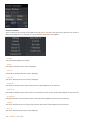
CONTROLS
There are two options: ROUND and SQUARE.
The default style of ROUND gives the SCRATCH UI buttons rounded edges and a soft shade across them. The SQUARE style
has sharper edges, a slight outline, and omits the shading.
SCHEME
There are three options in the pull-down menu for Scheme:
30 - SCRATCH User Guide
•
Color
•
Mono
•
Custom
These select the overall color scheme for the UI. Color applies the default color scheme for the UI. Mono changes the UI
color scheme to a monochromatic style which creates less intrusion on the eyes while doing color work. Custom allows you
to customize the color of individual elements of the UI and modify the overall text size and font for the UI. This is covered in
detail in Chapter 11 – CUSTOMIZING SCRATCH.
COLOR CURSOR
This toggle switches the cursor between the standard color style and a monochrome style. This is also useful for minimizing
the intrusion on the eyes while doing color work.
Note: Warning and confirmation dialogs still appear in color. Also other specialized interface elements are not
monochromatic since their color appearance is critical to their operation.
CONTRAST
When using a Custom color scheme, this numerical control adjusts the overall contrast of the UI.
RESET
This resets any changes made to a Custom color scheme back to the default values.
SQUARE/CIRCULAR MENU
These options control the appearance of the SCRATCH Command Menu. The Command Menu is a floating, pop-up menu
that allows you to navigate between the various menus in the SCRATCH Player. See Chapter 5 – THE PLAYER for more
details on the Command Menu.
UI TRANSITIONS
When switching between the three sections of SCRATCH -- the Start-up Screen, the CONstruct and the Player -- the
interface cross-fades to the new section rather than just changing instantly. This makes the transition smoother on the
eyes. Disabling this button turns off the fade effect and the interface switches instantaneously to the new section.
UI ANIMATIONS
This toggle activates the auto-panning mode for the CONstruct. When this is active, you can click, drag and release and the
CONstruct will continue to pan as if it has momentum from the ‘push’ you’ve given it. The CONstruct continues to coast
along until you click on the interface or until the beginning or end of the CONstruct is reached.
The next section of the User Menu determines how the Control Gearing behaves in Normal Mode and Shift Mode. These two
values determine the sensitivity of the Control Gearing throughout the UI.
NORMAL
This sets the default increment for all Control Gearing. The value is expressed in terms of a relative percentage.
SHIFT
This sets the increment for any Control Gearing that is done with the Quick Key: Shift depressed.
Tip: If you want the Quick Key: Shift to actually decrease sensitivity rather than increase it. You can invert these two
values so that the Shift value is less than the Normal value.
DRAG THRESHOLD
This is the time required to hold the mouse button down before a drag action is started as opposed to a regular click
action.
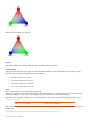
VECTOR MODE
This specifies the orientation of the Tracker Balls in the COLOR MODULE.
Normally the order is:
SCRATCH User Guide - 31
When Using Vector Mode, this becomes:
ANGLE
This control enables you to change the angle of the orientation of the Tracker Balls.
COLOR FORMAT
This pull-down changes how color ranges are expressed within SCRATCH. The actual bit depth is not changed; it simply
alters the value ranges that are displayed within the interface.
•
8-bit values range from 0 to 255
•
10-bit values range from 0 to 1023
•
16-bit values range from 0 to 65535
•
0.0-1.0 values range from 0.0 to 1.0
SAVE
There are two options for saving: Automatic and Manual.
When set to Automatic, SCRATCH automatically saves the changes made to the CONstruct whenever moving between the
CONstruct and Player (or vice versa), when starting to process a CONstruct or when exiting a Project.
Both when set to Automatic or Manual, you can manually initiate a save at any time by using the Save All button or the
Quick Key: Control S .
Quick Key: Control s
Save current CONstruct
When set to Manual, SCRATCH will asks if changes should be saved or not when exiting a Project by displaying an option in
the Menu Bar:
Save changes to the current project? (Press ESCAPE to abort and continue.)
32 - SCRATCH User Guide
Clicking on OK saves the changes to the current CONstruct. Pressing ESCAPE or swiping aborts the exit and returns you
back to the CONstruct without saving anything.
Clicking on any other area of the UI does NOT save the changes and WILL exit the Project. This reverts the CONstruct back
to the state it was in when the session began. All changes made during the most recent session are then permanently lost.
ALLOW BIN SHOT
Normally, you cannot delete source media from within SCRATCH. The BIN MEDIA button in the CONstruct only bins
(deletes) media that has been generated by SCRATCH, such as cache files. This is done as a precaution so that users can
trust that no matter what, their original source media will remain intact.
However, there are some instances where being able to delete source media from within SCRATCH could be useful. Enabling
ALLOW BIN SHOT replaces the normal BIN MEDIA button with BIN MEDIA & REF. This allows you to delete not only media
that SCRATCH has created, but also the original reference (source) media.
Note: Because the ALLOW BIN SHOT option is so potentially destructive, it is not persistent between sessions. Once you
exit from a Project, you must go to the User Settings Menu and enable ALLOW BIN SHOT again if you want to use it
when entering another Project.
AUDIO SET SYNC
When playing back footage, SCRATCH automatically switches the Sync Mode of the Player to the most logical option, based
on the system configuration. For example, if the NVIDIA SDI Option is present, the Player defaults to using VIDEO as the
Sync Mode. There may be times where this automatic selection is not what is desired.
This option forces the Player’s Sync Mode to Audio when you start playback, rather than automatically switching Sync
Modes. This is useful for ensuring that playback always remains in sync with your audio. See Chapter 5 – THE PLAYER for
more details on the Player’s Sync Modes.
SNAP SHOT DESTINATION DIRECTORY
This Text Slate determines where Snapshots are stored on the file system. By default, the path is set to the current
Project’s folder and a sub-folder called SnapShot . An absolute path can be specified using the SET button.
SNAP SHOT FORMAT
This chooses between JPEG and TIFF image formats for the resulting Snapshots.
SNAP SHOT MODE
This option determines what the resulting Snapshot will look like.
VIEW
VIEW creates a Snapshot of the current View Port. The resulting image takes into account any zoom or pan that you have
done in the View Port. This is useful for creating Snapshots to document a particular, important area of an image.
IMAGE
IMAGE will always create a Snapshot that is the entire source image, regardless of what portion of the image is being
viewed in the View Port at the time.
PROJECT SETTINGS MENU
The Project Setting Menu defines several default options for each Project.
Projects are not locked to a single resolution or frame rate. These settings can be modified at any time and a single Project
can contain CONstructs with different resolutions and frame rates.
SCRATCH User Guide - 33
Each new CONstruct created uses these default settings initially, but that too can be changed at any time. This is covered in
more detail in Chapter 4 – THE CONstruct.
PROJECT NAME
Click in this Text Slate to change the name of the currently selected Project. The change is reflected in the Project List on
the Users/Projects Menu, and the actual Project folder is renamed.
Note: You must NOT have the Project folder open in any other application or Windows Explorer in order to change the
name.
Tip: Be sure to press the ENTER key after changing this Text Slate or the change will not be accepted.
MEDIA DIRECTORY
The Media Directory Setting defines the root location that SCRATCH uses for resolving the path to source clips. Any clips
loaded from a directory below this root has its location saved as a relative path from the Media Directory. This allows you to
set a root media location, and then change that location if the media gets moved to a different drive or sub-folder, and
SCRATCH still links to the source clips.
Note: You are not restricted to this Directory for loading clips. A clip may be loaded from anywhere. However, clips that
are loaded from outside the Media Directory have their ABSOLUTE path saved. If this absolute path changes, SCRATCH is
not able to link to those source clips. As a result, it’s a good practice to ensure that all media for a particular Project is
contained below the Media Directory.
Use the SET button to browse for the Media Directory.
Note: The Media Directory must be set before a Project can be entered. If a Media Directory is not set, you will see an
error saying No MEDIA path configured… when attempting to enter the Project.
EXPORT DIRECTORY AND AUTO-EXPORT
When enabled, the Auto-Export option forces an XML export of the current Project every time the Project is either refreshed
or exited. The export is placed in the directory specified in the Text Slate.
Use the SET button to browse for the Export Directory.
The exported XML file contains information about all aspects of the Project and can be used by external programs or scripts
to determine the state of a Project, even if SCRATCH is not running.
For more information about the XML output file and SCRATCH XML in general, refer to Chapter 11 – CUSTOMIZING
SCRATCH.
FORMAT
Format defines the default resolution, frame rate and aspect ratio for each new CONstruct that is created in the Project.
Clicking on the FORMAT button opens a pull-down menu with preset formats. Choose any of these formats and the
resolution, frame rate, and aspect ratio information is automatically updated.
There is also a CUSTOM format that allows you to define each parameter independently. Once CUSTOM is selected, the
Width and Height Numerical Slates will be active.
Note: The maximum size for a CONstruct is 65535 pixels by 65535 pixels and the minimum size is 32 pixels by 32
pixels.
Tip: You can define your own custom image formats that appear in the pull-down menu by editing the ImageFormats.cfg
file. See Chapter 11 – CUSTOMIZING SCRATCH for more information.
ASPECT
The Aspect Ratio is defined in SCRATCH with two controls: Aspect and Scale.
Aspect defines the overall relationship of height to width in the image, while Scale defines the aspect ratio of each pixel
within the image.
Certain formats such as NTSC and PAL do not have square pixels. They are actually rectangular. This difference must be
taken into account so that images are presented without distortion on the screen.
Clicking on the ASPECT button opens a pull-down menu with preset aspect ratios that can be selected. These presets
automatically set the SCALE value accordingly.
34 - SCRATCH User Guide
There is also a CUSTOM aspect allows you to set the pixel ratio manually.
Note: The Aspect Ratio (and thereby the Scale) are set as part of the FORMAT presets. Changing the FORMAT
automatically changes the Aspect to the setting that is linked to that particular format. You can manually change the
Scale afterward by selecting the CUSTOM Aspect from the pull-down and entering a new value into the Scale Numerical
Slate.
Tip: You can define your own custom aspect ratios that will appear in the pull-down menu by editing the Aspects.cfg file.
See Chapter 11 – CUSTOMIZING SCRATCH for more information.
FRAMERATE
The default frame rate for the Project can be set in two ways.
You can click on the FRAMERATE button for a pull-down menu with standard frame rate options from 23.976 to 60. Or, you
can enter a frame rate using the adjacent Numerical Slate.
Note: The frame rate of the Project controls what values will be assigned to information such as Timecode, and how
EDLs will be interpreted. It is important that this value be set correctly before any import or conform operations are
performed.
FILM GAUGE
The Film Gauge tells SCRATCH how to count frames using the film’s keycode information. This is used when conforming,
using keycode information in ALE files.
Keycode is a number that is embedded in the film stock and provides a way of identifying an absolute frame on any piece of
film stock. How the keycode relates to actual frames is dependent on two factors: how many sprocket perforations (or
PERFS) each film frame occupies and how many frames are contained in one foot of film (FC). Based on these two bits of
information, SCRATCH can determine the relationship between a particular keycode and an image.
Clicking on the Film Gauge button opens a pull-down menu with presets for the three most common types of film: 35mm
4perf, 35mm 3perf, and 16mm/S16mm (Super-16). Selecting one of these options sets the values for PERF and FC to the
appropriate values for that particular film type.
There is also a CUSTOM option that allows you to set the PERF and FC values in the associated Numerical Slates.
PROJECT GAMMA
Negative
This value specifies the gamma used when generating LOG-to-LIN LUTs on Negative material.
Source
Indicates the gamma of the source material and is used in translation of source material to XYZ colorspace.
XYZ
Digital Cinema DCI specification. The gamma used for transforming source material to DCI specification.
OUTPUT MODE
The Output Mode pulldown allows you to switch a Project between Single and Dual output mode. In Single output mode,
each CONstruct has a single default output node. This is the normal mode for most projects. In Dual output mode, each
CONstruct has TWO default output noded. The two nodes relate to the TIMELINE and LAYER 1 of the CONstruct. This is used
primarily for stereoscopic projects to allow for processing left- and right-eye material simultaneously. For more details on
using SCRATCH for stereoscopic projects, see the support article on Stereoscopic workflows.
RENDER SETTINGS
This specifies the default render settings for the project's outputs. You will be able to specify different outputs once inside
the project, but this setting will be used as default. More important though, these settings are used by SCRATCH to setup
the frame buffers it uses on the graphics adapter. The values entered should correspond with the maximum dimensions you
are planning to output; specifying the dimensions too high or low does inherently lead to some inefficient use of the
(limited) computer resources.
SCRATCH User Guide - 35
SYSTEM SETTINGS MENU
The System Settings Menu defines system-wide paths and other configuration information that is used by SCRATCH.
USER/PROJECT DIRECTORY
The User/Project Directory defines the base location under which all User and Project folders are located. This location can
be changed using the SET button and browsing to a new path. Normally, the default location should be used.
Tip: The User/Project Directory can be located on a network share so that it can be accessed from multiple locations or
archived up as part of a daily backup regimen. It’s best NOT to locate this directory on the same volume as SCRATCH
media to avoid potential interference with real-time playback.
Note: SCRATCH does NOT lock the User and Project folders when they are in use. Accessing the same User or Project
folder from multiple SCRATCH systems at the same time is not recommended and will cause loss of data.
GLOBAL WATCH DIRECTORY
The Global Watch Directory works in conjunction with the SCRATCH XML capabilities.
While SCRATCH is running, it is constantly monitoring – or watching – this folder for new files. If a new file with an .xml
extension is copied into this folder, SCRATCH opens the file and attempts to process the XML commands that are contained
within.
To set a Watch folder, click the SET button to open a SCRATCH Browser and navigate to the folder you would like SCRATCH
to watch for XML files. The CLEAR button can be used to remove the Watch folder completely.
The use of XML in SCRATCH is covered in detail in Chapter 11 – CUSTOMIZING SCRATCH.
Note: The SCRATCH XML and Watch folder functions require a valid PROJECTS MODULE license. If this module is not
licensed, the Global Watch Directory option will not be visible.
REMOTE REFERENCES
When loading media using the XML LOAD command, SCRATCH retains the path to the original shot. With Remote
References active, SCRATCH will search for the remote files if the local media is not found. For more details on using XML
with SCRATCH, see Chapter 11 – CUSTOMIZING SCRATCH.
MISSING REFERENCE
Enabling this option will make SCRATCH to continue referencing shot sequences that cannot be found in their original
location. SCRATCH will continue to use the meta data it has on the shot eventhough the underlying media is missing; it will
play but indicate missing frames. This option is disabled by default.
MISSING FRAMES
If this option is switched on, SCRATCH will ignore missing frames within a sequence. This option applies to different
situation, e.g. when using the Load Layer function in a CONstruct or when playing a clip of which certain frames are
missing. SCRATCH will indicate that the frames are missing but continue to process the rest of the sequence normally.
C-FLUSH (CACHE FLUSH)
As you work, SCRATCH is continuously caching frames into memory. These cached frames can be discarded – or flushed –
from memory to ensure that the most current files are being viewed. This applies not only to frames cached while in the
Player, but also to the thumbnail images that have been cached in the CONstruct.
Never
Cached frames are used if they are present. The original images are not re-loaded and the cache is never flushed.
36 - SCRATCH User Guide
Local
A LOCAL clip is a clip that has been loaded from within the current Project’s Media Directory. Clips that are loaded from
outside this directory are considered REMOTE. This option allows only LOCAL clips to be flushed. Any REMOTE clips that
have been cached will be preserved.
Always
Always flushes the cache and re-loads from the original files. This option slows down the interactivity of SCRATCH as it must
re-access the files. This can be seen, for example, when panning across a CONstruct. As new thumbnails are required, there
is a slight hesitation while SCRATCH accesses the image file and builds the thumbnail.
WRITE METHOD
This option determines the method SCRATCH uses to write files back onto the drives when processing.
Async
After a frame has been processed by SCRATCH it must be written to the disk. Asynchronous – or Async – writing allows
SCRATCH to continue processing the next frame, even when the previous frame has not completed writing to disk. When
the processing of a frame is very intense, Async gives you a slight performance gain. However, older storage systems, such
as external FireWire or USB disks, might have difficulty with this.
Direct
Direct Writing is slightly slower than Async because each frame must complete writing to disk before the next frame can
begin processing. This can have a small effect on performance, but it is more compatible with slower disk sub-systems.
Note: The Write Method is a holdover from earlier disk sub-systems that had slower write times. With newer, faster disk
sub-systems this issue is less of a concern. However, the option is still available within SCRATCH to allow for legacy
drives.
Tip: If you are experiencing write errors or bad frames when outputting from SCRATCH, try switching to Direct Writes.
BLOCK SIZE
This pull-down controls how SCRATCH reads TIFF files. The options are 1MB, 2MB, 4MB, 8MB and 16MB. Different disk subsystems are able to handle larger block sizes, which can improve playback performance of TIFF images. The TIFF files must
be formatted for real-time playback regardless of the block size selected. See the section FILE FORMAT in Chapter 4 for
more details about the TIFF image format and real-time playback.
AUTO-LOGON
With Auto-Logon enabled, the initial Startup Screen is bypassed and SCRATCH opens directly to the last CONstruct that was
used.
Tip: To enable the Start-up Screen again, exit a Project and switch to the System Settings Menu; deactivate AutoLogon. The next time you start SCRATCH you will be presented with the Start-up Screen.
COUNT FROM
This option determines whether SCRATCH counts the first frame of a CONstruct as ZERO or ONE. Depending on your
production, you can change this value to ensure that frame counts represented in the CONstruct and Player match with the
rest of the production.
SET WALLPAPER
Click on this button to set the Windows background wallpaper to the current image in the View Port.
SDI OUTPUT
When an NVIDIA SDI Option card is detected this button is enabled and opens the NVIDIA settings dialog window.
SCRATCH User Guide - 37
This dialog panel let’s you configure a number of your SDI Settings. The signal formats listed depend on the version of the
NVIDIA SDI Option card. The SCRATCH - SDI Configuration panel will override any settings made in the NVIDIA Control
Panel. Next to dimension and frame rate, output format and sync settings, you can select:
•
A specific color space. The full range-spaces enable super-white and super-black. Alternatively, you can set the “NO
CS matrix” option to use the default color space you have set with the NVIDIA control panel.
•
By setting the Show Warning option SCRATCH will show a warning in the player when frames are dropped during
regular playback.
•
With the Dual View switch you can (temporarily) enable or disable SCRATCH to play out to SDI (which might
influence performance).
When new settings are applied, SCRATCH will automatically restart to initialize the SDI card with the new settings. Finaly, a
warning may be displayed at the bottom of the panel indicating that the selected signal and any external sync do not
correspond. This is an internal NVIDIA driver message.
Note: With the “NO CS matrix” option set, SCRATCH will not explicitly set the color space at start up. In that case, the
color space that has been set through the NVIDIA settings panel will be used. However, after selecting “NO CS matrix”,
you should first exit SCRATCH and (re)set the custom color space through the NVIDIA panel.
Note: The SDI Output only shows images from the Player. When you are in the CONstruct or the Startup Screen, the
SDI Output shows a SCRATCH logo screen or a custom logo if the Startup Screen has been customized. See Chapter 11
– CUSTOMIZING SCRATCH for details about customizing the Startup Screen.
Tip: If the SDI Output is disabled but an NVIDIA SDI Option card has been installed and configured, you will see a
SCRATCH logo screen on the SDI output even when in the Player. In this case, return to the Startup Screen and activate
the SDI Output in the System Settings Menu.
Tip: The [DUAL YUV 422] option is used for stereoscopic output. The two outputs of the NVIDIA SDI card will be
configured to show the left and right sides of the SCRATCH DUAL VIEW. Details on configuring SCRATCH for stereoscopic
projects are covered in a separate support article.
AUDIO DEVICE
This option will show a list of available and supported Audio devices. SCRATCH supports any device that uses either
the ASIO driver model or the Windows WDM driver model.
CLEAR DUAL-HEAD
If SCRATCH is running in dual view, this option will determine what the second monitor will display when not in player
mode. If the option is off, the ASSIMILATE logo will show, when the option is switched on it will persist the last frame that
was displayed in the player.
38 - SCRATCH User Guide
SYSTEM INFORMATION
On the far right side of the System Settings Menu are several lines of text which provide information about the status of the
current license, the version of SCRATCH you are running, the system ID, the current build of SCRATCH (this is different than
the version number) and general information about the graphics hardware.This information is useful for diagnostics and
troubleshooting.
SCRATCH User Guide - 39
04 – THE CONSTRUCT
INTRODUCTION
The CONstruct is the heart of SCRATCH. Each CONstruct represents a sequence of clips and the CONstruct view provides a
high-level overview of your entire Project. This is where you perform the larger tasks of loading material into the system;
grouping clips into a logical order either manually or through an edit list; and preparing the media for further manipulation.
This chapter describes the various functions available for manipulating media, creating conformed timelines, and setting up
output nodes to process the final results out of SCRATCH.
After you select Enter Project from the Startup Screen, you will be presented with the CONstruct view.
THE VIEW PORT
PROJECT OVERVIEW LIST
A Project can contain many different CONstructs and these CONstructs can be organized into Groups. The Groups and
CONstructs are shown in the list on the left side of the View Port. A new Project begins with a single CONstruct and a single
Group shown in the Project Overview List. As new CONstructs are added, they appear in this list.
40 - SCRATCH User Guide
Tip: Swipe left to show and hide the Project Overview List.
Swipe Action: Left
Show/hide the Project Overview List
To manage the Project List (e.g. creating new items, renaming and setting order) there are a number of controls at the
bottom of the list.
The Add button will create a new CONstruct in the currently selected group. With the Show button you can toggle the
appearance of all the Project List items to one of three states: Collapsed, show Proxy, show Note. See below for a more
elaborate explanation of these states. By clicking on the Edit button an additional row of controls will appear and the Project
list will turn into edit mode.
Switching the Project List into Edit mode by clicking on the Edit button will mean that you can:
•
Create additional groups with the New Group button
•
Change the names of the Project List items by clicking on them
•
Mark an item for deletion by clicking on the bin icon behind the item. To remove the items permanently you need to
click the Bin Selected button at the bottom of the list.
Changing the order of CONstruct within a Group, the order of Groups or moving a CONstruct from one Group to another id
done by dragging and dropping the item. You start a drag-action by clicking on the item and holding the left mouse button
down for a short moment. The item will then be attached to the cursor and you will be able to drag it across the Project List
(you can release the mouse button). A white line will appear indicating the new position of the item if you would click again.
When holding the ALT key down when starting a drag-action, rather than picking the item up to be moved, a copy is made
of the CONstruct or Group. The copy can now be dropped anywhere within the Project List the same way as you would when
moving an item. You can remove the copy before placing it by swiping down or by pressing the escape key.
SCRATCH User Guide - 41
Quick Key: hold down left key momentarily
Start drag action Project List item
Quick Key: Alt + Hold down left key
momentarily
Copy Project List item and start drag action
Swipe Action: down
Remove copy of Project List item from mouse
pointer
You can toggle the state of an individual Project List item by clicking on the recycle icon in the right corner of the item.
Alternatively, you can also use the Show button at the bottom of the Project List to toggle the state of all items at once.
•
Collapsed
•
Proxy (only CONstruct items); The proxy image of the first clip on the active slot of the CONstruct will be shown.
•
(Sticky) Note ; you can write / read a short text with the item. When there is text present, the recycle icon will be
colored yellow.
•
You can also collapse or expand all CONstruct items within a Group completely, by clicking on the arrow icon on the
left of a Group item.
If the Project List becomes too long to fit on the screen you can use the scroll bar at the left of the Project List to scroll
down and up.
SLOTS
The central area of the View Port is the SCRATCH CONstruct. The CONstruct serves two main purposes. First, it is a holding
place for source material when building a conformed timeline or building a structured set of shots to be used in a review
session. Second, the CONstruct represents a timeline with each slot from left to right representing a single shot within the
timeline and different versions of each shot stacking up vertically within a slot.
42 - SCRATCH User Guide
The number of slots as well as the number of clips within as slot can quickly amount to a number that will not fit on a
single screen. The following Quick Keys are available for navigating the CONstruct and slots:
Quick Key: Spacebar and drag
Pan across the CONstruct horizontally
Quick Key: drag inside slot
Pan across the Slot vertically
Quick Key: Right Arrow
Reveal one slot to the right in the CONstruct
Quick Key: Left Arrow
Reveal one slot to the left in the CONstruct
When in panning mode, the cursorwill change to:
SLOT INFORMATION AREA
Below each Slot in the CONstruct is the Slot Information Area. This area is used to display a variety of information about the
Slot and/or the current Timeline Shot within that slot.
SCRATCH User Guide - 43
The Slot Information Area highlights to indicate which slot is currently selected. The light grey bar indicates the actual
length of the clip in the slot in relation to the length set for the slot. Also, each Slot has an icon at the bottom. This icon
indicates whether a slot is enabled or not and whether the duration is set manually. Furthermore, you can adjust which text
info is shown at the bottom of the slot.
SLOT NAME
In the Text Slate next to the Enable button on the CONstruct Menu Bar, you can enter a name for a Slot. This can help you
to manage your workflow. By default the timecode of the slot is shown. To display the name, you must select the option
Names on the Proxy Info selection button on the Timeline Menu, which is discussed later in this chapter.
SELECTING SLOTS
The active slot is highlighted by the blue bar at the bottom. You can however select multiple slots for copying, disabling or
removing. To make a selection you use the Control and / or Shift key. Select the first slot by clicking in the Slot Information
Area as you would do normally to select a slot. Hold down the Quick Key: Shift and click in the Slot Information Area of
another slot. All slots between the selected slot and the slot you shift-clicked on are selected (or de-selected when it was
selected in the first place). You can also hold down the Quick Key: Control and click in the Slot Information Area at the
bottom of the slot. This will toggle the selection state of the slot. To clear a selection all at once, click on the slot outside the
information area.
44 - SCRATCH User Guide
Quick Key: Control + Left Click
Disable/Enable Slot
Quick Key: Shift + Left Click
Toggle Disable/Enable state for range of
Slots
DISABLING, COPYING, REMOVING SLOTS
When you have selected one or more Slots can disable, copy or remove them with the menu buttons on the right of the
CONstruct menu bar.
You can disable individual Slots so that they will not be considered part of the playback when the Construct is loaded into
the Player. To disable a Slot you can use the Enable toggle button. When a Slot is disabled, the icon at the bottom left of
the slot turns red. When you have multiple Slots on the CONstruct disabled you can quickly enable them by activating one
of the disabled Slot and then select the All button before clicking the Enable button.
Note: Slots can also be disabled and enabled while in the Player. See the TRAYS section in Chapter 5 for more
information.
The Copy Selection button will copy all selected Slots into the copy buffer. The Bin Selection button will remove the
selected Slots permanently. Both buttons only work on Slots that are selected, not on the active slot (highlighted with the
blue information bar at the bottom). The Enable button works on the selection when one or more Slots are selected,
otherwise it works on the active Slot.
AUTO/MAN ICONS
Each Slot has an icon at the bottom showing whether the duration of the slot is being determined automatically (AUTO) or
manually (MAN). The duration of a slot can be set independently from the actual clip that is in the slot.
Each Slot has an icon at the bottom showing whether the duration of the slot is being determined automatically (AUTO) or
manually (MAN). The duration of a slot can be set independently from the actual clip that is in the slot.
By default, a slot adapts its duration to the length of the clip that is placed in it. When this is the case, the slot shows the
AUTO icon. If the current clip is replaced by a clip of a different duration, the slot adapts to the new duration automatically.
However, when conforming from an EDL or ALE file, the duration of the slot is dictated by the values coming from the EDL.
In this case, the slot’s duration is set to MANUAL to indicate that any new shots placed in that slot will not alter its duration.
Note: Regardless of whether a slot is set to AUTO or MAN, you can still alter its duration using the editing functions (See
Chapter 6 – THE EDITOR). Once you have manually altered the duration of a slot, it switches to the MAN icon and
remains in that state. Slots cannot be switched back to AUTO once they have been set manually.
OUTPUT NODE STACK
Output Nodes represent the end result of a CONstruct. By default, each CONstruct must have one Output Node but you can
also define multiple Output Nodes from a single CONstruct. This allows for multiple versions to be created from a single
CONstruct, and any change made to that CONstruct is reflected in all the Output Nodes.
SCRATCH User Guide - 45
The details of creating and working with Output Nodes are covered later in this chapter and also as part of Chapter 9 –
OUTPUT AND PROCESSING.
You can show and hide the Output Node Stack using the Quick Key: Q, or by swiping off the right side of the interface.
Quick Key: Q
Show/Hide the Output Node stack
Swipe Action: Right
Show/Hide the Output Node stack
Dual Output
When the Dual Output option has been set in the Project settings, SCRATCH will create two output nodes by default. The
bottom output node is linked to the bottom layer of the CONstruct while the second output node is linked to the second
layer of the CONstruct. Each node can be configured separately to allow rendering of two layers at the same time. This is
most commonly used when working on stereoscopic projects within SCRATCH. When rendering from within the Player using
the F12 Quick Key, the results of both output nodes will be rendered and linked for playback.
THE MAIN MENU
The Main Menu area of the CONstruct contains all the different menus and buttons for working within the CONstruct view.
There are four Menu Buttons located on the left side of the Menu Bar that switch the Main Menu between the different
menus. The specifics of each of these menus are covered in detail later in this chapter.
46 - SCRATCH User Guide
INTERACTING WITH SHOTS
While working in the CONstruct you will be interacting with shot in a variety of ways, from bringing shots into the CONstruct
to getting information about a shot; moving and copying shots between slots and CONstructs; and arranging shots into
specific orders. This section describes the many different ways you can interact with a shot in the CONstruct.
LOADING A SHOT
SCRATCH works with sequences of images off disk; called clips or shots. In order for SCRATCH to recognize a particular
shot, it must first be loaded into a CONstruct.
To load a single shot, switch to the Media Menu by clicking on the Media button on the left side of the Menu Bar. The Main
Menu switches to the Media Menu and the Media button is highlighted, indicating that it is the current menu.
On the left side of the Media Menu is the LOAD SHOT button. Clicking on this button opens a SCRATCH Browser, which you
can use to navigate to a particular shot. Select the shot in the Browser and click on OPEN. The selected shot attaches to the
cursor as a thumbnail and you can place it down in any slot simply by clicking over a slot. The shot will drop to the bottom
of the slot.
Tip: You do not need to continue holding down the mouse or pen to keep the shot attached to the cursor. It remains
attached until you click down again on another slot.
Note: The User Interface remains active even when a shot is attached to the cursor. This allows you to continue to
interact with the interface without losing your selected shot(s). There are several actions within SCRATCH that require a
shot to be attached to the cursor before they become active.
SHOT THUMBNAILS
The thumbnail image of a shot in the CONstruct is a real time generated proxy of the original image. As a result, the
thumbnail image is always an accurate representation of the original shot.
Note: These proxies are not rendered back to disk but are kept in memory and re-generated as needed on the fly. See
Chapter 3 – THE STARTUP SCREEN for information about flushing cached proxies.
ACTIVE ZONES
The thumbnails have three Active Zones that allow you to interact with the shot.
Shuttle Zone
The very top area of the thumbnail is a shuttle zone that allows you to shuttle through the frames of each shot by clicking
and dragging at the top of the shot thumbnail. This displays a yellow Shuttle Bar that represents the current shuttle position
within the entire clip.
SCRATCH User Guide - 47
Information Zone
Clicking in the shaded bar at the bottom of each shot opens up an Information Panel that gives you access to detailed
information about the shot.
The Information Panel can also be opened by placing the cursor over a shot and pressing the Quick Key: I .
Quick Key: I
Open the Information Panel for the shot
under the cursor.
The Information Panel displays the following details:
•
The original X and Y resolution and color space of the shot.
•
Shot Name – You can change the name of the shot by clicking in this Text Slate, changing the name and pressing
Enter.
Note: This will only change the name used within SCRATCH. It does NOT modify the source file's name.
•
The shot’s source directory and filename.
•
Framerate – This value can be changed by clicking on the Framerate button or entering a new value into the
Framerate Numerical Slate
•
Aspect Ratio and Scale – You can adjust these values by clicking on the Aspect button and selecting a new Aspect
Ratio or by modifying the Scale Numerical Slate.
•
Source Timecode – This is the timecode that is associated with the shot. If timecode is present in the header of a
DPX file, that timecode value is used. For files where no timecode is present, the frame number of the source file is
converted into a timecode based on the Framerate setting from above. You can manually alter the timecode of any
shot by entering a new value into this Numerical Slate. The timecode will be applied to the first frame of the shot
and will increment throughout the entire shot.
48 - SCRATCH User Guide
•
Reel-ID - The Reel-ID is set when conforming from an EDL that contains a Reel-ID or read from the 'input device'
field of a DPX header, if available. The Reel-ID is also automatically read from R3D files. You can adjust the Reel-ID
by clicking in this Text Slate, changing the name and pressing Enter
•
The Format and LOG/LIN state are shown at the bottom of the Information Panel. The LOG/LIN state is also read
from the header of image files, if present. This state can be changed at any time by clicking on this button in the
Information Panel. This alters how SCRATCH treats the file, but it will not modify the source file itself.
The Information Panel can be moved by clicking on the gripper in the lower right corner and moving the Panel to a new
location.
Note: You don’t need to hold down the mouse or pen while moving the Information Panel. A single click picks it up and a
single click drops it again. This is consistent throughout SCRATCH.
Changes to the Information Panel can be accepted with the OK button and canceled with the Cancel button. Clicking
anywhere outside the Information Panel is the same as clicking on the Cancel button.
Note: When you make a change to an editable value in the Information Panel, you must press Enter to accept the
change. Once you press Enter, that change is made immediately and does not require pressing OK in order to be
accepted. Pressing Cancel after pressing Enter does not revert the value back to its original.
Tip: Multiple Information Panels can be opened at one time by using the Quick Key: I . However, each Information Panel
must be closed separately by either pressing OK, Cancel, or clicking outside of the Information Panels. In this case, the
panels are closed in the order in which they were opened.
Pick-up Zone
Clicking in the center area of the thumbnail picks up the shot and attaches it to your cursor. Once attached to the cursor,
shots can be moved, copied and binned. The User Interface is not locked out once a shot has been attached to the cursor.
For example, you can create new CONstructs, Groups, or perform other actions with the shot attached. Some functions in
SCRATCH only become active once a shot has been attached to the cursor.
THUMBNAIL OUTLINES
SCRATCH User Guide - 49
The colored outline around each thumbnail provides you with information about the clip and its current status.
The bottom row of clips, called the Timeline Clips, always have a white outline around them to indicate that they are the
clips that will be played by default. This is an easy way to identify the Timeline Clip in a slot that has been slid up or down.
The currently selected clip(s) have a thicker white outline around them. The color of the outline indicates whether a clip is
LOCAL or REMOTE.
LOCAL clips have a gray outline around them. A LOCAL clip is a clip that has been loaded from within the current Project’s
Media Directory. LOCAL clips use the Media Directory as a relative starting point to find the associated media file. They
always remain connected as long as the media files maintain the same location relative to the Project’s Media Directory,
which can be changed at any time in the Project Settings Menu on the Startup Screen.
REMOTE clips have a red outline around them. Clips that are loaded from outside the current Project’s Media Directory are
considered REMOTE since they use an absolute path to the associated media files. As a result, if a REMOTE clip’s media files
are moved from that absolute location, the connection within SCRATCH will be lost.
TIMECODE/KEYCODE PROXY INFO
In the upper-left corner of each thumbnail you can display the Timecode or Keycode of the current thumbnail frame. This
option is set in the Timeline Menu. See the PROXY INFO section later in this chapter for more information on showing and
hiding the Timecode or Keycode Proxy Info.
Note: The Timecode or Keycode text is white if the value is being read from the file’s header. If the text is gray, the
Timecode or Keycode information is missing from the file’s header and an absolute value has been assigned using the
frame number of the source file.
CURRENT THUMBNAIL FRAME
In the upper-right corner of the thumbnail is the current frame counter. This indicates what frame of the current shot is
being shown in the thumbnail. This number is an absolute count from the beginning of the shot.
SHOT NAME
50 - SCRATCH User Guide
The lower-left corner of the thumbnail displays the Shot Name. This is set initially based on the name of the files that are
being used as the source for the shot. However, the Shot Name can be changed at any time through the Information Panel.
TOTAL FRAMES
The lower-right corner of the thumbnail displays information about the IN and OUT points that are marked on the shot. The
value indicates the number of frames between the IN and OUT marks. The brackets on either side of the number are a quick
indicator of where the IN and OUT marks are located relative to the first and last frames of the shot.
If the IN and OUT marks are at the first and last frame of the shot, the total frame count has parenthesis on either side like
this: (1129)
If the IN or OUT marks have been moved to a different frame within the shot, either through an EDL conform or manually,
then a bracket and dot indicate there are additional frames available either before or after the IN and OUT marks. For
example, [.45.]
In the image below, the IN mark is on the first frame of the shot, so there is a parenthesis on the left side of the total frame
count. But, there are additional frames available beyond the OUT mark, so there is a dot and bracket on the right side. The
total number of frames between the IN and OUT marks is 11.
WARNING TRIANGLES
SCRATCH maintains a database of all shots that have been loaded into a project with information about the filename,
resolution, frame range, and color space, to name a few. When a shot is loaded, SCRATCH looks it up in the database and
compares the values of the shot to what is in the database. If SCRATCH detects an inconsistency in a shot, a warning
triangle appears on the thumbnail to alert you.
SCRATCH User Guide - 51
Situations that can cause a warning triangle are:
•
Mismatched timecode – For example, the DPX header timecode has a value of 25 for the frame count, but the
Framerate for the shot has been set to 24.
•
Altered Resolution
•
Altered Frame Count
•
Altered LOG/LIN Flag
•
Altered Bit Depth
•
Altered Timecode or Keycode
To identify the error, open the Information Panel for the shot and the problem is highlighted in red.
FILM CANS
A Film Can icon is displayed in the thumbnail when SCRATCH cannot locate the source media for a particular shot. This can
happen during a Conform when the EDL contains an event for which SCRATCH cannot find a matching source clip, or if
source media is moved outside of SCRATCH.
STICKY NOTES
Each shot in the CONstruct can have a Sticky Note associated with it to annotate the shot. You can create a Sticky Note for
a shot by placing the cursor over a thumbnail and pressing the Quick Key: A , which will open the Sticky Note editor over
that shot.
52 - SCRATCH User Guide
Quick Key: A
Pop-up the notes editor
Notes can be moved around by clicking on their lower edge.
You can enter information into the Sticky Note using the keyboard. The Enter key creates a line break in the Note. When
you have finished typing, use the Quick Key: Esc to close the Note. You can also click down anywhere outside the Note to
close it. Any text that has been entered is preserved.
Quick Key: Esc
Close the notes editor
Notes can be viewed by placing the cursor over a thumbnail and pressing the Quick Key: S.
Quick Key: S
Show/hide notes under the cursor
This Quick Key toggles visibility on and off for whichever clip is below the cursor.
SCRATCH User Guide - 53
To edit a note, place the cursor over the shot and use the Quick Key: A to open the editor again.
COLOR GRADE AND NOTE INDICATORS
If a Color Grade or Sticky Note has been applied to a shot, the very bottom edge of the thumbnail changes color. An orange
bar across the bottom of the thumbnail indicates that a Color Grade has been applied to the shot. A yellow bar indicates a
Sticky Note is present. If both a Color Grade and Sticky Note are applied, the bar will be half orange and half yellow, as
shown in the image below.
MOVING A SHOT
Shots can be moved from one slot to another by clicking in the middle of the thumbnail and picking up the shot. By holding
down the mouse button momentarily, the shot thumbnail becomes attached to the cursor. The amount of time it takes
before a move starts can be set in the user settings (see Chapter 3 - The Startup Screen). Also notice that when starting a
move action, the original location of the shot is shown by a dimmed thumbnail image. You can then drop the shot into any
other slot by clicking over that slot.
Note: A shot can be inserted below an existing shot by clicking in the open area just below the other shot. The shot on
the cursor is then inserted below the other shot and all shots above are pushed up in the Version Stack.
Note: You cannot move a shot from one CONstruct to another. When a shot is attached to the cursor and you navigate
to a different CONstruct a copy is made of the shot automatically and the original is left untouched.
COPYING A SHOT
The process for copying a shot is similar to moving a shot. When you press the Quick Key: Alt when picking up a shot, a
copy is created and attached to the cursor. You can drop this copy just like when moving a shot. The original thumbnail
image is not dimmed in this case. Alternatively, you can pick up the shot without Quick Key: Alt and then click on the Copy
Shot button at the far right side of the Main Menu. The shot that is attached to the cursor now becomes a copy and the
original is returned to its position within the CONstruct (the dimmed thumbnail returns to full). You can drop this shot down
anywhere in the CONstruct.
You can copy single shots or even multiple selections in this way.
Tip: Shots can be copied between CONstructs by simply picking the shot up, changing to a different CONstruct by
selecting it in the Project Overview List, and then dropping the shot into a new location on the other CONstruct. This
automatically creates a copy without the need to press the Copy Shot button first.
There is also a Quick Key available for copying a shot, use the Quick Key: C while the cursor is over the shot.
Quick Key: C
Copy the shot under the cursor and attach
to the cursor.
Quick Key: Alt + Left Click
Copy the shot that was clicked on
PASTE SHOT
When a shot has been copied, the copy remains in the Copy Buffer. The Paste Shot button can be used to insert another
copy back into the CONstruct. The shot is pasted into the CONstruct at the bottom of the currently selected slot. All other
shots within that slot are pushed up in the Version Stack; the newly pasted shot is placed at the bottom of the stack,
making it the current version.
Note: The current slot is indicated by a highlight in the Slot Information Area. Keep in mind that the currently selected
slot may not be visible within the View Port.
MULTIPLE SHOT SELECTIONS
54 - SCRATCH User Guide
You can also select multiple shots to be moved or copied. There are different ways to select multiple shots. One way is to
hold down Shift of Control key and drag mouse from an empty section on the CONstruct over multiple clips. All shots that
are (partly) covered by the semi-transparent rectangle will be selected (or de-selected when the status of the clip was
selected in the first place).
Alternatively, there are multiple Quick Keys to select more than one shot / a single shot:
Quick Key: Control + A
Select all shots in the CONstruct
Quick Key: Control + D
De-select all shots in the CONstruct
Quick Key: Shift + Left Click
Extend contiguous selection till shot that was
clicked on.
Quick Key: Control + Left Click
Toggle selection of shot clicked on (allows for noncontiguous selection)
Quick Key: Shift + Left Click + drag
Add all shots (partially) overlapped by area select
to the main selection
Quick Key: Control + Left Click + drag
Toggle selection mode of all shots that are
(partially) overlapped by the area selection.
Quick Key: Control + 1… 9
Selects all the shots on layer ‘1’ etc
Quick Key: 1… 9 + Play All
Selects all the layers for Play All
Quick Key: Control + R
Selects all the shots in the slot beneath the cursor
Once you have multiple shots selected, the Copy command updates itself to become Copy Selection. This functions the
same as Copy Shot, but the entire selection will be copied.
Likewise, multiple shots can be pasted into the CONstruct using the Paste Shots button. The shots are pasted into the
bottom row of each slot, starting with the currently selected slot and moving to the right.
REPLACING SHOTS
When loading, copying, or moving a shot, you can use the Quick Key: Control to apply properties such as handles, varispeed, and shot framing from a shot in the CONstruct onto the shot you are dropping.
SCRATCH User Guide - 55
Select the shot by holding down the Quick Key: Control and clicking on the shot. The thumbnail gets a thick white border
around it, indicating that it is selected. Release the Quick Key: Control and pick up the selected shot. Place the cursor over
the shot you want to copy the properties from, hold down the Quick Key: Control again, and drop the shot. The shot is
dropped into the same slot and adopts the handles, vari-speed and framing from the underlying shot. This is an effective
way of replacing one shot with another, while still maintaining any modifications that have been made.
Quick Key: Control
Apply properties of underlying shot to shot
being loaded
Note: Any color grading that has been applied to the shot will not be copied onto the replacement. This can be done
from within the Color Module.
BINNING A SHOT
To remove a shot from a CONstruct, use the BIN command. The Bin button is located just below the Copy and Paste buttons
on the right side of the Main Menu. It functions similarly to the Copy and Paste buttons and can be used on multiple
selections. With multiple selections, you are asked to confirm the Bin command a second time with a button on the right
side of the Menu Bar.
Note: Binning a shot does not remove the original source files; it merely removes that instance of the shot from the
current CONstruct within SCRATCH.
GLOBAL BUTTONS
There are several interface elements that are available at all times when you are in the CONstruct.
MENU BAR BUTTONS
The following Menu Buttons toggle a particular menu on–and-off in the Main Menu.
When a menu is toggled off, the Main Menu defaults to the Timeline Menu. The currently active menu is highlighted in the
Menu Bar. Each menu is covered in detail later in this chapter.
SETTINGS
Toggles the Main Menu to the SETTINGS Menu
MEDIA
Toggles the Main Menu to the MEDIA Menu
TRAY
Toggles the Main Menu to the TRAY Menu
Additional options for selecting and creating new Trays are available by clicking on the small triangle on the right side of the
button.
TIMELINE
Toggles the Main Menu to the TIMELINE Menu
Note: The SETTINGS, MEDIA and TRAY Menu Buttons work as toggles. The first time they are clicked, the appropriate
menu appears. Clicking the same button again toggles between that menu and the Timeline Menu. The Menu Button is
highlighted to indicate which menu is currently active.
NAVIGATION CONTROLS
The Navigation Controls allow you to quickly pan through the CONstruct. The Navigation Controls do NOT change the slot is
currently selected. They are simply a means for moving the CONstruct within the View Port.
56 - SCRATCH User Guide
FIRST SLOT
Pans the CONstruct to reveal the first slot
PREVIOUS SLOT
Pans the CONstruct one slot to the right; this results in revealing a slot on the left side of the CONstruct.
PLAY
Loads the entire CONstruct into the Player; see Chapter 5 – THE PLAYER for details about entering the Player.
NEXT SLOT
Pans the CONstruct one slot to the left; this results in revealing a slot on the right side of the CONstruct.
LAST SLOT
Pans the CONstruct to reveal the last slot
NAVIGATION SLIDER
The area just below the Navigation Buttons is the Navigation Slider. The tick-marks in the Navigation Slider area represent
individual slots within the CONstruct. The Slider within this area shows the portion of the CONstruct that is currently visible
in the View Port.
Moving the Slider left and right pans the View Port across the CONstruct. This is a quick way of navigating and having a
sense of where you are within a large CONstruct.
You can also pan across the CONstruct, using the Quick Key: Spacebar and then clicking with the mouse and dragging left
or right. By dragging and releasing the mouse, you can engage the Auto-Pan, which continues to pan the CONstruct in the
direction you initially dragged. You can click anywhere in the CONstruct to stop the Auto-Pan.
Note: Using the Navigation Slider or Quick Key: Spacebar panning does not change the currently selected Slot. The slot
selection remains the same, allowing you to view a different section of the CONstruct, while still preserving your
currently selected slot.
The following Quick Keys are available for navigating the CONstruct:
Quick Key: Spacebar and drag
Pan across the CONstruct
Quick Key: Spacebar, drag and
release
Auto-Pan across the CONstruct
Quick Key: Right Arrow
Reveal one slot to the right in the CONstruct
Quick Key: Left Arrow
Reveal one slot to the left in the CONstruct
CURRENT SLOT NUMBER
The Numerical Slate to the left of the Navigation Slider indicates the currently selected slot number. Slots are numbered
from left to right starting either at zero or one, depending on the value set in the Settings Menu on the Startup Screen.
You can select a particular slot directly by clicking on the Slot Number Slate and entering a new value. The Slot Information
Area for the selected slot is highlighted and the View Port automatically pans to that slot.
Tip: Use Control Gearing to change the Current Slot Number interactively.
TOTAL SLOT NUMBER
The Numerical Slate to the right of the Navigation Slider indicates the total number of slots in the current CONstruct. This
value cannot be edited directly; it is generated automatically.
SHOT / SLOT BUTTONS
On the right side of the Main Menu are four buttons that are present at all times in the CONstruct; Copy…, Paste Selection,
Bin… and Bin Media.
SCRATCH User Guide - 57
COPY
The Copy button remains grayed out unless a shot, a slot or group of shots or slots have been selected. Once a selection
has been made, the Copy button activates and changes its title depending on what is selected. If a single item has
been selected in the CONstruct, Copy Selected is displayed. If multiple items have been selected, Copy Selection is
displayed. Clicking on the Copy button copies the current selection into the Copy Buffer. The original items remain in their
current location within the CONstruct.
PASTE
Once shots or slots are copied into the Copy Buffer, you can Paste them down in another part of the CONstruct or a
completely different CONstruct altogether. The Paste Shot / Slot button begins copying shots at the currently selected slot.
BIN
The Bin button remains grayed out unless a shot, a slot or group of shots or slots have been selected. Once a selection has
been made, the Bin button activates and changes its title depending on what is selected. If a single shot has been picked up
in the CONstruct, Bin Shot is displayed. If multiple shots have been selected, Bin Selected is displayed. Clicking on the Bin
button removes the selected shot or shots from the CONstruct.
Note: Multiple shots cannot be dropped onto the Bin button. To bin multiple shots, select the shots using the Quick Key:
Control and then click directly on the Bin Selection button without picking up the shots first.
BIN MEDIA
Any time media is generated by SCRATCH, frames are stored in the designated output folder. The Bin Media button allows
you to purge all of the processed frames from the current CONstruct. This does NOT delete original source images; only files
that have been created as part of the SCRATCH processing of that CONstruct are affected.
Note: Normally you cannot delete source references directly from within SCRATCH. However, if ALLOW BIN SHOT has
been enabled in the User Settings Menu, the Bin Media button changes to BIN MEDIA & REF; you will be able to bin both
generated media and the original source references at the same time. This is potentially very destructive, so you must
confirm this action again using the button that appears on the right side of the Menu Bar after BIN MEDIA & REF has
been clicked.
SETTINGS MENU
The SETTINGS Menu is where you can create new CONstructs and Groups, organize existing CONstructs and Groups, Save
and Load CONstructs, and manage the working resolution for individual CONstructs.
EXITING THE PROJECT
EXIT PROJECT
The EXIT PROJECT button returns you to the SCRATCH Start-up Screen. The status of the Project is saved so that the next
time the Project is entered it will start up on the same CONstruct. This action requires a confirmation by clicking on OK.
58 - SCRATCH User Guide
LOAD/SAVE
LOAD A CONSTRUCT
The Load Construct button opens a SCRATCH Browser where you can navigate to a (previously saved) SCRATCH CONstruct
file, either in the proprietary .dsk format or in a valid XML format. Opening the CONstruct file creates a new CONstruct in
the current Group. Loading a CONstruct does NOT overwrite an existing CONstruct.
SAVE A CONSTRUCT
The Save Construct button opens a SCRATCH Browser. You can then navigate to a location where the CONstruct file will be
saved. Saved CONstruct files use the name of the CONstruct. The data can be saved in SCRATCH proprietary format with a
.dsk extension. A CONstruct file saved in this format contains all the metadata regarding editorial decisions, color grades,
notes and any other information that has been added or modified. You can also save a CONstruct in XML format. This file
will contain the basic CONstruct, slot and shot information to setup the CONstruct. The XML version does however not
contain any color grading or enhanced editorial info. The XML version is intended for use within workflows utilizing third
party systems.
Note: Loading and Saving CONstructs is part of the PROJECTS MODULE; or, it can be licensed as a separate EXTENSION
if you do not have a PROJECTS MODULE license. If this EXTENSION is not licensed, the LOAD and SAVE buttons will not
appear in the UI.
SAVE ALL
When the User save mode is set to Manual in the User Settings Menu on the Startup Screen, an additional Save All button
appears on the left side of the interface. Clicking on this button saves the state of all CONstructs in the current Project. The
Save All function an also be executed using the Quick Key: ALT+S .
Quick Key: ALT + S
Save all CONstructs
MODE
The Mode pull-down determines the overall behavior of the CONstruct. There are two modes: Time-Slot and Free-Form.
Time-Slot
This is the default mode for CONstructs. In this mode, the CONstruct appears as a series of Slots with each Slot
representing a specific portion of the Timeline. This is a very structured representation with a clear delineation of each
shot’s position in time.
This mode is useful for building structured timelines for playback.
Free-Form
In Free-Form mode, the CONstruct is not limited to specific Slots. The CONstruct is an open, structure-less space in which
clips can be placed in any order; they can overlap one another; or you can group as you see fit. When the CONstruct is in
Free-Form mode, the Play button is grayed out. Since the Free-Form CONstruct has no structure, there is no indication of
time.
This mode is useful for creating a loose association of clips and generally visualizing relationships between clips.
If the CONstruct mode is switched back to Time-Slot, SCRATCH attempts to place shots into Slots based on their position in
the Free-Form workspace.
Tip: In Free-Form mode, if a single clip is picked up, the Play button lights up, indicating the shot can be loaded into the
Player. See Chapter 5 – THE PLAYER for more information about loading shots into the Player.
ADD OUTPUT
This button, located below the persistent SHOT buttons, adds a new Output Node to the Output Node Stack. Creating
multiple output nodes is covered in detail as part of Chapter 9 – OUTPUT AND PROCESSING
OUTPUT
When multiple Output nodes are created in the Output Node Stack and another node than the master / main Output Node is
selected you can set the (prefix) name of the output files.
SCRATCH User Guide - 59
MAIN OUTPUT SETUP
The interface buttons at the bottom of the SETTINGS menu define the main output of the current CONstruct. Information
such as resolution, frame rate and output file destination, and naming are all set here.
DESTINATION
The large Text Slate shows the destination path for processed images from the current CONstruct. By default, this path is
the Project’s Media Directory followed by the name of the CONstruct and its resolution. If that is not a unique path, an
increment is added at the end of the path to ensure that the path is indeed unique.
The BROWSE button to the right of the Text Slate can be used to open a SCRATCH Browser where you can navigate to a
new location for processed images.
Note: Once images have been processing into the destination folder, the BROWSE button changes to BIN ALL . At this
point, the destination path cannot be altered without first deleting any previously processed images. This is a safety
mechanism to ensure that SCRATCH can properly track processed images and will not accidentally overwrite important
data.
FORMAT
The Format pull-down operates in the same way as the Format button in the Project Settings Menu of the Startup Screen.
This sets the working resolution for the CONstruct. The values for the pull-down are read from the ImageFormats.cfg file.
FILTER
The Filter pull-down determines what type of default filtering will be used when processing the CONstruct. This filter is used
for any scaling, translation or rotation operations that are made as part of the shot framing within the Process menu. For
more information on shot framing, see Chapter 9 – OUTPUT AND PROCESSING.
The type of filtering determines how a pixel’s value is altered, depending on the pixels surrounding it as the image is
transformed. The range of the filter is derived from the amount of scaling applied to the image, except in Linear filtering
where the filter size is constant.
SCRATCH filtering falls into three main groups:
Linear-type Filters
Linear filters use a constant slope value for the falloff within the filter range. These include; Linear, Box and Triangle
filtering. The Linear filter can be done in real-time by the NVIDIA graphics card.
Cubic-type Filters
Cubic filters use a standard cubic curve for the falloff within the filter range. These include; Cubic, Gaussian, Quadric and BSpline. Cubic filters create generally softer results.
FIR-type Filters
Some filters use a method that is similar to a FIR, or Finite Impulse Response, filter in that they use a modified bell-shaped
curve for the falloff within the filter range. Since the values for these curves can become negative, they have a sharper
overall effect than the Cubic filters. These include; Sinc, Mitchell and Lanczos.
WIDTH
This Numerical Slate defines the horizontal working resolution of the CONstruct in pixels.
HEIGHT
This Numerical Slate defines the vertical working resolution of the CONstruct in pixels.
ASPECT
This pull-down determines the aspect ratio to be used for the CONstruct. The values for the pull-down are read from the
Aspects.cfg file.
60 - SCRATCH User Guide
Note: For details on setting proper aspect ratios and using the Scale parameter, see the PROJECT SETTINGS MENU
section in Chapter 3.
SCALE
The Scale is a manual control for custom aspect ratios.
FRAMERATE
This pull-down determines the frame rate for the CONstruct. A specific number can also be entered directly into the
Numerical Slate.
FILENAME
The Filename Text Slate has some special functionality. When you click on the Text Slate, a new dialog opens up where you
can set various options for how frames will be processed out of SCRATCH.
Filename Specification
The top area is the Filename Specification. This area shows the end results of the options you select within the Filename
dialog. The default value that is entered is #6.E . This indicates that processed files should have a name that is the frame
number with 6-digit padding and the default extension for the file type being used.
You can edit this value to add a new base name. For example, click just in front of the #6.E and add My_shot to the
beginning so that the line reads My_shot.#6.E . This creates processed files that all have the base name My_shot followed
by a dot, then the 6-digit frame number, another dot and finally the proper filename extension. Other available character
codes are #S and #R . #S will include the name of the Output Node in the filename. Using the #R code, will include the
source Reel-ID of a shot in the filename.
Separate Folders
When this button is selected, a special string of characters is automatically entered into the Filename Specification area.
This is the command string that tells SCRATCH to process each slot of the CONstruct into a separate folder within the
Destination directory. The folders are named based on the string that is entered. By default, the string is: EVNT#Z . This
tells SCRATCH that each folder should use the base name of EVNT followed by the number of the slot. The Z is a default
for 3-digit padding on the numbering. This can be changed to any value you like.
Here’s an example of a Filename Specification that creates separate folders for each slot named My_Render , which will
have a 5-digit padded number. Inside each folder are files named My_shot with a 6-digit frame number and a proper file
extension.
My_Render#5\My_shot.#6.E
By modifying the defaults in this way, you can customize the output filenames to exactly what is needed for a particular job.
Input File Name
The Input File Name button works in a similar way to the Separate Folders button. Clicking on the button adds a string of
text to the Filename Specification. In this case, the string is #F , which indicates that the source filename should be used
as the processed filename as well. This preserves the source file’s naming into the processed file. This can be useful when
processing shots for optical or visual effects, so that the relationship to the original frames can be seen.
Input File Numbers
The Input File Numbers button works in a similar way to the Input File Name button except that this changes the default
#6 file number indicator to #& . This uses the source file’s frame number as the frame number for the processed file. This
is yet another way to preserve the input file when passing shots along for visual effects. Used in combination with the
Separate Folders and Input File Name options, you can create processed frames out of SCRATCH that match the source
frame’s naming. This allows for exact identification of the source frame at any time.
Digits
The Digits Numerical Slate allows you to change the padding for the number of digits in the output file by entering a new
number into the Slate.
SCRATCH User Guide - 61
Note: When Input File Number is selected, the Digits Slate is grayed out, since the padding is taken directly from the
source images.
Gripper
There is a gripper in the lower-right corner of the Filename Specification dialog that allows you to re-locate the dialog to a
different area of the screen temporarily.
COLOR FORMAT
This pull-down allows you to set the Bit Depth that is used for the output files. The options are:
8 Bit
File formats using 8-bit values per color channel
10 Bit
File formats using 10-bit values per color channel
16 Bit (i)
File formats using 16-bit integer values per color channel
32 Bit (f)
File formats using 32-bit floating-point values per color channel
FILE FORMAT
SCRATCH can output in a variety of file formats. This pull-down allows you to set the file format that will be used for the
output files. The options are:
DPX
The DPX file format is a real-time optimized format that includes a file header, which stores metadata such as timecode,
Keycode, and other information about the file. DPX files typically use 10-bit values per color channel, but can also include
16-bit values.
Cineon
The Cineon file format is virtually identical to the DPX format except that it does not include a file header.
Tiff
The TIFF file format is widely used in animation and VFX applications. The TIFF file specification is quite broad and files can
be formatted in a variety of ways, which may or may not be real-time playable.
JPEG
JPEG files are a compressed format that requires CPU processing in order for the files to be decoded into a format that
SCRATCH can use. As a result, JPEG files may not be capable of real-time playback.
OpenEXR
OpenEXR is a common file format for saving multi-channel images. SCRATCH currently only reads the default image channel
from OpenEXR. The OpenEXR file format is generally not optimized for real-time playback.
Targa
The Targa file format is also widely used in animation and VFX applications. Targa files may not play back in real-time.
SGI
The SGI file format is still used by many 3D animation facilities. The SGI format is generally not a real-time playable format
due to the byte ordering of the files.
62 - SCRATCH User Guide
JPEG 2000
The JPEG2000 file format is used for DCI deliverables. It is a compressed format that requires CPU processing in order for
the files to be decoded into a format SCRATCH can use.
COLOR SPACE
This allows you to choose the color space for the output files. The options are LIN, LOG and XYZ.
Note: XYZ is only available when a 16-bit TIFF, SGI or JPEG200 file is selected as the output format.
RECORD TIMECODE
The value set here is used as the starting timecode for the first frame of the CONstruct. This is the timecode that will be
written into the header of DPX files when the CONstruct is processed.
SCAN MODE
The Scan Mode determines whether the processed frames are Progressive or Interlaced.
Progressive
These image files are intended to be viewed on a progressive display system, where each line is drawn in order from the top
of the image to the bottom.
Interlace F1
These image files are intended to be viewed on an interlaced display system, where all the odd numbered lines are drawn
first, followed by the even numbered lines.
Interlace F2
The image files are intended to be viewed on an interlaced display system, where all the even numbered lines are drawn
first, followed by the odd numbered lines.
Note: Once images have been processed into the destination folder, the buttons controlling the output format will be
grayed out. This is to ensure that all images are processed with the same settings throughout the CONstruct. To modify
any of these values, the processed media must be removed using the BIN ALL button.
REGENERATE
This option will, when set, generate new time code on output/processing rather than passing through the input time code.
MEDIA MENU
The Media Menu has all the controls for loading clips into a CONstruct; conforming new CONstructs based on EDL or ALE
files for timecode; or Keycode-based conforms; and outputting metadata information back out of SCRATCH.
PROJECT AND CONstruct INFORMATION
The far left area of the Media Menu displays information about the current Project and CONstruct.
Project
This lists the name of the current Project.
Resolution
This lists the default resolution for the current Project. Any new CONstructs are created using this resolution setting.
SCRATCH User Guide - 63
Media
This lists the Media Directory path, which is set in the Project Settings menu of the Startup Screen.
Construct
This lists the name of the current CONstruct.
Resolution
This lists the working resolution of the current CONstruct.
LOADING SHOTS
LOAD SHOT
The LOAD SHOT button allows you to load a single shot into the CONstruct. When this button is selected, a SCRATCH
Browser will open and you can navigate to the location of the file sequence you would like to load.
SCRATCH recognizes entire file sequences and groups them together into a single entry in the Browser by default. The
number of frames in a sequence is shown in square brackets.
You can load a clip by selecting it in the Browser and pressing the Open button, or by double-clicking on the clip name.
Once the clip is loaded, it is attached to the SCRATCH cursor and you can select which slot to drop the clip into.
Note: You do not need to continue holding down the mouse or pen button. Once a clip is attached to the cursor it
remains there until you click on a location, or an action button in the interface.
FPS
The FPS Numerical Slate next to the Load Shot button allows you to select the frame rate at which the soon-to-be-loaded
clip will be interpreted. This is used strictly to determine how the timecode values for the clip will be calculated.
Note: When loading clips for a Conform, it is critical that the frame rate is set correctly so that the proper timecode is
assigned to the clip. If the wrong frame rate is set, the clips will have timecode that does not match up properly with an
offline EDL.
LOAD LAYER
The LOAD LAYER button allows you to load multiple shots into the CONstruct at once. Clicking on the Load Layer button
opens the SCRATCH Browser and you can navigate to a base-level folder for the Load operation. SCRATCH searches from
64 - SCRATCH User Guide
the base-level folder down through any sub-folders, and loads any image file that it finds. By setting the Depth Numerical
Slate, you can control how SCRATCH interprets the folder structure and how the clips get loaded.
For example, assume you have the following folder structure with a file sequence in each of the Take folders:
\Roll_01
\Scene_01
\Shot_01
\Take_01
\Take_02
\Shot_02
\Take_01
\Take_02
\Take_03
\Shot_03
\Take_01
\Scene_02
\Shot_04
\Take_01
\Take_02
\Take_03
\Shot_05
\Take_01
\Take_02
\Scene_03
\Shot_06
\Take_01
\Take_02
\Shot_07
\Take_01
\Take_02
\Take_03
If you select the Roll_01 folder as the base folder, with a Depth setting of 1, all the clips from the base folder down will be
loaded into 3 slots. Slot 1 would contain all the shots within the Scene_01 folder; Slot 2 would contain all the shots within
the Scene_02 folder; and Slot 3 would contain all the shots within the Scene_03 folder.
As a second example using the same folder structure but setting the Depth to 2, would result in 7 slots, one for each Shot
folder.
In this way, you can control how the shots are loaded in so that they maintain the same overall structure once they are
loaded into SCRATCH. This can be especially useful when loading large numbers of folders, but still being able to find a
specific shot quickly for review.
Note: The Load Layer function can theoretically take a long time to finish. To abort the function, press Quick Key :
Escape.
ASPECT AND SCALE
The Aspect pull-down allows you to assign an aspect ratio to shots that are loaded with the Load Shot or Load Layer
buttons. This aspect ratio is set as a property of the clip and determines how that clip appears in the Player. The Scale
Numerical Slate takes its value from one of the Aspect presets, or you can set the Scale to any value you like, and the
Aspect pull-down will switch to Custom.
DEFAULT HANDLES
The two Numerical Slates; In: and Out: allow you to select a default number of frames to be assigned as handles to the
clips loaded with Load Shot or Load Layer. In: will be the handles at the head of the clip and O: will be the handles at the
tail of the shot.
The handle values can be used in situations where a known number of head and tail handles exist. For example, if a project
is scanned from film using a standard 8 frames of handles at the head and tail, you could set the head and tail handles in
SCRATCH to 8, and all shots would be loaded with their IN and OUT marks already set to eliminate the 8 frame handles. The
handle frames will still be available, but by default the portion of the shot that determines the slot length in SCRATCH, will
also be the duration between the IN and OUT marks.
You can modify the in- and out handles of loaded clips further from within the Editor (See Chapter 6: The Editor) or from
the Media Browser (see in a later section of this chapter).
SCRATCH User Guide - 65
CONFORM BUTTONS
See the section on CONFORMING later in this chapter for a full explanation of the conforming process in SCRATCH.
LOAD EDL
The Load EDL button opens a SCRATCH Browser from which you can navigate to the location of an EDL file to be used for a
timecode-based Conform.
Edit EDL
After an EDL is loaded, it's state is maintained as long as the current project is loaded. You can view the EDL and a conform
by clicking the Edit EDL button.
Clear EDL
To load a different EDL, you must first clear the current EDL. After pressing the Clear EDL button, the Edit EDL button will
change back to Load EDL .
SLOT MANAGEMENT
Remember that each slot can have a duration that is separate from the clip in the slot. (See the section – AUTO/MAN ICONS
– earlier in this chapter for more information) Because of this, there are controls for resolving the differences between the
two easily.
FIT SLOTS
The Fit Slots button modifies the length of the selected slot to match the length of the IN and OUT marks on the lowest clip
in the Slot. This is a quick way of setting the slot’s duration to match the marked duration of a clip. If the ALL button is
selected, all slots in the timeline are modified at once.
FIT IN/OUT
The Fit IN/OUT button modifies the IN and OUT marks of a clip to the duration of the Slot in which it is located. This is a
quick way of setting the duration of a clip to match the Slot. If the ALL button is selected, all clips on the bottom row of the
timeline are modified at once.
LOCK TIMELINE
The Lock Timeline button locks the timeline so that no modifications to the edit durations, shot timings, or transitions can be
made.
Note: If a locked CONstruct is loaded into the Edit module, the parameters for adjusting the edits will be grayed out in
the Edit menu.
EXPORTING METADATA
EXPORT XML
The Export XML button creates an XML output file that is a summary of the current Project in an XML format, which can be
easily parsed by external scripts or applications to determine the location of specific shots, or other information about the
Project.
This is generally used in conjunction with the XML import capabilities of SCRATCH that are covered in Chapter 11 –
CUSTOMIZING SCRATCH.
66 - SCRATCH User Guide
When the Export XML button is pressed, a SCRATCH Browser opens, allowing you to navigate to a location for the file
export.
Note: If Auto-Export is enabled in the Project Settings menu, an XML output file is automatically created in the specified
directory every time a Project is exited. This ensures that any external programs that are parsing the XML output file are
always using the most current state of any Project.
EXPORT EDL / ALE
The Export EDL / ALE button creates either a CMX-formatted EDL file or an ALE (Avid Log Exchange) file for exporting meta
data outside SCRATCH in ASCII format. The EDL file contains the current CONstruct; source timecode for each clip and the
record timecode of each clip, starting on the Record Timecode that is set on the CONstruct’s Settings menu. Optionally, any
notes added to the clips can be added as comments to the EDL by clicking the + Notes button. The ALE is a tab delimited
file containing clip name, source- and record timescodes, clip length, reel-id and slot-number, etc.
EXPORT CDL
Export a Color Decision List (CDL) file of the current CONstruct. A CDL is an ASCII file that contains the per-shot settings for
color correction based on offset values in printer-light units. These values can then be used by the color timer in a film lab.
LEAD IN
The Lead In value is used to set an offset for the first frame number of the CDL file. Normally the CDL starts at frame 1.
FRACTIONAL
Enabling the Fractional button expresses the printer light values in the CDL as fractions instead of decimal values.
TRAY MENU
WORKING WITH TRAYS
The Tray menu is available from within both the CONstruct and the Player. You can access the Trays by clicking on the Tray
button or clicking on the small triangle to the right of the button.
This opens a pull-down menu from which you can select an existing Tray to open or create a new Tray.
You can use Trays to quickly navigate a Timeline; group shots together so they can be modified using the Matrix color tools;
or build a library of preset color grades that can then be quickly applied to other shots within the Projects. Selecting Shots
inside a Tray to move, to make a copy or to delete is done the same way as on the CONstruct. You cannot use the regular
Paste button for placing Shots in a tray though, as that is reserved for the CONstruct; to paste shots use the Add
Reference button.
Initially, there is a Tray called Reference but you can add as many Trays as needed.
NAME
Each Tray has a name which is shown in the Text Slate at the left of the menu. You can change the name of the current
Tray by clicking in the Text Slate and typing a new name for the Tray. You can not change the name of the Reference tray.
SCRATCH User Guide - 67
DRAG AND DROP SHOTS TO THE TRAY
To add shots into a Tray, select the shots in the CONstruct and then click on any selected shot to attach them to the cursor.
Then drop the shots into the open Tray area and they are added to the Tray. If you have multiple shots selected they are
added to the Tray in the order you selected them.
ADD REFERENCE
You can also add shots using the Add Reference button. This will add the currently selected shots to the Tray.
Note: If you have multiple shots selected, the Add Reference button will create a single entry in the Tray which is a
grouping of the selected shots.
When shots are added to the Tray from the CONstruct, they create a live link in the Tray. The shots are not duplicated but
rather the shot in the Tray is a link back to the original shot, which remains in the CONstruct. This link is shown by the
icon on the shot in the Tray, indicating that it is a link to a shot in the CONstruct.
REFERENCE NAME
You can use the Reference Name button to create a new name for a group of shots added using the Add Reference button.
This allows you to identify the group with a unique name.
BIN SHOT
To remove a shot from the Tray, select the shot in the Tray area and click on Bin Shot. This will remove the currently
selected shot from the Tray.
Note: Removing a shot from a Tray does not remove it from the CONstruct. Also, any color grading or other
modifications that have been made will remain on the shot even after it is removed from the Tray.
BIN TRAY
You can delete an entire Tray by selecting the Bin Tray button. This removes the Tray and all of its contents.
TIMELINE MENU
The Timeline menu has several controls for how information is displayed in the CONstruct.
EXIT PROJECT
The EXIT PROJECT button returns you to the SCRATCH Startup Screen. The status of the Project is saved so that the next
time the Project is entered it will start up on the same CONstruct. This action requires a confirmation by clicking on OK.
Note: This is the same as the Exit Project button in the CONstruct Settings menu.
REFRESH PROJECT
The Refresh Project button initiates a refresh of the current Project. This is functionally the same as exiting the Project to
the Start-up Screen and then re-entering the Project again. Refreshing the Project can be useful when you want to force
any pending XML updates to occur immediately. For more information on working with XML in SCRATCH, see the XML
section in Chapter 11 – CUSTOMIZING SCRATCH.
ERROR LOG
This button will pop up a dialog with any recent errors that might have occured.
68 - SCRATCH User Guide
SHOW INFO
When Show Info is active, hovering the cursor over any thumbnail in the CONstruct displays the complete Windows path to
that clip next to the Show Info button. The path includes the filename of the currently displayed thumbnail image. This is
helpful for quickly locating the source files of a clip, or determining the actual file name for a particular frame.
SHOW ALL NOTES
This button makes all Sticky Notes in the current CONstruct visible.
HIDE ALL NOTES
This button hides all Sticky Notes in the current CONstruct.
SHOW GRADE
The Show Grade button allows any primary color grading applied to a shot to be reflected in the thumbnail view in the
CONstruct. With this button deactivated, thumbnails show the original source image without any SCRATCH color grading
applied.
PASTE GRADE
This button will start a matching process with the clips on the CONstruct and those in the copy-buffer. If it finds a match,
based on source timecode, REEL-id and name of the clip it will copy all the grading and framing from the shot in the copybuffer to the shot on the CONstruct. This function is useful when you have a fully graded timeline and do a different conform
/ second version with the same clips on another CONstruct. You can copy all clips on the first CONstruct, navigate to the
new CONstruct and then Paste Grade the new timeline. The matching process is similar to that of the conform procedure
explained later in this chapter.
REEL INFO
This pull-down menu determines what information is displayed in the Slot Information Area.
Slot/Frame nr.
This is a two-part display. The first number indicates the slot number and the second number is the CONstruct frame
number at which the slot begins.
Timecode
This displays the CONstruct Timecode at which the slot begins. This Timecode is based on the current frame rate of the
CONstruct.
Source TC
This displays the source Timecode that is being used at the first frame of the slot.
Events
This displays the event number of the slot. This is useful for comparing to EDLs that have been conformed within SCRATCH.
Slot/Length
This is a two-part display. The first number indicates the slot number and the second number is the duration, in frames, of
the slot.
Times
This displays the duration of the slot as a Timecode. This Timecode is based on the current frame rate of the CONstruct.
Keycode
This displays the source Keycode that is being used at the first frame of the slot.
Names
This displays the slot name as assigned by the user (see the section about slots, earlier in this chapter).
SCRATCH User Guide - 69
PROXY INFO
This pull-down determines what information is displayed in the upper-left corner of the thumbnail images.
None
No information is displayed.
Timecode
The source Timecode of the currently displayed frame in the thumbnail is shown. This number is updated as the thumbnail
image is scrubbed.
Keycode
The source Keycode of the currently displayed frame in the thumbnail is shown. This number is updated as the thumbnail
image is scrubbed.
SORT
The Sort function will let you change the order of the shots in the CONstruct based on 3 different criteria, Source Timecode,
Name and Length. This is a permanent operation and there is no UNDO. You should make a copy or save the CONstruct first
if you need to go back to the previous order. The function is useful if you are processing a timeline and need the results to
have a different order or in combination with PLAYOUT to assemble to tape while recording the Source TC of the shot on the
tape.
PRUNE CONSTRUCT
The Prune function will delete any EMPTY slots within the current CONstruct.
CUSTOM INTERFACE BUTTONS
The middle section of the Timeline menu is available for custom buttons that can link to external applications or scripts.
These links are created through special Windows Environment Variables. See Chapter 11 - Customizing SCRATCH for more
detail on creating custom interface buttons.
COMMAND MENU
The CONstruct Command Menu provides you with additional functions not available in the regular menus, as well as
alternate ways of accessing some of the Main Menu functions.
The Command Menu can be accessed by right-clicking anywhere in the CONstruct. The menu opens at the current cursor
location. You can also use the following Quick Key to access the Command Menu:
Quick Key: ` or ~
COMMAND MENU FUNCTIONS
The functions available from the Command Menu are:
70 - SCRATCH User Guide
Access the CONstruct Command Menu
PLAY ALL
The Play All command loads the entire CONstruct into the SCRATCH Player. This is the same action as clicking on the center
Play button on the Menu Bar or using the Quick Key: F1 .
Quick Key: F1
Load the entire CONstruct into the Player
PLAY SHOT
The Play Shot command loads only the shot that is under the cursor into the Player. If the Command Menu is opened when
the cursor is not over a particular shot, this option will be grayed out. The entire shot is loaded into the Player with this
command, regardless of any edit decisions applied to the shot within the CONstruct. You can also use the Quick Key: Escape
to load the shot under the cursor into the Player.
Quick Key: Escape
Load the shot under the cursor into the
Player
EDITOR
The Editor command loads the entire CONstruct into the Player and switches directly to the Edit menu. Normally, the Player
remembers which menu you were in previously and will return you to that same menu. However, using the Editor command
bypasses this action and switches you directly to the Edit menu so you can begin making editorial decisions.
Note: Loading CONstructs and Shots into the Player is discussed in detail in Chapter 5.
COMPARE
You can use the Compare function to select multiple shots in the CONstruct and then compare them to each other inside the
Player.
This is useful for viewing related shots without actually moving the shots within the CONstruct.
To use the Compare function, hold down the Quick Key: Control and select the shots you want to compare. You can select
as many shots as you like. They are highlighted with a white border to show they are selected. Then right-click anywhere on
the CONstruct and select Compare .
The selected shots are loaded into the Player as a single slot, with each shot stacked in the Version Stack in the order they
were selected. For more information on using the Player and the Version Stack, see Chapter 5 – THE PLAYER.
When you exit the Player and return to the CONstruct, all the shots are returned to their original locations within the
CONstruct. The temporary slot that was created will not be preserved. To repeat the compare, you must re-select the shots.
INSERT SLOT
This option inserts a new empty slot to the left of the cursor position.
BIN SLOT
This option deletes the slot under the cursor. If the slot contains shots, you will be asked to confirm this deletion.
EXIT PROJECT
This is exactly the same action as clicking on Exit Project in the Settings Menu, except it does not contain a confirm level.
You will be returned to the SCRATCH log-in screen.
CONFORMING
Once shots have been loaded into a SCRATCH Project, you can use edit decision lists (EDL) from an offline system to
arrange the shots in the proper order and rebuild the Timeline. This process is called Conforming. An EDL conform uses a
standard EDL text file that is generated from the offline system and provides SCRATCH with information about the source
timecode, name and / or reel-id for each shot in the timeline. It also provides a record timecode that describes where the
shot is located within the timeline.
To load an EDL, click the Load EDL button on the CONstruct Media menu. This opens a SCRATCH Browser from which you
can navigate to the location of the EDL file. By default, the Browser starts in the EDL folder within the current project.
Note: The EDL folder is created the first time the LOAD EDL button is used within the Project.
SCRATCH User Guide - 71
Tip: Use Windows Explorer to copy any EDLs needed for the Project into the Project’s EDL folder. This will allow you quick
access without having to navigate through the directory structure.
SCRATCH supports EDLs in the CMX 3600 format. A typical EDL will be formatted like this example:
TITLE: MY_SCRATCH_DI
FCM: NON-DROP FRAME
001 BL V C 00:00:00:00 00:00:10:00 01:00:00:00 01:00:10:00
FROM CLIP NAME: RPT-BLACK
002 STK01 V C 01:02:00:00 01:02:55:09 01:00:10:00 00:01:05:09
FROM CLIP NAME: ANIM_01
003 VT012 V C 12:02:19:11 12:02:38:04 00:01:05:09 00:01:24:02
FROM CLIP NAME: POE_09_v22
004 VT007 V C 07:02:51:02 07:02:57:08 00:01:24:02 00:01:30:08
FROM CLIP NAME: POE_11_v17
005 VT018 V C 18:03:16:03 18:03:23:18 00:01:30:08 00:01:37:23
FROM CLIP NAME: POE_15_v08
After selecting the EDL, SCRATCH will show the EDL Assembler window.
The Assembler provides control over the conform process as well as allowing you to edit the EDL to ensure a proper
conform. The Assembler window has several sections.
EVENT GRID
The Event Grid displays every event in the EDL on its own line. Clicking a column header will sort the list based on that
column’s information. Clicking the same header again will reverse the sort from ascending to descending.
Note: The assemble and processing of the EDL is always done based on the EDL’s Record time code regardless of the
current sort order.
Reel-ID, Clip Name and Timecode can be edited by clicking on a cell in the selected row. Updated values are shown in
yellow to identify changes from the original.
72 - SCRATCH User Guide
The Effects column shows clip transitions ( Cut / Dissolve), vari-speed (FPS) and flip / flops (-X / -Y).
If an event has invalid timecode or zero length timecode, the row will show disabled. If an event has a gap in record time
code with the preceding event, the time code will show red, as will the column header to indicate that there is a
discontinuity within the EDL.
If data is lost because of time codes conversion with the wrong frame rate, the row will show disabled and the frame rate
button below the grid will show red to indicate that there is an issue within the EDL.
The Match column shows the properties of the best match:
•
T = Timecode match
•
R = Reel match
•
C = Clip name match
•
The number of matches is indicated by the value shown after the match indicators.
The following Quick Keys can be used in the Event Grid:
Quick Key: Control + A
Select all rows
Quick Key: Control + D
Deselect all rows
Quick Key: Control + Left Click
Add or remove row in selection
Quick Key: Shift + Left Click
Select all rows between selected row and current
selection
Quick Key: Spacebar + Left Click
Pan through the Event Grid
EDIT CONTROLS
The Edit controls allow you to modify the current EDL using the following commands:
Reset events
Reset the selected events to their default values.
Insert event
Add a new EDL event before the currently selected event. The new event has a Source timecode of zero, so initially the row
will be shown disabled. The Record timecode of the new event will match the outgoing timecode of the preceding event and
the incoming timecode of the next event.
Bin events
Delete all selected events.
SCRATCH User Guide - 73
Ripple TC
When active, this will ripple the record timecode on all events after the current event. An increase of the outgoing timecode
of the current event will update in- and out- record timecode of all events after. Before increasing the timecode of the next
event, first any existing gaps between the outgoing timecode of an event and the incoming timecode of the next event will
be closed.
Fit record
Updates the record timecode of selected event to match the record in- and out- of events before and after the selected
event. This is used to automatically fill any record discontinuities in the timeline by extending the selected event to fill in the
discontinuity.
Frame rate
Sets the frame rate for the EDL. When changing the frame rate, all the original timecodes from the EDL will be converted.
When the conversion causes a loss of data, the event will show as disabled and the frame rate button will appear red. If the
EDL is assembled to a new CONstruct, the frame rate will be set as the default for that CONstruct.
Offset and Apply on Source
Add an offset to the source timecode of all selected events. The offset will be added to both the in- and out timecodes.
MATCHING OPTIONS
At the core of the assemble process is the matching process between the events in the EDL and the shots loaded in
SCRATCH. The process will compare the source in- and out- points of an event and shot and determine if there is an match
/ overlap. The process will also compare shot-name and reel-ID of the event and a shot as well as check whether the shotname of the event matches the reel-ID of a shot. The process might find zero, one or more matching shots. If more than
one matching shot is found, SCRATCH will sort the matches giving preference to clips that have been graded and clips that
are currently on or closer to the timeline in the source CONstruct. There are a number of controls to adjust this matching
process to your specific situation.
Match from…
Determines the location where SCRATCH will search for matching shots. Options are CONstruct, Group or Project.
Match TC
Source shots must have a timecode overlap with the EDL event to successfully match. If switched off, the overlap will still
be used for ranking multiple matches.
Match Reel
The source shot’s Reel-ID must match with the EDL tape ID to successfully match. If switched off, the match will still be
used for ranking multiple matches.
Match Name
The source shot’s Clip name must match with the FROM CLIP NAME: comment in the EDL to successfully match. If switched
off, the match will still be used for ranking multiple matches.
Match Reel on Name
The source shot’s Reel-ID must match with the FROM CLIP NAME: comment in the EDL to successfully match. If switched
off, the match will still be used for ranking multiple matches.
Note: This option is incompatible with Match Name and Match Reel.
Reverse Assemble
This feature is used for splitting a single clip into several events using the Record IN and OUT points from the current EDL.
All events are matched with the first clip on the current CONstruct and assembled accordingly. The Offset value allows you
to set a difference between the source clip’s timecode and the Record timecode in the EDL in order to get a correct
assemble.
Auto Rematch
74 - SCRATCH User Guide
The list of matching clips is automatically updated each time the match criteria are changed. When re-opening the
Assembler window from a different CONstruct, the application will continue to match without removing earlier found
matches.
Rematch (ALL)
This button will force a rematch of the source clips based on the current match criteria. All existing matches are removed
first.
ASSEMBLE OPTIONS
To New CONstruct
When active, the EDL will be assembled into a new CONstruct. When inactive, the EDL will be assembled into the current
CONstruct. When assembling to the current CONstruct, if the current CONstruct has a different frame rate than selected in
the Assembler, a warning will be displayed next to the CONstruct text slate showing the frame rate mismatch in red. You
can still assemble to the current CONstruct which has the different frame rate. The Record timecodes in the EDL, which are
used to set the slot length, are converted to the frame rate of the current CONstruct. The matching algorithm and source
timecodes remain unchanged. The newly assembled clips will be placed at the bottom of each slot’s layer stack and any
existing clips will be pushed up in the layer stack.
When assembling to a new CONstruct, the default name for a new CONstruct is the name of the EDL file. You can modify
this by typing a new name in the text slate below the To New CONstruct button.
Incl. Duplicates
When this button is active all matches will be added to the new conform. This allows you to bring any matching clips into
the new CONstruct in case there is a need to examine the matches more closely to determine which version to use.
Bin Empty Slots
When active, any events in the EDL which have no matching clips will not be created in the final assemble. When disabled,
an empty slot of the proper duration will be created in the final assemble to hold the place of the unmatched event or for
any record timecode gaps that are present.
Note: Timecode gaps in a Reverse Assemble are automatically filled.
Assemble
Perform the assemble and close the Assembler.
Close
Closes the Assembler without performing an assemble. The state of the Assembler is preserved as long as you remain in the
current project and you do not click the Clear EDL button. The EDL can be opened from a different CONstruct. When the
Auto Rematch option is set, the matching process will continue, without removing matches that were set from a different
CONstruct. This way an EDL can be matched with specific CONstructs in different Groups.
MATCHING CLIPS
The section on the right side of the Assembler shows any matching clips for the selected event in the EDL. The clip on the
bottom of the stack is initially the best match. The matching routine ranks possible matches. The ranking is based on
timecode, Reel-ID and Clip name – favoring the clip that has grading and favoring the clip closest to the timeline [bottom of
the version stack].
You can select a clip in the stack and use the arrow buttons just below the Matching Clip window to change the order of the
clips. The label at the top of the window will change to yellow to show that the order has been altered from the original
match. Whichever clip is on the bottom of the stack is the one that will be used in the assemble.
You can click on the Note icon to toggle the sticky notes on and off for the matching clips, which can be used to further
SCRATCH User Guide - 75
identify the proper clip for a conform.
The Bin Match button can be used to remove a selected clip from the Matching Clips window. The removed clip will no
longer be used in the assemble for that event.
The original location of the selected clip is shown below the Matching Clips window and includes the source Group,
CONstruct, Slot and Version position.
MEDIA BROWSER
The Media Browser shows all media in the current project and allows for easy searching and sorting of clips as well as the
ability to modify the properties of multiple clips at the same time. The Media Browser is opened with the corresponding
button on the main menu bar of the CONstruct.
The Media Browser window has several sections.
CLIP GRID
The Clip Grid displays the list of clips based on the currently active Filters. Initially, the Clip Grid will show all shots in all
CONstructs but this can be filtered and sorted as needed. By default, the list of shots is grouped by construct with the grid
showing grouping bars with the Group and CONstruct name. When clicking the column headers the grid will be sorted on the
selected column and the grouping bars will disappear. Clicking the same column header again will sort the grid in
descending order. Clicking the same column header a third time will bring back the default view, including the grouping
bars.
The name, reel-ID and time code of a clip can be edited from inside the grid. Changed properties will show in yellow, untill
the Apply Changes button is used.
When a single shot is selected in the Media Browser, a thumbnail image of that shot is shown in the lower left corner. The
thumbnail image can be used to display and change any sticky notes for the clip using the Quick Key ‘A’ to open the editor
and ‘S’ to show the notes. When multiple rows are selected, no thumbnail will be displayed.
The following Quick Keys can be used in the Event Grid:
Quick Key: Control + A
Select all rows
Quick Key: Control + D
Deselect all rows
Quick Key: Control + Left Click
Add or remove row in selection
76 - SCRATCH User Guide
Quick Key: Shift + Left Click
Select all rows between selected row and current
selection
Quick Key: Spacebar + Left Click
Pan through the Event Grid
GRID FILTER
When clicking the Filter button in the right lower corner of the Media Browser, another row of controls is added to the grid
below the column headers.
You can enter a search text in the Name and Filename columns, including wildcards (*,?,[]), to filer the list of clips.
The Timecode filter will include a shot when the timecode is between the IN and OUT timecode of the shot. The other filters
take their value from a selection in the list and can be activated / deactivated by clicking them. The column header will
show whether a filter is active on the specific column, even if the filter controls are not visible if the Filter button has been
switched off. The Clear button next to the Filter button in the right lower corner of the Media Browser will remove all filters
at once.
The Construct-grouping bars can also act as filters; clicking on the Group or Construct name will filter out all shots not part
of that Group of CONstruct.
EDITING MULTIPLE SHOT PROPERTIES
When one or more shots are selected in the grid the frame rate, aspect ratio and format [Lin, Log or XYZ] can be changed
simultaniously by using the buttons below the grid. All updated properties will show in yellow. The changes will only be
applied after clicking the Apply Changes button. The aspect ratio has a number of pre-selects. When selecting 'Custom', the
Scale numeric control is enabled and can set a non-standard aspect ratio.
In- and Out Handles
In the Grid the in- and out handles are presented as the number of frames after the start (In) and the number of frames
before the end (Out) of the shot. The I+ and O+ numerical slates allow you to increment or decrement the current in- and
out-handles of the selected shots. If you click an individual in- or out handle the calculator panel will popup; pressing the
Reset button will set the in- and out handle to respectively the start and end of the shot (both 0).
FIND MEDIA
The Find Media button primarily allows you to search for source files that have become unlinked from their SCRATCH shot
nodes. You can also link an alternative source file to a node. The function only works on the selected shots. The Find Media
button opens a SCRATCH Browser and allows you to specify a location to search in for source files with the same name as
the shot. If it finds those shots, it will present the filenames in yellow. If the source media is not found the filenames of the
selected shots will be colored red. Only after you press the Apply button is the new source file linked to the shot.
SCRATCH User Guide - 77
ACTIONS
Reset Selected
Reset the properties of the selected shots to their original values.
Apply changes
Commit all changed properties (shown in yellow in the grid). After applying the changes, the properties in the grid will
return to the regular text color.
Copy Selected
Copy the selected shots into the SCRATCH Copy buffer. The copied shots can be placed in a CONstruct with the Paste Shots
button in the main CONstruct menu.
Goto
Close the Media Browser and switch to the Group and CONstruct of the selected shot in the Clip Grid.
Get
Makes a copy of the selected shots and attaches them to the cursor. You can then close the the Media Browser and place
the attached shots on a different CONstruct / slot.
Close
Closes the Media Browser. The current state of the Media Browser is maintained as long as the current project is loaded.
78 - SCRATCH User Guide
05 – THE PLAYER
INTRODUCTION
The Player is where a lot of additional functionality of SCRATCH is located. Beyond merely playing back shots, the SCRATCH
Player gives you access, via its own floating Command Menu, to specific tools for manipulating attributes of each shot such
as Editing, Color Grading, Lookup Tables and more.
PLAYER BASICS
The illustration below shows the basic relationship between shots, the CONstruct and Output Nodes.
A CONstruct is made up of a sequence of shots. The structure of the shots is defined by the CONstruct and the final result is
represented by the Main Output Node. From the Main Output Node, multiple additional Output Nodes can be created and
defined for different format outputs. Each of these elements can be loaded into the Player.
LOADING UP THE PLAYER
The Player is a generic tool for viewing and manipulating either individual shots or whole CONstructs. What you will see in
the Player is completely dependent on what you select in the CONstruct before you enter the Player.
SCRATCH User Guide - 79
LOADING AN INDIVIDUAL SHOT
An individual shot can be loaded from the CONstruct into the Player for viewing. This allows you to use all the Player’s tools
on just a single shot.
To load an individual shot into the Player, use one of the following methods:
1. Pick up the shot by clicking in the middle of the thumbnail with the cursor, and then click on the Play button in the
middle of the CONstruct interface.
2. Right-click on a shot in the CONstruct and select PLAY SHOT.
3. Place your cursor over a shot and hit the Escape Quick Key.
Quick Key: Esc
Play the shot under the cursor
Note: Playing a single shot outside the CONstruct, using any of these methods, loads the ENTIRE shot into the Player.
Any handles used in the CONstruct are ignored and the entire source shot is loaded.
LOADING AN ENTIRE CONSTRUCT
The entire CONstruct can also be loaded into the Player. In this case, the playback cursor starts at the beginning of
whichever slot is currently selected in the CONstruct.
The selected slot is indicated by the highlight in the Information Area at the bottom of the slot. This selection can be
changed by either clicking in the Information Area on another slot, or by clicking in the Number Slate on the left side of the
play controls; then typing in a new value to select a slot number.
To load the entire CONstruct into the Player, use one of the following methods:
1. Click on the Play button in the middle of the CONstruct interface without any shot attached to the cursor.
2. Right-click and select PLAY ALL.
3. Hit the F1 key.
By default, SCRATCH always plays back the bottom row of any layered stack.
80 - SCRATCH User Guide
Note: SCRATCH always considers the bottom row to be number 0, not 1.
LOADING AN OUTPUT NODE
You can also load an Output Node into the Player. In this case, rather than loading the individual shots into the Player, you
are loading the end result of the CONstruct.
Any previous color grading or shot framing you have done for individual shots in the CONstruct is represented as a
‘flattened’ image in the Output Node. However, you can still use all the Player’s tools to add more color grading and/or
framing at the Output Node level. This provides you with another level of control over your finished sequence.
COMMON PLAYER ELEMENTS
There are several common elements of the Player interface that are present, and can be accessed at all times while you’re
in the Player.
VIEW PORT CONTROL BAR
The View Port Control Bar has several tools for controlling how a shot is displayed within the User Interface View Port.
Swipe the cursor to the top of the screen to show the View Port Control Bar.
Tip: Swipe markers (Wacom pen and arrow icons) remind you of the various swipe directions:
Note: When interacting with any User Interface elements, play back does not need to be stopped. The User Interface is
always kept live.
The current project, resolution, and CONstruct are displayed at the left side of the View Port Control Bar.
GRADE TOGGLE
To the right of the project and resolution information is a series of buttons that control the display of the Color Grade and
individual Color Channels.
The GRADE button is a global switch that turns on or off any color modifications already applied to the base shots.
See Chapter 4 – THE CONstruct for information about applying a color grade to a shot.
COLOR CHANNEL TOGGLES
Individual color channel representations can be turned on and off using the R, G, B, M, L and A buttons.
SCRATCH User Guide - 81
R, G and B: Select between each of the Red, Green and Blue channels.
M: Displays a particular color channel as a Monochrome (Black and White) image instead of the default, which uses the
color of the channel selected.
L: Displays only the Luminance of the image.
A: Displays the Alpha channel of the image, if the current file format supports alpha channels.
The following Quick Keys can also be used:
Quick Key: Control + R
Display the Red channel only
Quick Key: Control + G
Display the Green channel only
Quick Key: Control + B
Display the Blue channel only
Quick Key: Control + M
Display Monochrome
Quick Key: Control + L
Display the Luminance
COLOR SAMPLING
Clicking on the Color Chip in the center of the Control Bar activates the color picker and opens the Color Selection Palette.
The cursor changes to the color picker icon and you can sample the RGB values of any area of the image. The RGB values
are displayed on the Color Chip. Clicking and dragging on the image continuously samples the RGB values. For more
information about using the Color Selection Palette, see Chapter 2 – GETTING STARTED.
MAGNIFY
The MAGNIFY button opens up the Magnifying Glass interface.
The Magnifying Glass can be dragged around the shot to provide a detailed view of that particular part of the frame.
You can control the zoom level by clicking on the Up and Down buttons next to the Magnify button.
82 - SCRATCH User Guide
SNAPSHOT
The SNAPSHOT button can be used to create JPG or TIF images from the current display. The behavior of the SNAPSHOT
button can be configured in the USER SETTINGS menu.
See Chapter 3 – THE STARTUP SCREEN for more information on how to configure the SNAPSHOT function.
VIEWPORT ZOOM CONTROLS
By default, when entering the Player, the shot is displayed at its native resolution.
The zoom controls at the top of the screen allow you to change how the image is displayed.
Zoom out on the image – this always zooms around the center of the image.
Zoom in on the image – this always zooms around the center of the image.
Home – set the image to a 1-to-1 resolution with the native screen resolution so that one pixel of the image is
represented by one pixel of the display screen
Fit – fit the shot into the current View Port.
Note: The View Port size changes as the visibility of the main menu and Control Bar change. The FIT button always fits
the image into the current View Port size.
VIEWPORT PAN CONTROLS
Panning an image is done by holding down the SPACE BAR, and then clicking and dragging the left mouse button in the
viewport area to change the position of the image within the View Port.
SCRATCH User Guide - 83
Zoom and Pan controls use the following Quick Keys:
Quick Key: Alt
Zoom in and out by left-clicking in the viewport area
and dragging up or down, or using the mouse wheel
Quick Key: +
Zoom in to the cursors current position
Quick Key: -
Zoom out to the cursors current position
Quick Key: Alt + Home
Zoom image to fit display
Quick Key: Home
Toggle display to the home and current position
Quick Key: Control + Home
Toggle display to current/fit image size
Quick Key: Shift + Home
Toggle display between full screen/fit image size
Quick Key: End
Zoom image guide to fit the display
Quick Key: Spacebar
Pan control
Quick Key: M
Adjust image framing with the mouse
Note: The M Quick Key adjusts the scale of the image in the Shot Framing settings. This is not the same as simply
zooming in on the image within the viewport area. The M Quick Key will alter how the shot is framed within the current
CONstruct resolution. The changes to the scaling of the image can be seen in the PROCESS menu.
OVERLAY CONTROL
Some aspects of SCRATCH, such as SCAFFOLDS, Third-Party Plug-Ins and other Effects overlay the user interface elements
directly on the image. The OVERLAY button can be used to toggle these on and off. The underlying element is still active but
the on-screen interface is not visible. This is useful when, for example, the details of a secondary grade need to be seen
without any visual interference.
SHOT INFORMATION DISPLAY
At the bottom of the View Port is the Shot Information Display. This is a graduated bar along the bottom edge of the View
Port in which you can display various types of information about the shot that is currently being viewed.
VIEW PORT MENU
The menu on the left of the screen below the View Port Control Bar gives you access to the following functions.
Histogram
The Histogram display provides a visual representation of the balance of color and luminance in the current image. More
details of the Histogram in Chapter 7 - The Matrix.
Color Curves
The Color Curves display provides a visual reference of how each color channel is being modified by the primary grade. More
details of the Histogram in Chapter 7 - The Matrix.
Scaffolds
With SCAFFOLDS you can create an unlimited number of layers of color grading on top of the primary grade. More details of
the Histogram in Chapter 8 - Scaffolds.
Pipeline
The Pipeline view shows you a graphical representation of the output setup. More details of the Histogram in Chapter 9 Output and Processing.
MENU BAR
84 - SCRATCH User Guide
PLAYBACK CONTROLS
The main transport controls are located in the center of the Menu Bar.
The function of each button is as follows:
Play repeat options
Jump to the first frame
Jump to the previous shot in the timeline
Jog backward one frame at a time, or play backward if held down
Play backward
Pause/stop playback
Play forward
Jog forward one frame at a time, or play forward if held down
Jump to the next shot in the timeline
Jump to the last frame
Mark IN point
Mark OUT point
En- disable audio
Playback Quick Keys:
Swipe Action: Left/Right
Play backward/forward (full screen only)
Quick Key: Up Arrow
Play forward
Quick Key: Down Arrow
Play backward
Quick Key: Right Arrow
Jog forward (auto-repeat if held down)
Quick Key: Left Arrow
Jog backward (auto-repeat if held down)
Quick Key: Enter
Stop/start play
Quick Key: Control + Right Arrow
Jump forward to the next shot
Quick Key: Control + Left Arrow
Jump backward to the previous shot
Quick Key: I
Set IN point to current frame
Quick Key: O
Set OUT point to current frame
SCRATCH User Guide - 85
Quick Key: P
Toggle through play repeat modes
Quick Key: R
Focus on the currently marked range
PLAYBACK PERFORMANCE MONITOR
The following Quick Key toggles the Playback Performance Monitor at the top of the View Port:
Quick Key: Control + F1
Show/hide statistical information
The Performance Monitor displays information showing the speed at which the system is performing certain operations.
FPS
This is the average frames per second over the last 0.25 sec.
The color of the FPS text identifies how the player is currently managing the refreshing of the screen:
White = refresh locked to every V-sync interval
Green = locked with a swap-interval, for example, 72Hz display, Refresh every 2 V-syncs
Red = unlocked – refresh the display on a timer; some tearing may occur
The green graph to the right shows a running history of the average frame rate.
PRC
This is the average time it takes to build up the Shader, LUT and, geometry for rendering. Generally, this is an indication of
how hard the processor is working to create a displayable image.
GFX
This is the average time it takes the graphics card to render a single frame.
TX
This is the average number of Megabytes transferred from main memory to the graphics board during the last second. The
second statistic is the total amount of texture memory allocated.
IO
This is the average number of Megabytes read/written to the disk sub-system during the last second.
Note: Running SCRATCH with the –perf command-line option adds more detailed information about individual processor
core performance. See the ENVIRONMENT VARIABLES section in Chapter 11 for more information about SCRATCH
command-line options.
VM
The amount of Virtual Memory in Use.
PLAY REPEAT OPTIONS
Initially, the Play Repeat setting is set to Play Once, as indicated by the
Clicking on this button cycles through these options:
Play once only – the default option
86 - SCRATCH User Guide
button at the left of the play controls.
Repeat play in either direction; Playback repeats in the same direction once the end of the sequence is reached
Ping-Pong, or bounce play
MINI-TIMELINE
A mini-timeline is displayed underneath the Play Controls.
You can scrub through the timeline by clicking and dragging inside the mini-timeline window.
When multiple shots are loaded, the mini-timeline alternates between light and dark blue to show each individual shot.
The number slates to the left and right of the mini-timeline display the frame number of the IN and OUT marks. By default,
the IN and OUT are set to the first and last frame of the sequence, unless changed by pressing the IN and OUT buttons.
RANGE CONTROL
You can adjust the range of frames that are played back in the Player by using the RANGE button.
With no IN and OUT marks selected, and multiple shots are loaded into the Player, the RANGE button automatically focuses
the Player on the current shot.
All play back is limited to this range of frames until the RANGE button is un-selected, at which time the Player returns focus
to the entire clip or timeline.
When a range is defined, the mini-timeline and all frame indicators are updated to reflect the current range.
The IN and OUT buttons
are used to define a range manually.
Once set, the RANGE button adjusts the Player to focus only on the frames between the two marks. Un-selecting the RANGE
button returns the Player focus to the entire clip or timeline again.
The IN and OUT marks can be set during playback; or, they can be set manually by entering values into the text boxes to
the left and right of the mini-timeline.
FRAME INDICATORS
To the left and right of the play controls are two text boxes. The left text box is the current frame counter. This shows the
current frame count from the beginning of the timeline, shot, or marked range.
The right text box is a percentage indicator. By increasing the value in this box, you can determine the amount of handles
added when focusing the range on a single shot.
A value of 100, for example, adds half the duration of the shot as handles to the beginning of the range, and half to the end
of the range. When RANGE is turned on, the value in this text box updates to show the total length, in frames, of the range.
KEYFRAME SELECT MODE BUTTON
To the right of the RANGE button is the Keyframe Select Mode button.
This button toggles the play controls into Keyframe Select mode so that the previous and next shot buttons are replaced by
the previous and next keyframe buttons. These buttons allow you to jump between keyframe positions on the current shot.
This is an easy way to navigate between keyframes when adjusting animated values. Keyframe Select Mode is covered in
more detail in the ANIMATION section in Chapter 7.
AUDIO VU-METER
When audio is present and enabled, the audio level is displayed in a vu-meter left of the mini-timeline. The meter is
only visible when in the Player or in the Settings module of the Player.
SCRATCH User Guide - 87
HISTORY BUTTONS
On the right side of the Menu Bar are the UNDO, REDO and RESET buttons.
These buttons are present everywhere in the Player, allowing you to undo a previous operation, redo an operation, or reset
the current menu page.
Note: Not all operations in SCRATCH can be undone. In general, if an operation requires a confirmation it can not be
undone.
CONSTRUCT BUTTON
The CONSTRUCT button, located just to the left of the Current Frame Indicator, takes you out of the Player and back to the
CONstruct. The current shot in the Player becomes the currently selected slot in the CONstruct.
Note: If AutoSave is turned on, a save is performed each time you move from the CONstruct to the Player or vice
versa. You can also use the Quick Key: Ctrl + S to save the changes you made without exiting the Player.
Quick Key: F1
Switch between the CONstruct and Player
Quick Key: Control + S
Save project
MENU BUTTONS
The left side of the Menu Bar has several buttons that display the various menus for the Player. These buttons are:
SETTINGS
The Settings menu is covered in detail later in this chapter.
TRAY
The Tray menu is covered in detail later in this chapter. See also Chapter 4 – THE CONstruct and Chapter 7 – THE MATRIX
for additional details on using the Tray.
ANIMATE
See Chapter 7 – THE MATRIX for details on using the Animate menu.
PLAYER MENU
When you first enter the Player, the Player menu is displayed. If you have a valid PLAYOUT EXTENSION license, the VTR
controls will be active. If you do not have a valid PLAYOUT license, these controls are grayed out. For details on using the
PLAYOUT EXTENSION see Chapter 10 – SCRATCH EXTENSIONS AND UTILITIES.
PLAYER SETTINGS MENU
Clicking on the Settings button displays the Player’s Settings menu. Here you can control various aspects of how the images
are displayed within the SCRATCH Player.
The left side of the Settings Menu shows the current screen resolution, refresh rate, and also the resolution of the current
CONstruct.
88 - SCRATCH User Guide
GENERAL CONTROLS
OUTPUT VIEW SELECTOR
The pull-down on the left side of the Player Settings menu controls how SCRATCH processes and displays frames in the View
Port. The options for the pull-down are Disable Output, Enable Output, View Output and Process On Play.
Disable Output
With Disable Output selected, images are always pulled from the original source file and processed through the graphics
card. Any frames that were previously processed are ignored. The image that is seen is always generated on the fly.
Enable Output
Enable Output is the default setting for viewing an entire CONstruct in the Player. With this option selected previously
processed frames will be displayed. Any frames that are not already processed are processed on the fly.
View Output
The View Output option processes frames and stores them in system memory instead of writing them to the media drive.
This allows you to view short ranges of frames without having to process them out.
When the Main Output Node is loaded into the Player, the View Output option is automatically selected. This allows you to
view the Output Node, while still making changes within the CONstruct shots.
Process On Play
The Process On Play option processes frames and stores them on the media drive as they are played back. This is a quick
way of generating processed frames while still remaining interactive.
CONFIGURE PANELS
The CONFIGURE PANELS button opens a dialog box where you can control how SCRATCH commands are mapped to an
external control surface, such as the Tangent Devices or JL Cooper panels. See Chapter 11 – CUSTOMIZING SCRATCH for
more information about setting up and using the external control surfaces.
SYNC
This setting determines how SCRATCH synchronizes itself with the system’s Vertical Synchronization Interval for play back.
There are five options: Automatic, Timer, Monitor, Video and Audio. The proper setting depends on your particular play back
needs.
Automatic
Automatic sync chooses the most appropriate method for synchronization based on the playback framerate. If the monitor
frequency is an even multiple of the framerate of the Player, the monitor vertical sync interval is used as the SCRATCH
refresh interval. If the monitor refresh differs from the framerate, Timer sync is used to maintain accurate playback timing.
SCRATCH User Guide - 89
Timer
Timer sync will run the SCRATCH refresh interval at the true framerate timing regardless of the monitor refresh rate. This
results in accurate timings for playback but some visual tearing of the image may occur when a SCRATCH refresh does not
coincide with the monitor refresh.
Monitor
The monitor vertical sync interval is used as the SCRATCH refresh interval regardless of the Player framerate. This will
ensure a clean image during playback but may result in skipped frames or stuttering during playback in order to maintain
proper playback timing.
Video
Video sync is used in conjunction with the NVIDIA SDI Output option. This option locks the SCRATCH refresh rate to the
framerate set in the NVIDIA control panel.
Audio
Audio sync runs the SCRATCH refresh interval at the true framerate to ensure synchronization with reference audio
playback. Some visual tearing of the image may occur. This is similar to Timing sync.
FRAMERATE
The playback frame rate of the Player can be set in two ways. First, the FRAME RATE button is a pull-down menu of preset
frame rates. Selecting any of these presets sets the Player’s playback to that frame rate. You can also set the playback
frame rate to any value by typing it into the Text Slate. The frame rate can be changed at any time, even while the Player is
in play mode.
VIEW ASPECT
The VIEW ASPECT button toggles any aspect ratio adjustment on and off. This is useful for checking source images without
any aspect ratio compensation by SCRATCH.
ASPECT SELECTION
This pull-down menu allows you to select the aspect ratio for the Player. The options for this pull-down are read from the
aspects.cfg file and follow the same usage as the Project aspect ratio settings. For details on working with aspect ratios, see
the PROJECT SETTINGS MENU section in Chapter 3.
SCALE
The Scale Numerical Slate is used to set custom aspect ratios as part of the Player’s aspect ratio setting. Changing the
Scale value by entering a new value in the Numerical Slate will automatically switch the aspect ratio to Custom.
VIEW PORT CONTROLS
SHOW
The SHOW pull-down controls what information is displayed in the Shot Information Area at the bottom of the Player’s View
Port. This information is shown along with the source image’s name. The options available are:
NOTHING
The Shot Information Area is not displayed at all.
FRAMES
This displays the current CONstruct frame number.
TIMECODE
This displays the CONstruct Timecode for the current frame, based on the frame rate that is set in the CONstruct settings.
SOURCE TC
This displays the source timecode for the current shot.
90 - SCRATCH User Guide
FRAMES/TC
This displays the current CONstruct frame number and CONstruct timecode.
FRAMES/S-TC
This displays the current CONstruct frame number and the current shot’s source timecode.
Reel ID/S-TC
The Reel-ID and the source timecode of the current clip that is displayed are shown on the same line.
S-TC/TC
The source timecode of the current clip and the frame timecode are both displayed on the same line.
KEYCODE
This displays the source Keycode information for the current shot.
FILENAMES
This displays the complete path, filename, and frame number for the current shot.
Tip: Clicking on the actual Shot Information displayed above player controls will also show the options list, giving you
the option to change the selection outside the settings menu.
Note: When the Player is displaying a processed frame, the Shot Information Area turns gold, and instead of the source
image’s name, the name of the current CONstruct is displayed along with the selected information. This is a good visual
indication of which frames in a sequence have been processed.
VIEW SCAFFOLDS
SCAFFOLDS are a part of the SCRATCH color grading system, which adds extensive control over how individual colors and
areas are manipulated. This control can sometimes impact the overall performance of the system. The View Scaffolds
button allows the SCAFFOLDS to be temporarily disabled to improve overall performance. The SCAFFOLDS are not deleted,
but merely disabled until the View Scaffolds button is activated again.
VIEW TRANSITIONS
View Transitions allows any transitions that were applied between shots to be enabled or disabled. This can be especially
useful when grading individual shots, so that the transition does not interfere with the grading.
MISSING FRAMES
When active, the Missing Frames button replaces the image in the View Port with a selected color any time the SCRATCH
play cursor passes over a frame, for which there is no source material available. The color to be used can be set by clicking
on the Color Chip, located just below the Missing Frames button.
Note: If the Missing Frames button is activated, the image freezes on the closest available frame that does exist. This
can be an issue when checking a Conform for validity. In this case, it is best to have Missing Frames active, so that it is
very clear when a source frame is not available.
DUAL VIEWER CONTROLS
Initially, the View Port is in Single View mode. This shows the single output from the timeline. You can switch to Dual View
mode where you can select the source for the image on either side of the dual viewer as well as A/B modes where the two
images are superimposed and mixed together.
DUAL VIEW
To open the Dual Viewer, click on the Single button. This will open a pull-down menu from which you can select the type of
viewer.
SCRATCH User Guide - 91
You can also use the Quick Key: D to open the Dual View mode.
Quick Key: D
Enable Dual View
When the Dual View is opened, the source for each image is shown in the pull-down menus just below the Single/Dual mode
pull-down. The left pull-down menu is the source for the left-side image while the right pull-down menu is the source for the
right-side image.
The two images can be zoomed and panned independently by placing the cursor over one of the images and using the
standards zoom and pan keyboard controls. Using the zoom controls on the View Port Control Bar will affect both images.
You can also lock the two images together so that the zoom and pan keyboard controls will affect both images. To do this,
click on the L button to the right of the view mode pull-down. With the images locked, any zoom and pan will be applied to
both images.
The Dual View mode can be used to quickly compare shots within the same slot but on different layers by selecting the
corresponding layer from the pull-down list. Similarly, you can use a shot from a Reference Tray as the source for one side
of the Dual View.
Note: When using a shot from a Reference Tray, you must first select the shot within the Tray and then the option for
using the Reference will become active in the source pull-down for Dual View.
SCRATCH maintains, within each project, a separate Reference Shot for the Matrix and for the Edit module. To set the
Reference Shot for the Edit menu, you need to open the Reference Tray and select a shot while in the Edit module. When in
dual view you can open the Settings menu and set a Slip value for the current Reference Shot.
A/B, B/A VIEW
The A/B and B/A modes function similarly to the Dual View mode with the exception that the two images are superimposed
and mixed together instead of being side-by-side. The opacity of the mix is controlled with the Opacity Numerical Slate to
the right of the view mode pull-down menu.
By switching between A/B and B/A you can quickly change the priority of the mix. If the Opacity is set to 50, that is an even
mix between A and B and there will be no difference between A/B and B/A. However, if the Opacity is changed to 75 then
an A/B mix will show image A more opaque than image B. Switching to B/A will show image B more opaque than image A.
AUDIO
You can load a reference audio file for playback within SCRATCH. Audio files can be in either the .wav format or .aiff .
The reference audio is loaded from the Player Settings menu. Click the Load button to open a SCRATCH Browser and
navigate to the location of the audio file.
Note: SCRATCH uses the default Windows audio device for all audio playback. Normally, this is the on-board audio from
the system’s motherboard. However, if another device is assigned as the default Windows audio device, SCRATCH will
use that device for audio playback. This can be useful for handling multi-channel audio files. The audio file format must
be in a format that the default audio device can play back.
With the eight channel buttons you can toggle individual audio input channels. SCRATCH does not mix channels; if your
audio device has only two separate output channels, SCRATCH will only play max 2 channels; e.g. when channels 2, 4 and 5
are switched on, SCRATCH will only play 2 and 4. When only one input channel is selected, SCRATCH will play this channel
92 - SCRATCH User Guide
on both output channels. The Scrub Audio button will toggle whether audio is played back while scrubbing through the
timeline either by dragging the play cursor or by using the frame forward
or frame back
buttons.
You can adjust the offset of the audio clip by changing the Slip Numerical Slate. When the F button is activated, the slip
amount will register as a frame offset. With the F button deactivated, the slip amount is registered as a number of
milliseconds.
Tip: The performance for Audio Playback will be dependent on your hardware’s capabilities. To achieve better
performance on audio playback, it is recommended to have audio tracks loaded on a separate physical disk from the
footage.
DUAL HEAD/SDI CONTROLS
If you have a valid DUAL HEAD EXTENSION you can use the second DVI output of the NVIDIA graphics card or, if installed,
the SDI Output daughter card as a full-screen output. This second output will not have the user interface overlaid on it and
can be used as a clean feed for projection, client monitoring or output to a tape deck.
When using the second DVI output, the display should be configured for Horizontal Span mode in the NVIDIA control panel.
If you are using the SDI output, configure the SDI Output format in the NVIDIA control panel and ensure that SDI Output is
activated in the System Settings menu of the Startup Screen. In this case it is possible to configure the SDI Output as a 10bit signal by setting the proper SCRATCH Environment Variable. See the GRAPHICS CONFIGURATION section in Chapter 2
for more details on setting up the SDI Output or Horizontal Span mode.
With this EXTENSION available, the Dual Head/SDI Output controls become active in the Player Settings page.
SCRATCH User Guide - 93
These controls provide independent control of aspect ratio and scaling for the full-screen output. This can be used to create
Standard Definition down-conversions from HD or 2K material in real-time directly out of SCRATCH.
ASPECT SELECTION
This pull-down menu has the standard SCRATCH aspect ratios that are set in the aspects.cfg file. This will control the aspect
ratio of the full-screen output. You can also enter a Custom Scale factor using the Numerical Slate.
OVERLAY
This button will toggle SCRATCH interface overlays so that they are visible on the full-screen output.
GUIDES
This button will toggle SCRATCH guides so that they are visible on the full-screen output.
NO SCALING
This button bypasses the Scale adjustment set in the aspect ration pull-down.
REMOTE
The REMOTE EXTENSION allows you to send remote playback commands to other SCRATCH systems. This allows for
multiple SCRATCH seats, in multiple locations, to be linked to each other for collaborative review and playback sessions.
Activating the Remote Control button will enable the system to participate in collaborative sessions.
For details on the REMOTE EXTENSION, see Chapter 10 – SCRATCH EXTENSIONS AND UTILITIES
TRAYS
The Trays button in the Player accesses the list of available Trays. You have the same functionality for creating and
selecting Trays that is available in the CONstruct but there are several additional capabilities of the Trays in the Player.
TIMELINE
In the Player, a Timeline Tray is shown in the list of available Trays. This Tray shows each clip in the timeline. This is useful
for being able to quickly navigate through the timeline using visual thumbnails. Each shot in the Tray is a live link to a slot
in the timeline. Clicking on a thumbnail in the Tray will move the play cursor to the beginning of that slot in the timeline.
CREATING NEW REFERENCES
You can add new references and/or presets to a Tray using the Add Reference, + Shot Ref and + Frame Ref buttons.
Managing Shots inside the tray is done the same way as inside the trays CONstruct module.
ADD REFERENCE
The Add Reference button functions in the same way as it does in the CONstruct. Clicking on this button will add the
current shot as a reference shot within the Tray. The entire shot will be added as a live link in the Tray and clicking on the
reference will jump the timeline play cursor to the beginning of that shot.
+ SHOT REF
Clicking the + Shot Ref button will create a preset from the current shot. This will NOT be a live link to the shot but rather
a static preset which contains the values of any color grade, framing and animation parameters of the shot which can then
be copied and pasted to other shots in the timeline.
+ FRAME REF
Clicking the + Frame Ref button will create a preset from the current shot. This will NOT be a live link to the shot but
rather a static preset which contains the values of any color grade, framing or other parameters of the shot which can then
be copied and pasted to other shots in the timeline. The Frame Reference is different from the Shot Reference in that no
animation is saved as part of the preset. It is a snapshot of the current values only.
SHOW
To the right of the Tray is a pull-down from which you can select what shots will be shown in the Tray. This is used in
conjunction with the shot disable function in the CONstruct, which allows you to temporarily deactivate shots so they are
not played back in the Player. You can also control each shot’s Active state. There are three options on this pull-down; Show
All, Show Active and Activate.
94 - SCRATCH User Guide
Show All
With Show All selected in the pull-down, all shots that are part of the current Tray are shown within the Tray window.
Shots which have been disabled have their thumbnail image darkened to show that they are not currently enabled.
Show Active
Selecting Show Active removes any disabled shots from the Tray window. The shots still remain as part of the Tray, they
are just not displayed within the Tray window. This allows you to focus only on the active shots and remove unneeded shots
from the Tray window view.
Enable/Disable
When you select Enable/Disable from the pull-down, you can then click on shots in the Tray to change their state from
active to inactive. Inactive shots are not played back as part of the timeline. You can re-activate shots at any time by
selecting them in the Tray window.
PLAYER COMMAND MENU
The Player Command Menu allows you to switch between the different toolset menus within the Player.
The Command Menu has two looks; Square and Circular. These can be set in the User Settings area. See Chapter 3 – THE
STARTUP SCREEN for more details on setting the look of the Command Menu.
Clicking on any of these buttons opens the interface menu for that toolset.
[ Construct ]
This option returns you to the CONstruct view. This is the same as pressing the CONSTRUCT button on the Menu Bar or
using the Quick Key: F1.
Player
This option opens the Player menu. If a PLAYOUT license exists, the Player menu provides the interface to control an
external deck for real-time layoffs directly out of SCRATCH. The details of the PLAYOUT interface are covered in depth in
Chapter 10 – SCRATCH EXTENSIONS AND UTILITIES.
LUT
SCRATCH User Guide - 95
This option opens the LUT menu where you can control monitor LUTs to calibrate the on-screen image within SCRATCH. The
details of the LUT interface are covered later in this chapter.
Edit
This option opens the Edit menu. This requires an EDIT MODULE license. See Chapter 6– THE EDITOR for a more in-depth
look at the SCRATCH Edit toolset.
Matrix
This option opens the Matrix Color Grading interface. This requires at least a COLOR MODULE license. See Chapter 7– THE
MATRIX and Chapter 8– SCAFFOLDS for an in-depth look at the Matrix tools.
Process
This option opens the Process menu. This requires a PROCESS MODULE license. See Chapter 9– OUTPUT AND PROCESSING
for an in-depth look at the Process tools.
Guides
This option opens the Guides menu. The details of the Guides menu are covered later in this chapter.
Keep
The KEEP button forces the Command Menu to remain visible at all times. When SCRATCH is run for the first time, the
Command Menu is on-screen at all times. By deactivating the KEEP button, you can clear the Command Menu by swiping
off the screen. Then you can call up the Command Menu, at any time, by right-clicking anywhere on the screen or swiping
off the left or right sides of the screen. The KEEP button is only available on the square Command Menu.
Quick Key: ` or ~
Show the Player Command Menu
The square Player Command Menu can be repositioned on the screen by clicking on the gripper in the lower-right corner,
and then moving the menu to a new location and clicking again to release. The circular Command Menu appears at the
location where you right-click.
You can also use the following Quick Keys to switch to the various toolset menus:
Quick Key: F1
Exit to the CONstruct view
Quick Key: F2
Show the Player Menu
Quick Key: F3
Show the LUT Menu
Quick Key: F4
Show the Guides Menu
Quick Key: F5
Show the Matrix Menu
Quick Key: F6
Show the Edit Menu
Quick Key: F7
Show the Guides Menu
Note: The modules available from the Command Menu depend on what is licensed on the system.
LUT
The LUT menu is accessed from the Player’s Command Menu and is divided into two sections: Monitor LUTs and Display
LUTs.
96 - SCRATCH User Guide
Monitor and Display LUTs are applied after any Color Correction done in the Matrix toolset. They are applied only to the
image that is displayed on the SCRATCH monitors; they are not burned into any processed images.
USING MONITOR LUTs – 1D LUTs
These Look-Up Tables are the RAMDAC gamma ramps of your system’s graphics board. They are loaded either through the
OpenGL extension or through the Windows GDI API.
Both APIs are currently limited to 256 entries.
The accuracy of the LUT depends on the color-depth of the display device, but the values are specified with 16-bit accuracy
within the graphics card.
LUT
The LUT pull-down menu has four options for selecting the Monitor LUT to be applied:
OFF
No LUT adjustments are made to the displays. Overall Gamma can still be adjusted using the Value parameter below.
LOG TO LIN
A default Logarithmic to Linear conversion is applied. With a LOG TO LIN conversion, the Gain and Soft Clip controls can be
adjusted to determine the effect of the LUT.
CUSTOM 1 and CUSTOM 2
These options allow you to load your own custom LUTs via the Load button.
Several sample 1D LUTs are included with SCRATCH and custom LUTs can be loaded into SCRATCH as well. There are
several calibration and look management systems that can write LUTs in a format SCRATCH can recognize.
GAMMA ACTIVE
This button activates and deactivates any Gamma adjustments.
VALUE
The Value parameter adjusts the overall gamma of the display. The effect of this adjustment can be seen in the Gamma
curve in the center of the menu.
GAIN
The Gain parameter controls the overall scaling of RGB values around the black point.
SOFT CLIP
The Soft Clip parameter creates a smooth roll-off on the high end of the gamma curve to ease the transition to clipped
values.
1D LUT FORMAT
While SCRATCH can read several LUT formats, the recommended file format for a 1D LUT is as follows:
# LUT to clip 10-bit linear to 10-bit log.
# Reference white value: 685
# Reference black value: 95
# Softclip R: 0 # Softclip G: 0
# Softclip B: 0
# Film gamma: 0.600000
#
# Gamma correction settings:
#
SCRATCH User Guide - 97
# Thru gamma: 1.000000
# Display gamma: 2.500000
# System gamma: 1.000000
# LUT: 3 1024
1
2
3
...
1023
0
1
2
3
...
1023
0
1
2
3
...
1023
The header lines at the beginning of the file are very important. SCRATCH uses this to determine key information about the
LUT such as number of channels and value ranges.
The following lines are the values for each sample in the first channel, followed by the values for each sample in the next
channel and so on. For a typical 1D LUT, three sets of numbers are used representing the Red, Green and Blue channels
respectively.
USING DISPLAY LUTs – 3D LUTs
These are 3D texture Look-Up Tables that are applied through your system’s graphics hardware when rasterizing the images
into the Frame Buffer.
The LUTs provide a uniform 3D Color-Cube with a dimension of up to 128x128x128 entries along each axis.
The Color Values at these coordinates are 8-, 16- or 32-bit integer or 32-bit floating point and the look-up action performs
full tri-linear interpolation on these values with the full accuracy of the input image.
LUT
The LUT pull-down menu has three options for selecting the Display LUT that will be applied:
OFF
No LUT adjustments are made to the displays. The Gamma value can still be adjusted using the Gamma parameter below.
LOG TO LIN
A default Logarithmic to Linear conversion is applied. With a LOG TO LIN conversion, the Gamma and Soft Clip controls
can be adjusted to determine the effect of the LUT.
98 - SCRATCH User Guide
CUSTOM
This option allows you to load your own custom LUTs via the Load button.
Several sample 3D LUTs are included with SCRATCH and custom LUTs can be loaded into SCRATCH as well. There are
several calibration and look management systems that can write LUTs in a format that SCRATCH can recognize.
Gamma
The Gamma parameter adjusts the overall gamma of the display.
Soft Clip
The Soft Clip parameter creates a smooth roll-off on the high end of the gamma curve to ease the transition to clipped
values.
De-Sat
The De-saturation, or De-Sat, parameter allows you to specify the amount of color de-saturation that is applied to the RGB
values by the 3D LUT.
BALANCE GAMMA
The Balance Gamma button automatically modifies the Monitor and Display Gamma Values to optimize the luminance
response of your graphics board and monitor.
Note: The Monitor LUTs Gamma Active command must be switched on in order for Balance Gamma to become active.
BLACK AND WHITE POINT SELECTION
Use these color pots with Log-space images to set the black and white levels for the Log-to-Lin conversion. Clicking on a pot
invokes the Color Selection Palette, which you can use to alter the Color Values.
AUTO APPLY
A Log-to-Linear conversion is only required to view Log-space images on a standard monitor. If your CONstruct has a
mixture of Logarithmic and Linear images, the Linear images must not have a Log-to-Linear conversion applied in order for
them to appear correct on your monitor. SCRATCH reads the Log/Lin flag written in the header of DPX files. This value is
kept as a property of the clip within SCRATCH. With AUTO APPLY selected, when SCRATCH detects a clip with a Linear
flag, it automatically disables the Log-to-Lin conversion while that clip is being viewed, and activates the conversion for any
Log-flagged clips.
To bypass this behavior and have a Log-to-Lin conversion applied at all times, switch the pull-down to APPLY ALWAYS .
This ensures that the Log-to-Lin conversion is applied to all clips regardless of their flagged state.
Note: If there is no header on the file, the file is automatically flagged as Log.
3D LUT FORMAT
The 3D LUT file follows a similar format to the 1D LUT in that there is a header which specifies information about the file
followed by the LUT values.
#Header
# 32x32x32 .3dl lookup table
# lutname My Company LUT
0 33 66 99 132 165 198 231 264 297 330 363 396 429 462 495 528 561 594 627 660 693 726 759 792
825 858 891 924 957 990 1023
0
0
0
0
0
37
0
0
74
0
0
110
0
0
146
0
0
182
0
0
217
0
0
253
0
35
0
0
35
37
0
35
74
0
35
110
SCRATCH User Guide - 99
0
0
0
0
0
0
0
0
0
0
0
0
35
35
35
35
72
72
72
72
72
72
72
72
146
182
217
253
0
37
74
110
146
182
217
253
The header information shows a breakdown of where the sample points are located on each of the 3 axis. In the example
above, the comment indicates that the LUT is a 32x32x32 cube and each of the 32 values is then listed on the following
line. Each line after that represents the values for the LUT. A 3D LUT has three values for each line. Each line of the file
represents a ‘slice’ of the 3D cube that defines the boundaries of the LUT. The three values represent the individual color
channel values at each point, or node, within this cube.
In the header section of the lut you can include # lutname My Company Lut. SCRATCH will then show 'My Company Lut' in
the Load text-slate and in the LUT pull-down menu. This way, other users do not need to know where a specific LUT resides
on the system. Together with the Crypt3dl utility (see Chapter 10 - SCRATCH EXTENSIONS), for encrypting LUTs you can
protect any investments you made in creating a LUT.
GUIDES
The Guides menu is accessed from the Player’s Command Menu and is divided into four sections: Guide Presets and
Settings, Display Options, Render Metadata, and Ambilight.
GUIDE PRESETS AND SETTINGS
Guides are on-screen displays that can be used to visualize different rectangular areas of interest on an image. Guides are
commonly used to show aspect ratios to be extracted from the current CONstruct, or customized positions within the image.
They are completely flexible and customizable to the specific needs of your production.
ACTIVATING PRESET GUIDES
To activate a guide, select one of the presets from the list on the left side of the Guides menu. The guide can then be turned
on in the interface by activating the Guides button in the Display Options section. You can switch guides at any time by
selecting a new preset from the list.
CREATING CUSTOM GUIDES
A guide is made up of several parts, or Cages: the base guide area, blanking, action and text safe regions. Each of these
Cages can be customized separately from within the Guides menu.
To create a custom guide, first select an existing preset and press the Add/Copy button. This creates a new guide in the list
with the same base name as the preset from which it was copied. You can rename the guide by clicking in the Text Slate
and typing a new name.
Now you can modify this guide using the X, Y Width and Height Numerical Slates. A guide has an anchor point, which is the
lower left corner of the rectangular area; it is defined from that point by Width and Height. All values are specified in pixels.
Specify the values you want to use for each parameter. The guide updates immediately with the new values.
If you want to delete a custom guide, select it from the list and press the Bin button.
Note: Only user-created custom guides can be deleted; the standard presets cannot.
100 - SCRATCH User Guide
DISPLAY OPTIONS
The Display Options section of the Guides menu controls which Cages of the guide will be visible. Clicking on a button
activates that particular Cage.
Each Cage can have its own color, which is set with the color pot to the right of each display option. Clicking on one of these
color pots opens the Color Selection Palette where you can choose the color for that particular Cage.
You can also adjust properties of certain Cages, such as the opacity of the Blanking, the percentage size of the Action, and
Text safe areas by entering new values into the Numerical Slates for each part.
BORDER
The Border corresponds to the working resolution of the CONstruct. This Cage gives you a visual representation of the total
area that is processed as an output by SCRATCH.
CROP
When the Crop button is active, any portion of an image that extends beyond the Border Cage is blanked out so that it will
not appear in the interface. If Crop is deactivated then you see the portion of the image that extends beyond the Border
Cage; it will be darkened slightly so that it is visually different than the portion of the image within the Border Cage.
GUIDES
Activating the Guides button turns on the currently active guide from the preset list. This is the overall on/off button for
Guides. Each Cage such as Blanking, Action, and Text has its own separate button, so that each individual Cage can be
turned on or off as well.
BLANKING
Blanking determines whether or not the area of the image outside the currently selected preset guide is blanked out.
Blanking is used in many cases to create letterboxed or matted images representing alternate aspect ratio versions.
The blanking option also has an opacity setting that allows you to control how much of the blanking color is mixed in with
the image.
Note: The Blanking button is only available if the overall Guides button has been activated.
ACTION
The Action button toggles an Action Safe Cage. This Cage is designated as a percentage of the image size. This Cage is
generally used in video production where the image is over-scanned, so that a portion of the total image is not visible on
consumer television sets.
TEXT
The Text button toggles a Text Safe Cage. This Cage is designated as a percentage of the image size. This Cage is generally
used in video production to designate the limits at which text can be placed, so that it will be clearly visible on consumer
television sets.
ABSOLUTE
Activating the Absolute button changes all values for the selected Guide to use an absolute pixel count for the positioning of
guides. With this option turned off, guides are scaled to match the resolution and aspect ratio of the current CONstruct.
ADDING METADATA TO SHOTS
The Render Metadata section allows you to add real-time, metadata text-information overlays onto the SCRATCH output.
This information is read directly from the source clips, and/or the CONstruct timeline, and overlaid onto the image. This can
be used as a visual reference while working within SCRATCH; or, the metadata burn-in can be output as part of a real-time
layoff directly to a VTR for client review tapes, dailies, or audio reference layoffs.
SCRATCH User Guide - 101
METADATA OPTIONS
There are two lines of text that can be applied using the Show: and Add: pull-down menus. Each line can contain a
different metadata field. The following is a list of metadata fields that can be applied:
Nothing
The associated metadata line is blank.
Frames
The timeline’s absolute frame count is displayed.
Timecode
The timeline’s absolute timecode value is displayed.
Source TC
The source timecode of the current clip is displayed.
Frames/TC
The timeline’s absolute frame count and timecode are both displayed on the same line.
Frames/S-TC
The timeline’s absolute frame count and the source timecode of the current clip are both displayed on the same line.
Reel ID/S-TC
The Reel-ID and the source timecode of the current clip that is displayed are shown on the same line.
S-TC/TC
The source timecode of the current clip and the frame timecode are both displayed on the same line.
Key code
The source keycode of the current clip is displayed.
102 - SCRATCH User Guide
Filenames
The entire path and filename of the current frame is displayed.
Guides Only
Only the base metadata block is shown. The Metadata Display area determines what parts of the metadata block are
displayed.
Note: This option is only available for the Show: line.
METADATA DISPLAY
The other buttons in the Render Metadata section control how the metadata information is displayed.
Shot Name
This button toggles the name of the current shot on and off as part of the metadata text block.
Guides
This button controls whether the Guides already set up are displayed as part of the metadata information. This is used to
burn guides into processed outputs.
Backdrop
This button toggles a semi-transparent backdrop on and off behind the metadata text block. Turning this backdrop on helps
the readability of metadata text in many cases.
Notes
This button toggles the Sticky Note text on and off as part of the metadata information. The text is displayed as a third line
in the metadata text block.
X and Y Numerical Slates
The X and Y Numerical Slates control the horizontal and vertical position of the metadata text block over the image.
Note: The horizontal value only adjusts the Show : information. The Shot Name , Notes and Add : information are
always left-justified.
Font
This button controls the size of the font used for the metadata text block.
Note: Metadata is only shown on the interface. In order to render metadata into an output image file, a dedicated
Output Node must be used.
Note: See Chapter 9 – OUTPUT AND PROCESSING for details on output nodes and rendering metadata.
CONTROLLING THE AMBILIGHT EFFECT
To control an Ambilight effect, you first need to enable a Guide, and then enable blanking. You should now see the
Ambilight effect.
You can choose between varying degrees of the effect’s strength by changing between the Relaxed, Moderate, and Dynamic
modes. You can also use your own color selection by simply using the Fixed mode.
THE FILE-BASED PLAYER
Once the SCRATCH software is installed, any .CIN or .DPX files associate automatically to the ASSIMILATE File Player.
Associated files show a SCRATCH Player icon in Windows Explorer.
SCRATCH User Guide - 103
The ASSIMILATE File Player is a limited version of the SCRATCH Player.
LOADING A SEQUENCE
Double-click on any file in the sequence and the File Player is launched with the entire sequence loaded.
Once in the Player, you have all the playback controls that are normally available in the SCRATCH Player for moving through
the file sequence.
Note: You cannot run SCRATCH and the File Player at the same time. Attempting to do so will result in the following
Windows notice:
To resolve this, exit the SCRATCH software and then double-click on the file again to launch the File Player.
PLAYER, LUT AND GUIDE MENUS
The File Player includes the ability to apply LUT and Guide overlays to the image sequence being viewed. These menus can
be accessed from the File Player’s Command Menu by right-clicking anywhere on the screen. They behave in the same way
as the equivalent SCRATCH menus.
SETTINGS MENU
The File Player has a Settings menu where you can set options for playback sync, frame rate, and other parameters. This
menu is similar to the regular SCRATCH Player Settings menu.
EXITING THE FILE PLAYER
To exit the File Player, open the Command Menu by right-clicking and select [EXIT] . The File Player closes and returns you
to the Windows Desktop.
104 - SCRATCH User Guide
06 – THE EDITOR
INTRODUCTION
The SCRATCH EDITOR provides you with a non-linear style, timeline representation of the CONstruct. From this menu, you
can adjust the length and timing of shots, alter the transitions between shots, and perform analysis on shots to detect scene
changes automatically. The EDITOR is a menu within the Player that exposes the toolset dedicated to manipulating the
timeline.
ENTERING THE EDITOR
The EDITOR is accessed directly from the CONstruct by right-clicking and selecting EDITOR » from the CONstruct’s
Command Menu. This takes the entire CONstruct into the Player and opens the EDIT menu. It is the equivalent of pressing
Play All and then switching to the EDIT menu.
If you are already in the Player you can right-click and select EDIT from the Player’s Command Menu. This opens the EDIT
menu within the Player for whatever is currently loaded into the Player.
Note: If you do not have a valid EDIT license, the EDIT option does not appear on any Command Menus.
THE TIMELINE
Once the Edit menu is open, the entire bottom part of the menu displays the timeline. Each slot in the CONstruct is
represented by a section of the horizontal bar that stretches across the width of the menu. The vertical white lines indicate
the cut point between slots.
The longer vertical red line is the current frame position marker. This indicates which frame is currently being shown in the
View Port. The frame position marker also determines the currently selected clip and slot. The information is shown just
above the timeline in the Configure Node and Configure Timeline sections. These are covered in detail later in this
section.
SCRATCH User Guide - 105
The entire length of the current source clip is represented as a dark gray bar on the timeline. If the source clip is longer
than the current slot, this bar extends beyond the edit points to show you how many frames are available before and after
the current slot.
The light gray bar along the bottom of the clip indicates the current IN and OUT points for the source clip. As the IN and
OUT points are modified, the light gray bar updates to show the change. It is possible to set the IN and OUT points of the
source clip, so that its duration is shorter or longer than the current slot. The source clip and slot act independently of each
other.
NAVIGATION
You can interactively navigate around the timeline using several buttons and Quick Keys.
CURRENT FRAME POSITION
To change the current frame, place your cursor over the red frame position marker. The cursor switches to the Shuttle
cursor,
and you can click and drag the frame position marker to any point in the timeline. You can also click and drag on
the mini-timeline underneath the Play controls. Notice that as you move the frame position marker through the timeline, the
timeline updates to show the duration of the current clip.
All of the standard Player controls and Quick Keys are available for moving to the previous or next shot, frame forward,
frame backward etc. See the section PLAYBACK CONTROLS in Chapter 5 for a complete list of Player controls.
ZOOM AND PAN
When you are in the Edit menu, you can place your cursor over the timeline and interactively zoom and pan the timeline to
focus on a particular area.
To Zoom and Pan, use the following Quick Keys:
Quick Key: Alt + Drag Left/Right
Zoom the Timeline in or out
Quick Key: Spacebar
Pan across the Timeline
Quick Key: Home
Zoom out to display the entire timeline
Quick Key: Control + Home
Zoom so that the current shot fills the width
of the Edit menu.
Quick Key: '+'
Zoom in on the whole timeline.
Quick Key: '-'
Zoom out on the whole timeline.
There are also buttons in the Edit menu for controlling the timeline zoom factor:
Zoom out on the Timeline. This always zooms around the current frame position, which will
become centered in the Timeline.
Zoom in on the Timeline. This always zooms around the current frame position, which will
become centered in the Timeline.
Zoom out to display the entire timeline.
Zoom so that the current shot fills the width of the Edit menu.
106 - SCRATCH User Guide
NUMERICAL CONTROL
The upper part of the EDIT menu is divided into several sections. Two of these, Configure Node and Configure Timeline ,
allow you to manipulate the current event in the timeline by modifying the values which define that event.
CONFIGURE NODE
The Configure Node section can be thought of as the “source” side of the timeline editor. This is where you can control the
parameters for how a clip is positioned within a slot. There are Numerical Slates for Slip, IN, OUT, Variable Speed (VS, for
short) and Offset.
SLIP
The SLIP parameter determines how many frames there are between the actual first frame of the source clip and the first
frame being used in the edit. This gives you control over how the shot is positioned within the slot. As they are all related,
adjusting this value also changes the IN and OUT values.
IN
This represents the first frame of the source clip being used within a particular edit segment. This number is an absolute
frame count from the beginning of the source clip.
OUT
This represents the OUT point that is being used on the source clip. This number does not necessarily correspond to the last
frame being used in the slot, but rather the last frame of the clip that is used to fill the slot. If the OUT point is less than the
duration of the slot, the image freezes on the OUT frame for the remaining duration of the slot. If the OUT point is greater
than the duration of the slot, the clip behaves as normal. This number is an absolute frame count from the beginning of the
source clip.
VS (Variable Speed)
This Numerical Slate represents the speed of the current shot as a percentage. A value of 100 is normal playback speed. A
value of 50 would slow down the playback of the shot to half normal speed and a value of -100 would play the clip in
reverse.
Tip: To create a single frame edit or "hold" a single frame in a timeslot, use a value of 0. By settng the value to 0 and
using the offset parameter you can select the frame to freeze.
OFFSET
The Offset Numerical Slate determines where SCRATCH will start evaluating a variable speed. For normal, 100% speed, this
value has no effect. However, when a different speed is used, the Offset changes the frame for which the variable speed
begins.
For example, if a shot is 100 frames long and you have slipped the shot 10 frames, and then set a variable speed of 50
percent, moving the Offset to 10 ensures the first frame you indicated is truly the first frame that appears in the edit. If the
Offset is left at zero, the variable speed is calculated from the beginning of the entire shot. The first frame of the edit is then
the fifth frame of the entire shot since the variable speed is calculated from frame zero.
REVEAL AND RIPPLE
There are also two options, Reveal and Ripple that determine how changes to the timeline affect other shots.
REVEAL
When the duration of a slot is changed, Reveal determines whether the next shot on the timeline will maintain its current
first frame, or if frames will be added or removed. The examples below show the effects of the Reveal function when moving
an edit point.
SCRATCH User Guide - 107
Examples:
RIPPLE
The Ripple button under Configure Node determines whether the overall slot length will change as a result of adjustments
made to the source clip’s IN and OUT points. With Ripple active, extending the length of a shot also extends the following
shot. The edit point is adjusted based on the amount the source clip is extended.
HORIZONTAL AND VERTICAL SCALING
Source images can be “flipped” along the horizontal and/or vertical axes using the following buttons.
HORIZONTAL
– This scales the image by -100 horizontally.
VERTICAL
– This scales the image by -100 vertically.
You can also use the following Quick Keys to scale a shot:
Quick Key: X
Horizontally scale a shot
Quick Key: Y
Vertically scale a shot
Note: The “flipping” of the image is done using the horizontal and vertical scaling in the Shot Framing parameters for
the source clip. These buttons are nothing more than quick ways of setting the scale values to -100 in the corresponding
axis. Keep this in mind as you work with shots that have been changed in this way.
CONFIGURE TIMELINE
The Configure Timeline section can be thought of as the “record” side of the timeline editor. This is where the start frame,
length, and Loop Mode for the current slot are set.
START
This Numerical Slate indicates the absolute frame number in the timeline where the current slot begins. You can change this
number and the start point for the current slot adjusts to the new value. The source clip maintains the same IN point so
that the first frame of the slot is the same source frame.
108 - SCRATCH User Guide
LENGTH
This value indicates the total length of the current slot. You can change this number and the overall length of the current
slot adjusts to the new value. The behavior of slots after the current slot is determined by the status of the Ripple button in
the Configure Timeline section.
LOOP MODE
A shot can be shorter than the slot in which it is placed. The LOOP MODE controls how a shot behaves if the slot is longer
than the actual source clip’s IN and OUT points.
Once
The source clip plays normally until the source OUT point is reached. After that point, the final image is held as a freeze
frame until the end of the slot.
Loop
The source clip plays normally until the source OUT point is reached. After that point, the clip loops back to the source IN
point, and continues looping in this way until the end of the slot.
Bounce
The source clip plays normally until the OUT point is reached. After that point, the clip plays in reverse until the source IN
point is reached. The source clip continues to ‘bounce’ in this way until the end of the slot.
Reverse
The source clip plays in reverse, beginning at the source OUT point and playing backward until the source IN point is
reached. After that point, the IN point image are held as a freeze frame until the end of the slot. This is essentially the same
as the ONCE mode, but in reverse.
Reverse Loop
This is the same as the LOOP mode, but in reverse.
Reverse Bounce
This is the same as the BOUNCE mode, but in reverse.
RIPPLE
When Ripple is active, any changes to the current slot duration ripple down the timeline. This causes all slots after the
current slot to be shifted in time by the amount the current slot was lengthened or shortened. This amouns includes any
Variable Speed settings.
FIT SHOT
The Fit Shot button updates the duration of the current slot to match the IN and OUT points set for the source clip in the
Configure Node section. All slots following the current slot are rippled regardless of the state of the Ripple button.
You can also use the Quick Key: F to perform a Fit Shot operation.
Quick Key: F
Fit time slot to shot length
TRANSITION
On the second row of buttons in the Configure Timeline section are the Transition controls. These parameters determine the
transition from the previous slot into the currently selected slot.
TYPE
This pull-down allows you to define the type of transition between the previous slot and the current slot.
CUT
This defines the transition as an instantaneous change from one shot to the next.
SCRATCH User Guide - 109
DISSOLVE
This defines the transition as a video-style dissolve with one image disappearing as another appears.
OPTICAL
This defines the transition as a more traditional film-style dissolve, simulating the optical process of printing each image
onto film.
ADDITIVE
This defines the transition as an additive-mix-style dissolve, where the incoming and outgoing images are mixed together
using an additive method. The result is bright areas remaining bright for longer than darker areas of the image.
BEFORE
This Numerical Slate defines the number of frames before the edit point that are used for a dissolve transition. This value,
combined with the AFTER value, determine the entire duration of the dissolve transition.
AFTER
This Numerical Slate defines the number of frames after the edit point to be used for a dissolve transition. This value,
combined with the BEFORE value, determine the entire duration of the dissolve transition.
SLIP
For dissolves, this value determines the IN point the dissolve uses. It defaults to 0.
INTERACTIVE EDITING
Many of the numerical adjustments for editing can also be made interactively and directly on the timeline.
SHUTTLE
The SCRATCH cursor changes to a Shuttle cursor
whenever it is placed directly over the current frame marker in the
timeline. When the cursor is in this mode, clicking down and dragging moves the frame marker to a new location in the
timeline. As the frame marker moves, the View Port updates to display the frames the marker is passing over.
SLIP
When the SCRATCH cursor is placed over the gray bar of the current source clip, it changes to the Slip cursor
. Clicking
down and dragging slips the underlying clip interactively. This is the equivalent of changing the Slip Numerical Slate in the
Configure Node area.
You can also use the following Quick Keys to slip a shot one frame at a time:
Quick Key: < or ,
Decrement the Slip value
Quick Key: > or .
Increment the Slip value
RE-TIME
Placing the SCRATCH cursor over a vertical edit point line changes the cursor to the Re-timing cursor
; clicking down
and dragging the cursor moves the selected edit point within the timeline. This is the equivalent of changing the Start or
Length value for a particular slot in the Configure Timeline area. The Ripple button status determines how slots, after
the current slot, are affected by the change.
EDIT CONTROLS
ANALYZE
The Analyze button opens the Shot Analyzer window.
110 - SCRATCH User Guide
If you have a single clip that has multiple scene changes within the clip, you can use the Shot Analyzer to divide up, or
notch, the single clip into its individual cuts.
Analyzing a clip has two steps: the initial analysis and then setting the Sensitivity and Size values, which determine where
SCRATCH insert edits.
To start the initial analysis, press the Start button in the Shot Analyzer window. This begins the analysis of the current clip.
Don’t worry about the Sensitivity and Size parameters. They do not affect the analysis.
A green graph begins to appear in the bottom of the Shot Analyzer window. This graph shows the difference SCRATCH is
detecting between frames. Large vertical spikes indicate big changes in the image, which are usually indicative of a change
of scene within the clip.
You can stop the analysis at any time by pressing the Stop button.
Once the analysis is complete, the green graph is overlaid with vertical orange lines that indicate where SCRATCH inserts
edits based on the current values for Sensitivity and Size. At this point, you can modify the Sensitivity and Size values to
get the orange lines corresponding to the large spikes found during the analysis.
Sensitivity
The Sensitivity parameter determines how large of a difference must have been detected to insert a new edit. The higher
the vertical spike on the graph, the bigger the difference SCRATCH detected. By increasing the Sensitivity, SCRATCH will
create edits from shorter vertical spikes. Lowering the Sensitivity will create edits only for the larger vertical spikes. If a
spike turns orange, an edit will be inserted at that point in the clip.
Size
The Size parameter determines the minimum number of frames that must exist between new edit points. The default
setting of 10 means that SCRATCH will not create an edit of less than 10 frames duration when the analysis is applied.
As you adjust the Sensitivity and Size values, you see the orange edit indicators updating. Once you get the edit indicators
lined up to your satisfaction, press the Apply button to insert the new edits. You can also press the Abort button to close
the Shot Analyzer window and leave the timeline unchanged.
INSERT/SPLIT
The Insert/Split button creates a new edit at the current frame marker’s location by splitting the current clip and slot into
two pieces. A new slot now exists in the CONstruct for the new clip.
SCRATCH User Guide - 111
You can also use the following Quick Key:
Quick Key: Insert
Split the current clip/slot at the current
frame marker location.
BIN EDIT
If you are parked exactly on an edit point, the Insert/Split button changes to the Bin Edit button. Pressing this button
removes the current edit point. The incoming shot will be removed, along with its corresponding slot. The outgoing shot is
extended to fill the timeline up to the next slot.
Note: Since this is a destructive action, you will be asked to confirm the Bin Edit command.
You can also use the following Quick Key:
Quick Key: Delete
Remove the current edit point.
PROCESS TRANSITIONS
The Process Transitions button can be used to process out all the transitions in the current timeline. The frames are written
to the current output folder, using the proper file numbers for their position in the timeline. This is helpful for systems which
cannot support real-time playback of dissolves, so that they can be viewed properly.
SAVING AND LOADING EDITS
You can save all your editorial changes with the Load and Save options.
This only saves the edit information, and not the shots contained on the Timeline itself. This can be used to save versions of
an edit independent of the actual shots that are used. The saved edit information can then be applied to an alternate
CONstruct with the same number of slots.
SAVING AN EDIT
To save an edit file, press the SAVE button on the Edit menu to save out the current edit decisions. Navigate to a location
where you want to save the file, enter a name and press Create.
LOADING AN EDIT
To load an edit file, press the LOAD button on the Edit menu. Navigate to the location of the edit file, select and press
Select.
Note: On loading an edit file, only the edits, handles, dissolves and loop mode are reloaded.
112 - SCRATCH User Guide
07 – THE MATRIX
INTRODUCTION
The Matrix consists of two SCRATCH toolsets: the COLOR Toolset and the SCAFFOLDS Toolset. The Color Toolset is focused
on the primary color grading toolset. The SCAFFOLDS Toolset is focused on secondary color grading and is covered fully in
Chapter 8.
THE PRIMARY GRADING INTERFACE
The Primary Grading Interface allows you to make shot-by-shot adjustments to the basic color parameters of your images.
These adjustments affect the entire image. Color adjustments are applied in a preset order as follows:
1. Offset adjustments
2. Pre-Gain adjustments
3. Color-A (Hue, Saturation and Lightness) adjustments
4. Gamma
5. Lift
6. Gain
7. Contrast
8. Color-B (Hue, Saturation and Lightness) adjustments
9. S-Curve parametric remapping
There are three menus within the Color toolset that allow you to access these adjustments in various ways. They are NOT
three separate types of grading. There is always only one color grade applied; the different menus simply present the
information in different formats. However, some information can only be accessed from certain menus. The different menus
are accessed using the corresponding Menu buttons on the left side of the Main Menu.
THE COLOR MENU
The initial Color menu consists of five Tracker Balls, one for each of the following color adjustments: Color-A, Lift, Gamma,
Gain, and Color-B. In addition, there are three Numeric Slates on the right side of the Color Menu which control Contrast, SCurve and Defocus.
TRACKER BALLS
The order of these Tracker Balls on the menu reflects the ordering of the color adjustments as outlined above with the
exception of Gamma, which is placed in the center due to its general relationship with Lift and Gain.
The Tracker Balls can be manipulated either directly or through a Heads-up interface.
DIRECT MANIPULATION
The Lift, Gamma and Gain Tracker Balls have a crosshair indicator at their center. This crosshair indicates the direction and
amount of color bias that is being applied for each parameter. You can click and hold on the crosshair and drag it in the
direction you’d like to adjust. The display will continuously update as you make adjustments.
The outer ring around the Lift, Gamma and Gain Tracker Balls is the Master offset control for that parameter. You can click
on the hash mark indicator and drag the ring clockwise, or counterclockwise, to increase or decrease the Master level.
For Color-A and Color-B, the Tracker Balls represent Hue and Saturation adjustments. Clicking inside the color wheel area
allows you to adjust the Hue offset by rotating the color wheel in the desired direction. The color offset is shown as a
separate ring inside the color wheel area.
SCRATCH User Guide - 113
The outer ring around Color-A and Color-B control the Saturation adjustment for each. You can click on the hash mark
indicator and drag the ring clockwise or counterclockwise to increase or decrease the Saturation.
All direct manipulations can be modified using the Quick Key: Shift to alter their responsiveness.
Quick Key : Shift
Modifies the sensitivity of the Tracker Balls
Note: The settings for the Quick Key: Shift is made in the Control Gearing section of the User Settings menu in the
Start-up Screen. See Chapter 3 – THE STARTUP SCREEN for more information about setting the Control Gearing options.
HEADS-UP MANIPULATION
Another method of adjusting the Tracker Balls is to use the Heads-Up mode. Rather than having to click inside each Tracker
Ball, you can use several Quick Keys to select a parameter and then make adjustments using the mouse within the View
Port.
The Quick Keys: 1 to 5 on the keyboard activate the Heads-Up mode for each Tracker Ball.
Quick Key: 1
Control Color-A
Quick Key: 2
Control Lift
Quick Key: 3
Control Gamma
Quick Key: 4
Control Gain
Quick Key: 5
Control Color-B
When the Quick Key is pressed, the corresponding Tracker Ball gets a yellow highlight around it.
114 - SCRATCH User Guide
With the Quick Key held down, the entire View Port area becomes an active Tracker Ball interface. Clicking anywhere in the
View Port, and moving the mouse, is the equivalent of moving the Tracker Ball crosshair in that direction, or rotating the
Hue offset in the case of Color-A and Color-B. The mouse wheel controls the associated ring parameter for the selected
Tracker Ball.
This allows you to remain focused on the image, while adjusting the grade, rather than having to constantly look down at
the menu. The result is a very fast and intuitive method of color grading.
Tip: These Quick Keys work even if the Main Menu has been minimized by swiping down off the bottom of the screen.
TRACKER BALL RESETS
Below each Tracker Ball is the Reset button. In its normal state, the Reset button resets all the parameters for the
associated Tracker Ball. You can use the Quick Key: Shift to reset only the Master or Saturation for a particular Tracker Ball.
When the Quick Key is held down, the Reset button’s text changes to an M on Lift, Gamma and Gain. This indicates a
Master reset – and an S on Color-A and Color-B, and Saturation reset.
Similarly, you can hold down the Quick Key: Control to reset only the Color portion of the Lift, Gamma and Gain Tracker
Balls, or the Hue offset of Color-A and Color-B Tracker Balls.
Quick Key: Shift
Activate Saturation and Master reset
controls
Quick Key: Control
Activate Hue and Color reset controls
CONTRAST
The Contrast adjustment scales the luminance values of an image around the central gray point set in the Levels menu. The
effect is an increase or decrease in contrast within the image.
S-CURVE
The S-Curve adjustment modifies the overall contrast of the image but in a much different way than the standard Contrast
adjustment. The S-Curve adjustment will preserve the black and white points of the image which using a smooth transition
to higher contrast in the midrange of the image. The result is a higher overall level of contrast while still preserving detail in
the highlight and shadow regions.
DEFOCUS
Adjusting the Defocus parameter adds a blur to the image. This is generally good for slight de-graining or softening of an
image. More extreme defocus effects can be created in the SCAFFOLDS menu.
THE LEVELS INTERFACE
The Levels menu can be accessed by clicking on the Levels button or using the Quick Key: L to toggle between the Levels
and Numeric menus.
Quick Key: L
Toggle between the Levels and Numeric
menus
The Levels menu reveals two sets of color adjustment sliders that were not accessible from the Color menu: Offset and PreGain. In addition, there are color pots for setting the pivot points for Lift, Gamma and Gain as well as Auto Grade and Match
Grade functions.
Note: The Contrast, S-Curve and Defocus parameters remain visible on the Levels menu so they can still be adjusted.
SCRATCH User Guide - 115
COLOR BALANCE SLIDERS
The Offset and Pre-Gain sliders are used to affect an overall change to the image before any of the Color menu adjustments
are applied. In this way, they can be used to adjust and/or neutralize the image’s color so that the subsequent color
adjustments properly track throughout their range.
For example, if an image is skewed slightly into the green, a Pre-Gain and Offset adjustment can correct the skew. This is
done so that Gamma adjustments do not skew the image further into the green as the Gamma is increased.
OFFSET
The Offset controls are similar to the traditional Hazeltine printer light controls from optical color timing. By adjusting the
sliders, you can shift the overall image towards a certain color or luminance. The total range of color and luminance remains
the same but the values are increased or decreased by the offset amount.
The sliders can be adjusted by clicking and dragging the hash mark indicator within the slider. Use the Quick Key: Shift to
alter the responsiveness of the sliders.
Quick Key: Shift
Modifies the sensitivity of the Tracker Balls
Clicking on the small arrows at the top and bottom of each slider adjusts the slider by a preset amount.
Note: The Offset can be calibrated to match the specifications of a film lab by adjusting the Luma Weight and Print Light
settings in the Config/Options menu of the Matrix. This menu is covered in detail later in this chapter.
You can also adjust the sliders using the Numerical Slates at the bottom of each slider. These behave like all other
Numerical Slates in SCRATCH.
PRE-GAIN
The Pre-Gain adjustments allow you to scale the individual color channels around preset pivot points, which are determined
by the black and white level pivot point (described in the PIVOTS section below). Pre-Gain is typically used in conjunction
with the Offset adjustments to balance the overall luminance, red, green, and blue levels in an image. This has the effect of
neutralizing the color balance of the image in preparation for further manipulation.
INVERT
The Invert button inverts the color channels of the image. All color adjustments are done after the inversion.
116 - SCRATCH User Guide
COLOR-CHANNEL MIXER
With the color-channel mixer you can alternate the position of red, green and blue components to handle and process e.g.
BGR images instead of regular RGB formatted images.
PIVOTS
The three color pots control the pivot points for black, mid, and white point adjustments. The pivot points also determine
the reference points used for Autograding.
The left color pot controls the pivot point for Gain adjustments, while the right color pot controls the pivot point for Lift
adjustment. The middle color pot controls the center point for Contrast and S-Curve adjustments.
To adjust any of the pivot points, click on the corresponding color pot to open the Color Selection Palette and choose a
color.
The Set As Default button sets the current values of the pivot points as the default values for any new color grading in the
current CONstruct.
Note: Once color grading has been applied, changing the pivot point values will affect the existing grade.
AUTOGRADING
You can use Autograding to adjust the Offset and Pre-Gain values to automatically fit an image into the selected range
determined by the pivot color pots.
If the Set Master button is active, Autograde sets the Master adjustment as well as the individual RGB channel values.
MATCH GRADING
Match grading can be used to modify the RGB levels on one image to align, or match, with another image based on a
Source and Target RGB value that is sampled from each image.
To use the Match Grade function, first select a Source color by clicking on the Source color pot; you then use the Color
Picker and/or the Color Selection Palette tool to select a color from the source image that will be used as the RGB reference
to be modified.
Next, select the Target color pot and use the Color Selection Palette to choose the destination color.
Pressing the Match Grade button then adjusts the RGB levels from the Source color to align with the Target color.
While working with Match Grade, you can use the Histogram view (discussed later in this chapter) as a guide for visualizing
the Source and Target RGB values. After selecting the Source color you will see the Histogram displaying a lower split. This
indicates where your Source Levels fall across the Luminance and RGB ranges.
After selecting the Target color, the Histogram displays a second set of markers, indicating the RGB values that represent
how the levels will be shifted if a Match Grade is executed.
THE NUMERIC MENU
The Numeric menu can be accessed by clicking on the Numeric button or using the Quick Key: N to toggle between the
Numeric and Levels menus.
SCRATCH User Guide - 117
Quick Key: N
Toggle between the Numeric and Levels
menus
The Numeric Menu gives you access to the widest range of color adjustments within a single menu. From this one menu you
can access Offset, Color-A, Lift, Gamma, Gain, Color-B, Contrast, S-Curve and Defocus adjustments. You can modify any
parameter by changing the value in the Numeric Slates.
Note: Remember that the Numeric menu is just another view of the same parameters. Any adjustments made in the
Color or Levels menu are also shown here.
Tip: The Numeric menu is the only menu that allows you to access Color-A and Color-B Lightness adjustments.
VECTORS
The Vector interface offers you six possible color selections or vectors that can be isolated and adjusted, allowing you to
make quick changes to the overall image within a certain color range.
The color isolation is determined by identifying a wedge-shaped portion of the color wheel. By default, the vectors are set to
the six primary and secondary colors: red, green, blue, yellow, cyan and magenta. These can be modified at any time to
isolate alternate colors.
To modify a particular vector, click on the color circle in the main vector interface. The selected vector will have a yellow
highlight around it.
CENTRE
The Centre Numerical Slate adjusts the base color position of the vector. This is the root color that is being isolated.
WIDTH
The Width Numerical Slate adjusts the amount of additional color on either side of the base color that is isolated by the
vector. This results in a wider range of colors being isolated.
HUE SHIFT
You can offset the hue in the isolated color range using this Numerical Slate.
118 - SCRATCH User Guide
SATURATION
The amount of saturation in the isolated color range can be increased or decreased using this Numerical Slate.
LIGHTNESS
The amount of lightness in the isolated color range can be increased or decreased using this Numerical Slate.
RESET
The Reset button resets all values for the currently selected vector.
CURVES
The Curves interface allows you to re-map the luminance or individual color curves of a shot by manipulating a curve that
represents input and output ranges.
There are four curves that can be manipulated: overall luminance, red, green and blue. Each curve can be selected using
the buttons to the right of the curve display.
Each curve has a base, mid, and peak control point that can be adjusted within the curve display. There are also Bezier
handles on each point that allow you to adjust the shape of the curve through the three control points.
The horizontal axis of the curve display represents the source image range from low to high. The vertical axis represents the
resulting range. New values are calculated by projecting up from the horizontal axis at a particular value; and then the
intersection point with the curve is projected left to the resulting value. The curve display is, in essence, a visual
representation of a Look Up Table that allows you to easily make interactive adjustments.
By clicking the Curve Editor button the Animate Curve Editor is opened where the parameters can be adjusted over time.
The Curve Editor is discussed in more detail elsewhere in this chapter.
There are two default adjustments available: Log to Lin and Lin to Log. These can also be applied to the individual colors or
to the overall luminance of the shot. To temporary bypass or reset all adjustments to the curves the corresponding buttons
can be used.
LUT
The LUT interface allows you to load any custom LUT as a primary grade on the image.
LUTs must be in a format that SCRATCH can read. See the LUT section in Chapter 5 for more details on LUT formats.
The Create Curve button will transform the loaded LUT into a curve that can be viewed in the Curves menu. After a curve is
created the adjustments cannot be bypassed or reset through the LUT menu but can be altered in the Cuves menu.
SCRATCH User Guide - 119
REFERENCE TOOLS
HISTOGRAM
The Histogram display provides a visual representation of the balance of color and luminance in the current image. The
horizontal axis of the Histogram is the range of values from 0 to 1.0. The vertical height of the histogram at any point along
the horizontal axis represents the amount of that value present in the image. The higher the histogram, the more prevalent
that value is. This allows you to quickly evaluate the balance of an image. For example, a very dark image would have a
high peak in the histogram on the left side, as in the example below. This indicates that there are a high amount of pixels
with values in the darker ranges.
You can open the Histogram display by clicking on the Histogram button in the View Port Control Bar or by using the Quick
Key: U.
Quick Key: U
Toggle the Histogram on and off
When first opened, the Histogram is in Minimal mode and displays only the luminance distribution for the current image.
This minimal view updates in real-time so you can monitor the luminance distribution as you are playing back.
Clicking on the Full button expands the Histogram to show a more detailed view that includes individual curves on the
Histogram for the red, green and blue channels. The color curves can be disabled by clicking on the Curves button.
The Histogram can also be repositioned in the interface by clicking on the Gripper in the lower-right corner of the Histogram
window and moving the Histogram to a new location.
Tip: You can adjust the scale of the full histogram y-axis by using the Quick Key: Mouse-Wheel.
Note: When working with Log images, vertical lines will appear on the Histogram, showing the location of the legal black
level (95) and legal white level (685). These reference marks will not be displayed on Linear images.
COLOR CURVES
The Color Curves display provides a visual reference of how each color channel is being modified by the primary grade.
You can open the Color Curves display by pressing the Quick Key: J .
Quick Key: J
120 - SCRATCH User Guide
Toggle the Color Curves display on and off
The Color Curves can be repositioned in the interface by clicking anywhere inside the Color Curves window and moving it to
a new location.
Note: You do not need to hold down the mouse or pen button while moving the Color Curve display. Just click once and
it will be attached to the cursor and you can move it to a new location and click again to drop it.
TRIM BUFFER
USING THE TRIM BUFFER
The Trim buffer is a temporary storage area for quickly comparing one version of a grade to another. The Trim buffer works
in conjunction with the current grade so that when you modify a grade on a shot, the previous version of the grade is
automatically stored into the Trim buffer.
Note: The Trim buffer is only updated automatically the first time you change a grade on a shot. It will not automatically
update as long as you remain on the current shot. You can manually update the Trim buffer using the Update and
Restore buttons, discussed below.
The Trim button changes from grayed out to active when there is something saved in the Trim buffer.
You can display the contents of the Trim buffer by clicking on the Trim button. The View Port will update to show the version
of the shot that is in the Trim buffer. The Trim button highlights to indicate that you are viewing the Trim buffer, and not
your current grade.
The Quick Key: W displays the Trim buffer while it is being held down. Releasing the Quick Key toggles back to the current
color grade.
Quick Key: W
Open the Trim Buffer
You can continue to modify the current grade and compare it with the Trim buffer. At any time, you can either copy the
current grade into the Trim buffer, or you can copy the Trim buffer back into the current grade. When the Trim buffer is
being viewed, the Update and Restore buttons are visible to the right of the Trim button.
UPDATE
The Update button copies the current grade into the Trim buffer. The grade that was stored in the buffer is overwritten with
the new information.
SCRATCH User Guide - 121
RESTORE
The Restore button copies the grade from the Trim buffer back into the current grade. The current grade is overwritten with
the information from the Trim buffer.
Note: The Trim Buffer is only one layer deep. Each time you update the buffer the previous version is automatically
overwritten.
Tip: Because the Trim Buffer is fully independent of the usual Undo/Redo and Reset Commands, it can be used as a
temporary backup of a color grade – always restoring you back to the state saved with any Update operation. This
includes deleting or resetting any SCAFFOLDS or other parameter. Just keep in mind that the Trim buffer is flushed any
time you move to a different shot in the timeline.
SPLIT
You can use the split-screen view to split the View Port between the contents of the Trim Buffer and your current grade.
Activate the split-screen view using the Quick Key: S .
Quick Key: S
122 - SCRATCH User Guide
Split Screen between current grade and Trim
buffer
The split can be adjusted by placing your cursor over the split point, then clicking down and dragging the split left or right.
AUTO-RESTORE
The Auto-Restore option can be set from the Config/Options menu in the Matrix. This determines how the Trim buffer
behaves when color changes are made.
For example, if you are viewing the Trim buffer and Auto-Restore is deactivated, any changes you make to the color
adjustments automatically switch the Trim buffer off; this returns the view to the current grade. The adjustments you make
are applied to the current grade and the Trim buffer remains as it was.
In the same example, if Auto-Restore is active, and a color adjustment is made while viewing the Trim buffer, then the Trim
buffer is automatically restored as the current view; any color adjustments are then made to the newly restored grade. This
is the equivalent of pressing the Restore button while viewing the Trim grade, and then making color adjustments.
Note: Auto-Restore is a destructive operation. If any color adjustments are made while viewing the Trim buffer, the
current grade will be overwritten by the grade from the Trim buffer without a confirmation. In most cases, this is exactly
the desired result. If you make the modification while looking at the Trim buffer, then you are expecting that
modification to be made to that image. If Auto-Restore is turned off, then the view reverts back to the current grade and
modifications will be made to that image.
PREVIOUS/NEXT COLOR SELECTION
The Previous/Next Color Selection buttons are an extension of the Trim buffer. These controls allow you to load the grade
from other shots on the timeline into the Trim buffer of the current shot. When a grade is loaded the Trim buffer is
automatically switched on.
You can determine which shot’s color grade is being used by clicking on the Previous
or Next
buttons. The
Numerical Slate between the buttons indicates from which shot the current grade is being applied. Positive numbers indicate
shots to the right of the current shot and negative numbers indicate shots to the left. You can also change the shot number
directly by clicking on the Numerical Slate and entering a number.
The Previous/Next buttons use the Trim buffer to hold the color grade from another shot and you can use the Apply button
to apply the grade you are viewing to the current shot. The Trim buffer is updated with the original grade in the event you
would like to revert back.
SCRATCH User Guide - 123
COPY AND PASTE
Once a grade has been created on a shot, you can copy that grade into a clipboard buffer; it can then be pasted onto other
shots in the CONstruct.
Note: The copy and paste operations apply to more than just the primary grade. SCAFFOLDS and Shot Framing are also
copied into the clipboard so that they can be applied to other shots as well. While this section refers strictly to the
primary grade, keep in mind that there is other information that is copied as well. Applying this information is covered in
the section on pasting a grade.
COPYING A GRADE
To copy the current grade into the clipboard, click on the Copy button on the right side of the Main Menu. You can also use
the Quick Key: Control + C . This loads the current grade into the clipboard.
Quick Key: Control + C
Copy a Color Grade into the clipboard buffer
PASTING A GRADE
Once the information is in the clipboard, you can navigate to a different shot and paste using the Paste button, which
becomes active once information is loaded in the clipboard buffer. You can also use the Quick Key: Control + V .
Quick Key: Control + V
Paste a Color Grade from the clipboard
buffer
When the Paste button is pressed, a separate dialog box appears that has options for what aspects of the grade, scaffolds
or framing will be pasted onto the current shot.
From this dialog box you can select to paste all or part of the primary or secundary grade, SCAFFOLDS and the Shot
Framing, which is set in the Process menu. For each selection, you also have the option of pasting any associated animation
or textures by toggling on or off the +'item' button.
At the bottom of the menu is the Paste button, which executes the paste operation.
The +S button determines whether new Scaffolds will be added to the existing grade or if the information will overwrite any
existing Scaffolds. This is useful if you have existing Scaffolds on a shot that must remain, but you need to add new
Scaffolds from another shot. When +S is active, new Scaffolds are added and any existing Scaffolds are preserved. If +S is
deactivated, new Scaffolds will be pasted over any existing Scaffolds and the existing Scaffolds will be removed. For more
information about Scaffolds, see Chapter 8 – SCAFFOLDS.
The Paste FWD button will paste the current clipboard onto every shot from the current shot to the end of the timeline.
This is a very fast way of applying the same grade to every shot.
Note: The Quick Key: Control + V will use the last settings in the Paste dialog box to determine what will be pasted onto
the new shot. These can be changed at any time by pressing the Paste button to open the dialog box.
THE VERSION STACK
Swiping off the right side of the screen reveals the Version Stack.
124 - SCRATCH User Guide
This stack shows all the shots in the current slot. You can also use the Quick Key: Q to toggle the Version Stack on and off.
Quick Key: Q
Display/Hide the Version Stack
From the version stack, you can add and remove shots using the buttons at the bottom of the stack. Changes made using
these buttons are reflected in the CONstruct as well. You can also select which version you will be viewing by clicking on the
thumbnail in the stack to select a shot. The selected layer continues to be active as you move between shots; if you select
the second layer and move to the next shot, the second layer of that slot will be displayed. If no shot exists at that level, a
missing frame indicator is shown, and a ‘dummy’ shot is seen in the Version Stack. This dummy shot has a film can icon to
show that there is no actual media associated with the shot. As soon as a lower layer is selected, the dummy shot is
removed from the stack.
ADD VERSION
Clicking on the Add Version button creates a copy of the currently selected shot and places it at the bottom of the stack.
Any color grading or shot framing that has been applied is also copied. This is the same as using the Copy command in the
CONstruct, and placing the copied shot at the bottom of the same slot as the source. Typically, you add versions to the
stack to create multiple color grading or framing option, which you can then review by selecting each version in the stack.
BIN VERSION
Clicking on the Bin Version button removes the currently selected shot from the stack.
SCRATCH User Guide - 125
USING TRAYS FOR COLOR GRADING
The Tray menu is primarily used when color grading. When the Tray menu is opened from the Matrix menu, additional
buttons become available for managing the color grade between shots in the Tray and the current shot in the timeline.
APPLYING GRADES FROM THE TRAY
COPY REF. COLOR
To copy information from a shot in the Tray onto the current shot, select the source shot in the Tray and click the Copy Ref.
Color button. This will load the information from the shot in the Tray into the copy buffer. You can then use the Paste
commands to apply this information to the current shot.
TRIM TRAY COLORS
The Trim Tray Colors button will apply the current Trim grade to all shots in the current Tray. This is a quick way of
making equal adjustments to all shots in a Tray. Make the necessary adjustment to one of the shots in the tray and then
click the Trim Tray Colors button and that adjustment will be applied to all shots in the Tray.
ANIMATION
The Matrix and Process menus have parameters that can be animated over time. The animation of these parameters is
controlled by a block of buttons that are located at the bottom-right side of the Matrix and Process menus.
ANIMATION LOCATION
The text in parenthesis above the animation controls indicates which parameters the animation controls are currently
affecting. In the screenshot above the animation controls are affecting the color tools. This allows you to quickly determine
what parameters you are animating.
ANIMATION MODES
The animation controls have several modes that are represented by the three buttons at the top: Off, Manual and Auto.
The state of these buttons indicates the current mode.
Grayed Out
126 - SCRATCH User Guide
When there are no animatable parameters in the current menu, the animation controls will be grayed out. This can happen
with certain Plug-Ins and Effects that do not allow for animatable values.
Off
Once there are animatable parameters in the current menu, the animation controls become active but switched off. At this
point you can choose how you would like to set keyframes; manually or automatically.
Manual
By clicking on the Manual button, the remaining controls become active, allowing you to set new keyframes for the
animation. The Manual keyframe mode only sets keyframes when the Set Key button is pressed. The normal operation is to
stop on a frame where you would like to add a keyframe; set the parameters to the values you want and then press the Set
Key button to create a keyframe (or update an existing keyframe) with the current values.
Auto
When the Auto mode is engaged, keyframes are automatically set any time a parameter is changed. This can be a very
quick way of setting an animation, but it should also be used with care as you can set unwanted keyframes easily.
Set Key
The Set Key button is used to manually set the current values as a keyframe at the current frame. Each time the Set Key
button is pressed, the keyframe values are updated.
Trim Key and All
The Trim Key button can be used to offset a keyframe by the amount that a value has been changed. On a single
keyframe, this is the equivalent of setting the keyframe to the current value. However, when used with the All button you
can offset every keyframe in an animation by the same amount with a single click.
Reset
The Reset button removes all animation from the current menu. Individual parameters retain the value they were at when
the animation was removed; this is not the same as resetting the parameters.
KEYFRAME INDICATORS
SCRATCH gives you feedback about which parameters have been animated by placing a white bar called a Keyframe Marker
on the side of the Numerical Slate.
SCRATCH User Guide - 127
KEYFRAME SELECT MODE
You can navigate quickly between keyframes by switching the mini-timeline into Keyframe Select Mode. To switch on
Keyframe Select Mode, activate the K button located to the right of the play controls. The Previous and Next shot buttons
are replaced by the Previous
and Next
Keyframe buttons.
Clicking on the Previous or Next Keyframe button moves the play cursor to the corresponding keyframe. Keyframes are also
indicated in the mini-timeline area as short vertical white lines.
THE CURVE EDITOR MENU
Animated parameters can also be controlled by a dedicated Curve Editor menu. This menu is opened by clicking on the
Animate button in the Menu Bar.
Note: When the Curve Editor is open, you cannot jump between shots on the timeline. The timeline will be locked to the
current shot. To move to another shot, close the Curve Editor by clicking on the Animate button; move to another shot
and then re-open the Curve Editor again.
The Curve Editor menu has three sections; the Curve List, the Curve Window and the Curve Controls.
THE CURVE LIST
The Curve List displays all the animatable parameters in a hierarchical list.
The list can be expanded and collapsed by clicking on the small triangles.
On the right edge of each parameter is a number indicating the total number of keyframes that exist for that parameter.
Individual curves can be turned on and off by clicking on the parameter name in the list. If a curve is active and being
displayed it is be highlighted in the list. You can activate as many curves as you need.
THE CURVE WINDOW
The main workspace of the Curve Editor is the Curve Window. This is where each animated curve is displayed and where
you can manipulate the curve to alter the behavior of the animation.
The horizontal axis of the Curve Window represents time going from left to right. A frame count is shown at the bottom to
indicate the number of frames from the beginning of the cut.
The vertical axis of the Curve Window represents the value of a keyframe.
The red vertical bar represents the currently displayed frame. You can move this bar by placing your cursor over it, clicking
and dragging the frame indicator to a new location. The cursor changes to the Shuttle cursor
bar to indicate that you can click and drag the frame indicator.
128 - SCRATCH User Guide
when placed over the red
Zoom, Pan and Framing
You can zoom and pan the Curve Window in the same way as the main View Port. There are the standard SCRATCH icons in
the Curve Editor which allow you to zoom in, zoom out, set the zoom to default and fit the current curve into the Curve
Window.
You can also use the same Quick Keys for controlling zoom and pan within the Curve Window.
* Quick Key: Alt
Scale the time and value range by clicking
and dragging
* Quick Key: Home
Set the shot length and animation range
* Quick Key: Control + Home
Set the shot length and curve height
* Quick Key: Spacebar
Pan around the curve display
Note: The cursor must be placed over the Curve Window for the Quick Keys to affect the curve view.
THE CURVE CONTROLS
The Curve Controls allow you to modify the behavior of the animation curves, add and remove keyframes, alter the shape of
the animation curve and define how the curve will behave beyond the first and last keyframes.
Copy and Paste
Entire animation curves can be copied and then pasted onto other shots. You can select multiple animation curves, copy
those curves using the Copy button and then navigate to a different shot and paste the selected curves onto the new shot
using the Paste button. The pasted curves are matched by their original name so that like parameters are copied onto one
another.
Tip: If a single curve is copied it can be pasted onto any parameter regardless of its name.
Global Mode
Rather than dealing with individual keyframes and points, animation curves can be controlled on a less granular level using
the Global Mode option. When Global Mode is enabled, a gray X- and Y-Bar appear in the Curve Window.
These bars represent the animation curve’s start and end points in time (x-bar) and value (y-bar). Clicking on the end
points of one of the bars allows you to scale the curve quickly. Clicking in the middle of one of the bars allows you to slide
the entire curve left and right or up and down to adjust the overall timing or value of the animation, without having to
adjust each individual keyframe.
Edit
The Edit mode allows you to manipulate an individual keyframe within the Curve Window. With the Edit mode active, click
on any point on the curve and move it to a new location. The Edit mode can also be activated using the Quick Key: E .
Quick Key: E
Edit Mode
SCRATCH User Guide - 129
Add
When the Add mode is active, clicking in the Curve Window adds a new keyframe point to the closest active curve. The
cursor changes to a green crosshair to indicate that you are in Add mode. Add mode remains on until it is deactivated;
however you can temporarily activate Add mode by holding down the Quick Key: A while in any other mode. Add mode is
deactivated when the Quick Key is released.
Quick Key + hold key down: A
Activate Add Mode
Bin
When Bin mode is active, clicking on a keyframe point in the curve window deletes that point from the curve. The cursor
changes to a bright red crosshair to indicate that you are in Bin mode. Bin mode remains on until it is deactivated by
switching to another mode. There is no Quick Key for Bin mode.
Select
Select mode allows you to drag a rectangular selection around multiple points.
All points within the rectangle are selected and can be modified as a group. There is no Quick Key for Select mode.
Note: Multiple points can also be selected by holding down the Quick Key: Control and clicking on each point to be
selected. The selected points are highlighted in red.
Break
By default, each keyframe point has two handles which are locked together to maintain a smooth curve through the
keyframe. Break mode will allow you to break the two handles apart so that they can be moved independently of one
another. This allows you to create instant changes in the slope of an animation curve.
To break the tangency of a keyframe point, select the Break mode, click on the handle you wish to break and move it to a
new location. You can also use the Quick Key: B to temporarily activate Break mode.
Quick Key + hold key down: B
Activate Break Mode
Join
The Join mode restores tangency between previously broken handles. This mode functions identically to the Break mode;
activate Join mode and then click on a handle to join it with the other handle for that keyframe point. You can use the Quick
Key: J to temporarily activate Join mode.
Quick Key + hold key down: J
Activate Join Mode
L/C
Keyframe points have two states, Linear or Curved. The default state is Curved but this can be changed using the L/C
button.
The L/C button is not a mode like Break or Join, but instead the button represents the current state of the selected point.
To switch the state of a point you must first select the point and then toggle the L/C button to the new state. You can also
use the Quick Key: I to change the state of any keyframe point.
Quick Key: I
130 - SCRATCH User Guide
Switch Interpolation State
Tip: You can affect the state of multiple points by first selecting multiple points using either the Select mode or the
Quick Key: Control, and then clicking on the L/C button. The state of each keyframe point will be toggled to the opposite
of its current state, so all points do not have to be in the same state to be affected.
Snap
Enable Snap mode to ensure that all keyframe points always snap to the nearest frame in time. With Snap mode disabled,
you can place keyframe points between frame boundaries, which can result in unexpected playback results. There is no
Quick Key for Snap mode.
Extrapolation Mode
The Start: and End: extrapolation modes control how animation curves behave before the first keyframe and after the last
keyframe. Because the first and last keyframes of an animation do not need to fall on the first and last frames of a shot, the
settings for these extrapolations can have an affect on the playback results. There are four possible extrapolation modes:
Constant, Linear, Loop and Bounce.
Constant
Constant extrapolation means that the value does not change once the end of the animation curve is reached. The value of
the first or last keyframe is simply held to the extents of the shot.
Linear
Linear extrapolation means the curve maintains a constant slope outside of the animation curve, based on the slope of the
first or last keyframe. This slope can be adjusted by changing the handle of the first or last keyframe.
Loop
Loop extrapolation duplicates the animation curve over and over. This is useful for creating repeating animation cycles.
Bounce
Bounce extrapolation is similar to Loop extrapolation, except the curve is not simply duplicated, but is mirrored to create a
back-and-forth or bouncing animation.
SCRATCH User Guide - 131
RESIZING THE CURVE EDITOR MENU
The Curve Editor menu can be resized by clicking on the gripper in the Menu Bar and sliding the cursor up and down on the
screen. Once you have the desired size, click again to release the gripper.
CURVE EDITOR SHORTCUT
There is a quick way to view the animation curve of a particular parameter.
Start by positioning the cursor over the Animate button and clicking down. Do not release the mouse button yet.
Continue to hold down the mouse button and drag away from the Animate button. The cursor changes to the Anim cursor.
132 - SCRATCH User Guide
Drag the Anim cursor over a menu item for that has had keyframes set. The Anim cursor changes to green, indicating it
has detected the presence of keyframes.
Tip: You can quickly tell how many keyframes a menu item has by reading the K value, now written over the Animate
button.
Once the green Anim cursor is active, release the mouse button and the Curve Editor will automatically open with the
selected parameter already highlighted and ready for editing.
SAVING AND LOADING
Entire color grades can be saved as presets to be loaded onto other shots, archived for backup or moved between SCRATCH
systems.
SAVING A MATRIX
To save the current color gradeyou can click on the Save button on the left side of the Color menu. A SCRATCH Browser
opens and you can navigate to the location where the color grade will be saved. Color grades are saved in SCRATCH’s
internal format by default. These files end with a .ccr extension.
SCRATCH User Guide - 133
LOADING A MATRIX
Pressing the Load button opens a SCRATCH Browser where you can navigate to a previously saved .ccr file. When you load
the new color grade, the previous color grade is completely overwritten and replaced with the loaded grade.
SAVING LUTs
In addition to saving a color grade in the SCRATCH .ccr format, you also have the option of saving the current grade as a
1D or 3D LUT. You can select the type of file to save by clicking on the File Type pull-down within the SCRATCH Browser.
A LUT is not a complete representation of the entire color grade. LUTs are an approximation of the primary grade that is
applied to a shot. A 1D LUT represents luminance changes well but does not represent color changes as accurately as a 3D
LUT. However, 3D LUTs generally do not have the same granularity as a 1D LUT. The resolution of the LUT is set in the
Matrix Configuration Settings, which are explained later in this chapter.
LUTs are an excellent way of exchanging color information between different systems. They are a common language that all
color grading systems understand and can use.
Note: Saving LUTs requires a valid LUT EXPORT EXTENSION.
1D LUTs
This option will save a standard 1D LUT in the .lut format using the Depth and Size parameters specified in the Matrix
Configuration Settings.
1D (S2) LUTs
This option will save a 1D LUT in the .xml format used by the S2 digital field recorder. This is useful for applying a look onset using SCRATCH, and then exporting a LUT back to the S2 recorder, which can be used for on-set monitoring.
3D LUTs
This option saves a standard 3D LUT in the .3dl format.
Note: When saving a LUT you can include the current monitor LUT by activating the Include 3D LUT button in the Matrix
Config/Options page. The monitor LUT is concatenated with the current color grade to generate a single LUT file.
LOADING LUTs
LUts are loaded into a current color grade in two ways. Clicking on the LOAD button opens a SCRATCH Browser from which
you can navigate to the LUT to be loaded. Once the LUT is selected, it is loaded as a Scaffold in the current color grade. See
Chapter 8 – SCAFFOLDS for details on working with Scaffolds. You can also load a LUT as part of the primary Mapping tool,
as covered earlier in this chapter.
MATRIX CONFIGURATION SETTINGS
The Matrix Configuration Settings allow you to control several aspects of the Matrix’s behavior. Click on Config/Options to
display the Configuration Settings Menu.
DEFAULT SETTINGS
LUMA WEIGHT
The Luma Weights are used to control the color balance, which makes up the overall luminance, so that Hue adjustments
maintain a constant luminance value.
CONTEMPORARY
The Contemporary setting is the default and most common setting for Luma Weights.
134 - SCRATCH User Guide
PAL
The PAL Luma Weight was traditionally used for analog PAL video. It is preserved here strictly for reference purposes.
NTSC
The NTSC Luma Weight was traditionally used for analog NTSC video. It is preserved here strictly for reference purposes.
CUSTOM
Selecting Custom as the Luma Weight allows you to adjust each color channel separately. You can use the Numerical Slates
to enter a value for each color channel’s weight.
Note: These functions should be used with care as they can dramatically affect how color adjustments are calculated.
PRINT LIGHT DEFAULTS
The Print Light Defaults are used in conjunction with the Color Timing format to set the default Offset values for a color
grade. Each color channel’s default can be set independently by entering a value into the Numerical Slate.
PRINT LIGHT WEIGHTS
Print Light Weights allow you to set the value range for SCRATCH’s Offset adjustments so that the SCRATCH interface is
synchronized with your film lab.
Each film stop consists of 90 Cineon increments. Film labs divide each stop into a set number as well except not all film labs
use the same number of divisions within a film stop.
For example, some film labs work on an 8-point scale. This means that in their system there are 8 increments for each film
stop. This would translate to 11.25 Cineon values per film stop in an 8-point scale.
90/8 = 11.25
But, in film timing larger values indicate more density being added. So, the Print Light Weights in SCRATCH would be set to
-11.25 for each color channel. This gives the Print Lights the proper behavior a film timer would expect.
You should coordinate with your film lab to ensure that the Print Light Defaults and Print Light Weights are set correctly at
the beginning of a project. This guarantees accuracy between the SCRATCH grade and the film out.
TRIM ON PLAY
When the Trim On Play option is enabled, you can make changes to a color grade while the timeline is playing. This can be
useful for adjusting a grade when looping on a shot to ensure that the grade works consistently across the entire shot. If
you do not want to use this feature, switch off the Trim On Play button; then color changes can only be made when
playback is stopped.
AUTO-RESTORE
This toggles the Auto-Restore functionality for the Trim buffer. For details on how Auto-Restore is used, see the TRIM
BUFFER section earlier in this chapter.
RECURSIVE SCAFFOLDS
This option determines whether new SCAFFOLDS will be set to Recursive by default. When active, new SCAFFOLDS have the
Recursive mode turned on, and build on top of previous SCAFFOLDS. When this setting is deactivated, new SCAFFOLDS
have the Recursive mode turned off and will always build from the base image.
COLOR FORMAT
The Color Format pull-down allows you to change how numerical values are represented within the Matrix menus. This does
not alter the actual bit depth of the images but simply what number scale is used within the interface.
•
8-bit values range from 0 to 255
•
10-bit values range from 0 to 1023
•
16-bit values range from 0 to 65535
•
0.0-100.0 values range from 0.0 to 100.0
SCRATCH User Guide - 135
Color Timing values present Colormetric values for lab printer lights. This option can be used in conjunction with Print Light
Defaults to set the default values for the Offset adjustments.
LUT EXPORT SETTINGS
There are individual areas for controlling the size and resolution of 1D and 3D LUTs that are generated and saved from
SCRATCH.
1D LUT SETTINGS
The Depth and Size parameters ( D: and S: in the interface) in this section control how a 1D LUT is generated when the
Save function is used.
The D: parameter is a pull-down menu to choose the bit-depth for the resulting values in the LUT. The choices are: 8-, 10-,
12- and 16-bits.
The S: parameter is a pull-down menu to choose the number of entries in the resulting LUT. The choices are: 256, 1024 and
4096. This value represents the precision of the generated LUT. The higher the number, the more precise the LUT.
However, more precision generates a much larger LUT file.
3D LUT SETTINGS
The 3D LUT Settings have Depth and Size parameters similar to the 1D LUT.
The Depth parameter has the same options of 8-, 10-, 12- and 16-bits as the 1D LUT and functions in the same way to
determine the bit-depth of the resulting values in the LUT.
The Size parameter is an incremental value that can be set between 8 and 64. This determines the number of divisions on
each axis of the 3D cube, which defines the LUT. The higher the number, the more precise the LUT. However, more
precision generates a much larger LUT file.
INCLUDE 3D LUT
There is an option button for including the 3D Monitor LUT that is set in the LUT menu, as part of the saved LUT. When this
button is active, any monitor LUTs that are set are then combined with the current color grade and exported as a new 3D
LUT. This can be used for saving both 1D and 3D LUTs.
MATRIX USER INTERFACE SETTINGS
The last group of buttons in the Config/Options menu controls the look and behavior of the Matrix interface.
INTERFACE SCHEME
The Scheme pull-down allows you to quickly switch the SCRATCH user interface between the default Color scheme, a grayscale Mono scheme and a Custom color scheme. The Mono scheme is a monochromatic interface scheme which eliminates
all color from the SCRATCH interface to minimize color bias. The Custom scheme allows you to define custom colors for
each interface element. Customizing the SCRATCH user interface is covered in detail in Chapter 11.
Note: The selection you make in the pull-down will alter the SCRATCH interface throughout the software, not just in the
Matrix.
UI HIGHLIGHTS
The UI Highlights button toggles between flat and 3D shading on the Tracker Balls. This only affects the Tracker Ball
appearance in the interface; it does not affect how the Tracker Balls function.
136 - SCRATCH User Guide
KEEP LAYER SELECT
The Keep Layer Select button controls how your selected layer will persist when moving between multiple shots on the
Timeline or in the Version Stack.
For example, when Keep Layer Select is disabled, each time you move to a new shot, the layer selection is reset and you
must manually select the layer you wish to work on. With Keep Layer Select enabled, each shot remembers which layer was
selected and that layer will remain selected when you return to that shot.
Note: This feature only applies when working with Scaffolds, which are sometimes referred to as Layers.
SCRATCH User Guide - 137
08 – SCAFFOLDS
INTRODUCTION
The SCAFFOLDS toolset brings additional functionality to the Matrix. With SCAFFOLDS, you can create unlimited layers of
color grading on top of the primary grade. Each layer can have its own color grade, shape, softness, color qualifier,
animation, tracking and even separate images. Scaffolds are created and maintained from a floating Scaffolds Hierarchy
List. You can open the List through the top View Port Control Bar of the Player. Swipe the cursor to the top of the screen to
show the View Port Control Bar and click the Scaffolds menu item.
Note: You must have a valid SCAFFOLDS license in order for the Scaffold menus to be active.
You can move the SCAFFOLDS panel's position on the screen by position by clicking down on the gripper in the lower right
of the panel. If you hover over the gripper, the main cursor will change to a translate cursor, indicating that repositioning is
possible.
MANAGING SCAFFOLDS
In the Scaffolds Panel you can create a new Scaffolds with the Create button. The first time SCRATCH creates two entries in
the Scaffold Hierarchy List: Primary and Scaffold-1 . The Primary layer is the basic, primary grade for the current shot.
The Primary grade is only visible in the Scaffold list, when there are other Scaffolds. When there is only the primary grade,
there is no need for it to be shown. 'Scaffold-1' is the default name created for the Scaffold.
138 - SCRATCH User Guide
All the functionality for managing Scaffolds is done through the Scaffold Hierarchy List. This list displays each Scaffold on a
separate line. The order of the Scaffolds in the list determines the order in which they are applied. The Primary grade is at
the top of the list, so it is applied first. Then each Scaffold is applied in turn down the list. You can modify this list, disable
individual Scaffolds, copy, and remove Scaffolds, all from within the Scaffold Hierarchy List.
RENAME A SCAFFOLD
As the number of Scaffolds on a shot increases, proper naming helps identify each Scaffold, and allows you to work more
efficiently. To rename a Scaffold, select the Text Slate under the the Hierarchy List; type a new name; and press Enter.
CHANGING THE ORDER OF SCAFFOLDS
To move a Scaffold to a new location in the list, click on the Scaffold in the Hierarchy List to select it. Once the Scaffold is
selected, click again and the Scaffold becomes attached to the cursor. You can now place the cursor over the new location in
the list where you would like to drop the Scaffold. The new position is indicated by a horizontal white line. When you click
down, the Scaffold is placed in position within the list as indicated by the line.
ACTIVATE AND DEACTIVATE A SCAFFOLD
Scaffolds automatically become active once a Canvas is created or a Qualifier adjustment is made. An active Scaffold is
indicated by an upper-case ‘A’ on the button to the right side of the Scaffold Hierarchy List.
SCRATCH User Guide - 139
You can change the active state of a Scaffold by clicking on this button. The button changes to a lower-case ‘a’, indicating
the Scaffold is deactivated. To re-activate the Scaffold, click again on the button to toggle the state.
An inactive Scaffold is not processed as part of the color grade, and all of its information will remain.
Tip: You can deactivate all Scaffolds for the entire CONstruct by turning off the View Scaffolds button in the Player
Settings menu. Primary grades will still be visible, but all Scaffolds will not be processed. The Scaffolds will still be
present, but are simply switched off at a global level.
GROUPING SCAFFOLDS
You can select multiple SCAFFOLDS by holding the Ctrl key down. You can then Group these SCAFFOLDS together with the
Group button. A group can be switched on- and off as a whole as well as moving its position within the complete list of
SCAFFOLDS. You can also update the name of a group, making a large amount of SCAFFOLDS more manageable. A group
can be un-grouped by selecting the group and clicking the Un-Grp button.
COPY A SCAFFOLD
You can create a copy of a Scaffold for use within the same shot, or even to copy to another shot. The copy retains all
settings and animations from the original Scaffold.
To copy a Scaffold, select it in the Hierarchy List. Hold down the Quick Key: Control and click on the Scaffold again,
attaching it to the cursor. You can then release the Control key and drop the Scaffold to a new location. When you drop the
Scaffold in place, a copy is made with a [1] appended to the end of the name to distinguish it from the original.
Note: Once a Scaffold is attached to the cursor, you can navigate to another shot on the timeline, and drop the Scaffold
on that shot. This creates a copy of the Scaffold on the new shot. This is a quick way to duplicate the same Scaffold
between multiple shots. You do not have to hold down the Quick Key: Control when copying Scaffolds between shots.
BIN A SCAFFOLD
To delete, or bin, a Scaffold you can select the Scaffold from the Hierarchy List and press the Bin button, or you can pick up
the Scaffold and drop it on the Bin button. Either method requires confirming the action.
RESET A SCAFFOLD
Resetting a Scaffold returns the color grade values to their defaults. This does not remove any Canvas shapes, Texture
adjustments or animations; it simply resets the color grade values.
To reset a Scaffold you must select it from the Hierarchy List and press the Reset button on the right side of the Menu Bar.
Note: If Primaries is selected in the Hierarchy List, and Reset is pressed, all Scaffolds will be deleted and the primary
grade is reset. This is a quick way of removing all grading from a shot.
SCAFFOLDS GRADING PROPERTIES
Although the Scaffolds Hierarchy List is maintained in the floating Scaffolds Panel, most of the grading properties of
individual Scaffolds are controlled through four menus in the main Matrix menu; Canvas , Qualifier , Texture and
Camera . The first three menus represent the individual parts that make up each Scaffold, and determine what portion of
the image will be affected by the Scaffold. The Camera menu controls how the Scaffolds are manipulated.
140 - SCRATCH User Guide
Note: The properties in these menus will apply to the selected Scaffold. When no Scaffold is selected or present, all controls
in these menus will be disabled.
CANVAS
CREATING AND EDITING THE CANVAS
The Canvas is the surface on which the Scaffolds operate. You can use the Canvas to designate a portion of the image to be
affected, or you can allow the Scaffold to affect the entire image.
There are two ways to designate the shape of the Canvas: through the Shape pull-down menu just below the player
controls or by using the New button.
NEW SHAPE
The Shape pull-down has four options: None, Rectangle, Circle and Free-Form.
SCRATCH User Guide - 141
None
Selecting the None option from the pull-down menu disables any existing Canvas shape, so that there is no restriction on
which part of the image will be affected.
Note: The Canvas works in conjunction with the Qualifier to determine which part of the image will be affected by the
Scaffold. If a Qualifier is active it may still restrict the Scaffold to only part of the image. The Qualifier is covered later in
this chapter.
Rectangle
Selecting the Rectangle option from the pull-down menu automatically creates a rectangular canvas that matches the
working resolution of the CONstruct. This shape can be edited afterwards, using the Canvas editing tools.
Circle
Selecting the Circle option from the pull-down menu automatically creates a circular canvas with a diameter that matches
the horizontal or vertical resolution of the CONstruct, whichever is smaller. This shape can be edited afterwards using the
Canvas editing tools.
Free-Form
Selecting the Free-form option from the pull-down menu switches to the Free-form shape creation mode. The SCRATCH
cursor switches to a green crosshair when placed over the View Port. In this mode, you can click in the View Port to create
control points that define the shape of the Canvas. Each time you click, a new control point is created. To close the shape,
click on the first control point again, or click on the Close button in the menu.
Note: The control points can be edited once the shape has been completed. You cannot edit the control points while the
shape is being created.
Tip: Once a Canvas shape has been created, SCRATCH interprets it to be a Free-form shape, regardless of how it was
initially made. This allows you to use the same editing tools on any Canvas shape.
NEW
The New button creates a new Scaffold with a free-form shape.
AXIS
When the Axis mode is active, the selected Canvas is surrounded by a bounding box, and a central axis indicator appears
within this bounding box. These on-screen manipulators can be used to control the scale, rotation, and position of the
Canvas. See the section on TRANSFORMATIONS later in this chapter for details about how to manipulate the Canvas.
You can use the Quick Key: E to toggle between Axis and Edit mode.
142 - SCRATCH User Guide
Quick Key: E
Toggle Edit and Axis Mode
EDIT
Activating the Edit mode allows you to adjust each individual control point on a Canvas shape. Each control point has a main
point and two handles; these can be used to adjust the curves behavior through the main point. You can click on any of
these points and move them.
Note: If a Canvas shape has a Softness value, the control points for the Softness appear in the Edit mode as well. These
points can be manipulated independently from the main shape control points. See the section about SOFTNESS later in
this chapter for more details.
Tip: When the Edit mode is active, you can temporarily switch to other mode, such as Add, Break, and Join by pressing
the mode’s corresponding Quick Key. When you release the Quick Key you are returned to the Edit mode.
Note: When a Free-form shape is being created, the Edit button is replaced by the Close button.
ADD
When the Add mode is active, clicking on the Canvas shape curve creates a new control point for the shape. The SCRATCH
cursor changes to a green crosshair to indicate you are in Add mode. Each time you click while in Add mode, you add a new
point until the mode is deactivated.
You can use the Quick Key: A to activate the Add mode; keep key pressed to maintain mode.
Quick Key: A
Add Mode
Tip: When you first click to add a new point and hold down the mouse button, you can manipulate the point without
switching to Edit mode. Once the mouse button is released, clicking again adds a new point.
BIN
When the Bin mode is active, clicking on a Canvas shape control point, or a control point’s handle, deletes the control point
from the shape. The SCRATCH cursor changes to a bright red crosshair to indicate you are in Bin mode. Each time you click
on a point while in Bin mode, the control point and handles are deleted.
You can also place the cursor over a segment of the Canvas shape curve between two control points. This deletes the
control points associated with a curve segment, rather than deleting individual points.
There is no Quick Key for Bin mode.
BREAK
When the Break mode is active, clicking on a control point or its handle breaks the tangency and allows each handle to
move independently from one another. This allows you to create sharp angles in the Canvas shape.
To break the tangency of a control point, click once on either the control point or a handle. The curve does not change, but
the next time the handle is moved, it will be independent of the other handle. You can manipulate control points and
handles while in Break mode, without returning to Edit mode. However, each control point or handle you click, will have its
tangency broken. Once a control point’s tangency is broken, it remains that way, unless it is restored using the Join mode.
You can use the Quick Key: B to activate the Break mode; keep key pressed to maintain mode.
Quick Key: B
Break Mode
JOIN
The Join mode allows you to restore tangency to control points that have had their tangency broken, when using the Break
mode.
To join the tangency of a control point, click on either the control point or one of the handles. The curve adjusts so that it
connects smoothly between the adjacent control points.
While in the Join mode, you can manipulate control points and handles without returning to Edit mode. However, each
control point or handle you click will have its tangency joined.
You can use the Quick Key: J to activate the Join mode; keep key pressed to maintain mode.
SCRATCH User Guide - 143
Quick Key: J
Join Mode
INTERPOLATION
The Interpolation state, represented by the L/C button, allows you to toggle each control point between two states, Linear
and Curved. By default, each control point is created as a curved point, meaning that it has handles to control how the
Canvas shape curve passes through the control point. Switching a control point to Linear means there are no handles, and
the curvature through that control point cannot be adjusted.
You can also place the cursor over a segment of the Canvas shape curve between two control points. This toggles the state
of both control points at either end of the curve segment at the same time.
The Interpolation mode remains active until another mode is selected.
Tip: When you click to change the state of a control point, and hold down the mouse button, you can manipulate the
point without switching to Edit mode. Once the mouse button is released, clicking again changes the state of the control
point.
You can use the Quick Key: I to activate the Interpolation mode; keep key pressed to maintain mode.
Quick Key: I
Interpolation Mode
LINK SOFTNESS
When Link Softness is activated, moving a control point on the Canvas shape moves the corresponding softness point by the
same amount. This allows you to quickly manipulate a shape without going back to reposition all the softness points as well.
Even with Link Softness active, a softness point can be repositioned relative to the associated control point. It’s only when a
main control point is moved that the associated softness point is moved along with it.
TRANSFORMATIONS
Each Canvas shape has parameters for Translation, Scale, Rotation and Pivot. These values are shown in the Numerical
Slates on the Canvas menu.
Note: By default only two-dimensional transformations are available. There are three-dimensional transforms: Translate
Z, Rotate X, Y and Pivot Z. These are grayed out until the Camera component is activated. See later in this chapter for
information about the Camera.
You can adjust the numerical values of any of these parameters at any time, regardless of which Canvas mode you are in.
When the Axis mode is active, the transformations can be controlled through on-screen manipulators. A bounding box
surrounds the Canvas shape, and an Axis indicator shows the location of the current Pivot point.
TRANSLATION
Translation is the X and Y position of the Canvas on the image. To change the Canvas position, place the cursor within the
bounding box of the Canvas shape. The cursor changes to the translation cursor;
and drag the Canvas to a new location. You can drag the Canvas in any direction.
144 - SCRATCH User Guide
. Click down with the left mouse button
You can also place the cursor directly over one of the arms of the Axis indicator. The cursor changes to the point
manipulation cursor;
.
SCALE
Scale controls the size of the Canvas relative to its original creation size. To interactively change the scale of a Canvas,
place the cursor over one side of the bounding box surrounding the Canvas. The cursor changes to the point manipulation
cursor; the side of the bounding box will be highlighted. You can then click and drag to change the scale of the Canvas
relative to the side of the bounding box you’ve selected. You can also click on the corner of the bounding box to modify both
X and Y scaling at the same time.
SCRATCH User Guide - 145
Tip: Hold down the Quick Key: Shift before you click and drag to perform a proportional scaling. Proportional scaling is
always done using the Pivot point as the center of the scaling.
ROTATE
Rotation controls the orientation of the Canvas about its pivot point. You can interactively change the rotation angle by
placing the cursor over the tip of one of the Axis arms. A circle appears around the Axis indicator. With this circle present,
click and drag to change the rotation angle of the Canvas.
146 - SCRATCH User Guide
PIVOT
The Pivot point determines the center for scaling and rotation adjustments to the Canvas. The Pivot is also used as the base
point for all translations as well. Adjusting the Pivot point by using the Numerical Slates modifies the position of the Canvas.
You can also modify the Pivot point interactively by placing the cursor over the center of the Axis indicator. The center point
will highlight and you can then click and drag the Axis to a new position. The Pivot and Translation values are both updated
to reflect this change, but the overall position of the Canvas is not altered.
SCRATCH User Guide - 147
Note: All of the Transformation parameters can be animated over time using the SCRATCH Animation functions. See the
section on ANIMATION in Chapter 7 for more details about how to animate parameters in SCRATCH.
SOFTNESS
The Softness parameters allow you to create a more seamless transition between the Scaffold and the image below. By
increasing the Softness, you can smooth the edge of the Canvas shape.
SOFTNESS
The Softness parameter determines how far away from the Canvas shape the softness effect will extend. When softness is
added, a second line appears around the Canvas shape to indicate the boundary of the softness effect.
148 - SCRATCH User Guide
In Edit mode, each control point has an associated softness point. Each softness point is tied to a control point and is added
or binned along with the control point. The softness points can be repositioned independently from the control points while
in the Edit mode.
SMOOTH
By default the soft-edge filter uses a Gaussian fall-off function to create a more even transition from the Canvas to the
image below. The Smooth option button is for backward compatibility. When switched off, the softness function uses
a linear interpolation function which was implemented in in older versions of SCRATCH. With the linear function, two
additional parameters become available to fine tune the linear fall-off function, by implementing additiona gain and gamma
to the fall-off.
Z-DEPTH
The Z-Depth button determines whether the selected Scaffold is layered using its position within the 3D Camera’s Z space
or by its order in the Scaffold Hierarchy List. With Z-Depth deactivated, the Scaffold’s order within the Hierarchy List
determines the layering priority. With Z-Depth activated, the Scaffold’s Z position is evaluated with all other Z-Depthactivated Scaffolds to determine layering priority and intersections. Z-Depth can be set for each individual Scaffold
independently.
Note: The Camera Depth must be enabled in the Camera menu in order for Z-Depth to be evaluated.
INVERT
The Invert button switches the Canvas, so that any color adjustments are applied outside the Canvas shape, instead of the
default inside the Canvas shape.
SCAFFOLDS INTERACTIONS
Each Scaffold has a set of controls for determining how the Scaffold is blended with the base image and the other Scaffold
layers. These controls are: Blend Mode, Opacity, Recursive and Matte. They are located on the floating Scaffolds Panel.
SCRATCH User Guide - 149
BLENDING MODES
You can choose from ten different Blending Modes for each Scaffold. The blending mode determines how the pixels in the
Scaffold blend with the pixels in the original image, and any other layers that are below it.
Blend
Blend is a simple, non-pre-multiplied overlay of the image, using the value of the alpha channel to determine the opacity of
each pixel.
Over
Over is similar to Blend, except the foreground image is assumed to be pre-multiplied.
Inverse Over
Inverse Over is the same as Over, but with an inverted alpha channel.
Inverse Blend
Inverse Blend is the same as Blend, but with an inverted alpha channel.
Add
The foreground and background colors are added together. The overall value is multiplied by the alpha channel to determine
the final amount that is added to the image.
150 - SCRATCH User Guide
Subtract
Subtract is the inverse of Add, where the foreground color is subtracted from the background color.
Multiply
Multiply looks at the color information in each channel and multiplies the background color by the foreground color.
Screen
Screen is the opposite of Multiply, where the background is multiplied by the inverse of the foreground color.
Lighten
Lighten uses the lighter value between foreground and background images. Whichever value is higher is used in the
resulting image. This is evaluated individually for each channel of the image.
Darken
Darken uses the darker value between foreground and background images. Whichever value is lower is used in the resulting
image. This is evaluated individually for each channel of the image.
OPACITY
The Opacity parameter controls the final level at which a Scaffold is mixed with the other layers. By lowering the opacity of
a layer you, can decrease its visibility. Opacity can be animated using the SCRATCH animation controls.
RECURSIVE
The Recursive setting determines whether a Scaffold will interact with the layers below it or if it will take the base image as
its starting point.
When Recursive is active for a Scaffold layer, the Scaffold will use the results of the layers below it as the starting point for
any color grading. With Recursive deactivated for a Scaffold, the base image will be used.
Recursive Activated
SCRATCH User Guide - 151
Recursive Deactivated
Recursive Scaffolds can be identified in the Scaffold Hierarchy List by a white dot to the left of the Scaffold. This indicates
that that Scaffold is set to be Recursive.
Tip: You can choose the behavior of every new Scaffold you add by setting the Recursive Scaffolds option in the
Config/Options menu. See the section MATRIX CONFIGURATION SETTINGS in Chapter 7 for more details.
SHOW MATTE
The Show Matte button toggles the on-screen display of the current Qualifier selection (see section about Qualifiers, later in
this chapter) using the color designated in the color pot to the right of the button. This on-screen display shows you which
pixels in the current image will be affected by the Scaffold. This Show Matte can also be used by using Quick Key: M.
Quick Key: M
Show / Hide MatteVersion Stack
To select a different color for the matte, click on the color pot and use the Color Selection Palette to choose a new color.
QUALIFIER
The Qualifier allows you to isolate a portion of the Scaffold image, not by its physical location on the image as you do with a
Canvas, but rather by isolating portions of the image’s color or luminance range by using color qualifiers. SCRATCH has
several types of qualifiers that you can use. There are a number of qualifier types, available from the keyer type
(None/Canvas) pull-down menu, just below the player controls. All of these qualifiers have a number of common elements
and some specific elements.
152 - SCRATCH User Guide
COMMON ELEMENTS
The following are interface elements that are common to all the qualifier types.
RESET
The Reset button resets the current Qualifier back to its default values.
MAKE DEFAULT
You can use the Make Default button to set a particular Qualifier configuration as the default settings. To do this, select a
Qualifier and set its values to your desired defaults. Click on the Make Default button, and confirm you want to replace the
standard defaults with the current settings. Now when any new Qualifier is created or the Reset button is pressed, the
Qualifier will be set to your new values.
GAIN
The Gain adjustment allows you to boost the value of the key signal generated by the Qualifier. This has the effect of
increasing the affected range without having to change the Qualifier settings.
PRE-BLUR
The Blur adjustment allows you to apply a blur to the image as it is processed by the Qualifier. The actual image is not
blurred; it’s just the way SCRATCH interprets the image. This is useful for reducing grain noise when trying to isolate
particular color ranges.
INVERT
The Invert button reverses the Qualifier, so that ranges other than the selected range are affected. In essence, it inverts the
key signal generated by the Qualifier.
RGB KEYER
The RGB Keyer is targeted at isolating specific color ranges based on the Red, Green and Blue color channels. When
selected, a color selection pot and three color selection sliders appear, which allow you to designate the color range of the
RGB Keyer. You can choose the color either by selecting colors directly off the current image, or by using the color selection
sliders.
DIRECT COLOR SELECTION
When the RGB Keyer is first activated, a 50 percent gray color is selected by default. To change this color, click on the color
pot, hold the mouse button down, and drag over the View Port. Continue to hold down the mouse button, and as you drag
around the image, you will be sampling values for the keyer. The results of this selection are shown using the Matte color.
You can interactively drag across the image until you find a proper color. Release the mouse button and that color will be
set as the base color for the keyer.
Alternately, you can click once in the color pot. This opens the Color Selection Palette, which you can use to select a new
base color for the RGB Keyer.
You can use the buttons on either side of the color pot to fine-tune the color range.
-S removes selected colors from the Softness range of the key.
-C removes selected colors from the Color range of the key.
C+ adds selected colors to the Color range of the key.
S+ adds selected colors to the Softness range of the key.
The Qualifier color can also be controlled by using the following Quick Keys:
Quick Key: Control
Add to the Color range
Quick Key: Shift
Subtract from the Color range
COLOR SLIDER SELECTION
In addition to selecting colors directly off the screen, you can also manipulate the RGB Keyer by adjusting the individual
Red, Green and Blue color selection sliders.
SCRATCH User Guide - 153
Each slider has four values associated with it: Low Softness, Low Clip, High Clip, and High Softness. These are represented
by the four Numerical Slates on the sides of each color selection slider, and also by the four vertical markers on the sliders
themselves. The area in between the markers determines the range of each color channel that will be used in the Qualifier.
To adjust a parameter you can enter a new value in the Numerical Slate, or you can interactively drag the markers on the
slider. Click on an individual marker and drag it to a new location. You can also click between the High and Low Clip markers
to slide the entire set of markers up and down the slider.
HSV KEYER
The HSV Keyer is targeted at isolating specific color ranges based on Hue, Saturation and Value (or Lightness). When
selected, a color selection pot and three color selection sliders appear, which allow you to designate the color range of the
HSV Keyer. You can choose the color either by selecting colors directly off the current image, or by using the color selection
sliders.
The methods for selecting the color are identical to the RGB Keyer described above, except that instead of designating
individual Red, Green and Blue color ranges, you designate Hue, Saturation and Value ranges. The color selection sliders
represent this difference.
HIGHLIGHTS, MIDTONES AND SHADOWS
Alternately, a Scaffold can be Qualified based on luminance ranges, which can be adjusted for precise control. The
luminance ranges are defined by the shape of a curve. The area under the curve represents the luminance ranges that are
affected by the Scaffold. There are three options for selecting a luminance qualifier: Highlights, Midtones and Shadows.
These three options determine the base shape of the curve used to define the luminance range. This curve is displayed in
the Curve Window area along with Tone, Offset and Range controls for adjusting the shape of the curve. You can modify
each of the controls and see the effect on the resulting curve. The horizontal axis of the Curve Window represents a
complete luminance range from zero on the left to 100 percent on the right.
HIGHLIGHTS
The Highlight curve increases from left to right so that it encompasses more values at the higher end of the luminance
scale.
MIDTONES
The Midtone curve is symmetrical so that it encompasses values equally in both directions of the luminance scale.
154 - SCRATCH User Guide
SHADOWS
The Shadow curve decreases from left to right so that it encompasses more values at the lower end of the luminance scale.
TONE
The Tone control affects the amount of curvature the curve will have. Higher values flatten the curve closer to a straight
line.
OFFSET
The Offset control adjusts the curve’s position left or right. This has the effect of including or excluding certain luminance
ranges from the qualifier.
RANGE
The Range control scales the curve around the zero black point, which is the left edge of the curve window. This isolates the
curve to a larger or smaller section of the luminance scale.
TEXTURE
The Texture is the actual image that is placed on a Scaffold. The Texture menu controls how the image is positioned and
scaled on the Canvas.
The Texture menu has parameters such as Translate and Scale, which control how the Texture is positioned on the Canvas.
Each Texture has two parts: the Fill and the Matte. The Fill is the image that is visible on-screen. The Matte is a separate
image that controls what part of the Texture image will be visible on-screen and how it will be blended with the other layers.
The fill is positioned on the left, the matte on the right. When activating either of the Fill or Matte buttons; the buttons in
the middle will apply to selected item. When both Fill and Matte are selected, the middle controls apply to both and only
those controls that can be applied are enabled.
LOADING THE TEXTURE IMAGE
By default, the base image is used as the Texture Fill, and the Matte image is blank. You can modify these defaults in
several ways.
FETCH
For a shot to be used as a Texture, it must first be loaded into a CONstruct in the current Project. When you click on the
Fetch button, positioned at the top of the main Matrix menu on the left, the View Port will show the current CONstruct. You
can drag and drop a shot into the Fill or Matte thumbnail section. When dropping a shot into the Fill or Matte section, the
View Port will automatically return to the Player view.
Tip: You can abort loading a shot from the CONstruct by clicking on the Close Construct button, located on the Menu
Bar. You can so while the CONstruct view is open.
CLEAR
Click on the Clear button to remove the current Fill or Matte shot, and revert back to the default base shot.
SCRATCH User Guide - 155
INSERT
The Insert button will show a list of plug-in effects from which you can select to apply to the Fill or Matte. After selecting a
plug-in effect a new node is created on the construct with the shot that was selected for the Fill or Matte and the added
plug-in effect. You can see this new shot node in the Version Stack in the View Port by swiping to the right of the screen.
You can also use the Quick Key: Q to reveal the Version Stack.
Quick Key: Q
Show Version Stack
To edit the ne shot node, select it on the Version stack and open the Process section of SCRATCH. See chapter 9 for a complete
explanation on the Processing module.
MODIFYING THE TEXTURE IMAGE
When a shot is loaded as a Fill or Matte you can control how that shot behaves in relation to the base clip with a number of
control.
FRAME SLIP
The Frame Slip allows you to offset the relationship between the current base frame and the frame being used for the Fill or
Matte texture. You can use the Frame Slip to align the timing of several shots so that all elements are synchronized.
Note: Frame Slip is only active when an alternate image has been loaded. It is not possible to slip the default image.
IN, OUT
The IN and OUT controls allow you to further synchronize the relation of the base shot and the shot used for the Fill or
Matte texture by setting the in- and out points of that shot.
LOOP MODE
The LOOP MODE controls how the shot that is used for the Fill or Matte behaves if that shot is shorter than the base shot.
Once
The shot clip plays normally until the OUT point is reached. After that point, the final image is held as a freeze frame until
the end of the base shot.
Loop
The shot plays normally until the OUT point is reached. After that point, the shot loops back to the IN point, and continues
looping in this way until the end of the base shot.
Bounce
The shot plays normally until the OUT point is reached. After that point, the shot plays in reverse until the IN point is
reached. The source clip continues to ‘bounce’ in this way until the end of the base shot.
Reverse
The shot plays in reverse, beginning at the OUT point and playing backward until the IN point is reached. After that point,
the IN point image are held as a freeze frame until the end of the base shot. This is essentially the same as the ONCE
mode, but in reverse.
GRADE
When set, this option will render the Grade of the base shot into the Fill or Matte. This can be used to 'pre-build' grades or
effects in another matrix and bring them in as a layer onto the current matrix.
TEXTURE MAPPING
There are two options: Map Projected and Map On Canvas.
Map Projected
When Map Projected is set, the image stays in a constant location within the working resolution of the CONstruct. In
essence, the image is projected onto the CONstruct working frame, and will not be affected by the orientation of the
Canvas.
156 - SCRATCH User Guide
Map On Canvas
With Map On Canvas set, the image is mapped onto the Canvas surface. This means it is affected by any change in
orientation of the Canvas. This is the equivalent of the Texture image being ‘painted’ onto the Canvas. If the Canvas is
rotated, the image rotates as well.
COLOR CHANNELS
You can control which color channels (Red, Green, Blue and Alpha) are used for the Fill and Matte by activating the
individual color channel buttons. The I button inverts the selected channels.
Note: When individual color channels are selected, they are represented as a grayscale image.
TRANS X, TRANS Y
The Trans X and Trans Y parameters determine how the Fill or Matte image is positioned on the Canvas. You can adjust the
positioning by entering new values for these parameters. They can also be animated using the SCRATCH animation tools.
SCALE X, SCALE Y
Scale X and Scale Y determine the scaling of the Fill or Matte image onto the Canvas. This allows you to resize an image
being used as a Texture. The Scale values can be animated using the SCRATCH Animation tools.
BLUR
Each Fill and Matte has its own independent Blur setting.
CAMERA
The Camera is not a part of the Scaffolds directly; however, it does affect how Scaffolds can be manipulated and how they
are processed for final output.
The entire Scaffold interface exists in 3D space. When the Camera is enabled, each Scaffold can be manipulated within this
3D space.
CAMERA CONTROLS
ENABLE CAMERA
The Enable Camera button activates the 3D camera space. This enables the 3D transformation, such as Translate Z, Rotate
X, Rotate Y and Pivot Z.
ANGLE
The Angle parameter defines the width of the camera’s viewing range. A wider viewing angle means more distortion as
images move to the edges of the frame. A narrower viewing angle decreases the distortion of images near the edge. Since
the base image must always fit within the camera angle, changing the angle is the equivalent, in actual camera terms, of a
dolly out while zooming in.
NEAR
The Near parameter defines the distance to the near clipping plane of the camera’s field of view. Any object closer than this
will be clipped from the scene.
SCRATCH User Guide - 157
FAR
The Far parameter defines the distance to the far clipping plane of the camera’s field of view. Any object further than this
will be clipped from the scene.
ENABLE DEPTH
With Enable Depth activated, each Scaffold is layered based on its distance from the camera. This allows Scaffolds to
interact within the 3D space. When Enable Depth is deactivated, Scaffolds are layered based on their order in the Scaffold
Hierarchy List and their distance from the camera is ignored for the purposes of prioritizing the layering.
Note: A Camera/Z-Space license is required to have access to the Camera functions.
TRACKING
You can use the Tracker in SCRATCH to lock a Scaffold animation to an object within the shot. The Tracker uses a sample of
pixels from the image, and looks for that same group of pixels on the next frame. Once found, the difference in position
between the two frames is used to control the position, scale, and rotation of the Scaffold.
In order to apply tracking, the Scaffold must have a Canvas shape. It’s recommended that you create a shape that
corresponds to the area you want to track. Once a shape exists, the Track button becomes active.
To track a Canvas, click the Track button on the Canvas menu. This opens the Tracking menu.
When the Tracking menu opens, all other Scaffolds are hidden, and a single tracker is visible in the View Port. The image
also switches back to its native size if any Shot Framing has been added.
THE TRACKER
Each tracker consists of three parts: a position point, a sample region, and a search region.
POSITION POINT
The position point is represented by the crosshair at the center of the tracker. This is the X and Y position of the tracker,
which is used to determine the transforms of the Scaffold. When you place the cursor over the position point, the entire
tracker will highlight, indicating you can move the tracker by clicking on the position point to drag the tracker to a new
location on the screen.
SAMPLE REGION
The inner box represents the sample region. The pixels within this box are used as the initial sample that is searched for
subsequent frames. To resize the sample region, place the cursor over the sample box. It will highlight, and you can click
and drag the sample box to change its size.
Note: It is possible to make the sample region larger than the search region.
158 - SCRATCH User Guide
SEARCH REGION
The outer box represents the search region. This is the area within the tracker that will search subsequent frames for a
match of the sampled pixels. To resize the search region, place the cursor over the search box. It will highlight and you can
click and drag the search box to change its size.
SETTING UP A TRACK
MULTIPLE TRACKING POINTS
The Track pull-down menu allows you to select between 1 and 2 point tracking. The corresponding number of trackers
appears in the View Port.
1 Point Tracking
A single tracker allows you to set X and Y Translation values for the Canvas. This is the most common type of tracking and
works for most situations.
2 Point Tracking
With two trackers, the Canvas is animated in X and Y Translation and also X and Y Scale. The change in distance between
the two trackers determines the X and Y Scale offset.
Tip: When working with 2 point trackers, try to choose tracking points that are as far apart as possible. A larger distance
between trackers will yield better results.
SHOW TRACE
When Show Trace is active, the path connecting each keyframe in the track is shown in the View Port. This is helpful for
finding errors in the tracking, or generally visualizing the tracking path.
PRE-TRACKING
As you position trackers on the image, SCRATCH will perform the tracking on the next 10 frames in the shot and show you
the results as a set of crosshairs.
This is a pre-track of the shot, and can be used to determine the quality of a tracking point. If the pre-tracked information
does not follow an expected path, the sample area may not be ideal. In this case, you can relocate the tracker to another
sample area, or adjust the sample and/or search regions. A new set of pre-track information is generated based on the new
settings. You can continue in this way until a satisfactory sample area is found.
To adjust the number of frames in the pre-track, change the Pretrack Numerical Slate value.
Tip: When choosing a tracking point, areas that contain high contrast and more distinct detail produce the best tracking
results. In the case of fast motion, you may have to expand the search region so that the Tracker looks at a larger
portion of the image for a match to the sample region.
COLOR CHANNELS AND FILTER
With the R, G and B buttons you can selectively track on individual color channels. The LPF button adds a Low Pass Filter
option to the tracker to help with tracking on images with high-frequency noise such as film-grain.
PERFORM A TRACK
There are a number of controls to control a track; all controls are mirrored and can also be performed in a reversed
direction. Once the tracking information is processed, you can close the tracking menu using the Close Tracker button.
This returns you to the Canvas menu.
SCRATCH User Guide - 159
Start the actual track.
Delete the current selected individual tacking point. You can also use the Quick Key: Backspace to remove a tracking point.
Quick Key: Backspace
Remove individual tracking point
Step to the next tracking point.
You can re-position the tracker manually. When you move the tracker while holding the Control key down, will create an the
offset track. This can be usefull when a tracking point is obscured or moves out of the frame.
TRANSFORMATION CONFIGURATION
These three buttons (Translate, Scale and Rotate) determine what Transformations will be keyframed by the
tracker. These options are apply to a 2 point track. Deactivating any of these buttons removes that transformation from the
tracking results.
INVERSE
You can invert the tracking information by activating the Inverse button. All tracking information will be inverted. This can
be useful for advanced shot stabilization.
TRIMMING THE CANVAS POSITION
After tracking is complete the Canvas may not line up exactly with the intended location on the screen. In this situation, you
can adjust all the keyframes by the same offset amount, using the Trim Key animation button in conjunction with the All
button. By using this combination, all translation curves will be offset by the amount that you moved the Canvas. The Trim
Key button is covered in the ANIMATION section of Chapter 7 – THE MATRIX.
160 - SCRATCH User Guide
09 – OUTPUT AND PROCESSING
INTRODUCTION
This chapter covers the details of working with the Process menu for adjusting the framing of a shot or adding plug-in
effects as well as creating and setting up multiple output nodes for processed frames.
THE PROCESS MENU
The Process menu serves several purposes within SCRATCH. When a CONstruct is loaded into the Player, the Process menu
displays and allows you to update information about source clips, as well as setting the Shot Framing. When an Output
Node is loaded into the Player, the Process menu is where you configure the format, file type, file path, etc. for that node.
The Process Menu is also the place where you can apply third party plug-ins to individual shots or entire Output Nodes. The
menus and controls for third party plug-ins are available directly from the SCRATCH Main Menu.
There are four main sections of the Process menu: Load / Save , FX Control(s) , FX Input(s) and Shot Config . These
sections are accessed by clicking on the associated menu button on the left side of the interface. The Load and Save
buttons are used for plug-in presets and only available when a plug-in is loaded.
SHOT CONFIG
The layout of the Shot Config menu depends on whether an individual shot or CONstruct is loade into the Player or that an
Output Node is loaded.
CLIP NODE
When a CONstruct or individual shot is loaded into the Player, the Process menu displays information about source clips,
similar to the Information Window in the CONstruct (see Chapter 4 - The CONstruct).
The clip name, source path, resolution, aspect ratio, framerate, bit-depth, LOG/LIN flag, timecode and reel ID are all
displayed in the menu. You can modify information, such as aspect ratio, framerate, LOG/LIN and timecode, much like you
can in the Information Panel.
Notice that the filename box is grayed out and shows a N/A for the text. This is because in the example not an Output Node
shown, but rather, you are looking at the source information for a clip. However, you can modify the actual source frames
that are used for the shot from this menu.
By clicking on the Browse button to the right of the source path, you can browse to a new shot sequence and that sequence
will replace the existing shot.
This is the equivalent of replacing a shot in the CONstruct, except you can do it directly from the Player.
Note: Replacing a shot in the CONstruct is described in Chapter 1.
OUTPUT NODE
When an Output Node is loaded into the Player, the Shot Config menu allows you to set the parameters for the output of the
node. While the menu will look very similar to the standard Shot Config menu, this mode can be distinguished in two ways.
SCRATCH User Guide - 161
First, above the Name Text Slate you will see OUTPUT or a node name. This indicates you are viewing an Output Node,
rather than a shot or CONstruct. When viewing a shot or CONstruct, this area will be blank. Additionally, all the format
settings are active; indicating that you can modify the file naming, resolution, file type etc.
The menu offers the same functionality as the Main Output Settings section in the Settings menu of a CONstruct (see
Chapter 4 - The CONstruct). When no output has been generated yet, a message will appear at the bottom of the menu
panel, indicating missing directory and files. As soon as output has been generated the message will be replaced.
Note: Setting the Regenerate option will add the timecode, set in Source TC, to the output rather than passing through
the input timecode of the underlying shot. Using the reset function R on the Calculator for the Source TC numeric control
will also automatically switch the Regenerate option to off.
SHOT FRAMING
When viewing a CONstruct in the Player, the Shot Config menu has an additional section of controls for determining the
framing of each shot.
Note: Shot framing is contained as part of the CONstruct settings. As such, you can only adjust the framing of a shot
when you are viewing it in the context of a CONstruct. If you load a shot directly into the Player, the shot framing
controls will not be available.
Shot framing is made up of five parameters: X Scale, Y Scale, X Offset, Y Offset and Rotate. You can set these parameters
manually by entering values into the Numerical Slates. These parameters can also be animated using the SCRATCH
Animation tools.
The Shot Framing area has some additional controls for quickly setting these parameters.
FRAMING PULL-DOWN
The Shot Framing pull-down is a quick and easy way to create the most common framing situations.
No Scaling
The shot is centered in the frame at a 1-to-1 pixel relationship. If the shot’s resolution is smaller than the working resolution
of the CONstruct, you will see black around the edges of the frame. If the shot’s resolution is larger than the working
resolution, the image will extend beyond the border of the frame.
Fit Width
The shot is scaled so that the width of the shot matches the width of the working resolution. Both X and Y axes are scaled
equally to maintain the aspect ratio of the original shot.
162 - SCRATCH User Guide
Fit Height
The shot is scaled so that the height of the shot matches the height of the working resolution. Both X and Y axes are scaled
equally to maintain the aspect ratio of the original shot.
Custom
Custom scaling allows you to specify the exact X and Y scaling you require by entering a value into the Numerical Slates.
Note: Any of the framing parameters can be adjusted at any time. If the values are changed, the framing pull-down
automatically switches to Custom.
Apply | All
The Apply option on the framing pull-down is used in conjunction with the All button, allowing you to apply the current
framing values to all shots in the timeline.
To use Apply, set the framing on the current shot to the desired settings by using either the framing pull-down, or by
manually setting the framing parameters. Activate the All button and then select Apply from the framing pull-down. The
current framing values are applied to all shots in the current timeline.
Tip: This is a very quick way to bring a group of shots with mixed resolution all to the same viewing size. For example, if
you have full-resolution elements that are 2048 x 1556, and mix those with low-resolution offline images that are 512 x
389. you can bring the low-resolution shots up to match the full-resolution shots. This is done by setting the framing
controls to Fit Width, and then activating All and selecting Apply. Now all the shots will be the same size within the
CONstruct; shots will not pop from one size to the other while playing back.
TRIM
The Trim option allows you to copy the adjustments to the scaling forward to all clips on the CONstruct after the current
one. Only the adjustment (delta) will be applied forward, not the exact framing.
STABILIZING A SHOT
The combination of Shot Framing and the SCRATCH Tracker can be used to stabilize a shot. This can be used for correcting
camera shake during acquisition, or for locking down a particular point in the image.
You access the Stabilizer from the Shot Config menu’s Shot Framing controls.
Clicking on the Stabilize button opens the Tracking menu and displays a Tracker in the center of the View Port.
The Stabilizer works in the same way as the Tracker, except instead of moving a Canvas shape, the selected stabilizing
points are locked in position in the frame. For details on setting up and working with the Tracker, see the section TRACKING
in Chapter 8.
Once you have completed the tracking, deactivate the Stabilize button to return to the Shot Config menu. The tracking
information is applied to the shot framing parameters as a standard SCRATCH animation, which you can then modify with
the Animation controls.
SCRATCH User Guide - 163
FX CONTROLS
The FX Controls menu is where you access the controls and settings for a plug-in. When no plug-in has been selected for
the loaded shot the menu will show only the Insert button. This button will open the Plugins Browser for selecting a plugin. The Plugins Browser will be explained in detail, later in this chapter. Inserting a plug-in creates a new node on the
bottom layer of the current slot. The original shot remains in the slot on the layer above the new plug-in. A plug-in is simply
a new version of a shot. As such, you can manipulate the plug-in’s node just as you would any other shot.
Most plug-ins have additional parameters that can be set and animated from this menu. The controls that appear are
specific to the current plug-in. When the plug-in needs more controls than can fit on a single page, 'tab' buttons will appear
right of the Insert button with which you can browse through all parameters.
Additionally, after selecting a plug-in the Load and Save buttons on the left Process Menu become enabled. Through these
buttons you can load or save control presets. Presets are stored in a proprietary format with a .pls extension. The default
folder for storing to and loading from is the plugins subfolder in the folder of the current project. A preset is linked to a
specific plug-in. Loading a preset from a different plug-in will result in an error.
FRAMING, COLOR GRADE AND METADATA BURN IN
When you are viewing the Process menu for an Output Node, the FX controls menu offers a number additional options. You
can adjust the framing for the output node and can add a LUT to the output. Furthermore, two extra buttons, Color Grade
and Metadata are available. With these buttons enabled, the corresponding information will be added to the Output Node’s
final processing.
Note: This only applies to additional Output Nodes that have been added. Since the Main Output Node is the ‘clean’
version of the CONstruct, you cannot apply additional color grading or metadata to its output.
FX INPUTS
The FX Input(s) menu provides you with a thumbnail list of all inputs required for the current node. For regular shot nodes,
the FX Input is empty because there is only a single input. However, more complex plug-ins may require multiple inputs,
such as a separate Background or Matte input. In these cases you can use the FX Inputs menu to load separate shots into
each required input.
164 - SCRATCH User Guide
LOAD
When a plug-in requires multiple inputs, SCRATCH uses the base shot as the first input by default. To load additional inputs
select the corresponding thumbnail from the list. The thumbnail becomes highlighted with a white border, indicating it is
selected and the Load button becomes active.
The Load button opens a CONstruct view from which you can select the shot to be used as the selected input. In order for a
shot to be used, it must first be loaded into a CONstruct in the current Project. With the CONstruct view open, you can
switch to other CONstructs using the Project Overview List.
Click in the center of the thumbnail to pick up the shot and then drop it onto the selected input thumbnail in the list. The
new shot appears as the thumbnail for the input.
Tip: You can abort loading a shot from the CONstruct by clicking on the Close Construct button, located on the Menu
Bar, while the CONstruct view is open.
To remove a shot from an input and revert back to the default, click on the Clear button.
Once a shot has been loaded as an input, you have several controls that can be used to determine how the shot is applied.
SLIP
The Slip control allows you to offset the relationship between the current base frame and the frame being used for the
input. You can use the Frame Slip to align the timing of several shots so that all elements are synchronized.
LENGTH
The Length control determines how many frames from the source shot will be used. You can use the Length control in
conjunction with Slip and the Loop mode to specify how a shot will behave when applied as an input.
LOOP MODE
The Loop mode controls the behavior of a clip if there are fewer frames than the base shot. There are three options:
Repeat , Loop and Bounce .
Repeat
The Repeat mode holds the last frame of the sequence for the remaining duration of the base shot.
Loop
The Loop mode jump back to the first frame of the sequence, and continues looping the entire sequence for the remaining
duration of the base shot.
Bounce
The Bounce mode alternates between forward and backward playback of the sequence for the duration of the shot.
For example, if you have a base shot that is 100 frames long, and you load a shot for a Background input, and set that
input’s length to 25 frames, the Loop mode will determine what frame is used from frames 26 to 100.
If the Loop mode is set to Repeat, frame 25 of the input shot will be held for the remaining 74 frames of the base shot.
Loop mode plays the same 25 frames over in the same order. Bounce mode plays the shot forward for the first 25 frames;
then reverses for 25 frames; then forwards for 25 frames; and then reverses for 25 frames.
COLOR GRADE
Activating the Color Grade button will apply the current color grade to the input shot.
SCRATCH User Guide - 165
FILTER
The Filter pull-down allows you to choose between the ten standard filter types in SCRATCH. The filters are each explained
in the MAIN OUTPUT SETUP section of Chapter 1.
PLUGINS BROWSER
The Plug-in Browser allows you to see all the available third-party plug-ins available within SCRATCH and quickly locate
individual plug-ins as well as create a separate list of Favourite and Recently Used plug-ins. The Plugins Browser is
available from the Insert button on the FX Controls section of the Process menu.
PLUG-IN SELECTION
PLUG-IN TREE
This shows all plug-in vendors and the groups of plug-ins they provide. There is the ability to select 'ALL' plug-ins at the top
of the tree list, which is the default selection unless one exists in the Most Recently Used List in which case that is used.
SELECTION LIST
The Display Thumbnails button will toggle the plug-ins list on and off, revealing a text based view underneath. By default
it is ON.
Thumbnail view
This shows the all the plug-ins from currently selected plug-in group in image form. Where images are not available from
the plug-in provider attempts are made to display the actual vendor's image and if not then the default Scratch logo is
displayed.
Text view
This contains a text based list of all the plug-ins displayed in the Image List. The plug-in's version number can be obtained
here.
FAVOURITES AND RECENTLY USED
Favourite plug-ins can be added to this list for faster lookup. The list is alphabetically sorted. You can use the Add to
Favourites and Bin Favourite buttons to maintain the list.
The Recently Used list is maintained automatically; each time a plug-in is used it is added to the top of the list. When the
Plugins Browser is first opened it tries to select the top item Recently Used plug-in first.
166 - SCRATCH User Guide
Both lists are maintained on the user level, meaning that every SCRATCH user will have its own list of favourite and recently
used plug-ins.
PLUG-IN OPTIONS
+GRADE and +FRAMING
The +Grade and +Framing buttons are used to copy grade and framing data from the original shot onto the new node. If
these buttons are deactivated then the corresponding information will not be copied to the new node.
GLOBAL PRESETS
Settings for a plug-in can be saved as .pls files as explained earlier in this chapter. Presets can be made available from
inside the Plugins Browser by saving them in the folder C:\Documents and Settings\All Users\Application
Data\Assimilator\Settings\Plugins. When you select a plug-in the Plugins Browser, SCRATCH will check that folder to
determine if there are presets available with the selected plugin. If there are, these will show in the Global Presets list
section.
Note: Preset are by default stored on in the plugin folder of the curent project. You can however navigate to the global
plugin folder or copy preset files to the folder through Windows Explorer.APPLY SELECTION
Clicking the Apply Selection will close the Plugins Browser and open the plug-in parameter menu. If a preset was selected
the values of that preset will have been applied.
PLUG-IN CONFIGURATION
The Plug-in Browser relies on plug-ins being arranged in a proper structure so that it can work out the Vendor, Grouping
and the Plug-in Image. This structure is slightly different depending on the type of plug-in.
•
NATIVE ASSIMILATE PLUG-INS - These exist in SCRATCH’s "bin" folder and have the file extension '.node'. If there
is also an image present with the same name and a '.tif' file extension then it will be displayed instead of the
standard ASSIMILATE logo.
•
SPEEDSIX PLUG-INS - These exist in their own 'SpeedSix' folder in SCRATCH’s 'plug-in' folder and have the file
extension '.node'. If there is also an image present with the same name and a '.tif' file extension then it will be
displayed instead of the standard ASSIMILATE logo.
•
OFX PLUG-INS - The structure for OFX plug-ins differ slightly with each Vendor. The general standard is for them to
exist in the folder 'C:\Program Files\Common Files\OFX\Plugins'. Depending on how the Vendor has arranged their
plug-ins, there can be a folder per plug-in or a single folder with all the plug-ins in it. If Scratch cannot find an
image with that name it then tries to find one using the Grouping and then the Vendor names. If all else fails then
the standard Assimilate logo is used.
SCRATCH NATIVE PLUG-INS
SCRATCH includes four default plug-ins: Deinterlacer, Pan and Scan, QuickTime Export and Scratcher. The plug-ins are
available from the Plugins Browser, in the ASSIMILATE INC - Native section. Each plug-in has its own menu. A plug-in
selection will create a new node on the CONstruct with the current shot node as its input.
DEINTERLACER
The De-interlacer allows you to work with field-based information, and either extract or insert fields.
Interlace
The Interlace mode creates a new shot whereby one new frame is built from two successive frames in the source shot. The
source shots alternate on each line of the new shot. The effect of this is to reduce the overall duration of the shot by half.
SCRATCH User Guide - 167
The F1 Dominant button allows you to control which image is used for each field in the resulting image. With F1 Dominant
active, the odd lines of the resulting image come from the first frame, and the even lines come from the second frame.
De-Interlace
The De-Interlace mode splits Field 1 and Field 2 from a single video frame into two separate frames. The effect of this is to
double the overall duration of the shot.
The F1 Dominant button allows you to control the order of the fields in the resulting de-interlaced shot. With F1 Dominant
active, Field 1 comes before Field 2. With the button deactivated, Field 2 comes before Field 1.
Note: When de-interlacing, the net result is a shot that has half the vertical resolution, since alternating lines were used
to make up separate images. In order to maintain the same resulting frame size, each line is duplicated in the resulting
image.
3:2 Pulldown
The 3:2 Pulldown mode creates a standard 24 fps to 30 fps cadence correction. When converting 24 fps to 30 fps, there is a
standard equation for how to make up the additional six frames per second.
Film frames are placed in the individual fields of the 30 fps signal using an alternating pattern of two fields and then three
fields. This process can be repeated six times per second to create the additional six frames.
168 - SCRATCH User Guide
3:2 Remove
The 3:2 Remove mode is used for extracting 24 fps material that has had a 3:2 cadence previously inserted. This is typically
found in film-based material that was transferred to a 30 fps video standard.
Note: When removing 3:2, you can use the Offset parameter to determine the start point of the 3:2 cadence in the
current shot. This will control how SCRATCH processes the 3:2 extraction, ensuring the correct cadence is removed. The
Offset can be adjusted between zero and three.
PAN AND SCAN
The Pan and Scan plug-in allows you to adjust and animate the size and positioning of shots.
From the Pan and Scan menu you can set the format, scale, filtering and cropping for a shot.
FORMAT
The Format defines the width, height and aspect ratio of the resulting image from the Pan and Scan plug-in. Several presets
are available from the pull-down menu. You can also create your own formats by setting the desired values for width, height
and aspect ratio in the appropriate Slates. Type a name for your new format in the Text Slate and click on the Add format
button. The new format is added to the pull-down list. To delete a format from the pull-down list, select the format and click
the Delete format button. The format is removed from the pull-down list.
Note: For details on setting proper aspect ratios, and using the Scale parameter, see the PROJECT SETTINGS MENU
section in Chapter 1.
SCALE
The Scale parameters determine how the source image will be resized. The pull-down menu has several common scaling
options, or you can set the scaling to any custom value you require using the Scale X and Scale Y Numerical Slates.
The pull-down options are:
No Scaling
SCRATCH User Guide - 169
The image remains centered at a 1-to-1 pixel ratio with the Pan and Scan’s new resolution.
Scale Uniform
The image is scaled equally in both X and Y so that its longest axis fits within the Pan and Scan’s new resolution.
Scale fit-X
The image is scaled equally in both X and Y so that its horizontal axis fits within the Pan and Scan’s horizontal resolution.
Scale fit-Y
The image is scaled equally in both X and Y so that its vertical axis fits within the Pan and Scan’s vertical resolution.
Scale to fit
The image is scaled in X and Y so that both its vertical and horizontal axes fit within the Pan and Scan’s vertical and
horizontal resolution.
Note: In some cases, this will alter the scaling of the image differently in X and Y, which results in a distortion of the
image.
Custom
You can manually choose the X and Y scaling for the image. The pull-down automatically switches to this mode if the X or Y
scaling are changed manually.
FILTER
You can choose a filtering method for the scaling from the pull-down list. These are the standard set of SCRATCH filters,
which control how the image is processed.
CROPPING
The Cropping controls allow you to crop the source image. The crop window is defined by a starting Left and Bottom point
and by a Width and Height. This crop window determines the portion of the source image that is used in the Pan and Scan
plug-in. The crop controls always default to the size of the source image.
BLANKING
The Blanking controls allow you to blank out a portion of the resulting frame with a black mask. The blanking window is
defined by a starting Left and Bottom point, and by a Width and Height . This blanking window determines the position of
the mask on the resulting image. The blanking controls always default to the size of the resulting Pan and Scan image.
OUTPUT LUT
The Pan and Scan plug-in supports 1D and 3D LUTs for adjusting the levels of the resulting file. The pull-down offers a quick
Log to Lin conversion, or you can load a custom LUT with the LOAD button. The name of the loaded LUT is shown in the
Text Slate.
QUICKTIME EXPORT
You can use the QuickTime Export plug-in to process the output of CONstructs into various QuickTime formats.
COMPRESSION CODEC
This pull-down menu allows you to choose which codec will be used to generate the QuickTime file. The pull-down lists all
codec's that are loaded on the SCRATCH system. Any codec that has been loaded into Windows will be available to
SCRATCH.
170 - SCRATCH User Guide
COMPRESSION QUALITY
You can choose the quality level for the QuickTime movie from the Quality pull-down. There are six options to choose from;
Minimum, Low, Normal, High, Maximum and Lossless.
KEYFRAMES
Certain codecs will allow you to specify a frame interval for creating key image frames. This is how often the codec will
resample the entire image.
DATA RATE
Certain codecs will allow you to specify a maximum data rate for the resulting QuickTime. This data rate is expressed in
Kilobytes per Second (Kb/Sec).
Note: The optimal settings for QuickTime output vary greatly depending on the particular codec, the image size and the
desired quality level. There is no one proper setting. You can adjust the values from the QuickTime Export menu and test
with your imagery to find the best settings.
FILTER
You can choose from the standard set of ten filtering types using the Filter pull-down. The different filtering methods are
covered in detail in the MAIN OUTPUT SETUP section of Chapter 1. Choose the filtering method that works best for your
imagery.
OUTPUT LUT
The QuickTime Export plug-in supports 1D and 3D LUTs for adjusting the levels of the resulting QuickTime file. The pulldown offers a quick Log to Lin conversion or you can load a custom LUT with the LOAD button. The name of the loaded LUT
will be shown in the Text Slate.
OUTPUT SETTINGS
Switching to the Shot Config menu allows you to set the specifics of the QuickTime Export such as destination folder for
the output, image size, frame rate and shot framing. This can all be set independently for the QuickTime Export.
AUDIO CHANNELS
You can toggle the available audio channels in the source material on and off to to include or exclude them from the
QuickTime movie.
QUICKTIME PLAY SETTINGS
When you load an existing QuickTime SCRATCH, the FX Controls menu will show you additional configuration settings for
playback; Bit-depth and Quality. The actual effect of the settings on playback depends in the end on the specific codec with
SCRATCH User Guide - 171
which the QuickTime was originally created.
SCRATCHER
The Scratcher plug-in allows you to apply paint effects to shots. Scratcher is used primarily for dirt and scratch fixes and
general image retouching.
Scratcher works on a frame-by-frame basis. As you paint on a frame, a new image file is created in a sub-folder of the
original shot. The original shot is never affected but SCRATCH will recognize the painted frames as processed images and
will play them back in place of the original image.
You can remove the Scratcher effect and return to the original shot by deleting the Scratcher node from the CONstruct.
Note: The original shot is preserved in the CONstruct as well. When the Scratcher plug-in is added, a new shot version is
created. The original shot is moved up one layer in the version stack. This is the standard behavior for all Scratch plugins.
There are three types of brushes available; Color, Clone and Reveal. You can adjust the size of the brush by using the Brush
Numerical Slate.
COLOR
The Color brush lets you paint with a solid-color, soft-edged, circular brush. You choose the color by clicking on the color pot
to the right of the brush size and using the Color Selection Palette to select a color. To paint, click and drag in the View Port.
Tip: If you use a Wacom tablet, the brush is pressure sensitive.
172 - SCRATCH User Guide
CLONE
When you choose Clone from the brush pull-down, the Clone/Copy controls will become active. The Clone brush allows you
to copy one area of the image into another area of the same image. You set the offset distance using the Delta X and
Delta Y parameters. To visualize the offset, activate the Show button. This will overlay the offset image on top of your
base image so you can see what portion of the image will be clones when you paint. The Opaque parameter controls the
opacity level of the overlay. Higher values will make the overlay more opaque and easier to distinguish from the base
image.
REVEAL
Reveal works in much the same way as Clone except that a Reveal is done from a different shot than the base shot. By
default, the Reveal option in the pull-down menu is grayed out. You must load a Reveal clip in order to have access to the
Reveal brush.
Since the Reveal brush requires an additional input, we must load it in the FX Inputs menu. For details on how to load an
additional input, see the Error! Reference source not found. section earlier in this chapter.
On the FX Inputs menu you will see the input for Reveal. Load a new shot into this input and switch back to the FX Controls
menu. Now you can switch the brush to Reveal in the pull-down. If you left the Show button activated you will see that the
overlay image is now the shot that you loaded into the Reveal input. At this point the Reveal functions in the same way as
Clone.
Tip: You can load the base shot into the Reveal layer and then slip it by one frame to create a quick dust removal tool.
REDCODE (GLOBAL) SETTINGS
When a native RED .R3D file is loaded into the player, you can access a number of special controls in the FX Controls
menu. Details of the controls and the processing of the .R3D file format are described in special documents on the
ASSIMILATE support site.
PROCESSING
Processing is the act of writing out new image files which are the end result of all the effects and adjustments that you have
made within SCRATCH.
Each CONstruct will always have a default location defined for the output processing. Initially this will be set to a folder
under the Media Directory with the same name as the CONstruct. If there is already a folder with that name, SCRATCH will
append a _1 to the folder name to ensure that it is unique.
You can initiate processing either from the CONstruct as a background task or from within the Player as a foreground task.
FROM THE PLAYER
While you are in the Player, you can launch a processing task using the Quick Key: F12 . This will process only the current
shot that you are parked on.
Note: When an Output Node is loaded into the Player it is considered a single shot even though shot markers will be
visible in the mini-timeline. The markers are strictly for reference and will not be respected as individual shots for
processing.
To process all shots within the current Range, use the Quick Key: Control + F12 .
Note: If no IN and OUT points have been set and the Range button is deactivated, the entire CONstruct will be
processed.
Quick Key: F12
Quick Key: Control+F12
Process the current shot
Process the current Range
SCRATCH User Guide - 173
While processing is being done, you will be locked out of the interface. The Main Menu area will become shaded and
processing indicators will appear on either side of the Main Menu. A progress bar above the mini-timeline will inform you of
the progress by displaying the number of frames processed, the total number of frames to be processed and an estimated
duration to completion.
You can abort a processing task at any time by pressing the Quick Key: Escape . Any frames processed up to that point will
be preserved.
Quick Key: Escape
Abort the processing operation
If the processing is restarted, it will begin at the point where it left off. This avoids having to re-process frames
unnecessarily.
SCRATCH is always tracking which frames have been processed and will display the processed frames when playing back
rather than having to process them on the fly. You can control this using the Output View Selector in the Player Settings
menu.
PROCESS SHOT
When a plug-in effect has been used on a shot, the default location for processed images will be in a sub-folder of the
original source material’s location. This allows you to keep the new version of the shot in the same location as the original
source.
The normal processing using the above Quick Keys will always process to the Main Output Node’s directory. However, the
Process Shot button on the Process menu allows you to process all shots with plug-in effect to their individual destination
directories. You must initiate this using the Process Shot button on the Process menu, not the Quick Keys. Also, Process
Shot will always process ALL plug-in effects in the current Range. To process individual plug-ins you must click the Range
button so that the timeline is focused on just that shot. Then use the Process Shot button.
FROM THE CONSTRUCT
From the CONstruct you cannot process at the shot level. All processing will be done to an entire CONstruct. The processing
will, however, be launched as a background task. This means you will not be locked out of the interface and can continue to
work. You can also queue up multiple CONstructs to be processed. They will be processed in the order in which they are
queued.
174 - SCRATCH User Guide
To start a background processing task, you must first select and Output Node.
Use the Swipe Action: Right or the Quick Key: ` or ~ to reveal the Node Stack if it isn’t already visible.
Swipe Action: Right
Show/Hide the Output Node stack
Quick Key: ` or ~
Show the CONstruct Command Menu
With the Node Stack visible, select the Output Node you want to process – it will be highlighted with a white outline. Now
press the Process button at the bottom of the Node Stack. This will start the processing.
A disk icon will appear on the Output Node indicating that it is being processed. A smaller disk icon will also appear in the
Project Overview List to show you which CONstructs are queued up for processing.
SCRATCH User Guide - 175
The bottom of the Output Node will show a yellow fill gauge which indicates the progress of that particular node.
You can abort processing at any time by selecting the Output Node and clicking on the Abort button at the bottom of the
Node Stack. This will abort the current processing and begin the next queued processing task. Background processing from
the CONstruct is especially useful for queuing up multiple processing tasks to be executed while the system is unattended.
However, background processing does not offer an estimated time of completion and you cannot see the images as they are
being processed so all processing must be checked for errors.
OUTPUT NODES
An Output Node represents a final result of a CONstruct. You can have multiple Output Nodes for each CONstruct, which
allows you to create multiple versions of a CONstruct from the same base source.
THE MAIN OUTPUT
Each CONstruct must have a Main Output Node. This Output Node is the master output for the CONstruct, and it determines
the resolution, file type, and location of the images that are processed out of SCRATCH. The Main Output Node is configured
from the CONstruct Settings menu and is described in detail in Chapter 1.
The concept of the Main Output Node can be thought of in terms of a tape-based mastering process. In tape-based
mastering, a full-resolution, text-less master is created. From this master all other versions are derived. The same can be
said for the Main Output Node. It is the highest-resolution, ‘clean’ version of the CONstruct from which all variations can be
extracted.
The Main Output Node shares the same name as the CONstruct. The default location for processed images is a folder with
the same name at the root of the Media Directory, which you set in the Project Settings menu.
For example, a CONstruct called Reel _1 would have a Main Output Node named Reel_1 . If the Media Directory is set to
S:\MEDIA_DRIVE then the default location for processed images would be S:\MEDIA_DRIVE\Reel_1\ .
ADDITIONAL OUTPUT NODES
When you need to process a different version of the CONstruct, additional Output Nodes can be created. These additional
nodes will use the Main Output Node as their basis, but can have additional modifications such as Pan and Scan, additional
color grading, LUTs, and metadata text burn-ins added on top of the ‘cached’ Main Output Node. Additional Output Nodes
are created using the Add Output button in the CONstruct Settings menu.
176 - SCRATCH User Guide
The new Output Node is added to the Node Stack above the Main Output Node.
OUTPUT NODE PROPERTIES
You specify the Main Output Node’s properties in the CONstruct Settings menu. For additional Output Nodes, you must set
the properties from within the Player’s Process menu, since they are considered alternate versions of the Main Output Node.
To access the properties, select the Output Node from the node stack on the right side of the CONstruct. If the node stack is
not visible, swipe off the right side of the screen, or use the Quick Key: ` or ~ and the node stack will be revealed.
Swipe Action: Right
Show/Hide the Output Node stack
Quick Key: ` or ~
Show the CONstruct Command Menu
With the Output Node selected, click the Enter button that is at the bottom of the node stack. You must use this button,
and not the regular Play button that is in the center of the Menu Bar.
SCRATCH User Guide - 177
By clicking on the node stack Enter button, the selected Output is loaded into the Player. This allows you to access the
settings for output resolution, file type, location etc.
Note: Loading Constructs and nodes into the Player is covered in more detail in Chapter 5 – THE PLAYER.
METADATA BURN-IN
One of the most common uses for additional Output Nodes is to generate lower resolution outputs. This is done with
metadata information, such as timecode or shot names, burned into the image for review or offline editorial.
While metadata can be added to the Main Output Node for viewing purposes within SCRATCH, this information is not
processed as part of the output frames. This is done in order to maintain the idea of a clean master output.
To add metadata to an output, first create a new output by clicking Add Output in the CONstruct Settings menu. This adds
a new Output Node in the node stack and automatically loads the newly created Output Node into the Player.
The Process menu opened so that you can configure the format for the new output. Choose a format from the pull-down
menu. You can also adjust how the shots will be framed in the new format, by switching to the FX Controls menu and
setting the framing options. From the same menu, you can activate metadata burn-in by clicking on the Metadata button.
To configure what metadata will be displayed, right-click and switch to the Guides menu. From this menu you can configure
the metadata display.
Once all the information is set up, you can process the output using the Quick Key: F12 .
178 - SCRATCH User Guide
Quick Key: F12
Process the current shot
Note: When an Output Node is loaded into the Player, it is interpreted as a single shot. Normally, you would use the
Quick Key: Control + F12 to process an entire CONstruct, but since the Output Node is interpreted as a single shot in this
case, the Quick Key: F12 is used.
BINNING OUTPUT NODES
Any Output Node can be binned. Since every CONstruct must have a Main Output Node, if you bin this node it will be reset
to the default Main Output Node settings. This is a quick way of resetting the Main Output Node. Binning additional Output
Nodes will remove them from the CONstruct.
Note: Binning an Output Node does not delete any processed frames from the media drive.
CREATE VERSION
When an Output Node is selected in the Node Stack of the CONstruct, the Create Version button appears in the CONstruct
Settings menu. This button will be grayed out unless you have processed at least a portion of the Output Node.
If processed frames exist for the Output Node, then clicking on the Create Version button will load the processed frames
as a new shot and clear the Output Node’s cache. The new version is attached to the cursor so you can place it in any
CONstruct within the Project. This is a quick way to perform a ‘mix down’ of the CONstruct to a single shot before making
additional changes.
Note: When a new version is created, SCRATCH renames the original output folder by adding a V1 to the end of the
folder name. This then becomes the source for the new shot, while the Output Node maintains its original destination.
This is necessary to ensure that both the new version and the Output Node have a unique path that does not conflict. If
you create multiple versions, SCRATCH increments the numbering of the folders to preserve the unique naming.
GRAPHICAL OVERVIEW
From the Player you can open a schematic view of the output setup. You can open this Pipeline View through the top View
Port Control Bar of the Player. Swipe the cursor to the top of the screen to show the View Port Control Bar and click
the Pipeline menu item.
If you click on an individual Output Node, the node is selected and you can update its properties in the Process Menu. When
selecting a node, the Pipeline view will close unless you selected the Keep button.
SCRATCH User Guide - 179
10 – SCRATCH EXTENSIONS AND UTILITIES
INTRODUCTION
SCRATCH EXTENSIONS are a diverse group of options that extend the core SCRATCH functionality in many different areas.
EXTENSIONS are individually licensed and can be added at any time.
DUAL HEAD
The Dual Head EXTENSION enables a second, clean output of the main image. These controls are grayed out if the Dual
Head EXTENSION is not licensed.
The output uses the second DVI output of the NVIDIA graphics card or, if present, the NVIDIA SDI Output daughter-card.
The SDI Output card allows a full 10-bit SDI signal to be output directly from SCRATCH for monitoring or layoff to a VTR.
The Dual Head/SDI controls allow you to apply separate, independent framing to the clean output signal. See Chapter 5 –
THE PLAYER for details about the functionality of the Dual Head/SDI controls.
MEDIA LAYER
The Media Layer EXTENSION allows SCRATCH to read self-contained media files, such as QuickTime. With a valid Media
Layer license, additional options become available when loading media into SCRATCH. In the case of QuickTime, a .mov
option is added to the list of file formats in the SCRATCH Browser.
See Chapter 4 – THE CONstruct for details about the CONstruct and loading shots into SCRATCH.
CONstruct I/O
The CONstruct I/O EXTENSION enables the saving and loading of CONstructs. This capability is included as part of the
PROJECTS MODULE; however, the EXTENSION is offered as a way to enable this functionality on SCRATCH systems without
the PROJECTS MODULE licensed.
For example, a system with a PLAYER license could add the CONstruct I/O EXTENSION to allow individual CONstructs to be
saved and loaded from within the PLAYER-only version of the software. See Chapter 4 – THE CONstruct for more details on
saving and loading CONstructs.
180 - SCRATCH User Guide
LUT EXPORT
The LUT Export EXTENSION allows you to save and load LUTs in a variety of different formats. No new buttons are added
within the SCRATCH UI with this extension, but instead, new options are available for the SAVE and LOAD options from
within the MATRIX.
The configuration of the LUT export is done in the Config/Options menu of the MATRIX. See Chapter 7 – THE MATRIX for
more information on the export LUT settings.
Note: A license for the COLOR Module is also required because the LUT Save and Load commands are actually contained
within the MATRIX itself.
LUT ENCRYPTION
Crypt3dl is a standalone, command-line utility for the encryption and decryption of 3D LUTs. Usage: Crypt3dl [-E[key]]
source [destination] Where -E[key] = Encrypt using 'key'. Note that the passwords are optional, when not set, the system
id (mac address) will be used as the 'key' for encryption. The default output file will be the same as the input file but with a
new extension: .S3D. SCRATCH recognizes encrypted LUTs and will automatically decrypt LUTs with a S3D extension using
the system id (mac address) as the 'key'.
Note: A LUT Export license is required to decrypt .S3D files.
REMOTE
The Remote EXTENSION allows you to send remote playback commands to other SCRATCH systems. This allows for multiple
SCRATCH seats, in multiple locations, to be slaved to each other for collaborative review and playback sessions. The Remote
function is activated using a button in the Player’s SETTINGS menu.
When the REMOTE button is active, each system can still be controlled locally, but any play, scrub or search commands are
duplicated on all linked systems. This is not a master-slave relationship, but rather a peer-to-peer setup in which any
system can control all the others.
A typical REMOTE application is for coordinating review and approval sessions, where each system has a local copy of the
source media and an identical version of the CONstruct to be reviewed. Once the communication is established between all
SCRATCH systems, each system is switched to the Player. This must be done locally. Once each system is in the Player, any
movement of the play cursor on one system is reflected on all systems. This allows any user at any location to easily take
control of the session without re-configuring the Remote connection.
At any time, you can remove your system from the Remote session simply by de-activating the Remote button.
Tip: The local copy of the media on each system does not have to be the same resolution. For example, a less powerful
system might run half-resolution images to ensure proper playback speed locally. The Remote commands are simple
triggers that tell the Player to begin playback at a particular frame, or jump to a particular frame etc. They have no
sense of the actual material being played back. Because of this, it is also important that the correct material be used on
each system to avoid confusion during a review session.
SCRATCH User Guide - 181
PLAYOUT
The PLAYOUT EXTENSION enables you to directly control a connected Video Tape Deck (VTR) to play out the currently
selected range in the Player, or even an entire CONstruct, to a specified Timecode.
Sequences can be output to NTSC, PAL, or any HD format, or with a Timecode burn-in; options include 3:2 pulldown for 24
to NTSC conversions and 24 to 25 fps for PAL conversions.
Tip: You can output just a portion of a CONstruct by setting the IN and OUT points to define the range that will be used
by PLAYOUT.
PLAYOUT controls are grayed out if there is no valid PLAYOUT license OR if no VTR is currently connected.
Note: PLAYOUT requires an NVIDIA SDI card. The desired output resolution must be set in the NVIDIA control panel
before running SCRATCH and the proper SDI framing must be set in the Player Settings menu.
Note: The control protocol is Sony standard, via an RS-232 connection. An RS-422 to RS-232 converter is required
when connecting the serial port from the SCRATCH system to the remote input of the VTR.
SDI AND VCR
The text above the PLAYOUT controls shows the SDI output signal and the type of VTR currently connected. If a four-digit
value is shown, then the current deck has not been configured in the PConfig.xml file. See CHAPTER 11, the section on
DECK CONTROL, for details on configuring the VTR.
TIMECODE DISPLAY
The timecode displayed above the PLAYOUT controls shows the current timecode being read from the connected VTR.
CONNECT
The Connect button is used to establish communications with the VTR. Pressing the Connect button sends standard
connection information through the serial control cable and awaits a proper response from the deck. If no response is
received, the PLAYOUT controls are not activated.
RECORD
The Record button starts the record to tape. The deck is pre-rolled, and then a record is executed. The state of the Insert
and Assemble buttons determines what type of recording is performed.
IN
The In Numerical Slate determines the starting timecode for the record operation. This timecode is relative to the starting
timecode of the CONstruct. For example, if the CONstruct’s record timecode, set in the CONstruct Settings menu, is set to
01:00:00:00 and a value of 01:01:00:00 is entered into the In slate for the PLAYOUT, the recording will start at
01:01:00:00 on the tape, with the frame at 01:01:00:00 in the CONstruct. You do not have to set a separate In point for
the CONstruct and the VTR. They are assumed to always be identical.
FRAMERATE CONVERSION
The Framerate Conversion pull-down is used to determine how frames are modified during the output process to match
different framerates. The options are; 1:1, 3:2 and 24-25.
182 - SCRATCH User Guide
1:1
With 1:1 selected, each frame in the CONstruct is recorded to one frame on tape. No conversion is done to compensate for
different framerates.
3:2
The 3:2 option inserts a standard 3:2 pulldown into the images. This is normally used when converting 24 fps material to 30
fps.
24-25
The 24-25 option inserts a standard 24 to 25 conversion into the images. This is normally used when converting 24 fps
material to 25 fps.
INSERT
When Insert is activated, PLAYOUT performs an INSERT EDIT to the VTR. Insert edits are frame accurate edits that begin
and end with clean edits. This means timecode and control track are not broken as part of the edit. This requires the tape to
already have valid control track and timecode for the edit to be performed.
ASSEMBLE
When Assemble is activated, PLAYOUT performs an ASSEMBLE EDIT to the VTR. Assemble edits start with a clean edit, but
the end of the edit breaks any control track on the VTR. Assemble edits do not require the entire tape to be pre-striped with
control track and timecode. These signals are regenerated by the VTR as part of the record process. However, if the tape
does have pre-striped control track, the out point of the ASSEMBLE EDIT breaks the continuity of this control track.
Note: Be sure your VTR is set up correctly to regenerate proper timecode for the format you are recording onto.
Tip: You can de-activate both INSERT and ASSEMBLE to preview the edit without actually performing a RECORD
operation to the tape.
REGENERATE TC
When Assemble is set, you can select the timecode that is to be send to the VCR. Either the CONstruct / timeline timecode
(Rec-TC) is send or the source timecodes of the individual shots (S-TC) is passed along.
AUDIO
When Audio is available and enabled in the Player, you can activate the audio channel on the VCR.
TRANSPORT CONTROLS
Rewind the VTR towards the beginning of the tape
Go back 1 frame on the VTR
Put the VTR in Play Mode
Go forward 1 frame on the VTR
Fast-Forward the VTR towards the end of the tape
CUE
Cue the VTR to the timecode indicated in the TO Numerical Slate
SCRATCH User Guide - 183
TO
The TO Numerical Slate allows you to input a timecode for the CUE command. When the Cue button is pressed, the deck
cues to this timecode value.
ACOPY
ACOPY is a standalone, command-line utility for copying entire folders from one location to another. ACOPY uses a
sequential copy method that ensures edits are optimized for real-time playback. Standard Windows drag-and-drop copying
can result in files being copied out of order. As a result of this, the media drives perform additional searches to play back
the files in sequential order. This can result in degraded playback performance.
It is recommended that ACOPY, or some other sequential copy program, always be used to transfer media onto the
SCRATCH media drives.
RUNNING ACOPY
To run ACOPY, first, open a command prompt by going to the Windows START menu and selecting “Run…”
Type cmd into the command window that appears and press Enter.
This will open a DOS command prompt.
Use the CD command to change to the location of the ACOPY executable. By default, this is C:\Program Files\Assimilate\bin.
Tip: If you don’t want to navigate to this folder each time, you can add the default location to the Windows Path
variable. This can be accessed through the Environment Variables settings within Windows. See the section
ENVIRONMENT VARIABLES in Chapter 4 – CUSTOMIZING SCRATCH for more detail on setting Windows Environment
Variables. But, keep in mind this is not a SCRATCH Environment Variable, it is an overall Windows variable that already
exists. You just have to add the path onto the existing variable.
Type acopy [source] [destination]
The destination path is optional. If it is not specified, then the current location is used.
Tip: Open two Windows File Explorers and navigate to the location of the source files in one explorer, and the
destination location in the other. Then, drag the folders from the address bar in Explorer into the command prompt
window; they will be added to the end of the ACOPY command.
ACOPY displays the current source and destination file being copied as it works. At the end of the copy process, a summary
is displayed in the DOS shell window.
COMMAND LINE OPTIONS
There are several command line options that you can use with ACOPY. Command line options are specified immediately
after the acopy command and before the source and destination paths.
The –r option allows ACOPY to copy all the directories under the specified source. Without this option, ACOPY only copies
the files found in the specified source folder; it does not work its way recursively through all sub-directories.
The –s option simulates the copy process, but no actual copy operations are done. This is useful for testing to be sure an
ACOPY command will have the intended results, without actually having to execute the command.
The –b## option is used to adjust the buffer size that ACOPY uses. Normally, there is no need to adjust this value, but the
option is available, if necessary.
An example ACOPY command line would look like this:
acopy –r “S:\render\scene_01” “T:\SCRATCH_MEDIA\my_project\scene_01”
This command would copy all files and sub-folders (because of the –r option) in S:\render\scene_01 into the destination
directory T:\SCRATCH_MEDIA\my_project\scene_01
Note: The actual destination folder must already exist. If you had only specified T:\SCRATCH_MEDIA\my_project as the
destination, then all files would have gone into that folder. A new sub-folder would NOT have been created.
GETTING HELP
For a complete list of usage and command line options, type acopy with no options at the DOS prompt. This prints the
options into the DOS shell window.
184 - SCRATCH User Guide
DISKIO
DISKIO is a standalone, command-line utility for evaluating disk performance. DISKIO uses image files from the disk subsystem to determine the speed at which that sub-system can interact with SCRATCH. Normally, the DISKIO command is
pointed to a folder that contains a sequence of image files. This gives the most accurate evaluation of the disk sub-system
performance.
RUNNING DISKIO
To run DISKIO, first, open a command prompt by going to the Windows START menu and selecting “Run…”
Type cmd into the command window that appears and press Enter.
This opens a DOS command prompt.
Use the CD command to change to the location of the DISKIO executable. By default, this is C:\Program
Files\Assimilate\bin.
Tip: If you don’t want to navigate to this folder each time, you can add the default location to the Windows Path
variable. This can be accessed through the Environment Variables settings within Windows. See the section
ENVIRONMENT VARIABLES in Chapter 4 – CUSTOMIZING SCRATCH, for more detail on setting Windows Environment
Variables. Keep in mind this is not a SCRATCH Environment Variable; it is an overall Windows variable that already
exists. You just have to add the path onto the existing variable.
Type diskio drive/directory
Tip: Open a Windows File Explorer and navigate to the location of the source folder. Then, drag the folder from the
address bar in Explorer into the command prompt window, and it will be added to the end of the DISKIO command.
COMMAND LINE OPTIONS
There are several command line options that you can use with DISKIO. Command line options are specified immediately
after the diskio command, and before the source path.
The –g option forces DISKIO to treat the source files as image files. Without this option, DISKIO simply reads the files as
fast as possible, without regard for their structure.
The –i## option simulates the copy process, but no actual copy operations are done. This is useful for testing to ensure the
an ACOPY command has the intended results, without actually having to execute the command.
The –b## option is used to adjust the buffer size that DISKIO will use. With different disk sub-systems, adjusting this value
may give more accurate results.
An example DISKIO command line would look like this:
diskio –g –i03 “T:\SCRATCH_MEDIA\my_project\scene_01”
This command would use the image files located in the source directory, T:\SCRATCH_MEDIA\my_project\scene_01 to
evaluate the disk performance. The –g option forces DISKIO to read the files as images, and the –i03 option has DISKIO
perform the test three times, using the same files. This is helpful for averaging performance to obtain more accurate
results. The results of the test are displayed in the DOS shell window.
Note: The destination folder should contain at least 500 images to ensure accurate testing.
GETTING HELP
For a complete list of usage and command line options, type diskio with no options at the DOS prompt. This prints the
options into the DOS shell window.
SCRATCH User Guide - 185
11 – CUSTOMIZING SCRATCH
There are many different ways SCRATCH can be customized and tailored to your specific needs. Some are merely cosmetic
changes that personalize the SCRATCH interface, but some are much more complex, such as XML, which can be used to
create highly automated processes. This chapter covers all the different methods for customizing SCRATCH.
USER INTERFACE
The User Interface within SCRATCH lets you deal with the most on a daily basis. So, creating a working environment tuned
to your needs not only makes you more productive, but also makes the SCRATCH software feel like part of your facility.
STARTUP LOGO
When SCRATCH is first run, the Startup Screen displays a standard SCRATCH logo and the Module licensing information,
located in the View Port. This logo can be changed to any image, simply by placing a TIFF-formatted file named
StartupLogo.tif into the C:\Documents and Settings\All Users\Application Data\Assimilator\Settings folder.
The next time SCRATCH is launched; this image appears as the background for the Start-up Screen. It will also be used as
the output for the Dual Head or SDI monitor, if available, whenever you are in the Start-up Screen or CONstruct.
INTERFACE FONT AND COLOR
The color of each element in the SCRATCH User Interface can be modified, as well as the font used throughout the
interface. These modifications are saved for each individual User.
To modify the User Interface, you must first enter a Project in SCRATCH. From either the CONstruct or Player, press the
Quick Key: Control + U to open the Interface Settings window.
The overall SCHEME is listed on the pull-down in the upper-left corner.
There are three options: Color, Mono and Custom. Color and Mono are preset schemes, but the Custom option allows you to
modify every aspect of the interface.
Note: You are only able to modify the interface if Custom is selected.
There is also an overall CONTRAST adjustment, which adds more or less contrast to the overall scheme; the lower the
number, the lower the overall contrast of the interface.
The list on the left side contains all the different User Interface elements. To modify an element, select it from the list, and
then click on the Color Chip at the bottom of the list.
This opens the Color Selection Palette, where you can choose the new color. Changes you make to the interface are applied
immediately, while working in the Color Selection Palette. So, you can gauge what the change looks like, and continue to
make modifications. Once you are happy with the color, click OK, or swipe off the screen. If you want to return back to the
previous value, click CANCEL.
To reset all elements back to their default color, click on the RESET ALL button.
On the right side, you can choose a font to use for the interface. The buttons across the top allow you to select a separate
font for the DEFAULT, SMALL and FIXED representations. SMALL is the text that appears on thumbnails in the CONstruct;
FIXED is the text that appears in Numerical Timecode Fields; and DEFAULT is the text that appears everywhere else. Each
can be reset using the RESET button on the right side.
186 - SCRATCH User Guide
Choose a type, and then choose a font from the list. You can also change the overall size of the font using the Size
Numerical Slate at the bottom of the list. The changes occur immediately.
COMMAND BUTTONS
You can create custom Command Buttons within the SCRATCH interface, which can launch any other Windows application,
script or file that can be run in Windows.
Custom Command Buttons are set with an environment variable. See the section ENVIRONMENT VARIABLES for details
about how these variables can be set.
To create a Command Button set an environment variable with the name of the command, the options, and the path to the
command that is executed by the button.
Once set, Command Buttons are available either from the CONstruct, under the Timeline Menu, or from within the Player
under the Process Menu.
Note: Within the Process menu, select New… to display the custom Command Buttons. They are shown on the right
side of the menu under the heading External commands .
For example, to set up a Command Button to launch XnView, a free image viewer, set an environment variable like this:
SET CONSTRUCT_CMD0=XNView,C:\Program Files\XNView\xnview.exe
This creates a button within SCRATCH labeled XNView, which when clicked launches the XnView application directly from
within SCRATCH.
In addition, you can pick up a clip from the CONstruct and drop it onto this button. This launches the XnView application
with the current frame from the thumbnail loaded. So, SCRATCH passes information about the clip on to the XnView
application. This can be used in a variety of ways from simple image viewing, to advanced scripting, and database
integration.
The different parts of the Command Button definition are:
CONSTRUCT_CMD#
This is the name of the environment variable being defined. The pound sign [#] is replaced with a number that determines
the order of the buttons within the interface.
BUTTON LABEL
The first string of text after the equal sign is the button label. This is the text that appears on the button inside the
SCRATCH interface. A comma separates the Button Label from the remaining sections of the button definition.
OPTIONS
There are several options for how a button behaves within SCRATCH. These are defined in this next section of the definition.
F
Adding an ‘F’ to the command definition generates the following parameters, which are passed to the target application:
•
input\file###.ext
•
output\file###.ext
•
first-frame
•
last-frame
•
select-frame
These parameters can be read by the target application and processed as standard input.
N
Without this option set, the Command Button only activates if a clip has been picked up. The clip can then be dropped onto
the button. Adding an ‘N’ to the command definition allows the Command Button to remain active, even if no clip is
selected, but no parameters are generated and passed to the target application.
SCRATCH User Guide - 187
M
Adding an ‘M’ to the command definition causes SCRATCH to minimize itself upon execution of the command.
TARGET
This is the path to the target application. The entire path and name of the application must be specified.
ADDITIONAL INFORMATION
When a Command Button is executed, the following environment variables are automatically set:
•
SCRATCH_PROJECT="Current Project name"
•
SCRATCH_CONSTRUCT="Current Construct name"
These environment variables can be used by the target application to determine additional information about the source of
the clip being sent to it.
CUSTOM PULL-DOWNS
There are two areas in SCRATCH that use pull-down menus, which can be customized at a global level. They are the Aspect
Ratio pull-down and the Image Formats pull-down. These pull-downs can be customized by editing the appropriate text file
located at C:\Documents and Settings\All Users\Application Data\Assimilator\Settings .
ASPECT RATIO
To customize the Aspect Ration pull-down, open the Aspects.cfg file in a standard text editor such as Notepad. Edit the file,
and re-save. The next time you open SCRATCH, the new Aspect Ratios appears in the pull-down list.
The file contains several lines of notes at the beginning, which can inform you as to how the values in the file are treated.
After the comments, each aspect ratio is listed on a separate line. There are two parts to each line: Aspect Ratio and Text.
Aspect Ratio
The first part of the line is the value to be used for the aspect ratio. Positive values indicate ratios for an image, while
negative values indicate pixel ratios.
Text
The second part, separated by a space, is the text to be used on the pull-down menu within SCRATCH.
To create a new aspect ratio, simply make a copy of an existing line, and modify it or start typing a new line. The order in
which the lines appear in the text file is how they will appear on the pull-down menu.
IMAGE FORMATS
To customize the Image Formats pull-down, open the ImageFormats.cfg file in a standard text editor such as Notepad. Edit
the file and re-save. The next time you open SCRATCH the new Image Formats appears in the pull-down list.
The file contains each image format listed on a separate line. There are five parts to each line: Text, Horizontal Resolution,
Vertical Resolution, Aspect Ratio, and Frame Rate.
Text
This is the text used on the pull-down menu within SCRATCH.
Horizontal Resolution
This is the number of horizontal pixels the CONstruct resolution is set to.
Vertical Resolution
This is the number of vertical pixels the CONstruct resolution is to.
Aspect Ratio
This is the aspect ratio value used by the CONstruct. This value can be any number – it is not limited by the values assigned
in Aspects.cfg .
188 - SCRATCH User Guide
Frame Rate
The Frame Rate is used by the CONstruct. The value should have six decimal places. You can copy and paste a value from
another line in the file to ensure the correct value is used.
CONTROL SURFACES
The external control surfaces are a great way to increase the speed of color grading in SCRATCH. There are currently two
manufacturers supported: Tangent Devices and JLCooper.
Of the different types of control surfaces made by Tangent Devices, the CP200 series is the only line qualified for use with
SCRATCH. There are four different panels in this series. The most common is the CP200-BK, which provides a familiar
trackball/ring arrangement for color grading, as well as three dial encoders and 18 buttons. The other panels add extra
buttons, knobs, and transport controls that can be mapped to various functions within SCRATCH.
The JLCooper MCS-300 Spectrum is the supported control surface from that manufacturer. This device offers three
trackballs/rings, plus six encoder knobs and eight buttons.
PHYSICAL CONNECTIONS
JL COOPER USB/SERIAL INTERFACE
To Connect the JL Cooper using the USB/Serial interface, simply power on the JL Cooper device and connect the USB cable
to an available USB port on the SCRATCH system.
Once connected, Windows installs the device. In most cases, Windows installs the necessary Virtual COM port (VCP) driver
to connect to the JL Cooper device; you can proceed to the section on CONFIGURING THE CONTROL SURFACES. After
following the steps to configure the control surface, you still are not able to establish communication with the JL Cooper
device, see the section about TROUBLESHOOTING CONTROL SURFACE PROBLEMS for more details, later in this chapter.
JL COOPER AND TANGENT DEVICES ETHERNET INTERFACE
In an Ethernet configuration, each control surface is assigned an IP address on the network. This IP address identifies the
control surface on the network, so that SCRATCH can communicate with it. In most cases, this really just means the control
surfaces and computer must have the same first three numbers in the IP address. For example, 192.168.10.xxx. This will
be covered in detail in the section about CONFIGURING THE CONTROL SURFACES later in this chapter.
First, make all the physical connections. Be sure to use Ethernet CAT5 cables that are configured as standard Ethernet patch
cables. Do NOT use crossover or ‘null’ cables, or other cables that have standard Ethernet connectors, but non-standard
Ethernet wiring within the cable.
If the computer is on a network already, then the control surfaces need to be on the same physical network, but they can
go through a network switch or hub if necessary. It’s recommended that you keep the control surfaces as close to the
computer on the network as possible. Meaning, there are a minimal number of network switches or other network
appliances in between them. If necessary, consult a network administrator or IT manager for proper network setup between
the SCRATCH computer and the Ethernet control surfaces.
If the network has a DHCP server that assigns IP addresses, it is possible to just use this to assign the IP address to the
control surfaces. If however, there is no DHCP server, or if you are connecting the control surfaces directly to the computer
and there is no other networking connection needed, assigning the IP addresses manually is recommended.
CONFIGURING THE CONTROL SURFACES
PREPARING THE CONFIGURATION FILES
If you are using a USB/Serial or Ethernet connection, the proper information about the control surfaces must be provided,
so that SCRATCH can establish a communication link.
The configuration of the control surfaces is done through a text file in the SCRATCH installation directory, located at
C:\Program Files\Assimilate\Settings .
In this directory you will find these three files: cs_devices.xml , cs_mappings.xml and cs_mappings_JLC.xml .
cs_devices.xml is the file that defines the physical devices, which are connected to the system.
cs_mappings.xml and cs_mappings_JLC.xml define what SCRATCH function each knob, dial, and button will control.
EDITING THE cs_devices.xml FILE
SCRATCH User Guide - 189
Before you edit any of the configuration files, you’ll want to make a copy of them so that the original file remains intact.
Make a copy of the cs_devices.xml file and rename it cs_devices_init.xml .
When SCRATCH starts up, it checks to see if the file cs_devices_init.xml exists. If it exists, SCRATCH reads that file and
ignores the cs_devices.xml file . This way, the cs_devices.xml file is your backup copy and all changes you make are to the
cs_devices_init.xml file.
Open the cs_devices_init.xml file in notepad or any other text editing program. The file is broken into sections defined by
the specific XML tags.
<?xml version="1.0" standalone="yes"?>
<!-- This file defines the attached control surfaces hardware configurations -->
<!-- Do not modify this file directly, instead make a copy and rename that -->
<!-- to: cs_devices_init.xml -->
<controlsurface>
<!-- For each device to be used, set the mode attribute to: enabled -->
<device name="Tangent CP200-BK" mode="disabled" >
<driver>CsDrv_TangentCP200.dll</driver>
<entry_data>
<!--IMPORTANT: The serial number below has to be changed, ie it is
unique for every tangent device -->
<!-- : This number is shown on the display when the device is started
-->
<serial_number>XX</serial_number>
<dhcp>0</dhcp>
<ip_address>192.168.10.33</ip_address>
<gateway>192.168.10.2</gateway>
<netmask>255.255.255.0</netmask>
<port>33106</port>
<idle_timeout>125</idle_timeout>
Each section is indented to make it easier to read and identify individual sections.
Sections that start with the tag <device name = …> identify the beginning of a device description. You’ll see the name of
the device within this tag.
For example:
<device name="Tangent CP200-BK" mode="disabled" >
The </device> tag identifies the end of that particular device’s description. Everything in between these two tags describes
particular settings for that device. There are only a few lines in each device description that you need to be concerned with.
The first is in the <device name = …> tag itself. You will need to change the “disabled” setting to “enabled” . This will tell
SCRATCH to look for this device. Go through each section and enable the devices you have connected.
Tangent Devices Panels
For Tangent Devices, you need to provide the serial number ID for each panel. The serial number ID is shown on the panel’s
display when it is powered on. Every panel has a unique ID.
This is set using the <serial number> tag. Replace the XX between the <serial_number> tags with the ID of your panel.
Repeat this for each device that you have connected. Remember, the number will be different for each panel.
The remaining sections of the device definition describe the IP address and other network information for the panel. If you
are using DHCP, be sure the <dhcp> tag is set to 1 for every panel that you have connected.
190 - SCRATCH User Guide
The remaining settings are only necessary to change if you are going to set the IP addresses manually, and for some reason
need to change them from the default. If <dhcp> is set to 1 [on ] , then the remaining tags for IP address, subnet, and
gateway are ignored.
To set the IP address of the panel and computer manually, first set the <dhcp> tag to 0 in the device description for each
device you have connected. This is telling the system to use the values in the device definition for IP addresses, subnet and
gateway. If the computer and panel are the only things on the network, it’s recommended to leave the IP addresses at their
default values. If the Tangent panels will be on a network with other computers, you need to get the proper IP address,
gateway and subnet information from your network administrator.
The remaining lines in the device description can stay at their default values, unless you have a reason to change them. If
your panel configuration in non-standard, contact ASSIMILATE Technical Support for assistance.
Once you have set the IP address, gateway, and subnet information for each device, save this file.
JLCooper Panels
To configure the JLCooper control surface, the process is similar to the Tangent configuration. However, since only the MCSSpectrum panel is supported, there is only one possible device to configure.
If you are using the USB/Serial interface, you only have to “enable” that device in the cs_devices_init.xml file.
CHANGING THE MAPPING FILE FOR JL COOPER
If you are using the JLCooper control surface, you need to shuffle a few files around.
First, rename the cs_mappings.xml file as cs_mappings_Tangent.xml . Next, make a copy of the cs_mappings_JLC.xml file
and rename it as cs_mappings.xml . This sets SCRATCH to use the JLCooper mappings instead of the Tangent mappings.
SETTING THE IP ADDRESS OF THE COMPUTER
Note: For the JLCooper USB/Serial control surface, this step is not necessary.
If you are using an Ethernet configuration, the only thing remaining is to set the computer’s IP address to a unique number
in the same subnet – for example, 192.168.10.xxx if you are using the default IP addresses for the control surfaces. It’s
recommended that you set the computer to 192.168.10.100 and use the gateway of 192.168.10.2, since this works well
with the default values in the cs_devices_init.xml file.
You change the computer’s IP settings through the CONTROL PANEL->NETWORK CONNECTIONS. Find the connection that is
the Ethernet port. It is usually called “Local Area Connection” by default. There may be two of these if the computer has
multiple Ethernet ports.
Change to the ‘Details’ view and you will see the status of each connection as either “Connected” or “Network Cable
Unplugged”. If you have connected the computer and control surfaces with an Ethernet cable, it will show as “Connected”. If
you have multiple connections listed, and are unsure which connection is for the control surface, simply unplug the cable
between the control surface and the computer, and watch for which connection switches to “Network Cable Unplugged”.
Once you have identified the proper connection, you can rename it for easier identification later.
Right-click on the proper network connection and select “Properties”.
SCRATCH User Guide - 191
In the list of items in the middle of the dialog box that opens, find the “Internet Protocol (TCP/IP)” entry. Select it, and hit
the “Properties” button. In the next dialog, you can switch from “Obtain an IP Address Automatically” to “Use the following
IP address”.
Then fill in the IP address: 192.168.10.100, in this example. The subnet will fill in automatically with 255.255.255.0. If for
some reason it doesn’t, manually enter this. For the gateway, enter: 192.168.10.2. Hit OK to exit all the dialog boxes. There
may be a slight delay while the system reconfigures the networking.
You should now be able to launch SCRATCH and test that the control surfaces are working. If you are having problems with
the connection, check the section on TROUBLESHOOTING CONTROL SURFACE PROBLEMS.
CUSTOMIZING THE CONTROL SURFACE IN SCRATCH
THE CONTROL SURFACE CONFIGURATION INTERFACE
Once SCRATCH is running, the Control Surface Configuration Interface is available from inside the Player under the Settings
Menu. Clicking on the Panel Settings button opens the Configuration Interface. The interface has four main sections: Groups
List, Mapping Pairs List, Encoders/Knob- SCRATCH Controls List and Group Text Labels.
192 - SCRATCH User Guide
Note: All SCRATCH controls are active while editing the Control Surface Configuration! Moving a control on the panel
adjusts the parameter to which it is assigned. Because of this, it is recommended that any adjustments to the panel
mappings be made on a non-vital CONstruct; this avoids any negative affect to critical work that has been done as part
of an active job.
UNDERSTANDING GROUPS, PAIRINGS, AND MAPPINGS
The basic building block of panel mapping is the Mapping Pair. This is a link between a control on the panels and a function
within SCRATCH. The value of the SCRATCH function will be modified when the panel control is changed, based on values
that are set up as part of the Mapping Pair.
There are a limited number of controls on the panel, and many functions that can be controlled within SCRATCH. You can
create multiple Groups of controls that allow you to re-assign some or all of the controls on the panels.
A good analogy is to think of Groups as transparency overlays on the panels.
For example, think of a printed image. Now, picture several sheets of transparent plastic laid over the image. Each piece of
transparent plastic can have a new image on it, which will obscure part of the image below. However, where there is
nothing on the transparent plastic, you can see through to the image below.
The concept is the same for panel mapping. Each new group of Mapping Pairs overlays on top of the group below it. The
order of the groups can be seen in the Group list on the left side of the Configuration Interface. At the top of the list is the
Default Settings. This is the base group where most controls are assigned. This is the equivalent of the printed image in the
picture analogy. Each additional group can have new functions assigned to a panel control, which will ‘cover up’ the function
assigned to that same control in a lower group.
In this way, you can create groups of panel mappings which expose certain functionality within SCRATCH based on the task
you are doing.
For example, a Group called PRIMARY can be dedicated to primary color grading. All of the functions that are mapped to the
panel will be for controls such as Lift, Gamma and Gain, Offset, Pre-Gain etc. Then, you can create a new Group called PANSCAN, which re-assigns some of the controls to functions such as Image Scale, Offset and Rotation. You can also create
another Group called SECONDARY, which dedicates controls on the panel to tasks that are specific to secondary color
grading, such as Scaffold selection and positioning, Qualifier color selection, and so on.
Now, when you want to work on primary grading, you switch to the PRIMARY group and you have all the tools for primary
grading available. When it’s time to do secondary work, switch to the SECONDARY group, and now the panel controls are
specialized for secondary color work.
This is just one example of how Groups can be used. The method is completely flexible and can be configured to your
specific way of working. The important point to remember is that any panel control not assigned a specific function in a
Group, will keep the function from a lower group.
CHANGING THE ACTIVE GROUP
Each group is numbered, starting at zero, to identify it. The group’s position in the Group List determines its number. You
can see the currently Active Group number in the Numerical Slate above the Group List. The Active Group is a parameter
that can be mapped to a panel control. If you are going to use multiple groups, you must have at least one control mapped
to the Active Group function, so that you can easily switch between Groups.
For example, in the default panel mapping for the Tangent panels, the F1 and F2 buttons on the Tangent CP200-BK are
mapped to the Active Group. The F1 button increases the Active Group number by one each time it is pressed, and the F2
button decreases the Active Group number by one each time it is pressed. This allows you to easily move forward and
backward between Groups, without continuously pressing one button to go all the way through the Group List and loop
around.
Note: On the JL Cooper panel, the Page 4 button is mapped to decrease the Active Group, and the Page 8 button is
mapped to increase the Active Group.
CREATING A NEW GROUP
SCRATCH User Guide - 193
To create a new Group, click the NEW button at the bottom of the Groups List. This will create a Group called New Group at
the bottom of the Groups List. You can rename the Group by clicking in the Text Slate at the bottom of the Groups List, and
typing in a new name.
Tip: Be sure to press Enter on the keyboard to accept the new name.
You can remove an existing Group by selecting it from the list, and then press the BIN button at the bottom of the Groups
List.
CREATING NEW MAPPING PAIRS
To add new pairs to this list, select the proper Group in which you want to create the mapping from the list on the left side.
With the Group selected, you can select the button or encoder from the Encoders/Knobs list, and then select the SCRATCH
control you want to be affected by that button/knob from the SCRATCH Controls list. Press the Create Pair button at the
bottom of the Scratch Controls list, and a new Mapping Pair will be created in the Mapping Pairs list.
Tip: SCRATCH automatically selects a panel encoder, knob, or button when it is pressed or moved. This allows you to
easily select a panel control without searching through the list. If a Mapping Pair already exists for that panel control in
the current Group, the Mapping Pair will also be selected.
MODIFYING AN EXISTING PAIRING
Each Mapping Pair has three values associated with it: Scale, Acceleration and Map. These values can be changed at any
time by selecting the Mapping Pair and entering a new value.
Scale
The Scale value determines the overall sensitivity of a panel control. Each increment of the panel control is multiplied by the
scale, and that is the amount the SCRATCH parameter will change. By increasing the Scale value, you can increase the
SCRATCH parameter more quickly, but you lose some ability for fine control. The Scale value can also be set to a negative
number. When applied to Knobs or other encoders, it is not necessary to assign a separate positive and negative control.
The encoder automatically increases or decreases the value. However, using a negative value reverses the behavior of an
encoder so that a counter-clockwise movement will increase the value, rather than decrease it. You can also assign negative
Scale values to buttons to decrease a value. An example of this is the Active Group buttons in the Default mapping. One
button has a positive Scale, while the other button has a negative Scale. The end result is one button increases the Active
Group value, and the other button decreases the Active Group value.
Acceleration
The Acceleration value controls how quickly the SCRATCH parameter changes, depending on how fast the panel control is
moved. This is most frequently used for encoder knobs or trackballs so that a quick movement increases the SCRATCH
parameter by a large amount, but a slower movement adjusts the parameter by small increments. This allows for very fine
control when moving a panel control slowly, but more drastic changes when moving a panel control quickly. You can adjust
the Scale and Acceleration values to get the behavior you want from a particular control.
Map
Several SCRATCH controls have multiple channels or Maps. For example, the Lift control has three Maps; one for the
horizontal axis of the color wheel, one for the vertical axis of the color wheel, and a third for the master adjustment. Each of
these Maps must be assigned to a different panel control. If you look at the default panel mapping under the Default Menu
Group, there are three Mapping Pairs associated with the Lift control. They are assigned to Trackball 1’s X, Y and Z axes. If
you select one of the Mapping Pairs, you will see the associated Map value. Notice that the Map value is different for each
axis.
Most SCRATCH parameters have two Maps; Map 0 is the parameter’s value and Map 1 is the reset for the parameter. So,
creating a Mapping Pair using Map 0 links the panel control to the actual SCRATCH parameter’s value, and creates a second
Mapping Pair (usually using a button); using Map 1 links that panel control to resetting the SCRATCH parameter.
A complete list of each SCRATCH Control and its associated Maps is at the end of this section.
EDITING THE GROUP TEXT LABELS
The text that appears on each display can be edited to represent the functions currently available. Each Group can have its
own text display, which allows you to show the proper information when the Group is selected. When a Group is selected
from the Groups List in the Configuration Interface, the associated text appears in the Group Text Labels area on the right
side. Each line represents a single display line on a panel.
Note: The order of these lines is determined in the cs_devices_init.xml file by the <display> and <lines> tags. Details
on this are in the notes just above these tags in the cs_devices_init.xml file.
194 - SCRATCH User Guide
To edit the text, select the line from the list, click in the Text Slate at the bottom, and enter or edit the text. Press Enter to
accept the new text and it will appear immediately on the control surface.
The Text Labels work in the same way as the Groups in that, any line left empty will be ‘transparent’ to the text from the
Group below. When building a custom panel mapping, be sure all text accurately reflects the functions that are active to
avoid confusion with users.
USING THE ALT FUNCTION
The ALT function allows a secondary mapping to be made to a panel control. The ALT key works similarly to the ALT key on
a computer keyboard; holding down the ALT key changes the functions that are mapped to each encoder or button.
In order to use ALT-Key functions, you must first map one button of the control surface as the ALT key. On Tangent panels,
the TS, and S panels have a MORE button that is well-suited for this, but any button can be used.
Note: Each button and encoder on a control surface has a unique ID that is used to identify it to SCRATCH. These
encoder IDs are then linked to a more user-friendly name, which is the text that appears in the Encoders/Knobs list.
When the ALT key is mapped to a control surface button, a new encoder ID is displayed in the list in the Configuration
Interface. This new encoder represents the ALT-modified version of the control surface button to which you’ve mapped
ALT. Any additional ALT-modified buttons you designate on the control surface will generate a new encoder ID, since
they need to be uniquely identified. By default, the name is the encoder ID, but you can change this by selecting the new
encoder from the list, and editing the Text Slate at the bottom of the list to change the name for the new encoder. A
recommended naming practice is to add ALT to the beginning or end of the name to indicate that it is an ALT-modified
encoder.
Once the ALT key has been mapped, you can create Mapping Pairs just as you would normally, except before creating the
pair, activate the Alt-Key interface button located just to the right of the Active Group Numerical Slate on the left side of
the Configuration Interface.
Tip: Be sure to de-activate the Alt-Key button when you are finished creating Alt-Key mappings.
To use the new Alt-Key mapping, hold down the button you assigned as the ALT key, and then use the button or encoder
you assigned. When you release the ALT key, the corresponding control reverts back to its normal function.
SCRATCH CONTROL LIST
The following is a list of all SCRATCH Controls that can be mapped to panel controls. For each Control, the function of each
Map parameter is shown. VALUE indicates the parameter has a value that can be controlled. These are usually mapped to
encoders, such as Trackballs or Knobs. An X indicates the parameter is a single-action button with no value associated.
These are usually mapped to buttons on the control surface. A dash indicates that nothing is associated with that particular
Map.
SCRATCH
DESCRIPTION
MAP 0
MAP 1
MAP 2
VALUE
-
-
Alt-Key Creates an Alt-Key button
X
-
-
Calc XX Multiple controls for the SCRATCH Calculator
X
-
-
VALUE
-
-
Rewind Go to the beginning of the timeline
X
-
-
JogRev Jog one frame backwards
X
-
-
PlayRev Play backwards
X
-
-
Play Play forward
X
-
-
Stop Stop playback
X
-
-
Active Group Active Group selection
CurFrame Current Frame value
SCRATCH User Guide - 195
JogFwd Jog one frame forward
X
-
-
X
-
-
Prev Go to the head of the previous shot
X
-
-
Next Go to the head of the next shot
X
-
-
X
-
-
Mark-In Mark and IN point
X
-
-
Mark-Out Mark an OUT point
X
-
-
Undo Undo
X
-
-
Redo Redo
X
-
-
Reset
X
-
-
Home
X
-
-
ZoomIn
X
-
-
ZoomOut
X
-
-
X
-
-
Edit-Menu Open the Edit Menu
X
-
-
MX-Levels Open the Matrix Levels menu
X
-
-
MX-Color Open the Matrix Color menu
X
-
-
MX-Numeric Open the Matrix Numeric menu
X
-
-
MX-Mappings Open the Matrix Mappings menu
X
-
-
MX-Canvas Open the Matrix Canvas menu
X
-
-
MX-Qualifier Open the Matrix Qualifier menu
X
-
-
MX-Texture Open the Matrix Texture menu
X
-
-
MX-Camera Open the Matrix Camera menu
X
-
-
VALUE
RESET
-
KeyX_-S0 RGB Key lower Softness value
VALUE
RESET
-
KeyX_-R0 RGB Key lower Range value
VALUE
RESET
-
Forward Go to the end of the timeline
View-Range Range button
PL-Menu Open the Player menu
KeyX_-CRS RGB Key values Color, Range and Softness
196 - SCRATCH User Guide
KeyX_-R1 RGB Key upper Range value
VALUE
RESET
-
KeyX_-S1 RGB Key upper Softness value
VALUE
RESET
-
HMS-Tone Tone value for Highlight, Shadow or Midtone in the
Qualifier
VALUE
RESET
-
HMS-Offset Offset for Highlight, Shadow or Midtone in the
Qualifier
VALUE
RESET
-
HMS-Range Range for Highlight, Shadow or Midtone in the
Qualifier
VALUE
RESET
-
X
-
-
Trim Update
X
-
-
Trim Restore
X
-
-
Trim Previous Apply the previous shot’s grade
X
-
-
Trim Next Apply the next shot’s grade
X
-
-
6V Select 6-Vector selection
VALUE
RESET
-
6V Offset 6-Vector Offset
VALUE
RESET
-
6V Range 6-Vector Range
VALUE
RESET
-
6V Hue 6-Vector Hue
VALUE
RESET
-
6V Saturation 6-Vector Saturation
VALUE
RESET
-
6V Lightness 6-Vector Lightness
VALUE
RESET
-
6V Reset 6-Vector Reset
X
-
-
Saturation
Hue
-
Lift Lift
Master
X-axis
Y-axis
Gain Gain
Master
X-axis
Y-axis
Gamma Gamma
Master
X-axis
Y-axis
Saturation
Hue
-
F-Reset-CA Full reset of Color-A
X
-
-
F-Reset-Lift Full reset of Lift
X
-
-
F-Reset-Gamma Full reset of Gamma
X
-
-
Trim Color Toggle the Trim grade on/off
Color-A Color-A Hue and Saturation
Color-B Color-B Hue and Saturation
SCRATCH User Guide - 197
F-Reset-Gain Full reset of Gain
X
-
-
X
-
-
X
-
-
C-Reset-Lift Reset only the color change for Lift
X
-
-
C-Reset-Gain Reset only the color change for Gain
X
-
-
C-Reset-Gamma Reset only the color change for Gamma
X
-
-
C-Reset-B Reset only the Hue for Color-B
X
-
-
M-Reset-A Reset only the Saturation for Color-A
X
-
-
M-Reset-Lift Reset only the master for Lift
X
-
-
M-Reset-Gain Reset only the master for Gain
X
-
-
M-Reset-Gamma Reset only the master for Gamma
X
-
-
X
-
-
Contrast Contrast
VALUE
RESET
-
S-Curve S-Curve
VALUE
RESET
-
Defocus Defocus
VALUE
RESET
-
OffsetM Offset Master
VALUE
RESET
-
OffsetR Offset Red
VALUE
RESET
-
OffsetG Offset Green
VALUE
RESET
-
OffsetB Offset Blue
VALUE
RESET
-
PreGainM Pre-Gain Master
VALUE
RESET
-
PreGainR Pre-Gain Red
VALUE
RESET
-
PreGainG Pre-Gain Green
VALUE
RESET
-
PreGainB Pre-Gain Blue
VALUE
RESET
-
Invert Invert on Levels menu
X
-
-
AutoGrade AutoGrade on Levels menu
X
-
-
LIGHTNESS
RESET
-
F-Reset-CB Full reset of Color-B
C-Reset-A Reset only the Hue for Color -A
M-Reset-B Reset only the Saturation for Color-B
Lightness-A Lightness for Color-A
198 - SCRATCH User Guide
Lightness-B Lightness for Color-B
LIGHTNESS
RESET
-
VALUE
DESELECT
-
X
-
-
Opacity Opacity of a Scaffold
VALUE
RESET
-
Blend Mode Blend Mode of a Scaffold
VALUE
KeyMode Key Mode of a Qualifier
VALUE
Select-Scf Scaffold selection
Create-Scaf. Create a new Scaffold
ShowKey Toggle Show Key on/off for Qualifiers
X
-
-
ResetKey Key value reset for Qualifiers
X
-
-
Scf-DX Scaffold X offset
VALUE
RESET
-
Scf-DY Scaffold Y offset
VALUE
RESET
-
Scf-SX Scaffold X scale
VALUE
RESET
-
Scf-SY Scaffold Y scale
VALUE
RESET
-
VALUE
RESET
-
X
-
-
X
-
-
X
-
-
Framing-SX Shot Framing X scale
VALUE
RESET
-
Framing-SY Shot Framing Y scale
VALUE
RESET
-
Framing-DX Shot Framing X offset
VALUE
RESET
-
Framing-DY Shot Framing Y offset
VALUE
RESET
-
Framing-RZ Shot Framing Z rotation
VALUE
RESET
-
X
-
-
X
-
-
X
-
-
+ Shot Ref. Add a Shot Reference to a Tray
X
-
-
+ Frame Ref. Add a Frame Reference to a Tray
X
-
-
Scf-R Scaffold Z rotation
Canvas-Invert Invert a Canvas’s effect
Canvas-Smooth Toggle Smooth on/off for Canvas Softness
CG-Menu Open the Color Grading (Matrix) menu
Prc-Menu Open the Process menu
Guide-Menu Open the Guide menu
Add Ref. Add a reference to a Tray
SCRATCH User Guide - 199
Tray Open the Tray menu
X
-
-
Animations Open the Animation menu
X
-
-
X
-
-
X
-
-
X
-
-
ToggleGrade Toggle the color grade on/off
Histogram Open the Histogram window
Overlay Toggle overlays on/off
TROUBLESHOOTING CONTROL SURFACE PROBLEMS
If communication with the control surface is not working, first verify that all the entries in the cs_devices_init.xml file are
correct. If necessary, delete the cs_devices_init.xml file and start fresh from the original cs_devices.xml file .
JL COOPER USB/Serial CONNECTION
If you are using the JL Cooper USB/Serial Interface, you may need to install a Virtual COM port (VCP) driver in order for the
control surface to be recognized. This is usually installed as part of the normal setup of the USB/Serial panel. But if you
need to install it manually, it can be downloaded from http://www.ftdichip.com/Drivers/FT232-FT245Drivers.htm. This
driver allows the USB port to be accessed as if it were a standard Serial COM port.
Install the driver, and then be sure to configure the <com_port>COMx</com_port> tag properly in the cs_devices_init.xml
file.
JL COOPER AND TANGENT ETHERNET CONNECTION
Most problems with the Ethernet control surfaces come down to a network configuration problem, where the computer and
the control surfaces have not been configured to use IP addresses from the same subnet; or, there is a physical issue
between the computer and the control surfaces.
Be sure the computer’s network settings are set up properly, and for the right physical connection. Some systems have two
Ethernet ports, and each port can be configured separately.
Be sure you have the Ethernet connection plugged into the proper port on the computer. If the computer has dual Ethernet
ports, you can use one port to connect to the control surfaces, and the other port as a standard Internet connection. They
simply need be configured properly in the Network Connections part of the Windows Control Panel.
To check if there is proper communication between the computer and an individual panel, you can use a DOS command
called ‘ping’.
Open a DOS window by clicking on START and selecting Run…
Type in ‘cmd’ [without the quotes] and hit ENTER. You’ll get a DOS window.
At the DOS prompt, type ‘ping 192.168.10.36’ [again, without the quotes], or whatever IP address you set up in
cs_devices_init.xml .
You should start getting a response from the panel. If you do not get a response, then there is most likely a problem with
the configuration of the IP addresses. Check the cs_devices_init.xml file for possible errors.
Also check the physical connections; verify that the cables are proper Ethernet cables; be sure you are using the proper
Ethernet port on the computer; and check that the cables are fully inserted into the Ethernet jacks on the computer and
control surfaces. It is sometimes necessary to reboot the computer for network changes to take effect. Have the control
surfaces connected and powered up when you reboot.
Finally, be sure you have run SCRATCH at least once. The control surfaces will not be properly configured until SCRATCH is
running, and you have at least entered a project and gone into the PLAYER. This passes the configuration information to the
control surfaces, where it is held even after SCRATCH is exited.
If you are still experiencing problems with your control surfaces, contact ASSIMILATE Technical Support.
200 - SCRATCH User Guide
THIRD-PARTY PLUG-INS
SCRATCH supports the OpenFX, or OFX, plug-in architecture. This allows external developers to create customized image
manipulation code, which can be used and interacted with directly inside the SCRATCH interface, without passing images
out to external applications.
An initial list is provided below with links to individual vendors. For the most recent list of supported OFX plug-ins for
SCRATCH, visit the ASSIMILATE website at http://www.assimilateinc.com/plugins.html.
SUPPORTED THIRD-PARTY PLUG-INS
Speed Six
http://www.speedsix.com/assim.html
Monsters
Raptors
The Foundry
http://www.thefoundry.co.uk/
Furnace
Keylight
Tinder
Imagica
http://www.imagica.com/
Cinecure
Primatte
PLUG-IN LOCATION
During startup, SCRATCH automatically searches for Plug-in modules in the following locations, and in this order:
[Installation]\bin\*.node
[Installation]\plugin\*.node
[Installation]\plugins\*.node
[Environment]\'ASSIMILATE_PLUGINS'\*.node
[Environment]\'OFX_PLUGIN_PATH'\*.ofx
[Environment]\'CommonProgramFiles'\*.ofx
Where [Installation] is the root path of the SCRATCH installation ( C:\Program Files\Assimilate, by default) and
[Environment] is a Windows environment variable. ASSIMILATE_PLUGINS can be set to any path and SCRATCH looks for
Third-Party Plug-ins under that path.
OPEN FX DOCUMENTATION
If you are interested in creating your own custom OFX plug-ins, documentation for the OFX SKD is available at the following
web site: http://openfx.sourceforge.net/
DECK CONTROL
The SCRATCH PLAYOUT EXTENSION allows you to take control of a connected VTR and perform frame-accurate layoffs
directly out of SCRATCH. To do this, you must make the physical connections between the SCRATCH system and the VTR;
then edit a configuration file to enable deck control and adjust the timings for frame-accuracy.
SCRATCH User Guide - 201
PHYSICAL CONNECTIONS
There are two connections that must be made between the SCRATCH system and the VTR. First, the SDI video output from
the NVIDIA SDI Option card’s OUTPUT is connected to the VTR’s SDI INPUT. This is done through a standard video BNCconnector cable.
Second, the connection is the control link that allows SCRATCH to communicate with the VTR. This connection is made from
the serial port of the SCRATCH system to the REMOTE IN port of the VTR. The serial port uses a communication protocol,
called RS-232, while the VTR uses a protocol called RS-422. In order for this connection to be made properly, the RS-232
signal, coming from the SCRATCH system, must be converted to an RS-422 signal the VTR will understand. This is done
using an RS-232 to RS-422 converter.
EDITING THE PCONFIG.XML FILE
Once the physical connections have been made, you must enable deck control for SCRATCH. This is done by editing the
PConfig.xml file, located in the C:\Program Files\Assimilate\Settings folder. This file can be opened in any text editing
program such as Notepad.
Tip: Before editing any configuration file, create a backup copy so that you can return to a known good state if you
make a mistake.
In the middle of the file, you will see several lines like this:
<!-- Remove this comment to enable VCR support
<vcr prot=”COM1” drsrts=”0” preroll=”100” edit_delay=”5” gfx_delay=”6” />
-->
To enable deck control, delete the entire first and third lines shown above.
Note: The <!-- and --> are the comment start and end tags for XML. By removing them, the line between is no longer
considered a comment, but a valid XML command; it is interpreted by SCRATCH when the PConfig.xml file is read at
Start-up.
The remaining lines of the PConfig.xml file define different VTR types that will be recognized by SCRATCH. When SCRATCH
communicates with a VTR, the VTR sends a four-digit code that identifies what type of deck it is. This code is the same for
all VTRs of the same type. So, for example, all Panasonic D-5 3700 VTRs are identified by the code f1 30.
If your deck is not listed in the PConfig.xml file, it will be identified in the SCRATCH interface by its four-digit code. You can
add the deck to the list by editing the PConfig.xml file, and creating a new line using one of the existing lines as a template.
Then modify the vcr= code of your new entry to match the four-digit code reported in the SCRATCH interface. Save the file,
and the next time SCRATCH is run, it will use the information from that entry.
With the PConfig.xml file properly edited, launch SCRATCH and enter the Player. On the PLAYER Menu, you will see the
PLAYOUT controls with the name of your VTR listed above. Use the PLAYOUT controls to ensure SCRATCH is properly
controlling the VTR.
ADJUSTING FRAME-ACCURACY
With SCRATCH controlling the deck, the next step is to dial in the frame-accuracy for playouts. In the PConfig.xml file, each
VTR definition line looks something like this:
< vcr vcr=”f0 30” preroll=”100” edit_delay=”7” gfx_delay=”6” name=”D5 3700” />
The values for edit_delay and gfx_delay determine the offset for playback of the deck, and playback of the CONstruct,
respectively. By adjusting these values, you can ensure the record IN point on the record deck is at the correct frame
(controlled by edit_delay ), and the correct source frame from SCRATCH is being recorded to the proper Timecode
(controlled by gfx_delay ).
To test frame-accuracy, use material that is easy for distinguishing unique frames, a countdown, or burned-in timecode, for
example. Do a test layoff to tape and then review the tape.
If the edit point is incorrect, adjust the edit_delay value, save the file and re-try the layoff.
Once the edit point is correct, evaluate if the correct source frame is being recorded at the first frame of the edit. If this is
incorrect, adjust the gfx_delay value, save the file and re-try the layoff.
By repeating this procedure, you are able to walk in the frame accuracy for that particular deck type.
202 - SCRATCH User Guide
Tip: Only adjust one parameter at a time. Adjust the edit_delay until it is correct and then move on to the gfx_delay .
Note: These values will be the same for all decks of the same type. For example, all Panasonic D-5 3700 decks will use
the same values. There is no need to repeat this for every deck, just for every unique type of deck you will use with
SCRATCH.
TROUBLESHOOTING DECK CONTROL
If you are unable to establish deck control, there are several areas to check.
First, check any physical connections to ensure all cables are securely connected to the proper ports. Ensure you are using
valid COM cables for the connections. A standard 9 pin connector, like those used for deck control, can be wired many
different ways. Your cables should follow the standard RS-232/RS-422 pin out.
Check that the deck has been properly configured for remote control. Consult the user manual for your particular deck, and
more information.
Check that the PConfig.xml file has been edited properly. Revert to a backup copy, and start over if necessary.
If you are using an RS-232 to RS-422 converter that draws power from the COM port, you need to switch the value of the
drsrts from 0 to 1 in the initial vcr configuration line.
If you are still experiencing problems with controlling a deck, contact ASSIMILATE Technical Support.
SCRATCH XML
XML OVERVIEW
One of the most powerful features of SCRATCH is the ability to modify the CONstruct from outside the User Interface by
using XML files. An XML file is simply a text file that is formatted with specific XML commands, called tags. Each tag defines
an action or parameter that SCRATCH can understand and execute.
The XML file can be thought of as a recipe or list of instructions. When SCRATCH is presented with an XML file, it begins at
the first line, and executes the instructions in the order they are listed in the XML file.
Through XML, you can add new clips to a CONstruct; create new CONstructs; copy files from a remote location on the
network to a local drive array; create clips within SCRATCH for those new files; remove clips from a CONstruct; and query
SCRATCH for information about the state of a project.
XML files can be created by hand using a basic text editor, like Notepad, and saving the text file with an .xml extension.
Alternately, XML files can be created automatically by more sophisticated scripts or other programs. In this case, the XML
file is written out by the program, based on information it reads from the XML output file of a SCRATCH Project.
Note: XML files are case-sensitive. Be sure you are using the correct spelling and case on all paths, filenames, Projects,
CONstructs etc. A difference in case could cause an XML file to fail.
There are two methods for controlling SCRATCH through XML: Project XML files and Command XML files.
PROJECT XML
The most basic type of XML control is the Project XML file.
When a Project is opened, SCRATCH looks for a file with the name init.xml in the Project Directory. If SCRATCH finds such a
file, it parses the XML file and then opens the Project.
Note: Once the original init.xml file is processed, it is renamed to init.#.xml , in which the # is between 1 and 5. The
renaming is necessary to ensure the contents of the init.xml file are only processed once; otherwise, every time the
Project is opened the same init.xml file would be processed.
The main use of Project XML files is to add new CONstructs and clips within the Project.
The following is an example of a Project XML file:
<?xml version=”1.0”?>
<deskgroup>
<desktop name=”Default”>
<reel row=”left”>
<clip y=”bottom”>H:\temp\brood2\000000.tif</clip>
<clip y=”top”>H:\temp\brood\000000.tif</clip>
SCRATCH User Guide - 203
</reel>
<reel row=”right”>
<clip y=”-1”>H:\temp\brood2\000000.tif</clip>
<clip y=”1”>H:\temp\brood\000000.tif</clip>
</reel>
</desktop>
<desktop name=”Akte2”>
<reel row=”0”>
<clip y=”top”>H:\temp\brood2\000000.tif</clip>
<clip y=”bottom”>H:\temp\brood\000000.tif</clip>
</reel>
<reel row=”1”>
<clip y=”-1”>H:\temp\brood2\000000.tif</clip>
<clip y=”+1”>H:\temp\brood\000000.tif</clip>
</reel>
</desktop>
</deskgroup>
You’ll notice that different lines are indented. This is simply to make reading the file easier. The extra space is ignored by
SCRATCH.
If you look at each section of the file, you can see the list of instructions based on the separate XML tags.
The first line of the file is a standard XML header. Every XML file will have this same basic header as the first line. It defines
the file as XML.
The next line is the <deskgroup> tag. This is the tag that marks the beginning of the group of XML commands. If you skip
to the last line of the file, you’ll see it is the </deskgroup> tag. This indicates the end of group of XML commands. The extra
slash is what makes it an “end” tag, meaning it is ending a particular command.
Now, back up to the top, and the next line after the <deskgroup> tag is the <desktop> tag. This tag indicates the start of
a section that adds clips to the specified desktop.
Note: In XML, CONstructs are referred to as desktops or desks.
The <desktop> tag has an additional attribute that is set as part of the tag. Notice that name=”Default” is included within
the tag indicators; < and > . This tells SCRATCH the name of the desktop, or CONstruct, to which the following lines will be
applied.
The next line is a <reel> tag. This tag defines which reel will be used for the new clips. The <reel> tag also has an
additional attribute set as part of the tag. The row=”left” attribute specifies which slot to use. In this case, a new slot will
be added to the left of all the existing slots.
Note: In XML, Slots are referred to as reels, or even rows, despite the fact they are vertical columns. These are simply
carry-over terms, so do not be confused.
The next two lines are clip definition lines, since they begin with the <clip> tag. This tag provides information about the
source location and filename of the clips to be added. The complete path to the first frame of the clip is provided in between
the start and end <clip> tags.
The <clip> tag also has an additional attribute set as part of the tag. The y=”bottom” attribute specifies where, vertically,
the clip is to be placed within the specified slot. In this case, the clip will be added to the bottom of the slot.
Each clip gets its own separate <clip> line, and is ended with the </clip> tag, which signifies the end of that particular clip
definition.
Since only two clips are being added to this particular slot, the next line is the reel end tag, </reel> , which signifies the
end of that particular reel definition.
Another reel is then defined and clips are added to that reel. Once all the clips for a particular CONstruct have been added,
the CONstruct end tag; </desktop> closes out that section.
You can continue through the file and see other CONstructs having clips added to them as well. The process is the same for
each section.
Finally, at the very end of the file is the </deskgroup> tag to close the entire group of commands.
Now that you’ve seen how a Project XML file is structured, here is a list of each tag, and the possible attribute values it can
have:
204 - SCRATCH User Guide
<deskgroup> : starts and ends the group of XML commands.
<desktop name=”deskname”> : Indicates the CONstruct into which the new clips will be inserted. If deskname does not
match an existing CONstruct, a new CONstruct will be created called deskname.
<reel row=”value | left | right”> : Indicates the Slot in which the new clips will be inserted. Slots are numbered starting at
0 on the left. The left or right attribute values will create a new slot to the left or right of any existing slots. This is an easy
way of ensuring the new clips will be placed at the beginning of a CONstruct, for example.
<clip y=”value |top | bottom | +1 | -1”> : Specifies the location of a new clip, and indicates the vertical location of the new
clip within the slot. Any value can be specified; however, clips will automatically drop down to the lowest available position
within the slot. The top, bottom attribute values place the new clip either at the top or bottom of any existing clips within
the slot. This is an easy way of ensuring the new clips will be placed at the bottom of a slot; for example. +1 and -1 can
be used instead of top and bottom to accomplish the same end result.
Note: The path and filename specified in the <clip> tag must point to a valid path and file. If the path or filename is
invalid, the <clip> line will be ignored.
COMMAND XML
The other way of interacting with SCRATCH through XML is by using a Command XML file. Command XML files are slightly
different than Project XML files in that they are processed simply by being dropped into the SCRATCH Watch Folder. The
Watch Folder is set up as part of the System Settings in the Start-up Screen. See Chapter 3 – THE STARTUP SCREEN for
details about setting up the Watch Folder.
There are four possible commands that can be executed through a Command XML file: LOAD , ADDREF , REMOVE and
QUERY . Each of these commands is explained in detail later in this section.
Command XML files are handled using the following procedure:
1. When an XML file is detected in the Watch Folder, the file is loaded, and then immediately deleted to avoid being
read again on the next scan of the Watch Folder.
2. A result file is written, which holds a confirmation of each command SCRATCH attempts to execute. This file will be
updated as commands are executed.
3. Commands are executed one-by-one. LOAD commands initiate the copy operation and only continue processing
once the copy has completed. If an error is encountered, the LOAD command stops and logs an error in the
Assimilator.log file, and registers a failure in the results file specified for the Command XML file.
4. As commands finish executing, they add an entry into the specified log file for the Command XML file, and enter this
information into the Project database. For commands that add clips into the Project, a Project XML file is created,
which is executed the next time the Project is opened or refreshed.
Note: Because XML files are deleted as soon as they are processed, SCRATCH XML files should be created and archived
in a separate folder, and only copied into the Watch folder when they need to be executed. Do not write files directly into
the Watch folder.
The following is an example of a Command XML file for a LOAD command:
<?xml version="1.0"?>
<commands>
<result file="\\Machine\mount\path\result.txt"></result>
<log file="\\Machine\mount\path\log.txt"></log>
<command name="LOAD">
<project> ProjectName </project>
<source>\\NetworkPath\Pathname\first_image000.dpx </source>
<range> 20, 120 </range>
<image_mode>"true"</image_mode>
<user>"MyClipId001"</user>
<path> pathname </path>
<group> GroupName </group>
<desk> ConstructName </desk>
<reel> first </reel>
<slot_name> name </slot_name>
<layer> 0 </layer>
SCRATCH User Guide - 205
<length> 0 </length>
<clipname> LocalClipName </clipname>
<reel_id> v1001[2] </reel_id>
<aspect> 1.0 </aspect>
<fps> 24.0 </fps>
<handles> 25, 100 </handles>
<timecode> 01:01:01:01 </timecode>
<userbits> 0 </userbits>
<offset> 100, 200 </offset>
<scale> 120, 120 </scale>
<rotate> 20 </rotate>
<c_offset> 0, 0, 0 </c_offset>
<c_lift> 10, 10, 10 </c_lift>
<c_gamma> 0, 10, 0 </c_gamma>
<c_gain> 10, 0, 10 </c_gain>
<c_lut> c:\path\file.lut </c_lut>
<audioclip> c:\path\file.wav </audioclip>
<audioslip> 0 </audioslip>
<note> "This annotation will be added" </note>
</command>
</commands>
The Command XML file is similar to the Project XML file in many ways; there are just more options available.
The first line is the XML header line. This is the same as the Project XML file, and defines the file as XML.
Each command in a Command XML file is started and ended with a <commands> tag. Within the <commands> tag,
multiple individual commands can be specified. This is similar to the <deskgroup> tag in Project XML files.
Following the <commands> tag are two lines that indicate the location of the result and log file; two files are generated
after a Command XML file has been processed. See later in this section for more details about the results and log files.
The next line defines the start of a command. In this example, a LOAD command is being executed.
All the lines after this are parameters for the LOAD command, which define the source of the original files, the destination
path, where the new clip will go within SCRATCH, and many other options. Each of these parameters is explained in depth
later in this section.
The last two lines are the end tags for the individual <command> and the entire <commands> list.
Tip: The Watch Folder can handle 256 simultaneous Command XML files. It is recommended you avoid copying more
than 256 files into the Watch Folder at one time. To do this, combine multiple commands into a single Command XML file
by using multiple <command> tags.
A summary of the commands and their associated parameters is listed below. The SCRATCH XML code is constantly
updated. See the ReleaseNotes.txt in the SCRATCH installation directory for the most current list of XML commands and
their usage.
LOAD
The LOAD command is the most versatile XML command because it can initiate a copy of a sequence of files from one
network location to another; it then creates a new clip within SCRATCH based on the newly copied source files. This can be
very useful for automatically moving images rendered on other systems onto the local SCRATCH drive array for real-time
playback. The clip inside SCRATCH also remembers the location of the original source files in the event the local copies are
deleted.
Note: Tracking the remote location of source files is dependent on the REMOTE REFERENCES setting, which is configured
in the System Settings menu of the Start-up Screen.
The following is a list of all the parameters for the LOAD command:
<project> text : This tag specifies the SCRATCH Project for the LOAD command. If the Project does not exist, the LOAD
command will not be executed. However, the copy operation will still be completed. This can be used as a means for moving
files across the network without creating clips within SCRATCH.
<source> text : This tag specifies the source files for the copy operation. The text for this tag should be the absolute path
and filename of the first frame used in the copy operation.
<range> first,last : This tag specifies the first and last frames to be copied from the source. These numbers should be the
206 - SCRATCH User Guide
actual frame numbers used in the filename. Use this tag to only copy the portion of the frames that will be needed. For
example, if only 100 frames out of a 2000 frame sequence are needed in the CONstruct, you can limit the range of the copy
operation to avoid unnecessary time and disk space usage.
<image_mode> true : This tag specifies whether the files being copied will be altered to create real-time playable files.
Some image formats, such as TIFF for example, can be written in ways that are still legal files, but cannot be played in realtime. The <image_mode> tag attempts to convert files into a real-time playable format as part of the copy process.
<user> text : This tag specifies a text string that will be attached to the clip as a user-defined, low-level unique ID. This is
not the actual name that will be used for the clip within the SCRATCH interface, but this ID will be output as part of an XML
output file, so that a particular clip can be identified even if multiple clips have the same name.
<path> text : This tag specifies the destination path for the copied files. The path can be either an absolute path or a
relative path from the Project’s Media Directory. When not specified, a path will be generated relative to the Project Media
Directory, based on the specified Group and CONstruct names provided in the <group> and <desk> tags.
<group> text : This tag specifies the Group in which the clip will be placed. If the Group does not exist, it will be created.
<desk> text : This tag specifies the CONstruct in which the clip will be placed. If text is " PRJ_TRAY ", the shot is added to
the main Reference Tray for the Project. To specify a particular Tray use: " TRAY: My_new_tray "
Note: CONstructs are referred to as desks within Command XML files.
<reel> value | first | last : This tag specifies the slot in which the clip will be placed. Slots are numbered starting at zero on
the left. If value is larger than the total number of slots, extra slots will be added to fill up to the number specified. Using
first creates a new slot at the beginning of the CONstruct. Using last creates a new slot at the end of the CONstruct.
Note: Slots are referred to as reels within Command XML files.
<slot_name> text : The tag specifies the name of the slot the clip is placed in. The name of the slot will be updated if it
already has a name.
<layer> value | top | bottom: This tag specifies the vertical location within the slot in which to place the clip. Layers are
numbered starting at zero on the bottom. If value is larger thanthe total number of layers, the clip will fall to the lowest
available layer. Using top adds the clip to the top of the layer stack. Using bottom adds the clip to the bottom of the layer
stack. This is a good way to ensure the newly added clip is the one played back in the timeline.
Note: The Project XML uses the current state of the CONstruct in evaluating specific attributes such as first, last, top, or
bottom. Any user interaction that occurs between when a Command XML is generated and when the Project is finally
refreshed, may create unexpected or undesirable results. It is recommended that user interaction during XML processing
be limited to Projects and/or CONstructs that are outside of those being modified by XML commands.
<length> value : This tag sets the length of the slot explicitly. The slot’s length can be independent of the clip in which is
placed in it. When set to 0, the slot automatically uses the length of the bottom shot.
<clipname> text: This tag is the name of the clip within the SCRATCH interface. This is the name that will appear in the
clip’s Information Panel.
<reel_id> text: This tag is the reel-ID of the clip within the SCRATCH interface. This is the ID that will appear in the clip’s
Information Panel.
<aspect> value : This tag specifies the aspect ratio to be used for the clip. The value set here relates to aspect ratio values
that are set in the Aspects.cfg file. See the section CUSTOM PULL-DOWNS in this chapter for more information about what
these values mean.
<fps> value : This tag specifies the frame rate to be used for the clip. The frame rate value is used to determine which
Timecode format to use.
<handles> in,out : This tag specifies the IN and OUT point for the clip. The clip’s IN point is aligned with the first frame of
the slot. Both of these values are specified as absolute frame counts from the beginning of the clip. This tag is different than
the range tag, which is used only to control what frames are copied. The Handles tag specifies which frames will be used in
the CONstruct.
<timecode> HH:MM:SS:FF | frames : This tag specifies the timecode value that will be assigned as the clip’s timecode. This
can be specified either as an absolute timecode or as a frame count. When using a frame count, the clip’s frame rate is used
to determine a timecode value. 24fps is used by default unless an <fps> tag is included.
<userbits> value: This tag accomodates for additional coding with the clip's timecode.
SCRATCH User Guide - 207
<keycode> SC123456-0000+00 | 0000+00 : This tag specifies the Keycode value that will be assigned as the clip’s
Keycode. This can be specified either as a roll number, count and offset, or just count and offset.
<offset> x,y : This tag specifies the horizontal and vertical offsets, in pixels, to be applied to the clip. These values will be
written into the Shot Framing information for the clip and are constant for its duration.
<scale> x,y : This tag specifies the horizontal and vertical scaling, in percentage, to be applied to the clip. These values will
be written into the Shot Framing information for the clip and are constant for its duration.
< rotate> value : This tag specifies the rotation angle, in degrees, to be applied to the clip. This value will be written into
the Shot Framing information for the clip and is constant for its duration.
<note> text : This tag specifies the text string that will be added to the clip as a Sticky Note.
Note: Only the <source> and <project> tags are absolutely required. All other parameters use default values if not
specified.
<c_offset> R,G,B : Color grading parameters (Red, Green, Blue) to adjust the shift of the clip towards a certain color or
luminance.
<c_lift> R,G,B : Color grading parameters (Red, Green, Blue) to adjust the overall luminance, red, green, and blue levels of
the clip.
<c_gamma> R,G,B: Color grading parameters (Red, Green, Blue) to adjust the gamma per channel of the image.
<c_gain> R,G,B : Color grading parameters (Red, Green, Blue) to adjust the amount of gain per channel of the image
<c_lut> text : Color Grading parameters; the full filename of a Look-Up-Table to be applied on the clip.
<audioclip> text : The full filename of the corresponding audio file with the clip.
<audioslip> value: Offset to sync audio and clip.
ADDREF
The ADDREF command is very similar to the LOAD command. However, ADDREF does not copy files; it merely adds new
clips into SCRATCH. Because it is so similar to the LOAD command, it uses almost all the same parameters. The only
parameters not used by the ADDREF command are <path> and <range> , since those are parameters related to the copy
operation. All other parameters are identical to the LOAD command.
Note: When SCRATCH processes commands that modify the state of the Project, the results are not immediately written
into the Project. Instead, SCRATCH creates a Project XML file, which is the result of the Command XML file. Because of
this, a Project must be refreshed before the results of a Command XML will be seen. This is necessary to avoid XML
scripts conflicting with actual user interaction within the CONstruct.
REMOVE
The REMOVE command deletes existing source files from the local storage. Files cannot be deleted from a network location
using the REMOVE command. Once the files are deleted, any CONstructs that reference those files will be updated.
The REMOVE command only requires either a <source> or a <user> tag to identify the files to be deleted.
Note: This command can be VERY destructive if not used properly. Be sure you understand the consequences of using
the REMOVE command before working with sensitive material.
QUERY
The QUERY command forces SCRATCH to create an XML output file of the Project specified in the <project> tag. If the
Project specified is not the current active project, then the specified Project must have Auto-Export enabled for the QUERY
command to work.
The QUERY command can also use the <source> tag to specify a particular filename for the export. The file should be
indicated as \path\filename.xml . If no <source> tag is specified, the export file will be written to the location set in the
Export Directory of the Project Settings menu in the Start-up Screen. The current local-storage, free-space info is also
208 - SCRATCH User Guide
written to the Assimilator.log file. The local storage is determined by the Media Directory set in the Project Settings menu in
the Start-up Screen.
This XML output file contains all the information about the CONstructs and clips being used in the Project. This file can be
parsed by external programs, or scripts, to determine the location of a particular clip within a CONstruct, or other bits of
information about the Project.
If you plan to use the XML output files, it is recommended you enable AUTO EXPORT in the Project Settings menu of the
Start-up Screen. This will automatically export an XML output file every time a Project is refreshed or exited. In this way,
you will always have access to the latest state of any Project, even if it is not currently opened in SCRATCH. These XML
output files are also available, even when SCRATCH is not running, which makes them a much better option for automation.
RESULT AND LOG FILES
After any Command XML file is executed, result and log files are written. These tags are specified only once per Command
XML file and will cover all commands executed within that file.
<result file=”filename”> : Designates the absolute path and filename for the result file.
<log file=”filename”> : Designates the absolute path and filename for the log file.
The result file is a basic text file, which is itself an XML file. Within the result file, each command attempted, will be listed
with a true or false attribute to indicate success or failure. Because this file is written in XML format, it can easily be parsed
by scripts or programs to determine whether all XML commands were performed successfully.
The format for the results file is as follows:
<?xml version=”1.0” standalone=”yes”?>
<commands>
<command>LOAD accept=true|false </command>
<command>REMOVE accept=true|false </command>
<command>UPDATE accept=true|false </command>
<command>QUERY accept=true|false </command>
</commands>
The log file is also a basic text file. The main SCRATCH log file, Assimilator.log, will contain information about any errors
encountered while processing the Command XML files. The XML log file records the success or failure of each XML
command.
SCRATCH REMOTE
The REMOTE EXTENSION allows multiple SCRATCH systems to be linked together for playback. For this to be possible, all
SCRATCH systems must be able to communicate via an IP address and a TCP/IP and/or UDP port. Consult your network
administrator for details about how to achieve this.
The configuration of SCRATCH REMOTE is done through the PConfig.xml file. This is the same file used for configuring deck
control for the PLAYOUT EXTENSION. The REMOTE information is contained at the beginning of the file:
<!-- Player configuration settings -->
<!—
The following section define the remote connection(s) when remote is enabled Multiple remotes
can be configured, just uncomment and update the remote info for each connection.
-->
<!-<remote ip="192.168.1.1" port="5599" />
<remote ip="192.168.1.2" port="5599" />
-->
The notes within the file offer some basic information about how to configure each REMOTE station. Each SCRATCH system
that will be controlled via REMOTE, must have a separate <remote> line in the PConfig.xml file. The <remote> tag has two
values that must be set. The first value is the IP address of the other SCRATCH systems. The second value is the port
through which the SCRATCH systems will communicate. The default port of 5599 can be used unless your particular network
configuration requires the use of a different port. It is recommended that ALL systems use the same port for
communication.
The PConfig.xml file must be edited on each and every SCRATCH system to be controlled by REMOTE. On each system,
enter the IP addresses for every other SCRATCH system. There is no need to list the local system.
Once the file has been edited on each system, save the modified file (be sure to make a backup of the original first). Now
when you run SCRATCH, you can activate the REMOTE button in the Player and join the REMOTE session.
SCRATCH User Guide - 209
Note: The <!-- and --> are the comment start and end tags for XML. By removing them, the lines between are no
longer considered comments, but valid XML commands; they are interpreted by SCRATCH when the PConfig.xml file is
read at Start-up. Be sure you have removed the comment tags before and after the <remote> tag lines.
ENVIRONMENT VARIABLES
The current version of SCRATCH uses the SConfig.txt file in the C:\Documents and Settings\All Users\Application
Data\Assimilator folder to keep track of a great number of customization settings which are available. The file will be
automically created and list all options (with a default value) the first time SCRATCH is started. All settings are documented
in the ReleaseNotes.txt that came with the SCRATCH installation files.
In previous versions of SCRATCH the customization settings were done with Windows Environment Variables. For backward
compatibility, below is a description on how to set Windows Environment Variables.
SETTING SYSTEM ENVIRONMENT VARIABLES
First, right-click on the My Computer icon. If this icon is not on your desktop, it can be accessed via the Windows Start
menu or through Windows Explorer.
Select ‘Properties’ from the context menu.
In the ‘Properties’ dialog, choose the ‘Advanced’ tab at the top.
At the bottom of the dialog, click on the ‘Environment Variables’ button.
The next dialog has two sections, User Variables at the top, and System Variables at the bottom.
In the SYSTEM section, select ‘New’
210 - SCRATCH User Guide
In the dialog that pops up, you set the name of the environment variable in the top text box, and the value for this variable
in the bottom text box.
Most SCRATCH environment variables do not require a specific value to be set; they simply have to exist. A good practice is
to set the value to ‘1’, unless a specific value is needed, such as with the AS_SDIOPTION variable.
Click OK to create the new variable, then click OK to close the Environment Variable window, and OK once more to close the
system properties window.
The environment variable is now set, and will take effect the next time SCRATCH is run.
COMMAND-LINE PARAMETERS
In addition to environment variables, SCRATCH has several command-line parameters that can change how SCRATCH is
run. Most of these command-line parameters are used for very technical troubleshooting. However, there are two
command-line parameters that are very helpful to know.
First is the –d parameter. This parameter runs SCRATCH in debug mode. This simply means more information is written
into the Assimilator.log file, and several benchmarking buttons will become available in the Player.
With the –d parameter used, five additional buttons are added to the right side of the Player Settings menu.
SCRATCH User Guide - 211
These buttons allow you to execute benchmark tests of the disk storage system and the video card performance. The
results of these benchmarks are written into the SCRATCH log file. The benchmark results can be used to help troubleshoot
performance issues or test optimization methods.
The other important command-line parameter is –perf . This parameter adds more information to the Performance Meter
that is opened using the Quick Key: F1 in the Player. Individual CPU core performance is displayed, instead of the aggregate
display that is used by default. This can be valuable for evaluating CPU load and performance.
Command-line parameters are different than environment variables; they are not set, but are added onto the end of the line
that runs SCRATCH.
For example, to run SCRATCH in debug mode, use a line like this in your batch file:
“C:\Program Files\Assimilate\bin\Assimilator.exe” –d
Notice that the –dd must be OUTSIDE the double-quotes.
The most recent list of command-line parameters is in the ReleaseNotes.txt file located at C:\Program Files\Assimilate .
WACOM TABLET
SCRATCH is designed to be used with a pen and tablet as easily as with a mouse. In fact, there are several aspects of the
interface that make SCRATCH exceptionally comfortable when using a pen.
For example, buttons and controls are large, reducing the amount of precision that must be used to click on a particular
control. Also, pull-down menus will remain open with just a single click, and then the pressure on the pen can be released.
By keeping the menu open after a single click and release, SCRATCH reduces the amount of strain on your hand and
minimizes the fatigue of operating the software over long periods of time.
Having on-screen numerical entry also reduces the amount of back and forth between the pen and keyboard, making for
faster overall operation.
First, install the tablet according to the manufacturer’s instructions. The tablet should function normally within Windows
before configuring for SCRATCH.
For a Wacom tablet to function with SCRATCH, there are two main areas that must be addressed: re-mapping the tablet
area, and modifying the pen button mapping.
RE-MAPPING THE TABLET AREA
The tablet area must be re-mapped so that only a portion of the tablet is mapped to the entire screen. This creates a zone
around the edge of the tablet that allows the swipe function to be detected by SCRATCH.
Open the Wacom Tablet Properties from the Windows Control Panel.
212 - SCRATCH User Guide
Change the Tablet Area pulldown to Portion. This opens a new dialog where you can assign the portion of the tablet that will
be mapped to the entire display area.
Adjust the red outline so that it is slightly inside the tablet area. You can also do this numerically using the text boxes in the
Enter Coordinates area; or, use the Select Area Tool to interactively click on the tablet to define the corners. Any of these
methods is acceptable.
Once you have set the portion to your satisfaction, click OK to close the dialog.
MODIFYING PEN BUTTON MAPPING
Depending on your tablet type, the pen button may need to be re-mapped. On Wacom Graphire-series tablets, the normal
right-click function on the pen works with SCRATCH.
However, on Intuos-series tablets, the pen button needs to be re-mapped to a keyboard shortcut in order for it to function
properly with SCRATCH.
To set up this keystroke, begin by creating a separate mapping for the SCRATCH application. This is necessary so that the
right-click function behaves properly in Windows and other applications, but also to be customized specifically for use with
SCRATCH.
Click on the plus sign at the right of the APPLICATION area in the Wacom control panel.
SCRATCH User Guide - 213
This opens a dialog box where you can select the application to be associated with the new pen mapping. Use the Browse
button, and navigate to the SCRATCH executable, located by default at C:\Program Files\Assimilate\bin\Assimilator.exe .
Alternately, you can have SCRATCH running in the background, and it will appear in the list of Currently Open Applications.
214 - SCRATCH User Guide
Now you have a new entry in the Applications section of the Wacom control panel.
By selecting the Assimilator icon, you can set Wacom properties that will only be used with that application.
With the Assimilator icon selected, you will want to re-map one of the pen buttons as a keystroke.
The keyboard shortcut, which is the equivalent of a right-click in SCRATCH, is the back-quote or grave accent. It looks like
this: ` and is usually found in the upper-left corner of US keyboards on the same key as the tilde (~).
Type the back-quote character into the Define Keystroke window, and click OK.
Once this keystroke is mapped to a pen button, you are able to call up any right-click menus within SCRATCH. The pen
button only uses this keystroke when inside the SCRATCH application. For other programs and normal Windows operations,
the regular right-click function will be used.
OPTIMIZING SCRATCH PERFORMANCE
Due to the wide variety of systems and configurations on which SCRATCH can run, it is impossible to list every optimization
that can be made. However, there are several things you can do to ensure that you are getting the best performance
possible. Below is a checklist of areas to look into before logging a support call.
HYPERTHREADING
If your processors are capable of Hyper Threading, this should be disabled. Normally, this is done through the mother board
BIOS setup. Consult your motherboard manual, or systems administrator for more details.
DISK INDEXING
Windows maintains an index of files on the drives. This allows for faster searching and listing of files. However, this indexing
impacts the performance of the drives. On the drive(s) where SCRATCH media is stored, the indexing service should be
disabled. This can be done from within Windows, by right-clicking on the drive in Windows Explorer, and selecting
Properties.
SCRATCH User Guide - 215
On the General tab that opens by default, you will see a checkbox at the bottom for Allow Indexing Service to index this
disk for fast file searching . Uncheck this box and press Apply. You will see another dialog asking if you want to apply this
only to the root directory, or all subfolders and files. Select Apply changes to all subfolders and files and press OK.
Depending on the number of files and subfolders on the drive, this may take some time. Allow the process to finish
completely before working with the drive again.
NVIDIA DRIVER
SCRATCH relies heavily on the NVIDIA GPU for real-time processing. An incorrect NVIDIA driver can impact the performance
of the system. The latest approved NVIDIA driver for use with SCRATCH can be found on the ASSIMILATE website.
www.assimilateinc.com. Ensure that you have the correct version of the driver, and if necessary, remove and re-install the
driver.
DRIVE ARRAY FORMATTING
On large, striped disk arrays, the cluster size used to format the volume is important. For NTFS volumes, the recommended
value is 64Kb. This can be set from within the drive controller application, during initial setup of the drives. For more
information, consult the user manual for your drive controller.
SCSI CONTROLLERS
When using SCSI controllers for the SCRATCH media drives, the maximum transfer size is determined by a registry key
located within the SCSI adapter’s settings. This value (MaximumSGList) is the number of 4Kb or 8Kb blocks (-1) that can be
transferred at a time. The maximum value is 0xFF (or 255), which enables 1MB transfers.
NTFS TWEAK
This is a registry modification that adds two new keys within the Windows Registry. These keys optimize the performance of
large NTFS volumes. To run, simply double-click on the file and confirm the operation; then restart the system to complete
the installation. This is not a required operation for SCRATCH. The NTFS Tweak modification is meant only to be used in
situations where disk sub-system performance is an issue.
VIRUS SCANNERS
Virus scanning software can interfere with the performance of the disk sub-system, as well as the overall system speed. If
you are seeing performance issues, disable any virus scanning software and check performance again.
You should still perform regular virus scans on the SCRATCH system to ensure a virus has not infected the system. A live
virus on the system can also affect performance.
DISK ARRAY VERIFY
RAID controllers are constantly monitoring the state of the drive array. If a fault is perceived by the RAID hardware, it may
trigger the drive array to be verified. This verification happens in the background, but has a severe impact on the array’s
performance. Most RAID controllers have associated software applications that allow you to examine the state of the array,
format the drives, and perform other maintenance and setup functions. This software also indicates if there is verification in
progress. You can usually cancel the verification from within the software application.
FRAGMENTATION
During normal use a drive array may become fragmented. This means that files on the array no longer exist in a contiguous
space on the array, but rather are scattered throughout the array. This usually happens when files are added and removed
repeatedly from the array. As older files are removed, they leave open spaces on the array, which will be filled with the next
group of files loaded. The new files are loaded into any available open space, and so the new files can end up being noncontiguous, even when they have just been copied onto the drive array. In this condition, the file sequence may not play
back in real-time, as the drives need to search across the entire array to find the next file. This added seek time can also
affect the drive array’s ability to play back the files in real-time.
To minimize or prevent fragmentation, it is recommended that the drive array be regularly de-fragmented using a defragmentation utility.
MONITOR RESOLUTION AND FREQUENCY
When using the standard DVI outputs of the NVIDIA card for playback, you must set the proper screen resolution, and
refresh frequency to ensure the onscreen images are displayed without artifacts or dropped frames.
216 - SCRATCH User Guide
FILE FORMAT
Not all file formats are made the same. The DPX and CINEON file formats are the preferred format for SCRATCH, since they
are organized in a way that is optimized for real-time playback. However, even within the DPX file format there are
variations that can affect real-time playback.
If a particular file sequence is not playing back in real-time, check that the format is compatible. A quick way to do this is to
process a sequence out of SCRATCH and then load these frames back into SCRATCH and play them. SCRATCH will always
process files in a real-time optimized format. If the SCRATCH frames play back in real-time, and the original frames do not,
there is a good chance the original files are not in a real-time, play back format. The files may need to be converted, using
an external program or processed through SCRATCH to convert them.
GET FULLY ASSIMILATED
TECHNICAL SUPPORT
For Technical Support for SCRATCH, send an email to mailto:[email protected]. Indicate your company, what build
of SCRATCH you are running, your hardware configuration, and a clear description of the problem you are experiencing,
with steps for repeating the problem.
SCRATCH-LIST
To keep up to date about the latest developments, tips and tricks, and general SCRATCH information, join the SCRATCH
User Group list. Send an email to mailto:[email protected] the email account you wish to use.
Once you are authorized, you will receive emails that are posted to the Scratch-List group. Each email is identified with
[SCRATCH-LIST] in the message subject, so they can be easily identified and sorted in your email reader.
The Scratch-List is an excellent resource for users of any level. Post questions, opportunities, recent projects, or any other
SCRATCH-related topics; then watch for feedback from SCRATCH users around the world.
Note: The Scratch-List is not a replacement for ASSIMILATE’s Technical Support. All technical support questions should
still be sent to mailto:[email protected]. While ASSIMILATE employees and technical support representatives
do monitor and contribute to the Scratch-List, only information sent to ASSIMILATE Technical Support can be logged and
tracked for proper resolution.
SCRATCH User Guide - 217
Guide Appendix A - Command Line and Configuration Parameters
SCRATCH Command Line parameters
By adding one or more command line parameters to the startup command / Windows Shortcut you can modify to change
default behavior of SCRATCH.
-d or -dd
One or more increases the 'debug' level.
-p#
Setup multiprocessing for '#; cpu's, overriding the default which is the actual nr of physical available cpu's.
(Eg: Hyper treaded virtual cpu's are not taken into account)
-a
Configure CPU affinity. (Eg: Do select physical cpu's only) When running on a Hyper-Threading enabled
system, this flag will ensure the cpu affinity mask to be configured and assign explicit cup's to use for the
default threads.
-no_gamma
Overrides all system gamma adjustments and/or Monitor LUT settings. The graphics adapters gamma LUTs
won't be touched.
-perf
Enable the performance counters in the statistics. This shows the cpu usage graphs.
-mono_cursor
Disables the use of colored cursors. This is enabled by default but might be incompatible or slow with some
graphic boards. (E.g.: The cursor starts to flicker on swap-buffer)
-no_admin
Allow running without Administrative privileges
filename
Treated as a clip specification and loaded directly into the player, by-passing project/user selections.
Nothing is saved in this mode. (E.g.: Run as Zone-1)
SCRATCH Configuration Variables in SConfig.txt
By uncommenting configuration variables in the SConfig file you can modify the default behavior of SCRATCH.
AS_AUDIO_PLAYOUT
When this is set, audio is not disabled during play-out which otherwise will be the
automatically disabled.
AS_CLONE_UI
When dual-view is disabled, this option will force all control pages to half size and copy them
to the second display to get a proper display in stereo mode. The Player when in dual-view
mode is the only exception of course ;-)
AS_DISABLE_DUALVIEW
Disable to use of Dual-Head in SCRATCH when the GFX board is setup in a spanning mode.
AS_DISABLE_FBO_SDI_API
Disable the NVidia SDI FBO API (Needed for dual-stream output)
AS_DISABLE_PBO_RB
Disable the use of PBO's for readback from the GFX board.
AS_DISABLE_SDI_OUTPUT
Disables the SDI output, which is automatically enabled when available. The SDI mode used
is the last mode selected through the NVidia control panel which has to be turned OFF in
order for this to work
AS_DISABLE_SWAPGROUP
Disables the use of the Swap-Group extension.
AS_DISABLE_SWAPINTERVAL
Set to disable the use of the swap-interval extension (used for more accurate playback) and
allow for non v-sync locked modes.
218 - SCRATCH User Guide
AS_ENABLE_DUALVIEW
Enable the second window when the GFX board is configured for 'Dual View' mode. This is
by default disabled, better performance can be achieved using the 'Spanning' modes.
AS_ENABLE_LARGE_IO
When set no break value for large transfers will be configured. Not using a break value can
cause overrunning the IO address range for very large transfers which then backfires by
also splitting up smaller transfers.
AS_ENCODE_HIGHBITS
Enabled by default. Encode R3D data into 11-11-10 bit mode.
AS_FG_TRANSPOSE
For bug on ATI graphics cards
AS_FP16_BUFFERS
Try to use 2K FP16 sized texture transfer buffers
AS_FULL_FLOAT_LUT
Force the use of full (32 bit) floating point 1D LUTs. This is more accurate but slow on older
hardware
AS_IO_ALIGNMENT
Align io requests on a specific boundary. The variable should be set to the alignment value
in KB, e.g.: Default is AS_IO_ALIGNMENT=8
AS_LARGE_TX_BUFFERS
Try to use the max. texture size transfer buffers instead of the 2K default size. (Limited to
4K)
AS_MAX_FRAMEBUFFERS
Set a maximum (5) number of framebuffers to avoid GFX memory issues. 0 = Auto-config
depending on available GPU memory (conservative) 1-5 = Set the absolute maximum.
AS_NO_16BIT_FP
Prevent using 16 bit floating point (half float) for 16 bit image files. The GPU has no internal
16 bit formats, so the closest format would be FP16. Setting this variable would leave the
decision on the format to the GPU and that most likely results in an internal 8 bit format.
(Eg: Truncated)
AS_NO_GL_TIMER_EXT
Use SCRATCH own timer to for measuring redrawing frames; by default the timer on the
GFX card is used, but for some (NVIDIA) cards this does not work
AS_NO_GL_TIMER_EXT
Disable the use of the OpenGL timer extension
AS_NO_TABLET
Disables the use of the tablet interface. In some cases the pen pressure is not reported
correctly which will prevent proper navigation in SCRATCH. When the tablet works ok with
windows, setting this variable will prevent the use of the tablet specific API.
AS_NUM_IO_THREADS
Configure the number of IO threads explicitly. The default is equal to the number of cpu's in
the system up to a maximum of 4 (more won't have any gain)
AS_QT_GAMMA
Default reference gamma value to add to QuickTime movies
AS_RESET_GFX
On initialization Assimilator can do a reset for the current graphics mode. Setting this var.
will enable that.
AS_RNDR_CVT_10
Convert 16 bit images to FP16 before rendering
AS_RNDR_CVT_16
Convert 10 bit images to FP16 before rendering
AS_SHARE_PROJECTS
Use file-sharing on projects. Use when you have multiple SCRATCES needing to open the
same file.
AS_SOFTWARE_RENDERS
Enable software rendering when possible.
SCRATCH User Guide - 219
AS_TX_SINGLE_BUFFER
Set this to configure only a single buffer for texture transfers. Double buffering (the default)
does improve texture subload performance a lot. Bit also sometimes results in slowing down
IO.
AS_TX_VOLATILE
Enable the use of volatile textures (NVIDIA GFX / OpenGL settings )
ASSIM_HOME
When set, specifies the home directory. The default is derived from the executable's path.
ASSIMILATE_PLUGINS
Specifies the path to search for plug-ins. The path will be searched recursively and the
directory hierarchy will also be reflected (eventually) in the plug-in selection list.
OFX_PLUGIN_PATH
Specifies the path to search for OFX plug-ins.
QT_EXCLUDE_CODECS
Exclude codec's from selection list
220 - SCRATCH User Guide
Guide Appendix B - Quick Keys overview
The availability of some Quick Keys depends on the particular SCRATCH license. The list below assumes a full license. The
third column in the table below indicates whether the Quick Key is an actual key stroke () or a swipe action () or a
mouse action ().
SYSTEM
WIDE
WINDOWS
DESKTOP
Alt + F1
Make SCRATCH the front window
Alt + F3
Make SCRATCH the back window
Alt + F4
Exit SCRATCH
Alt + F9
Minimize SCRATCH
NUMERICAL SLATES Shift
Up Arrow
Increments the value
Down Arrow
Decrements the value
Right Arrow
Increments the value
Left Arrow
Decrements the value
COLOR PALETTES
Shift
When pressed, the sliding action is increased
FROM ANY POP-UP
PANEL
any
Unless any other swipe is specified, a swipe will always
escape any pop-up
Esc
Close and Abort the pop-up
Enter
Close and Confirm the pop-up
Control + C
Copy a Color Grade into the global copy/paste buffer
Control + V
Paste a Color Grade from the global copy/paste buffer
G
Sync Tray to current Player position
A
Pop-up the notes editor
S
Show/Hide notes under the cursor
H
Display a context-sensitive Quick Keys listing
Left
Show/Hide the CONstruct selection list
Right
Show/Hide the Output Node stack
CALCULATORS
TRAYS
CONTEXTSENSITIVE HELP
CONstruct
When pressed, the numerical control gearing is increased
Spacebar + Click
and drag
Pan horizontally across the CONstruct
SCRATCH User Guide - 221
Right Arrow
Pan the CONstruct left one Slot
Left Arrow
Pan the CONstruct right one Slot
Click and drag
PLAYER
PLAYBACK
222 - SCRATCH User Guide
Scroll Slot vertically
Shift + Click
Clicking on a Shot selects everything on the same layer from
the nearest selected Shot to the current position
Control + Click
Toggle selection status of Shot
Alt + Click
Create copy of underlying Shot or CONstruct
Control + Drag
Enables 'Selection mode'; dragging over Shots toggles their
selection state
Shift + Drag
Enables 'Selection mode'; dragging over Shots selects them.
Home
Set all slots to their home position
Q
Show/Hide the Output Node stack
ALT + S
Save all CONstructs
Esc
Play the shot under the cursor
I
Popup the Properties Panel of the Shot under the cursor
C
Copy Shot under the cursor
F1
Load the CONstruct Timeline into the Player
` or ~
Show the CONstruct Command Menu
Control + Drop
Drop Shot and copy handles, speed and framing of the Shot
that it was dropped onto.
Control + A
Select all shots
Control + D
De-select all shots
Control + 1… 9
Selects all the shots on layer 1, 2…9 etc.
1… 9
Selects a Layer for Play All
Control + R
Selects all the shots in the slot under the cursor
A
Pop-up the notes editor for the Shot under the cursor
S
Show/Hide notes under the cursor
Top
Show/Hide the View Port Control bar
Bottom
Toggle Player Main Menu through 3 stages: Full, Minimal,
Hidden
Left/Right
Play backwards/forwards (full screen only)
Up Arrow
Play forward
Down Arrow
Play backward
Right Arrow
Jog forward (auto-repeat if held down)
Left Arrow
Jog backward (auto-repeat if held down)
Enter
Stop/Start play
Control + Right
Arrow
Jump forward to the first frame of the next shot
Control + Shift +
Right Arrow
Jump forward to the middle of the next shot
Control + Left Arrow Jump backward to the first frame of the previous shot
ZOOM/PAN
Control + Shift +
Left Arrow
Jump backward to the middle of the previous shot
I
Set IN point at current frame
O
Set OUT point at current frame
P
Toggle through Playback modes
R
Focus the Player on the currently marked range
Alt + S
Force Auto Save
1
Toggle the View Port between the last selected state and the
single shot view
2
Toggle the View Port between the single shot view and the
dual shot view
3
Toggle between the A/B shot views
4
Toggle between the B/A shot views
Alt+ 8 Click and
drag up/down
Zoom in and out by clicking, dragging, or using the mouse
wheel
+
Zoom in to the current cursor position
-
Zoom out from the current cursor position
SCRATCH User Guide - 223
Alt + Home
Zoom image to fit display
Home
Toggle display between the Home and current position
Control + Home
Toggle display between the fit image size and current
position
Shift + Home
Toggle display between the full screen and fit image size
End
Zoom image guide to fit the display
INTERFACE
224 - SCRATCH User Guide
Spacebar + 8 Click
and drag
Pan display
M + 8 Mouse Wheel
Adjust image framing with the mouse
` or ~
Show the Player Command Menu
D
Enable Dual View
ESC
Exit to the CONstruct view
F1
Exit to the CONstruct view
F2
Show the Player menu
F3
Show the LUT menu
F4
Show the Guides menu
F5
Show the Color menu
F6
Show the Edit menu
F7
Show the Guides menu
F11
Toggle SDI wipe on and off
T
Show the Tray menu
Control + R
Display the Red channel only
Control + G
Display the Green channel only
Control + B
Display the Blue channel only
Control + L
Display the Luminance of the image only
Control + M
Display the channel information as Monochrome
F
Toggle the display of a Grade on and off
MATRIX
SCAFFOLDS
U
Toggle the Histogram on and off
J
Toggle the Color Curves overlay on and off
Q
Toggle the Layer Selector on and off
X
Toggle overlay graphics on and off
PERFORMANCE
Control + F1
Show/hide statistical information
PRIMARIES
Shift
When pressed, all interactive controls are more responsive
1
Activates the Color-A interactive control
2
Activates the Lift interactive control
3
Activates the Gamma interactive control
4
Activates the Gain interactive control
5
Activates the Color-B interactive control
Mouse Wheel
Use in conjunction with the 1, 2 ,3,4 & 5 interactive control
Quick Keys to control the Master value
Control
Activate Hue and Color reset controls
Shift
Activate Saturation and Master reset controls
N
Toggle to the Numerical interface
L
Toggle to the Levels interface
S
Toggle Split Screen on/off – Hold down to adjust
interactively
W
Toggle Trim Buffer on/off
Control + C
Copy a Color Grade into the global copy/paste buffer
Control + V
Paste a Color Grade from the global copy/paste buffer
K
Set an Animation Keyframe at the current frame
T
Axis Mode
E
Edit Mode
A
Add Mode
B
Break Mode
SCRATCH User Guide - 225
J
Join Mode
I
Switch Interpolation Method (Linear and Curve)
QUALIFIER
EDIT
Quick Key: ALT + 8
Click and drag
Copy a SCAFFOLD
Control
Select multiple SCAFFOLDS
Control
Add to the Qualifiers Color range – only when the Color
Palette is displayed
Shift
Subtract from the Qualifiers Color range – only when the
Color Palette is displayed
<
Decrement the Slip value
>
Increment the Slip value
Alt + 8 Click and
drag left/right
Control the Timeline zoom factor in and out
Spacebar + 8 Click
and drag
Pan across the Timeline
Home
Set the Timeline to full length
Control + Home
Set the Timeline to prev/current/next size
Control + F
Fit time slot to shot length
X
Flip shot
Y
Flop shot
Insert
Spilt the Shot / Insert a new edit
Quick Key: Delete
Bin the current edit [requires additional confirmation]
GUIDES
F10
Toggle selected Guides on and off
LUT
F9
Toggle LUT on/off
PROCESS
Esc
Abort the processing operation
F12
Process Timeline (+Ctrl = All)
ANIMATION
Note: The cursor must be placed over the curves themselves for these Quick Keys to operate correctly.
CURVE EDITOR
226 - SCRATCH User Guide
Alt + 8 Click and
drag
Scale the time and value range by clicking and dragging
Home
Set the shot length and animation range
Control + Home
Set the shot length and curve height
KEYFRAME POINT
EDITING
Spacebar + 8 Click
and drag
Pan around the curve display
E
Activate Edit Mode
A
Activate Add Mode
B
Activate Break Mode
J
Activate Join Mode
I
Activate Interpolation Mode
SCRATCH User Guide - 227
228 - SCRATCH User Guide