1
00a Book.book Page 65 Thursday, June 23, 2005 5:43 PM
65
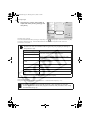
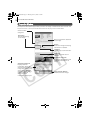
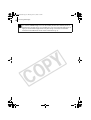
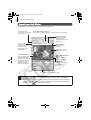
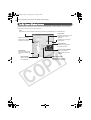
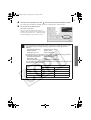
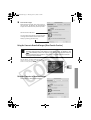
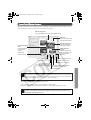
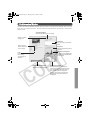
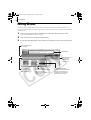
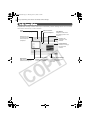
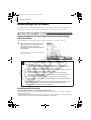
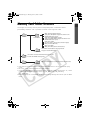
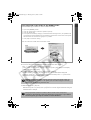
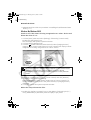
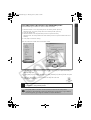
File Information Window
The File Information Window displays when you select an image in the Browser Area, click the
[File] menu and select [Get Info]. The File Information Window does not display in the Preview
display mode.
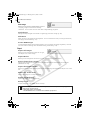
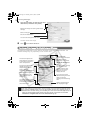
Star Rating Menu
Sets the Star Rating for an image.
Shows or hides
categories.
Comment
You can type a comment
here.
Plays a sound
memo attached
to an image.
Keyword
Sets the keywords used in
searches.
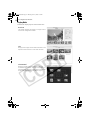
Brightness Histogram
A graph of the highlights
and shadows distribution
in an image.
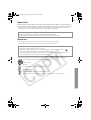
Lock
Prevents an image
from being
overwritten or
deleted.
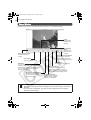
Image Selector Buttons
Switches between images.
Shooting Information
Displays detailed information
about the shooting settings when
the image was captured, such as
the shutter speed or exposure
setting. The camera model will
determine what information is
displayed.