1
Editor Setting
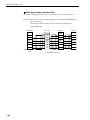
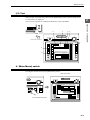
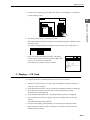
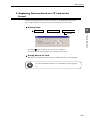
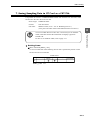
For more information about the cache, refer to page P3-10 to -11.
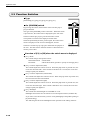
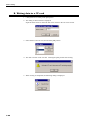
Macro command [SMPL_SAVE]
This macro command is used when you want to arbitrarily output the sampling data
stored in the cache to the CF card.
3
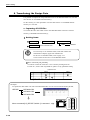
5. Storing Sampling Data in CF Card (II)
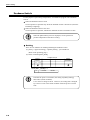
CF Card Functions
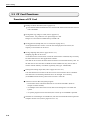
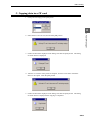
Sampling data can be stored in a CF card. Unlike conventional SRAM card, CF card
needs not be formatted to match the screen data. What you have to do is only insert a
CF card in the UG320HD.
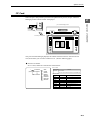
Store target: \SAMPLE folder
* Though the data is not output to \CARD.BIN, the area is occupied.
Format:
BIN file format
File name:
SMP0000.BIN to SMP0011.BIN (The numeric part means
buffering area No.)
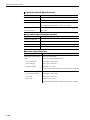
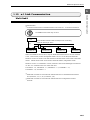
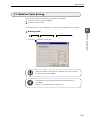
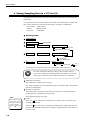
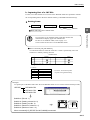
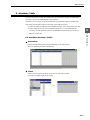
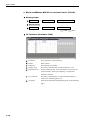
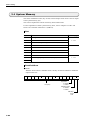
Setting items
Sampling Mode
Item
(I)
→
System Setting (A)
→ Buffering Area Setting (B)
Store Target
CF Card
Output File No. n (0 to 15)
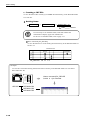
Item
(I)
→
System Setting (A)
→ Memory Card Setting (M)
No.n (0 to 15)
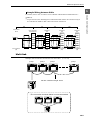
I/F Memory
Type: Buffering File
Item
(I)
→
System Setting (A)
→ Others
(O)
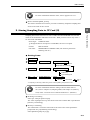
CF Card
Use Cache
Yes *1
No
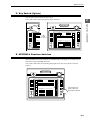
*1 Depending on the timing of data saving, macro command [SMPL_SAVE] needs to be set.
For more information about the setting of devices other than CF
card, refer to Chapter 12 (Sampling Mode) and Chapter 13 (Memory
Card) of the “UG Series User’s Manual <Reference>” (FEH351).
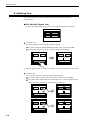
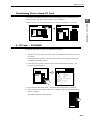
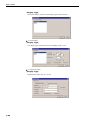
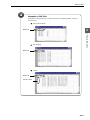
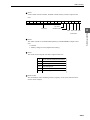
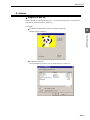
Buffering Area Setting
Select [CF Card] for [Store Target].
The value of [Output File No.] must be the same as the number that is specified for
[Memory Card Setting].
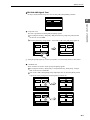
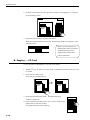
Memory Card Setting
The number that is set for this item must be the same as the value specified for
[Output File No.] of [Buffering Area Setting].
Select [Buffering File] for [Type].
3-9