1
User Guide
MECAFORM
Communication service - Mecaform user guide - jan. 2014
Table of contents
Principle............................................................................................3
Screen functions................................................................................8
Operating range.................................................................................3
Navigation throught the tactile screen.....................................................8
Résults..............................................................................................3
Implementation of the forming fabric....................................................9
Also.................................................................................................3
Production of a sheet in manual or aut mode..........................................9
Generals caracteristics........................................................................4
Example of manual sheet 60g/m²......................................................10
Installation and connections................................................................4
Example of manual sheet 200g/m²..................................................10
Electrics............................................................................................5
Precautions..............................................................................11
Water connections.............................................................................5
Defects..................................................................................11
Generals functions..............................................................................6
Maintenance.......................................................................12
First power........................................................................................6
Guarantee.....................................................................12
Navigation in the tactile screen..............................................................7
Contact...................................................................13
2
Operating range
Principle
Short fibers : 0.2 – 10g/l
Long fibers : 0.2 – 8g/l
Recycled cardbord fibers : 0.2 – 8g/l
Synthetic fibers absorbent only
Maximum length : 10 – 12mm
Drum speed : 0 – 1200m/min
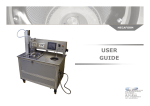
The Mecaform Dynamic Handsheet Maker from EP MECA
is a laboratory machine that is able to realize sheets of paper simular to industrial paper machines. It is the ultimate laboratory equipment to produce
oriented handsheet paper for mechanical and print testing.
Mecaform reproduces the shear and the hydrodynamic conditions of an industrial paper machine.
The handsheet is created by spraying pulp on the wire in a spinning drum
through a water-wall. The rotation speed combined with the spray flow and
the sweeping ratio will impart the fibers with a cross and machine direction.
Results
Pump motor speed : 0 – 1300rpm
Pump injection pressure : 0 – 2bar
Drum diameter : 280mm
page size 900 x 210
- grammage 20 – 400g/m²
- dryness 10 – 16 %
- orientation ST/SM 0.2 – 0.8
- retention 65 – 98%
At the end of the process the handsheet is drained through the wire by
centrifugal force and the water is drained out automatically. The handsheet
is then ready to be pressed and dried.
Possibility to make multi-layered pages.
Also
Regular transparence on the entire length of the page. Sufficient page size to realize carton and paper tests. Good
reproducibility with the automatic mode. Possibility to
add all wet-end chemical products.
3
The utility of the machine is very simple because of the tactil screen where
all of the information is easily exploited.
Installation and connections
The data settings areentered with the number pad of the screen. The graphic visualisation screen permits real-time observation of the system. The
automatic mode makes identical page making simple since you can save the
data in the machine.
To move the mecaform inside of a room a transpallet is needed, please only
move the machine with the forks inserted as shown in the drawing underneath, be sure not too touch or tear any wires that are under the machine.
Generals caracteristics
PLAQUE CE
EP MECA s.a.r.l
ZAC de l’Orme - Les Sources
42340 Veauche
FRANCE
Tel : +33 (0)4 77 36 91 72
Fax : +33 (0) 4 77 36 72 95
email: [email protected]
Dimensions (D, H, L) : 990 x 1500 x 1750
Weight : 690 kg
Structure : anodised aluminium
Cylinder : anodised aluminium
Cylinder speed : 700 to 1300 m/min
Power requirements :
380 V triphase, 50 Hz
Amps : 20 A
Interface display : Tactile screen
4
For proper operation the machine needs to be perfectly stable, the four feet
are adjustable so that you can make
the machine level. You also need to leave a minimum space of 80 cm behind
the machine to be able to get into
the electrical box and in order to connect the water and sewer lines. It is
also useful to leave an access on the sides of the machine.
Electrical
cicuit breaker
32 A lab plug
32 A multipole
connector
Mecaform
connector
It is best not to place the machine in a room where the temperature exceeds
25°C and with a maximum humidity
level of 50%
Differential unit tetrapolar
400 VAC, 300 mA type AC
+ Pole circuit breaker 400
VAC, 25A, curve C or D.
Electrics
For this, a metalic multipole 32A 3P+N+T connector is with the machine, it
must be plugged into a compatible 32A electrical wall connector wired the
following way :
- Blue wire : neutral
- Yellow / Green wire : ground
- The other three wires : phases
3P + N + T cable
Water connection
220 V Neutre + Earth
Compressed Air IN
Water out
WARNING : the plug 3P + N + T installed with protection above must always be labeled as «Sheet Forming»and
used only by the paper machine. Under no circumstances
should you connect another machine to this jack. See
diagram below
Water in
5
General functions
First power
- Power the machine tire.
- Supply the machine with water.
- Set all circuit breakers located inside the cabinet ON (CB circled in red)
- Check if the doors are interlocked fuse (Fuse holders circled in blue).
- Check the thermostat to 30 ° C (thermostat circled in green).
- Connect the power plug from the machine on the sheet provided for this
purpose.
- Set the switch to ON.
- The touch screen is activated and the LED white lights.
- Unlock the emergency stop button.
- Put water in pan stirring using the gun to the right of the machine (If there
is no water in the gun outlet, check the power supply).
- Press the start button, it lights up.
- Return or go to the page of choice between automatic or manual mode
of the touch screen.
- Put the protective cover on the drum.
- In manual mode, adjusting the drum speed of 200 m / min, giving a
run command by pressing the power button drum (Warning, if nothing
happens verify that the guard is in place. If this is not the case, replace the lid and restart the running order.)
- The drum must rotate below.
Tactile screen
Emergency stop
Power indicator
Agitator plus
Paper pulb container
Drum
Bail motor
Paper pulp pump
Protection hood
Translation module
Water pistol
Valve
Paper pulp
container
Drum
Drum motor
Valve
Electrovanne
Water
pulp pump
Scooping system
Drain pump
6
If the drum rotates in the wrong direction :
- Press the emergency stop
- Set the switch to off
- Unplug
- Reverse 2 phases at the outlet
- Plug and repeat the same procedure
Once the drum rotates in the right direction, check the pumps.
Navigation in the tactile screen
To paste the pump, adjust the speed to 350 rpm and give a run command
(Never let the tank empty during the operation of the pump).
CAUTION: This pump should never run dry!
If it rotates in the wrong direction :
- Press the emergency stop
- Set the switch to off
- Unplug
- Reverse 2 phases involved in the drive output
- Plug and repeat the same procedure for starting
To pump sewage to the water at the bottom of the bowl of the drum with
the pistol (Fill ¼) switch to manual mode, adjusting the drum speed 200 m
/ min, the drum set in motion.
If water is drawn, the pump rotates in the right direction, otherwise:
- Press the emergency stop
- Set the switch to off
- Unplug
- Reverse 2 phases involved in the drive output
- Plug and repeat the same procedure for starting
Once all these settings, the machine is ready for operation.
7
Screen functions
Navigation throught the tactile screen
Front page
Automatic mode page
Adjusting drum speed
between 0 and 1300 rpm
Setting the number of
sweeps between 0 and 80
Setting the pump speed pulp
between 250 and 12,000rpm
Setting the time scooping
between 0 and 120 seconds
Button to go to selection page
automatic or manual
Maintenance menu
Manual mode page
Skip to page display PID
Adjusting the
drum
speed between 0
and 1300 m /
min
Agitator
on-off
Display number of remaining
scan
The numbers 1,2,3,4 and
arrows and triangle of lights
indicating the status of each
of the actuators (green for
on, red for stop)
Drum on-off
Setting the
number of
sweeps
between 0 and
80
Sweep on-off
Scooping
on-off
Status LED :
off : red
on : green
Pressure display in relation
to the speed of the pump
(mbar)
Pressure display
= f (pump
speed)
(mbar)
Pulp pomp
on-off
End of manual mode and
return to previous page
Return to the settings page
Setting the time
scooping
between
0 and 120
seconds
8
Implementation of the forming fabric
Production of a sheet in manual or auto mode
Manual or auto
From the homepage click on the arrow at the bottom right corner of the
screen. A new page opens and a choice between automatic and manual
mode is possible.
MANUAL: All functions are possible in any order.
AUTOMATIC: After running the drum, creates a wall of water and made all
the necessary press CYCLE START. The cycle is automatic until the drum
stops and opening the hood is possible.
Preparation before making a sheet of paper:
- Obtain sheets of blotting paper and cut to size (912 x 252 mm), it is placed
under the wire to avoid marking the holes in the drum surface.
- Also use a screen (Use of phosphor bronze, fabric No. 25/ cm), the gauze
must be flexible (Do not weld the edges and do not bend or dent the canvas)
Installation
- Place the blotter against the trivet between the two railsmétalliques (it
should normally cover the entire surface by plugging all the holes).
- Put the protective cover, rotate the drum to 1200 m /min and the wet
blotting.
- Stop the drum.
- Set up the grill over the blotter (The screen must be exactly the dimensions of the trivet to avoid protrusions).
Settings
To adjust, follow the instructions displayed on the screen.
For example, to change the value of speed, press the speed display, a 10-digit keypad appears, change the value and confirm by pressing «Enter»
Make a sheet in manual mode
Choose Manual from the page of choice.
Fill the tank pulp.
Start the stirrer.
Start the pump to fill the pulp hose and nozzle with paste and then
stop.
Place the blotting paper and canvas in the drum.
Adjust the speed of the drum.
Start the drum.
Create a wall of water. The wall of water is correct when the 2
rings inside the drum are covered, 6 to 8 liters of water are
needed. Excess water is automatically drained by overflow.
Set the number of revolutions per minute pump and the
number of scanning.
Start the pump and pulp the scan.
Stop the pulp and scanning at the time.
Start bailing, before the end of the scan or
after.
Stop the drum and agitator.
Remove the fabric from the drum.
Trivet
Drum bidy
Blotter
Metallic canvas
ATTENTION DIMENSIONS TOILE METALLIQUE = DIM BUVARD = 912 x 252
mm
9
Make a sheet automatic
Set the number of RPM for the pump (360 rpm).
PREPARATION
Set the number of scanning (29), timer A / R 20-AR / minutes.
Start the pump and then pulp the scan.
Once the tank is empty pulp, provide for the addition of water to properly
raise the whole pulp that is contained in the pipe.
Start bailing, then stop the drum of the end of the pickup.
Remove the fabric from the drum.
Fill the tank pulp.
Start the stirrer.
Complete circuits of pulp by pressing the button «pulp pump.»
Press the «end user manual».
Switching to automatic by pressing the button «Auto Mode»
Start the drum.
Create a wall of water.
Adjust all necessary settings (Setting the number of scans,
adjusting the drum speed, time setting ... scooping).
Press «start cycle».
Example of manual sheet 60g/m²
We have previously placed the blotter moistened and then placed the cloth
in the drum manually.
Take the amount of pulp necessary to get a sheet of 60 g/m2 basis weight
fabric surface with a 0920 * 0249 m2.
For this measure the consistency of dough (dough concentration in g / l,
100% short fibers) and then collect the theoretical amount of dough needed
to make the desired weight.
For the 60 g/m2, 17 g dry fibers are needed.
Place the dough in the machine chest and then add a volume of water needed for 3.5 liter final in the chest.
Launch agitation (100 rpm) to mix the dough.
Check if the speed of rotation of the drum is good then launch (1000 m /
min).
Make the wall with the shower water until disappearance of the 2 rings.
Example of manual sheet 200g/m²
We have previously placed the blotter moistened and then placed the cloth
in the drum manually.
Take the amount of pulp necessary to get a sheet of 60 g/m2 basis weight
fabric surface with a 0920 * 0249 m2.
For this measure the consistency of dough (dough concentration in g /
l, 100% short fibers) and then collect the theoretical amount of dough
needed to make the desired weight.
For the 200 g/m2, 54.25 g dry fibers are needed.
Place the dough in the machine chest and then add a volume of
water needed to be 5.4 liters final in the chest.
Launch agitation (100 rpm) to mix the dough.
Switch to automatic mode.
Start the rotation of the drum, if necessary, change the
speed (900 m / min).
Make the wall with the shower water until disappearance of the 2 rings.
Return if needed again all settings (number
of scans: 42,
scooping the time: 80 sec ...)
Press cycle start.
10
Immediately after emptying the vat of pulp, pour a little water to the shower
to fully remove all the fibers and thus have a weight closest to reality.
- Check the emergency stop button.
- Have an electrician check the fuses in the electrical box.
Upon stopping the drum, remove the canvas with the sheet in order to press
it.
- If a variator is in defaut turn the machine off for 15min and restart.
Precautions
- Take care to never leave any object inside of the drum, if this were to happen press the emergency stop and wait for the drum to stop before taking
off the protection hood.
- Do not short-circuit any of the security devices.
For any problem or malfunction of the machine please contact the company
EP MECA at the adresse or phone number that can be found on the last page
of this manual or on the designer screen of the machine.
Defects
The machine does not work if:
The switch is OFF.
- Never dissociate the protection hood and the security key.
- The drum must never be turned to the on position without its protection
hood in place.
- Never let the pulp pump function without pulp or water in the mixer, it
could result in the destruction of this one.
The power supply is cut off. (Socket not connected or circuit breaker to
OFF).
The emergency stop is activated. (Turn the knob clockwise to re-engage.)
A circuit breaker is OFF (Open the cabinet and then reset)
- Never use abrasive agents in the pulp (metallic fiber, glass…).
A drive is in default. (To overcome the isolating cut for 15 minutes and restart the machine)
- To clean the touch screen, only use water.
- Only use your fingers for navigating within the different screens.
- For any intervention inside the electrical box, only employ an experienced,
entitled personne.
A default is entered on the touch screen pages Q4, Q8,
Q9, or are in default, the default will appear on the
screen and stored. To delete just cutting off the machine and restart.
- Never try to modify or re-program any electrical or mechanical parts of the
machine without consulting EP MECA.
For any other defect not listed please
contact our customer service.
If the machine does not start :
- Make sure that all of the cables and the power source are connected.
11
Maintenance
Unscrew the 2 bolts to
get to the thruster
Daily maintenance
Rince the pulp circuits, for this fill the mixer with water and turn the pulp
pump on.
Clean the inside of the drum with the water pistol.
Clean the formation wire and blotter after each use.
Make sure that the pulp injection tip is clean and not ,stopped.
Thruster or impulseur
Every 3 months
Take the top disc of the drum off.
Take out the perforated basket.
Clean the body of the drum
Every 6 months
Pressure sensor
Change the thruster of the pulp pump.(reference : Johnson pump 09-833S4)
Guarantee
Top Disc
Joint
The guarantee of the machine covers :
A period of 12 months for all material and all malfunctions.
For a normal use of the machine following the instructions in this manual.
The guarantee starts the date of delivery.
Joint
Drum Body
12
ZAC de l’Orme les Sources
42340 Veauche
Tél : 04 77 36 91 72
Fax : 04 77 36 72 95
E-mail : [email protected]
Web : www.epmeca.eu