1
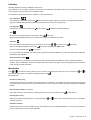
Display light
to toggle operation. When the display light is enabled the
Enables or disables the display back light. Press
displayed. The back light will illuminate for a moment when any key or the measurement trigger is pushed.
icon is
Clear Seq_ID
Clears the sequence id as if all 6 positions were set to spaces. Press
to clear. See also Sequence ID.
Sequence ID (Old Seq_ID)
If any sequence id is defined, the id text and a sequence number is shown in the display. To edit the sequence id press the
button. The cursor is placed to the right of the first character position. Use the button to scroll through the alphabet in
direction 0..9, A..Z starting with the space character. The button will scroll through the alphabet in opposite direction. When
button to advance to the next position. You have to step through all 6 positions
the wanted character is shown press the
before the sequence id function can be accepted.
When typing a new sequence id text or editing an old one, the sequence number is reset to 0. When all 6 positions are set to
space the sequence id function is undefined and no longer included in the log nor shown in the display.
Mean Value Calculation
The Mean value is calculated and displayed together with the number of measurements used for the calculation when two or
more measurements are made in succession.
The Mean calculation is cleared whenever the instrument is turned OFF, Calibrated or the ON/C Key is activated. The Mean
value will not be logged!
Battery/ Charging
Temperatures in excess of 50º C (122º F) will damage the battery. Do not short circuit the battery. Do not dispose with household waste.
To remove the battery swing the battery retaining spring over, and pull out the battery from the handle. See Section 4 - Battery
for further information on charging.
Remote control
External trigger
By use of the connector on the rear of the instrument, it is possible to remotely trig the instrument. As an accessory an Extension pole kit can be supplied.
Serial communication
The instrument is equipped with a serial communication port. This allows complete instrument control and data collection.
Use the RSC software to control the RetroSign.
Serial communication setup (R232 interface):
9600 baud, No parity, 8 bit, 1 stop bit
Selected commands.
LO
(Log Open):
Enables log for input.
LD
(Log Dump):
Number, date time, R’, mode.
RM
(R’ Measurement):
Start R’ measurement.
SD
(Status Dump):
Returns instrument settings and status.
On line help
?
The RetroSign will return a brief help page of
commands.
See also Appendix A - Communication facilities.
10 RetroSign® · Retroreflectometer