
1
CHAPTER
TWO
RAPIDMINER DATA FLOW
2.1 Preface
Radoop is the big data analysis extension for RapidMiner, the powerful ETL and data mining software. This section
is a short introduction to RapidMiner. However, if you are not familiar with the software, you should consult the
RapidMiner Documentation (for the user manual and video tutorials). The purpose of this section is only to provide a
glimpse into this software and to explain how the solution works with your Hadoop cluster.
2.2 RapidMiner
RapidMiner is a popular open source ETL, data mining and reporting solution. It is both a stand-alone application and
an engine to be integrated into other appications. This chapter highlights and shortly describes the main features of
the solution. Radoop brings all of these features to the big data level and provides a full analytics package for your big
data problem.
• Data integration, ETL, analysis and reporting in a single solution.
• Design all analysis processes using a powerful and intuitive graphical user interface.
• Meta data transformation during design time. You can inspect meta data (attributes, data types, statistics) of
your data sets at any step during the design of your process.
• Errors are recognized early, mostly during design time. Quick fixes help solving these issues, thus dramatically
decreasing the learning curve.
• Hundreds of operators for loading, transformation, modeling and visualization.
• Repositories for handling processes, data and meta data.
The following sections shortly introduce the most important basic concepts of the solution.
2.3 User Interface
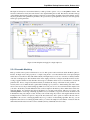
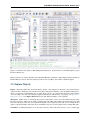
RapidMiner’s user interface is basically made up of perspectives. These perspectives all consist of interface elements
called views. After installing the Radoop extension, you will find the following five perspectives to choose from (from
left to right on the toolbar on the top of your screen):
• Home. This is the welcome screen with the most frequent starting points for your work. You can access your
recent processes, create a new one, open a template or the RapidMiner Tutorial.
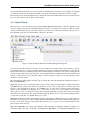
• Design. This perspective is where you design your process from basic building blocks or steps called operators.
You can manage processes and data in your repositories in the Repositories view. Configure your operators
4








![[U7.00.01] Opérateur EXEC_LOGICIEL](http://vs1.manualzilla.com/store/data/006358421_1-4c52b89a0a71b084c3a2df1a9b9adfcc-150x150.png)