1
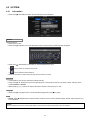
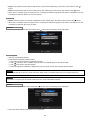
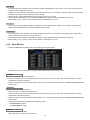
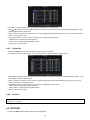
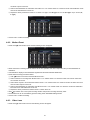
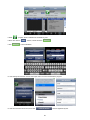
y Select cameras for recording while the motion sensor is in operation and alarm outputs and set up E-mail addresses for
notification.
y Link Notification displays E-mail addresses registered in DEVICES>Network>Notification.
y Please follow the setup procedures below.
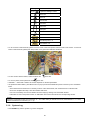
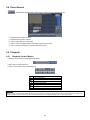
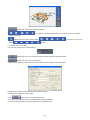
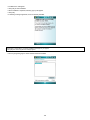
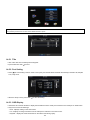
① Click ( ) Video Loss frame and select Video Loss 1.
② Select cameras for recording when Video Loss 1 is on. Please check 5 a check box under Link Camera. More than two
cameras can be set.
③ Select alarm outputs to be worked when Video Loss 1 is on. Please check 5 a check box under Link Alarm Out. More
than two alarm outputs can be set.
④ Select E-mail addresses for notification when Video Loss 1 is on. Please check 5 a check box under Link Notification.
More than two E-mail addresses can be set.
⑤ Repeat the above procedure for Video Loss 2~ Video Loss 16.
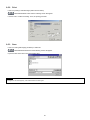
y Click No Beep 5 to deactivate alert sounds from video loss. Apply to all channels.
y Choose ‘OK’ to confirm the setting.
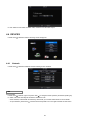
4.6.4
System Event
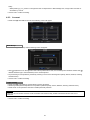
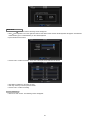
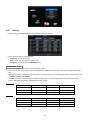
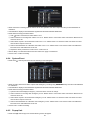
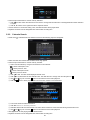
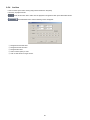
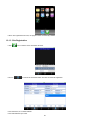
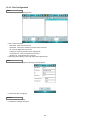
y Please click ( ) LINK>System Event and the following screen will appear.
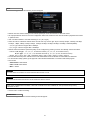
y Select recording cameras and alarm outputs while Emergency recording using EMERGENCY key and set E-mail addresses
for notification.
y Link Notification displays E-mail addresses registered in DEVICES>Network>Notification.
y Please follow the setup procedures below.
① System Event frame displays Emergency, which user does not have to change.
② Select cameras for recording when emergency occurs. Please check 5 a check box under Link Camera. More than two
cameras can be set.
③ Select alarm outputs to be worked when emergency occurs. Please check 5 a check box under Link Alarm Out. More
than two alarm outputs can be set.
④ Select E-mail addresses for notification when emergency occurs. Please check 5 a check box under Link Notification.
More than two E-mail addresses can be set.
y Choose ‘OK’ to confirm the setting.
4.6.5
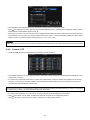
Popup Link
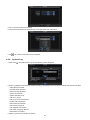
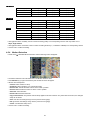
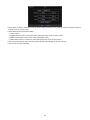
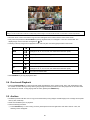
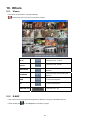
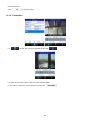
y Please click ( ) LINK>Popup Link and the following screen will appear.
52