1
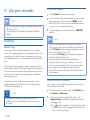
5 Use more of your recorder Index marks Index marks can be used to mark certain points in a recording as points of reference. 1 To add an index mark, press F1 (Index) during recording or playback. XXThe index number is displayed for one second. XXUp to 32 index marks can be set per file. 2 To locate an index mark, press + / – while the recorder is in stop mode ( Selecting a file, p. 17). 3 To delete an index mark, play, fast forward or fast rewind to the index mark to be deleted. While the recorder is in stop mode, press F2 (Menu) and select File > Index clear. Voice-activated recording When voice-activated recording is enabled, recording will start when you begin speaking. When you stop speaking, the device will automatically pause recording after three seconds of silence, and resume only when you begin speaking again. Use the voiceactivation threshold to set the volume at which the device should begin recording. 1 Activate the voice-activated recording feature in the settings menu ( Settings, p. 25). XXWhen activated, the symbol is displayed in the information bar at the top of the screen. 2 To start recording, point the microphone toward the sound source and move the slide switch to the G REC position. XXThe devices switches to standby mode. Recording will start when you begin speaking (or the sound level is above the voice-activation threshold). XXWhen you stop speaking (or the sound level drops below the voice-activation threshold), the device will automatically pause recording after three seconds and the LED flashes. 3 Press + / – during recording to adjust the voice-activation threshold. 4 To stop recording, move the slide switch to the F STOP position. 20 EN