1
1 Important 5
2 Your digital dictation recorder
7
Safety instructions Rechargeable battery
Memory cards
Hearing protection
Legal restrictions on recording
Recycling About this user manual Model-specific features and diagrams
Symbols used
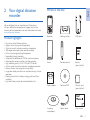
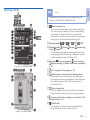
Product highlights What's in the box Overview of the recorder Start-up screen Overview of the docking station Overview of the remote control 3 Get started
Connect the docking station Connect the remote control Connect and position the meeting microphones Install the recorder Insert and eject the memory card Charge the battery Charge using the docking station
Charge using the USB cable
Power on/off Initial installation process Set the language
Set the date and time
Power-save mode 4 Use your recorder
Recording Record settings
5
5
5
5
6
6
6
6
6
7
7
8
9
10
11
12
12
12
12
13
13
14
14
14
14
15
15
15
15
16
16
16
Create a new recording
Add to or overwrite a recording
Playback Selecting a file
Playback a recording
Adjusting playback speed
Quick search
Delete Delete a file
Delete part of a file
Delete all files
16
16
17
17
17
18
18
18
18
18
19
5 Use more of your recorder
20
6Settings
25
Voice-activated recording Index marks Assign keywords (author ID and work type) Assign an author name Assign a work type Instructions File lock and priority Hands-free recording and transcription Hands-free recording
Hands-free transcription
Use Philips SpeechExec software Advanced configuration
Download recordings to the computer
20
20
21
21
21
21
22
22
22
23
24
24
24
Use the menu Menu list File menu Delete file
Delete section
Priority high / normal
Lock /EOL
Index set / clear
Author, Work type
25
25
26
26
26
26
26
26
26
EN
3
English
Table of contents