1
WEBplay
Operation of the WEBplay
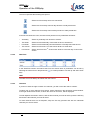
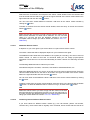
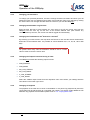
The icons represent the following time period:
Search time from today 00:00 h to actual time
Search time from today minus 6 days 00:00 h to today actual time
Search time from today minus 30 days 00:00 h to today actual time
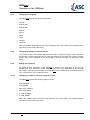
In the list box below the icons, the search time periods can be predefined as follows:
4.3.2.2
•
Yesterday
Search at yesterday from 00:00 h to 23:59 h.
•
This week:
Search time from Monday of this week 00:00 h to actual time.
•
Last week:
Search time from Monday last week 00:00 h to Sunday last week 23:59 h.
•
This month:
Search time from the 1st of this month 00:00 h to actual time.
•
Last month:
Search time from the 1st of last month 00:00 h to the last day of last month
23:59 h.
Date/Time
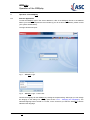
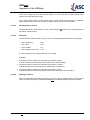
In the Date/Time section the search Date from and search Date to parameters can be set by
selecting the entries from a drop down list ( ). It is also possible to use the up and down arrow
keys.
HINT
The Date from must always be earlier than the Date to!
4.3.2.3
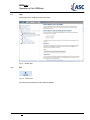
Channels
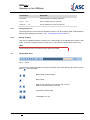
If you do not have the right to search for channels, you will not see this search criterion.
To select one or more channels for a search, select Channels in the left search criteria window.
In the right window all channels, to which the user has access to, will be displayed.
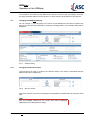
To mark adjacent channels in the list, click the first channel you want to select, press the shift key
and click the last channel you want to select.
To mark channels that are not adjacent, keep the Ctrl key pressed and click the individual
channels you want to select.
User Manual WEBplay - Doc. Version 001.09.00 Rev. 00
9/21