1
www.tech.com
III. System setup
2. Features
1. Install an operating system
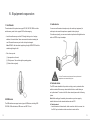
A. Slim appearance and High mobility
This product supports Windows XP, Windows Vista, Windows 7 and other normal
mini PC is only one-thirtieth of the desktop PC and less than 1kg, easy to be
operating systems. If you want to install a new or change your current operating
carried anywhere. Your space can be saved with the stylish appearance and
system, you can consult your local distributor, or you can connect the PC to an
book-size structure.
external CD-ROM or DVD-ROM and use the disk for installation.
NOTE: According to USB specification, USB interface provides maximum 600MA
B. HD broadcasting / entertaining PC
current. In order to protect the safety of electrical machine, we suggest using USB
Adopted next generation NVIDIA® ION™, the product can support 1080P
devices with outlay power supply if it has large power dissipation.
resolution full HD and popular PC games, easily setup your home
entertainment center.
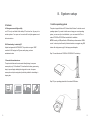
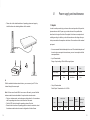
Step1. Connect the external CD-ROM or DVD-ROM to PC and start up.
C. Household downloader/server
The product also features its environmental-friendly design, lower power
consumption (only 1/3 of traditional PC, less than that of ordinary power saving
lamps), improved laptop radiating technology and low noise. Low power
consumption and quiet running make it particularly suitable for downloading in
sleeping time.
Step2. Put your operating system disk in the external USB device.
8
9