1
Roomba uses iAdapt™ Responsive Cleaning Technology, an advanced, proprietary
system of software and sensors. iAdapt allows Roomba to actively monitor the cleaning
environment 64 times per second and respond with more than 40 different mobility
behaviors to clean the room more thoroughly.
Roomba models 600 and above have 2 cleaning modes you can select:
Clean Mode (all models) – Roomba automatically calculates the room size and adjusts
its cleaning time appropriately.
Spot Mode (all models) – Roomba will spiral approximately 1 meter in diameter
and then back to where it started – an intense, localized clean for those quick fixes.
Surfaces
Your Roomba works on pretty much anything – wood, carpet, tile, vinyl and lino,
adjusting to different floor types. It automatically senses stairs and other drops.
It might stall when confronting round edges and might slide over particularly slippery
surfaces. Very dark floors may impede its sensors. Roomba is not designed for use outdoors.
Anti-tangle system
A Roomba won’t get caught up in tassels or fringes. If it senses a tangle, it
automatically stops its main brushes and reverses to free itself. It may make a
clicking noise while doing this.
Getting started | Cleaning modes & Virtual Walls
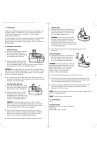
Virtual Wall® Optional accessory for all models
Virtual Walls create an invisible barrier that your Roomba won’t cross. That makes it easy
to confine it to a particular room or area, and prevent it from getting too close to anything
delicate or dangerous.
• Each Virtual Wall needs two C alkaline
batteries (not included).
• You can set the Virtual Walls to block an
opening up to two metres. It creates a
cone shape barrier, so the beam
gradually gets wider.
• For best results, place the Virtual Wall
on the outside of the doorway you
want to block. Point the arrows on the
top towards the opening.
Manual Virtual Wall
• Turn on a Manual Virtual Wall by hand at the beginning of the cleaning cycle.
It will shut off after 135 minutes. If the power light blinks green, it means you’ll
need new batteries soon.
Auto Virtual Wall
When an Auto Virtual Wall is set to “AUTO” mode, the power light continuously blinks to
indicate it is on. When battery levels are low, the Virtual Wall continuously blinks twice to
indicate that it needs new batteries. When in AUTO mode, the batteries should last for
around six months. To save on batteries, just switch it to OFF.
3
4