1
Chapter 3: Working with Windows® 8
Starting for the first time ...............................................................................40
Windows® 8 lock screen ..................................................................................40
Windows® UI .......................................................................................................41
Start screen .......................................................................................................41
Windows® apps ...............................................................................................41
Hotspots.............................................................................................................42
Working with Windows® apps......................................................................44
Launching apps...............................................................................................44
Customizing apps ...........................................................................................44
Closing apps .....................................................................................................45
Accessing the Apps screen..........................................................................46
Charms bar ........................................................................................................48
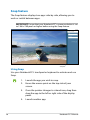
Snap feature .....................................................................................................50
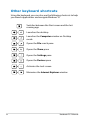
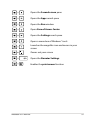
Other keyboard shortcuts .............................................................................52
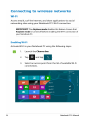
Connecting to wireless networks ...............................................................54
Wi-Fi
.............................................................................................................54
Bluetooth ..........................................................................................................56
Airplane mode .................................................................................................58
Connecting to wired networks....................................................................59
Coniguring a dynamic IP/PPPoE network connection ....................59
Coniguring a static IP network connection .........................................63
Turning your Notebook PC off.....................................................................64
Putting your Notebook PC to sleep .........................................................64
Chapter 4: ASUS apps
Featured ASUS Apps .......................................................................................66
LifeFrame ...........................................................................................................66
Power4Gear Hybrid........................................................................................68
USB Charger+...................................................................................................69
Instant On ..........................................................................................................71
4
Notebook PC E-Manual