1
AXIS Q6045-S Mk II PTZ Dome Network Camera
Detectors
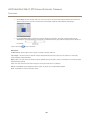
3. Use the Sensitivity slidebar to define how sensitive the detection should be. The lower sensitivity selected on the Sensitivity
bar, the greater difference in luminance is needed between the object and the background for the detector to be activated.
See the online help
for more information.
Fence Detector
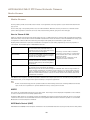
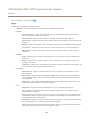
Fence Detector is used to trigger an alarm if an object crosses a virtual line. Do the following to set the detector:
Note
Use the Drawing Opacity slidebar to define how transparent the area of interest or object size shape should be. Note
that this change will not be saved.
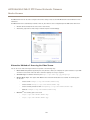
1. Choose Area of interest from the drop-down list. Set the virtual line to detect objects moving across it.
Important
When configuring Object size the view shall be zoomed out to Wide position.
2. Choose Object size from the drop-down list. Set the size limits of the object that should be detected. The camera will
detect any object whose size falls in between the minimum (blue shape) and maximum (white shape) range.
3. Use the Sensitivity slidebar to define how sensitive the detection should be. The lower sensitivity selected on the Sensitivity
bar, the greater difference in luminance is needed between the object and the background for the detector to be activated.
See the online help
for more information.
Object Counter
Object Counter is used to count objects that move across a virtual line. Do the following to set the detector:
Note
Use the Drawing Opacity slidebar to define how transparent the area of interest or object size shape should be. Note
that this change will not be saved.
1. Choose Area of interest from the drop-down list and set the virtual line. Objects crossing this virtual line will be counted.
Important
When configuring Object size the view shall be zoomed out to Wide position.
37