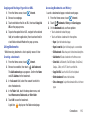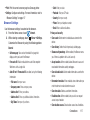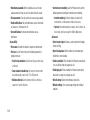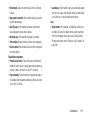
1
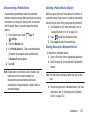
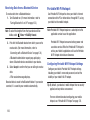
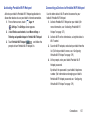
A N D R O I D
T A B L E T
User Manual
Please read this manual before operating your
device and keep it for future reference.
Intellectual Property
All Intellectual Property, as defined below, owned by or which is otherwise the property of Samsung or its respective suppliers
relating to the SAMSUNG Galaxy Tab, including but not limited to, accessories, parts, or software relating there to (the “Galaxy Tab
System”), is proprietary to Samsung and protected under federal laws, state laws, and international treaty provisions. Intellectual
Property includes, but is not limited to, inventions (patentable or unpatentable), patents, trade secrets, copyrights, software,
computer programs, and related documentation and other works of authorship. You may not infringe or otherwise violate the
rights secured by the Intellectual Property. Moreover, you agree that you will not (and will not attempt to) modify, prepare
derivative works of, reverse engineer, decompile, disassemble, or otherwise attempt to create source code from the software. No
title to or ownership in the Intellectual Property is transferred to you. All applicable rights of the Intellectual Property shall remain
with SAMSUNG and its suppliers.
Open Source Software
Some software components of this product, including but not limited to 'PowerTOP' and 'e2fsprogs', incorporate source code
covered under GNU General Public License (GPL), GNU Lesser General Public License (LGPL), OpenSSL License, BSD License and
other open source licenses. To obtain the source code covered under the open source licenses, please visit:
http://opensource.samsung.com.
Disclaimer of Warranties; Exclusion of Liability
EXCEPT AS SET FORTH IN THE EXPRESS WARRANTY CONTAINED ON THE WARRANTY PAGE ENCLOSED WITH THE PRODUCT, THE
PURCHASER TAKES THE PRODUCT "AS IS", AND SAMSUNG MAKES NO EXPRESS OR IMPLIED WARRANTY OF ANY KIND
WHATSOEVER WITH RESPECT TO THE PRODUCT, INCLUDING BUT NOT LIMITED TO THE MERCHANTABILITY OF THE PRODUCT OR
ITS FITNESS FOR ANY PARTICULAR PURPOSE OR USE; THE DESIGN, CONDITION OR QUALITY OF THE PRODUCT; THE
PERFORMANCE OF THE PRODUCT; THE WORKMANSHIP OF THE PRODUCT OR THE COMPONENTS CONTAINED THEREIN; OR
COMPLIANCE OF THE PRODUCT WITH THE REQUIREMENTS OF ANY LAW, RULE, SPECIFICATION OR CONTRACT PERTAINING
SCH-I925U_UM_Eng_MA4_CB_022213_MR_F2
THERETO. NOTHING CONTAINED IN THE INSTRUCTION MANUAL SHALL BE CONSTRUED TO CREATE AN EXPRESS OR IMPLIED
WARRANTY OF ANY KIND WHATSOEVER WITH RESPECT TO THE PRODUCT. IN ADDITION, SAMSUNG SHALL NOT BE LIABLE FOR
ANY DAMAGES OF ANY KIND RESULTING FROM THE PURCHASE OR USE OF THE PRODUCT OR ARISING FROM THE BREACH OF
THE EXPRESS WARRANTY, INCLUDING INCIDENTAL, SPECIAL OR CONSEQUENTIAL DAMAGES, OR LOSS OF ANTICIPATED PROFITS
OR BENEFITS.
SAMSUNG IS NOT LIABLE FOR PERFORMANCE ISSUES OR INCOMPATIBILITIES CAUSED BY YOUR EDITING OF REGISTRY SETTINGS,
OR YOUR MODIFICATION OF OPERATING SYSTEM SOFTWARE.
USING CUSTOM OPERATING SYSTEM SOFTWARE MAY CAUSE YOUR DEVICE AND APPLICATIONS TO WORK IMPROPERLY.
SAFE™: "SAFE™" (Samsung for Enterprise) is a mark for a Samsung device which has been tested against Samsung's own
internal criteria for interoperability with certain third party security-related solutions for MDM and VPN. The testing includes field
testing with local network connection and menu tree testing which tests functionality of the solutions in conjunction with the
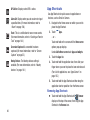
Samsung device. During the testing, the device is tested with the security solutions to see if the solutions work with the device as
described by the third party security solution providers. The testing, for example, includes field testing with local network
connection and menu tree testing which tests functionality of the solutions in conjunction with the Samsung device. For more
information about Samsung's SAFE™ program, please refer to www.samsung.com/us/safe.
Disclaimer of Warranties: EXCEPT AS OTHERWISE PROVIDED IN THEIR STANDARD END USER LICENSE AND WARRANTY, TO THE
FULL EXTENT PERMITTED BY LAW SAMSUNG ELECTRONICS CO., LTD., SAMSUNG TELECOMMUNICATIONS AMERICA, LLC, AND
THEIR AFFILIATES (COLLECTIVELY REFERRED TO HEREIN AS THE "SAMSUNG ENTITIES") EXPRESSLY DISCLAIM ANY AND ALL
WARRANTIES, EXPRESS OR IMPLIED, INCLUDING ANY WARRANTY OF MERCHANTABILITY, FITNESS FOR A PARTICULAR PURPOSE,
INTEROPERABILITY OR NON-INFRINGEMENT, WITH RESPECT TO INFORMATION TECHNOLOGY SECURITY PROTECTION, SAFE™
DEVICES AND APPLICATIONS TESTED WITH SAFE™ DEVICES. IN NO EVENT SHALL THE SAMSUNG ENTITIES BE LIABLE FOR ANY
DIRECT, INDIRECT, INCIDENTAL, PUNITIVE, OR CONSEQUENTIAL DAMAGES OF ANY KIND WHATSOEVER WITH RESPECT TO
INFORMATION TECHNOLOGY SECURITY PROTECTION, SAFE™ DEVICES OR APPLICATIONS TESTED WITH SAFE™ DEVICES. In
addition, information technology security protection will be affected by features or functionality associated with, among other
things the e-mail platform, master data management, and virtual private network solutions selected by the software provider,
solution provider or user. Choice of an e-mail, master data management, and virtual private network solution is at the sole
discretion of the software provider, solution provider or user and any associated effect on information technology security
protection is solely the responsibility of the software provider, solution provider or user. For complete statement of limited
warranty, please refer to www.samsung.com/us/safe, available on the web and where Samsung smartphone and Galaxy Tab™
devices are sold. [101212]
Samsung Telecommunications America (STA), LLC
Headquarters:
1301 E. Lookout Drive
Richardson, TX 75082
Customer Care Center:
1000 Klein Rd.
Plano, TX 75074
Toll Free Tel: 1.888.987.HELP (4357)
Internet Address:
http://www.samsung.com
©2012 Samsung Telecommunications America, LLC. Samsung is a registered trademark of Samsung Electronics Co., Ltd.
Do you have questions about your Samsung Mobile Device?
For 24 hour information and assistance, we offer a new FAQ/ARS System (Automated Response System) at:
www.samsung.com/us/support
Nuance®, VSuite™, T9® Text Input, XT9® Smart Input, and the Nuance logo are trademarks or registered trademarks of Nuance
Communications, Inc., or its affiliates in the United States and/or other countries.
The Bluetooth® word mark, figure mark (stylized “B Design”), and combination mark (Bluetooth word mark and “B Design”) are
registered trademarks and are wholly owned by the Bluetooth SIG.
microSD™, microSDHC™, and the microSD logo are Trademarks of the SD Card Association.
Google®, the Google logo, Android, the Android logo, Google Play, Gmail, Google Calendar, Google Latitude, Google Maps, Google
Play Books, Google Play Music, Google Talk, Picasa, and YouTube and other marks are trademarks of Google Inc.
Wi-Fi is a registered trademark of the Wireless Fidelity Alliance, Inc.
is a trademark of SRS Labs, Inc. WOW HD technology is incorporated under license from SRS Labs, Inc.
Peel and the Peel logo are marks owned by Peel Technologies, Inc. and may be registered.
TM
, DivX®, DivX Certified® and associated logos are trademarks of Rovi Corporation or its subsidiaries and are used under
license.
DivX Certified® to play DivX® video up to HD 720p, including premium content.
ABOUT DIVX VIDEO: DivX® is a digital video format created by DivX, LLC, a subsidiary of Rovi Corporation. This is an official DivX
Certified® device that plays DivX video. Visit www.divx.com for more information and software tools to convert your files into DivX
videos.
ABOUT DIVX VIDEO-ON-DEMAND: This DivX Certified® device must be registered in order to play purchased DivX Video-onDemand (VOD) movies. To obtain your registration code, locate the DivX VOD section in your device setup menu (Apps > Settings
> About device > Legal information > License settings > DivX® VOD > Register). Go to vod.divx.com for more information on how to
complete your registration.
Table of Contents
Section 1: Getting Started .......................... 4
Understanding This User Manual . . . . . . . . . . . 4
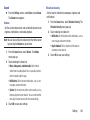
Battery . . . . . . . . . . . . . . . . . . . . . . . . . . . . . . . 5
Installing the SIM Card . . . . . . . . . . . . . . . . . . . 8
Turning Your Tablet On and Off . . . . . . . . . . . . 9
Setting Up Your Tablet . . . . . . . . . . . . . . . . . . . 9
Creating a New Google Account . . . . . . . . . . . 13
Retrieving Your Google Account Password . . . 13
Using Google Maps . . . . . . . . . . . . . . . . . . . . 14
Task Manager . . . . . . . . . . . . . . . . . . . . . . . . 14
Memory Card . . . . . . . . . . . . . . . . . . . . . . . . . 15
Galaxy Tab Accessories . . . . . . . . . . . . . . . . . 17
Securing Your Device . . . . . . . . . . . . . . . . . . . 17
Troubleshooting . . . . . . . . . . . . . . . . . . . . . . . 19
Section 2: Understanding Your Device .... 20
Features . . . . . . . . . . . . . . . . . . . . . . . . . . . .
Front View . . . . . . . . . . . . . . . . . . . . . . . . . . .
Top View . . . . . . . . . . . . . . . . . . . . . . . . . . . .
Back and Bottom Views . . . . . . . . . . . . . . . . .
20
21
22
22
S Pen . . . . . . . . . . . . . . . . . . . . . . . . . . . . . . .
Home Screen . . . . . . . . . . . . . . . . . . . . . . . . .
Navigating Your Device . . . . . . . . . . . . . . . . .
Notifications . . . . . . . . . . . . . . . . . . . . . . . . . .
Status Details . . . . . . . . . . . . . . . . . . . . . . . . .
Quick Settings . . . . . . . . . . . . . . . . . . . . . . . .
Status Bar . . . . . . . . . . . . . . . . . . . . . . . . . . .
App Shortcuts . . . . . . . . . . . . . . . . . . . . . . . .
Widgets . . . . . . . . . . . . . . . . . . . . . . . . . . . . .
Folders . . . . . . . . . . . . . . . . . . . . . . . . . . . . . .
Wallpapers . . . . . . . . . . . . . . . . . . . . . . . . . . .
Multi window tray . . . . . . . . . . . . . . . . . . . . . .
S Pen App Tray . . . . . . . . . . . . . . . . . . . . . . . .
23
28
32
35
35
36
39
40
41
42
43
44
45
Section 3: Entering Text ............................47
QWERTY Keyboard . . . . . . . . . . . . . . . . . . . . .
Text Input Methods . . . . . . . . . . . . . . . . . . . .
Using the Samsung Keyboard . . . . . . . . . . . . .
Using Speech Recognition . . . . . . . . . . . . . . .
47
47
48
55
1
Section 4: Contacts and Accounts ...........56
Section 7: Connections ........................... 112
Accounts . . . . . . . . . . . . . . . . . . . . . . . . . . . . . 56
Contacts . . . . . . . . . . . . . . . . . . . . . . . . . . . . . 57
Groups . . . . . . . . . . . . . . . . . . . . . . . . . . . . . . 64
Favorites . . . . . . . . . . . . . . . . . . . . . . . . . . . . . 66
Internet . . . . . . . . . . . . . . . . . . . . . . . . . . . . .112
Wi-Fi . . . . . . . . . . . . . . . . . . . . . . . . . . . . . . .120
Wi-Fi Direct . . . . . . . . . . . . . . . . . . . . . . . . . .122
Bluetooth . . . . . . . . . . . . . . . . . . . . . . . . . . . .123
Portable Wi-Fi Hotspot . . . . . . . . . . . . . . . . . .126
Tethering . . . . . . . . . . . . . . . . . . . . . . . . . . . .128
VPN . . . . . . . . . . . . . . . . . . . . . . . . . . . . . . . .128
Nearby devices . . . . . . . . . . . . . . . . . . . . . . .129
AllShare Cast . . . . . . . . . . . . . . . . . . . . . . . . .129
Kies Via Wi-Fi . . . . . . . . . . . . . . . . . . . . . . . .130
Managing Downloads . . . . . . . . . . . . . . . . . .131
Synchronizing with Windows Media Player . .132
Connecting as a Mass Storage Device . . . . . .133
Memory Card . . . . . . . . . . . . . . . . . . . . . . . . .133
Section 5: Messaging ................................68
Types of Messages . . . . . . . . . . . . . . . . . . . . . 68
Email . . . . . . . . . . . . . . . . . . . . . . . . . . . . . . . . 68
Gmail . . . . . . . . . . . . . . . . . . . . . . . . . . . . . . . 74
Google+ . . . . . . . . . . . . . . . . . . . . . . . . . . . . . 75
Messenger . . . . . . . . . . . . . . . . . . . . . . . . . . . 75
Talk . . . . . . . . . . . . . . . . . . . . . . . . . . . . . . . . . 76
Section 6: Multimedia ...............................77
Media Hub . . . . . . . . . . . . . . . . . . . . . . . . . . . . 77
Game Hub . . . . . . . . . . . . . . . . . . . . . . . . . . . . 79
Music Player . . . . . . . . . . . . . . . . . . . . . . . . . . 80
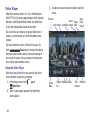
Video Player . . . . . . . . . . . . . . . . . . . . . . . . . . 88
Play Movies & TV . . . . . . . . . . . . . . . . . . . . . . . 92
Camera . . . . . . . . . . . . . . . . . . . . . . . . . . . . . . 92
Camcorder . . . . . . . . . . . . . . . . . . . . . . . . . . . 97
Gallery . . . . . . . . . . . . . . . . . . . . . . . . . . . . . . 100
Video Editor . . . . . . . . . . . . . . . . . . . . . . . . . . 106
2
Section 8: Applications and Widgets ..... 135
Apps Screen . . . . . . . . . . . . . . . . . . . . . . . . .135
Widgets . . . . . . . . . . . . . . . . . . . . . . . . . . . . .166
Section 9: Settings ................................. 170
Accessing Settings . . . . . . . . . . . . . . . . . . . .
Wireless and network . . . . . . . . . . . . . . . . .
Device . . . . . . . . . . . . . . . . . . . . . . . . . . . . .
Personal . . . . . . . . . . . . . . . . . . . . . . . . . . .
Accounts . . . . . . . . . . . . . . . . . . . . . . . . . . .
System . . . . . . . . . . . . . . . . . . . . . . . . . . . .
About device . . . . . . . . . . . . . . . . . . . . . . . .
170
171
182
191
203
211
218
Section 10: Health and Safety
Information ........................................... 220
Exposure to Radio Frequency (RF) Signals . .
Specific Absorption Rate (SAR) Certification
Information . . . . . . . . . . . . . . . . . . . . . . . .
FCC Part 15 Information to User . . . . . . . . . .
Smart Practices While Driving . . . . . . . . . . .
Battery Use and Safety . . . . . . . . . . . . . . . . .
Samsung Mobile Products and Recycling . . .
UL Certified Travel Charger . . . . . . . . . . . . .
Display / Touch-Screen . . . . . . . . . . . . . . . .
GPS . . . . . . . . . . . . . . . . . . . . . . . . . . . . . . .
Care and Maintenance . . . . . . . . . . . . . . . . .
Responsible Listening . . . . . . . . . . . . . . . . .
Operating Environment . . . . . . . . . . . . . . . . .
Restricting Children's Access to
Your Mobile Device . . . . . . . . . . . . . . . . . .
FCC Notice and Cautions . . . . . . . . . . . . . . .
Other Important Safety Information . . . . . . . .
235
237
237
237
Section 11: Warranty Information ..........239
Standard Limited Warranty . . . . . . . . . . . . . . 239
End User License Agreement for Software . . 244
Index .........................................................252
220
225
227
227
228
230
230
231
231
232
233
3
Section 1: Getting Started
This section helps you to quickly start using your tablet.
Understanding This User Manual
The sections of this manual generally follow the features of
your tablet. A robust index for features begins on page 252.
Also included is important safety information, beginning on
page 220, that you should know before using your tablet.
This manual gives navigation instructions according to the
default display settings. If you select other settings,
navigation steps may be different.
Unless otherwise specified, all instructions in this manual
assume that you are starting from a Home screen. To get to a
Home screen, you may need to unlock the tablet. (For more
information, refer to “Securing Your Device” on page 17.)
Note: Instructions in this manual are based on default settings
and may vary from your tablet depending on the
software version on your tablet and any changes to the
tablet’s settings.
Note: Unless stated otherwise, instructions in this user manual
start with the tablet unlocked, at the Home screen.
All screen images in this manual are simulated. Actual
displays may vary depending on the software version of
your tablet and any changes to the tablet’s settings.
Special Text
In this manual, some text is set apart from the rest. This
special text is intended to point out important information,
share quick methods for activating features, define terms,
and more. The definitions for these methods are as follows:
• Notes: Presents alternative options for the current feature, menu,
or sub-menu.
• Tips: Provides quick or innovative methods or useful shortcuts.
• Important: Points out important information about the current
feature that could affect performance.
• Warning: Brings important information to your attention that can
help to prevent loss of data or functionality or damage to your
tablet.
4
Text Conventions
Battery Indicator
This manual provides condensed information about how to
use your tablet. To make this possible, the following text
conventions are used to represent often-used steps:
➔ Arrows are used to represent the sequence of selecting
successive options in longer, or repetitive, procedures.
For example:
From a Home screen, touch
Display ➔ Screen timeout.
Apps ➔
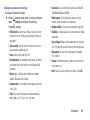
The Battery icon
in the Status Bar shows the battery
power level. When battery power is 15% or less, your tablet
prompts you to charge the battery. If you continue to operate
the tablet without charging, it powers off. (For battery use
information, see “Battery” on page 189.)
Tip: Touch the Time field to display battery charge status.
Settings ➔
Battery
Your tablet is powered by a rechargeable, standard Li-Ion
battery. A Wall/USB Charger (Charging Head and USB cable)
are included with the tablet for charging the battery.
Warning! Use only approved charging devices. Approved
accessories are designed to maximize battery life.
Using other accessories may invalidate your
warranty and may cause damage.
Charging the Battery
Your tablet comes with a Wall/USB Charger (Outlet Connector,
Charging Head, and USB cable) to charge your tablet from
any standard AC power outlet.
Note: The battery comes partially charged. You must fully
charge the battery before using your tablet for the first
time.
After the first charge, you can use the tablet while
charging.
Getting Started
5
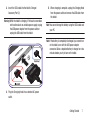
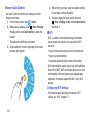
1. Assemble the Wall/USB Charger by removing the
protective plastic sheets from the Outlet Connector and
the Charging Head and inserting the Outlet Connector
(1) into the receptacle on the Charging Head (2) as
shown.
2. Insert the USB cable into the Charging Head (1).
Correct
Outlet
Connector
Charging
Head
Charging
Head
6
Incorrect
3. Insert the USB cable into the tablet’s Charger/
Accessory Port (2).
Warning! While the tablet is charging, if the touch screen does
not function due to an unstable power supply, unplug
the USB power adapter from the power outlet or
unplug the USB cable from the tablet.
5. When charging is complete, unplug the Charging Head
from the power outlet and remove the USB cable from
the tablet.
Note: You cannot charge the battery using the USB cable and
your PC.
Note: If the battery is completely discharged, you cannot turn
on the tablet, even with the USB power adapter
connected. Allow a depleted battery to charge for a few
minutes before you try to turn on the tablet.
4. Plug the Charging Head into a standard AC power
outlet.
Getting Started
7
Installing the SIM Card
When you subscribe to a cellular network, you are provided
with a plug-in SIM card loaded with your subscription details,
such as your PIN, available optional services, and many
others features.
Important! The plug-in SIM card information and its contacts
can be easily damaged by scratching or bending,
so be careful when handling, inserting, or
removing the card. Keep all SIM cards out of reach
of small children.
Caution! Make sure that the SIM card’s gold contacts face
downward and that the notched corner of the card
goes in first.
Incorrect
Carefully slide the SIM card into the SIM card socket (1)
until the card locks into place (2). The illustration
shows the screen facing up.
Note: If the card is not inserted correctly, your tablet will not
detect the SIM card. Re-orient the card back into the slot
if the SIM is not detected.
8
Turning Your Tablet On and Off
Setting Up Your Tablet
Turning Your Tablet On
Press and hold the Power/Lock Key
.
(For more information, refer to
“Unlocking the Device” on
page 17.)
Note: Your tablet’s internal
antenna is located along the
top back of the tablet. Do not
block the antenna; doing so
may affect signal quality and
may cause the tablet to operate
at a higher power level than is
necessary. (For more
information, refer to “GPS
Applications” on page 137.)
2. Touch Start.
No SIM Card in Device
The No SIM card in device screen appears if you have not
installed the SIM card that was provided with your tablet.
Turning Your Tablet Off
1. Press and hold the Power/Lock Key
When you first turn on your tablet, you are asked to set up a
few things. To do that, the following screens appear. Some
screens can be skipped (touch Skip) or re-displayed (touch
Back). Some screens appear depending on the options you
choose.
Welcome
1. Touch the Select language field, scroll through the list,
and touch the language you want your tablet to use,
such as, English.
.
Ensure that you have an activated SIM card installed in your
tablet before device set-up. (For more information, refer to
“Installing the SIM Card” on page 8.)
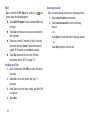
Touch Next to operate your tablet without the SIM card.
2. At the Device options prompt, touch Power off.
3. At the Power off prompt, touch OK.
Getting Started
9
Wi-Fi
Samsung Account
Make sure the Wi-Fi OFF / ON icon is set to ON
and
choose one of the following options:
Touch Add Wi-Fi network to enter a Network SSID that is
not listed.
Sign in to your Samsung account to use Samsung services.
1. Touch variety of services to learn more.
2. Touch Create new account to create a Samsung
account.
Touch Scan to make sure you have an accurate list of
Wi-Fi networks.
– or –
Touch one of the Wi-Fi networks in the list, enter the
password, and touch Connect. Touch and connect to
another Wi-Fi network or touch Next to continue.
– or –
Touch Skip to perform this task later. (For more
information, refer to “Wi-Fi” on page 171.)
Set Date and Time
1. Touch the time zone field (GMT) and select the correct
time zone.
2. Under Date, set the date (month, day, year), if
necessary.
3. Under Time, set the time (hour, minute, and AM or PM),
if necessary.
4. Touch Next.
10
Touch Sign in if you already have a Samsung account.
Touch Skip to perform this task later.
Got Google?
To use all of the Android features of your tablet, you need to
create a Google account the first time you use your device.
With a Google account, Google applications, including Gmail,
Maps, Navigation, and Talk, will always be in sync between
your tablet and computer.
The Got Google? screen lets you create and sign in to a new
Google account or simply sign in to an existing Google
account.
Note: If you skipped Wi-Fi setup, the Wi-Fi setup screen
displays and you must connect through a Wi-Fi network.
• If you do not have a Google account, touch No. The Make it
Google screen appears.
– To create and sign in to a new Google account, touch Get an
account.
– To bypass this step and proceed, touch Not now.
• Once you enter your Google account information, you are
prompted to agree to the Google Terms of Service and Privacy
Polich. Touch OK.
The Signing in screen appears until your tablet is linked to your
Google account. (For more information, refer to “Setting Up Your
Gmail Account” on page 74.)
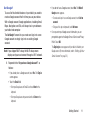
1. Respond to the “Do you have a Google Account?” as
follows:
• If you already have a Google account, touch Yes. The Sign in
screen appears.
• Touch the Email field.
– Enter your Google account Email ID and touch Next on the
keyboard.
– Enter your Google account password and touch Done on the
keyboard.
Getting Started
11
Enable Purchases
This screen displays if you signed in to your Google account.
Enter purchase information for your Google account
and touch Save.
– or –
To personalize the tablet with your name:
1. Touch the First and Last fields and use the on-screen
keyboard to enter you first and last name.
2. Touch
Touch Skip.
Backup and Restore
This screen also displays if you signed in to your Google
account.
1. Read the backup and restore information.
2. Enable either or both options.
3. Touch Next.
The Restoring screen displays while your information is
being restored.
Use Google & location
1. Read the information on the screen and enable either
or both of the Google location services.
2. Touch
This Tablet Belongs To ...
to continue.
.
Free Dropbox Account
Dropbox is a cloud file storage subscription service. Using a
Dropbox account, you can save files and access them with
multiple devices from multiple locations.
To get a free 50 GB Dropbox account for two years:
1. Touch Disclaimer to read a short disclaimer about this
offer.
2. Touch OK.
3. Touch Create a new Dropbox account, enter the required
fields, and touch Register for Dropbox.
– or –
Touch I already have an account to sign in to Dropbox.
– or –
Touch No thanks to skip this offer.
12
Google Services
This screen displays if you did not sign in to your Google
account. The use of this device is subject to the privacy
policy and other terms.
1. Touch Learn more to read the privacy policy and other
terms.
2. Touch Next, if you agree that your device may receive
and install updates from Google.
Setup Complete
Congratulations! Your tablet is set up and ready to use.
Touch Finish.
The main Home screen displays.
Creating a New Google Account
Your new device uses a Google account to fully use its
Android features, including Gmail, Maps, Navigation, and
Talk.
If you did not create a new account during the setup
procedure when you first turned your tablet on, follow these
steps:
1. From a Home screen, touch
Apps ➔
Gmail.
The Add a Google Account screen displays.
2. Touch New to create a new Google account.
(For more information, refer to “Setting Up Your Gmail
Account” on page 74.)
Retrieving Your Google Account
Password
A Google account password is required for Google
applications. If you misplace or forget your Google Account
password, follow these instructions to retrieve it:
1. From your computer, use an Internet browser to
navigate to http://google.com/accounts.
2. Once the web page loads, click on Can’t access your
account? and follow the on-screen instructions.
Getting Started
13
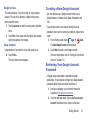
Using Google Maps
In order to use some applications related to Google Maps,
you must first connect Wi-Fi. (For more information, refer to
“Wi-Fi” on page 171.)
You must also enable location services to use Google Maps.
Some features require Standalone or Google location
services. (For more information, refer to “Location services”
on page 191.)
Task Manager
Your device can run applications simultaneously and some
applications run in the background.
Use Task Manager to see which applications are running on
your device and to end running applications to extend battery
life. You can also uninstall applications from your device and
see how much memory is used by applications.
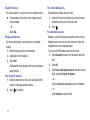
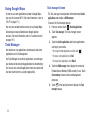
Task manager Screen
The Task manager screen provides information about Active
applications and includes a RAM manager.
To access the Task manager pop-up:
Recent Applications.
1. From any screen, touch
2. Touch Task manager. The Task manager screen
appears.
3. Touch the Active applications tab to view applications
running on your device.
• To change the order applications are listed, touch
.
• To stop an active application, touch End.
• To stop all active applications, touch End all.
4. Touch the RAM manager tab to display the amount of
Random Access Memory (RAM) currently in use. Touch
Clear memory to clear inactive and background
processes.
5. Touch
in the top right corner to display the Task
manager pop-up.
14
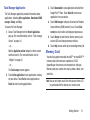
Task Manager Application
The Task Manager application provides information about
applications, including Active applications, Downloaded, RAM
manager, Storage, and Help.
To access the Task Manager:
1. Access Task Manager from the Recent Applications
pop-up. (For more information, refer to “Task manager
Screen” on page 14.)
– or –
Add the Application monitor widget to a Home screen
and then touch it. (For more information, refer to
“Widgets” on page 41.)
– or –
The Task manager screen appears.
2. Touch Active applications to view applications running
on your device. Touch End to end an application or
End all to end all running applications.
3. Touch Downloaded to view applications installed from
Google Play™ Store. Touch Uninstall to remove an
application from your device.
4. Touch RAM manager to display the amount of Random
Access Memory (RAM) currently in use. Touch Clear
memory to clear inactive and background processes.
5. Touch Storage to view internal (Device memory) and
external (SD card) storage memory statistics.
6. Touch Help to view useful tips for extending battery life.
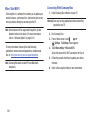
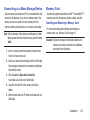
Memory Card
Your device supports removable microSD™ or microSDHC™
memory cards with maximum capacities of 32 GB
(depending on the memory card manufacturer and type).
Memory cards are used to store music, photos, videos, and
other files.
Note: You can only store music files that you own (from a CD
or purchased with the device) on a memory card.
Getting Started
15
Installing a Memory Card
1. Open the Memory Card Slot cover and turn to expose
the slot.
2. With the gold contacts facing down, carefully slide the
memory card into the slot (1), pushing gently until it
clicks into place (2).
3. Replace the Memory Card Slot cover.
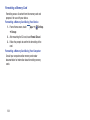
Removing a Memory Card
Important! To prevent damage to information stored on the
memory card, unmount the card before removing it
from the device.
1. From a Home screen, touch
➔ Storage.
Apps ➔
Settings
2. Under SD card, touch Unmount SD card.
3. Open the Memory Card Slot cover and turn to expose
the slot.
Incorrect
16
4. Gently press down on the memory card (1), so that
it pops out from the slot, and carefully pull the card
out (2).
5. Replace the Memory Card Slot cover.
(For more information, refer to “Memory Card” on page 133.)
Galaxy Tab Accessories
To find accessories for your Galaxy Tab:
1. Go to http://www.samsung.com/us/mobile/galaxy-tabaccessories.
Galaxy Tab accessories display.
2. Use your model number to find compatible
accessories.
Securing Your Device
By default, the device locks automatically when the screen
times out or you can lock it manually. You can unlock the
device using one of the default Unlock screens or, for
increased security, use a personal screen unlock pattern.
(For more information about creating and enabling a Screen
unlock pattern, see “Lock screen” on page 192.)
(For other settings related to securing your device, see
“Location services” on page 191.)
Note: Unless stated otherwise, instructions in this User Manual
start with the device unlocked, at the Home screen.
Locking the device manually
Press the Power/Lock Key
.
Unlocking the Device
1. Press the Power/Lock Key
.
Getting Started
17
The Lock screen displays.
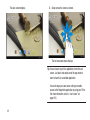
2. Swipe across the screen as shown.
The last accessed screen displays.
Tip: You can launch any of five applications from the Lock
screen. Just touch and swipe one of the app shortcut
icons to launch its associated application.
You can change your Lock screen settings to enable
access to the Popup Note application by using your S Pen.
(For more information, refer to “Lock screen” on
page 192.)
18
Note: You can customize the Lock screen and set the type of
Screen Unlock you want to use (Face unlock, Pattern,
PIN, or Password).
(For more information, see “Lock screen” on page 192
and see “Security” on page 194.)
Troubleshooting
If your device has fatal errors, hangs up, or freezes, you may
need to reset the device to regain functionality.
• If your device is frozen and unresponsive, press and hold the
Power/Lock Key
for 8 to 10 seconds.
Getting Started
19
Section 2: Understanding Your Device
This section outlines key features of your device and
describes the screen and the icons that appear when the
device is in use. It also shows how to navigate through the
device.
Features
• 10.1-inch WXGA (1280x800) TFT (PLS) LCD touch screen
• Android™ Version 4.1.2, Jelly Bean
• SAFE™ Certified
• CDMA 1X/EV-DO Rev-A /LTE Wireless Technology
• Bluetooth® 4.0 Wireless technology. For more information, refer
to “Bluetooth” on page 173
• Built-in Wi-Fi technology (802.11 b/g/n)
• 5 Megapixel camera and camcorder plus 1.9 Megapixel
forward-facing VGA camera
• Full integration of Google applications (Gmail, YouTube™,
Google Maps™, and Voice Search)
• Messaging Features:
– Gmail™
– Email (corporate and personal)
– Google Talk™ (Instant Messaging and Video Chat)
• Photo Gallery that supports GIF, AGIF, JPEG, PNG, BMP, WBMP,
and WEBP formats
• HD Video Player (720p)
– Codec: MPEG4, H.264, H.263, VC-1, DivX, VP8, WMV7/8,
Sorenson Spark
– Format: 3GP (MP4), WMV (ASF), AVI (DivX), MKV, FLV, WEBM
• DivX Certified® to play DivX® video up to HD 1080p, including
premium content
• Supports HDMI/MHL connections to connect electronic devices to
high-definition televisions (HDTVs) and displays
• Music player that supports MP3, AAC/AAC+/EAAC+, WMA,
OGG (vorbis), FLAC, AC-3 (only with video), and Vorbis formats
• 2GB RAM memory and 16GB on-board memory, which is used for
data storage and access
• Support for microSD™ and microSDHC™ Memory Cards
20
• Preloaded applications such as AllShare Play™, Google Play™
Books, Play Store, Polaris® Office, and Samsung Media Hub. (For
more information, refer to “Applications and Widgets” on page
135.)
Warning! This device does not support some USB storage
media devices. (For more information, refer to
“Galaxy Tab Accessories” on page 17.)
4. Display Screen: The orientation of the display screen
rotates with the tablet as you turn it. You can turn this
function on or off. (For more information, refer to
“Quick Settings” on page 36.)
1
2
3
1
Front View
The following items can be found on the front of your device
as illustrated.
1. External Speakers: Used in music or video playback,
notification tones, and for other sounds.
2. Light Sensor: Used to control screen brightness
automatically and when taking photos with the
front-facing Camera.
3. Front-facing Camera Lens: Used when taking photos or
recording videos.
4
Understanding Your Device
21
Top View
The following items can be found on the top
of your device as illustrated.
1. Power/Lock Key: Press and hold to
turn the device on or off. Press to
lock the device or to wake the screen
for unlocking.
2. Volume Key: From a Home screen,
press to adjust Master Volume.
During music playback, press to
adjust volume.
3. Memory Card Slot: Install a memory
card for storage of files.
4. Infrared Blaster: Used to emit infrared
signals used for controlling external
devices. For more information, refer
to “Smart Remote” on page 163.
Back and Bottom Views
1
The following items can be found on the back and bottom of
your device.
1. Camera Lens: Used when taking photos or recording
videos.
2. Flash: Lets you take pictures and record videos in low
light
2
3. Charger/Accessory Port: Plug in a USB cable for
charging or to sync music and files.
4. Microphone: Used for video chat, S Voice, and so on.
3
4
1
2
5
6
5. 3.5mm Headset Jack: Plug in for
headphones.
6. SIM Card Port: Insert your SIM card
here.
22
3
4
S Pen
Removing the S Pen From Your Tablet
With the S Pen stylus, you can do anything you can do with
one finger, only more accurately.
2
1
You can also use the S Pen with compatible applications,
such as S Note or Photoshop Touch, to do things you cannot
do with your finger.
1. Stylus tip: Used for touching and dragging accross the
screen.
2. Pen button: Used to access additional functions for the
S Pen. (For more information, refer to “Using the S
Pen” on page 24.)
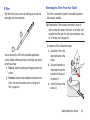
The S Pen is conveniently stored in your tablet to protect it
and to keep it available.
Tip: Removing the S Pen awakens your tablet’s screen (if
dark), unlocks the screen if the lock is set to Swipe, and
launches the S Pen App Tray. (For more information, refer
to “S Pen App Tray” on page 45.)
To remove the S Pen, follow these steps:
1. Locate the S Pen at the
lower right corner of the
device.
2. Use your fingernail or a
sharp object to pull the
end of the S Pen out of
the device (1).
3. Pull the S Pen out of the
device (2).
Understanding Your Device
23
Rich S Pen Functionality
• Air View: Hover the S Pen over the screen to preview information.
• Effectively express yourself: Write/Draw directly into an email,
or the calendar, annotate Word, Excel, PowerPoint, and PDF
documents, capture your ideas in S Note, write a note on the back
of the picture.
• Quick Command: Launch Quick Command to activate frequently
used applications or actions. Press the S Pen button and then
drag the S Pen up the screen to display the Quick Command
window.
• Easy Clip: Instantly outline and crop anything on the screen and
freely edit or share with others.
24
Using the S Pen
There are several different functions you can perform using
the S Pen.
S Pen Screen Operations
The S Pen can be used for various screen operations.
• Touch a command button, such as
Back, or icons, such as
Apps or
Email, with the S Pen instead of your finger.
The result is the same at touching the button or icon with your
finger.
• To sweep a list or menu, touch and drag the screen up or down.
• To sweep to the next Home screen panel, touch and drag the
screen to the left or right.
Back Function
Menu Button
To move to a previous screen, hold the S Pen button and
touch and drag the screen as shown in the illustration below.
The previous screen displays.
To display the menu from any screen, hold the S Pen button
and touch and drag the screen as shown in the illustration
below. The menu displays.
Press S Pen
button
Press
S Pen
button
Understanding Your Device
25
Launch Popup Note
Popup Note is an application that you can launch from any
screen to take quick notes or jot down ideas. To open Popup
Note, hold the S Pen button and double-tap the screen.
Tip: You can also change the Lock screen’s settings to let you
launch Popup Note from the Lock screen. (For more
information, refer to “Lock screen” on page 192.)
Screen Capture
To take a screen capture, press and hold the S Pen button
and touch and hold the S Pen anywhere on the screen. Files
are saved in the My Files ➔ Storage ➔ sdcard0 ➔
Pictures ➔ Screenshots folder. You can also find them in your
Gallery in the Screenshots album.
Press
S Pen
button
Tip: To take more complex notes, access the full S Note
application by touching
. (See “S Note” on page 160.)
26
Press
S Pen
button
Write on any Screen after Capture
To write on a screen capture, use the S Pen to draw or write
on the image. Files are saved in the My Files ➔ Storage ➔
sdcard0 ➔ Pictures ➔ Screenshots ➔ IMG_edited folder.
Air view
When you hold the S Pen near the screen, a pointer appears
on the screen. Move the pointer to files, subjects, or options
to preview the contents or view information in pop-up
windows.
Press
S Pen
button
For information on using your S Pen with the S Note
application, see “S Note” on page 160.
You can scroll through panels or lists by moving the pointer
to an edge (top/bottom/left/right) of the screen.
Understanding Your Device
27
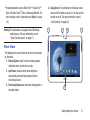
Home Screen
1
2
4
3
5
The Home screen is the starting point for using your tablet.
Note: Unless stated otherwise, instructions in this user manual
start with the device unlocked, at the Home screen.
1. Google Search: Search the web by typing or speaking.
(For more information, refer to “Google” on page 150.)
2. Home screen: The starting point for using your device.
Place shortcuts, widgets and other items to customize
your device to your needs.
3. Panel Indicator: Indicates which Home screen panel is
displayed. (For more information, refer to “Extended
Home Screen” on page 29.)
4. Widget: Applications that run on the Home screen
panels. (For more information, refer to “Widgets” on
page 41.)
5. Apps: Display the Apps/Widgets screen.
6. Back: Return to the previous screen or option.
7. Home: Display the central Home screen. Touch and
hold to display the Task Manager pop-up.
28
6
10
8
7
11
12
13
14
15
9
8. Recent Apps: Open a list of thumbnail images of apps
you have worked with recently. Touch an App to open
it. Touch Task manager to display the Task Manager.
9. Quick Launch: This soft key can be set to launch
several different applications. The default setting is
Screen capture. (For more information, refer to “Quick
launch” on page 187.)
10. App Shortcuts: Shortcuts to applications. (For more
information, refer to “App Shortcuts” on page 40.)
11. Multi window tray: Shortcuts to apps pop-ups that you
can use anytime, such as a Alarm, Calculator, and
Calendar. (For more information, refer to “Multi window
tray” on page 44.)
12. System Bar: The area along the bottom of the Home
screen where you can find navigation buttons and
icons that show notifications, battery power, and
connection details.
13. Notification Icons: Presents icons to show notifications
from the system or from an application. Touch a
Notification Icon to display more detail. (For a list of
icons, see “Status Bar” on page 39.)
14. Time: The current time. (For more information, refer to
“Date and time” on page 213.)
15. Status Icons: Indicate the status of your tablet. Touch
the Time / Status Icons area to display the Status
Details panel. (For more information, refer to “Status
Bar” on page 39.)
Display Settings
You can customize display screen settings to your
preferences. (For more information, refer to “Display” on
page 185.)
Extended Home Screen
The Home screen consists of the Home panel and four
additional panels that extend beyond the display width to
provide more space for adding shortcuts and widgets.
Slide your finger left and right across the screen to scroll to
other Home screen panels. As you scroll, the indicator at the
top of the screen shows the currently displayed Home screen
panel.
Customizing the Home Screen Panels
To customize the Home screen panels to suit your
preferences:
1. Navigate to one of the Home screen panels.
2. Touch and hold on the screen until the Home screen
pop-up appears.
3. To change the Home screen and/or Lock screen
wallpaper, touch Set wallpaper. (For more information,
refer to “Wallpapers” on page 43.)
Understanding Your Device
29
4. Under Add to Home screen the following options are
available:
• Apps and widgets: Add application shortcuts or widgets to
the current Home screen panel.
• Folder: Add a folder to the current Home screen panel. (For
more information, refer to “Folders” on page 42.)
• Page: Add a Home screen panel. (For more information, refer
to “Adding Home Screen Panels” on page 30.)
Note: The center panel displays when you touch
Home.
Adding Home Screen Panels
Your device comes with five active Home screen panels. You
can add panels to a maximum of 7.
Note: Home screen panel 3, by default the center panel,
displays when you touch
Home.
1. Touch and hold on a Home screen panel until the Home
screen pop-up displays. Under Add to Home screen,
touch Page.
– or –
From a Home screen panel, pinch the screen from the
left and right side to the center to display the editing
screen. Then touch
on a panel to add (enable) it.
30
Removing Home Screen Panels
You can remove (disable) Home screen panels you aren’t
using.
1. From a Home screen panel, pinch the screen from the
left and right side to the center to display the editing
screen.
2. To remove (disable) a Home screen panel, touch the
unwanted panel and drag it over the
Remove icon.
The contents of the selected panel are erased and
replaced with
.
3. Touch
Selecting a New Home Screen
You can change which Home screen panel appears you touch
Home.
1. From a Home screen panel, pinch the screen from the
left and right side to the center to display the editing
screen.
2. To select a new Home screen, touch
right corner of the desired panel.
3. Touch
in the upper
Back to return to your new Home screen.
Back to return to the Home screen.
Rearranging Home Screen Panels
You can change the order the Home screen panels appear
when you swipe across the home screen.
1. From a Home screen panel, pinch the screen from the
left and right side to the center to display the editing
screen.
2. To rearrange the order of panels, touch and drag a
panel to a new location.
3. Touch
Back to return to the Home screen.
Understanding Your Device
31
Navigating Your Device
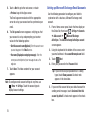
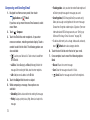
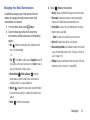
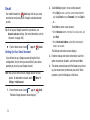
Use command buttons and the touch screen to navigate.
Command Buttons
Back
Touch
step.
Back to return to the previous screen, option, or
Note: When the on-screen keyboard is active,
Keyboard replaces
Back.
Close
Home
Touch
Home to return to the Home screen.
Recent Apps
Touch
Recent Apps to open a list of thumbnail images of
apps you have worked with recently. Touch an App to open it.
Touch Delete all to clear all thumbnail images.
Touch Task manager to display the Task Manager.
32
Screen Capture
1. Touch
Screen Capture to capture and add an
image of the current screen to the clipboard.
Screen Capture to capture an
2. Touch and hold
image of the current screen and edit the image, then
Save to save the image.
touch
Note: A copy of the screenshot is automatically saved to the
clipboard.
To view the screen shots:
1. From a Home screen, touch
➔
My Files.
Apps
2. Touch sdcard0 ➔ Pictures ➔ Screenshots.
3. Touch a screen capture file to display it.
Note: This soft key can be modified to launch other
applications. (For more information, refer to “Quick
launch” on page 187.)
Other Buttons
Google Search
Touch
Google to search the web or your device.
Context-Sensitive Menus
Context-sensitive menus offer options for features or
screens. To access context-sensitive menus:
• Touch
Menu to display a list of options.
• Touch an option in the list.
Application Bar
The Application Bar is the area along the top of various
application screens. It usually contains Search and Menu
buttons, as well as other buttons that are used to display
options and settings.
Screen Navigation
Touch
Touch items to select or launch them. For example:
• Touch the on-screen keyboard to enter characters or text.
Touch and Hold
Activate on-screen items. For example:
• Touch and hold a widget on the home screen to move it.
• Touch and hold on a field to display a pop-up menu of options.
Swipe, Flick, or Slide
Swipe, flick, or slide your finger vertically or horizontally
across the screen. For example:
• Unlocking the screen.
• Scrolling the Home screens or a menu.
Pinch
Use two fingers, such as your index finger
and thumb, to make an inward pinch
motion on the screen, as if you are picking
something up, or an outward motion by
sweeping your fingers out.
For example, pinch a photo in the Gallery app or a web page
in the Internet app to zoom in or out.
• Touch a menu item to select it.
• Touch an application icon to launch the related application.
Understanding Your Device
33
Using Motions
By activating the various gesture features within the Motion
Settings menu, you can access a variety of time saving
functions.
To activate motion:
1. From the Home screen, touch the Time / Status Icons
area to display the Status Details panel. (For more
information, refer to “Status Bar” on page 39.)
2. Touch Settings ➔ Motion.
3. Touch the ON/OFF slider OFF
of the screen to activate motion.
located at the top
4. Touch the check box located to the right of each motion
option you wish to activate. A check mark will appear.
The following is a description of the available gestures:
• Tilt to zoom: Once enabled, you must be on a screen where
content can be zoomed.
– In a single motion, touch and hold two points on the display.
– Tilt the tilt the device back and forth to zoom in or out.
• Pan to move icon: Once enabled, you must be on a Home screen
panel.
– Touch and hold a desired application shortcut icon or widget on
the screen until it detaches.
34
– Move the device left or right to migrate it to a new location.
• Pan to browse images: Once enabled,
– Touch and hold a desired on-screen image to pan around it.
– Move the device left or right to pan vertically.
– Move the device up and down to pan horizontally around the
large on-screen image.
Notifications
When you receive a notification, the Notification icon displays
in the System Bar, to the left of the Time. Notifications
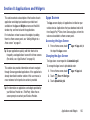
indicate the arrival of Gmail, Email, alarms, and more.
• For more detail, touch a Notification icon.
For example, touch a Gmail Notification icon to see who sent the
message.
• To open the Notifications list to view all of your current
notifications, touch the Time field.
– To display a Notification in the list, touch the item.
For example, touch a Gmail entry to open the Gmail application
and view the message.
Status Details
To display the current date and time, battery status, and
Wi-Fi connectivity status, open Status Details.
1. Touch the Time in the Status Bar.
The Status Details display. If you have any current
notifications, their summaries are listed below the
Notifications title.
2. Touch a notification summary to respond to it.
3. Touch outside the Status Details screen to close the
window.
Most apps that send notifications, such as Email and Gmail,
have individual settings that can be configured. See the
settings for individual applications in the applicable section
of this user manual.
Understanding Your Device
35
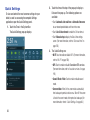
Quick Settings
To view and control the most common settings for your
tablet, as well as accessing the complete Settings
application, open the Quick Settings panel.
1. Touch the Time in the System Bar.
The Quick Settings pop-up displays.
2. Touch the time at the top of the pop-up to display a
Date and time pop-up. The following options are
available:
• Touch Automatic date and time or Automatic time zone
to use network-provided date and time or time zone.
• Touch Use 24-hour format to enable the 24-hour format.
• Touch Manual setup to display the Date & time settings
screen. (For more information, refer to “Date and time” on
page 213.)
3. The Quick Settings are:
• Wi-Fi: Touch to enable or disable Wi-Fi. (For more information,
refer to “Wi-Fi” on page 120.)
• GPS: Touch to enable or disable Standalone GPS services.
(For more information, refer to “Location services” on page
191.)
• Sound / Vibrate / Mute: Touch to enable or disable sound
mode.
• Screen rotation: When On the screen rotates automatically
from landscape to portrait and vice versa. When Off the screen
is fixed in the current mode, either portrait or landscape. (For
more information, refer to “Quick Settings” on page 36.)
36
• Bluetooth: Touch to enable or disable Bluetooth. (For more
information, refer to “Bluetooth” on page 123.)
Sweep the pop-up to the left to see additional settings.
• Mobile data: Disables mobile data so you can no longer use
applications such as Browser, Email, and YouTube using a
mobile network.
• Blocking mode: When enabled, Blocking mode disables
notifications for selected features. (For more information, refer
to “Blocking Mode” on page 182.)
• Power saving: When enabled, your device automatically
analyzes the screen and adjusts the brightness to conserve
battery power. (For more information, refer to “Power saving
mode” on page 188.)
• AllShare Cast: When enabled, AllShare Cast lets your device
share the contents of its display with other Digital Living
Network Alliance (DLNA) certified devices, such as Smart
televisions. (For more information, refer to “AllShare Cast” on
page 129.)
These additional options are available:
• Brightness: Touch and drag the slider to set the brightness or
touch Auto to allow the device to set brightness automatically
based on available light and battery charge status. (For more
information, refer to “Brightness” on page 186.)
• Settings: Touch to open the Settings application. (For more
information, refer to “Settings” on page 170.)
• Notifications: Displays system notifications. (For more
information, refer to “Notifications” on page 35.)
4. Touch Clear to remove Notification Icons from the
System Bar.
5. Touch a notification entry to display the details.
6. Close the Quick Settings by touching X in the upper,
right corner of the Quick Settings pop-up or by
touching outside the Quick Settings screen.
• Sync: Synchronizes your device with the network.
Synchronizes contacts, email, time, and a variety of accounts.
Understanding Your Device
37
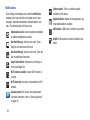
Notifications
Quick Settings also displays icons under the Notifications
heading to alert you to activity on the tablet such as new
messages, application downloads, software updates, and
more. The following table lists those icons.
Download Successful: A recent application download
or update completed successfully.
New Email Message: You have new email. Touch
Reply to view and answer the email.
New Gmail Message: You have new Gmail. Touch the
icon for additional information.
Google Talk Invitation: Someone has invited you to
chat using Google Talk.
Wi-Fi networks available: An open Wi-Fi network is
in range.
Wi-Fi Connected: Your device is connected to a Wi-Fi
network.
Samsung account: Set up your Samsung account.
(For more information, refer to “Samsung Account”
on page 10.)
38
Software update: There is a software update
available for this device.
Updates Available: Updates to the applications you
have downloaded are available.
SIM Installed: A SIM card is installed in your tablet.
No SIM: A SIM card has not been installed in your
tablet.
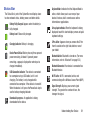
Status Bar
The Status Bar is part of the System Bar and displays icons
to show network status, battery power, and other details.
Battery Fully Charged: Appears when the battery is
fully charged.
Battery Level: Shown fully charged.
Charging Indicator: Battery is charging.
Device Power Critical: Battery has only three percent
power remaining. At about 15 percent power
remaining, a popup is displayed to remind you to
charge immediately.
USB Connection Indicator: The device is connected
to a computer using a USB cable, but it is not
charging. The battery is only charged while
connected to a computer, if the device is turned off.
When the device is off, press the Power/Lock key to
see the battery charging indicator.
Airplane Mode: Indicates that the Airplane Mode is
active, which allows you to use many of your
device’s features, but it cannot access online
information or applications.
Set up input methods: When the keyboard is being
displayed, touch this icon to display a menu of quick
keyboard settings.
S Pen Active: Appears when you remove the S Pen
from its socket on the right side, bottom, rear of
your tablet.
Bluetooth Active: Bluetooth is turned on. (For more
information, refer to “Bluetooth” on page 123.)
Bluetooth Connected: Your device is connected to a
Bluetooth device.
Wi-Fi Active: Wi-Fi is connected, active, and
communicating with a Wireless Access Point (WAP).
Signal Strength: Displays your current signal
strength. The greater the number of bars, the
stronger the signal.
Download in progress: An application is being
downloaded to the device.
Understanding Your Device
39
GPS Active: Displays when GPS is active.
Alarm Set: Displays when you set an alarm to ring at
a specified time. (For more information, refer to
“Alarm” on page 138.)
Event: This is a notification for one or more events.
(For more information, refer to “Creating an Event or
Task” on page 144.)
Screenshot Captured: A screenshot has been
captured. (For more information, refer to “Screen
Capture” on page 32.)
Nearby Devices: The Nearby devices setting is
enabled. (For more information, refer to “Nearby
devices” on page 181.)
App Shortcuts
Use App Shortcuts for quick access to applications or
features, such as Email or Camera.
1. Navigate to the Home screen on which you want to
place the App Shortcut.
2. Touch
Apps.
– or –
Touch and hold on the screen until the Home screen
options pop-up displays.
Under Add to Home screen touch Apps and widgets.
3. Touch the Apps tab.
4. Touch and hold the application icon, then slide your
finger where you want to place the icon and release it.
(For a list of applications, see “Apps Screen” on
page 135.)
5. Touch and hold the App Shortcut and then drag the
application icon to reposition it on the Home screen.
Removing App Shortcuts
40
Touch and hold the App Shortcut until
Remove
displays at the top of the screen, then drag the App
Shortcut to the Remove icon.
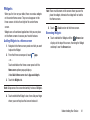
Widgets
When you first turn on your tablet, there are various widgets
on the center Home screen. They can also appear on the
Home screens to the left and right of the center Home
screen.
Widgets are self-contained applications that you can place
on the Home screens to access your favorite features.
Adding Widgets to a Home screen
1. Navigate to the Home screen panel on which you want
to place the Widget.
2. From that Home screen panel, touch
Note: There must be room on the screen where you want to
place the widget, otherwise the widget will not add to
the Home screen.
5. Touch
Back to return to the Home screen.
Removing Widgets
Touch and hold the Widget until the
Remove icon
displays at the top of the screen, then drag the Widget
and drop it over the Remove icon.
Apps.
– or –
Touch and hold on the Home screen panel until the
Home screen options pop-up displays.
Under Add to Home screen touch Apps and widgets.
3. Touch the Widgets tab.
Note: Swipe across the screen horizontally to view all Widgets.
4. Touch and hold the Widget’s icon, then slide your finger
where you want to place the icon and release it.
Understanding Your Device
41
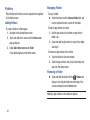
Folders
Place Folders on the Home screen to organize items together
on the Home screen.
Adding Folders
To create a folder on a Home page:
1. Navigate to the desired Home screen.
2. Touch and hold on the screen until the Home screen
pop-up displays.
3. Under Add to Home screen touch Folder.
A new folder displays on the Home screen.
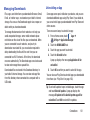
Managing Folders
To name a folder:
Touch the folder, touch the Unnamed folder field, and
use the keyboard to enter a name for the folder.
To add an App shortcut to a folder:
1. Add the App shortcut to the Home screen that the
folder is on.
2. Touch and hold the App shortcut, drag it to the folder,
and drop it.
To remove an App shortcut from a folder:
1. Touch the folder to view the contents.
2. Touch the App shortcut, drag it out of the folder, and
drop it on the Home screen.
Removing a Folder
Touch and hold the folder until the
Remove icon
displays, then drag the folder toward the top of the
screen and drop it over the Remove icon.
Note: Any App shortcuts in the folder are deleted.
42
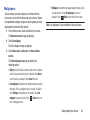
Wallpapers
You can choose a picture to display on the Home Screen,
Lock screen, or on both the Home and Lock screens. Choose
from preloaded wallpaper images or select a photo you have
downloaded or taken with the Camera.
1. From a Home screen, touch and hold on the screen.
• Wallpapers: Choose from pre-loaded wallpaper images. Touch
an image to view it. Touch Set wallpaper to save it as
wallpaper. Touch
Back to return to the Home screen.
Note: Live wallpapers is not available for the Lock screen.
The Home screen options pop-up displays.
2. Touch Set wallpaper.
The Set wallpaper for pop-up displays.
3. Touch Home screen, Lock screen, or Home and lock
screens.
The Select wallpaper from pop-up displays the
following options:
• Gallery: Access the Gallery to select a photo. Touch a photo to
select it. Crop and resize the picture, if desired. Touch Done to
save the picture as wallpaper. Touch Cancel to cancel.
• Live wallpapers: Choose from pre-loaded interactive animated
wallpapers. Touch a wallpaper to see an example. If available,
touch Settings to view options for the selection. Touch Set
Back to return to
wallpaper to save your choice. Touch
the Live wallpapers menu.
Understanding Your Device
43
Multi window tray
There are shortcuts available that link to apps that you might
need while working in other apps, such as Alarm, Calculator,
Calendar, Email, Music Player, and World Clock. In some
cases, these shortcuts are actually links to the part of the
app you need most and they contain a link to the actual app
where you can use other functions.
1. From any screen, touch
Multi window tray at the
bottom, center of the screen.
The Multi window tray icons appear.
2. Touch one of the icons to display a miniature
application pop-up.
The pop-up varies depending on the application.
Various controls display at the top of the pop-up and
other information is displayed in the body of the
pop-up.
3. Touch options (such as
) to create new app items
(such as alarms or events).
44
4. Touch items in the body of the pop-up, such as an
email entry or keys on the Calculator.
5. Touch
to close the Multi window tray.
6. Touch Edit at the right side of the tray to customize the
Multi window tray. (For more information, refer to
“Customizing the Multi window tray” on page 45.)
Customizing the Multi window tray
You can choose which applications appears in the Multi
window tray and arrange them in any order.
1. From any screen, touch
Multi window tray at the
bottom, center of the screen. The Multi window tray
pops up at the bottom of the screen.
2. Touch Edit at the right side of the tray.
3. To remove an app from the Multi window tray, touch
the app icon. The icon disappears from the Multi
window tray and “jumps” to the Multi window tray
applications list.
4. To change the location of an app icon in the Multi
window tray, touch and drag the icon to another
position in the tray.
5. Touch
Done to save your changes.
S Pen App Tray
The S Pen App Tray gives you quick access to
the S Pen-enabled applications on your tablet.
1. Remove the S Pen from its storage slot at
the bottom right side of your tablet.
The S Pen App Tray opens from the right
side of the display, with the following
applications available:
• Popup Note: Handwrite, draw, save, and
share quick memos.
• S Note: Create notes with productivity tools
that turn handwriting into typed text and
correct drawn shapes, lines, and formulas to
make them perfect. (For more information,
refer to “S Note” on page 160.)
• Calendar: Record events and appointments to
manage your schedule. A shortcut to Calendar
displays on a Home screen by default. (For
more information, refer to “Calendar” on
page 143.)
Understanding Your Device
45
• Crayon physics: Your drawings are transformed into physical
objects in a game in which you solve puzzles with your artistic
vision and creative use of physics.
• PS (Photoshop) Touch: Combine images, apply effects, and
share your results with friends and family through social
networking sites.
• Polaris Office: Manage your Office documents online or offline.
(For more information, refer to “Polaris Office” on page 159.)
• S Pen Settings: Tailor your tablet’s responses to your use of the
S Pen, such as, when you remove the S Pen from its slot,
whether to play sounds and what action to take or app to
launch. (For more information, refer to “S Pen” on page 212.)
2. To launch an app in the S Pen App Tray, touch the app’s
icon with your S Pen. The selected app’s pop-up
appears, and the S Pen App Tray closes.
46
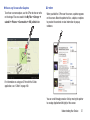
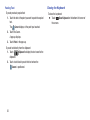
Restoring the S Pen App Tray
1. Touch the time display at the bottom right side of the
display. The Notifications panel appears.
2. Touch S Pen has been removed. The S Pen App Tray
opens from the right side of the display.
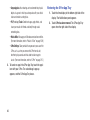
Section 3: Entering Text
This section describes how to enter words, letters,
punctuation, and numbers when you need to enter text.
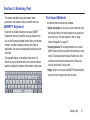
QWERTY Keyboard
By default, your tablet provides an on-screen QWERTY
keyboard for text entry called the Samsung keyboard. You
can use the Samsung keyboard to enter letters, punctuation,
numbers, and other characters into text-entry fields or
applications. You access the keyboard by touching any textentry field.
The keyboard displays at the bottom of the screen. By
default, when you rotate the device, the screen orientation
updates to display the keyboard at the bottom of the screen.
Text Input Methods
Your device offers three text input methods.
• Google voice typing: You can use your voice to enter text using
the Voice input feature. Your device recognizes your speech and
enters text for you. (For more information, refer to “Using
Speech Recognition” on page 55.)
• Samsung keyboard: The Samsung keyboard is an on-screen
QWERTY keyboard that lets you enter text by touching keys on the
screen. The Samsung keyboard includes Predictive text, which
matches your key touches to common words so that you can
select the word to enter it into your text.
• Swype: Swype is an on-screen virtual QWERTY keyboard that lets
you enter text by tracing over each letter of a word.
Entering Text
47
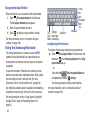
Changing the Input Method
Delete
Key
New
Paragraph
Shift
Key
When entering text, you can select the text input method.
1. Touch
Set up input methods in the Status bar.
The Set up input methods pop-up appears.
2. Touch an input method to activate it.
3. Touch
to display an input method’s settings.
(For more information, refer to “Keyboards and input
methods” on page 196.)
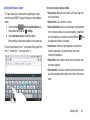
Using the Samsung Keyboard
The Samsung keyboard is a custom on-screen QWERTY
keyboard, featuring Predictive text. Input characters by
touching the on-screen keys with your finger or use speech
recognition.
As you enter characters, Predictive text matches your key
touches to common words and displays them. Select a word
from the display to insert it into your text. (For more
information, refer to “Using Predictive text” on page 50).
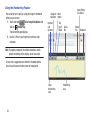
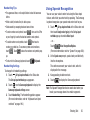
Your tablet also provides speech recognition and handwriting
recognition to make the task of text entry that much easier.
(For more information, refer to “Using Speech Recognition”
on page 55 and “Using the Handwriting Feature” on
page 54.)
48
Text Settings/
Space Bar
Input Voice Input/
Mode Handwriting
Clipboard
Configuring the Keyboard
To configure the Samsung keyboard to your preferences:
Touch
Set up input methods in the Status bar and
then touch
next to Samsung keyboard in the Set up
input methods pop-up.
– or –
Voice Recognition/Options on
Touch and hold
Settings.
the keyboard and slide to
The Samsung keyboard settings screen displays.
(For more information, refer to “Keyboards and input
methods” on page 196.)
Entering Upper and Lower Case Letters
Other Keyboard Functions
The default case is lower case (abc). Enter upper and lower
case alphabet letters by touching the Shift key
to toggle
the case, before touching the letter key(s).
• Touch once to switch from
abc mode to
Abc mode.
The current Samsung keyboard input language displays on
the space bar. To change the input language:
• Touch
Set up input methods in the Status bar. The Set up
input methods pop-up appears.
• Touch twice to switch from
• Touch
Settings next to Samsung keyboard.
• Touch Input languages and select the desired input language.
abc mode to
ABC mode.
When ABC mode is enabled, the Shift key background turns blue.
Entering Symbols and Numbers
The number keys are displayed at the top of the keyboard
and are always available.
To enter common symbols, touch Sym to switch to
Symbols mode, then touch the corresponding key.
There are two pages of symbols. Touch 1/2 to switch to
Touch and hold
Voice Recognition/Options and slide
to
Handwriting to use the Handwriting feature. (For more
information, refer to “Using the Handwriting Feature” on
page 54.)
Touch
Clipboard to view the clipboard and manage
saved text and images.
the next page.
Touch and hold a vowel key (A, E, I, O, U, or Y) or the C, N, or
S key to open a small window where you can chose an
accented vowel or other alternate letter. Slide to the letter
until it is highlighted, and release.
Touch and hold the Period key ( . ) to open a small window
with a set of common symbols. Slide to the desired symbol
until it is highlighted, and release.
Entering Text
49
Using Predictive text
5. Begin typing a word.
The Predictive text system has next-letter prediction and
regional error correction, which compensates for users
pressing the wrong keys on QWERTY keyboards.
1. While in a text input field, touch
Set up input
methods in the Status bar.
A list of word options displays.
The Set up input methods pop-up appears.
2. Touch
next to Samsung keyboard to display the
Samsung keyboard settings screen.
3. Touch Predictive text
ON.
OFF
to turn Predictive text
Touch the Predictive text tab to modify associated
settings. (For more information, refer to “Keyboards
and input methods” on page 196.)
4. Return to the text entry screen by pressing
50
Back.
6. Touch
to display more words.
7. Continue typing your message. Predictive text can be
used in portrait or landscape mode.
Editing Text
You can edit the text you enter in text fields by cutting,
copying, or pasting text. These operations can be performed
within and across apps. However, some apps do not support
editing some or all of the text displayed, while others may
offer their own way to select text.
Editing Existing Text
To edit text that you have entered:
1. Touch the text at the point you want to edit.
The
Cursor displays at the point you touched.
2. Touch and drag the Cursor to a better position, if
necessary.
3. Enter additional text or delete text by repeatedly
Delete key.
touching the
Copying, Deleting, or Replacing Text
To select and copy, delete, or replace text:
1. Touch and hold the text or word you want to select.
The selected text is highlighted with a
end of the text selection.
tab at each
2. Touch and drag either tab to select more or less text.
Tip: Touch Select all in the Application bar to select all text in
the field. Touch on another area of the screen or touch
Done to deselect the text.
3. Depending on the action you want to take for the
selected text, in the Application bar touch:
• Select all to highlight all text in the field.
• Cut to remove the selected text.
• Copy to save the selected text to the clipboard.
– or –
Enter text by typing, handwriting, or speaking to
replace the selection with what you type.
– or –
Touch the
Delete key to delete the selected text.
Entering Text
51
Closing the Keyboard
Pasting Text
To paste previously copied text:
1. Touch the text at the point you want to paste the copied
text.
The
Cursor displays at the point you touched.
2. Touch the Cursor.
A pop-up displays.
3. Touch Paste in the pop-up.
To paste text directly from the clipboard:
1. Touch
Clipboard to display the text saved to the
clipboard.
2. Touch a text block to paste that text where the
Cursor is positioned.
52
To close the keyboard:
Touch
Close Keyboard on the bottom left corner of
the screen.
Using Continuous input
T9 Trace allows you to enter words by gliding your finger
over the virtual QWERTY keypad, lifting your finger between
words.
1. Touch and hold
Voice Recognition/Options on
the keyboard and slide to
Settings.
2. Touch Continuous input to enable the option.
When enabled, a check mark appears in the check box.
Put your finger down on the “t” and, without lifting, glide it to
the “h”, then to the “i”, then over to the “s”.
Here are a few tips to get you started:
• Auto-spacing: When you finish a word, just lift your finger and
start the next word.
• Double letters: Just “scribble” on the key.
• Auto-capitalization: Continuous input recognizes and capitalizes
the first word of sentences. If you want to capitalize a word that is
and
not at the beginning of a sentence, touch the Shift key
then glide over the letters in the word.
• Contractions: Continuous input recognizes most words that
include an apostrophe, just swipe the letters of the word,
including the apostrophe.
• Punctuation: Touch and hold a key to view a punctuation menu
and make a selection.
• Error correction: If you make a mistake, double-tap on the word
you want to change and then glide over the letters of the correct
word.
Entering Text
53
Using the Handwriting Feature
You can enter text simply by using your finger to handwrite
letters on your screen.
1. Touch and hold
Voice Recognition/Options and
slide to
Handwriting.
The handwriting pad displays.
Input Writing /
Line Return
Change to Word
Keyboard Options
Numbers
and
Symbols
Text
Input
Mode
Space
Bar
2. Use the S Pen or your finger tip to write out each
character.
Note: To properly recognize the written characters and to
prevent scratching of the display, do not use script.
As you write, suggestions are offered in the word options
area in case the correct letters were not recognized.
Close
Handwriting
area
54
Handwriting
area
Delete
Key
Clipboard
Handwriting Tips
• For uppercase letters, write capital letters instead of lowercase
letters.
• Write a dash (horizontal line) to add a space.
• Delete words by sweeping backward across them.
• To enter numbers and symbols, touch
, then use the S Pen
or your finger tip to write the desired numbers and symbols.
123
Sym , then touch a
number or symbol key. To see more symbols and emoticons,
touch 1/2 . Touch
to close the numbers and symbols popup.
• To select numbers and symbols, touch
• To return to the Samsung keyboard, touch
Keyboard.
Handwriting Settings
To change the Handwriting settings:
Set up input methods in the Status bar.
1. Touch
The Set up input methods pop-up appears.
2. Touch
next to Samsung keyboard to display the
Samsung keyboard settings screen.
3. Touch Handwriting. The Handwriting options appear.
(For more information, refer to “Keyboards and input
methods” on page 196.)
Using Speech Recognition
You can use your voice to enter text using the Voice input
feature, which lets you enter text by speaking. The Samsung
keyboard recognizes your speech and enters text for you.
1. Touch
Set up input methods in the Status bar and
then touch Google voice typing in the Set up input
methods pop-up to enable Voice Input.
– or –
Touch
Voice Recognition/Options.
(For more information, refer to “Speech” on page 200.)
2. At the Speak now prompt, speak clearly and distinctly
into the microphone.
The software converts your voice to text, which is
displayed in the message.
3. Keep speaking to add more text.
4. Touch
to display the Samsung keyboard.
Note: The Speech Recognition feature works best when you
break your message down into smaller segments.
Entering Text
55
Section 4: Contacts and Accounts
This section explains how to manage contacts and accounts.
Accounts
Your device can synchronize with a variety of accounts. With
synchronization, information on your device is updated with
any information that changes in your accounts.
• Samsung account: Add your Samsung account. (See “Samsung
Account” on page 10.)
• ChatON account: Add your ChatON account to sync Contacts.
• Dropbox account: Add your ChatON account to store files.
• Email account(s): Add an Email account to sync Contacts. (See
“Email” on page 68.)
• Facebook account: Add your Facebook account to sync Contacts.
• Google account(s): Add your Google account to sync your
Contacts, Calendar, and Gmail. (See “Gmail” on page 74.)
• LDAP account: Add an LDAP (Lightweight Directory Access
Protocol) account to find entries on an LDAP directory server.
• Microsoft Exchange ActiveSync account(s): Add your Exchange
account to sync Contacts, Calendar, and Email.
56
Setting Up Your Accounts
Set up and manage your synchronized accounts with the
Accounts and sync setting.
1. From a Home screen, touch
Apps ➔
Settings. The Settings menu appears.
2. Under Accounts, touch Add account.
3. In the Add account pop-up, select the account type.
4. Follow the prompts to enter your account credentials to
complete the set-up process.
5. Your tablet communicates with account servers to set
up your account. When complete, your account
appears in the Settings menu, under Accounts.
Contacts
Creating Contacts
Store contact information for your friends, family, and
colleagues to quickly access information or to send a
message.
Tip: Contacts displays by default as a Primary shortcut on a
Home screen.
From a Home screen, touch
Contacts.
.
3. Touch the Photo ID to set up a photo to identify the
contact.
• Image: Choose an image from the Gallery or other folder.
• S Note: Use S Note to create or select an image in a note.
• Tagged picture: Add a name to each face in a selected photo.
– or –
From a Home screen, touch
➔
Contacts.
Contacts ➔
• Take picture: Display the Camera and take a photo of the
contact.
To access Contacts:
1. From a Home screen, touch
2. Touch Device or an account.
Apps
4. Touch contact fields to display the keyboard and enter
information:
Tip: Touch the screen and swipe up or down to display
additional fields or touch Next on the keyboard to move to
the next field.
• Name: Enter a first name for the contact. Touch
to enter a
Name prefix, First name, Middle name, Last name, and
Name suffix.
Contacts and Accounts
57
• Phone: Enter a telephone number, then touch the
Label
tab to choose a label from Mobile, Home, Work, Work Fax,
Home Fax, Pager, Other, Custom, or Callback.
5. Touch Add another field to add these additional fields:
Phonetic name, Organization, Email, IM, Address, Notes,
Nickname, Website, Events, and Relationship.
6. When you finish entering information, touch
Save.
– or –
Cancel ➔ OK to cancel and discard
Touch
changes.
Tip: Display a contact’s record and touch the Email field to
send an email, touch the Address field to display the
address on a map, or touch the Website field to link to the
website.
Updating Contacts
To update an existing contact:
1. From a Home screen, touch
Contacts.
2. Touch a contact in the Contacts list to view its
information.
3. Touch
Edit.
4. Enter or change contact information. (For more
information, refer to “Creating Contacts” on page 57.)
Deleting Contacts
To delete a contact:
1. From a Home screen, touch
Contacts.
2. Touch a contact in the Contacts list to view its
information, and then touch
Delete. At the prompt,
touch OK.
Merge Contacts with Google
You can merge a current contact with your Google account
contacts.
Contacts.
1. From a Home screen, touch
2. Touch
Menu ➔ Merge with Google.
3. Touch OK at the prompt to merge this contact with your
Google account.
58
Send email from Contacts
To send an email to one or more contacts:
1. From a Home screen, touch
Contacts.
2. Touch
Menu ➔ Send email.
3. Touch each contact you want to send an email
message or touch Select all. A check mark indicates
contact selection.
4. Touch
Done.
5. In the Complete action using pop-up, touch Gmail or
Email.
6. Touch Always if you want the same selection each
time.
Send.(For more
7. Compose your email, then touch
information, refer to “Composing and Sending Email”
on page 72.)
Managing Photo IDs
Contacts Display Options
There are various ways to display your Contacts and general
Contacts settings.
1. From a Home screen, touch
Contacts.
2. Touch Groups, Favorites, or Contacts, above the
Contacts List, to select how the Contacts are listed:
• Groups: Displays the possible Groups, such as Not assigned,
Co-workers, Family, Friends, and so on. The number of
contacts in the group is displayed next to the group name.
Touch a group name to show only contacts in that group. (For
more information, refer to “Creating a New Group” on
page 64.)
• Favorites: Show only your favorite, or starred, contacts. (For
more information, refer to “Favorites” on page 66.)
• Contacts: Show all your contacts. Touch the Search field and
enter a keyword to list contacts that contain that keyword.
To remove or update a contact’s Photo ID:
1. From a Home screen, touch
Contacts.
2. Touch
Edit.
3. Touch the Contact photo, then touch Remove, Image,
Take Picture, S Note, or Tagged picture.
Contacts and Accounts
59
Menu to display all or
3. From the Contacts list, touch
some of these options:
• Delete contacts. Touch and check mark the box next to each
contact you want to delete. Touch Delete and then touch OK.
• Merge with Samsung: Merges the current contact with your
Samsung account contacts.
• Merge with Google: Merges the current contact with your
Google account contacts.
• Import/Export: Use the USB cable to import your contacts
from, or export your contacts to your tablet’s USB storage , or to
an optional microSD card. (For more information, refer to
“Importing and Exporting Contacts” on page 63.)
• Send email: Sends an email to the selected contact.
• Accounts: Displays the Sync settings pop-up so you can
manage synchronization settings for your account(s).
• History: Displays information about the selected contact.
• Settings: Configure contact settings:
• Join contact: Join a contact to one or more other contacts.
(For more information, refer to “Joining Contacts” on
page 61.)
• Mark as default: If a contact has multiple email addresses, for
example, touch the field that should be the default value.
• Share namecard via: Share the selected namecard using
Bluetooth, ChatON, Email, Gmail, or through Wi-Fi Direct.
• Print contact info: Check mark the fields you want to print and
then touch Done. You can only print on a Samsung printer.
• Add shortcut to home: Add a shortcut to this contact to the
Home screen.
60
• Contacts to display: Select the contacts you want to display in
this inbox (All contacts, Google, SIM, Device, or Customized
list).
– Only contacts with phones: Touch to check the box to only
display contacts that have phone numbers.
– List by: List contacts by First name or Last name.
– Display contacts by: Display contact names as First name
first or Last name first.
– Contact sharing settings: Sets parameters for sending
contact information:
Send all namecards: Allows you to transmit all of your
current Contact entries at one time. If the recipient device
does not support this feature, some or all Contact entries
might not be received.
Send individual namecards: Allows you to transmit
single contacts, one at a time. The recipient must accept
each namecard as it is received. This method of
transmission ensures all contacts are received.
4. From the Groups list, select a group and then touch
Menu to display these Group-specific options:
• Search: Search the group for a contact.
• Delete groups: Touch one or more groups and touch
Delete.
• Edit: Change the Group name or touch Add member to add or
delete group members.
• Add member: Add one or more selected contacts to this
group.
• Change order: Changes the order of how the groups display.
Linked Contacts
Your device can synchronize with multiple accounts,
including Google, Corporate Exchange, and other email
providers. When you synchronize contacts from these
accounts with your device, you may have multiple contacts
for one person.
Linking, or joining, imported contact records allows you to
see all the contact’s numbers and addresses together in one
contact entry. Linking also helps you keep your contacts
updated, because any changes that your contacts make to
their information in the respective accounts is automatically
updated the next time you synchronize with the account.
Joining Contacts
1. From a Home screen, touch
Contacts.
• Remove member: Remove one or more selected contacts
from this group.
2. Touch a contact in the Contacts list to view its
information.
• Send email: To send an email to one or more members of the
group, touch and check mark the box next to each contact you
Done.
want to send to, or touch Select all, and touch
Touch Compose Gmail or Compose Email as the method for
sending the email.
3. Touch
Menu ➔ Join contact.
4. Touch the contact you want to Join.
The joined contact’s information is displayed with the
original contact’s information.
5. Repeat Step 3 and 4 to join other contacts.
Contacts and Accounts
61
Separating Contacts
1. From a Home screen, touch
1. From a Home screen, touch
Contacts.
2. Touch a contact in the Contacts list to view its
information.
3. Touch
Menu ➔ Separate contact.
A list of Joined contacts displays.
4. Touch
➔ OK to separate a joined contact.
The contact is removed from the list.
Sharing Contact Information
You can send a contact’s information by way of Bluetooth to
other Bluetooth devices or in an Email or Gmail as an
attachment.
Note: Not all Bluetooth devices accept contacts and not all
devices support transfers of multiple contacts. Check
the target device’s documentation.
62
2. Touch
Contacts.
Menu ➔ Share namecard via.
Tip: Set up a contact record for yourself to share your
information with others.
3. At the prompt, choose a sending method. Options are:
• Bluetooth: For more information, refer to “Bluetooth” on
page 123.
• ChatON: For more information, refer to “ChatON” on
page 147.
• Email: For more information, refer to “Email” on page 68.
• Gmail: For more information, refer to “Gmail” on page 74.
• Wi-Fi Direct: To send Contacts entries directly to another Wi-Fi
Direct device.
4. Follow the prompts to send the contact information.
Importing and Exporting Contacts
To back up and restore your contacts information, you can
export your contacts list to a storage device, such as a PC, or
import your contacts list (previously exported) from a storage
device.
1. Use the USB Data/Charging cable to connect your
device to the storage device.
2. From a Home screen, touch
3. Touch
Contacts.
Menu ➔ Import/Export.
4. Touch Import from USB storage, Export to USB storage,
Import from SD card (only appears with optional
Memory Card installed), Export to SD card (only appears
with optional Memory Card installed), or Share
namecard via, then follow the prompts to complete the
operation.
Synchronize Contacts with Accounts
To synchronize your contacts with an account:
1. From a Home screen, touch
Contacts.
Menu ➔ Accounts. The Sync settings pop2. Touch
up appears.
3. To automatically synchronize your contacts with your
accounts, touch Auto sync app data to enable it. A
check mark appears in the check box.
4. To synchronize a particular account, touch it, then
touch
.
Contacts and Accounts
63
Groups
Renaming a Group
Assign contacts to Groups to make searching for contacts
faster or to quickly send messages to group members.
Creating a New Group
Create a new group when you add or edit a contact.
1. From a Home screen, touch
Contacts.
2. Touch Groups.
3. Touch
.
4. Touch the Group name field and use the keyboard to
enter a new Group name.
5. Touch Add member to add a member to the group. (For
more information, refer to “Adding Group Members”
on page 65.)
6. Touch
Save to save the new group name.
Tip: Contacts can belong to more than one group. Just touch
the contact’s Groups field and touch each group.
Once you create a new group, the Contacts List can be set to
display only the contacts in that group. (For more
information, refer to “Contacts Display Options” on
page 59.)
64
To rename a group that you created:
1. From a Home screen, touch
Contacts.
2. Touch Groups.
3. Touch the group you want to rename.
4. Touch
Menu ➔ Edit.
5. Touch the Group name field and use the keyboard to
change the Group name or enter a new Group name.
6. Touch
Save to save the new group name.
Deleting Groups
To delete a group that you created:
1. From a Home screen, touch
Contacts.
2. Touch Groups.
3. Touch
Menu ➔ Delete groups.
The groups that can be deleted display.
4. Touch Select all or the name of each group to delete.
Delete to delete the groups. Choose from
5. Touch
Group only or Group and group members.
Adding Group Members
Removing Group Members
To add a contact to a group, just Edit a contact’s Group field.
(For more information, refer to “Updating Contacts” on
page 58.)
To add multiple contacts to a group:
1. From a Home screen, touch
2. Touch the
Contacts.
Contacts tab, then touch Groups.
3. Touch the group to which you want to add members.
4. Touch
Menu ➔ Add member.
A list of available contacts appears.
5. Touch Select all or the name of each contact to add to
the selected group.
6. Touch
To remove contacts from a group:
1. From a Home screen, touch
2. Touch the
Contacts.
Contacts tab, then touch Groups.
3. Touch the group from which you want to remove
members.
4. Touch
Menu ➔ Remove member.
5. Touch Select all or the name of each contact to remove.
6. Touch
Done to remove the contacts.
Contacts are removed from the group and the group
name is removed from each contact’s Group field.
Done to add the contacts to the group.
Contacts and Accounts
65
Favorites
Accessing Favorites
Mark contact records with a
favorites.
gold star to identify them as
Adding Favorites
To add a contact to the Favorites list:
1. From a Home screen, touch
To view your favorites list:
1. From a Home screen, touch
Contacts.
2. Touch a contact to display it.
3. Touch the
turns gold
Star next to the contact name so that it
.
Tip: You do not have to edit the contact to change the Starred
status.
66
You can view your favorites two ways for fast viewing or
messaging.
2. Touch the
Contacts.
Contacts tab, then touch Favorites.
Only your starred contacts display.
Note: To list the Favorites that are saved to your Google
account, touch the
Favorites tab, then touch Groups
and, under Accounts, touch Google ➔ Starred in Android.
Removing Favorites
To remove one or more contacts from your favorites list:
1. From a Home screen, touch
Contacts.
2. Touch the
3. Touch
Contacts tab, then touch Favorites.
Menu ➔ Remove from favorites.
4. Touch Select all or the name of each contact to remove.
5. Touch
Done to remove the contacts.
To remove one contact from your favorites list:
1. From a Home screen, touch
Contacts.
2. Touch a contact to display it.
Star next to the contact’s name so that it
3. Touch the
turns gray
, indicating the contact has been
removed from the Favorites list.
Contacts and Accounts
67
Section 5: Messaging
This section describes how to send and receive different
types of messages. It also includes the features and
functionality associated with messaging.
Types of Messages
Your tablet provides the following message types:
• Email: Send and receive messages using your personal and
business email accounts.
• Gmail: Send and receive Gmail using your Google account.
• Messenger: Bring groups of friends together into a simple group
conversation.
• Talk: Chat with other Google Talk users.
Email
Use Email to access and manage all your email accounts
with one application.
Setting Up Email Accounts
From the Home screen, touch
Email.
– or –
Email ➔
From the Home screen, touch
Menu ➔ Settings ➔ + Add account.
– or –
From a Home screen panel, touch the time display on
Settings ➔ Accounts
the Status Bar, then touch
➔ Add account ➔
Email.
1. At the Set up email screen, enter an Email address and
Password. (See “Entering Text” on page 47.)
Tip: Before saving a password, to avoid typing errors,
touch Show password. You will be able to see your
finished password and make any needed
corrections.
68
2. Touch > Next. The Email app proceeds to automatically
set itself up to communicate with your email service.
3. If automatic setup fails, you may be prompted What
type of account? Touch the type of account: POP3
account, IMAP account, or Microsoft Exchange
ActiveSync.
A Server settings screen appears.
Tip: Contact your email service provider for the correct
values to select or enter for the following options:
• For POP3 accounts: Enter or change User name,
Password, POP3 server, Security type, Port, and Delete
email from server.
• For IMAP accounts: enter or change User name,
Password, IMAP server, Security type, Port, and IMAP
path prefix.
• For Microsoft Exchange ActiveSync settings, see
“Setting up Microsoft Exchange Email Accounts”
on page 70.
4. The Account options screen appears. Available options
vary, depending on the email service provider:
• Peak schedule: Set how often to check for new email sent to
this account during peak times. Options are: Push (Automatic),
Manual, every 15 minutes, or every 1, 4, or 12 hours.
• Off-peak schedule: Set how often to check for new email sent
to this account during off-peak times. Options are: Push
(Automatic), Manual, every 15 minutes, or every 1, 4, or 12
hours.
• Sync Email: When enabled, email from your account is
automatically synchronized with your device’s email.
• Send email from this account by default: When enabled,
email from your device is automatically sent from this account.
• Notify me when email arrives: When enabled, you receive
notifications when you receive new email sent to this account.
• Automatically download attachments when connected to
Wi-Fi: Enable or disable automatic download of files attached
to recent messages when connected through Wi-Fi.
Messaging
69
5. Touch > Next to go to the next screen, or touch
< Previous to go to the Apps screen.
The Email app communicates with the appropriate
server to set up your account and to synchronize your
email.
6. The Set up email screen reappears, notifying you that
your account is set up and prompting you to enter
values for the following options:
• Give this account a name (Optional): Enter the account name
you want to appear in the Email screens.
• Your name (Displayed on outgoing messages): Enter the
name you want recipients of your messages to see as the
originator.
7. Touch Done. The Inbox contents for your account
appears.
Note: To configure email account settings at any time, use
Menu ➔ Settings. Touch the account type to
display Account settings.
70
Setting up Microsoft Exchange Email Accounts
Use the following procedure to configure your tablet to
synchronize with a business, Microsoft Exchange email
account.
1. From a Home screen panel, touch the time display on
the Status Bar, then touch
Settings ➔ Accounts
➔ Add account ➔
Microsoft Exchange
ActiveSync. The Add an Exchange ActiveSync account
screen appears.
2. Using the keyboard at the bottom of the screen, enter
you email address in the [email protected] field.
3. Touch
Next
Next.
4. Enter your password in the Password field.
Tip: If you want to see your password as it is being
typed, touch Show password. A check mark
appears in the check box.
5. If you want this account to be your default account for
sending email messages, touch Send email from this
account by default. A check mark appears in the check
box.
6. Touch > Next at the top of the screen. The Email app
begins retrieving your account information from your
provider’s Exchange server.
7. If Email is unable to retrieve all of your account
information, a Setup could not finish pop-up appears
explaining why. To enter the needed account
information manually, touch Edit details.
The Exchange server settings screen appears.
Enter or change the Exchange server information: (Tip:
Contact your Exchange administrator for the correct
values to select or enter for the following options.)
Domain/username, Password, Exchange server, Use
secure connections (SSL), and Use client certificate,
then touch > Next.
8. If an Activation pop-up appears, read the displayed
information. To continue set-up, touch OK.
9. If a Remote security administration pop-up appears,
read the displayed information. To continue set-up,
touch OK.
The Account options screen appears.
10. Select the desired values in the displayed fields, then
touch Next.
11. If an Activate device administrator? pop-up appears,
read the displayed information. To continue set-up,
touch Activate.
12. When the Setup email account screen re-appears,
enter an Account name for this account (Optional).
Otherwise, the account address appears in the Email
app screen.
13. Touch Done. Setup is complete.
Accessing Your Email Accounts
You can view email you receive for email accounts
individually, or you can view all accounts in the Combined
view screen.
1. From the Home screen, touch
Email.
drop-down menu at the top left of the
2. Touch the
screen to select:
• Combined view: View all email in a combined inbox.
• Priority sender inbox: View all email for your priority account
inbox.
• <Account Name>: View email for the account.
Messaging
71
Composing and Sending Email
1. Navigate to a Home screen panel, then touch
Applications ➔
Email.
If you have set-up more than one Email account, select
one of them.
2. Touch
Compose.
3. Touch the To field to enter recipients. As you enter
names or numbers, matching contacts display. Touch a
contact to add it to the field. The following options are
also available:
•
: Lauches your Contacts list. Touch contacts to add them
to the To field.
• +Cc/Bcc: Create Cc (copy) and Bcc (blind copy) fields to the
message. After creating the fields, touch to enter recipients.
• +Me: Add your email address to the To field.
4. Touch the Subject field to enter a subject.
5. While composing a message, these options are
available:
• Scheduling: Select a date and time for sending this message.
• Priority: Assign a priority status (High, Normal, or Low) to this
message.
72
• Tracking options: Lets you select to receive Read receipt and/
or Delivery receipt messages for messages you send.
• Security options (MS Exchange ActiveSync accounts only):
Allows you to assign security options to the current message.
Choose from Encryption and/or require a Signature. (For more
information about MS Exchange accounts, see “Setting up
Microsoft Exchange Email Accounts” on page 70.)
• To add an attachment (such as image, video, audio, and so on),
touch
Attach and make a category selection.
6. Touch the text field to enter the text of your email.
7. Once complete, touch one of the following options:
Send.
• Discard: Erases the current message.
• Save: Close the message and save it in Drafts.
•
Send: Close the message and send it to the recipients.
Managing Your Email Conversations
In addition to managing your Email account, there are
options for changing the status of one or more Email
conversations in an account.
1. From the Home screen, touch
Email.
2. Touch the check box to the left of one or more
conversations and then choose one of the following
options:
• Star
: Mark the conversations with a gold star and list
them in the Starred folder.
– or –
Flag
: Touch Set to set all flags, touch Complete to mark all
conversations with a blue check mark, or touch Clear to clear all
flags and check marks. Set flags are gold.
3. Touch
Menu for these options:
• Sort by: Choose a method for listing your email conversations.
• View mode: Choose how to view your email conversations.
Choices are: Standard view and Conversations view.
• Create folder: Create a new main folder or touch an existing
folder to create a sub-folder.
Note: This option is not available for all email accounts.
• Delete all: Delete all items for this email account.
• New meeting invitation: Use Calendar to add an event or add
a task. (For more information, refer to “Creating an Event or
Task” on page 144.)
• Settings: Display the settings for this email account. (For more
information, refer to “Accounts” on page 203.)
• Mark as Read
/ Mark as Unread
: Mark the
conversations as read or unread. Once a conversation is
marked as read, it has a gray background.
• Move to
: Relocate the conversations to another folder in
the current email account or in a folder within another email
account.
• Delete
: Delete the conversations.
Messaging
73
Gmail
Your tablet includes the
Gmail app, that lets you send
and receive email using Gmail, Google’s web-based email
system.
Tip: To set up your Google account on your device, use
Accounts and sync settings. (For more information, refer to
“Accounts” on page 203.)
From a Home screen, touch
Apps ➔
Gmail.
Setting Up Your Gmail Account
Note: You can use more than one Google account on your
device. To add another account, touch
Menu ➔
Settings ➔ Add account.
Apps ➔
The Add a Google Account screen displays.
74
– or –
Touch New to create a new account.
• At the Your name screen, enter your first and last name, and
touch Next.
• At the Create email address screen follow the prompts to
create a new account.
The Backup and restore screen displays.
If you did not set up a Google account during the initial
configuration, the first time you launch Gmail, your device
prompts you to set up your Google account.
1. From a Home screen, touch
2. Touch Existing to sign in to an existing account.
• At the Sign in screen, use the on-screen keyboard to enter
your Google Email name and Password, then touch Sign in.
Gmail.
3. Read the backup and restore information, touch the
option to enable or disable it, and then touch Next.
4. The device communicates with the Google server to set
up your account and synchronize your email. When
complete, your Gmail displays in the Inbox.
Google+
Messenger
Google+ makes messaging and sharing with your friends a
lot easier. You can set up Circles of friends, visit the Stream
to get updates from your Circles, use Messenger for fast
messaging with everyone in your Circles, or use Instant
Upload to automatically upload videos and photos to your
own private album on Google+.
1. Sign in to your Google account. (For more information,
refer to “Setting Up Your Gmail Account” on page 74.)
2. From a Home screen, touch
Google+.
Apps ➔
3. Select the account to use to sign in to Google+.
With Google Messenger, you can bring groups of friends
together into a simple group conversation, putting everyone
on the same page. When you get a new conversation in
Messenger, Google+ sends an update to your tablet.
1. From a Home screen, touch
Apps ➔
Messenger. The Messenger screen displays.
2. Sign in to your Google account if you are not already
signed in. (For more information, refer to “Setting Up
Your Gmail Account” on page 74.)
3. Select the account you want to use to sign in to
Google+.
– or –
– or –
Touch Add account to create another account.
Touch Add account to create another account.
The Enrich your contacts screen displays.
4. Follow the on-screen instructions to use Google+.
The Enrich your contacts screen displays.
4. Follow the on-screen instructions to use Messenger.
5. Visit www.google.com/mobile/+/ for more information.
Note: Uploading over a mobile network uses a data connection
and charges may apply.
Menu ➔ Help and then touch a topic to
5. Touch
learn more about using Google Messenger.
Messaging
75
Talk
Talk is Google’s instant messaging and audio and video chat
service. You can use it to communicate, in real time, with
other people who also use Talk on another Android tablet or
phone or on a computer.
Tip: Talk requires that you have a Google account. To set up
your Google account on your device use Accounts and
sync settings. (For more information, refer to “Accounts”
on page 203.)
Open Talk and Sign In
1. From a Home screen, touch
Apps ➔
Talk.
If you are not signed in to a Google account, the Add a
Google Account screen displays.
2. Touch Existing, if you already have a Google account,
or New to create a Google account.
(For more information, refer to “Setting Up Your Gmail
Account” on page 74.)
Note: If you have already set up your Google account, you are
automatically logged in. Just touch the account.
Once sign in is complete, the Talk main screen
displays.
76
Section 6: Multimedia
This section describes the various multimedia applications
available on your device such as Media Hub, Music Player,
Play Music, Video Player, Play Movies & TV, Gallery, Camera,
Camcorder, and Photo Editor.
(For more information, refer to “Applications and Widgets” on
page 135.)
Media Hub
Samsung Media Hub is your one stop for the hottest movie
and TV content. With hundreds of titles available at your
finger tips, entertaining on the go has never been easier. You
can rent or purchase your favorite content and conveniently
watch anywhere. Featuring the stunning viewing quality
Samsung is known for, Samsung Media Hub is your gateway
to mobile video like you have never experienced it before.
Note: Media Hub service requires a Samsung account and
depends on service availability.
1. From the Apps screen, touch
Media Hub.
The Media Hub screen displays.
2. To rent or buy media, you must have a Samsung
Menu ➔ Sign in to sign in to your
account. Touch
Samsung account or to create an account. Follow the
prompts to complete log-in.
Multimedia
77
3. Browse content using these options:
• Home: Recently-added titles for rent or purchase.
• Movies: Movies you can rent or purchase.
• TV Shows: TV shows you can rent or purchase.
• My Media: Content you have previously purchased or rented.
4. When you find media you want to view, use these
options:
• View trailer: View a short clip from the movie or show.
• Buy: Purchase the media for unlimited viewing on your device.
Follow the prompts to enter payment details.
• Rent: Purchase a time-limited download of the media. Follow
the prompts to enter payment details.
5. For additional information about Media Hub, touch
Menu ➔ Contact us.
Media Hub Notices
• Any media item (Media Content) may be rented or purchased after
you create an account in Media Hub.
• Media Content that is downloaded may be viewed concurrently on
up to five (5) devices with Media Hub that are also registered to
the same account.
• You may choose to remove a device from your account no more
than once every 90 days.
• You may remove Media Content from a device as many times as
you like. You will have the ability to re-download the Media
Content at a later point in time subject to content re-download
availability and studio permissions.
• You MUST be in network coverage to license Media Content you
have acquired through the Service.
• You can use 3G, 4G, or Wi-Fi connectivity in order to download
Media Content.
• Unlike purchased Media Content, rented Media Content will be
viewable on only 1 device in your account.
• Media Content is downloaded and saved onto the SD card.
• Your Media Content may pause/stop or not download in networks
where there is a weak signal.
78
• You may begin watching downloaded Media Content as soon as
a) license acquisition has occurred and b) sufficient amount of the
Media Content has been buffered.
• You must finish watching rented Media Content within 24
consecutive hours of start of playback.
– Stopping, pausing, or restarting rented Media Content does not
extend the available viewing time.
– In no event will rented Media Content be available for a period
of more than thirty (30) days (or shorter on a title-by-title basis)
after the Media Content has been rented (e.g., if you begin
viewing rented Media Content on the 29th day after the rental
transaction, but do not finish viewing the entire title, that rented
Media Content may not be available for the entire twenty-four
(24) consecutive hour period if such period would extend the
viewable time beyond the thirty (30) day rental window).
• You cannot play any media content downloaded from Media Hub
through any output on your mobile device, including All Share.
Game Hub
Samsung Game Hub is a premium game service that lets
you play, connect and share games. Game Hub comes prepacked with popular social games and with a variety of
premium HD games that have been optimized for your
Samsung device with its blazing fast Quad Core processor
and SUPER AMOLED Plus screens.
Note: Game Hub service requires a Samsung account and
depends on service availability.
1. From the Apps screen, touch
Disclaimer screen appears.
Game Hub. A
2. Read the Game Hub disclaimer text and press Confirm.
The Game Hub screen appears showing the following
games menus: Social Games, and Premium Games, and
Installed games.
3. For more information, touch More games in either the
Social Games (launches Samsung Apps) or the Premium
Games (launches the More games pop-up) menu.
Multimedia
79
4. Follow the prompts to select a game to download. For
each game you select, a Details screen appears. The
following options are available:
• Search: Search for games by name.
• Account information: Lets you Create a new Samsung
account or Sign in to your existing Samsung account and view
your account information.
• Game categories: Lists Game Hubs game categories. Touch a
category to list games related to it.
• Menu:
– Sign in: Create a new Samsung account or Sign in to your
existing Samsung account.
– Settings: Select when or whether you receive Update
notifications.
– Help and notices: View Game Hub Notices; on-line Customer
support notices; and/or Game Hub release level, Terms and
conditions, and Privacy policy.
• Download: Copy a selected game to your tablet.
• Launch: Start up a selected game on your tablet.
• Share: You can choose to share games over Facebook or
Twitter.
80
5. To begin downloading the game, touch Download. After
downloading completes, the game should be installed
automatically.
6. To begin playing the game:
• Touch Launch.
– or –
• Touch
Back, then touch the new game’s icon in the
Installed games menu.
Music Player
Music Player plays music and other audio files that you copy from
your computer.
1. From a Home screen, touch
Apps
Music Player.
➔
The Music Player application searches your device’s
internal storage for music and playlists. This can take
from a few seconds to several minutes, depending on
the amount of new music added since you last opened
the application. It then displays your music in several
ways.
2. Touch Songs, Playlists, Albums, Artists, Genres, Folders,
Composers, Years, or Music square to change the way
you view the contents of your library.
3. Touch the Music application icon
at the top-left of
the Application bar to return to the previous Music
screen.
Managing Your Music
Searching for Music
To find music in your library:
1. From a Home screen, touch
Music Player.
2. Touch
Apps ➔
Search.
3. Type the name of an artist, album, or song.
Matching songs are displayed in a list below the search
box.
4. Touch a matching song to play it. Touch a matching
album, or artist to view a list of its songs.
Creating a Playlist
1. From a Home screen, touch
Music Player ➔ Playlists.
2. Touch
Apps ➔
➔ New playlist.
3. Touch the name field to enter a name for the playlist.
4. Touch OK to save the new playlist.
Multimedia
81
Renaming a Playlist
1. From a Home screen, touch
Music Player.
Apps ➔
2. Touch Playlists, touch a playlist, and then touch
Menu ➔ Rename playlist.
3. Touch the name field to enter a new name for the
playlist.
4. Touch OK to save the new playlist.
Adding Songs to Playlists
1. From a Home screen, touch
Music Player.
2. Touch
2. Touch
Apps ➔
and touch a playlist.
All songs are displayed to the left of the playlist and the
songs in the playlist are displayed on the right, under
the playlist name.
3. Touch
to remove a song from the playlist.
4. Touch Done to save the playlist.
Apps ➔
and touch a playlist.
Changing the Order of a Playlist
1. From a Home screen, touch
Music Player.
Apps ➔
– or –
2. Touch Playlists and touch a playlist.
Touch Playlists, touch a playlist, and then touch
Add music.
Change order to change the order of the
3. Touch
songs. Touch the grid
on an entry and drag the
entry to a new position in the list.
All songs are displayed.
next to each song you want to add or next
3. Touch
to Add all to add all songs to the playlist.
The songs appear under the playlist to the right of the
songs list.
4. Touch Done to save the playlist.
82
Removing Songs from Playlists
1. From a Home screen, touch
Music Player.
4. Touch Done to change the order and save the playlist.
Playing a Playlist
1. From a Home screen, touch
Music Player.
Changing Music Settings
Apps ➔
2. Display the Playlists library view.
3. Touch Favorites, Most played, or Recently added, or
touch a playlist title that you created.
4. Touch a song to start playing the playlist at that song.
Deleting a Playlist
1. From a Home screen, touch
Music Player.
Apps ➔
2. Touch Playlists and touch a playlist.
3. Touch
Delete in the Application bar.
To change settings in the Music application:
Apps ➔
1. From a Home screen, touch
Music Player.
Menu to display the following options:
2. Touch
• Delete: Touch the box for any song or album you want to delete
or touch the box for Select all to select every song or album. A
check mark
indicates the song or album is to be deleted.
Touch Delete to delete the selected items.
• Share via: Share your music by using Group Play, Bluetooth,
Wi-Fi Direct, Gmail, or Email. Select the songs you want to
share and touch Share.
4. Touch the box next to a playlist title. A check mark
indicates the playlist is to be deleted.
• Set as alarm tone: Choose a song and touch Set to use the
song as an alarm tone.
5. Touch Remove and then touch OK to delete the selected
playlist.
• Scan for nearby devices: Discover and connect directly to
nearby devices.
Multimedia
83
• Settings: The following settings display:
You can listen to music by using your tablet’s built-in
speakers, a wired headset, or a wireless Bluetooth stereo
headset.
– Lyrics: Display the lyrics of the song, if available.
– Music auto off: Set the option Off or set your music to turn off
(For more information, refer to “Bluetooth” on page 123.)
automatically after 15 minutes, 30 minutes, 1 hour, 1 hour and
30 minutes, 2 hours, or Custom.
Music menu
– Music menu: Enable or disable the music display options that
appear on the main music screen. A check mark
next to
an option means that it is enabled.
84
Listening to Music
Advanced
– Sound settings: Choose SoundAlive and Play speed
settings.
Volume key on the top of the tablet to
Touch
activate on-screen volume control, then touch and drag on
the scale to set volume. You can also press the Volume Key
to adjust playback volume.
Playing Music
To play a song:
1. From a Home screen, touch
Music Player.
Accessing the Music Player
Apps ➔
2. Touch a song in your library to listen to it.
– or –
While viewing a list of albums or genres, touch the
album thumbnail and then touch a song in the list of
songs on the album.
The song you touch starts to play. The tracks in the
current list play in order until you reach the end of the
list (unless you choose a repeat option). Otherwise,
playback stops only if you stop it, even when you
switch applications.
If you navigate away from the Music Player application and
music is playing, you can change songs or easily return to
the Music Player:
1. Touch the Music Player running icon
in the
System Bar.
2. In the Status Details, touch the song title to display the
Music Player. You can also pause and resume playback
and skip to the next or previous song in the panel. (For
more information, refer to “Notifications” on page 35.)
Using the Music Player
Music Player plays music and other audio files that you
download or copy from your computer.
1. From a Home screen, touch
Apps ➔
Music Player.
2. Touch a song or playlist to begin playback.
The music player displays below (portrait mode) or to
the right (landscape mode) of the music list.
Multimedia
85
3. Touch the music player to enlarge it and touch the
screen to display the sound and playlist controls.
Artist /
Album
Favorite Mute Volume
List
SoundAlive
Song Title
Info Mode
4. During playback, use the sound and playlist controls:
• Favorite: Touch the star
to mark the current song as a
favorite and add the song to the Favorites playlist.
• Volume: Touch to toggle Silent mode and Sound mode, then
touch and drag on the scale to set volume. You can also press
the Volume Key on the side of the device to adjust playback
volume.
• SoundAlive: Touch
SoundAlive options.
• Info: Touch
SoundAlive to view and set
to view information about the current song.
• List Mode: Touch
to switch to the list of songs.
• Shuffle: When enabled, songs play in random order. When
disabled, songs play in the order they appear in List view.
• Progress Bar: Touch and drag the end of the progress bar to
scan forward or backward through the current song.
Shuffle
86
Progress Playback Controls
Bar
Repeat
Time
Indicator
• Playback Controls: These buttons control the playback of
songs:
– Touch
to advance to the next song. Touch and hold
to scan forward through the current song.
– Touch
to go back to the previous song. Touch and hold
to scan backward through the current song.
– Touch
to pause playback. Touch
to resume playback.
• Repeat: Touch to repeat the current song, repeat all songs, or
disable repeat mode.
Options While Playing a Song
There are various options and controls available while a song
is playing:
1. From a Home screen, touch
Apps ➔
Music Player, touch a song or an album, and then
a song.
2. Touch the music player to enlarge it.
Menu to display the following options:
3. Touch
• Delete: Erase the current song from your tablet.
• Share via: Share the current song by using Bluetooth,
Dropbox, Email, Gmail, Group Play, or Wi-Fi Direct.
• Set as alarm tone: Use the current song as an alarm tone.
• Scan for nearby devices: Discover and connect directly to
nearby devices.
• Settings: Displays Music Player settings. (For more
information, refer to “Changing Music Settings” on
page 83.)
Multimedia
87
Video Player
Video Player and your tablet’s 10.1-inch, 1280x800 pixels,
WXGA TFT (PLS) LCD screen support playback of SD (standard
definition) and HD (high definition) videos. Use Video Player
to view and manage videos stored on your tablet.
3. To display the sound and playlist controls, touch the
screen.
File name
Screen Popup
Mute Volume SoundAlive Capture Video
Video
Player
Pop-Up
You can listen to your videos by using your tablet’s built-in
speakers, a wired headset, or a wireless Bluetooth stereo
headset.
(For more information, refer to “Bluetooth” on page 123.)
Touch
Volume key on the top of the tablet to
activate on-screen volume control, then touch and drag on
the scale to set volume. You can also press the Volume key
left or right to adjust playback volume.
Using the Video Player
Video Player plays video files that you record with your tablet’s
camera, download, or copy from your computer.
1. From a Home screen, touch
Apps ➔
Video Player.
2. Touch a video to begin playback.The Video Player
screen appears.
88
Display
Mode
Progress Playback Controls
Bar
Time Bookmark
Indicator
4. During playback, use the sound and playlist controls:
• File name: The name of the currently playing video file.
• Mute: Touch to toggle Silent mode and Sound mode.
• Volume: Touch and drag on the scale to set volume. You can
also press the Volume Key on the side of the device to adjust
playback volume.
• SoundAlive: Touch
SoundAlive options.
SoundAlive to view and set
• Screen Capture: Touch to take a “snap shot” of the currently
playing video.
• Popup Video: Touch to launch the Popup Video window which
continues playback of the current video and lets you use other
functions of your tablet. You can resize and/or reposition the
Popup Video window. This window is always on top of screens
and other pop-ups.
• Progress Bar: Touch and drag the end of the progress bar to
scan forward or backward through the current video. Touch the
left end of the progress bar to restart the video. Touch the right
end of the progress bar to end the video playback.
• Playback Controls: These buttons control video playback:
– Touch
to advance to the next video. Touch and hold
to scan forward through the current video.
– Touch
to go back to the previous video. Touch and hold
to scan backward through the current video.
– Touch
– Touch
to pause playback.
to resume playback.
• Time Indicator: Indicates the remaining video playback time.
• Bookmark: Touch to place a bookmark at the current location
on the Progress Bar.
• Video Player Pop-Up: Touch to collapse the Video Player
screen into its pop-up form.
• Display Mode: Touch to toggle between Original Size, FullScreen in Ratio View, or Full-Screen View.
Multimedia
89
Playing a Video
1. From a Home screen, touch
Video Player.
Apps ➔
2. To list available videos, touch the Thumbnails, List, or
Folders tab.
Search and use the
3. To find a video by name, touch
keyboard to enter, speak, or handwrite a search term.
The current folder is searched and results are
displayed.
Touch
to remove the search field.
Menu for options:
4. While viewing the list, touch
• List by: Display videos by Name (default), Date, Size, or Type.
• Share via: Share the video with Bluetooth, Dropbox, Email,
Gmail, Google+, Picasa, Wi-Fi Direct, or YouTube.
• Delete: Touch videos to select them for deletion or touch
Select all to delete all videos. Touch Delete to deleted the
selected videos.
• Auto play next: Touch to enable or disable automatic playing of
videos in the order they appear.
• Scan for nearby devices: Discover and connect directly to
nearby devices.
90
5. Touch a video to play it. While playing a video, touch
the screen to display or hide on-screen playback
controls.
6. Touch the icon in the lower left corner of the video
player screen while the video is playing to change the
Display Mode from original size to full screen in ratio or
full screen.
• Original Size (
): Changes the display mode to the original
size.
• Full-Screen in Ratio View (
): Enlarges video as much as
possible without becoming distorted.
• Full-Screen View (
): Enlarges video to fill the entire
screen, which may cause some minor distortion.
7. Touch
SoundAlive to set the sound quality to
Normal, Voice, Movie, or Virtual 7.1 ch.
Bookmark to
8. While the video is playing, touch
mark your favorite areas of the video. A yellow mark
displays on the progress bar.
9. During playback, press
Menu for options:
• Share via: Send the video by Bluetooth, ChatON, Dropbox,
Email, Gmail, Google+, Picase, S Note, Wi-Fi Direct, or
YouTube.
• Chapter preview: If chapter information is recorded in the
video file, display the chapters. Touch a chapter to begin
playing the video at that point.
• Trim: Trim the original video or trim the video and create a new
video.
• Via Bluetooth: Turn Bluetooth on to use Bluetooth services.
• Video Editor: Open this video in the Video Maker app. (For
more information, refer to “Video Editor” on page 163.)
• Bookmarks: If bookmarks have been set for this video, a
thumbnail and time are displayed for each bookmark. Touch
to remove a bookmark.
• Scan for nearby devices: Discover and connect directly to
nearby devices.
• Settings: Touch this option to view the following:
– Play speed: Touch and drag the slider to decrease or increase
play speed.
– Subtitles: View subtitles for the video, if available.
– Auto play next: Enable or disable auto play of the next video.
– Color tone: Change the overall color tone for video playback
from Normal to Warm or Cold.
– Outdoor mode: Increases screen brightness and contrast to
improve screen clarity in sunlight.
(For more information, refer to “Playing Videos” on
page 105.)
• Details: Provides details about the video, such as Name, Size,
Resolution, Duration, Format, and Date modified.
• Video auto off: Automatically turn off the video. Options are:
Off, After playing, After 15 min, After 30 min, After 1 hour, After
1 hour 30 min, or After 2 hours.
Multimedia
91
Play Movies & TV
Camera
The Play Movies & TV app is available for select Android
devices. Any movie you rent using the Play Store app can be
downloaded for offline viewing through this application. In
addition, the Play Movies & TV app can be used to stream
your movie rentals as well as play any of your personal
videos stored on your tablet.
1. From a Home screen, touch
Apps
Play Movies & TV.
➔
2. For more information touch
Menu ➔ Help.
Use your tablet’s built-in camera and camcorder to take
photos and record videos.
Camera.
1. From the Home screen, touch
– or –
From a Home screen, touch
Apps ➔
Camera.
If you have installed a microSD memory card, the
Storage location pop-up displays. (For more
information, refer to “Installing a Memory Card” on
page 16.)
2. Touch OK to change the Storage location to an optional
microSD memory card.
– or –
Touch Cancel to use the tablet’s USB Mass storage for
storing pictures and videos.
Note: With the Camera Storage location set to an optional
memory card, the Camera stores photos in the /storage/
extSdCard/DCIM/Camera folder as JPEG (.jpg) files. (For
more information, refer to “My Files” on page 154.)
The Camera viewfinder screen appears.
92
Settings
Shortcuts
Taking Photos
Storage
Indicator
To take a photo:
1. From the Home screen, touch
Mode
Camera
(To configure settings, see “Camera Settings” on
page 94.)
3. To take the photo, touch the
Image
Viewer
Settings
Camera.
2. Using the display as a viewfinder, compose your
picture by aiming the lens at the subject.
Take.
Back to leave the Camera and display the
4. Touch
previous screen.
Important! Do not take photos of people without their
permission.
Do not take photos in places where cameras are
not allowed.
Do not take photos in places where you may
interfere with another person’s privacy.
Multimedia
93
Camera Settings
Before you start taking photos, use the camera settings to
configure the camera for best results. Camera settings are
represented by icons on the left side of the screen.
Editing Camera Settings Shortcuts
The first five icons are actually shortcuts to camera settings.
These five shortcuts can be customized to fit your
preference.
Self-portrait,
Effects, and
Flash,
Shooting mode,
Exposure value are default settings
shortcuts.
To customize these shortcuts:
Settings ➔ Edit shortcuts.
1. Touch
– or –
Touch and hold any of the shortcut icons.
An array of available replacement shortcut icons
appears.
2. To replace an existing shortcut, touch and hold a
replacement icon, then drag and drop it on one of the
five existing shortcut positions. The replaced shortcut
icon moves to the available replacement shortcut array.
94
3. To remove an existing shortcut from the camera
screen, touch and drag the shortcut to the available
replacement shortcut array. The selected shortcut
position remains blank.
4. To restore the original shortcut icons, touch touch
Reset, below the replacement shortcut array.
5. Touch
Back to return to the Camera screen.
Configuring Camera Settings
To configure Camera settings:
While in Camera mode, touch
Settings to
configure the following camera settings:
• Edit shortcuts: Customize your settings shortcuts. (For more
information, refer to “Editing Camera Settings Shortcuts”
on page 94.)
• Self-portrait: Touch to switch to the front-facing camera lens
and take a photo of yourself. (When this option is set to On, the
Save as flipped option is activated.)
– Smile shot: Touch
Take to automatically focus on the
subject’s face and take the photo.
– Cartoon: Gives your photo the appearance of being a cartoon.
• Effects: Apply an effect to photos. Options are: No effect, Black
and white, Sepia, or Negative.
• Scene mode: Choose an automatic scene mode from None,
Portrait, Landscape, Sports, Party/Indoor, Beach/Snow, Sunset,
Dawn, Autumn Color, Text, Candlelight, Backlight, or Night.
• Exposure value: Use the slider to set the exposure value from
-2.0 to +2.0.
• Flash: Choose a flash mode (Off, On, or Auto flash).
• Focus mode: Choose Auto focus or Macro.
• Shooting mode: Choose an automatic shooting mode, from:
• Timer: Set a timer for how long to wait before taking a photo.
Options are: Off, 2 sec, 5 sec, and 10 sec.
– Single shot: Take a single photo.
– Panorama: Touch the Camera button to take a photo, then use
the on-screen guideline to move the viewfinder and take the
next 7 shots automatically.
– Share shot: Uses Wi-Fi Direct to share your pictures quickly
with your friends.
– Buddy photo share: Uses face recognition of pictures in your
contacts list to send your friends or family pictures of
themselves.
• Resolution: Set a size for the image. Options are:
5M (2560x1920), w3.6M (2560x1440), 3.2M (2048x1536),
w2.4M (2048x1152), 2M (1600X1200), w1.3M (1536x864),
and 0.3M (640x480).
• White balance: Set the light source. Options are: Auto,
Daylight, Cloudy, Incandescent, or Fluorescent.
• ISO: Set camera sensitivity to light. Options are: Auto, 100,
200, or 400.
Multimedia
95
• Metering: Set how the camera measures or meters the light
source: Matrix, Center-weighted, or Spot.
• Outdoor visibility: Enhances screen readability in bright light.
• Guidelines: Enable or disable an on-screen grid to aid in photo
composition.
• GPS tag: Enable or disable tagging of photos with your GPS
location.
appears in the upper right corner of the Camera
viewfinder screen when this option is active.
Caution! Be aware that your location may be present on a
photo when posting your photos on the Internet.
• Save as flipped: (This option is active when the Self-portrait
option is set to On.) When set to On, this option saves a mirrorimage picture from the front camera.
• Image quality: Choose aquality setting for photos. Options
are Superfine, Fine, and Normal.
• Storage: Set whether to store photos on your device or on your
memory card.
• Reset: Reset all Camera settings to the defaults. Touch OK.
96
Viewing Photos with the Image Viewer
After taking a photo, use the Image Viewer to view, share,
delete, or edit photos.
1. Touch Image Viewer to view the photo.
2. Touch the screen to show or hide Image Viewer
options.
3. Touch the screen with two fingers or double-tap on the
screen to zoom all the way in or out. (For more
information, refer to “Pinch” on page 33.)
4. Sweep across the screen to display the next or
previous photo. The current photo is outlined in the
thumbnails at the bottom of the screen. Touch a
thumbnail to view the photo it represents.
Favorite to tag the item as a favorite (the
5. Touch
star changes color to
). Touch
Favorite to
untag the item.
Share to use Bluetooth, ChatON, Dropbox,
6. Touch
Email, Gmail, Google+, Group Play, Picasa, S Note, or
Wi-Fi Direct to share the photo.
7. Touch
Menu ➔ Slideshow to display a slide show
of the available pictures and videos.
8. To delete the photo being displayed, touch
Delete
and then touch OK to delete the photo or Cancel to exit.
Menu to select Set as to assign the photo as
9. Touch
a Contact photo, Home screen wallpaper, Lock screen
wallpaper, or Home and lock screens wallpaper.
(For more information, refer to “Viewing Photos and
Videos” on page 102.)
Note: Photos are stored in the /Storage/sdcard0/DCIM/Camera
folder as JPEG (.jpg) files. (For more information, refer to
“My Files” on page 154.)
10. Press
photos.
Camcorder
Use your device’s built-in Camcorder to record highdefinition video in 1080p resolution.
Camera.
1. From the Home screen, touch
2. Slide
Mode to the
Camcorder setting.
The Camcorder viewfinder screen appears.
Settings
Shortcuts
Current or
Storage
Elapsed Time Indicator
Mode
Back to return to the Camera to take more
Record
Image
Viewer
Settings
Multimedia
97
Recording Videos
Camcorder Settings
1. From the Home screen, touch
2. Slide
Mode to the
Camera.
Camcorder setting.
3. Using the display as a viewfinder, compose your shot
by aiming the lens at the subject.
(To configure settings, see “Camcorder Settings” on
page 98.)
4. To start recording, touch
Record.
5. To pause recording, touch
.
6. To end recording, touch
Stop.
Back to leave the Camcorder and display
7. Touch
the previous screen.
Important! Do not take videos of people without their
permission.
Do not take videos in places where cameras are
not allowed.
Do not take videos in places where you may
interfere with another person’s privacy.
98
Before you start taking videos, use the camcorder settings to
configure the camcorder for best results. Camcorder settings
are represented by icons on the left side of the screen.
Editing Camcorder Settings Shortcuts
As with the camera, the first five icons are actually shortcuts
to camcorder settings. These five shortcuts can be
customized to fit your preference.
Self-recording,
Effects, and
Flash,
Recording mode,
Exposure value are default settings
shortcuts.
(To customize these shortcuts, see “Editing Camera Settings
Shortcuts” on page 94.)
Configuring Camcorder Settings
To configure Camcorder settings:
While in Camcorder mode, touch a settings shortcut or
touch
Settings to configure the following
Camcorder settings:
• Edit shortcuts: Customize your settings shortcuts. (For more
information, refer to “Editing Camera Settings Shortcuts”
on page 94.)
• Self-recording: Touch to switch to the front-facing camera
lens and record a video of yourself.
• Resolution: Set a size for the video. Options are: 1280x720,
720x480, 640x480, or 320x240.
• White balance: Set the light source. Options are: Auto,
Daylight, Cloudy, Incandescent, or Fluorescent.
• Outdoor visibility: Enhances screen readability in bright light.
• Guidelines: Enable or disable an on-screen grid to aid in video
composition.
• Save as flipped: (Requires Self-recording set to On.) When set
to On, this option lets you take and save a mirror-image photo.
• Flash: Choose a flash mode (Off or On).
• Video quality: Lets you set the image quality to: Superfine,
Fine, or Normal.
• Recording mode: Set a recording mode. Options are: Normal
and Limit for email, which limits the size of the video to 50
megabytes.
• Storage: Set whether to store you videos on your device or on
your memory card.
• Reset: Reset all Camera settings to the defaults. Touch OK.
• Effects: Apply an effect to videos. Options are: No effect,
Negative, Black and white, or Sepia.
• Exposure value: Use the slider to set the exposure value from
-2.0 to +2.0.
• Timer: Set a timer for how long to wait before recording a
video. Options are: Off, 2 sec, 5 sec, and 10 sec.
Multimedia
99
Viewing Videos with the Image Viewer
After recording a video, use the Image Viewer to play, share,
or delete your video.
Note: Videos are stored in the /Root/sdcard/DCIM/Camera
folder as MPEG4 (.mp4) files. (For more information,
refer to “My Files” on page 154.)
Gallery
Your device’s 10.1-inch 1280x800 WXGA TFT (PLS) LCD screen
provides a high-resolution display of photos and videos.
Use Gallery to view, capture, and manage photos and videos.
Selecting Photos and Videos to View
1. From a Home screen, touch
Apps ➔
Gallery.
All albums display.
1. From the Camcorder screen, touch Image Viewer to
view the video. The first frame of the most recent video
recorded appears. The current video is also outlined in
the thumbnails at the bottom of the screen.
2. Touch the current video to view it.
– or –
• Time: Lists albums by time pictures taken and/orvideos
recorded.
Touch a thumbnail to view the video it represents.
• Locations: Shows locations on maps where photos were taken
and videos were recorded.
(For more information, refer to “Video Player” on
page 88.)
• Person: Lists individual portrait pictures and videos.
3. Touch the screen to show or hide Gallery options. (For
more information, refer to “Gallery”.)
4. Sweep across the screen to display the next or
previous video.
5. Press
100
to display other ways to group or
2. Touch Albums
filter your photos and videos. Options are:
• Albums: Lists albums by source name and storage location.
Back to return to the Camcorder.
• Group: Lists group portrait pictures and videos.
• Favorites: Lists your favorite pictures and videos.
3. Touch
Camera to launch the Camera app. (For
more information, refer to “Camera” on page 92.)
4. Touch
to toggle the display layout between
Array,
Pyramid, and
Helix.
5. Touch
Menu to display the following options:
• Slideshow: Choose to Start slideshow or to configure
Slideshow settings.
• New album: Add an album to your Gallery.
• View by: Choose whether to list All content, Content in device
only, Content in Dropbox account only, Content in Facebook
only, or Content in Picasa only.
• Select album / Select group: Touch one or more albums or
groups that you want to share, stream to another device, or
delete.
• Scan for nearby devices: Discover and connect directly to
nearby devices.
Viewing Groups of Photos and Videos
1. From a Home screen, touch
Apps ➔
Gallery.
All albums display.
2. Touch a category and then a group to view it.
Thumbnails for each photo and video in the group
display.
Menu ➔ Slideshow to view a slideshow of
3. Touch
the available pictures and videos.
Menu for these options:
4. Touch
• Select item: Touch one or more items that you want to share,
stream to another device, or delete.
• Hidden items: Show hidden pictures, videos, and/or folders.
• Settings: Set synchronization options.
6. Touch
to reduce Gallery screen to pop-up window.
Multimedia
101
Viewing Photos and Videos
1. From a Home screen, touch
Apps ➔
Gallery.
All albums display.
2. Touch an album, then touch a photo or video
thumbnail.
3. Touch the screen to show or hide Gallery options.
4. Touch the screen with two fingers or double-tap on the
screen to zoom all the way in or out. (For more
information, refer to “Pinch” on page 33.)
5. Sweep across the screen to display the next or
previous photo or video. (Videos are indicated by the
Play icon overlay.) The current photo or video is
outlined in the thumbnails at the bottom of the screen.
Touch a thumbnail to view the photo or video the
thumbnail represents.
Share to use Bluetooth, ChatON, Dropbox,
6. Touch
Email, Gmail, Google+, Group Play (photos), Picasa,
S Note, Wi-Fi Direct, or YouTube (videos) to share the
photo or video.
102
7. Touch
Menu ➔ Slideshow to view a slideshow of
the available pictures and videos. Touch the screen to
stop the slideshow and view the photo or video being
displayed.
8. To delete the photo or video being displayed, touch
Delete, then touch OK to delete the item or Cancel
to retain it.
Menu to access the following options for
9. Touch
photos:
• Slideshow: Lets you view your pictures and videos in a
slideshow.
• Face tag: When enabled, identifies faces with a yellow box, so
you can touch them to add tag information.
• Draw on image: Draw or write on the picture using the S Pen
or your finger.
• Copy to clipboard: Copy the current photo to the clipboard.
• Rotate left: Allows you to rotate the photo counterclockwise 90
degrees.
• Rotate right: Allows you to rotate the photo clockwise 90
degrees.
• Crop: Select and delete portions of a picture. Touch and drag
the crop box or the sides or corners of the crop box to create
the crop area, then touch Done. Touch X to stop without
cropping the photo.
• Advanced Edit: Prompts you to choose PS Touch app or Paper
Artist app to edit this picture.
• Set as: Assign the photo as a Contact photo, Home screen,
Lock Screen, or Home and lock screens.
• Buddy photo share: Send the picture to the people tagged in
the picture.
• Print: Print the picture via Wi-Fi to a compatible Samsung
printer.
• Show on map: This option displays if a Location exists for the
photo. A Location is added to the photo if GPS tag is set On in
the Camera settings. Touch this option to open the Map app
and display the Location where the photo was taken. (For more
information, refer to “Camera Settings” on page 94.)
Caution! Be aware that your location may be present on a
photo when posting your photos on the Internet.
• Rename: Change the picture’s filename.
• Scan for nearby devices: Discover and connect directly to
nearby devices.
• Details: Provides details about the photo such as Title, Time,
Location, Width, Height, File Size, and so on. Touch the Close
to close the pop-up.
Note: Pictures are stored in the /Root/sdcard/DCIM/Camera
folder as JPEG files. (For more information, refer to “My
Files” on page 154.)
There are only two options for videos that are not
playing:
• Slideshow: Lets you view your pictures and videos in a
slideshow.
• Rename: Enter an new file name.
• Scan for nearby devices: Discover and connect directly to
nearby devices.
• Details: Provides details about the video such as Title, Time,
Duration, File Size, and so on. Touch the Close to close the
pop-up.
(For menu options while a video is playing and other
video options, see “Video Player” on page 88.)
Multimedia
103
Note: Videos are stored in the /Root/sdcard/DCIM/Camera
folder as mp4 files. (For more information, refer to “My
Files” on page 154.)
10. Press
Return to return to the category screen.
Setting a Picture As
You can use the photos you take as a contact’s photo or as
wallpaper for the Home or Lock screen:
1. From a Home screen, touch
Apps ➔
Gallery.
2. Touch a category and then a group to view it, and then
touch a photo to select it.
3. Touch
Menu ➔ Set as.
4. Touch Contact photo and then touch a contact entry.
– or –
Touch Home screen, Lock screen, or Home and lock
screens.
The Crop picture screen displays.
104
5. Touch and drag the crop box or the sides or corners of
the crop box to create the crop area, then touch Done
to save the cropped photo as the contact’s icon or
wallpaper. Touch Cancel to stop without cropping the
photo.
Playing Videos
1. From a Home screen, touch
Note: Videos are marked with a
Tip: To remove a contact photo, see “Updating Contacts” on
page 58.
Tip: To change wallpaper, see “Wallpapers” on page 43.
Apps ➔
Gallery.
2. Touch a category and then a group to view it, and then
touch a video thumbnail to play the video.
Play icon.
3. Touch
Pause to pause the video.
4. Touch
Resume to resume playing the video.
5. Touch and drag the
white dot on the progress
bar to fast forward or rewind the video. Touch the left
end of the progress bar to restart the video. Touch the
right end of the progress bar to end the video playback.
– or –
Rewind to scan forward through
Touch and hold
the video or
Fast Forward to scan backward
through the video.
(For more information, refer to “Video Player” on
page 88.)
Multimedia
105
Video Editor
Sharing Photos and Videos
Share photos and videos with your friends.
1. From a Home screen, touch
Apps ➔
Gallery.
2. Touch a category and then a group to display
thumbnails.
3. Touch
Menu ➔ Select item.
4. Touch one or more photos and videos to highlight them
for sharing.
5. Touch
Share.
Video Editor lets you assemble videos you have recorded
with the tablet’s camera-camcorder with a selected theme,
edit the resulting project, add color effects and additional
sounds, and export your project as a finished MP4 video.
From a Home screen, touch
Apps ➔
Video Editor.
If there are no Video Editor projects stored on your
tablet, the Video Editor Select theme screen appears.
6. Touch Bluetooth, ChatON, Dropbox, Email, Gmail,
Google+, Group Play, Picasa, S Note (photos only),
Wi-Fi Direct, or YouTube (videos only), then follow the
prompts.
From this screen, you can begin constructing your first
Video editor project.
106
Otherwise, the Video Editor screen appears.
Composing a Project
Selecting a Theme
1. From the Select theme screen, drag the None frame to
the left to view the available theme frames:
• None
• Home video
• Party
• Travel
• Conference
• Movie
• Stage
From this screen, you can begin a new project or
manage your existing projects.
• When you touch the New project frame, the Select theme
screen appears.
• When you drag the New project frame from right to left, you
scroll through your existing projects. To review or change a
project, touch its frame.
2. To select a frame, center it in Select theme screen, then
touch the centered frame. The Video Editor screen will
then appear with your selected theme as the starting
frame of your project.
Note: Video Editor includes Theme music selections to match
the Theme frames. (For more information, refer to
“Adding Media” on page 108.)
Multimedia
107
Visual Text S Pen
effects entry control
Cursor
location
Preview
window
Cursor
Sound Sound Record
controls effects sounds
Project
time line
Adding Media
1. From the Video Editor screen, touch Add media in the
project time line. The Add media screen appears.
2. To record one or more new videos to include in your
project, touch Videos, then touch Record video.
3. To select an existing video, displayed as a thumbnail in
this screen, touch Videos, then touch the video
thumbnail. A default transition and the selected video
are added to the project time line.
108
4. To add photos and/or graphic images to your project,
touch Images and select the desired source folder and
image(s).
5. To add downloaded music, pre-recorded music or
sounds, or pre-loaded Theme music to your project,
touch Audio, then select the desired source folder and
music or sound file(s).
6. When you finish adding media, touch Done. You are
returned to the Video Editor screen.
7. To preview your project, touch PLAY. To stop playing
your project, touch the preview screen.
8. Edit your project as needed. (For more information,
refer to “Editing a Project” on page 109.)
Menu, the
9. To complete your project, touch
following options are available:
• Save: Store this project in Video Editor for later editing or reuse.
• Export: Generate an MP4 video version of this project.
• Share via: Share copies of this project using Bluetooth,
ChatON, Dropbox, Email, Gmail, Google+, Picasa, S Note,
Wi-Fi Direct, or YouTube.
Editing a Project
Using Video Editor’s editing options, you can remove
unwanted portions of a project, change its color balance, add
formatted text, hand drawings made with the S Pen, and add
sound effects and new sound recordings.
Changing the theme frame
The Theme provides a titling frame and a border for all or
portions of your video project.
1. From the Video Editor screen, touch
. The Change
theme pop-up appears.
2. Touch the desired Theme frame. You are prompted to
verify the change.
3. To make the change, touch OK.
Adding Visual effects
1. From the Video Editor screen, touch Visual effects. A
matrix of nine Visual effects options appears.
2. Drag the timeline to the image or video you wish to
change.
3. Touch the desired Visual effect to apply it to the
selected image or video.
Multimedia
109
Adding Formatted Text
1. From the Video Editor screen, touch Text. A list of five
formatted Text options appears.
2. Drag the timeline to the frame where you wish to add
text. A text box outline appears.
3. In the Text options list, touch the desired Text format. A
text box outline appears.
4. Touch inside the text box. A keyboard appears at the
bottom of the screen.
5. Enter the desired text. (For more information, refer to
“Entering Text” on page 47.)
6. When you complete this text entry, touch Done. The
text box outline and the keyboard disappear.
Adding S Pen Drawings and Handwriting
1. From the Video Editor screen, drag the timeline to the
frame where you wish to add a drawing or handwriting.
2. Touch Pen. The Pen options appear.
3. Remove the S Pen from its storage slot. (For more
information, refer to “Removing the S Pen From Your
Tablet” on page 23.)
4. To add a drawing or handwriting to the selected frame,
touch Drawing. The Drawing screen appears containing
an enlarged image of the selected frame.
5. To set the Pen drawing drawing tool type, line
thickness, and color, touch
.
6. To set the Pen to erase drawing lines, touch
7. When you complete your drawing or handwriting,
touch Done.
110
.
Changing transition effects
1. From the Video Editor screen, drag the timeline to the
transition point you wish to change.
2. Touch the current transition point. A pop-up appears
containing the following transition options:
Cut
Disolve
Interlace
Tumbler Wipe
Pixelation
Automatic Editing
Using the Video Editor’s Auto edit feature, you can generate a
“draft” version of a project by letting Auto edit insert default
transitions and remove long, repetitious sequences from your
project.
Note: After Auto editing a project, you cannot manually edit the
image content. You can, however,
1. After you add content to a project, touch Done to return
to the Video Editor screen.
Auto edit. An Auto edit pop-up appears
2. Touch
explaining Auto edit functions.
Segmented Wipe
3. To block this pop-up in the future, touch Never show
again. A check mark appears in the check box.
Transposition
4. To close the pop-up, touch OK. Auto edit proceeds to
edit your project.
Zoom In Wipe
Pinwheel Wipe
Horizontal Wipe
5. After auto editing your project, you can change the
transitions, as needed. (For more information, refer to
“Changing transition effects” on page 111.)
3. Touch the desired transition.
Multimedia
111
Section 7: Connections
This section describes the various connections your device
can make including accessing the Internet with your
Browser, Wi-Fi, Bluetooth, and Connecting to your PC.
Internet
The Internet browser is your access to the mobile web. This
section explains how to navigate Internet and introduces you
to the basic features.
Accessing the Web
Your device is equipped with a full HTML Browser that allows
you to access the Internet.
Tip: By default, an Internet shortcut appears on the Home
screen.
From the Home screen, touch
Internet.
– or –
From a Home screen panel, touch
Internet.
The Most visited screen displays.
112
Apps ➔
Navigating the Internet
The following options are available for Internet navigation.
Command Keys
• Touch
Back or
to return to the previous page.
• Touch and hold
Back to display browser History. (For more
information, refer to “Accessing Bookmarks and History” on
page 115.)
• Touch
• Touch
Forward to go forward to a recent page.
Refresh to reload the current page.
Touching and Dragging
• Touch and drag your finger on the screen to navigate pages and
to reposition pages within the screen.
Entering Text in a Field
• While browsing, touch a text field to display the virtual QWERTY
keyboard to enter text.
Zoom
• Tap the screen twice to zoom in or out.
• Use two fingers, such as your index finger and
thumb, to zoom out by making an inward pinch
motion on the screen. To zoom in, make an
outward motion by sweeping your fingers out.
Tip: For convenient browsing, you can rotate the device to
landscape mode.
Selecting Items On a Page
While browsing, use gestures and menus to navigate:
• Touch an item to select it.
• Touch a hyperlink to follow the link.
• Touch and hold on a hyperlink for these options:
– Open: Open the linked page.
– Open in new window: Open a new window to display the linked
page.
– Save link: Save the linked page to Download history.
– Copy link URL: Save the link’s URL to the clipboard.
– Select text: Copy the link text to the clipboard.
• Touch and hold an image for the additional options:
– Save image: Download an image. View downloaded images in
Gallery.
– Copy image: Copy an image to the clipboard.
– View image: View the image source.
– Set as wallpaper: Use the image as your home screen
wallpaper.
Connections
113
Using Browser Windows
3. Touch a match to complete the URL.
You can have multiple windows open at one time and easily
switch between windows.
1. From the Home screen, touch
Internet.
2. To open a new window, touch
screen.
at the top of the
3. To switch to another open window, touch its tab at the
top of the screen.
4. To delete an open window, touch the tab at the top of
the screen, and then touch
.
Entering a URL
Access a website quickly by entering the URL.
Internet.
1. From the Home screen, touch
2. Touch the URL field at the top of the screen, then enter
the URL using the virtual QWERTY keyboard.
As you enter characters, potential matches display.
Note: Use the
necessary.
114
Delete key to clear the URL field, if
– or –
Continue entering characters and touch the Go key to
load the page.
Copying Fields or Text
Copy information from a webpage to the clipboard for
pasting, searching, or sharing.
Selecting, Copying, and Pasting Text
1. From the Home screen, touch
Internet.
2. Browse to a webpage.
3. On the webpage, touch and hold on the text until you
see the text you want highlighted, then stop touching
the screen.
The text is highlighted.
4. Touch and drag the
select more or less text.
tabs to the left or right to
5. Touch Copy at the top of the screen to copy the
selected text or touch Done to stop.
6. To paste the copied text, navigate to the desired field
(or to another application), then touch and hold in a text
field and touch Paste in the pop-up.
Copying and Pasting a Hyperlink or URL
1. From the Home screen, touch
Internet.
2. Browse to a webpage.
3. Touch and hold on the link or URL, then touch Copy link
URL on the pop-up menu.
4. To paste the copied link or URL, navigate to the desired
field (or to another application), then touch and hold in
a text field and touch Paste on the pop-up menu.
Using Bookmarks
While browsing, bookmark a site to quickly access it later.
Creating a bookmark
1. From the Home screen, touch
Internet.
2. Browse to a website, then touch
Add bookmark.
The Add bookmark pop-up appears. Confirm the Name
and URL Address for the bookmark.
3. In the Account field, select the account to which to
store the bookmark.
Accessing Bookmarks and History
Launch a bookmarked page or reload recent pages.
Internet.
1. From the Home screen, touch
2. Touch
Bookmarks, History, and Saved pages.
3. On the Bookmarks tab, use these options:
• Touch a bookmark to load the page.
• Touch and hold on a bookmark for these options:
– Open: Open the bookmarked page.
– Open in new tab: Open the linked page in a new window.
– Edit bookmark: Make changes to the bookmark description.
– Add shortcut: Create a bookmark on the Home screen.
– Share link: Use Bluetooth, ChatON, Dropbox, Email, Gmail,
Google+, S Note, or Wi-Fi Direct to send the link.
– Copy link URL: Save the link’s URL to the clipboard.
– Delete bookmark: Remove the bookmark.
– Set as homepage: Assign the bookmarked link as the home
page.
4. In the Folder field, touch the drop-down menu, and
touch Homescreen, Bookmarks, or Other folder.
5. Touch OK to save the bookmark.
A gold star
displays on the Bookmarked page.
Connections
115
4. On the History tab, touch Today, Yesterday, Last 7 days,
Last month, Older, or Most visited to use these options:
• Touch a page to reload it.
• Touch the
next to a page to bookmark it. Touch a gold
star
next to a page to remove the bookmark.
• Touch and hold on a page for these options:
– Open: Open the webpage.
– Open in new tab: Launch the webpage in a new window.
– Add bookmark / Delete from Bookmarks: Bookmark the
page or remove the bookmark for this page.
– Share link: Use Bluetooth, ChatON, Dropbox, Email, Gmail,
Google+, S Note, or Wi-Fi Direct to send the link.
– Copy link URL: Save the link’s URL to the clipboard.
– Delete from history: Remove the record of this page.
– Set as homepage: Assign the bookmarked link as the home
page.
5. On the Saved pages tab, use these options:
• Touch a page to reload it.
• Touch and hold on a page and then touch Delete from saved
pages to remove the page from Saved pages.
116
Browser Menu
While viewing a webpage, touch
options:
• Home: Display the Home page.
Menu for the following
• New tab: Open the webpage in a new window, under a new tab.
• New incognito tab: Open the webpage in a new window, under a
new tab, and the pages you view in the new window will not
appear in your browser history or search history. See the onscreen explanation of going incognito.
• Add shortcut: Add the URL for this webpage as a shortcut on the
first home screen.
• Share page: Use Bluetooth, ChatON, Dropbox, Email, Gmail,
Google+, S Note, or Wi-Fi Direct to send the webpage URL.
• Find on page: Search for content on the current page.
• Desktop view: Your browser displays a website in a modified
format that makes it easier to read. Desktop view displays a
website the same way it would appear on a PC.
• Save for offline reading: Saves the webpage so you can read it
later even when offline.
• Downloads: View and manage recent downloads.
• Print: Print the current screen or page to a Samsung printer.
• Settings: Configure web settings. For more information, refer to
“Browser Settings” on page 117
Browser Settings
Use the browser settings to customize the browser.
1. From the Home screen, touch
Internet.
2. While viewing a webpage, touch
Menu ➔ Settings.
Customize the Browser by using the following options:
– State: Enter your state.
– Postcode: Enter your ZIP code.
– Country: Enter your country.
– Phone: Enter your telephone number.
– Email: Enter a valid email address.
Privacy and security
• Clear cache: Delete content and databases stored on the
device.
General
• Set home page: View and set the default first page that
displays when you launch the Browser.
• Clear history: Delete the list of previously-visited pages.
• Form auto-fill: Enable or disable form auto-fill to complete
Web forms with a single click.
• Accept cookies: When enabled, allows Browser to save and
read cookie information used by webpages.
• Auto-fill text: If Form auto-fill is enabled, set up the following
information:
• Clear all cookie data: Delete cookie information saved to the
device.
– Full name: Enter your name.
– Company name: Enter a company name.
– Address line 1: Enter your address.
– Address line 2: Enter any additional address information.
– City/Town: Enter your city and town.
• Show security warnings: When enabled, the Browser warns
you if there is a problem with a site’s security.
• Remember form data: When enabled, stores information you
enter into forms to make future forms easier.
• Clear form data: Deletes saved form information.
• Enable location: When enabled, sites you visit can request
access to your location.
• Clear location access: Clear location access for all websites.
Connections
117
• Remember passwords: When enabled, saves user names
and passwords for sites you visit, to make future visits easier.
• Inverted screen rendering: Use the Preview screen and the
following controls to configure inverted screen rendering:
• Clear passwords: Clear all saved user names and passwords.
– Inverted rendering: Enable the display of websites with
• Enable notifications: Set web notifications access information
as Always on, On demand, or Off.
– Contrast: If Inverted rendering is enabled, use this slider to set
• Clear notifications: Remove web notification access
information.
the contrast, which can range from 100 to 300 percent.
Accessibility
• Force zoom: Override the website's request to control zoom.
Advanced
• Select search engine: Choose a search engine from Google,
Yahoo!, or Bing.
• Text size: Use the Preview field and the following controls to
configure text size:
• Open in background: When enabled, new windows open
behind the current window.
– Scale text up and down: Scale the text size up or down using
a slider bar.
– Zoom amount on double tap: Set how much to zoom when
you double-tap the screen, from 175 to 225 percent.
– Minimum font size: Set the minimum font size, which can
range from 1 point to 24 points.
118
inverted colors – black becomes white and vice versa.
• Enable JavaScript: When enabled, the Browser automatically
runs JavaScript scripts on pages you visit.
• Enable plug-ins: When enabled, the Browser automatically
loads and runs plug-ins on pages you visit.
• Default storage: Select where Browser stores files.
• Website settings: View and manage settings for individual
websites.
• Default zoom: Adjusts the zoom feature. Set to Far, Medium,
or Close.
• Open pages in overview: When enabled, displays an overview
of newly-opened pages.
• Auto-fit pages: When enabled, the browser automatically
sizes webpages to fit your device’s display.
• Block pop-ups: When enabled, blocks pop-up windows.
• Text encoding: Choose a default character set for webpages.
• Reset to default: Clear all browser data and reset all settings to
the factory defaults.
• Load images: When enabled, images are automatically loaded
when you visit a page. When disabled, images are indicated by
a link, which you can touch to download the picture.
Labs
• Quick controls: When enabled, the Application and URL bars
are hidden. To access the hidden controls, swipe inward from
the left or right edge of the screen to access Quick Controls.
(For more information, refer to “Browser Quick Controls” on
page 120.)
Bandwidth management
• Preload search results: Enable the browser to preload high
confidence search results in the background to help speed up
searches. Options are: Never, Only on Wi-Fi, or Always.
• Page preloading: Enable the browser to preload web pages in
the background to help speed up browsing. Options are: Never,
Only on Wi-Fi, or Always.
Connections
119
Browser Quick Controls
Use Quick Controls to maximize your viewing area while
browsing the Internet.
1. From the Home screen, touch
Internet.
Menu ➔ Settings
2. While viewing a webpage, touch
➔ Labs, and then touch Quick Controls to enable the
function.
The Application and URL bars are hidden.
3. Swipe inward from the left or right edge of the screen
to access quick controls.
4. Without lifting your finger, move to an option and then
lift your finger to initiate the option.
5. To cancel, display the Quick controls and touch
Menu ➔ Settings ➔ Labs and touch Quick controls
to uncheck it.
Wi-Fi
Wi-Fi is a wireless networking technology that provides
access to local area networks. Use your device’s Wi-Fi
feature to:
• Access the Internet for browsing or to send and receive email.
• Access your corporate network.
• Use hotspots provided by hotels or airports while traveling.
Wi-Fi communication requires access to an existing Wireless
Access Point (WAP). WAPs can be Open (unsecured, as with
most hotspots) or Secured (requiring you to provide login
credentials). Your device supports the 802.11 b/g/n Wi-Fi
protocol.
Configuring Wi-Fi Settings
For information about configuring your device’s Wi-Fi
settings, see “Wi-Fi” on page 171.
120
Finding Wi-Fi Networks
You can have your device automatically notify you of
available networks. (For more information, refer to “Wi-Fi
Settings” on page 171)
Turning Wi-Fi On or Off
Turn your device’s Wi-Fi service on or off. When you turn
Wi-Fi service on, your device automatically searches for
available, in-range WAPs (Wireless Access Points).
Turning Wi-Fi On
1. From any screen, touch the Time in the Status Bar.
The Status Details displays.
2. Touch
Scanning and Connecting to a Wi-Fi Network
When you turn on Wi-Fi, your device searches for available
Wi-Fi connections, then displays them on screen.
1. From any screen, touch the Time in the Status Bar.
The Status Details displays.
2. Touch Wi-Fi to turn Wi-Fi On. Your device automatically
scans for available Wireless Access Points.
3. When the scan is complete, touch a Wi-Fi network to
connect. If the Wi-Fi network is open, your device
automatically connects. If the Wi-Fi network is
secured, enter the password at the prompt to connect.
Wi-Fi to turn Wi-Fi On.
Turning Wi-Fi Off
1. From any screen, touch the Time in the Status Bar.
The Status Details displays.
2. Touch
Wi-Fi to turn Wi-Fi Off.
Connections
121
Adding a Wi-Fi Network Manually
1. From a Home screen, touch
Settings.
Apps ➔
2. Under Wireless and network, on the Wi-Fi tab, touch the
ON OFF / ON icon to turn Wi-Fi on.
3. Touch Add Wi-Fi network, then enter network
information:
• Network SSID: Enter the name of the Wi-Fi Wireless Access
Point (WAP).
• Security: Select the type of security used by the WAP.
Note: Depending on the Security protocol used by the WAP,
additional network information may be required, such as
a Password.
• Password: If the WAP is secured, enter the password or hex
key.
4. Touch Save to save the settings.
122
Wi-Fi Direct
Using Wi-Fi Direct you can establish direct, device-to-device
Wi-Fi connections, allowing you to share files at Wi-Fi speeds
and without using a Wi-Fi network hotspot.
1. From any screen, touch the Time in the Status Bar.
The Status Details displays.
2. Touch
Wi-Fi to turn Wi-Fi On.
Settings ➔ Wi-Fi ➔
Wi-Fi Direct. The
3. Touch
Wi-Fi Direct settings menu appears in the right hand
column.
4. In the Available devices list, touch a device to establish
a connection and follow the prompts to complete the
connection.
Multi-connect to create a connection to
5. Touch
devices that support multi-connect. Touch Scan to
search for available mult-connect devices, then touch
the devices you want to connect to and follow the
prompts to complete the connection.
Bluetooth
Turning Bluetooth On or Off
Bluetooth is a short-range wireless communications
technology for exchanging information over a distance of
about 30 feet.
Note: When Bluetooth is on, the Bluetooth icon
the Status Bar.
You don’t need to line up the devices to send information
with Bluetooth. If the devices are in range, you can exchange
information between them, even if they are in different
rooms.
To turn Bluetooth on or off:
1. From a Home screen, touch the Time display in the
System Bar, in the bottom right corner of the screen.
Configuring Bluetooth Settings
Configure your tablet’s Bluetooth settings (see “Bluetooth
settings” on page 174).
displays in
The Quick Settings and Notifications pop-up appears.
• Touch
Bluetooth to turn Bluetooth On.
• Touch
Bluetooth to turn Bluetooth Off.
– or –
Note: Bluetooth profiles are specifications for services
supported by individual devices.
(For a list of profiles your tablet supports, see “Bluetooth
profiles” on page 173.)
2. From a Home screen, touch
Apps ➔
Settings
Under Wireless and network:
• Touch Bluetooth OFF
to turn Bluetooth On.
• Touch Bluetooth
ON
to turn Bluetooth Off.
Connections
123
Connecting with a Bluetooth Device
Search for a Bluetooth device, pair with it, and connect with
it to exchange information between your device and the
target device.
Tip: After pairing, your device and the target device can
recognize each other, connect, and exchange information
without having to enter a passcode or PIN.
1. Turn Bluetooth on. (See “Turning Bluetooth On or Off”
on page 123.)
2. Enable the target device’s discoverable or visible
mode.
4. From the Available devices list, touch the target device,
then follow the prompts to complete the pairing:
• If the target device requires a PIN, enter a PIN for the target
device and touch OK. When prompted, enter the PIN on the
target device.
• If the device allows automatic or smart pairing, your device
attempts to pair with the device automatically. Follow the
prompts on your device and the target device to complete the
pairing and connection.
5. Once your tablet is paired with the target device, touch
Settings, beside the device name in the
Paired devices list, to access the following options:
• Touch Rename to change the named of the paired device.
3. Touch the Bluetooth tab, then touch Scan.
• Touch Unpair to unpair from the paired device.
To stop scanning at any time, touch Stop.
• Touch other options under Profiles as required.
124
Disconnecting a Paired Device
Disconnecting a paired device breaks the connection
between the device and your tablet, but retains the pairing
information. At a later point, when you wish to reconnect
with the device, there is no need to repeat the pairing
process.
1. From a Home screen, touch
Apps ➔
Settings.
2. Touch the Bluetooth tab.
3. In the Paired devices list, Touch a connected device.
(The device name appears blue and bold-faced.)
A Disconnect? pop-up appears.
4. Touch OK.
Note: Disconnections from devices such as headsets and
hands-free car kits are done manually, but
disconnections and reconnections often occur
automatically if the paired device is phone, tablet, or
personal computer.
Deleting a Paired Device (Unpair)
Deleting a device from your Paired devices list removes its
connection record. Once a device is unpaired, reconnection
requires that you enter all the previous pairing information.
1. Turn Bluetooth on. (For more information, refer to
“Turning Bluetooth On or Off” on page 123.)
2. Touch
next to the paired device name.
3. Touch Unpair to unpair the paired device.
Sharing Data with a Bluetooth Device
To send data to a Bluetooth device:
1. Select a file or item from an appropriate application.
2. Select an option for sharing data with the Bluetooth
feature.
Note: The method for selecting an option may vary by data
type.
3. Search for and pair with a Bluetooth device. (For more
information, refer to “Connecting with a Bluetooth
Device” on page 124.)
Connections
125
Receiving Data from a Bluetooth Device
Portable Wi-Fi Hotspot
To receive data from a Bluetooth device:
1. Turn Bluetooth on. (For more information, refer to
“Turning Bluetooth On or Off” on page 123.)
Use Portable Wi-Fi Hotspot to share your tablet’s Internet
connection with a PC or other device through Wi-Fi, using
your tablet as the mobile hotspot.
Note: To select the length of time that your device will be
visible, select
Menu ➔ Visibility timeout.
Note: Portable Wi-Fi Hotspot requires a subscription to the
applicable service to use the application.
2. Pair with the Bluetooth device from which you want to
receive data. (For more information, refer to
“Connecting with a Bluetooth Device” on page 124.)
A Bluetooth authorization request pop-up displays
when a Bluetooth device sends data to your device.
3. Select Accept to confirm that you are willing to receive
data.
A File received message displays.
Received data is saved to the Bluetooth folder. If you receive
a contact, it is saved to your contacts automatically.
Portable Wi-Fi Hotspot consumes battery power and
uses data service. While the Portable Wi-Fi Hotspot is
active, your tablet’s applications will use the Portable
Wi-Fi Hotspot data feature allowance.
Configuring Portable Wi-Fi Hotspot Settings
Configure your tablet’s Portable Wi-Fi Hotspot settings,
including your tablet’s name and password, and set the
visibility of your tablet’s Wi-Fi hotspot.
Tip: By default, your device’s mobile hotspot has no security
applied, and any device can connect.
For more information about configuring your mobile
hotspot, see “Portable Wi-Fi Hotspot” on page 178.
126
Activating Portable Wi-Fi Hotspot
Activate your tablet’s Portable Wi-Fi Hotspot application to
allow other devices to use your tablet’s internet connection.
1. From a Home screen, touch
Apps ➔
Settings. The Settings screen appears.
2. Under Wireless and network, touch More settings ➔
Tethering and portable hotspot ➔ Portable Wi-Fi hotspot.
and follow the
3. Touch Portable Wi-Fi hotspot OFF
prompts to turn Portable Wi-Fi Hotspot On.
Connecting a Device via Portable Wi-Fi Hotspot
Use the other device’s Wi-Fi control to connect to your
tablet’s Portable Wi-Fi Hotspot.
1. Activate Portable Wi-Fi Hotspot on your tablet. (For
more information, see “Activating Portable Wi-Fi
Hotspot” on page 127.)
2. Activate Wi-Fi on the other device, using that device’s
Wi-Fi control.
3. Scan for Wi-Fi hotspots, and select your tablet from the
list. (To find your tablet’s name, see “Configuring
Portable Wi-Fi Hotspot” on page 179.)
4. At the prompt, enter your tablet’s Portable Wi-Fi
Hotspot password.
By default, the password is your tablet’s telephone
number. (For information on changing your tablet’s
Portable Wi-Fi Hotspot password, see “Configuring
Portable Wi-Fi Hotspot” on page 179.)
Connections
127
Tethering
Use Tethering to share your tablet’s internet connection with
a computer connected to your device using the USB data/
charging cable.
(For more information about USB tethering, touch Help on the
Tethering and portable hotspot screen.)
1. From a Home screen, touch
Apps ➔
Settings. The Settings screen appears.
2. From the Settings screen, under Wireless and network,
touch More settings ➔ Tethering and portable hotspot .
The Tethering and portable hotspot screen appears.
3. Connect the computer to the phone with the USB data/
charging cable.
4. Touch USB tethering to turn tethering On or Off. When
On, a check mark appears in the check box.
Note: Using Tethering requires a subscription to your Wireless
Provider’s mobile data service.
128
VPN
You can use your phone’s VPN (Virtual Private Network)
feature to connect to VPNs.
Configuring VPN Settings
For information about configuring your phone’s VPN settings,
see “VPN” on page 180.
Accessing a VPN
1. From a Home screen, touch
Apps ➔
Settings. The Settings screen appears.
2. Under Wireless and network, touch More settings ➔
VPN. The VPN screen appears, listing available VPN
connections.
3. Touch a VPN and follow any prompts to access the
network.
Nearby devices
AllShare Cast
Share files with nearby DLNA certified devices over Wi-Fi.
(For information on configuring Nearby devices, see “Nearby
devices” on page 181.)
AllShare Cast lets your phone share the contents of its
display with other Digital Living Network Alliance (DLNA)
certified devices, such as Smart televisions.
Note: To use Nearby devices for sharing, you must have set up
a connection with another Wi-Fi device that supports
DLNA.
Note: To view more information about DLNA certified products
visit http://www.dlna.org/home.
1. Connect your phone and another DLNA certified device
to the same Wi-Fi network. (For more information, refer
to “Wi-Fi” on page 120.)
2. From a Home screen, touch
Apps ➔
Settings. The Settings screen appears.
3. Under Wireless and network, touch More settings ➔
Nearby devices. The Nearby devices screen appears.
4. Touch File sharing to enable or disagle file sharing via
DLNA. When enabled, a check mark appears in the
check box.
1. Connect your phone and another DLNA certified device
to the same Wi-Fi network. (For more information, refer
to “Wi-Fi” on page 120.)
Apps ➔
2. From a Home screen, touch
Settings. The Settings screen appears.
3. Under Wireless and network, touch More settings . The
Wireless and networks screen appears.
4. Touch AllShare Cast. The AllShare Cast screen appears
with AllShare Cast already active and begins scanning
for available devices. All detected DLNA certified
devices are listed under Available devices.
5. Touch the desired device to establish a connection. You
can now view the contents of your phone’s display on
the connected device.
Connections
129
Kies Via Wi-Fi
Samsung Kies is a software that enables you to update your
device firmware, synchronize files, and transfer data to and
from your device directly by connecting to the PC.
Note: Some features will be supported through the System
Updates feature in the future. (For more information,
refer to “Software Update” on page 218.)
To learn more about Samsung Kies and Samsung
applications, browse featured applications and download
Kies at: http://www.samsung.com/us/support/downloads.
Note: Samsung Kies works on both PC and Macintosh
computers.
130
Connecting With Samsung Kies
1. Install Samsung Kies software on your PC.
Warning! Close any running applications before connecting
your device to a PC.
2. Run Samsung Kies.
Apps ➔
3. From a Home screen, touch
Settings. The Settings screen appears.
4. Touch More settings ➔ Kies via Wi-Fi.
Select the source of the Wi-Fi connection for Kies air.
5. Follow the prompts from Kies to update your device
firmware.
6. Refer to Samsung Kies Help for more information.
Managing Downloads
Uninstalling an App
Files, apps, and other items you download in Browser, Gmail,
Email, or in other ways, are stored on your tablet’s internal
storage. You can use the Downloads app to view, reopen, or
delete what you have downloaded.
Some apps come pre-installed on your device, and you can
download additional apps using Play Store. If you decide to,
you can uninstall apps you downloaded from Play Store and
other sources.
To manage the demands on their networks or to help you
avoid unexpected charges, some mobile networks place
restrictions on the size of the files you can download. When
you are connected to such networks, and you try to
download an oversized-file, you are asked or required to
delay downloading the file until the next time you are
connected to a Wi-Fi network. At that time, the download
resumes automatically. The Downloads app can also be used
to view and manage these queued files.
There are several ways to uninstall an app:
1. From a Home screen, touch
Apps ➔
Settings ➔ Application manager.
Downloaded files are stored in the Download directory in
your tablet’s internal storage. You can view and copy files
from this directory when connected to a computer with a
USB cable.
2. Touch the DOWNLOADED tab.
3. Touch the app you want to uninstall.
4. Touch the Uninstall button.
A pop-up displays the message Application will be
uninstalled.
5. Touch OK to confirm you want to uninstall the app.
You can also use Play Store to uninstall apps you downloaded
from there (see “Play Store” on page 158).
Tip: To uninstall updates to pre-installed apps, touch the app
and touch Uninstall updates. A pop-up displays the
message All updates to this Android system app will be
uninstalled. Touch OK to uninstall the updates.
Connections
131
To uninstall an app from the Apps screen:
Apps.
1. From a Home screen, touch
2. Touch
Menu ➔ Downloaded applications.
The Downloaded applications screen displays.
3. Touch
A
Menu ➔ Uninstall.
appears on Apps that can be uninstalled.
4. Touch an app’s icon and then touch OK to uninstall and
remove the app from your tablet.
Note: You cannot uninstall the apps that are included with
Android. You can only uninstall the apps you have
downloaded.
132
Synchronizing with Windows Media
Player
Ensure that Windows Media Player is installed on your PC.
1. Attach your device to the computer with the USB cable.
Your computer recognizes the connection and displays
the AutoPlay screen.
2. Click the option to Sync digital media files to this device
to synchronize music files.
3. Select and drag the music files you want to the sync
list and begin synchronizing.
4. When finished, exit Windows Media Player and
disconnect the USB cable.
Connecting as a Mass Storage Device
You can connect your device to a PC as a removable disk and
access the file directory. If you insert a memory card in the
device, you can also access the files directory from the
memory card by using the device as a memory card reader.
Note: The file directory of the memory card displays as folder
Card, separate from the internal memory, which is folder
Tablet.
1. Insert a memory card into the device to transfer files
from or to the memory card.
Memory Card
Your device supports removable microSD™ or microSDHC™
memory cards for storing music, photos, videos, and files.
Installing and Removing a Memory Card
For more information about installing and removing a
memory card, see “Memory Card” on page 15.
Important! To prevent damage to information stored on the
memory card, always unmount the card before
removing it from the device.
2. Attach your device to the computer with the USB cable.
Your computer recognizes the connection and displays
the AutoPlay screen.
3. Click the option to Open device to view files.
You should see a Card and a Tablet folder.
4. Copy files from the PC to the memory card (Card
folder).
5. When finished, close the PC folder and disconnect the
USB cable.
Connections
133
Formatting a Memory Card
Formatting erases all content from the memory card and
prepares it for use with your device.
Formatting a Memory Card Using Your Device
1. From a Home screen, touch
Apps ➔
Settings
➔ Storage.
2. After mounting the SD card, touch Format SD card.
3. Follow the prompts to confirm the formatting of the
card.
Formatting a Memory Card Using Your Computer
Consult your computer and/or memory card reader
documentation for information about formatting memory
cards.
134
Section 8: Applications and Widgets
This section contains a description of the function of each
application and widget pre-loaded on your tablet and
available on the Apps and Widgets screens and the Multi
window tray, and how to launch the applications.
For instructions on how to access the widgets by adding
them to a Home screen panel, see “Adding Widgets to a
Home screen” on page 41.
Tip: To open applications quickly, add their shortcuts to
frequently-used applications to one of the Home screens.
(For details, see “App Shortcuts” on page 40.)
This section also provides information on how to navigate
through Samsung-provided applications. If the application is
already described in another section of this user manual, a
cross reference to that particular section is provided.
Apps Screen
The Apps screen displays all applications installed on your
wireless device. Applications that you download and install
from Google Play™ Store, from Samsung Apps, or from the
web are also added to a Home screen panel.
Accessing the Apps Screen
1. From a Home screen, touch
the top of the Apps screen.
Apps ➔ Apps tab (at
Changing the Apps Screen
The Apps icons are arranged in a Customizable grid.
To arrange the Apps icons in alphabetical order:
Apps ➔ Apps tab.
1. From a Home screen, touch
2. Touch
Menu ➔ View type.
3. Touch Alphabetical grid.
Tip: For information on applications and widgets provided by
your Wireless Provider or a Third Party, follow the onscreen prompts or contact your Wireless Provider.
Applications and Widgets
135
To manually change the order of the icons on the Apps screen:
1. From a Home screen, touch
Apps ➔ Apps tab.
2. Touch
Menu ➔ View type ➔ Customizable grid.
3. Touch
Menu ➔ Edit.
4. Touch and hold an icon and drag it to a new position.
5. Touch
Save to save the changes.
Tip: You can place shortcuts to applications on the Home
screen panels for quick access to the applications. (For
more information, refer to “App Shortcuts” on page 40.)
To view your downloaded applications:
1. From a Home screen, touch
Apps ➔ Apps tab.
2. Touch
Menu ➔ Downloaded applications.
3. Touch an icon on the Downloaded applications screen
to launch the application.
– or –
Add an App Shortcut to a Home screen by dragging the
App icon onto the Home Screen. (For more information,
refer to “App Shortcuts” on page 40.)
136
Application Information
To view information about an App, such as the amount of
storage it uses, force the App to stop, uninstall updates, and
clear data:
1. From a Home screen, touch
Apps ➔ Apps tab ➔
Settings ➔ Application manager.
2. Touch the All tab, scroll through the apps list, and
touch the app to open a screen with details about the
App.
Update Available
When you open an application that is preloaded on your
device, an Update Available message may be displayed if
there is a new version of the app available.
Touch Upgrade to update the app or touch Not Now to
open the app without updating.
(For more information, refer to “Updates to
Downloaded Apps” on page 158.)
Downloading Additional Apps
You can locate and download additional apps onto your tablet
using Samsung Apps (see “Samsung Apps” on page 162),
Game Hub (see “Game Hub” on page 149), Play Store (see
“Play Store” on page 158), or the Internet browser (see
“Internet” on page 151 and “Internet” on page 112).
GPS Applications
GPS applications allow you to achieve real-time, GPSenabled, turn-by-turn navigation and to access local
searches based on a variety of category parameters.
To receive better GPS signals, avoid using your device in the
following conditions:
• inside a building or between buildings
• in a tunnel or underground passage
• in poor weather
• around high-voltage or electromagnetic fields
• in a vehicle with tinted windows
Global GPS turn-by-turn navigation, mapping, and Point of
Interest content is available for three continents, including
North America (U.S., Canada, and Mexico), Western Europe,
and China, where wireless coverage is available.
Important! If you touch or cover the internal GPS antenna
while using GPS services, it may impede the GPS
signal resulting in the GPS services not working in
an optimal manner. Refer to the following diagram
to locate the approximate location of the internal
GPS antenna.
Applications and Widgets
137
Alarm
Location of Internal Antennas
GPS Antenna
Bluetooth/Wi-Fi
Antenna
Set alarms for reminders or for wake-up times. You can be
reminded or awakened by your tablet playing a melody,
vibrating, or reading a briefing of the current time, your daily
schedule, weather information, and news headlines.
Adding and Configuring Alarms
1. From the Apps screen, touch
Alarm.
Create alarm or touch an alarm that is
2. Touch
already set.
(Back view
of device)
3. Touch fields to configure the alarm:
• Set time: Set a time for the alarm to sound. Touch the buttons
above or below the hour and minute, and above AM / PM.
• Alarm repeat: Choose days for the alarm to repeat. Alarm days
are blue.
• Repeat weekly: Set the alarm to repeat at the same time every
week.
• Alarm type: Select whether your device plays a Melody,
Vibration, Vibration and melody, Briefing (reads alarm time,
today’s schedule, weather information, and news headlines).
• Volume: Touch and drag the slider to set alarm volume.
• Alarm tone: Choose a tone for the alarm to play.
138
• Snooze: Enable or disable the snooze option for the alarm. If
enabled, set the following options:
– Interval: Set the snooze duration to 3, 5, 10, 15, or 30
minutes.
– Repeat: Set the snooze to repeat 1, 2, 3, 5, or 10 times.
• Smart alarm: Activates simulated nature sounds prior to the
main alarm. If enabled, set the following options:
Editing and Deleting Alarms
1. From the Apps screen, touch
• Delete: Delete the alarm.
– or –
– Interval: Set the duration to 3, 5, 10, 15, or 30 minutes.
– Tone: Set the Smart alarm tone.
• Name: Touch the field and use the keyboard to enter a name
for the alarm.
4. Touch
Save to save the alarm.
The main Alarm screen displays listing the new or
updated alarm.
Activating Alarms
1. From the Apps screen, touch
Alarm.
2. Touch and hold an alarm and then touch one of the
following options:
• Edit: Edit the alarm. (For more information, refer to “Adding
and Configuring Alarms” on page 138.)
Delete, touch the existing alarms you want
Touch
to delete or touch Select all, and then touch
Delete.
Turning Off an Alarm
When the alarm sounds, to turn off the alarm:
Touch and drag
to the right.
Setting the Snooze Feature
To activate the Snooze feature after an alarm sounds:
Alarm.
Turn alarm on to activate the alarm. A gray
2. Touch
alarm icon means the alarm is deactivated.
Important! Snooze must first be set in the alarm settings.
Touch and slide
to the left.
3. Touch an alarm to change any of its settings and then
Save to save the updates.
touch
Applications and Widgets
139
AllShare Play
AllShare Play™ allows your tablet to stream photos, music,
and videos from its memory to other DLNA certified™
(Digital Living Network Alliance) devices. Your tablet can also
play digital content streamed from other DLNA certified
devices.
Note: To view more information about DLNA certified products
visit http://www.dlna.org/home.
Configuring AllShare Play
Before using AllShare Play, connect both of your
communicating devices to the same Wi-Fi network, and use
a registered and active Samsung account. (For more
information, refer to “Turning Wi-Fi On or Off” on page 171.)
Connect to Wi-Fi, configure AllShare Play settings to identify
your device as a server, and set treatment of copied files.
Important! The Samsung account manages the access
information (username and password) to several
applications, such as AllShare Play.
1. Connect to a Wi-Fi network. (For more information,
refer to “Scanning and Connecting to a Wi-Fi Network”
on page 121.)
2. From the Apps screen, touch
Note: If prompted, read the on-screen message about network
charges and touch OK to continue.
The AllShare Play Sign In screen displays.
3. Touch Sign in.
The Samsung account screen displays.
4. Touch Create new account, if you have not set up a
Samsung account, or touch Sign in, if you have already
set up a Samsung account.
(For more information, refer to “Samsung Account” on
page 10.)
The AllShare Play Start screen displays.
5. Touch Start.
The AllShare Play main screen displays.
6. For more information, touch
140
AllShare Play.
Menu ➔ FAQ.
Using Group Play
While using various applications, such as
Gallery, when
you touch
Share to share a file, you see Group Play as an
option.
Group Play is an easy way to share files in real time with
others who are on the same Wi-Fi network. Group Play can
be used when you want to share documents, images, music,
and so on.
You can use Group Play for meetings, sales presentations,
conferences, and classes. All you need is a Wi-Fi network
that works with Group Play, and most do.
To share a file using Group Play:
1. From a Home screen, touch
Apps ➔
Gallery.
The AllShare Play - Group Play screen appears and the
device waits for other connected recipients to accept
the connection and enter the PIN on their screens.
4. Touch OK to start the group play process while other
users connect.
You can now interact and draw with the on-screen
image, and users will instantaneously see the same
gestures and also be able to interact.
Note: The newly altered image (with markups and comments)
can not be saved, but you can take a screen shot of the
current image and save it to your Clipboard. (For more
information, refer to “Screen Capture” on page 32.)
2. Navigate to the file you want to share and touch
Share ➔
Group Play.
(For more information, refer to “Gallery” on page 100.)
Note: After the initial Group Play request, touch
Group Play instead of
Share.
3. Use the keyboard to enter a PIN code and touch Done.
This process lets you make sure only your preferred
recipients can view your shared image.
Applications and Widgets
141
Calculator
The calculator provides the basic arithmetic functions to
solve simple arithmetic problems and advanced operators to
solve more complex problems.
1. From the Apps screen, touch
Calculator.
9. Touch and hold entries in the Calculator’s display field
to select them. The following options are available:
• Select all: Selects all entries in the Calculator’s display field.
• Cut: Removes the selected entry(ies) to memory for reuse.
2. Enter the first number using the numeric keys.
• Copy: Place a copy of the selected entry(ies) to memory for
reuse.
3. Enter the operation for your calculation by touching the
+ (add), - (subtract), × (multiply), or ÷ (divide) key.
• Paste: Place a copy of calculator memory contents in a
selected location in the Calculator’s display fied.
4. Enter the next number.
• Clipboard: Copy the selected entry(ies) to the clipboard to
paste the entry(ies) in another app.
5. To view the result, touch the = (equals) key.
6. Repeat Steps 3 through 5 as many times as required.
7. Touch
to clear the result.
8. For more advanced problems, rotate your device to
landscape mode and use the advanced operators sin,
ln, cos, log, tan, and so on, just as you would on a
pocket calculator.
142
• Touch and hold in the Calculator’s display field to Paste Copied
or Cut entry(ies) into another calculation or to save them to the
Clipboard.
Calendar
Your device includes a powerful Calendar to help you
organize your schedules more conveniently and effectively.
Learn to create and manage events and tasks, and set
alarms to remind yourself of important events and tasks.
Tip: A shortcut to Calendar displays on a Home screen by
default.
1. From the Apps screen, touch
Calendar.
2. Touch a tab to choose a calendar view:
• Year: Display all twelve months of this year. Sweep across the
years at the bottom of the screen to display another year.
• Month: Display the current month. Touch a month and year at
the bottom of the screen to display another month.
• Week: Display the current week. Touch a week at the bottom of
the screen to display another week.
• Day: Display today’s schedule by hour. Touch day at the bottom
of the screen to display another day.
• List: Display only event and task names and dates for a
selected year. Touch a year at the bottom of the screen to
display another year. Touch a date to hide or show the event or
task name.
• Task: Display your list of tasks. Touch the sort field to change
how your tasks are sorted. Tasks can be sorted by due date,
priority, date, week, month, or group.
3. To view other days or other weeks, swipe left or right
across the screen.
Swipe up or down the screen to view other events.
4. To find an event or task, touch
Search.
Use the on-screen keyboard to enter a search term.
Possible events display as you type.
Touch
on the keyboard to remove it.
Touch an event to send, edit, or delete the event.
Add event / Add task and then touch Done
5. Touch
to add a new event to your calendar. (For more
information, refer to “Creating an Event or Task” on
page 144.)
Applications and Widgets
143
Menu for these options:
6. Touch
• Zoom in: In the Week and Day views, increase the size of the
area being viewed.
• Zoom out: In the Week and Day views, decrease the size of the
area being viewed.
• Go to: Use the Set date pop-up to enter a date and then touch
Set to display and highlight that date on your calendar.
• Delete: Delete events for the year, month, week, day, week,
month, before today, or all events, depending on the Calendar
view.
• Sync: Manually synchronizes the calendar entries among all of
your current accounts, for example, Gmail, Exchange, and so
on.
• Show controls / Hide controls: Show or hide a small month
calendar and a list of events in landscape mode.
• Settings: Customize the calendar. (For more information, refer
to “Calendar Settings” on page 146.)
• Enable Handwriting mode / Disable Handwriting mode:
Lets you add/remove/change handwritten notes or drawn
highlights on a Month calendar.
7. Touch Today to return to the current date.
144
8. Touch Calendars to configure which events to display.
Touch Add account to add additional accounts from
which calendar events can be synced.
Creating an Event or Task
To create an event or task:
1. From the Apps screen, touch
Calendar.
2. Double-tap the date for which you want to enter an all
day event or task.
• Touch the Add event or Add task tab.
• Touch the My calendar field and touch a calendar to which the
even or task should be added.
• Use the keyboard to enter the event or task name.
– or –
Touch the date for which you want to enter an event or
task.
• Touch
.
• Touch the Add event or Add task tab.
• Enter the event or task information.
3. Touch
Save.
Managing Events
Add Additional Calendar Accounts
You can delete, send, and edit events on your mobile device:
Calendar.
1. From the Apps screen, touch
2. Touch an event.
A pop-up displays event information. The following
options are available:
• To forward the event using your primary email account, touch
Forward.
• To delete the event, touch
Menu ➔
Delete, select
Only this event or All repetitive events, then touch OK.
• To share the event, touch
Menu ➔
Share via,
then touch Bluetooth, ChatON, Dropbox, Email, or
Wi-Fi Direct.
• To update the event details, touch
Menu ➔
To add additional accounts:
1. From the Apps screen, touch
Calendars ➔ Add account.
Calendar ➔
– or –
Settings ➔ under
From the Apps screen, touch
Accounts, then touch Add account.
The Add account menu pops-up.
2. Touch an account type and enter your account
information.
(For more information, refer to “Accounts” on
page 203.)
Edit.
Applications and Widgets
145
Calendar Settings
To set up Calendar preferences:
1. From the Apps screen, touch
2. Touch
Calendar.
Menu ➔ Settings.
• Select ringtone: Choose a tone for calendar notifications.
The following options display:
• Vibration: Enable/disable vibration for calendar notifications.
View settings
• First day of week: Choose a day to begin each week.
• Default reminder time: Set the default time for a notification
before an event is to occur.
• Hide declined events: Enable or disable display of events.
• Notifications while screen is off: Enable or disable the display
of notifications on the full screen while the screen is turned off.
• Lock time zone: Allows you to lock event times and dates
based on your selected time zone, which is defined by the
following field.
• Select time zone: If Lock time zone is enabled, used this
option to select a time zone to lock event times and dates.
• Show week number: Show the week number to the left of
each week in the Month view.
• Calendars: Enable calendars for your various accounts.
• Handwriting settings: Choose the First day of week and
whether to Show week number for Handwritting mode.
146
Event notification
• Set alerts & notifications: Touch to select, which allows you to
set the Alert, Status bar notification, or Off.
• Quick responses: Edit default quick responses for emailing
guests.
Sync settings
• Sync events/tasks: Displays the General sync settings. (For
more information, refer to “Accounts” on page 203.)
(Accounts)
• Touch an account and then touch the check box to enable or
disable calendar and tasks synchronization for that account.
Camera
ChatON
Take photos and record video with your device’s built in
Camera.
(For more information, refer to “Camera” on page 92.)
ChatON is a global mobile social communication service. You
can chat with multiple “buddies” at the same time.
1. From the Home screen, touch
ChatON.
– or –
Tip: A shortcut to Camera displays on the main Home screen
by default.
From the Home screen, touch
Camera.
– or –
From the Apps screen, touch
Camera.
From a Home screen, touch
➔
ChatON.
– or –
From the Apps screen, touch
ChatON.
2. At the Attention pop-up, touch OK to access ChatON. To
block this pop-up in the future, touch Do not show
again.
3. In the ChatON screen, select your country or region
code, then touch
Done.
Chrome
Chrome launches the Google Chrome Internet browser.
From the Apps screen, touch
Chrome.
Applications and Widgets
147
Contacts
Downloads
Store contact information for your friends, family and
colleagues, to quickly access information or to send a
message.
(For more information, refer to “Contacts” on page 57.)
Tip: A shortcut to Contacts displays on a Home screen by
default.
From a Home screen, touch
➔
Contacts.
– or –
From the Apps screen, touch
Contacts.
Crayon physics
Your drawings are transformed into physical objects in a
game in which you solve puzzles with your artistic vision and
creative use of physics.
1. Detach the S Pen from your tablet, then touch
Crayon physics.
– or –
From the Apps screen, touch
Crayon physics.
2. For more information, touch HOW TO PLAY.
148
Files, apps, and other items you download in Browser, Email,
Gmail, or in other ways, are stored on your tablet’s internal
storage. Use the Downloads app to view, reopen, or delete
what you have downloaded.
1. From the Apps screen, touch
Downloads.
2. Touch the Internet downloads tab or the Other
downloads tab.
3. To open a download, touch it.
4. To share one or more downloads with other devices,
touch the check box(es) for the download(s) you want
Share.
to share, to check them, then touch
Touch an option to share the download(s): Bluetooth,
Dropbox, Email, Gmail, Google+, Group Play, Photo
editor, Picasa, Wi-Fi Direct, or YouTube.
5. To delete one or more downloads, touch the check
box(es) for the download(s) you want to delete, to
Delete.
check them, and then touch
The items are deleted from your tablet.
6. To change how the downloads list is sorted, touch Sort
by size or Sort by date, at the bottom of the Downloads
pop-up.
Dropbox
Dropbox is a “cloud” file storage service. The Dropbox app
lets you create an account with Dropbox or link with your
existing Dropbox account. (For more information, refer to
https://www.dropbox.com/.)
From the Apps screen, touch
Dropbox.
Email
Send and receive email using popular email services.
From the Apps screen, touch
Email.
(For more information, refer to “Email” on page 68.)
Gallery
Use Gallery to view, capture, and manage photos and videos.
From the Apps screen, touch
Gallery.
– or –
From a Home screen, touch
➔
Gallery.
– or –
From the Lock screen, touch and drag
upward.
(For more information, refer to “Gallery” on page 100.)
Game Hub
Samsung Game Hub is your one stop for the hottest social
and premium games.
Note: Game Hub service requires a Samsung account and
depends on service availability.
From the Apps screen, touch
Game Hub.
Gmail
Send and receive email with Gmail, Google’s web-based
email.
(For more information, refer to “Gmail” on page 74.)
From a Home screen, touch
Apps ➔
Gmail.
Applications and Widgets
149
Google
Google+
Search the internet using the Google™ search engine.
1. From the Lock screen, touch and slide
.
– or –
From a Home screen panel, touch
.
– or –
From the Apps screen, touch
Google.
2. Use the keyboard to enter search criteria to display
matching searches.
– or –
Touch
clearly.
To get started:
1. From the Apps screen, touch
Google+.
The Google+ home screen displays.
2. Follow the prompts to use Google+.
and speak the search criteria slowly and
Suggestions display below the text entry area.
3. Touch a suggestion to search for that term or touch
on the keyboard to start the search.
A browser window displays the search results.
150
Google+ makes messaging and sharing with your friends a
lot easier. You can set up Circles of friends, visit the Stream
to get updates from your Circles, use Messenger for fast
messaging with everyone in your Circles, or use Instant
Upload to automatically upload videos and photos to your
own private album on Google+.
Group Play
Share your experiences with friends in real time while you
view documents and photos or listen to music.
1. From the Apps screen, touch
Group Cast.
Internet
Your device includes a full HTML Browser, to access the
Internet.
(For more information, refer to “Internet” on page 112.)
2. Follow the instructions in the Group Play pop-up.
Help
Use Help to read or view brief instructions or videos on how
to use the features and settings available with your tablet.
1. From the Apps screen, touch
Help. The Help
screen appears.
Tip: A shortcut to Browser displays on the main Home screen
by default.
From the Lock screen, touch and swipe
.
– or –
From the Home screen, touch
2. Select a topic from the menu on the left side of the
screen.
– or –
3. Read or view the selected topic information in the right
side of the screen.
– or –
From the Apps screen, touch
From a Home screen, touch
Internet.
Internet.
➔
Internet.
Applications and Widgets
151
Local
Maps
Google Local is an application that uses Google Maps and
your location to help you find Restaurants, Cafes, Bars,
Attractions, and other businesses. You can also add your own
locations.
The Local application allows you to find the best sources for
business information across the web, including business
listing details, reviews, photos, nearby public transit, and
other related information. Business owners can provide
additional details, such as photos, hours of operation, and
coupons.
1. From the Apps screen, touch
Local.
2. Follow the prompts to locate businesses and view their
information.
3. For more information about Local, touch
Help.
152
Menu ➔
Use Google Maps to find your current location, get directions,
and other location-based information.
Note: You must enable location services to use Maps. Some
features require Standalone or Google location services.
(For more information, refer to “Location services” on
page 191.)
1. From the Home screen, touch
Maps.
– or –
From the Apps screen, touch
Maps.
2. For information about using Maps, touch
➔ Help.
Media Hub
Music Hub
Samsung Media Hub is your one stop for the hottest movie
and TV content.
(For more information, refer to “Media Hub” on page 77.)
Samsung Music Hub is a subscription based music app that
gives you unlimited access to over 3 million songs from most
major record labels.
Note: Media Hub service requires a Samsung account and
depends on service availability.
You can browse and play the latest releases, genres, artists,
and popular music charts and stream high quality music over
a WiFi and 3G connection.
From the Apps screen, touch
Note: Music Hub service requires a Samsung account, and
depends on service availability.
Media Hub.
Messenger
With Google Messenger, you can bring groups of friends
together into a simple group conversation.
(For more information, refer to “Messenger” on page 75.)
1. From the Apps screen, touch
Messenger.
2. For more information about Local, touch
Help ➔ Messenger.
Menu ➔
1. From the Apps screen, touch
Music Hub.
2. To rent or buy media, you must have a Music Hub
account. Touch Start to log in or create an account.
3. Browse content, then follow the prompts to buy or rent.
Applications and Widgets
153
Music Player
My Files
Play music and other audio files that you copy from your
computer.
(For more information, refer to “Music Player” on page 80.)
Tip: A shortcut to Music Player displays on a Home screen by
default.
From the Apps screen, touch
Music Player.
– or –
From a Home screen, touch
Music Player.
➔
Find, view, and manage folders and files, such as music files,
photo files, video files, and so on, stored on your tablet. If the
file is associated with an application on your device, you can
launch the file in the application.
1. From the Apps screen, touch
My Files.
– or –
From a Home screen, touch
➔
My Files.
2. Touch a folder and scroll down or up until you locate a
file.
Note: You may have to touch one or more subfolders before
you encounter files.
3. Touch a file to launch it in the associated application, if
the file is associated with an application.
154
4. While browsing files, use these controls:
Up: Display a higher directory.
Search: Use the keyboard to enter a search
term. The current folder is searched and
results are displayed. Touch X to remove the
search field.
Display mode: Enable thumbnail mode.
– or –
Display mode: Enable list mode.
Root: Display the root directory.
Add Folder: Add a new folder in the current
folder.
Mark files: Touch the box to the left of each file
or next to the folder to select all files in the
folder. Then touch send via, copy, cut, or delete
in the Application Bar.
5. To view a photo file:
• Touch the file.
The Gallery app is used to open the photo. (For more
information, refer to “Viewing Photos and Videos” on
page 102.)
6. To view a video file:
• Touch the file.
The Video Player is launched and plays the video. (For more
information, refer to “Video Player” on page 88.)
Navigation
Use Google Navigation to find a destination and to get
walking or driving directions.
Note: You must first create a Wi-Fi connection to use
Navigation.
1. From the Apps screen, touch
Navigation.
2. Follow the prompts to obtain walking or driving
directions.
3. For more information about Navigation, touch
Menu ➔ Help.
Applications and Widgets
155
Paper Artist
Using Paper Artist, you can draw or convert photos or images
into line art of any of several types and edit and color them.
1. From the Apps screen, touch
Paper Artist.
2. Follow the prompts to create or change a drawing.
Play Books
Use the Play Books app to read eBooks from the Internetbased Google Play™ Books service. Google eBooks is a new
way to discover, buy, and enjoy your favorite books online
and offline.
You can read books online or mark them for availability
offline, so you can read them when you have no Internet
connection (such as on an airplane). You can also use Books
as your starting point for browsing or searching for books on
line.
1. From the Apps screen, touch
Play Books.
2. Follow the prompts to start reading books.
Note: You may be asked to create or sign on to your Google
account. (For more information, refer to “Setting Up Your
Gmail Account” on page 74.)
156
Play Magazines
Play Movies & TV
Google Play™ Magazines helps you subscribe to your
favorite magazines so you can have them available to read
on your tablet at your leisure.
1. From the Apps screen, touch
Play Magazines.
2. Follow the prompts to start reading magazines.
3. For more information touch
Menu ➔ Help.
Note: You may be asked to create or sign on to your Google
account. (For more information, refer to “Setting Up Your
Gmail Account” on page 74.)
The Play Movies & TV app is available for select Android
devices. Any movie you rent using the Play Store app can be
downloaded for offline viewing through this application. In
addition, the Play Movies & TV app can be used to stream
your movie rentals as well as play any of your personal
videos stored on your tablet.
1. From the Apps screen, touch
Play Movies & TV.
2. For more information touch
Menu ➔ Help.
Play Music
Play music and other audio files that you copy from your
computer.
1. From the Apps screen, touch
Play Music.
2. Follow the prompts to start playing music.
3. For more information touch
Menu ➔ Help.
Applications and Widgets
157
Play Store
Updates to Downloaded Apps
Google Play™ Store provides access to downloadable
applications and games to install on your device. It also
allows you to provide feedback and comments about an
application, or flag an application that might be incompatible
with your device.
Tip: A shortcut to Play Store displays on the main Home screen
by default.
1. From the Home screen, touch
Play Store.
– or –
From the Apps screen, touch
Play Store.
Note: You may be asked to create or sign on to your Google
account. (For more information, refer to “Setting Up Your
Gmail Account” on page 74.)
You can check for new versions of applications by visiting the
Play Store. Items that have a new version available will say
Update.
You can also select apps that you would like to be updated
automatically. To do this:
Play Store.
1. From the Home screen, touch
2. Touch
Installed Apps.
3. Touch the Installed tab to list the Play Store apps
installed on your device.
Update is displayed is there is an update available for
the app.
4. Touch Allow automatic updating on an app to enable
automatic updating.
5. Touch Open to open the app on your device.
6. Touch Update to update the app on your device.
2. Follow the prompts to list, find, select, and download
applications.
3. For more information touch
158
Menu ➔ Help.
Polaris Office
PS Touch
®
®
Polaris Office Mobile for Android is a Microsoft Office
compatible office suite. This application provides a central
place for managing your documents online or offline.
You can use Adobe® Photoshop® (PS) Touch to combine
images, apply professional effects, and share the results
through social networking sites.
The application can also open Adobe PDF (Portable
Document Format) files.
1. From the Apps screen, touch
Polaris Office.
For more information about PS Touch, go to
http://www.adobe.com/products/photoshop-touch.html.
1. From the Apps screen, touch
PS Touch.
2. For instructions on using PS Touch, touch Tutorials.
– or –
From a Home screen, touch
Polaris Office.
➔
2. Enter your Email information, if desired, and touch
Register to complete the process.
– or –
Touch Skip to ignore this registration.
The main Polaris Office screen displays. Recent
documents displays a list of recently opened
documents.
3. To get help for using Polaris Office, touch
Help ➔ User Guide.
Menu ➔
Applications and Widgets
159
S Note
Create and manage text memos and use Bluetooth to send
memos to paired Bluetooth devices.
From the Lock screen, touch and swipe
.
S Note.
– or –
From a Home screen, touch
Composing a Memo
1. From the Apps screen, touch
➔
S Note.
• Import: Copy an Image file or PDF file into a memo.
• Export: Save a copy of this memo as an Image file or PDF file.
S Note.
New memo, compose the memo, then
2. Touch
touch Save to save.
(For more information, refer to “Entering Text” on page 47.)
Memo List Options
While viewing the list of Memos:
1. Touch
Menu ➔ List view to view your memos in a
list mode.
2. Touch a memo to view or edit it.
Delete,
3. To delete one or more memos, touch
select one or all memos, and touch Delete.
160
• Sort by: Select whether to sort the memo list by Date, Name,
Tag, Favorites, or User settings.
• List view / Thumbnail view: Select to show your memos as a
list of thumbnail images and related memo names or to show
your memos as an array of thumbnail images.
– or –
From the Apps screen, touch
4. Touch
Menu for the following options:
• Refresh: Redisplay the list of memos.
• Create folder: Create a folder in which to copy or move
memos.
• Change order: Reorder your list of memos.
• Copy: Save a copy of one or more selected memos into a new
or existing folder.
• Move: Move one or more selected memos into a new or
existing folder.
• Settings: Review and/or change Accounts to Auto sync with,
Add page, Input language, Set default template, and Drawing
guide lines settings for your memos.
• Tutorial: View instructions on using S Memo.
5. Touch and hold a memo thumbnail or list entry to
display the following options:
• Share via: Select the file type (Image, PDF, S Note, or Text
only), then select Bluetooth, Dropbox, Email, Gmail,
Group Play, or Wi-Fi Direct to send the memo. For more
information, refer to “Connections” on page 112.
• Delete: Delete the selected memo.
• Copy: Save a copy of this memo into a new or existing folder.
• Move: Move this memo into a new or existing folder.
• Rename: Change the name of this memo.
• Edit cover: Change the cover appearance for the selected
memo.
• Lock / Unlock: Lock the memo or use your PIN number to
remove the lock form the memo. Once you lock a memo, you
have to use your PIN number to view the memo.
• Set as shortcut: Create a shortcut to access this memo on the
Home screen.
S Suggest
This application provides on-screen recommendations for
applications that are specifically supported and made for use
on your device.
1. From the Apps screen, touch
S Suggest.
The Country or region list displays.
2. Touch a country or region in the list (for example,
United States) and then touch OK.
The Terms and conditions display.
3. Touch the Agree check box and then touch Agree.
The S Suggest main screen displays.
4. Select an application from one of the available
categories (Picks, Categories, Games, Friends, and
Info).
5. Follow the on-screen download and installation
instructions.
• Print: Send this memo to a Samsung printer.
Applications and Widgets
161
S Voice
Launch tablet features and apps by speaking voice
commands.
1. From the Apps screen, touch
S_Voice.
2. Follow the prompts.
Samsung Apps
Access downloadable applications and games to install on
your device.
Note: Samsung Apps service requires a Samsung account and
depends on service availability.
From the Apps screen, touch
Samsung_Apps.
Settings
Configure your device to your preferences.
(For more information, refer to “Settings” on page 170.)
Tip: A shortcut to Settings displays on the main Home screen
by default.
162
From the Apps screen, touch
Settings.
Smart Remote
Allows you to locate programming with your tablet, watch
programming on your TV, and then control your
entertainment system with gestures from your tablet.
For more information, go to: http://www.peel.com.
Discover and control TV programming right from your device.
Lose your remotes, once and for all. Quit scrolling those
tiresome grid guides. See what you want, right at your own
fingertips: your shows, your controls, your friends.
Peel® suggests Top Pick TV shows for you based on what
you watch and like. Instead of a long, boring channel grid,
Peel presents an easy-to-use mosaic of your favorite shows,
filtered by type and genre in the order you like.
1. From the Apps screen, touch
Smart Remote.
Talk
Use Google Talk to chat with other Google Talk users.
For more information, refer to “Talk” on page 76.
From the Apps screen, touch
Talk.
Video Editor
Video Editor lets you custom-make your own videos. You can
add themes, music, pictures, and other videos to your video.
Video Editor.
1. From the Apps screen, touch
2. Touch New Project.
3. Follow the on-screen instructions.
The Samsung Disclaimer displays.
2. Touch Agree.
3. Touch Set Up Smart Remote Now: US & Canada.
4. Follow the on-screen instructions.
Applications and Widgets
163
Video Player
Wi-Fi Now
View and manage videos stored on your tablet.
(For more information, refer to “Video Player” on page 88.)
Tip: A shortcut to Video Player displays on a Home screen by
default.
From the Apps screen, touch
Video Player.
– or –
From a Home screen, touch
➔
Video Player.
Voice Search
Search the internet by speaking to the Google search engine.
From the Apps screen, touch
Voice Search.
VPN Client
Provides simplified VPN (Virtual Private Network) connection
and enhanced VPN security.
From the Apps screen, touch
VPN Client.
164
Wi-Fi Now provides free access to your Wireless Provider’s
Wi-Fi network.
From the Apps screen, touch
Wi-Fi Now.
For more information, touch Help.
World Clock
View the date and time in any time zone.
1. From the Apps screen, touch
World Clock.
– or –
From a Home screen, touch
➔
World Clock.
A map of the world displays with the locations you
have added flagged.
2. Touch
Add to add a city to display.
A list of world cities displays in landscape mode.
3. Scroll through the list and touch the city you want to
add.
5. Touch
Reorder to change the order of the cities.
Touch and hold the grid
on an entry and drag the
entry to a new position in the list. Touch Done to
change the order.
Delete to remove entries. Touch the box to
6. Touch
check the cities you want to remove (a green check
mark displays), then touch Delete.
7. Touch and hold an entry to remove it or to set the
DST settings, which enable or disable Daylight Savings
Time adjustments.
Tip: Touch the first letter of the city’s name, to the right of the
list, to find the city more quickly.
– or –
In portrait or landscape mode, touch and turn the globe
to locate a city and touch the city you want to add.
A pop-up displays the city name, current time, and
date there, and the GMT offset.
4. Touch the
on the pop-up to add the city.
Applications and Widgets
165
YouTube
View YouTube videos on your tablet and upload videos from
your tablet to your YouTube account.
1. From the Apps screen, touch
YouTube.
2. Follow the on-screen prompts to setup or access your
YouTube account.
Widgets
Widgets are self-contained applications that you can place
on the Home screen panels to access your favorite features.
When you first turn on your tablet, there are various widgets
on the Home screen panels.
Accessing the Widgets Menu
From the Apps screen, touch the Widgets tab (at the top
of the Apps screen). The following widgets are
available:
• Alarm: Add an alarm then touch the widget to edit the alarm.
(For more information, refer to “Alarm” on page 138.)
• AllShare Cast: View/listen to an AllShare Cast on a Home
screen panel.
• Application monitor: Monitor and control active or
downloaded programs, RAM, or Storage. (For more
information, refer to “Task Manager” on page 14.)
• Assistive Light: Use the camera flash on the back of your
tablet as a flashlight.
• Book: Touch this widget and then touch a book for quick
access to the book. (For more information, refer to “Play
Books” on page 156.)
166
• Bookmark: Directly access an Internet browser bookmark. (For
more information, refer to “Internet” on page 151.)
• Dropbox Folder: Directly access one of your Dropbox folders.
(For more information, refer to “Dropbox” on page 149.)
• Bookmarks: View and directly access Chrome browser
bookmarks. (For more information, refer to “Chrome” on
page 147)
• Dual clock (analog): Display the date and time for two
different locations using analog clocks.
• Calendar: Displays a list of your events. (For more information,
refer to “Calendar” on page 143.)
• Calendar (mini today): Use Calendar to organize events and
tasks for a day. (For more information, refer to “Calendar” on
page 143.)
• Dual clock (digital): Display the date and time for two different
locations using a digital format.
• Email: Display your email inbox. (For more information, refer to
“Email” on page 68.)
• Game Hub: Directly access games listed with GameHub. (For
more information, refer to “Game Hub” on page 149.)
• Calendar (month): Use S Planner to organize events and tasks
for a month. (For more information, refer to “Calendar” on
page 143.)
• Gmail: Send and receive email with Gmail, Google’s webbased email. (For more information, refer to “Gmail” on
page 74.)
• Clock (digital): View a digital clock-calendar.
• Contact: Display a shortcut to one of your contact entries. (For
more information, refer to “Contacts” on page 57.)
• Gmail label: Access a Gmail label. Displays once a Gmail
account is set up. Touch the label to which you want to link.
(For more information, refer to “Setting Up Your Gmail
Account” on page 74.)
• Directions & Navigation: Get directions and navigation from
Google Maps. (For more information, refer to “Maps” on
page 152.)
• Google Play Books: Read eBooks from the web-based Google
Play Books service. (For more information, refer to “Play
Books” on page 156.)
• Clock (modern): Display a modern, analog clock.
Applications and Widgets
167
• Google Play Music: Use this widget to control the playback of
songs playing in the Music app. (For more information, refer to
“Options While Playing a Song” on page 87.)
• Google Search (transparent background): Perform and
manage Internet searches.
• Google Search (opaque background): Perform and manage
Internet searches.
• Google+ posts: Display a shortcut to Google+™ posts. (For
more information, refer to “Google+” on page 75.)
• Media Hub: Samsung Media Hub is your one stop for the
hottest movie and TV content. You can rent or purchase your
favorite content and watch from the convenience of anywhere.
(For more information, refer to “Media Hub” on page 77.)
• Mono audio: Enable mono sound when listening to audio with
one ear bud.
• Music Hub: Gives you unlimited access to over 3 million songs
from most major record labels. (For more information, refer to
“Music Hub” on page 153.)
• Music Player: The Music Player allows you to play music files
that you have stored on your device and memory card. You can
also create playlists. (For more information, refer to “Music
Player” on page 80.)
• Music playlist: Choose a music playlist to access from a home
screen. (For more information, refer to “Playing a Playlist” on
page 83.)
• Negative colors: Reverse the colors on your tablet’s screen.
• Picture frame: Allows you to select one or more pictures and
then touch the arrow on the widget for a slide show. (For more
information, refer to “Gallery” on page 100.)
• Play – My Library: Directly access selections from Play Books,
Play Magazines, Play Music, and/or Play Movies & TV libraries.
• Play Recommendations: Play recommendations from Play
Store Apps, Play Music, Play Books, Play Magazines, and/or
Play Movies & TV libraries.
• Play Store: Download applications using the Play Store app.
(For more information, refer to “Play Store” on page 158.)
• S Bookmarks: Choose one of your Browser bookmarks then
touch the widget to open the website. (For more information,
refer to “Using Bookmarks” on page 115.)
168
• S Note: Select, read, and/or changea memo on a Home
screen. (For more information, refer to “S Note” on page 160.)
• S Note (Direct): Directly select an S Note function. (For more
information, refer to “S Note” on page 160.)
• Traffic: Enter a name for the widget and a destination, and
then touch Save. Touch the widget to use the Traffic
component of the Maps application. (For more information,
refer to “Maps” on page 152.)
• S Note (page): Directly access a selected note. (For more
information, refer to “S Note” on page 160.)
• Video Player: Play and manage videos stored on your tablet.
(For more information, refer to “Video Player” on page 88.)
• S Suggest: Recommends popular applications, when your
device is connected to a Wi-Fi, that are guaranteed to be
compatible with your device. (For more information, refer to “S
Suggest” on page 161.)
• Weather: Display the forecast from AccuWeather. Touch the
widget to choose locations.
• Settings shortcut: Allows you to create a shortcut to a
particular Settings item. (For more information, refer to
“Settings” on page 170.)
• Yahoo! Finance: Search for and add stocks.
• Yahoo! News: Display current news and much more from
Yahoo!
• YouTube: Search YouTube and watch videos. (For more
information, refer to “YouTube” on page 166.)
• Simple Picture Frame: Directly access a selected picture in
the Gallery. (For more information, refer to “Gallery” on
page 149.)
• Software Update: Directly access software updates for your
tablet. (For more information, refer to “Software Update” on
page 218.)
Applications and Widgets
169
Section 9: Settings
Accessing Settings
From a Home screen panel, touch
Settings.
Accessing Additional Options
Apps ➔
– or –
From any screen, touch the Time in the System Bar,
Settings. (For more information, refer
then touch
to “Quick Settings” on page 36.)
The Settings menu appears.
Using Setting Sliders
170
To enable or disable a setting, touch the setting slider
as shown.
To access additional setting options, touch the setting
tab.
Wireless and network
Turn Wi-Fi Off:
From the Settings screen, touch Wi-Fi
Wi-Fi
Set up and manage your mobile device’s connections to WiFi networks. Your mobile device supports Wi-Fi a/b/g/n.
(For more information about using Wi-Fi, see “Wi-Fi” on
page 120.)
Turning Wi-Fi On or Off
Turn your mobile device’s Wi-Fi service on or off. When you
turn Wi-Fi service on, your mobile device automatically
searches for nearby available Wi-Fi networks.
Tip: When you turn Wi-Fi service on, your device automatically
searches for available networks and displays them.
You can also turn Wi-Fi On or Off from the Quick Settings
panel.
Turn Wi-Fi On:
From the Settings screen, touch Wi-Fi
ON
.
– or –
From the Home screen and others, touch and swipe the
Wi-Fi.
Status Bar downward, then touch
Wi-Fi Settings
Configure and manage connections to Wi-Fi access points.
1. From the Settings screen, touch Wi-Fi. The Wi-Fi
options screen appears.
2. Touch options to configure:
• Add Wi-Fi network: Connect to a new Wi-Fi network. (For
more information, see “Adding a Wi-Fi Network Manually”
on page 122.)
• Scan: Search for available Wi-Fi networks.
• Wi-Fi Direct: Establish a direct Wi-Fi connection with one or
more Wi-Fi Direct enabled devices.
OFF
.
– or –
From the Home screen and others, touch and swipe the
Wi-Fi.
Status Bar downward, then touch
Settings
171
• Touch
Menu to access the following additional options:
– Advanced: View and configure your device’s Advanced Wi-Fi
settings. (see Advanced Wi-Fi settings.)
– WPS push button: Automatically establish a Wi-Fi Protected
Setup connection to your Wi-Fi router by pressing its WPS
button.
– WPS PIN entry: Automatically establish a Wi-Fi Protected
Setup connection to your Wi-Fi router using its WPS PIN.
Advanced Wi-Fi settings
1. From the Settings screen, touch Wi-Fi ➔
Advanced.
Menu ➔
2. Configure settings:
• Network notification: When enabled, your device notifies you
of nearby Wi-Fi networks when you launch a high data-usage
application.
• Keep Wi-Fi on during sleep: Specify when to switch from
Wi-Fi to mobile data for data communications, when your
device goes to sleep (when the backlight goes out). This setting
can affect your data usage, and the behavior of devices you
connect to your device, such as when tethering or using Mobile
Hotspot.
• Check for Internet service: When enabled, checks whether
Wi-Fi Internet service is available from scanned Access Points.
• MAC address: (Not configurable) View your device’s MAC
address, needed for connecting to some secured networks
(only shows when Wi-Fi is active).
• IP address: (Not configurable) View your device’s IP address
(only shows when connected to a Wi-Fi network).
172
Wi-Fi Direct settings
1. From the Settings screen, touch Wi-Fi ➔ Wi-Fi Direct.
2. To establish multiple connect Wi-Fi Direct connections,
Multi-connect. Follow the prompts to
touch
connect to compatible devices.
Menu to access the following additional
3. Touch
options:
• Rename device: Change your device’s Wi-Fi Direct device
name.
• Help: Explains the function and uses of the Wi-Fi Direct feature.
Bluetooth
Your tablet supports Bluetooth® 4.0.
Bluetooth profiles
Bluetooth profiles are specifications for services supported
by individual devices. Profiles improve the ability of different
devices to work together. Your tablet supports these
Bluetooth profiles:
• Headset: HSP v1.2 profile supports use of compatible Bluetooth
headsets for mono audio.
• Stereo: A2DP v1.2, AVRCP v1.0, GAVDP 1.2, AVCTP 1.3 and
AVDTP 1.2 profiles support delivery of stereo audio to compatible
Bluetooth devices.
• Object Exchange: OPP v1.0 profile allows sending and receiving
of contact name cards (vCard 2.1) and calendar events
(vCalendar) between devices. PBAP v1.2 supports exchange of
Phone Book Objects.
• Human Interface Devices: HID v1.0 profile supports certain
interface devices.
• Personal Area Networking: PAN 1.0 supports exchange of data
with other devices.
• Message Access Profile: MAP 1.0 allows exchange of messages
between devices, such as with an automotive hands-free device.
Settings
173
Turning Bluetooth On or Off
Turn Bluetooth On:
From the Settings screen, touch Bluetooth
Turn Bluetooth Off:
From the Settings screen, touch Bluetooth
Bluetooth settings
.
OFF
ON
.
Tip: You can also turn Bluetooth On or Off at the Notifications
Panel.
Pair and connect with other Bluetooth devices, manage your
Bluetooth connections, and control your device’s visibility to
other devices.
Note: Bluetooth must be turned On to access Bluetooth
settings.
1. From the Settings screen, turn Bluetooth On (see
Turning Bluetooth On or Off).
ON ), touch the Bluetooth tab.
2. With Bluetooth On (
The following options appear in the right-hand column:
• Under My device, touch your tablet’s name to enable/disable
its visibility to other devices’ Bluetooth searches. Available
when Bluetooth is On.
• Touch Scan to search for visible Bluetooth devices.
• Under Available devices, touch a detected device to pair with
it (see “Connecting with a Bluetooth Device” on
page 124).
174
• Touch
Menu to access the following options:
1. From the Settings screen, under Wireless and network,
touch Data usage. The Data usage screen appears.
– Rename device: Change your tablet’s Bluetooth device name.
– Visibility timeout: Select how long your tablet will remain
2. Select the desired Data usage cycle.
visible to other devices.
– Received files: Lists files received from other devices over
Bluetooth connections.
3. Select the mobile data interval by touching and
dragging the upper (1) and lower (2) boundary lines on
the graph.
Data usage
Data usage lets you monitor your data usage (Mobile data
and Wi-Fi) over a select period of time. Data usage also lists
your apps and shows their individual data usage.
Setting a mobile data interval
Setting a mobile data interval lets you focus your usage
review to multiple calendar periods (such as months) or to a
single calendar period (such as a week).
Note: Data usage is measure by your device, and U.S.
Cellular® may account for usage differently, so you may
want to consider using a conservative limit. Contact U.S.
Cellular® for more information on actual data usage.
1
2
The interval dates and amount of data used in that
interval appear below the data usage graph.
Settings
175
Viewing data usage by app or process
Additional Options
1. From the Settings screen, under Wireless and network,
touch Data usage. The Data usage screen appears.
1. From the Settings screen, under Wireless and network,
touch Data usage. The Data usage screen appears.
2. Scroll down the page to see the list of processes or
apps using Mobile and Wi-Fi data services. Touch a
process or app to see data usage for the process or
app, and to configure specific settings.
Menu to access the following options:
2. Touch
• Data roaming: When enabled (with a check mark visible in the
check box), roaming data usage appears in data usage graph.
• Restrict background data: When enabled (with a check mark
visible in the check box), background data usage does not
appear in data usage graph.
• Auto sync data: When enabled (with a check mark visible in
the check box), all data usage graphs are automatically
synchronized.
• Show Wi-Fi usage: When enabled (with a check mark visible
in the check box), Wi-Fi connection data usage appears in data
usage graph.
• Mobile hotspots: Lets you identify (check) those Wi-Fi
hotspots available to and defined to your device that are mobile
hotspots. Such hotspots are likely more expensive to use. You
can block background apps from using these networks, and
you can set apps to display warnings before using these
networks for large downloads.
176
More Wireless and Network Settings
Airplane mode
When Airplane mode is enabled, all your tablet’s wireless
interfaces (4G network, Wi-Fi, and Bluetooth) are disabled.
You can, however, re-enable Wi-Fi and Bluetooth and make
connections without disabling Airplane mode.
While in airplane mode, you can use other features of your
tablet, such as updating your calander, playing videos, or
using other apps.
1. From the Settings screen, under Wireless and network,
touch More settings. The Wireless and network menu
appears.
2. Touch Airplane mode to enable or disable Airplane
mode. When enabled, a check mark appears in the
check box.
Mobile networks
2. Set these options:
• Mobile data: Enable or disable your tablet’s connection to the
mobile data network. You can also control this setting on the
Quick settings pop-up with the Mobile data toggle.
• Data roaming: Enable or disable connection to data services
when your device is roaming on another network.
• Network mode: Configure roaming for CDMA, LTE, and EV-DO
networks.
– LTE/CDMA: Lets your tablet automatically access LTE, CDMA,
and/or EV-DO mobile networks when available.
– CDMA: Restricts your tablet to CDMA mobile networks.
• System select: Configure CDMA roaming mode.
– Home only: Restricts your tablet to the U.S. Cellular® network.
– Automatic: Permits your tablet to automatically roam to
networks other than that provided by U.S. Cellular®.
Set options for network selection, data service, and roaming
behavior.
1. From the Settings screen, under Wireless and network,
touch More settings ➔ Mobile networks. The Mobile
network screen appears.
Settings
177
Portable Wi-Fi Hotspot
Use Portable Wi-Fi Hotspot to share your tablet’s internet
connection with up to 5 other devices, through Wi-Fi.
You can control whether devices connect to your Portable WiFi Hotspot with the Allowed device list.
(For more information about using your device as a mobile
hotspot, see “Portable Wi-Fi Hotspot” on page 126.)
Note: Using Portable Wi-Fi Hotspot requires a subscription to
data service. For more information, contact U.S.
Cellular®.
Using your tablet as a mobile hotspot consumes battery
power and uses data service. While Portable Wi-Fi
Hotspot is active, your tablet’s applications will use U.S.
Cellular’s data service. Roaming while using your tablet
as a mobile hotspot will incur extra data charges.
178
Turning Portable Wi-Fi Hotspot On or Off
1. From the Settings screen, under Wireless and network,
touch More settings ➔ Tethering and portable hotspot ➔
Portable Wi-Fi hotspot.
and follow the
2. Touch Portable Wi-Fi Hotspot OFF
prompts to turn Portable Wi-Fi Hotspot On, or touch
ON to turn Portable Wi-Fi
Portable Wi-Fi Hotspot
Hotspot Off.
Note: Using your tablet as a mobile hotspot consumes battery
power and uses data service. While Portable Wi-Fi
Hotspot is active, your tablet’s applications will use U.S.
Cellular’s data service. Roaming while using your tablet
as a mobile hotspot will incur extra data charges.
Allowed Devices List
Control whether devices connect to your Portable Wi-Fi
Hotspot with the Allowed devices list. After you add devices
to the list, they can scan for your device and connect using
your device’s Wi-Fi hotspot name (SSID) and password.
Note: Using your tablet as a mobile hotspot consumes battery
power and uses data service. While the Portable Wi-Fi
Hotspot is active, your tablet’s applications will use U.S.
Cellular®’s data service. Roaming while using your
tablet as a mobile hotspot will incur extra data charges.
1. From the Settings screen, under Wireless and network,
touch More settings ➔ Tethering and portable hotspot ➔
Portable Wi-Fi hotspot. The Portable Wi-Fi hotspot
screen appears.
Allowed devices ➔
Add, then enter the
2. Touch
other device’s Device name and MAC address.
3. Touch OK to add the device to the Allowed devices list.
Tip: For information about connecting to your Portable Wi-Fi
Hotspot, see “Connecting a Device via Portable Wi-Fi
Hotspot” on page 127.
Configuring Portable Wi-Fi Hotspot
1. From the Settings screen, under Wireless and network,
touch More settings ➔ Tethering and portable hotspot ➔
Portable Wi-Fi hotspot. The Portable Wi-Fi hotspot
screen appears.
Configure to access the following options:
2. Touch
• Network SSID: View and change the name of your Mobile
Hotspot.
• Hide my device: When enabled, your Portable Wi-Fi Hotspot is
not visible to other Wi-Fi devices during a scan. Other devices
can still connect to your Portable Wi-Fi Hotspot, but will have to
set up the connection manually with your Network SSID and
Password.
• Security: Choose the security level for your Portable Wi-Fi
Hotspot.
• Password: If you choose a security level that uses a password,
enter the password. By default, the password is your tablet’s
mobile telephone number. (For more information, refer to
“About device” on page 218.)
• Show password: Enable to make the Password field visible.
• Show advanced options: Enable to access advanced options,
including Broadcast channel, to specify the channel your device
uses for Portable Wi-Fi Hotspot.
Settings
179
Menu ➔ Timeout settings to set the idle
3. Touch
time limit for the Wi-Fi hotspot from Never time-out to
5 minutes – 60 minutes.
4. Touch the Wi-Fi hotspot tab, then select Allow all
devices or Only allowed devices.
Tethering
Use Tethering to share your tablet’s internet connection with
a computer that connects to your device via USB cable.
(For more information about connecting computers to your
tablet via Tethering, see “Tethering” on page 128.)
1. From the Settings screen, under Wireless and network,
touch More settings ➔ Tethering and portable hotspot .
The Tethering and portable hotspot screen appears.
2. Connect the computer to the phone with the USB data/
charging cable.
3. Touch USB Tethering to turn tethering On or Off. When
On, a check mark appears in the check box.
Note: Using Tethering requires a subscription to your Wireless
Provider’s mobile data service.
180
VPN
Set up and manage Virtual Private Networks (VPNs). (For
more information about using VPNs, see “VPN” on
page 128.)
Adding a VPN
1. From the Settings screen, touch Wireless and network
➔ More settings ➔ VPN.
2. Touch Add VPN network to set up a connection to a
VPN, using the following settings:
• Name: Enter a name for the VPN connection.
• Type: Choose the type of VPN.
• Server address: Enter the IP address of the VPN server.
• PPP encryption (MPPE): Touch to enable or disable
encryption.
• Show advanced options: Touch to show more options.
Available options depend on the type of VPN you are adding.
Note: You must enable at least Pattern security before setting
up a VPN. If you have not yet enabled security, you’ll be
prompted to do so the first time you launch VPN
settings.
Nearby devices
Share files with nearby devices via DLNA (Digital Living
Network Alliance) over Wi-Fi.
Note: To use Nearby devices for sharing, you must have set up
a connection with another Wi-Fi device that supports
DLNA.
1. From the Settings screen, under Wireless and network,
touch More settings ➔ Nearby devices. The Nearby
devices screen appears.
2. Touch File sharing to enable or disable file sharing
using DLNA. When enabled, a check mark appears in
the check box.
3. Under Advanced, touch options to control how content
is shared from your device:
• Shared contents: Choose the type of content to share, from
Videos, Photos, or Music.
• Device name: View or modify your device’s name.
• Allowed devices list: Lists Wi-Fi devices allowed to access
your device.
• Not-allowed devices list: Lists Wi-Fi devices blocked from
accessing your device.
• Download to: Choose a location to save downloaded content,
from USB storage or SD card.
• Upload from other devices: Choose how to handle incoming
files from other devices, from Always accept, Always ask, or
Always reject.
Settings
181
AllShare Cast
AllShare Cast lets your device share the contents of its
display with other Digital Living Network Alliance (DLNA)
certified devices, such as Smart televisions.
(For more information, refer to “AllShare Cast” on page 129.)
Note: To view more information about DLNA certified products
visit http://www.dlna.org/home.
Kies via Wi-Fi
Wi-Fi configuration and usage by Kies Air.
1. From a Home screen, touch
Apps
➔
Settings.
2. Touch More settings ➔ Kies via Wi-Fi.
Select the source of the Wi-Fi connection for Kies air.
182
Device
Blocking Mode
When Blocking mode is enabled, notifications for selected
features will be disabled.
1. From the Settings screen, under Device, touch Blocking
mode.
2. In a single motion touch and slide the Blocking mode
ON .
slider to the right to turn it on
Confirm that the Blocking mode active icon
appears in the Status bar.
3. To block notifications from appearing, touch Disable
notifications. When enabled, a check mark appears in
the check box.
4. To select a specific time interval for this feature to be
active, touch Always to disable that option (the check
mark disappears from the check box), then select
values for the From and To time fields.
Sound
From the Settings screen, under Device, touch Sound.
The Sound menu appears.
Volume
Set the system volume level, and set default volume for call
ringtones, notifications, and media playback.
Note: You can also set System volume from the Home screen
by pressing the Volume key Up or Down.
1. From the Sound menu, touch Volume. The Volume
menu pops-up.
Vibration intensity
Set the level for vibration to accompany ringtones and
notifications.
1. From the Sound menu, touch Vibration intensity. The
Vibration intensity menu pops-up.
2. Touch and drag the sliders for:
• Notification: Set the vibration level for notifications, such as
new messages and event reminders.
• Haptic feedback: Set the vibration level vibrations to
accompany screen touches.
3. Touch OK to save your settings.
2. Touch and drag the sliders for:
• Music, video, games, and other media: Set the default
volume level for audio playback. You can also adjust volume
from this default inside the apps.
• Notifications: Set the volume for notifications, such as new
messages and event reminders.
• System: Set the volume for all other system sounds, such as
keytones played for screen touches. You can control whether
tones play for screen touches with other sound settings.
3. Touch OK to save your settings.
Settings
183
Default notifications
Choose a default sound to play for notifications, such as for
new messages and event reminders.
1. From the Sound menu, under Notifications, touch
Default notifications. The Default notifications menu
pops-up.
2. Touch a sound to select it. When you touch a sound, a
sample plays.
3. Touch OK to save your selection.
Tip: You can also set songs as ringtones. (For more
information, refer to “Music Player” on page 154.)
Touch sounds
Touch sounds play when you touch items on the screen, such
as when making a selection.
From the Sound menu, under System, touch Touch
sounds to enable or disable touch sounds.
When Touch sounds is enabled, a checkmark appears
in the checkbox.
Screen lock sound
Screen lock sound plays when you lock or unlock the screen.
From the Sound menu, under System, touch Screen
lock sound to enable or disable the Screen lock sound.
When Screen lock sound is enabled, a checkmark
appears in the checkbox.
Haptic feedback
When turned On, the tablet vibrates to indicate screen
touches and other interactions.
From the Sound menu, under System, touch Haptic
feedback to turn touch vibrations On or Off.
184
Display
From the Settings screen, under Device, touch Display.
The Display menu appears.
Wallpaper
Notification panel
Customize the background of the Home and Lock screens.
1. From the Display menu, under General, touch
Notification panel.
Customize the background of the Home and Lock screens.
1. From the Display menu, under General, touch
Wallpaper.
2. Touch Brightness adjustment to enable or disable the
screen brightness adjustment in the Notification panel.
When enabled, a check mark appears in the check box.
2. Select a screen, from Home screen, Lock screen, or
Home and Lock screens.
3. You can customize the Quick Settings menu on the
Notification Panel. Under Set quick setting buttons,
touch, hold, and drag buttons between the Notification
panel and the Available buttons.
3. Select a source for wallpaper, from Gallery,
Live wallpaper, or Wallpapers.
4. Follow the prompts to set the picture or wallpaper.
Note: You can also set Wallpaper by touching and holding on
the Home screen, then touching Set wallpaper.
Screen mode
Select from several different screen color balance and
contrast modes.
1. From the Display menu, under Screen, touch
Screen mode.
2. Touch Dynamic, Standard, or Movie then touch OK.
Settings
185
Brightness
Set the default screen brightness.
1. From the Display menu, under Screen, touch
Brightness.
2. Touch and drag the slider to set the brightness, or
touch Automatic brightness to allow the tablet to adjust
brightness in response to light conditions.
3. Touch OK to save the setting.
Screen timeout
Set the length of delay between the last key press or screen
touch and the automatic screen timeout (dim and lock).
1. From the Display menu, under Screen, touch
Screen timeout.
2. Touch a setting between 15 seconds and 30 minutes to
select it.
Tip: The longer settings consume more battery power.
186
Smart stay
When On, the Smart stay feature prevents screen timeout, if
you are using your tablet. For example, the tablet uses the
front camera to identify your eyes, and keeps the screen
bright for continued viewing.
From the Display menu, under General, touch
Smart stay to turn the feature On or Off.
Font style
Set the font for screen displays.
1. From the Display menu, under Font, touch Font style.
2. Select a font, or touch Get fonts online to browse and
download a new font.
Storage
Font size
Set the font size for screen displays.
1. From the Display menu, under Font, touch Font size.
2. Select a font size (Tiny, Small, Normal, Large, or Huge).
Quick launch
Select the function or app launched by the multi-functional
Quick Launch soft key. (To locate the Quick Launch soft key,
see “Home Screen” on page 28.)
From the Display menu, under More settings, touch
Quick launch. Available options are:
• None (no soft key icon)
• Screen capture (
• Applications (
• Search (
• Camera (
)
)
Manage the use of memory resources in your tablet’s Device
memory, and on an installed microSD card.
1. From the Settings screen, under Device, touch Storage.
The Storage screen appears. The following options are
available:
• Device memory: View usage for, and manage, your tablet’s
internal memory (For detailed information and to manage
storage in use, touch any item except Total space or Available
space.):
– Total space: Shows the total installed device memory.
– Applications: Shows the total device memory currently used to
store applications.
– Pictures, videos: Shows the total device memory currently
)
)
used to store pictures and videos.
– Audio (music, ringtones, podcasts, etc.): Shows the total
device memory currently used to store music files, ringtones,
and so on.
– Miscellaneous files: Shows the total device memory currently
used to store various application data and system data files.
Settings
187
– Available space: Shows the total device memory available for
use.
• SD card: View usage for, and manage, storage space on an
optional memory card.
– Total space: Shows the total card memory.
– Available space: Shows the total card memory available for
use.
– Unmount SD card: Deactivates the memory card so that you
can safely remove it or format it. (For more information, see
“Installing and Removing a Memory Card” on
page 133.)
– Format SD card: Deletes all data from the memory card,
including music, videos, and photos. (For more information, see
“Formatting a Memory Card” on page 134.)
188
Power saving mode
Configure Power saving settings to conserve battery power.
1. From the Settings screen, under Device, touch
Power saving mode. The Power saving mode screen
appears.
2. Touch Power saving mode ON/OFF slider to enable or
disable the option:
• Touch Power saving mode OFF
to enable Power
saving.
• Touch Power saving mode
saving.
ON
to disable Power
Power saving mode must be enabled (
configure the Power saving mode settings.
ON
) to
3. Under Power saving mode settings, Touch the following
options to enable or disable them. (When an option is
enabled, a check mark appears in its check box.):
• CPU power saving: When enabled, the tablet’s maximum
performance is limited. This does not affect normal usage,
such as browsing and video playback.
• Screen power saving: When enabled, the screen uses
reduced frame refresh rate and lower brightness.
• Turn off haptic feedback: When enabled, no vibration plays
when you touch the screen.
4. Under Power saving tips, touch Learn about power saving
to read information about Power saving options.
Battery
See how much battery power is being used by device
activities.
1. From the Settings screen, under Device, touch Battery.
The Battery screen appears.
2. View battery usage for applications and services
currently running.
The battery level displays in percentage. The amount
of time the battery was used also displays. Battery
usage displays in percentages per application.
3. Touch Screen, Internet, Android OS, Android System, or
any other listed feature or application to view how it is
affecting battery use.
Note: Other applications that affect battery use may be
running.
Settings
189
Application manager
You can download and install applications using the Play
Store app, or create applications using the Android SDK
(Software Development Kit) and install them on your tablet.
Use Application manager to manage applications on your
tablet.
Warning! Because this device can be configured with system
software not provided by or supported by Google or
any other company, end-users operate these devices
at their own risk.
1. From the Settings screen, under Device, touch
Application manager. The Application manager screen
appears.
2. Touch Downloaded, Running, or All to list the statuses of
applications and services. The graph at the bottom of
the Downloaded tab shows used and free Device
memory. The graph at the bottom of the Running tab
shows used and free RAM.
190
3. Touch an app or service to display the App info or Active
app screen which provides more detailed storage
usage information, and lets you Stop/Force stop or
Uninstall/Report and app or service. For Downloaded
apps, you can also Clear data, Clear cache, and/or
Clear defaults.
Personal
Location services
Location services control your device's use of GPS signals.
Some apps may require one or more location services be
turned On for full app functionality.
GPS signals may be affected by your surroundings, including:
• Buildings
• Tunnels or underground structures
• Weather conditions
• High-voltage or electromagnetic fields
• Tinted windows
1. From the Settings screen, under Personal, touch
Locations services. The Location services screen
appears.
2. Touch the following options to enable/disable them.
(When an option is enabled, a check mark appears in
its check box.):
• Use wireless networks: allows applications to use data from
mobile networks and Wi-Fi to help determine your location.
• Use GPS satellites: allows applications to use GPS to pinpoint
your location.
Note: Use GPS satellites must be enabled to use some
applications. You can also enable or disable GPS from
the Notifications panel. (For more information, refer to
“Notifications” on page 35.)
Important! By selecting Use GPS satellites, you are allowing
access to all location information by any third party
through web access or any software or peripheral
components you choose to install, download, add,
or attach to the device or any other means.
• Location and Google search: allows Google to use your
location data for improved search results and other services.
Note: Google location services must be enabled to use some
applications.
Important! By selecting Location and Google search, you are
allowing Google’s location service to collect
anonymous location data. Some data may be
stored on your device. Collection may occur even
when no apps are running.
Settings
191
Lock screen
Choose settings for locking and unlocking your tablet’s
screen.
(For more information about using the lock and unlock
features, see “Securing Your Device” on page 17.)
From the Settings screen, under Personal, touch Lock
screen. The following options are available:
• Screen lock: Touch one of the following options to select it as
your custom screen lock/unlock method:
– Swipe: When enabled, you unlock the tablet by swiping your
finger across the screen. This is the default screen lock, and
offers no security.
– Pattern: When enabled, you draw a pattern, which you create,
on the screen to unlock the tablet. Touch the option, then follow
the prompts to create or change your screen unlock pattern.
– PIN: When enabled, you enter a numeric PIN (Personal
Identification Number), which you create, to unlock the tablet.
– Password: When enabled, you enter an alphanumeric
password, which you create, to unlock the tablet.
– None: Disable all custom screen lock settings, to use the default
swipe unlock screen.
• Lock screen options: Touch this option and the Lock screen
options screen appears with the following additional options
available:
– Face unlock: When enabled, you unlock the tablet by looking
at the screen. This option offers low security, because someone
who looks similar to you could unlock your tablet. Touch the
option for more information, and to set up Face unlock.
– Face and voice: When enabled, you unlock the tablet by
looking at the screen and speaking. This option offers low
security, because someone who looks and/or sounds similar to
you could unlock your tablet. Touch the option for more
information, and to set up Face unlock.
192
Note: The Lock screen options are only available when the
Screen lock option is set to Swipe or Motion.
– Shortcuts: When enabled, application shortcuts appear on the
lock screen. Swipe an icon to launch the associated application.
to enable lock screen shortcuts.
Touch Shortcuts OFF
ON to disable lock screen shortcuts.
Touch Shortcuts
Touch Shortcuts to add/remove lock screen shortcuts.
– Information ticker: When enabled, a news or stock
information ticker appears on the lock screen.
to enable the lock
Touch Information ticker OFF
screen information ticker.
ON to disable the lock
Touch Information ticker
screen information ticker.
Touch Information ticker to configure the lock screen
information ticker.
– Clock: Touch this option to enable/disable a clock display on the
lock screen. When enabled, a check mark appears in the check
box.
– Dual clock: When enabled, a clock displaying two time zones
appears on the lock screen.
to enable the lock
Touch Information ticker OFF
screen dual clock.
ON to disable the lock
Touch Information ticker
screen dual clock.
Touch Information ticker to configure the lock screen dual
clock.
– Weather: When enabled, weather information for your current
location appears on the lock screen.
to enable the lock
Touch Information ticker OFF
screen weather display.
ON to disable the lock
Touch Information ticker
screen weather display.
Touch Information ticker to configure the lock screen weather
display.
– Ripple effect: Touch this option to enable/disable showing a
ripple effect on the lock screen, provided the lock screen
wallpaper is not “live”. When enabled, a check mark appears in
the check box.
– Help text: Touch this option to enable/disable showing text
explanations of lock screen features. When enabled, a check
mark appears in the check box.
– Wake up in lock screen: Touch this option to enable/disable
unlocking your tablet by saying the S Voice wake-up command.
When enabled, a check mark appears in the check box. (For
more information about S Voice, see “S Voice” on page 162.)
– Set wake-up command: Touch this option and to configure
the S Voice wake-up command functions. (For more
information about S Voice, see “S Voice” on page 162.)
Settings
193
• Popup Note on lock screen: Touch this option to enable/disable
accessing the Popup Note feature from your lock screen by
using the S Pen.
Security
• Owner information: Touch this option to enter text you want
displayed on the Lock screen. The following options are
available:
Encryption
– Show owner info on lock screen: When enabled, displays
text you enter in the text box on the Lock screen.
– Enter text to display on lock screen: In this box, enter text
you want displayed on the lock screen. (For more information
about entering text, see “Entering Text” on page 47.)
From the Settings screen, under Personal, touch
Security. The Security screen appears.
As a security measure, you can encrypt the contents of your
tablet or an installed memory card, and require a password
each time you turn on the tablet or access the memory card.
Encryption may take an hour or more to complete. Start with
a charged battery, and attach the charger until encryption is
complete. Loss of power or other interruption may cause the
loss of some or all data.
Once your information is encrypted you will be prompted to
enter your decryption password each time you turn your
tablet on.
From the Security screen, under Encryption, touch the
following options to encrypt your information:
• Encrypt device: Touch this option to encrypt accounts,
settings, downloaded applications and data, media files, and
more under a password you specify.
194
• Encrypt external SD card: Touch this option to encrypt
selected information stored on a microSD memory card under
a password you specify. The following additional Encryption
settings are available:
– Encrypt: When enabled, new files on the memory card will be
encrypted as they are added.
– Full encryption: When enabled, all files on the memory card
will be encrypted.
– Exclude multimedia files: When enabled, multimedia files on
the memory card will not be encrypted.
Passwords
When enabled, password characters display briefly as you
enter them.
From the Security screen, under Passwords, touch the
following option to enable/disable it: (When the option
is enabled, a check mark appears in the check box.)
• Make passwords visible: When enabled, briefly displays
password characters as you enter them.
Device administration
View or disable device administrators. Some applications,
such as corporate Email, may require you allow access to
your device by device administrators in certain
circumstances, such as if your tablet is lost or stolen.
Some features a device administrator might control include:
• Setting the number of failed password attempts before the tablet
is restored to factory settings.
• Automatically locking the tablet.
• Restoring factory settings on the tablet.
From the Security screen, under Device administration,
touch the following options to enable/disable them:
(When an option is enabled, a check mark appears in
its check box.)
• Device administrators: View, add, or remove device
administrators.
• Unknown sources: When enabled, you can install applications
from sources other than Play Store.
Settings
195
Warning! Because this device can be configured with system
software not provided by or supported by Google or
any other company, end-users operate these devices
at their own risk.
Credential storage
You can install credentials with an application, from device
storage, or from an installed memory card, and use the
Credential storage settings to allow applications to access the
secure certificates and other credentials.
From the Security screen, under Credential storage,
touch the following options to enable/disable them.
(When an option is enabled, a check mark appears in
its check box.):
• Trusted credentials: View, enable, or disable trusted CA
certificates.
• Install from device storage: Install encrypted certificates from
an installed memory card.
Note: You must have installed a memory card containing
encrypted certificates to use this feature.
196
• Clear credentials: Clear stored credentials and reset the
password.
Note: This setting is active only if you have installed security
credentials.
Language and input
From the Settings screen, under Personal, touch
Language and input. The Language and input screen
appears.
Language
Select the language used in your tablet’s screens.
From the Language and input screen, touch Language
to select the language used in your tablet’s screens.
Keyboards and input methods
Configure text entry options to your preferences.
From the Language and input screen, under Keyboards
and input methods, touch the check box next to each of
the following options to enable it. (When enabled, a
check mark appears in the check box.):
• Default: Select Samsung keyboard or Swype as the default
method for manually entering text.
Note: This option cannot be changed.
• Google voice typing: Lets you vocally dictate the text entered
into a field. Touch
beside Google voice typing to configure
the following options:
– Choose input languages: Select languages for Google voice
typing. Select Automatic to use the Default language
exclusively, or choose other language(s).
– Block offensive words: When enabled, words many people
find offensive are not shown in results of Google voice searches.
Offensive words are replaced in results with a placeholder
(####).
– Download offline speech recognition: Touch to download
and install software that lets you use Google voice typing while
not connected to any network, such as in Airplane mode. (For
more information, refer to “Airplane mode” on page 177.)
• Samsung keyboard: Touch
beside Samsung keypad to
configure the following options:
Note: This option cannot be disabled.
– Input languages: Select languages for the Samsung
keyboard.
Tip: When you have more than one language selected, you can
slide your finger on the space bar while entering text to
switch languages.
– Predictive text: When enabled, Predictive text suggests words
matching your text entries and optionally, complete common
to
words automatically. Touch Predictive text OFF
ON
enable T9 Predictive text, touch Predictive text
to disable T9 Predictive text. Touch the Predictive text tab to
configure the following options:
Personalized data: When enabled, Predictive text learns from
your text entries in Gmail messages and in postings to social
networking sites Facebook and Twitter. You can clear your
anonymous data stored on the personalization server, and your
personalized data.
Settings
197
– Continuous input: When enabled, you can sweep your finger
over keypad letters to enter words. When you lift your finger, a
word matching your sweep is entered automatically. Available
when Predictive text is turned On.
– Pen detection: When enabled and with the S Pen out of its
holder, launching a function or an app that requires text input or
touching a text input field automatically changes the keyboard
input mode to Handwriting recognition.
– Handwriting: Samsung keyboard recognizes on-screen tracing
of words. Touch this tab to configure the following options:
Input languages: Select languages for the Samsung
keyboard.
Recognition time: Select 100 ms, 300 ms, 500 ms,
1000 ms, or 2000 ms.
Pen thickness: Select 1 pixel, 3 pixels, 5 pixels, 7 pixels, or
9 pixels.
Pen color: Select Black, Red, Blue, Green, or Brown.
Recognition type: Select Stroke recognition or Complete
recognition.
Gesture guide: Shows gestures for text editing functions.
Tutorial: Shows explanation of how to write by hand so that the
tablet will accept your input.
About: Lists the Build, DHWR, and DioWord+ release versions.
198
– Advanced: Touch this tab to configure the following options:
Auto-capitalization: When enabled, T9 automatically
capitalizes words in your text based on common usage, such as
at the beginning of sentences.
Auto-punctuate: When enabled, a period and space are
automatically entered to end a sentence, when you tap the
space bar twice.
Character preview: When enabled, characters available on
the key you touch display briefly as you enter text.
Key-tap vibration: When enabled, a vibration plays for your
key touches.
Key-tap sound: When enabled, a sound plays for your key
touches.
– Tutorial: View help for using T9 Predictive text.
– Reset settings: Touch to reset Samsung keyboard settings to
the defaults, except for My word list and the Auto substitution
list.
• Swype: Touch
options:
beside Swype to configure the following
– How to Swype: View an on-screen manual for Swype.
– Gestures: View information about gestures you can use with
the Swype keyboard.
– Preferences: The following settings are available:
Vibrate on keypress: activates a vibration sensation as you
enter text using the keypad.
Sound on keypresses: turns on sounds generated by the
Swype application.
Show helpful tips: turns on a flashing indicator for quick help.
Auto-spacing: automatically inserts a space between words.
When you finish a word, just lift your finger or stylus and start the
next word.
Auto-capitalization: automatically capitalizes the first letter of
a sentence.
Show complete trace: once enabled, sets wether or not to
display the complete Swype path.
Next word prediction: once enabled, predicts the next word in
your text string based on your current text entries.
Note: If incorrect words are being entered as you type,
disabled this feature.
Reset Swype’s dictionary: once enabled, deletes any words
you have added to Swype’s dictionary.
Version: displays the software version information.
– Language Options: Activate and select the current text input
language. Default language is English.
– Swype Connect: Activate social media personalization and
configure data settings.
Register now: Select or add an email account to register with
Swype for automatic new word downloads, backup of your
Swype dictionary, synchronization of your Swype dictionary
across multiple devices.
Backup & Sync: When enabled, backs up your Swype
dictionary and synchronizes it across multiple devices.
Contribute data usage: when enabled, allows the Nuance®
application to collect usage data for better word predictions.
Cellular data: when enabled, activates cellular data usage by
the Swype application so it can receive program updates,
language downloads, and other related features via your existing
data connection.
– Personalization: Access and manage your personal
dictionary.
Edit Dictionary: Review and manage the words saved in your
personal Swype dictionary.
Facebook: allows you to log into your current Facebook
account from where contact names are added to your Swpe’s
personal dictionary for later use when you enter names into text
fields. Helps recognize familiar names.
Twitter: allows you to sing into your existing Twitter account
from where names and words are added to your personal
dictionary. Helps recognize familiar names and words.
Settings
199
Gmail: allows you to sign in to your existing Gmail account from
where existing contact information is added to your personal
dictionary. Helps recognize familiar names.
– Updates: Update Swype if new software is available.
Speech
From the Language and input screen, under Speech, the
following options are available:
• Voice search: Configure how Voice search reacts to your
speech.
– Language: Choose a language for voice searching.
– Speech output: Select whether to Always speak or when
Hands-free only.
– Block offensive words: When enabled, words many people
find offensive are not shown in results of Google voice searches.
Offensive words are replaced in results with a placeholder
(####).
– Hotword detection: When enabled, your tablet launches Voice
search when you say “Google”.
– Download offline speech recognition: Downloads software
that lets you use speech recognition when your phone is off-line.
– Personalized recognition: Train Voice search to more
accurately recognize your voice.
– Google Account dashboard: Manage data collected under
your Google account.
200
• Text-to-speech output: Provides audible readout of text, for
example, the contents of text messages, and the Caller ID for
incoming calls.
– Preferred TTS engine: Select Google Text-to-speech
Engine, or Samsung TTS.
– General:
Speech rate: Choose a rate at which text readouts are spoken.
Listen to an example: Play a sample of speech synthesis.
Driving mode: When enabled, incoming calls and new
notifications are read out automatically.
Touch Driving mode OFF
to enable Driving mode.
ON to disable Driving mode.
Touch Driving mode
Touch Driving mode to choose items to be read out when
Driving mode is enabled (Incoming call, Message, New
emails, New voicemail, Alarm, Schedule, and/or Unlock
screen).
Mouse/trackpad
Cloud
The Cloud settings let you link your phone to a cloud-based
storage site for backing up your Samsung account personal
data and your apps data.
1. From the Settings screen, under Personal, touch Cloud.
The Cloud screen appears.
2. Under Personal data management, you can manage
your Samsung account, your personal data Sync
settings, and your Device backup and restore settings.
3. Under Content sync, you can link your phone to your
existing or new Dropbox account.
Customize the response of your screen swipes.
From the Language and input screen, under Mouse/
trackpad, touch Pointer speed, then touch and drag
along the scale to set the pointer speed.
Settings
201
Back up and reset
Set options for backing up your information and resetting
your device.
From the Settings screen, under Personal, touch
Backup and reset. The Backup and reset screen
appears.
Backup and restore
From the Backup and reset screen, under Backup and
restore, touch the check box next to each of the
following options to enable it: (When enabled, a check
mark appears in the check box.)
• Back up my data: Backs up app data, Wi-Fi passwords, and
other tablet settings to Google servers.
• Backup account: Select or set-up a Google account your
tablet will use to backup your app data, Wi-Fi passwords, and
other tablet settings.
• Automatic restore: Automatically restore app data, Wi-Fi
passwords, and other tablet settings from your automatic
backup.
202
Personal data
Factory data reset
Use Factory data reset to return all settings to the defaults,
and remove all data from the tablet.
From the Backup and reset screen, under Personal data,
touch Factory data reset to return all settings to the
defaults, and remove all data from the tablet.
Important! Settings and data erased in a Factory data reset
cannot be recovered. To save your settings, you
can use Back up my data settings before a reset.
Accounts
Set up and manage accounts, including your Samsung,
Email, Google, and social networking accounts.
1. From the Settings screen, under Accounts, touch an
account type (Samsung account, ChatON, Dropbox,
Email, Facebook, Google, LDAP, or Microsoft Exchange
ActiveSync). The respective Account type screen
appears.
2. Under Accounts, touch an account name. The Sync
settings menu appears with a number of the following
synchronization options:
– Sync Calendar
– Sync Contacts
– Sync Email
– Sync Gmail
– Sync Google Photos
– Sync Google Play Books
– Sync Google Play Magazines
– Sync Google Play Movies & TV
– Sync Google Play Music
– Sync Internet
– Sync Picasa Web Albums
– Sync Tasks
3. Return to the Account type screen by touching
Back.
4. Under General settings or Common settings, touch
Settings or Account settings. The General preferences
menu appears listing the following available options:
• General preferences:
– Auto-advance: Select whether to Go to the Next message,
the Previous message, or to return to the Message list after
you delete, move, and so on, a conversation.
– Message preview line: Select the number of message text
lines that will appear with the Email title for each message in a
message folder.
– Email title: Select the message line (Subject or Sender) that
will appear as the title of each message in a message folder.
– Confirm deletions: When enabled, a check mark appears in
the check box, indicating that you will be prompted to confirm
deletion when you select a message to delete.
– Quick responses: Frequently used, precomposed text that you
can add to your messages.
Settings
203
• Priority sender inbox:
– Priority senders: Lets you create and maintain a list of senders
whose messages will be marked as priority when they are
received.
– Email notifications: When enabled, a check mark appears in
the check box, indicating that a new message notification will
appear on the status bar when your phone receives a new
message for this account.
– Select ringtone: Select the ringtone that plays when your
phone receives a new message for this account.
– Vibrate: When enabled, a check mark appears in the check
box, indicating that your phone will vibrate when it receives a
new message for this account.
• Add account: Touch to launch the Add account screen, select
the desired account type, follow the prompts to define the
account to your tablet.
204
Samsung account
1. From the Settings screen, under Accounts, touch Add
account ➔ Samsung account. The Samsung account
screen appears.
2. Under General settings, touch Account settings. The
following options are available:
• Account information:
– Profile (password protected): Change password and view Email
address, Date pf birth, Name prefix, First name, Lastname, Zip
code, Nickname, and Receive newsletter status for your
account.
– Terms and conditions: Review Country or region, Terms and
conditions, and Privacy policy information.
– Help: Find your email address or password, Contact us with a
text message, or review Customer support information [My
questions, FAQ (Frequently Asked Questions), or Contact us].
• Device backup:
– Auto backup: When set to On for at least an hour and
connected to a Wi-Fi network and with the screen off and the
device charging, your data is backed up automatically.
– Backup options: Select the data to be backed up [Logs,
Messages (SMS), Messages (MMS), and/or Wallpaper].
– Back up now: Immediately backup your data. Also shows
when your data was Last backed up.
– Restore: Immediately restore your backed up data to your
device.
Dropbox
1. From the Settings screen, under Accounts, touch Add
account ➔ Dropbox. The Welcome to Dropbox! screen
appears.
2. Follow the prompts to set up a Dropbox account or a
link to an existing Dropbox account.
Email Account Settings
1. From the Settings screen, under Accounts, touch Email.
The respective Account type screen appears.
2. Under General settings or Common settings, touch
Settings or Account settings. The General preferences
menu appears.
3. In the left-hand column, touch your personal email
account name. The following options appear in the
right-hand colument:
• Common settings:
– Account name: Enter a name to identify the account.
– Your name: Enter a name to identify you to your email
recipients.
– Signature: When On, adds pre-composed signature text to
send messages. Touch to edit the signature text that appears at
the end of email messages you send.
– Default account: When active, sends email from this account
by default.
– Always Cc/Bcc myself: Adds your email address to None of
send email messages or to Cc or Bcc field of send email
messages.
Settings
205
– Forward with files: Enables including copies of any attached
files when forwarding a copy of an email message.
– Recent messages: Select the number of messages (25, 50,
75, 100, 200, Total) that appear in your message list.
– Show images: When enabled, images included in incoming
messages are automatically downloaded and displayed.
• Data usage:
– Sync Email: When enabled, the contents of your phone’s email
folder is synchronized with your account.
– Auto download attachments: When enabled, items attached
to incoming messages are automatically downloaded with the
messages.
– Size to retrieve emails: Select the amount of new incoming
message contents to include in your message list.
– Auto resend times: Select the number of times your phone is
to attempt to send an outgoing message before marking it as
un-sent.
• Sync settings:
– Sync schedule: Peak/Off-peak schedule control.
206
• Notification settings:
– Email notifications: Enable or disable display of a new email
icon in the Annunciator line when new mail arrives.
– Select ringtone: Assign a ringtone for new email notifications.
– Vibration: Enable or disable vibration with new email
notifications.
• Server settings:
– Incoming settings: Modify settings (including password) for
accessing the email server to retrieve incoming email
messages.
– Outgoing settings: Modify settings (including password) for
accessing the email server to send email messages.
Facebook
1. From the Settings screen, under Accounts, touch Add
account ➔ Facebook. The Play store - Facebook Install
screen appears.
2. Follow the prompts to install and launch the Facebook
app and to set up a Facebook account or a link to an
existing account.
Gmail Account Settings
1. From a Home screen, touch
Apps ➔
Gmail.
Menu ➔ Settings ➔ General settings. The
2. Touch
following options are available in the right-hand
column:
• Confirm before deleting: Have your device prompt you to
confirm Delete actions.
• Confirm before archiving: Have your device prompt you to
confirm archiving actions.
• Confirm before sending: Have your device prompt you to
confirm Send actions.
• Swiping conversation list: Choose whether Swiping the
conversation list Has no effect, Archives or deletes, or Always
deletes conversations or labels.
• Auto-fit messages: When enabled, shrinks messages to fit
the screen and allows zooming.
• Auto-advance: Choose a screen to show after you delete or
archive a conversation.
• Clear search history: Remove previous searches you
performed.
• Hide pictures in messages: Stops pictures from displaying
automatically in messages until you allow it for a sender.
3. In the left-hand column, touch a Gmail account name.
The following options are available:
• Priority Inbox: This setting is only available if you have
configured Gmail on the web to show Priority Inbox. If available,
you can set Priority Inbox as the conversation list to open when
you have new mail, rather than Inbox.
• Notifications: When enabled, notifications for new email
appear in the Status Bar.
• Sound & vibrate: If Email notifications is enabled, touch this
field to set the following options:
– Sync messages: Sync options are: None, Last 30 days, or All.
– Notifications: When enabled, notifications for new email
appear in the Status Bar.
Sound: Choose a ringtone for new Gmail notifications or use the
default ringtone and then touch OK.
Vibrate: When enabled, your tablet vibrates with new Gmail
notifications.
Notify once: When enabled, a notification appears in the Status
Bar for new email, not for every new message.
Settings
207
• Signature: Create a text signature to add to outgoing
messages.
• DATA USAGE:
– Gmail sync is ON/OFF: Indicates whether you have Gmail
synchronization turned on for this account in the Account and
sync settings. Touch to open those settings.
– Days of mail to sync: Set the number days to sync email for
this Gmail account.
– Manage labels: Choose which labels are synchronized.
– Download attachments: Enable or disable auto-download of
files attached to recent messages when connected through
Wi-Fi.
4. In the left-hand column, touch About Gmail. Information
about the Gmail app (Version, copyright information,
Send feedback, Report a problem, Open source
licenses, Privacy Policy) appears with links to
additional on-line information.
208
LDAP
1. From the Settings screen, under Accounts, touch Add
account ➔ LDAP. The Set up an LDAP account screen
appears.
2. Follow the prompts to set up an LDAP account link.
Microsoft Exchange ActiveSync Account
Settings
1. From the Settings screen, under Accounts, touch Email.
The respective Account type screen appears.
2. Under General settings or Common settings, touch
Settings or Account settings. The General preferences
menu appears.
3. In the left-hand column, touch your Microsoft
Exchange ActiveSync email account name. The
following options appear in the right-hand column:
• Common settings:
– Account name: Enter a name to identify the account.
– Your name: Enter a name to identify you to your email
recipients.
– Signature: When On, adds pre-composed signature text to
send messages. Touch to edit the signature text that appears at
the end of email messages you send.
– Default account: Touch to assign or un-assign this account as
the default account for sending email from your phone.
– Always Cc/Bcc myself: Adds your email address to None of
send email messages or to Cc or Bcc field of send email
messages.
– Forward with files: When enabled, includes copies of any
attached files when forwarding a copy of an email message.
– Show images: When enabled, images included in messages
automatically display, without a confirmation pop-up.
• Data usage:
– Auto download attachments: When enabled, automatically
downloads attachments to recent messages, but only when
your device is connected to a Wi-Fi network.
• Exchange ActiveSync settings:
– Period to sync email: Choose the number days worth of email
messages the phone and server will synchronize. Choose from:
All, 1 day, 3 days, 1 week, 2 weeks, or 1 month.
– Empty server trash: Delete your email account’s trash bin
remotely.
– Sync schedule Choose your email automatic synchronization
schedule.
– Folder sync settings: Choose email automatic synchronization
schedules for individual folders.
Settings
209
– Out of office settings: Enable/disable your account’s out of
office settings, choose the start/end dates, and enter/
change your outgoing messages.
– Size to retrieve emails: Choose how much of each message
your phone retrieves before you view it.
– Period to sync Calendar: Choose the period of time for your
phone to synchronize calendar events (2 weeks, 1 month,
3 months, 6 months, or All calendar).
– In case of sync conflict: Choose whether your Device has
priority or the Server has priority during automatic
synchronization.
– Auto resend times: Choose the number of times to
automatically resend a message before marking it un-sent.
210
• Notification settings
– Email notifications: Enable or disable display of a new email
icon in the Annunciator line when new mail arrives.
– Select ringtone: Assign a ringtone for new email notifications.
– Vibrate: Enable or disable vibration with new email notifications.
• Server settings
– Exchange server settings: Change the email server link
settings (including password) on your device.
– Sync Email: Synchronize your phone’s email inbox with the
Exchange server’s email inbox.
– Sync Contacts: Synchronize your phone’s contacts list with
the Exchange server’s contacts list.
– Sync Calendar: Synchronize your phone’s calendar with the
Exchange server’s calendar.
– Sync Task: Synchronize your phone’s Task list with the
Exchange server’s Task list.
System
Motion
Motion lets you control a number of your tablet’s functions by
moving your hand or finger across the screen in a particular
pattern or by moving the tablet itself in a particular way.
Note: For more information about using Motion, see “Using
Motions” on page 34.
1. From the Settings screen, under System, touch Motion.
The Motion screen appears.
2. Touch Motion activation to enable/disable your tablet’s
ability to recognize active gestures. (When this option
is enabled, a check mark appears in the check box.)
3. Configure motion options by touch the options or by
touching the OFF
setting to enable them, or
ON setting to disable them:
touching the
• Tilt to zoom: When enabled, tilting the tablet while in Gallery or
Internet causes the screen to zoom in or out.
• Pan to move icon: When enabled, moving the tablet in a
panning motion (side-to-side) moves a highlighted icon to a
new location on the Home screen.
• Pan to browse images: When enabled, moving the tablet in a
panning motion while viewing an image moves focus around in
the image.
• Sensitivity settings: Touch and slide to adjust the sensitivity of
your tablet to Tilt to zoom, Pan to move icon, and Pan to browse
images motions.
• Learn about motions: View animated demonstrations of Tilt to
zoom, Pan to move icon, and Pan to browse images motions.
Settings
211
S Pen
Configure your tablet’s responses to the S Pen.
1. From the Settings screen, under System, touch S Pen.
The S Pen menu appears.
2. Configure S Pen options by touching the options or by
touching the OFF
setting to enable them, or
ON setting to disable them:
touching the
• Pen attach/detach sound: Select whether any of 3 available
sounds plays when you remove the S Pen from its slot or insert
it into the slot.
• Battery saving: When enabled, saves battery life by disabling
S Pen detection when the S Pen is in its slot.
• Air view: When on, lets you view more information by holding
the S Pen tip near the screen, over a selection.
• Sound and haptic feedback: When enabled, sounds and
haptic vibrations play in response to S Pen motions and
selections.
• Quick Command settings: Review and create S Pen motion
shortcuts for launching apps, predefined tasks, and so on.
• S Pen help: View explanations of S Pen Air view, Gestures, and
Quick commands.
212
Accessory
Configure your tablet’s behavior when you connect it to
optional accessories (not included).
From the Settings screen, under System, touch
Accessory. The Accessory screen appears.
Dock
Configure your tablet’s behavior when it is connected to an
optional Dock (not included).
From the Accessory screen, under Dock, touch the
check box next to the following option to enable or
disable it: (When enabled, a check mark appears in the
check box.)
• Dock sound: When enabled, a sound plays when you insert
and remove the tablet from the Dock.
HDMI
Configure your tablet’s behavior when you connect it to an
HD television or an amplifier using an optional HDTV Adapter
(not included).
From the Accessory screen, under HDMI, the following
option is available:
• Audio output: Select the quality of sound to be produced
(Stereo or Surround).
Date and time
By default, your tablet receives date and time information
from the wireless network. When you are outside network
coverage, you may want to set date and time information
manually using the Date & time settings.
1. From the Settings screen, under System, touch Date
and time.
2. Touch a setting to configure:
• Automatic date and time: When enabled, the tablet takes
date and time updates from the wireless network (disables Set
date, Set time, and Select time zone).
• Set date: Enter the current date (only available when Automatic
date and time is disabled).
• Set time: Enter the current time (only available when Automatic
date and time is disabled).
• Automatic time zone: When enabled, the tablet uses the
network-provided time zone.
• Select time zone: Choose your local time zone (only available
when Automatic date and time is disabled).
• Use 24-hour format: Set the format for time displays.
• Select date format: Set the format for date displays.
Settings
213
Accessibility
Your tablet offers features to make using it easier for those
with certain physical disabilities. Use the Accessibility
settings to activate these services.
From the Settings screen, under System, touch
Accessibility. The Accessibility screen appears.
System options
From the Accessibility screen, under System, touch the
check box next to each of the following options to
enable it: (When enabled, a check mark appears in the
check box.)
• Auto-rotate screen: The screen’s orientation automatically
changes when you rotate the tablet.
You can also set Auto rotate on the Quick Settings panel with
the Screen rotation setting. (For more information, refer to
“Quick Settings” on page 36.)
• Screen timeout: Set the length of delay (from 15 seconds to
30 minutes) between the last key press or screen touch and
the automatic screen timeout (dim and lock).
• Speak passwords: Lets you speak passwords for log-ins.
214
• Accessibility shortcut: Adds an Accessibility settings option
to the Device options menu (appears when you press and hold
the
Power/Lock key. This provides quick access to
the Accessibility settings, to make changes as you use the
tablet.
Services option
Enable or disable accessibility services.
TalkBack
From the Accessibility screen, under Services, touch
the following option:
• TalkBack: When enabled in the TalkBack screen, recites
menu options, application titles, contacts, and other items
when scrolling and making selections, according to the
Settings values you select.
Vision options
From the Accessibility screen, under Vision, touch the
check box next to each of the following options to
enable it: (When enabled, a check mark appears in the
check box.)
• Font size: Set the font size for screen displays (Tiny, Small,
Normal, Large, Huge).
• Negative colors: Reverses the colors on the screen.
• Text-to-speech output: Select your Preferred TTS engine and
Speech rate, Listen to an example, and/or enable/disable
Driving mode.
• Enhance web accessibility: Select whether or not to allow
apps to install scripts from Google that make their Web content
mor accessible.
Hearing options
From the Accessibility screen, under Hearing, touch the
check box next to each of the following options to
enable it: (When enabled, a check mark appears in the
check box.)
• Sound balance: Adjust media player volume in the left and
right stereo channels to suit your hearing when using
earphones.
• Mono audio: Delivers monophonic sound to support listening
with a wired or Bluetooth headset with one earphone.
• Turn off all sounds: Disables all sounds, including the voice
portion of calls.
Mobility option
From the Accessibility screen, under Mobility, touch the
following option:
• Tap and hold delay: Select the length of time the tablet
considers a screen touch before interpreting a touch as touchand-hold (Short, Medium, Long).
Developer options
Use the Developer options to set options for Android
application development and testing.
1. From the Settings screen, under System, touch
Developer options.
2. From the Developer options screen, touch the check
box next to each of the following options to enable it:
(When enabled, a check mark appears in the check
box.)
• Desktop backup password: Set or change a password to
protect desktop backups.
• Stay awake: When enabled, the screen never sleeps while the
tablet is connected to a battery charger.
• Protect SD card: When enabled, apps must request
permission to read an optional microSD memory card.
Settings
215
3. From the Developer options screen, under Debugging,
touch the check box next to each of the following
options to enable it: (When enabled, a check mark
appears in the check box.)
• USB debugging: When enabled, allows debugging when the
device is attached to a PC by a USB cable.
5. From the Developer options screen, under Drawing,
touch the check box next to each of the following
options to enable it: (When enabled, a check mark
appears in the check box.)
• Show layout boundaries: When enabled, clip boundaries,
margins are highlighted.
• Allow mock locations: Used by developers when developing
location-based applications.
• Show GPU view updates: When enabled, views inside
windows flash when drawn with the GPU.
• Select app to be debugged: Select which of your apps you
want to debug.
• Show screen updates: Areas of the screen flash when they
update.
• Wait for debugged: When enabled, delays your selected app
from launching until the debugger has attached.
• Window animation scale: Configure the scale for animation
(ranges from off to 10x).
4. From the Developer options screen, under Input, touch
the check box next to each of the following options to
enable it: (When enabled, a check mark appears in the
check box.)
• Show touches: Displays touch interactions on the screen.
• Transition animation scale: Configure the scale for
transitioning when using animation (ranges from Off to 10x).
• Show pointer location: Highlights the data that was touched
on the screen.
216
• Animator duration scale: Configure the scale for duration of
animations (ranges from Off to 10x).
• Disable hardware overlays: When enabled, the GPU is always
used for screen compositing.
• Force GPU rendering: Uses a 2D acceleration in applications.
6. From the Developer options screen, under Monitoring,
touch the check box next to each of the following
options to enable it: (When enabled, a check mark
appears in the check box.)
• Strict mode: The screen flashes when applications perform
long operations on the main thread.
• Show CPU usage: Screen highlights the current CPU usage.
• GPU rendering profile: When enabled, measurements of
rendering time are stored in adp shell dumpsys gfxinfo.
• Enable traces: Enable/disable traces for Graphics, Input, View,
WebView, Window Manager, Activity Manager, Sync Manager,
Audio, and/or Video.
7. From the Developer options screen, under Apps, touch
the check box next to each of the following options to
enable it: (When enabled, a check mark appears in the
check box.)
• Do not keep activities: Destroys every activity as soon as the
application is closed.
• Limit background processes: Set the number of processes
that can run in background. Options are: Standard limit, No
background processes, and 1 to 4 processes at most.
• Show all ANRs: Displays a prompt when applications running
in background are not responding.
Settings
217
About device
View information about your tablet, including status, legal
information, hardware and software versions, and a tutorial.
1. From the Settings screen, under System, touch About
device.
2. Touch options to view details:
• Software update: Check availability and install updates.
• Status: View Battery status, Battery level, Network, Signal
strength, Mobile network type, Service state, Roaming, Mobile
network state, My phone number, MIN, PRL version, MEID,
IMEI, ICCID, IP address, Wi-Fi MAC address, Bluetooth
address, Up time, and Device status.
• Legal information: Display open source licenses, configure
license settings, including your DivX VOD registration, and
Google info.
• Model number: View your tablet’s model number.
• Android version: View the firmware version of your tablet.
• Baseband version: View the baseband version of your tablet.
• Kernel version: View the kernel version of your tablet.
• Build number: View the build number of your tablet.
• Hardware version: View the hardware version of your tablet.
218
Software Update
Software Update lets your tablet connect to the network and
download any new device software directly to your tablet.
The tablet automatically updates with the latest available
software when you access this option.
1. From the Settings screen, under System, touch About
device ➔ Software update. A Disclaimer screen
appears.
2. To proceed to Software Update, touch Confirm. Your
device registers itself with U.S. Cellular’s Software
Update service, connects with U.S. Cellular’s server,
and scans for software updates.
3. At the Software update prompt, touch OK to continue.
4. The tablet automatically updates the software (if
available), otherwise, when the Current software is up
to date prompt is displayed, touch OK.
5. When updating software, once the update file is
downloaded, you can delay the update on the start
screen by postponing it for a certain period of time. If
you want to resume the update before the selected
time, touch Continue update.
Settings
219
Section 10: Health and Safety Information
This section outlines the safety precautions associated with
using your Galaxy Tab. The terms “GALAXY” or “mobile
device” are used in this section to refer to your Galaxy Tab.
Read this information before using your mobile device.
Exposure to Radio Frequency (RF)
Signals
Although GALAXY is not a cell phone, it can operate on the
same network as cell phones and can use the same Radio
Frequency (RF) signals to communicate with the network as
a cell phone. Therefore, although the following information
refers specifically to RF exposure from wireless phones, it
may apply similarly to GALAXY when it is being used on a cell
phone network.
The U.S. Food and Drug Administration (FDA) has published
information for consumers relating to Radio Frequency (RF)
exposure from wireless phones. The FDA publication
includes the following information:
220
Do cell phones pose a health hazard?
Many people are concerned that cell phone radiation will
cause cancer or other serious health hazards. The weight of
scientific evidence has not linked cell phones with any health
problems.
Cell phones emit low levels of Radio Frequency (RF) energy.
Over the past 15 years, scientists have conducted hundreds
of studies looking at the biological effects of the radio
frequency energy emitted by cell phones. While some
researchers have reported biological changes associated
with RF energy, these studies have failed to be replicated.
The majority of studies published have failed to show an
association between exposure to radio frequency from a cell
phone and health problems.
The low levels of RF cell phones emit while in use are in the
microwave frequency range. They also emit RF at
substantially reduced time intervals when in the stand-by
mode. Whereas high levels of RF can produce health effects
(by heating tissue), exposure to low level RF that does not
produce heating effects causes no known adverse health
effects.
The biological effects of radio frequency energy should not
be confused with the effects from other types of
electromagnetic energy.
Very high levels of electromagnetic energy, such as is found
in X-rays and gamma rays, can ionize biological tissues.
Ionization is a process where electrons are stripped away
from their normal locations in atoms and molecules. It can
permanently damage biological tissues including DNA, the
genetic material.
The energy levels associated with radio frequency energy,
including both radio waves and microwaves, are not great
enough to cause ionization of atoms and molecules.
Therefore, RF energy is a type of non-ionizing radiation.
Other types of non-ionizing radiation include visible light,
infrared radiation (heat), and other forms of electromagnetic
radiation with relatively low frequencies.
While RF energy does not ionize particles, large amounts can
increase body temperatures and cause tissue damage. Two
areas of the body, the eyes and the testes, are particularly
vulnerable to RF heating because there is relatively little
blood flow in them to carry away excess heat.
Research Results to Date: Is there a connection
between RF and certain health problems?
The results of most studies conducted to date say no. In
addition, attempts to replicate and confirm the few studies
that have shown a connection have failed.
The scientific community at large therefore believes that the
weight of scientific evidence does not show an association
between exposure to Radio Frequency (RF) from cell phones
and adverse health outcomes. Still the scientific community
has supported additional research to address gaps in
knowledge. Some of these studies are described below.
Interphone Study
Interphone is a large international study designed to
determine whether cell phones increase the risk of head and
neck cancer. A report published in the International Journal
of Epidemiology (June, 2010) compared cell phone usage for
more than 5,000 people with brain tumors (glioma and
meningioma) and a similar number of healthy controls.
Results of this study did NOT show that cell phones caused
brain cancer. In this study, most people had no increased risk
of brain cancer from using cell phones. For people with the
heaviest use of cell phones (an average of more than ½ hour
per day, every day, for over 10 years) the study suggested a
Health and Safety Information
221
slight increase in brain cancer. However, the authors
determined that biases and errors prevented any conclusions
being drawn from this data. Additional information about
Interphone can be found at
http://www.iarc.fr/en/media-centre/pr/2010/pdfs/pr200_E.pdf.
Interphone is the largest cell phone study to date, but it did
not answer all questions about cell phone safety. Additional
research is being conducted around the world, and the FDA
continues to monitor developments in this field.
International Cohort Study on Mobile Phone Users
(COSMOS)
The COSMOS study aims to conduct long-term health
monitoring of a large group of people to determine if there
are any health issues linked to long-term exposure to radio
frequency energy from cell phone use. The COSMOS study
will follow approximately 300,000 adult cell phone users in
Europe for 20 to 30 years. Additional information about the
COSMOS study can be found at
http://www.ukcosmos.org/index.html.
222
Risk of Brain Cancer from Exposure to Radio
Frequency Fields in Childhood and Adolescence
(MOBI-KIDS)
MOBI-KIDS is an international study investigating the
relationship between exposure to radio frequency energy
from communication technologies including cell phones and
brain cancer in young people. This is an international
multi-center study involving 14 European and non-European
countries. Additional information about MOBI-KIDS can be
found at
http://www.creal.cat/programes-recerca/en_projectes-creal/
view.php?ID=39.
Surveillance, Epidemiology, and End Results (SEER)
Program of the National Cancer Institute
The National Cancer Institute (NCI) actively follows cancer
statistics in the United States to detect any change in rates of
new cases for brain cancer. If cell phones play a role in risk
for brain cancer, rates should go up, because heavy cell
phone use has been common for quite some time in the U.S.
Between 1987 and 2005, the overall age-adjusted incidence
of brain cancer did not increase. Additional information about
SEER can be found at
http://seer.cancer.gov/.
Cell Phone Industry Actions
Although the existing scientific data do not justify FDA
regulatory actions, the FDA has urged the cell phone industry
to take a number of steps, including the following:
• Support-needed research on possible biological effects of RF
for the type of signal emitted by cell phones;
• Design cell phones in a way that minimizes any RF exposure to
the user; and
• Cooperate in providing users of cell phones with the current
information on cell phone use and human health concerns.
The FDA also is working with voluntary standard-setting
bodies such as the Institute of Electrical and Electronics
Engineers (IEEE), the International Commission on
Non-Ionizing Radiation Protection (ICNIRP), and others to
assure that safety standards continue to adequately protect
the public.
Reducing Exposure: Hands-Free Kits and Other
Accessories
Steps to Reduce Exposure to Radio Frequency Energy
If there is a risk from being exposed to radio frequency
energy (RF) from cell phones - and at this point we do not
know that there is - it is probably very small. But, if you are
concerned about avoiding even potential risks, you can take
a few simple steps to minimize your RF exposure.
• Reduce the amount of time spent using your cell phone;
• Use speaker mode or a headset to place more distance between
your head and the cell phone.
Hands-Free Kits
Hands-free kits may include audio or Bluetooth® headsets
and various types of body-worn accessories such as
belt-clips and holsters. Combinations of these can be used to
reduce RF energy absorption from cell phones.
Headsets can substantially reduce exposure because the
phone is held away from the head in the user's hand or in
approved body-worn accessories. Cell phones marketed in
the U.S. are required to meet RF exposure compliance
requirements when used against the head and against the
body.
Health and Safety Information
223
Because there are no known risks from exposure to RF
emissions from cell phones, there is no reason to believe that
hands-free kits reduce risks. Hands-free kits can be used for
convenience and comfort. They are also required by law in
many states if you want to use your phone while driving.
Cell Phone Accessories that Claim to Shield the Head
from RF Radiation
Because there are no known risks from exposure to RF
emissions from cell phones, there is no reason to believe that
accessories which claim to shield the head from those
emissions reduce risks. Some products that claim to shield
the user from RF absorption use special phone cases, while
others involve nothing more than a metallic accessory
attached to the phone. Studies have shown that these
products generally do not work as advertised. Unlike
“hands-free” kits, these so-called “shields” may interfere
with proper operation of the phone. The phone may be forced
to boost its power to compensate, leading to an increase in
RF absorption.
224
Children and Cell Phones
The scientific evidence does not show a danger to any users
of cell phones from RF exposure, including children and
teenagers. The steps adults can take to reduce RF exposure
apply to children and teenagers as well.
• Reduce the amount of time spent on the cell phone;
• Use speaker mode or a headset to place more distance between
the head and the cell phone.
Some groups sponsored by other national governments have
advised that children be discouraged from using cell phones
at all. For example, The Stewart Report from the United
Kingdom made such a recommendation in December 2000.
In this report, a group of independent experts noted that no
evidence exists that using a cell phone causes brain tumors
or other ill effects. Their recommendation to limit cell phone
use by children was strictly precautionary; it was not based
on scientific evidence that any health hazard exists.
Additional information on the safety of RF exposures from
various sources can be obtained from the following
organizations (updated 10/1/2010):
• FCC RF Safety Program:
http://www.fcc.gov/oet/rfsafety/.
• Environmental Protection Agency (EPA):
http://www.epa.gov/radtown/wireless-tech.html.
• Occupational Safety and Health Administration (OSHA):
http://www.osha.gov/SLTC/radiofrequencyradiation/.
(Note: This web address is case sensitive.)
• National Institute for Occupational Safety and Health (NIOSH):
http://www.cdc.gov/niosh/.
• World Health Organization (WHO):
http://www.who.int/peh-emf/en/.
• International Commission on Non-Ionizing Radiation Protection:
http://www.icnirp.de.
• Health Protection Agency:
http://www.hpa.org.uk/Topics/Radiation/.
• US Food and Drug Administration:
http://www.fda.gov/Radiation-EmittingProducts/
RadiationEmittingProductsandProcedures/
HomeBusinessandEntertainment/CellPhones/default.htm.
Specific Absorption Rate (SAR)
Certification Information
Your wireless mobile device is a radio transmitter and
receiver. It is designed and manufactured not to exceed the
exposure limits for Radio Frequency (RF) energy set by the
Federal Communications Commission (FCC) of the U.S.
Government.
These FCC RF exposure limits are derived from the
recommendations of two expert organizations: the National
Council on Radiation Protection and Measurement (NCRP)
and the Institute of Electrical and Electronics Engineers
(IEEE). In both cases, the recommendations were developed
by scientific and engineering experts drawn from industry,
government, and academia after extensive reviews of the
scientific literature related to the biological effects of RF
energy.
The RF exposure limit set by the FCC for wireless mobile
devices employs a unit of measurement known as the
Specific Absorption Rate (SAR). The SAR is a measure of the
rate of absorption of RF energy by the human body
expressed in units of watts per kilogram (W/kg). The FCC
requires wireless devices to comply with a safety limit of 1.6
watts per kilogram (1.6 W/kg).
Health and Safety Information
225
The FCC SAR limit incorporates a substantial margin of safety
to give additional protection to the public and to account for
any variations in measurements.
SAR tests are conducted using standard operating positions
accepted by the FCC with the mobile device transmitting at
its highest certified power level in all tested frequency bands.
Although the SAR is determined at the highest certified
power level, the actual SAR level of the mobile device while
operating can be well below the maximum reported value.
This is because the mobile device is designed to operate at
multiple power levels so as to use only the power required to
reach the network. In general, the closer you are to a
wireless base station antenna, the lower the power output of
the mobile device.
Before a new model phone is available for sale to the public,
it must be tested and certified to the FCC that it does not
exceed the SAR limit established by the FCC. Tests for each
model phone are performed in positions and locations (e.g. at
the ear and worn on the body) as required by the FCC. For
body-worn operation, this phone has been tested and meets
FCC RF exposure guidelines when used with an accessory
that contains no metal and that positions the mobile device a
minimum of 1.5 cm from the body.
226
Use of other accessories may not ensure compliance with
FCC RF exposure guidelines. The FCC has granted an
Equipment Authorization for this mobile device with all
reported SAR levels evaluated as in compliance with the FCC
RF exposure guidelines. This tablet has a FCC ID number:
A3LSCHI925U [Model Number: SCH-I925U] and the specific
SAR levels for this tablet can be found at the following FCC
website:
http://www.fcc.gov/oet/ea/.
The SAR information for this device can also be found on
Samsung’s website:
http://www.samsung.com/sar.
SAR information on this and other model mobile devices can
be accessed online on the FCC's website through http://
transition.fcc.gov/oet/rfsafety/sar.html. To find information that
pertains to a particular model mobile device, this site uses
the mobile device FCC ID number, which is usually printed
somewhere on the case of the mobile device.
Once you have the FCC ID number for a particular mobile
device, follow the instructions on the website and it should
provide values for typical or maximum SAR for a particular
mobile device. Additional SAR information can also be
obtained at
http://www.fcc.gov/encyclopedia/specific-absorption-rate-sarcellular-telephones.
determined by turning the equipment off and on, the user is
encouraged to try to correct the interference by one or more
of the following measures:
• Reorient or relocate the receiving antenna.
Pursuant to part 15.21 of the FCC Rules, you are cautioned
that changes or modifications not expressly approved by
Samsung could void your authority to operate the device.
• Increase the separation between the equipment and receiver.
• Connect the equipment into an outlet on a circuit different from
This device complies with part 15 of the FCC Rules.
Operation is subject to the following two conditions: (1) This
device may not cause harmful interference, and (2) this
device must accept any interference received, including
interference that may cause undesired operation.
• Consult the dealer or an experienced radio/TV technician for help.
FCC Part 15 Information to User
Note: This equipment has been tested and found to comply
with the limits for a Class B digital device, pursuant to part
15 of the FCC Rules. These limits are designed to provide
reasonable protection against harmful interference in a
residential installation. This equipment generates, uses and
can radiate radio frequency energy and, if not installed and
used in accordance with the instructions, may cause harmful
interference to radio communications. However, there is no
guarantee that interference will not occur in a particular
installation. If this equipment does cause harmful
interference to radio or television reception, which can be
that to which the receiver is connected.
Smart Practices While Driving
On the Road - Off the Tablet
The primary responsibility of every driver is the safe
operation of his or her vehicle.
Responsible drivers understand that no secondary task
should be performed while driving whether it be eating,
drinking, talking to passengers, or using a mobile device unless the driver has assessed the driving conditions and is
confident that the secondary task will not interfere with their
primary responsibility. Do not engage in any activity while
driving a moving vehicle which may cause you to take your
eyes off the road or become so absorbed in the activity that
your ability to concentrate on the act of driving becomes
Health and Safety Information
227
impaired. Samsung is committed to promoting responsible
driving and giving drivers the tools they need to understand
and address distractions.
Check the laws and regulations on the use of mobile devices
and their accessories in the areas where you drive. Always
obey them. The use of these devices may be prohibited or
restricted in certain areas. For example, only hands-free use
may be permitted in certain areas.
Before using your device to chat with friends, consider your
circumstances. Let the chat wait when driving conditions
require. Remember, driving comes first, nothing else!
If you consider a chat necessary and appropriate, follow
these tips:
• Use a hands-free device;
• Secure your mobile device within easy reach;
• Chat when you are not moving;
• Plan chats when your car will be stationary;
• Do not engage in stressful or emotional conversations;
• Let the person with whom you are speaking know that you are
driving and will suspend the chat if necessary;
• Do not take notes or look up information while driving;
228
Notice regarding legal restrictions on mounting this device in
an automobile:
Laws in some states may prohibit mounting this device on or
near the windshield of an automobile. In other states, the law
may permit mounting this device only in specific locations in
the automobile. Be sure to consult the state and local laws or
ordinances where you drive before mounting this device in
an automobile. Failure to comply with these restrictions could
result in fines, penalties, or other damages.
Never mount this device in a manner that will obstruct the
driver’s clear view of the street and traffic.
Never use wireless data services such as Web browsing or
e-mail while operating a vehicle.
Never watch videos, such as a movie or clip, or play video
games while operating a vehicle.
For more information, go to http://www.ctia.org.
Battery Use and Safety
The battery in GALAXY is not intended to be replaced by the
consumer. If you believe the battery is damaged or needs to
be replaced, take the GALAXY to a service center for
inspection and replacement.
• Do not let the GALAXY or battery come in contact with
liquids. Liquids can get into the GALAXY’s circuits, leading to
corrosion. Even when the GALAXY appears to be dry and appears
to operate normally, the circuitry could slowly corrode and pose a
safety hazard. If the GALAXY and/or battery get wet, have them
checked by your service provider or contact Samsung, even if
they appear to be working properly.
• Do not place your battery in or near a heat source. Excessive
heating can damage the GALAXY or the battery and could cause
the GALAXY or the battery to explode. Do not dry a wet or damp
battery with an appliance or heat source such as a microwave
oven, hair dryer, iron, or radiator. Avoid leaving your GALAXY in
your car in high temperatures.
• Do not dispose of the GALAXY or the battery in a fire. The
GALAXY or the battery may explode when overheated.
• Avoid dropping the GALAXY. Dropping the GALAXY, especially on
a hard surface, can potentially cause damage to the GALAXY. If
you suspect damage to the GALAXY or battery, take it to a service
center for inspection.
• Never use any charger or battery that is damaged in any way.
Important! Use only Samsung-approved batteries, and
recharge your battery only with
Samsung-approved chargers which are
specifically designed for your GALAXY.
WARNING!
Use of a non-Samsung-approved battery or charger may
present a risk of fire, explosion, leakage, or other hazard.
Samsung's warranty does not cover damage to the GALAXY
caused by non-Samsung-approved batteries and/or
chargers.
• Do not use incompatible batteries and chargers. Some
websites and second-hand dealers not associated with reputable
manufacturers and carriers, might be selling incompatible or even
counterfeit batteries and chargers. Consumers should purchase
manufacturer or carrier-recommended products and accessories.
If unsure about whether a replacement battery or charger is
compatible, contact the manufacturer of the battery or charger.
• Misuse or use of incompatible batteries and charging
devices could result in damage to the equipment and a
possible risk of fire, explosion, or leakage, leading to serious
injuries, damages to your phone, or other serious hazard.
Health and Safety Information
229
Samsung Mobile Products and
Recycling
Samsung cares for the environment and encourages its
customers to recycle Samsung mobile devices and genuine
Samsung accessories.
Proper disposal of your mobile device and its battery is not
only important for safety, it benefits the environment.
Batteries must be recycled or disposed of properly.
For more information about recycling your GALAXY, go to:
http://mobile.samsungusa.com/recycling/index.jsp or call
1-800-822-8837 for more information.
To find the nearest recycling location, go to:
www.samsung.com/recyclingdirect or call 1-877-278-0799.
Warning! Never dispose of batteries in a fire because they may
explode.
UL Certified Travel Charger
The Travel Charger for this mobile device has met applicable
UL safety requirements. Please adhere to the following safety
instructions per UL guidelines:
230
FAILURE TO FOLLOW THE INSTRUCTIONS OUTLINED MAY
LEAD TO SERIOUS PERSONAL INJURY AND POSSIBLE
PROPERTY DAMAGE.
IMPORTANT SAFETY INSTRUCTIONS - SAVE THESE
INSTRUCTIONS.
DANGER - TO REDUCE THE RISK OF FIRE OR
ELECTRIC SHOCK, CAREFULLY FOLLOW THESE
INSTRUCTIONS.
FOR CONNECTION TO A SUPPLY NOT IN NORTH
AMERICA, USE AN ATTACHMENT PLUG ADAPTOR
OF THE PROPER CONFIGURATION FOR THE
POWER OUTLET.
THIS POWER UNIT IS INTENDED TO BE
CORRECTLY ORIENTED IN A VERTICAL OR
HORIZONTAL OR FLOOR MOUNT POSITION.
Display / Touch-Screen
Please note the following information when using your
mobile device:
WARNING REGARDING DISPLAY
The display on your mobile device is made of glass or
acrylic and could break if your mobile device is
dropped or if it receives significant impact. Do not use
if screen is broken or cracked as this could cause
injury to you.
WARRANTY DISCLAIMER: PROPER USE OF A
TOUCH-SCREEN MOBILE DEVICE
If your mobile device has a touch-screen display,
please note that a touch-screen responds best to a
light touch from the pad of your finger or a non-metallic
stylus. Using excessive force or a metallic object when
pressing on the touch-screen may damage the
tempered glass surface and void the warranty. For
more information, please refer to the “Standard
Limited Warranty”.
GPS
GALAXY can use a Global Positioning System (GPS) signal for
location-based applications. A GPS uses satellites controlled
by the U.S. Government that are subject to changes
implemented in accordance with the Department of Defense
policy and the 2008 Federal Radio navigation Plan (FRP).
Changes may affect the performance of location-based
technology on your mobile device.
Your Location
Location-based information includes information that can be
used to determine the approximate location of a mobile
device. Mobile devices which are connected to a wireless
network transmit location-based information. Additionally, if
you use applications that require location-based information
(e.g. driving directions), such applications transmit
location-based information. The location-based information
may be shared with third-parties, including your wireless
service provider, applications providers, Samsung, and other
third-parties providing services.
Navigation
Maps, directions, and other navigation-data, including data
relating to your current location, may contain inaccurate or
incomplete data, and circumstances can and do change over
Health and Safety Information
231
time. In some areas, complete information may not be
available. Therefore, you should always visually confirm that
the navigational instructions are consistent with what you see
before following them. All users should pay attention to road
conditions, closures, traffic, and all other factors that may
impact safe driving or walking. Always obey posted road signs.
Emergency Communication
GALAXY should not be relied upon for essential
communications (medical emergencies, calls to 911, or
communications to emergency services). GALAXY is not
designed or intended to be used for such communications.
Voice Over Internet Protocol (VOIP) services which may be
used on GALAXY to make phone calls do not support 911
calls and are only intended for talking with friends.
Care and Maintenance
Your mobile device is a product of superior design and
craftsmanship and should be treated with care. The
suggestions below will help you fulfill any warranty
obligations and allow you to enjoy this product for many
years:
Keep your Samsung Mobile Device away from:
Liquids of any kind
Keep the mobile device dry. Precipitation, humidity, and
liquids contain minerals that will corrode electronic
circuits.
If the mobile device does get wet, do not accelerate
drying with the use of an oven, microwave, or dryer,
because this may damage the mobile device and could
cause a fire or explosion. Do not use the mobile device
with a wet hand. Doing so may cause an electric shock to
you or damage to the mobile device.
Extreme heat or cold
Avoid temperatures below 0°C / 32°F or above 45°C /
113°F.
Microwaves
Do not try to dry your mobile device in a microwave oven.
Doing so may cause a fire or explosion.
Dust and Dirt
Do not expose your mobile device to dust, dirt, or sand.
Cleaning solutions
Do not use harsh chemicals, cleaning solvents, or strong
detergents to clean the mobile device. Wipe it with a soft
232
cloth slightly dampened in a mild soap-and-water
solution.
Shock or vibration
Do not drop, knock, or shake the mobile device. Rough
handling can break internal circuit boards.
Paint
Do not paint the mobile device. Paint can clog the
device’s moving parts or ventilation openings and prevent
proper operation.
Responsible Listening
Caution! Avoid potential hearing loss.
Damage to hearing occurs when a person is exposed to loud
sounds over time. The risk of hearing loss increases as
sound is played louder and for longer durations.
Prolonged exposure to loud sounds (including music) is the
most common cause of preventable hearing loss. Some
scientific research suggests that using portable audio
devices, such as portable music players and cell phones, at
high volume settings for long durations may lead to
permanent noise-induced hearing loss. This includes the use
of headphones (including headsets, earbuds, and Bluetooth®
or other wireless devices).
Exposure to very loud sound has also been associated in
some studies with tinnitus (a ringing in the ear),
hypersensitivity to sound, and distorted hearing. Individual
susceptibility to noise-induced hearing loss and potential
hearing problem varies. Additionally, the amount of sound
produced by a portable audio device varies depending on the
nature of the sound, the device settings, and the headphones
that are used. As a result, there is no single volume setting
that is appropriate for everyone or for every combination of
sound, settings, and equipment.
You should follow some common sense recommendations
when using any portable audio device:
• Always turn the volume down before plugging the earphones into
an audio source.
• Set the volume in a quiet environment and select the lowest
volume at which you can hear adequately.
• Be aware that you can adapt to higher volume settings over time,
not realizing that the higher volume may be harmful to your
hearing.
Health and Safety Information
233
• When using headphones, turn the volume down if you cannot
hear the people speaking near you or if the person sitting next to
you can hear what you are listening to.
• Do not turn the volume up to block out noisy surroundings. If you
choose to listen to your portable device in a noisy environment,
use noise-cancelling headphones to block out background
environmental noise. By blocking background environment noise,
noise cancelling headphones should allow you to hear the music
at lower volumes than when using earbuds.
• Limit the amount of time you listen. As the volume increases, less
time is required before you hearing could be affected.
• Avoid using headphones after exposure to extremely loud noises,
such as rock concerts, that might cause temporary hearing loss.
Temporary hearing loss might cause unsafe volumes to sound
normal.
• Do not listen at any volume that causes you discomfort. If you
experience ringing in your ears, hear muffled speech, or
experience any temporary hearing difficulty after listening to your
portable audio device, discontinue use and consult your doctor.
234
You can obtain additional information on this subject from the
following sources:
American Academy of Audiology
11730 Plaza American Drive, Suite 300
Reston, VA 20190
Voice: (800) 222-2336
Email: [email protected]
Internet:
http://www.audiology.org/Pages/
default.aspx
National Institute on Deafness and Other
Communication Disorders
National Institutes of Health
31 Center Drive, MSC 2320
Bethesda, MD 20892-2320
Email: [email protected]
Internet:
http://www.nidcd.nih.gov/
National Institute for Occupational Safety
and Health (NIOSH)
395 E Street, S.W., Suite 9200
Patriots Plaza Building
Washington, DC 20201
Voice: 1-800-35-NIOSH
(1-800-356-4674)
1-800-CDC-INFO (1-800-232-4636)
Outside the U.S. 513-533-8328
Email: [email protected]
Internet:
http://www.cdc.gov/niosh/topics/noise/
default.html
1-888-232-6348 TTY
Operating Environment
Remember to follow any special regulations in force in any
area, and always switch your mobile device off whenever it is
forbidden to use it, or when it may cause interference or
danger. When connecting the mobile device or any accessory
to another device, read its user's guide for detailed safety
instructions. Do not connect incompatible products.
Using Your Mobile Device Near Other Electronic
Devices
Most modern electronic equipment is shielded from Radio
Frequency (RF) signals. However, certain electronic
equipment may not be shielded against the RF signals from
your wireless mobile device. Consult the manufacturer to
discuss alternatives.
Implantable Medical Devices
A minimum separation of six (6) inches should be maintained
between a handheld wireless mobile device and an
implantable medical device, such as a pacemaker or
implantable cardioverter defibrillator, to avoid potential
interference with the device.
Persons who have such devices:
• Should ALWAYS keep the mobile device more than six (6) inches
from their implantable medical device when the mobile device is
turned ON;
• Should not carry the mobile device in a breast pocket;
• Should use the ear opposite the implantable medical device to
minimize the potential for interference;
• Should turn the mobile device OFF immediately if there is any
reason to suspect that interference is taking place;
Health and Safety Information
235
• Should read and follow the directions from the manufacturer of
your implantable medical device. If you have any questions about
using your wireless mobile device with an implantable medical
device, consult your health care provider.
For more information see: http://www.fcc.gov/oet/rfsafety/rffaqs.html#.
Other Medical Devices
If you use any other personal medical devices, consult the
manufacturer of your device to determine if it is adequately
shielded from external RF energy. Your physician may be able
to assist you in obtaining this information. Switch your
mobile device off in health care facilities when any
regulations posted in these areas instruct you to do so.
Hospitals or health care facilities may be using equipment
that could be sensitive to external RF energy.
Vehicles
RF signals may affect improperly installed or inadequately
shielded electronic systems in motor vehicles. Check with
the manufacturer or its representative regarding your vehicle
before using your mobile device in a motor vehicle. You
should also consult the manufacturer of any equipment that
has been added to your vehicle.
236
Posted Facilities
Switch your mobile device off in any facility where posted
notices require you to do so.
Potentially Explosive Environments
Switch your mobile device off when in any area with a
potentially explosive atmosphere and obey all signs and
instructions. Sparks in such areas could cause an explosion
or fire resulting in bodily injury or even death. Users are
advised to switch the mobile device off while at a refueling
point (service station).
Users are reminded of the need to observe restrictions on the
use of radio equipment in fuel depots (fuel storage and
distribution areas), chemical plants, or where blasting
operations are in progress. Areas with a potentially explosive
atmosphere are often, but not always, clearly marked. They
include below deck on boats, chemical transfer or storage
facilities, vehicles using liquefied petroleum gas (such as
propane or butane), areas where the air contains chemicals
or particles, such as grain, dust, or metal powders, and any
other area where you would normally be advised to turn off
your vehicle engine.
When your Device is Wet
Do not turn on your device if it is wet. If your device is
already on, turn it off and remove the battery immediately, if
applicable (if the device will not turn off or you cannot
remove the battery, leave it as-is). Then, dry the device with
a towel and take it to a service center.
Restricting Children's Access to Your
Mobile Device
Your mobile device is not a toy. Do not allow children to play
with it because they could hurt themselves and others,
damage the mobile device, or use services that increase your
mobile device bill.
Keep the mobile device and all its parts and accessories out
of the reach of small children.
FCC Notice and Cautions
FCC Notice
The mobile device may cause TV or radio interference if used
in close proximity to receiving equipment. The FCC can
require you to stop using the mobile device if such
interference cannot be eliminated. Vehicles using liquefied
petroleum gas (such as propane or butane) must comply with
the National Fire Protection Standard (NFPA-58). For a copy
of this standard, contact the National Fire Protection
Association.
Cautions
Any changes or modifications to your mobile device not
expressly approved in this document could void your
warranty for this equipment and void your authority to
operate this equipment. Only use approved batteries,
antennas, and chargers.
The use of any unauthorized accessories may be dangerous
and void the mobile device warranty if said accessories
cause damage or a defect to the mobile device. Although
your mobile device is quite sturdy, it is a complex piece of
equipment and can be broken. Avoid dropping, hitting,
bending, or sitting on it.
Other Important Safety Information
• Only qualified personnel should service the mobile device. Faulty
service may be dangerous and may invalidate any warranty
applicable to the device.
• Ensure that any mobile devices or related equipment used in your
vehicle are securely mounted.
Health and Safety Information
237
• Check regularly that all wireless mobile device equipment in your
vehicle is mounted and operating properly.
• When using a headset in dry environments, static electricity can
build up in the headset and cause a small quick static electrical
shock. To minimize the risk of electrostatic discharge from the
headset avoid using the headset in extremely dry environments or
touch a grounded unpainted metal object to discharge static
electricity before inserting the headset.
• Do not store or carry flammable liquids, gases, or explosive
materials in the same compartment as the mobile device, its
parts, or accessories.
• Failure to observe these instructions may lead to the suspension
or denial of network services to the offender, or legal action, or
both.
• While using your device, leave some lights on in the room and do
not hold the screen too close to your eyes.
• Seizures or blackouts can occur when you are exposed to flashing
lights while watching videos or playing games for extended
periods. If you feel any discomfort, stop using the device
immediately.
• Reduce risk of repetitive motion injuries. When you repetitively
inflates with great force. Do not place objects, including installed
or portable wireless equipment near or in the area over the air
bag or in the air bag deployment area. If wireless equipment is
improperly installed and the air bag inflates, serious injury could
result.
perform actions, such as pressing keys, drawing characters on a
touch screen with your fingers, or playing games, you may
experience occasional discomfort in your hands, neck, shoulders,
or other parts of your body. When using your device for extended
periods, hold the device with a relaxed grip, press the keys lightly,
and take frequent breaks. If you continue to have discomfort
during or after such use, stop use and see a physician.
• Switch your mobile device off before boarding an aircraft. The use
• If your device has a camera flash or light, do not use the flash or
• For vehicles equipped with an air bag, remember that an air bag
of wireless mobile devices in aircraft is illegal and may be
dangerous to the aircraft's operation. Check with appropriate
authorities before using any function of a mobile device while on
an aircraft.
238
light close to the eyes of people or pets. [122011]
Section 11: Warranty Information
Standard Limited Warranty
What is covered and for how long?
SAMSUNG TELECOMMUNICATIONS AMERICA, LLC
(“SAMSUNG”) warrants that SAMSUNG's devices and
accessories ("Products") are free from defects in material
and workmanship under normal use and service for the
period commencing upon the date of purchase by the first
consumer purchaser and continuing for the following
specified period of time after that date:
Tablet
1 Year
Batteries (Including
Internal Batteries)
1 Year
Case
90 Days
Other Tablet Accessories 1 Year
What is not covered?
This Limited Warranty is conditioned upon proper use of
Product by Purchaser.
This Limited Warranty does not cover: (a) defects or damage
resulting from accident, misuse, abnormal use, abnormal
conditions, improper storage, exposure to liquid, moisture,
dampness, sand or dirt, neglect, or unusual physical,
electrical or electromechanical stress; (b) scratches, dents
and cosmetic damage, unless caused by SAMSUNG;
(c) defects or damage resulting from excessive force or use
of a metallic object when pressing on a touch screen;
(d) equipment that has the serial number or the
enhancement data code removed, defaced, damaged,
altered or made illegible; (e) ordinary wear and tear;
(f) defects or damage resulting from the use of Product in
conjunction or connection with accessories, products, or
ancillary/peripheral equipment not furnished or approved by
SAMSUNG; (g) defects or damage resulting from improper
testing, operation, maintenance, installation, service, or
adjustment not furnished or approved by SAMSUNG;
(h) defects or damage resulting from external causes such as
collision with an object, fire, flooding, dirt, windstorm,
lightning, earthquake, exposure to weather conditions, theft,
blown fuse, or improper use of any electrical source;
(i) defects or damage resulting from cellular signal reception
Warranty Information
239
or transmission, or viruses or other software problems
introduced into the Product; or (j) Product used or purchased
outside the United States. This Limited Warranty covers
batteries only if battery capacity falls below 80% of rated
capacity or the battery leaks, and this Limited Warranty does
not cover any battery if (i) the battery has been charged by a
battery charger not specified or approved by SAMSUNG for
charging the battery; (ii) any of the seals on the battery are
broken or show evidence of tampering; or (iii) the battery has
been used in equipment other than the SAMSUNG Tablet for
which it is specified.
What are SAMSUNG's obligations?
During the applicable warranty period, provided the Product
is returned in accordance with the terms of this Limited
Warranty, SAMSUNG will repair or replace the Product,
without charge to Purchaser, or at SAMSUNG's sole option,
refund the purchase price.
SAMSUNG may, at SAMSUNG's sole option, use rebuilt,
reconditioned, or new parts or components when repairing
any Product, or may replace Product with a rebuilt,
reconditioned or new Product. Repaired/replaced cases will
be warranted for a period of ninety (90) days. All other
repaired/replaced Products will be warranted for a period
240
equal to the remainder of the original Limited Warranty on
the original Product or for ninety (90) days, whichever is
longer. All replaced Products, parts, components, boards and
equipment shall become the property of SAMSUNG. This
Limited Warranty is extended to the Purchaser and is not
transferable or assignable to any other person or entity.
What must you do to obtain warranty service?
To obtain service under this Limited Warranty, Purchaser
must return the Product to an authorized Tablet service
facility in an adequate container for shipping, accompanied
by the sales receipt or comparable proof of sale showing the
original date of purchase, the serial number of the Product
and the seller's name and address.
To obtain assistance on where to deliver the Product, please
call SAMSUNG Customer Care at 1-800-SAMSUNG. If
SAMSUNG determines that any Product is not covered by this
Limited Warranty, Purchaser must pay all parts, shipping,
and labor charges for the repair or return of such Product.
Purchaser should keep a separate backup copy of any
contents of the Product before delivering the Product to
SAMSUNG for warranty service, as some or all of the
contents may be deleted or reformatted during the course of
warranty service.
What are the limits on SAMSUNG's liability?
THIS LIMITED WARRANTY SETS OUT THE FULL EXTENT OF
SAMSUNG'S RESPONSIBILITIES, AND THE EXCLUSIVE
REMEDY REGARDING THE PRODUCTS. ALL IMPLIED
WARRANTIES, INCLUDING WITHOUT LIMITATION, IMPLIED
WARRANTIES OF MERCHANTABILITY AND FITNESS FOR A
PARTICULAR PURPOSE, ARE LIMITED TO THE DURATION OF
THIS LIMITED WARRANTY.
IN NO EVENT SHALL SAMSUNG BE LIABLE FOR DAMAGES IN
EXCESS OF THE PURCHASE PRICE OF THE PRODUCT OR FOR,
WITHOUT LIMITATION, COMMERCIAL LOSS OF ANY SORT;
LOSS OF USE, TIME, DATA, REPUTATION, OPPORTUNITY,
GOODWILL, PROFITS OR SAVINGS; INCONVENIENCE;
INCIDENTAL, SPECIAL, CONSEQUENTIAL OR PUNITIVE
DAMAGES; OR DAMAGES ARISING FROM THE USE OR
INABILITY TO USE THE PRODUCT. SOME STATES AND
JURISDICTIONS DO NOT ALLOW LIMITATIONS ON HOW LONG
AN IMPLIED WARRANTY LASTS, OR THE DISCLAIMER OR
LIMITATION OF INCIDENTAL OR CONSEQUENTIAL DAMAGES,
SO THE ABOVE LIMITATIONS AND DISCLAIMERS MAY NOT
APPLY TO YOU.
SAMSUNG MAKES NO WARRANTIES OR REPRESENTATIONS,
EXPRESS OR IMPLIED, STATUTORY OR OTHERWISE, AS TO
THE QUALITY, CAPABILITIES, OPERATIONS, PERFORMANCE
OR SUITABILITY OF ANY THIRD-PARTY SOFTWARE OR
EQUIPMENT USED IN CONJUNCTION WITH THE PRODUCT, OR
THE ABILITY TO INTEGRATE ANY SUCH SOFTWARE OR
EQUIPMENT WITH THE PRODUCT, WHETHER SUCH
THIRD-PARTY SOFTWARE OR EQUIPMENT IS INCLUDED WITH
THE PRODUCT DISTRIBUTED BY SAMSUNG OR OTHERWISE.
RESPONSIBILITY FOR THE QUALITY, CAPABILITIES,
OPERATIONS, PERFORMANCE AND SUITABILITY OF ANY
SUCH THIRD-PARTY SOFTWARE OR EQUIPMENT RESTS
SOLELY WITH THE PURCHASER AND THE DIRECT VENDOR,
OWNER OR SUPPLIER OF SUCH THIRD-PARTY SOFTWARE OR
EQUIPMENT.
Nothing in the Product instructions or information shall be
construed to create an express warranty of any kind with
respect to the Products. No agent, employee, dealer,
representative or reseller is authorized to modify or extend
this Limited Warranty or to make binding representations or
claims, whether in advertising, presentations or otherwise,
on behalf of SAMSUNG regarding the Products or this Limited
Warranty.
Warranty Information
241
This Limited Warranty gives you specific legal rights, and you
may also have other rights that vary from state to state.
What is the procedure for resolving disputes?
ALL DISPUTES WITH SAMSUNG ARISING IN ANY WAY FROM
THIS LIMITED WARRANTY OR THE SALE, CONDITION OR
PERFORMANCE OF THE PRODUCTS SHALL BE RESOLVED
EXCLUSIVELY THROUGH FINAL AND BINDING ARBITRATION,
AND NOT BY A COURT OR JURY. Any such dispute shall not
be combined or consolidated with a dispute involving any
other person's or entity's Product or claim, and specifically,
without limitation of the foregoing, shall not under any
circumstances proceed as part of a class action.
The arbitration shall be conducted before a single arbitrator,
whose award may not exceed, in form or amount, the relief
allowed by the applicable law. The arbitration shall be
conducted according to the American Arbitration Association
(AAA) Commercial Arbitration Rules applicable to consumer
disputes. This arbitration provision is entered pursuant to the
Federal Arbitration Act. The laws of the State of Texas,
without reference to its choice of laws principles, shall
govern the interpretation of the Limited Warranty and all
disputes that are subject to this arbitration provision. The
242
arbitrator shall decide all issues of interpretation and
application of this arbitration provision and the Limited
Warranty.
For any arbitration in which your total damage claims,
exclusive of attorney fees and expert witness fees, are
$5,000.00 or less (“Small Claim”), the arbitrator may, if you
prevail, award your reasonable attorney fees, expert witness
fees and costs as part of any award, but may not grant
SAMSUNG its attorney fees, expert witness fees or costs
unless it is determined that the claim was brought in bad
faith. In a Small Claim case, you shall be required to pay no
more than half of the total administrative, facility and
arbitrator fees, or $50.00 of such fees, whichever is less, and
SAMSUNG shall pay the remainder of such fees.
Administrative, facility and arbitrator fees for arbitrations in
which your total damage claims, exclusive of attorney fees
and expert witness fees, exceed $5,000.00 (“Large Claim”)
shall be determined according to AAA rules. In a Large Claim
case, the arbitrator may grant to the prevailing party, or
apportion among the parties, reasonable attorney fees,
expert witness fees and costs. Judgment may be entered on
the arbitrator’s award in any court of competent jurisdiction.
This arbitration provision also applies to claims against
SAMSUNG’s employees, representatives and affiliates if any
such claim arises from the Product’s sale, condition or
performance.
out of this dispute resolution procedure will not affect the
coverage of the Limited Warranty in any way, and you will
continue to enjoy the benefits of the Limited Warranty.
You may opt out of this dispute resolution procedure by
providing notice to SAMSUNG no later than 30 calendar days
from the date of the first consumer purchaser’s purchase of the
Product. To opt out, you must send notice by e-mail to
[email protected], with the subject line: “Arbitration
Opt Out.” You must include in the opt out e-mail (a) your name
and address; (b) the date on which the Product was purchased;
(c) the Product model name or model number; and (d) the IMEI
or MEID or Serial Number, as applicable, if you have it (the IMEI
or MEID or Serial Number can be found (i) on the Product box;
(ii) on the Product information screen, which can be found
under “Settings;” (iii) on a label on the back of the Product
beneath the battery, if the battery is removable; and (iv) on the
outside of the Product if the battery is not removable).
Alternatively, you may opt out by calling 1-888-987-4357 no
later than 30 calendar days from the date of the first consumer
purchaser’s purchase of the Product and providing the same
information. These are the only two forms of notice that will be
effective to opt out of this dispute resolution procedure. Opting
If any portion of this Limited Warranty is held to be illegal or
unenforceable, such partial illegality or unenforceability shall
not affect the enforceability of the remainder of the Limited
Warranty.
Severability
Precautions for Transfer and Disposal
If data stored on this device is deleted or reformatted using
the standard methods, the data only appears to be removed
on a superficial level, and it may be possible for someone to
retrieve and reuse the data by means of special software.
To avoid unintended information leaks and other problems of
this sort, it is recommended that the device be returned to
Samsung’s Customer Care Center for an Extended File
System (EFS) Clear which will eliminate all user memory and
return all settings to default settings. Please contact the
Samsung Customer Care Center for details.
Warranty Information
243
Important! Please provide warranty information (proof of
purchase) to Samsung’s Customer Care Center in
order to provide this service at no charge. If the
warranty has expired on the device, charges may
apply.
Samsung Telecommunications America, LLC
1301 E. Lookout Drive
Richardson, Texas 75082
Phone: 1-800-SAMSUNG
Phone: 1-888-987-HELP (4357)
©
2012 Samsung Telecommunications America. All rights
reserved.
No reproduction in whole or in part allowed without prior
written approval. Specifications and availability subject to
change without notice. [111611]
End User License Agreement for
Software
IMPORTANT. READ CAREFULLY: This End User License
Agreement ("EULA") is a legal agreement between you
(either an individual or a single entity) and Samsung
Electronics Co., Ltd. ("Samsung Electronics Co.") for
244
software, owned by Samsung Electronics Co. and its
affiliated companies and its third party suppliers and
licensors, that accompanies this EULA, which includes
computer software and may include associated media,
printed materials, "online" or electronic documentation
("Software"). Samsung Electronics Co. is a separate company
from the company that provides the limited warranty for this
mobile device, Samsung Telecommunications America, LLC.
This device requires the use of preloaded software in its
normal operation. BY USING THE DEVICE OR ITS PRELOADED
SOFTWARE, YOU ACCEPT THE TERMS OF THIS EULA. IF YOU
DO NOT ACCEPT THESE TERMS, DO NOT USE THE DEVICE OR
THE SOFTWARE. INSTEAD, RETURN THE DEVICE TO THE
RETAILER FOR A REFUND OR CREDIT.
1. GRANT OF LICENSE. Samsung Electronics Co. grants you
the following rights provided that you comply with all terms
and conditions of this EULA: You may install, use, access,
display and run one copy of the Software on the local hard
disk(s) or other permanent storage media of one computer
and use the Software on a single computer or a mobile
device at a time, and you may not make the Software
available over a network where it could be used by multiple
computers at the same time. You may make one copy of the
Software in machine readable form for backup purposes
only; provided that the backup copy must include all
copyright or other proprietary notices contained on the
original.
2. RESERVATION OF RIGHTS AND OWNERSHIP. Samsung
Electronics Co. reserves all rights not expressly granted to
you in this EULA. The Software is protected by copyright and
other intellectual property laws and treaties. Samsung
Electronics Co. or its suppliers own the title, copyright and
other intellectual property rights in the Software. The
Software is licensed, not sold.
3. LIMITATIONS ON END USER RIGHTS. You may not reverse
engineer, decompile, disassemble, or otherwise attempt to
discover the source code or algorithms of, the Software
(except and only to the extent that such activity is expressly
permitted by applicable law not withstanding this limitation),
or modify, or disable any features of, the Software, or create
derivative works based on the Software. You may not rent,
lease, lend, sublicense or provide commercial hosting
services with the Software.
4. CONSENT TO USE OF DATA. You agree that Samsung
Electronics Co. and its affiliates may collect and use
technical information gathered as part of the product support
services related to the Software provided to you, if any.
Samsung Electronics Co. and its affiliates may use this
information solely to improve their products or to provide
customized services or technologies to you and will not
disclose this information in a form that personally identifies
you.
5. UPGRADES. This EULA applies to updates, supplements
and add-on components (if any) of the Software that
Samsung Electronics Co. may provide to you or make
available to you after the date you obtain your initial copy of
the Software, unless we provide other terms along with such
upgrade. To use Software identified as an upgrade, you must
first be licensed for the Software identified by Samsung
Electronics Co. as eligible for the upgrade. After upgrading,
you may no longer use the Software that formed the basis for
your upgrade eligibility.
6. SOFTWARE TRANSFER. You may not transfer this EULA or
the rights to the Software granted herein to any third party
unless it is in connection with the sale of the mobile device
which the Software accompanied. In such event, the transfer
must include all of the Software (including all component
parts, the media and printed materials, any upgrades, this
EULA) and you may not retain any copies of the Software.
Warranty Information
245
The transfer may not be an indirect transfer, such as a
consignment. Prior to the transfer, the end user receiving the
Software must agree to all the EULA terms.
7. EXPORT RESTRICTIONS. You acknowledge that the
Software is subject to export restrictions of various countries.
You agree to comply with all applicable international and
national laws that apply to the Software, including the U.S.
Export Administration Regulations, as well as end user, end
use, and destination restrictions issued by U.S. and other
governments.
8. TERMINATION. This EULA is effective until terminated. Your
rights under this License will terminate automatically without
notice from Samsung Electronics Co. if you fail to comply
with any of the terms and conditions of this EULA. Upon
termination of this EULA, you must cease all use of the
Software and destroy all copies, full or partial, of the
Software.
9. Disclaimer of Warranty. ALL SOFTWARE PROVIDED BY
SAMSUNG ELECTRONICS CO. WITH THIS MOBILE DEVICE IS
PROVIDED "AS IS" AND ON AN "AS AVAILABLE" BASIS,
WITHOUT WARRANTIES OF ANY KIND FROM SAMSUNG
ELECTRONICS CO., EITHER EXPRESS OR IMPLIED. TO THE
FULLEST EXTENT POSSIBLE PURSUANT TO APPLICABLE
246
LAW, SAMSUNG ELECTRONICS CO. DISCLAIMS ALL
WARRANTIES EXPRESS, IMPLIED, OR STATUTORY,
INCLUDING, BUT NOT LIMITED TO, IMPLIED WARRANTIES OF
MERCHANTABILITY, SATISFACTORY QUALITY OR
WORKMANLIKE EFFORT, FITNESS FOR A PARTICULAR
PURPOSE, RELIABILITY OR AVAILABILITY, ACCURACY, LACK
OF VIRUSES, QUIET ENJOYMENT, NON INFRINGEMENT OF
THIRD PARTY RIGHTS OR OTHER VIOLATION OF RIGHTS.
SOME JURISDICTIONS DO NOT ALLOW EXCLUSIONS OR
LIMITATIONS OF IMPLIED WARRANTIES, SO THE ABOVE
EXCLUSIONS OR LIMITATIONS MAY NOT APPLY TO YOU. NO
ADVICE OR INFORMATION, WHETHER ORAL OR WRITTEN,
OBTAINED BY YOU FROM SAMSUNG ELECTRONICS CO. OR
ITS AFFILIATES SHALL BE DEEMED TO ALTER THIS
DISCLAIMER BY SAMSUNG ELECTRONICS CO. OF WARRANTY
REGARDING THE SOFTWARE, OR TO CREATE ANY WARRANTY
OF ANY SORT FROM SAMSUNG ELECTRONICS CO.
10. THIRD-PARTY APPLICATIONS. Certain third party
applications may be included with, or downloaded to this
mobile device. Samsung Electronics Co. makes no
representations whatsoever about any of these applications.
Since Samsung Electronics Co. has no control over such
applications, you acknowledge and agree that Samsung
Electronics Co. is not responsible for the availability of such
applications and is not responsible or liable for any content,
advertising, products, services, or other materials on or
available from such applications. You expressly acknowledge
and agree that use of third party applications is at your sole
risk and that the entire risk of unsatisfactory quality,
performance, accuracy and effort is with you. It is up to you
to take precautions to ensure that whatever you select to use
is free of such items as viruses, worms, Trojan horses, and
other items of a destructive nature. References on this
mobile device to any names, marks, products, or services of
any third-parties are provided solely as a convenience to you,
and do not constitute or imply an endorsement, sponsorship,
or recommendation of, or affiliation with the third party or its
products and services. You agree that Samsung Electronics
Co. shall not be responsible or liable, directly or indirectly, for
any damage or loss caused or alleged to be caused by, or in
connection with, use of or reliance on any such third party
content, products, or services available on or through any
such application. You acknowledge and agree that the use of
any third-party application is governed by such third party
application provider's Terms of Use, License Agreement,
Privacy Policy, or other such agreement and that any
information or personal data you provide, whether knowingly
or unknowingly, to such third-party application provider, will
be subject to such third party application provider's privacy
policy, if such a policy exists. SAMSUNG ELECTRONICS CO.
DISCLAIMS ANY RESPONSIBILITY FOR ANY DISCLOSURE OF
INFORMATION OR ANY OTHER PRACTICES OF ANY THIRD
PARTY APPLICATION PROVIDER.
11. Disclaimer of Warranty Regarding Third Party
Applications. SAMSUNG ELECTRONICS CO. DOES NOT
WARRANT OR MAKE ANY REPRESENTATIONS REGARDING
THE AVAILABILITY, USE, TIMELINESS, SECURITY, VALIDITY,
ACCURACY, OR RELIABILITY OF, OR THE RESULTS OF THE
USE OF, OR OTHERWISE RESPECTING, THE CONTENT OF ANY
THIRD PARTY APPLICATION WHETHER SUCH THIRD PARTY
APPLICATION IS INCLUDED WITH THE PRODUCT
DISTRIBUTED BY SAMSUNG ELECTRONICS CO., IS
DOWNLOADED, OR OTHERWISE OBTAINED. USE OF ANY
THIRD PARTY APPLICATION IS DONE AT YOUR OWN
DISCRETION AND RISK AND YOU ARE SOLELY RESPONSIBLE
FOR ANY DAMAGE TO THE MOBILE DEVICE OR LOSS OF DATA
THAT RESULTS FROM THE DOWNLOADING OR USE OF SUCH
THIRD PARTY APPLICATIONS. SAMSUNG ELECTRONICS CO.
EXPRESSLY DISCLAIMS ANY WARRANTY REGARDING
WHETHER YOUR PERSONAL INFORMATION IS CAPTURED BY
ANY THIRD PARTY APPLICATION PROVIDER OR THE USE TO
WHICH SUCH PERSONAL INFORMATION MAY BE PUT BY
Warranty Information
247
SUCH THIRD PARTY APPLICATION PROVIDER. ANY THIRD
PARTY APPLICATIONS PROVIDED WITH THIS MOBILE DEVICE
ARE PROVIDED "AS IS" AND ON AN "AS AVAILABLE" BASIS,
WITHOUT WARRANTIES OF ANY KIND FROM SAMSUNG
ELECTRONICS CO., EITHER EXPRESS OR IMPLIED. TO THE
FULLEST EXTENT POSSIBLE PURSUANT TO APPLICABLE
LAW, SAMSUNG ELECTRONICS CO. DISCLAIMS ALL
WARRANTIES EXPRESS, IMPLIED, OR STATUTORY,
INCLUDING, BUT NOT LIMITED TO, IMPLIED WARRANTIES OF
MERCHANTABILITY, SATISFACTORY QUALITY OR
WORKMANLIKE EFFORT, FITNESS FOR A PARTICULAR
PURPOSE, RELIABILITY OR AVAILABILITY, ACCURACY, LACK
OF VIRUSES, QUIET ENJOYMENT, NON INFRINGEMENT OF
THIRD PARTY RIGHTS OR OTHER VIOLATION OF RIGHTS.
SAMSUNG ELECTRONICS CO. DOES NOT WARRANT AGAINST
INTERFERENCE WITH YOUR ENJOYMENT OF THE THIRD
PARTY APPLICATION, THAT THE FUNCTIONS CONTAINED IN
THE THIRD PARTY APPLICATION WILL MEET YOUR
REQUIREMENTS, THAT THE OPERATION OF THE THIRD PARTY
APPLICATION WILL BE UNINTERRUPTED OR ERROR FREE, OR
THAT DEFECTS IN THE THIRD PARTY APPLICATION WILL BE
CORRECTED. YOU ASSUME THE ENTIRE COST OF ALL
NECESSARY SERVICING, REPAIR, OR CORRECTION. SOME
JURISDICTIONS DO NOT ALLOW EXCLUSIONS OR
248
LIMITATIONS OF IMPLIED WARRANTIES, SO THE ABOVE
EXCLUSIONS OR LIMITATIONS MAY NOT APPLY TO YOU. NO
ADVICE OR INFORMATION, WHETHER ORAL OR WRITTEN,
OBTAINED BY YOU FROM SAMSUNG ELECTRONICS CO. OR
ANY OTHER PERSON OR ENTITY SHALL BE DEEMED TO
ALTER THIS DISCLAIMER OF WARRANTY REGARDING THIRD
PARTY APPLICATIONS, OR TO CREATE ANY WARRANTY BY
SAMSUNG ELECTRONICS CO.
12. Limitation of Liability. SAMSUNG ELECTRONICS CO. WILL
NOT BE LIABLE FOR ANY DAMAGES OF ANY KIND ARISING
OUT OF OR RELATING TO THE USE OR THE INABILITY TO USE
THE SOFTWARE OR ANY THIRD PARTY APPLICATION, ITS
CONTENT OR FUNCTIONALITY, INCLUDING BUT NOT LIMITED
TO DAMAGES CAUSED BY OR RELATED TO ERRORS,
OMISSIONS, INTERRUPTIONS, DEFECTS, DELAY IN
OPERATION OR TRANSMISSION, COMPUTER VIRUS, FAILURE
TO CONNECT, NETWORK CHARGES, IN-APP PURCHASES,
AND ALL OTHER DIRECT, INDIRECT, SPECIAL, INCIDENTAL,
EXEMPLARY, OR CONSEQUENTIAL DAMAGES EVEN IF
SAMSUNG ELECTRONICS CO. HAS BEEN ADVISED OF THE
POSSIBILITY OF SUCH DAMAGES. SOME JURISDICTIONS DO
NOT ALLOW THE EXCLUSION OR LIMITATION OF INCIDENTAL
OR CONSEQUENTIAL DAMAGES, SO THE ABOVE EXCLUSIONS
OR LIMITATIONS MAY NOT APPLY TO YOU.
NOTWITHSTANDING THE FOREGOING, SAMSUNG
ELECTRONIC CO.'S TOTAL LIABILITY TO YOU FOR ALL
LOSSES, DAMAGES, CAUSES OF ACTION, INCLUDING BUT
NOT LIMITED TO THOSE BASED ON CONTRACT, TORT, OR
OTHERWISE, ARISING OUT OF YOUR USE OF THE SOFTWARE
OR THIRD PARTY APPLICATIONS ON THIS MOBILE DEVICE, OR
ANY OTHER PROVISION OF THIS EULA, SHALL NOT EXCEED
THE AMOUNT PURCHASER PAID SPECIFICALLY FOR THIS
MOBILE DEVICE OR ANY SUCH THIRD PARTY APPLICATION
THAT WAS INCLUDED WITH THIS MOBILE DEVICE. THE
FOREGOING LIMITATIONS, EXCLUSIONS, AND DISCLAIMERS
(INCLUDING SECTIONS 9, 10, 11 AND 12) SHALL APPLY TO
THE MAXIMUM EXTENT PERMITTED BY APPLICABLE LAW,
EVEN IF ANY REMEDY FAILS ITS ESSENTIAL PURPOSE.
13. U.S. Government End Users Restricted Rights. The
Software is licensed only with "restricted rights" and as
"commercial items" consisting of "commercial software"
and "commercial software documentation" with only those
rights as are granted to all other end users pursuant to the
terms and conditions herein. All Products are provided only
with "restricted rights" with only those rights as are granted
to all other end users pursuant to the terms and conditions
herein. All Software and Products are provided subject to
Federal Acquisition Regulation (FAR) 52.227.19.
14. APPLICABLE LAW. This EULA is governed by the laws of
TEXAS, without regard to conflicts of laws principles. This
EULA shall not be governed by the UN Convention on
Contracts for the International Sale of Goods, the application
of which is expressly excluded.
15. DISPUTE RESOLUTION.
(a) Non-United States residents. If a dispute, controversy or
difference is not amicably settled, it shall be finally resolved
by arbitration in Seoul, Korea in accordance with the
Arbitration Rules of the Korean Commercial Arbitration Board.
The award of arbitration shall be final and binding upon the
parties.
(b) United States residents. ALL DISPUTES WITH SAMSUNG
ELECTRONICS CO. ARISING IN ANY WAY FROM THIS EULA OR
YOUR USE OF THE SOFTWARE SHALL BE RESOLVED
EXCLUSIVELY THROUGH FINAL AND BINDING ARBITRATION,
AND NOT BY A COURT OR JURY. Any such dispute shall not
be combined or consolidated with any other person's or
entity's claim or dispute, and specifically, without limitation
of the foregoing, shall not under any circumstances proceed
as part of a class action. The arbitration shall be conducted
before a single arbitrator, whose award may not exceed, in
form or amount, the relief allowed by the applicable law. The
Warranty Information
249
arbitration shall be conducted according to the American
Arbitration Association (AAA) Commercial Arbitration Rules
applicable to consumer disputes. This arbitration provision is
entered pursuant to the Federal Arbitration Act. The laws of
the State of Texas, without reference to its choice of laws
principles, shall govern the interpretation of the EULA and all
disputes that are subject to this arbitration provision. The
arbitrator shall decide all issues of interpretation and
application of this arbitration provision and the EULA. For
any arbitration in which your total damage claims, exclusive
of attorney fees and expert witness fees, are $5,000.00 or
less ("Small Claim"), the arbitrator may, if you prevail, award
your reasonable attorney fees, expert witness fees and costs
as part of any award, but may not grant Samsung Electronics
Co. its attorney fees, expert witness fees or costs unless it is
determined that the claim was brought in bad faith. In a
Small Claim case, you shall be required to pay no more than
half of the total administrative, facility and arbitrator fees, or
$50.00 of such fees, whichever is less, and Samsung
Electronics Co. shall pay the remainder of such fees.
Administrative, facility and arbitrator fees for arbitrations in
which your total damage claims, exclusive of attorney fees
and expert witness fees, exceed $5,000.00 ("Large Claim")
shall be determined according to AAA rules. In a Large Claim
250
case, the arbitrator may grant to the prevailing party, or
apportion among the parties, reasonable attorney fees,
expert witness fees and costs. Judgment may be entered on
the arbitrator's award in any court of competent jurisdiction.
This arbitration provision also applies to claims against
Samsung Electronics Co.'s employees, representatives and
affiliates if any such claim arises from the licensing or use of
the Software. You may opt out of this dispute resolution
procedure by providing notice to Samsung Electronics Co. no
later than 30 calendar days from the date of the first
consumer purchaser's purchase of this device. To opt out,
you must send notice by e-mail to
[email protected], with the subject line: "Arbitration
Opt Out." You must include in the opt out e-mail (a) your
name and address; (b) the date on which the device was
purchased; (c) the device model name or model number; and
(d) the IMEI or MEID or Serial Number, as applicable, if you
have it (the IMEI or MEID or Serial Number can be found (i) on
the device box; (ii) on the device information screen, which
can be found under "Settings;" (iii) on a label on the back of
the device beneath the battery, if the battery is removable;
and (iv) on the outside of the device if the battery is not
removable). Alternatively, you may opt out by calling
1-888-987-4357 no later than 30 calendar days from the
date of the first consumer purchaser's purchase of the
device and providing the same information. These are the
only two forms of notice that will be effective to opt out of
this dispute resolution procedure. Opting out of this dispute
resolution procedure will not affect your use of the device or
its preloaded Software, and you will continue to enjoy the
benefits of this license.
16. ENTIRE AGREEMENT; SEVERABILITY. This EULA is the
entire agreement between you and Samsung Electronics Co.
relating to the Software and supersedes all prior or
contemporaneous oral or written communications, proposals
and representations with respect to the Software or any other
subject matter covered by this EULA. If any provision of this
EULA is held to be void, invalid, unenforceable or illegal, the
other provisions shall continue in full force and effect.
[101212]
Warranty Information
251
Index
Numerics
3.5mm Headset Jack 22
A
Accessibility settings
services 214
Accounts
setting up 56
Adobe PDF 159
Airplane mode 177
Alarm
Turning Off 139
AllShare
configuring 140
Android keyboard
configuring 48
App Shortcuts 40
Application Bar 33
Applications 135
downloading new 158
Applications settings
allow mock locations 216
USB debugging 216
252
B
Back button 32
Battery
charging 5
indicator 5
installing and removing 5
Battery Use & Safety 228
Blocking Mode 182
On 182
Bluetooth
pairing with a device 124
profiles 173
settings 174
turning on or off 123
Browser
Quick Controls 120
Browser Settings 117
C
Camcorder
recording video 98
settings 98
Camera
settings 94
taking photos 93
Care and Maintenance 232
Children and Cell Phones 224
Contacts
creating 57
display options 59
exporting and importing 63
groups 64
joining 61
linking 61
namecards 62
separating joined 62
setting a photo as contact
icon 104
starred contacts 66
updating 58
D
Display / Touch-Screen 231
Display settings
brightness 186
font style and size 186
screen timeout 186
Do cell phones pose a health
hazard? 220
Downloads
managing 131
E
Email
Combined view 71
composing and sending 72
configuring accounts 68
Exposure to Radio Frequency (RF)
Signals 220
F
Facebook
Swpe Connect 199
FCC Notice and Cautions 237
Firmware Update 130
G
Gallery 100
sharing photos and video 106
viewing photos and video 102
Gestures
Browse Image 34
Tilt to Zoom 34
Gmail
account settings 207
Personalize Swype 200
setting up your account 74
Google
Gmail 74
Maps 152
Navigation 155
Play Store 158
Search 150
your account 11
YouTube 166
Google Messenger 75
Google Play 158
Google Voice Typing 55
GPS 231
GPS Applications 137
Groups
creating 64
H
Handwriting 54
Health and Safety Information 220
Home button 32
Home screen 28
adding widgets 41
folders 42
wallpaper 43
I
Infrared Blaster 22
Internet browser 112
K
Kies 130
via Wi-Fi 182
L
Locking and Unlocking
unlocking the keypad 17
253
M
Maps 152
Memory Card
formatting 134
installing 16
removing 16
Memory settings
internal phone storage 187
Menu
context-sensitive 33
Messages
email 68
Gmail 74
types 68
Messenger 75
Mobile Hotspot
using your phone as a hotspot 126
Mobile networks
settings 177
Motions
Overview 34
Multi window tray 29, 44
Music
creating a playlist 81
254
N
Namecards
sending 62
Navigation 32
screen 33
Nearby Devices
status 40
Notification Panel 35
Notifications 35
O
Operating Environment 235
Other Important Safety
Information 237
Out of Office
Message 210
Settings 210
P
Pairing with Bluetooth 124
Peel
Set up 163
Phone settings
Date & time 213
language 196
Photo ID
setting 104
Photos
Gallery 100
sharing 106
taking 93
Play Store 158
Playlists
creating 81
Polaris® Office 159
Powering On and Off 9
Q
Quick Controls 120
R
Reducing Exposure
Hands-Free Kits and Other
Accessories 223
Remote
Smart 163
Responsible Listening 233
Restricting Children's Access to Your
Mobile Device 237
S
S Pen
Functionality 24
Samsung Keyboard
entering text 48
Samsung Kies 130
Samsung Mobile Products and
Recycling 230
Screen Capture 141
Securing your device
locking and unlocking 17
Security
locking and unlocking 17
locking your device 17
Security settings
credential storage 196
Settings 170
Shortcuts 40
SIM card
installation 8
Installing 8
SIM Cart Port 22
Smart Practices While Driving 227
Smart Remote
see Peel 163
Snooze 139
Software Update 218
Specific Absorption Rate (SAR)
Certification Information 225
Standard Limited Warranty 239
Status Bar 39
Storage
settings 187
Swype
Cellular Data 199
Connect 199
Contribute Data Usage 199
Personal Dictionary 199
Preferences 199
Updates 199
T
Text
changing input method 48
entering 47
input methods 47
Text settings
default 196
Google voice typing 197
Samsung keyboard 197
Turning Your Device On and Off 9
Twitter
Personalize Swype 199
U
UL Certified Travel Charger 230
Update Available 136
USB connections
as a mass storage device 133
USB settings
as a mass storage device 133
mass storage device 133
Windows Media Player 132
255
V
Videos
Gallery 100
recording 98
sharing 106
VPN
accessing 128
settings 180
256
W
Warranty Information 239
Widgets 41, 166
Wi-Fi
adding a connection
manually 122
Direct 62
scanning and connecting 121
settings 171
turning on or off 121
using your phone as a hotspot 126
WiFi (see Wi-Fi) 120
Windows Media Player
synchronizing with 132
Wireless Networking
Bluetooth 123
VPN 128
Wi-Fi 120
World Clock 165
Y
YouTube 166