1
ECM-BSW User’s Manual
Item
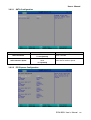
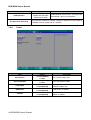
TPM Operation
Options
No Operation[Default]
Disable and Deactivate
Enable and Activate
Description
Enable/Disable TPM Function. This option will
automatically return to No-Operation.
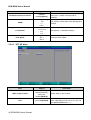
Set Supervisor Password. Install or Change the password and the length of
Set Supervisor Password
3.6.4
password must be greater than on character
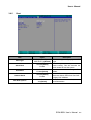
Power
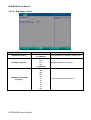
Item
Erp Function
AC Loss Resume
Turbo Mode
USB Power
C-States
44 ECM-BSW User’s Manual
Option
Disabled[Default]
Enabled
Disabled[Default]
Enabled
Disabled
Enabled[Default]
Disabled
Enabled[Default]
Disabled
Enabled[Default]
Description
ErP Function (Deep S5).
AC Loss Resume setting.
Enable processor Turbo Mode(requires
EMTTM enabled too).
USB Power on standby.
Enable processor idle power saving
states (C-States).