1
EL9000 Series Hardened Gigabit Media Converter
Preface
Our hardened media converter provides an affordable solution for rugged
outdoor environments, transportation road-side cabinets, industrial shop
floors, multi tenant dwellings or Fiber To The Home (FTTH) applications.
Capable of operating at temperature extremes of -34°C to +74°C, this is by
far the media converter of choice for harsh environments in which space
constraints exist.
Plug-and-Play Solution:
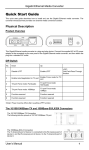
The hardened media converter is a plug-and-play compact media
converter which doesn't have any complicated software to set up.
This manual describes the installation and use of the hardened media
converter with the link-fault-pass-through function. The converter also
provides one channel media conversion between 1000BaseT and
1000BaseSX/LX.
The converter is in full compliance with IEEE802.3ab 1000BaseT and
IEEE802.3z 1000BaseSX/LX standards.
In this manual, you will find:
y
y
y
y
y
Product overview
Features of the media converter
Illustrative LED functions
Installation instructions
Specifications
User’s Manual
1
EL9000 Series Hardened Gigabit Media Converter
Table of Contents
PREFACE ................................................................................................ 1
TABLE OF CONTENTS ............................................................................. 2
INTRODUCTION ....................................................................................... 3
PRODUCT OVERVIEW ...............................................................3
PRODUCT FEATURES ...............................................................3
PACKING LIST .........................................................................4
ONE-CHANNEL MEDIA CONVERTER ...................................................... 5
PORTS ...................................................................................5
PORT SETTINGS ......................................................................5
FRONT PANEL & LEDS ............................................................6
INSTALLATION......................................................................................... 7
SELECTING A SITE FOR THE EQUIPMENT ....................................7
DIN RAIL MOUNTING ...............................................................7
CONNECTING TO POWER..........................................................8
SPECIFICATIONS ................................................................................... 11
User’s Manual
2
EL9000 Series Hardened Gigabit Media Converter
Introduction
The media converter provides one channel for media conversion between
1000BaseT and 1000BaseSX/LX with the link-fault-pass-through function.
This hardened fiber optic solution is perfectly suitable for industrial
applications or rugged environmental conditions.
Product Overview
Product Features
y
y
y
y
y
y
y
y
Meets NEMA TS1/TS2 environmental requirements such as temperature, shock,
and vibration for traffic control equipment
Meets IEC61000-6-2 EMC Generic Standard Immunity for industrial environment
One-channel media conversion between 1000BaseT and 1000BaseSX/LX
Fiber media allows Multi-mode fiber or Single-mode fiber using SC
The fiber port should be set to (forced full duplex mode, forced full duplex mode) or
(auto mode, forced full duplex mode) when two 1000BaseT and 1000BaseSX/LX
one-channel media converters are connected to each other via fiber port
Auto negotiation and Auto MDIX on TX port
One DIP switch for configuring link-fault-pass-through, fiber auto negotiation, and
port link down alarm
Non-blocking full wire-speed forwarding rate
User’s Manual
3
EL9000 Series Hardened Gigabit Media Converter
y
y
y
y
y
y
Back-pressure & IEEE802.3x compliant flow control
Alarms for power and port link down failure by relay output
Operating voltage and Max. current consumption: 12VDC @ 0.51A, 24VDC @
0.3A, 48VDC @ 0.19A. Power consumption: 9.12W Max.
Power Supply: Redundant DC Terminal Block power inputs or 12VDC DC JACK
with 124-240VAC external power supply
Supports Din-rail or panel mounting installation
Front panel status LEDs
<Note>
One of the fiber ports should be forced to full duplex mode when two 1000BaseT and
1000BaseSX/LX one-channel media converters are connected to each other via fiber
port.
Packing List
When you open this product package, you will find the items listed below.
Please inspect the contents, and report any apparent damage or missing
items immediately to our authorized reseller.
The Media Converter
User’s Manual
AC to DC Power Adaptor and Power Cable (optional)
User’s Manual
4
EL9000 Series Hardened Gigabit Media Converter
One-Channel Media Converter
Ports
The Converter provides one copper port and one fiber port. The fiber port
provides options of Multi-mode fiber or Single-mode fiber using an SC
connector.
The copper port uses RJ-45 connector, auto-MDIX, and auto negotiates.
Port Settings
Port settings are made very simple by means of a DIP (Dual Inline
Package) switch on the front panel of the hardened media converter.
Default DIP switch settings:
1
2 3 4
1
0
DIP Switch
There are four pins on the DIP switch for port settings. Refer to the table below for
more details.
DIP
0
1
Disable LFPT
Enable LFPT
switch
No.
1
LFPT:
link-faultpass-through
2
Enable auto negotiation for Enable forced mode for fiber
fiber port
port
3
Disable link down alarm for Enable link down alarm for
copper port
copper port
4
Disable link down alarm for Enable link down alarm for
fiber port
fiber port
User’s Manual
5
EL9000 Series Hardened Gigabit Media Converter
Front Panel & LEDs
LED Indicators
The LED indicators give you instant feedback on converter status:
LED’s
State
Indication
FAULT
Steady
Power or ports function abnormal
Off
Power and ports function normal
Steady
Power on
PWR stands for POWER
Power off
PWR1
PWR2
Off
LNKC
Steady
A valid network connection established for copper port
LNK stands for LINK
Off
LNKF
Steady
No valid network connection established for copper port
A valid network connection established for fiber port
LNK stands for LINK
TX
Off
No valid network connection established for fiber port
Flashing
Transmitting data
Off
No transmitting data
TX stands for TRANSMIT
RX
Flashing
Receiving data
RX stands for RECEIVE
Off
User’s Manual
No data being received
6
EL9000 Series Hardened Gigabit Media Converter
Installation
This chapter gives step-by-step installation instructions for the Converter.
Selecting a Site for the Equipment
As with any electric device, you should place the equipment where it will
not be subjected to extreme temperatures, humidity, or electromagnetic
interference. Specifically, the site you select should meet the following
requirements:
y The ambient temperature should be between -34 to 74 degrees Celsius.
y The relative humidity should be less than 95 percent, non-condensing.
y Surrounding electrical devices should not exceed the electromagnetic field (RFC)
standards for IEC 801-3, Level 2 (3V/M) field strength.
y Make sure that the equipment receives adequate ventilation. Do not block the
ventilation holes of the equipment.
y The power outlet should be within 1.8 meters of the product.
DIN Rail Mounting
Fix the DIN rail attachment plate to the back panel of the media converter.
Installation: Place the media converter on the DIN rail from above using
the slot. Push the front of the media converter toward the mounting surface
until it audibly snaps into place.
Removal: Pull out the lower edge and then remove the media converter
from the DIN rail.
User’s Manual
7
EL9000 Series Hardened Gigabit Media Converter
Connecting to Power
Redundant DC Terminal Block Power Inputs or 12VDC DC Jack:
12VDC DC Jack
Step 1: Connect the supplied AC to DC power adapter to the receptacle on
the topside of the media converter.
Step 2: Connect the power cord to the AC to DC power adapter and attach
the plug into a standard AC outlet with the appropriate AC voltage.
User’s Manual
8
EL9000 Series Hardened Gigabit Media Converter
Redundant DC Terminal Block Power Inputs
There are two pairs of power inputs that can be used to power up this
device. You only need to have one power input connected to run the media
converter.
Step 1: Connect the DC power cord to the plug-able terminal block on the
media converter, and then plug it into a standard DC outlet.
Step 2: Disconnect the power cord if you want to shut down the media
converter.
User’s Manual
9
EL9000 Series Hardened Gigabit Media Converter
Alarms for Power and Port Failure
Step 1: There are two pins on the terminal block that are used for power
failure detection. It provides a normal closed output when the
power source is active. Use this as a dry contact application to
send a signal for power failure detection.
Special note:
The relay output is normal in an open position when there is no power
to the media converter. Please do not connect any power source to
this terminal to prevent a shortage to your power supply.
User’s Manual
10
EL9000 Series Hardened Gigabit Media Converter
Specifications
Applicable Standards
IEEE 802.3ab 1000BaseT
IEEE 802.3z 1000BaseSX/LX
Fixed Ports
Speed
1 copper port, 1 fiber port
1000BaseT
1000BaseSX/LX
2000Mbps for full-duplex
2000Mbps for full-duplex
Forwarding rate
1,488,000pps for 1000Mbps
Cable
4-pair UTP/STP Cat. 5 up to 100m
MMF (50 or 62.5µm), SMF (9 or 10µm)
1000BaseT
1000BaseSX/LX
LED Indicators
Per Unit- (3 LEDs): PWR1, PWR2, FAULT
Per Port-
Dimensions
Copper (3 LEDs): LNKC, TX, RX
Fiber (3 LEDs): LNKF, TX, RX
W50 × D110 x H136 mm
Weight
0.6 Kg
Power
DC Jack: 12VDC, External AC/DC required
Terminal Block: 10-48VDC
Operating Voltage & Max.
Current Consumption
12VDC @ 0.51A, 24VDC @ 0.3A, 48VDC @
0.19A
Power Consumption
9.12W Max.
Operating Temperature
-34°C ~ 74°C
Storage Temperature
-45°C ~ 93°C
Humidity
10 ~ 95%, non-condensing
Safety
UL 60950, EN60950, IEC 60950,
IEC 61000-6-2
Emissions
FCC Part 15, Class A
CE: EN55022 (CISR22 Class A)
EN55024 (CISPR24 Class A)
Standards
ESD Standard (IEC 61000-4-2)
Radiated FRI Standards (IEC 61000-4-3)
Burst Standards (IEC 61000-4-4)
Surge Standards (IEC 61000-4-5)
Induced RFI Standards (IEC 61000-4-6)
Magnetic Field Standards (IEC 61000-4-8)
Voltage Dips Standards (IEC 61000-4-11)
Environmental Test Compliance:
Vibration Resistance (IEC 60068-2-6)
Shock (IEC 60068-2-27)
Free Fall (IEC 60068-2-32)
NEMA TS1/2 Environmental requirements for traffic control equipment
User’s Manual
11
EL9000 Series Hardened Gigabit Media Converter
User’s Manual
12