1
Introduction
Thank you for choosing a telephone Orange Business Services.
How to read this guide
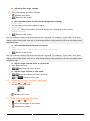
All features and configurations procedures in this guide are described step by step. Thus you are
sometimes invited to select menus or sub-menus displayed on the phone screen. To recognize them,
these menus are written in a purple italic font.
As an example, if you need to access the routing features, the documentation shows:
o
Routing
It means that you have to:
o
use the up and down navigation key until the requested label appears on the screen,
o
press on the OK key to validate your choice.
3