1
3. Configuration
3.1 Controller Card Configuration
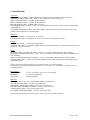
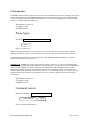
Figure 3.1.1 – Controller Card Outline
The following discussion will describe all user configurable settings on the Pro Switching System Controller Card.
Some of these settings are not applicable to all versions.
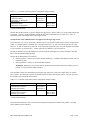
Switch SW3 on the RS232 Controller Card or the SNMP Controller Card is used to set the card’s address. The card
address is used to identify the rack number when remotely accessing the switch through the serial port or Ethernet
port. The card address can be set from 0x01 to 0xFF hex, with position 1 being the least significant bit and position
8 being the most significant bit. A switch in the ON position is a low or 0 bit, while a switch in the OFF position is a
high or 1 bit. Address 0x00 is invalid and must not be used (it is used for factory test only). Each Controller Card
within a multi-rack system must have a unique address. The first rack in the system should be assigned address
0x01, the next rack address 0x02, and so on through 0xFF. If an SNMP Controller Card is being used in a multi-rack
system, it must be located in the first rack in the daisy-chained system of racks, and that card must be set to address
0x01. Only one SNMP Controller Card is permitted per multi-rack system.
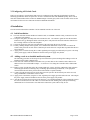
The Controller Card also has user configurable jumpers. The 3-pin jumpers are positioned such that pin 1 is located
toward the front or top of the card. For reference, the LED indicators are located at the front toward the top of the
card. Each 3-pin jumper has a 2-position shunt, used to connect two of the three pins together.
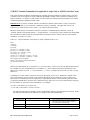
Table 3.1.2 – Controller Card Shield and Ground Jumper Settings (* indicates factory default positions)
Jumper
RJ45 Shield
Connected to Frame Ground *
Open
Power Supply Ground
100 Ohm Connection to Frame Ground *
Direct Connection to Frame Ground
PRO SWITCHING SYSTEM PLUS
W1
W13
Pin 1 to Pin 2
Pin 2 to Pin 3
Pin 1 to Pin 2
Pin 2 to Pin 3
Page 5 of 24