1
1
6
5
2
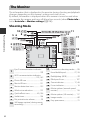
Parts of the Camera
3
4
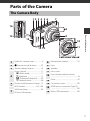
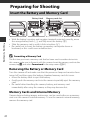
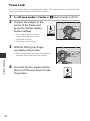
1
Camera stand...........................................3
2
Battery-chamber/
memory card slot cover ................. 10
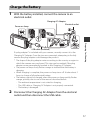
3
Power connector cover (for
connection with optional AC
adapter)
4
5
6
Tripod socket ..................................... 175
NFC antenna ............................142, 144
Monitor........................................................6
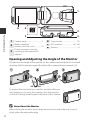
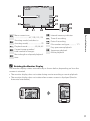
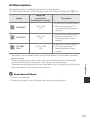
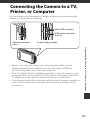
Opening and Adjusting the Angle of the Monitor
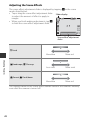
The direction and angle of the monitor on this camera can be adjusted. For normal
shooting, fold the monitor against the back of the camera, facing rearward (3).
90°
180°
To protect the monitor from scratches and dirt while you
are carrying or not using the camera, close the monitor
so that it is facing inward against the back of the camera.
B
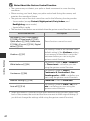
Notes About the Monitor
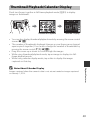
When moving the monitor, do not apply excessive force and make sure to turn it
slowly within the adjustable range.
2