1
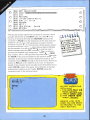
Variables
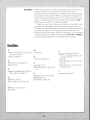
When you give the computer mformatlOn you have to give It
a label under whi c h it is stored. This label is called a
variable since the informatIOn It contams may c hange dunng
the course of the program. When you want the computer to
do something with the information, you must refer to it by Its
label - its variable name. For example, the statement LET
A =6 places 6 under the variable name A .
There are two types of variable. A numeric vanable is one
in which the information stored will always be numbers. If
the data to be stored consIsts of le tters or words then a siring
variable must be used. The variable name must then be
followed by the string sign - $. So, for example, if you wanted
a name stored, the statement would read : LET N$ ="JAMES" .
String variable information must always be in quotes.
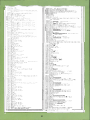
Index
C
M
S
color 9, 23, 24, 28, 30, 31, 32, 34,
35, 36, 37, 38, 39
control codes 8, 9
mode 8, 30
saving programs 18, 25, 40
screen backgrounds 9, 21. 24,
31, 32, 37, 38, 39
sound 26
stnng vanable 13, 16, 17, 20, 23,
25, 44
subroutme 10, ll, 19, 20, 21, 22,
23, 24, 25, 39
N
numeric vanables 44
D
DATA 12, 13, 19, 20, 26, 42
delay 33, 39
G
graphics coordinates 8, 28, 29,
30,31,32,33,35,36, 37
H
HGR 9,14,30,42
HPLOT 28,29,31, 32,33,42
p
pixel 28, 31. 42
POKE 28, 29, 30, 31. 32, 33, 37,
42
T
R
random choice 13, 19, 20, 43
RESTORE 13, 20
REVERSE 9,34,38,39
I
INPUT 16, 17, 18, 25, 42
INT20,42
44
tape recorder 18, 25