1
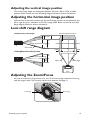
Adjusting the projected image
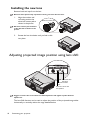
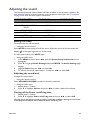
Adjusting the projection angle
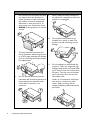
The projector is equipped with two front adjuster foots. These adjusters change the image
height and projection angle. To adjust the projector:
1.
Screw the front adjuster foot. Once the image
is positioned where you want it.
2.
Screw the adjuster foot to fine tune the
horizontal angle.
To retract the foot. Screw the adjuster foot in a
reverse direction.
1
1
If the projector is not placed on a flat surface or the
screen and the projector are not perpendicular to
each other, the projected image becomes trapezoidal. To correct this situation, see
"Correcting Keystone" on page 28 for details.
Do not look into the lens while the lamp is on. The strong light from the lamp may cause
damage to your eyes.
Auto-adjusting the image
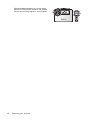
In some cases, you may need to optimize the picture quality. To do this, press AUTO on
the projector or remote control. Within 3 seconds, the built-in Intelligent Auto
Adjustment function will re-adjust the values of Frequency and Clock to provide the best
picture quality.
The current source information will be displayed in the upper left corner of the screen for
3 seconds.
•
The screen will be blank while AUTO is functioning.
•
This function is only available when PC signal (analog RGB) is selected.
Fine-tuning the image size and clarity
1.
2.
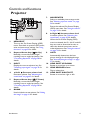
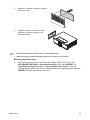
Adjust the projected image to the size that you need using the ZOOM ring.
Sharpen the image by rotating the FOCUS ring.
Focus ring
Operation
Zoom ring
27