1
REMOVAL
1)
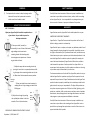
SAFETY WARNING
Push upward on the release to drop the plunger to the
bottom of the easy latch system and remove the
tablet mount from the desk or table.
Carefully follow these instructions. Misuse or improper installation may
cause harm to your tablet or electronic device, cabinet, shelf or mounting
surface. Upper Desk, Inc. is not responsible for any damage that may be
done as a result of misuse or improper installation of the product.
ADJUST YOUR DESK MOUNT
WARRANTY
USE IT YOUR WAY....
1, 2
Adjust your Upper Desk for the tablet to optimize the use
of your device. Use your tablet in portrait or
landscape orientation.
1) Place your tablet (vertically or
horizontally) in one of three of the desired
angle setting on the lower device
mounting bracket. Varied settings help
eliminate glare and optimize use. Continue
to grip tablet with hand.
3
3
LIMITED ONE YEAR PRODUCT WARRANTY
Upper Desk Inc. "Upper Desk" warrants that the product shall be free of
defects in design, material or workmanship.
1,2,3
Angled
Settings
2) Adjust the upper device mounting bracket by
placing the lever lock in an upward position and sliding the upper device mounting bracket over the tablet. Move lever lock downward to secure position.
360 Degree
Rotation
3) View your tablet from various locations, by
rotating the arm. Enjoy viewing your tablet from
360 degrees.
4) Adjust the arm length by pushing
the rapid adjuster button in the tube
extender. Place in desired receiver.
Rapid
Adjust
Button/
Receiver
NEVER ADJUST ARM LENGTH WITH TABLET IN PLACE.
September 1, 2013, Model 217
Upper Desk warrants the Upper Desk for the tablet product for one year.
4
Upper Desk will repair or replace, as its option, any defective product free of
charge (except for shipping charges for the product). Upper Desk reserves
the right to discontinue any of its product without notice, and disclaims any
limited warranty to repair or replace any such discontinued products. In the
event that Upper Desk is unable to replace the product (for example, because it has been discontinued), Upper Desk will offer either a refund or
credit towards the purchase of another product from Upper Desk in an
amount equal to the purchase price of the product as evidence on the original purchase receipt as discounted by its natural use.
The above warranties are null and void if the Upper Desk product is not provided to Upper Desk for inspection upon Upper Desk's request at the sole
expense of the purchaser or if Upper Desk determines that the Upper Desk
product has been improperly installed per the instructions provided on this
guide, altered in any way, or tampered with. The Upper Desk product warranty does not protect against acts of God, such as flood, lightening, earthquake, war, vandalism, theft, normal-use wear and tear, erosion, depletion,
obsolescence, abuse, damage due to low voltage disturbances, non authorized program or system equipment modification or alteration.
Carefully follow these instructions. Misuse or improper installation may
cause harm to your tablet or the mounting surface. Upper Desk is not responsible for any damage that maybe done as a result of the misuse or improper installation of this product.