1
idcs_keyset.qxp
2/5/2009
10:31 AM
Page 41
CONVENIENCE FEATURES
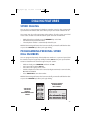
DO NOT DISTURB
Use this feature when you want to block calls to your keyset.
•
•
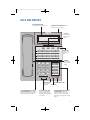
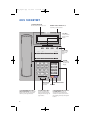
While on-hook, press the DND key or dial 401. The DND key lights steady red
to remind you of this mode.
To cancel DND, press the DND key again or dial 400. The DND light turns off.
You can make calls while in the DND mode.
NOTES:
1. If the Hot Keypad feature has been turned off, you must first lift the handset
or press the SPEAKER key.
2. If you place your keyset in DND mode and you do not have a DND key, your
TSI key will flash to indicate DND status.
ONE TIME DND
If you are on a call and you do not wish to be interrupted while on that call, you
can press the DND key and place your station in Do Not Disturb. When you hang
up at the end of the call, DND will be automatically canceled and your keyset will
be able to receive new calls. This feature requires a DND key.
MUTE
You can mute the handset transmitter or the microphone during any conversation:
•
•
Press the MUTE key. It will light red.
To resume speaking, press the MUTE button again. The light turns off.
BACKGROUND MUSIC
When a music source is supplied, you may listen to music through the speaker in
your keyset:
•
•
While on-hook, press the HOLD button to hear music.
Press the HOLD button again to turn music off.
You can set the level of background music by using the VOLUME keys while listening to the music. This does not affect the speakerphone level.
35