1
5
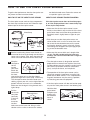
HOW TO USE A CUSTOM PROGRAM
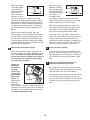
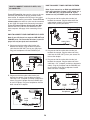
If you selected a Fat Burn program, the main
display will show a body fat goal. If you have
already entered a body fat goal, press the Enter
button. To change the body fat goal, press the Up
Arrow or Down Arrow button, and then press the
Enter button. Note: The body fat goal must be at
least 5%.
In addition to offering personal trainer programs, the
console can provide custom fat burn, weight loss, or
cardio programs based on the personal data that you
have entered. Follow the steps below to use a custom
program.
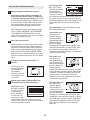
1
Begin pedaling to activate the console.
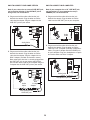
If you selected a Weight Loss program, the
main display will show a body weight goal. If you
have already entered a body weight goal, press
the Enter button. To change the body weight
goal, press the Up Arrow or Down Arrow button,
and then press the Enter button.
See step 1 on page 13.
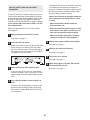
2
Press the Program button.
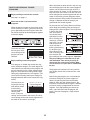
When the Program button is pressed, the words
“TO RECEIVE A CUSTOM WORKOUT BASED
ON YOUR PERSONAL INFO, USE UP/DOWN
ARROWS TO SCROLL AND ‘ENTER’ TO
SELECT” will scroll across the main display.
3
If you selected a Cardio program, it is not necessary to enter a goal.
6
Select a custom Fat Burn, Weight Loss, or
Cardio program.
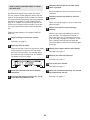
Select an intensity level for the program.
To select an intensity level for the program, first
press the Up Arrow or Down Arrow button until
the words “EASY,” “MODERATE,” “HARD,” or
“INTENSE” appear in the main display. Then,
press the Enter button.
To receive a custom Fat Burn program, press the
Enter button. To receive a custom Weight Loss
program or Cardio program, press the Up Arrow
button and then press the Enter button.
4
Enter a goal.
The maximum resistance setting of the custom
program will then appear in the main display.
Enter your user number.
See step 3 on page 23.
7
Press the Enter button to start the program.
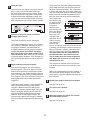
If you selected a Fat Burn program, the main
display will show the latest measurement of your
body fat percentage.
The custom program will function in the same way
as a personal trainer program. (See step 3 on
page 15.)
If you selected a Weight Loss program, the
main display will show the latest body weight that
you have entered.
When you have completed the program, the
words “END OF PROGRAM” will appear in the
main display.
If you wish to measure your body fat percentage, see
HOW TO MEASURE YOUR BODY FAT PERCENTAGE on page 23.
If there has been a change in any of the personal
data that you have entered, such as your weight,
press the Measure button while the words “IF
YOU WISH TO CHANGE USER INFO PRESS
‘MEASURE’ NOW” appear in the main display.
Then, make the necessary changes. (See HOW
TO MEASURE YOUR BODY FAT PERCENTAGE
on page 23.)
If you wish to view your progress during recent workouts, see HOW TO CHART YOUR PROGRESS on
page 25.
24