1
LR-42/44 Operating Instructions
4
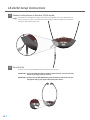
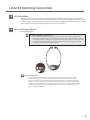
LED Sleep Mode
5
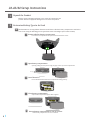
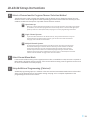
Select Listening Channel
The receiver will shut off the channel indicator LEDs after a period of 10 seconds passes without any
buttons being pressed. The receiver will still produce audio and the volume can still be adjusted, only the
LEDs shut down. It will be necessary to “wake up” the receiver by tapping either the PWR or Select button
before doing many of the operating tasks described in the next sections.
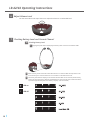
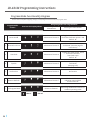
Selecting Channel with:
Auto-Seek Disabled (Default OFF)
5A
1
2
3
4
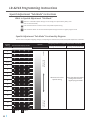
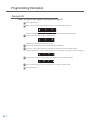
Press the Select button to scroll through the four channels. If the channel indicator LED
flashes four times when Select is pressed, and the unit does not change channels, it is locked
on the current channel. See page 18 for channel lock information. Also, if the unit “skips” over
the desired channel it is because that channel has been locked out. See page 19 for more
information about the programmable features.
1
2
1
3
24
3
4
1
1
2
2
3
3
1
4
4
1
2
2
3
3
4
4
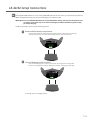
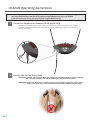
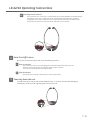
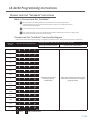
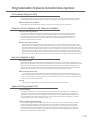
5B Auto-Seek Enabled
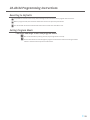
The unit will continuously seek for a signal until one is found and then it will stay on that
channel. If the signal is not detected for a short time period, or the user presses the SEL
button, the unit will seek for another signal and will keep seeking until a signal is detected. If,
however, the unit is locked on the current channel this lock will “override” Auto-Seek and the
unit will not change channels when the signal is lost. Also, if there are channels that have been
locked out in the Channel Lock Out mode the Auto-Seek will not stop on these channels. See
page 19 for more information.
l
15