1
2
INSTALLATION
2.1
Replacing Existing Thermostat cont.
cont.
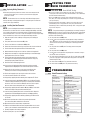
4. After labeling and removing all wires from terminals, unscrew the existing thermostat
sub-base from wall. Make sure to secure wires to prevent them from slipping back
into the hole in the wall.
NOTE: This thermostat is for use on low voltage 24 Volt AC multi-stage systems
with up to two stages of heating and two stages of cooling and requires a transformer
common wire for proper installation.
2.2
Installing Your New Thermostat
NOTE:
If you are installing this thermostat in a new installation, be sure to locate the
thermostat 4 to 5 feet above the floor in accordance with applicable building codes. Make
sure to install the thermostat in a location that provides good airflow characteristics and
avoid areas behind doors, near corners, air vents, direct sunlight or near any heat generating
device. Installation in any of these areas could impact thermostat performance.
1. Always turn off power to the air conditioning or heating system prior to installing your
new thermostat.
2. Place system switch on front of thermostat to OFF position.
3. Place fan control switch on front of thermostat to AUTO position.
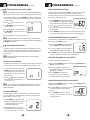
4. Remove front of thermostat from sub-base by pressing release latch on bottom of thermostat.
5. Place the thermostat sub-base against wall in the desired thermostat location.
6. Guide thermostat wires through center hole in sub-base. Continue to hold against wall.
7. Mark placement of mounting holes as appropriate and drill using a 3/16" drill bit. Gently tap
supplied plastic anchors into the holes in the wall.
8. Place the thermostat sub-base against the wall in the desired location, making sure
the mounting holes are aligned as appropriate and the thermostat wires are properly
inserting through opening in middle of sub-base.
9. Fasten the sub-base to wall using supplied screws.
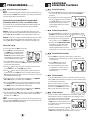
10. Connect wires to quick wiring terminal block as appropriate using the new terminal
designations. Refer to Wiring Diagram section of this manual if required for assistance.
3
TESTING YOUR
NEW THERMOSTAT
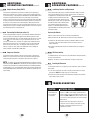
WARNING! Read BEFORE Testing
• Do not short (or jumper) across terminals on the gas valve or at the heating or
cooling system control board to test the thermostat installation. This could damage
the thermostat and void the warranty.
• Do not select COOL mode of operation if the outside temperature is below
50˚ F (10˚ C). This could possibly damage the controlled cooling system and may
cause personal injury.
• This thermostat includes an automatic compressor protection feature to avoid
potential damage to the cooling system from short cycling. This thermostat
automatically provides a 5-minute delay after turning off the cooling system output
to protect the compressor.
NOTE: Test your thermostat prior to programming any user settings. Pressing the
RESET button will erase any user entries for time of day, day of week, option settings
and programming if previously programmed. This will return all user settings and
return them to their default values.
1. Place the system switch in the HEAT position.
2. Press the button on the keypad until the setpoint temperature setting is a minimum of 3
degrees higher than the current room temperature. The heating system should start within
several seconds. The fan may not turn on immediately due to the heating system built-in
fan delay.
3. Place the system switch in the OFF position. The heating system should stop within
several seconds.
4. Place the system switch in the COOL position.
5. Press the button on the keypad until the setpoint temperature is a minimum of 3 degrees
lower than the current room temperature.
6. The cooling system should start within several seconds. Place the system switch in the OFF
position. The cooling system should stop within 90 seconds (dependent on the setting of the
Residual Cooling Fan Feature).
7. Place the fan switch in the ON position. The system blower should start.
8. Place the fan switch in the AUTO position. The system blower should stop.
11. Make sure all of the wire connections are secure and are not touching any other
terminal to prevent electrical shorts and potential damage to the thermostat.
4
PROGRAMMING
12. Turn the front thermostat body over, exposing the rear view of the circuit board.
4.1
Default Thermostat Settings
13. Locate the internal ˚F / ˚C switch on the circuit board.
14. Using your finger, gently flip the switch toward the preferred temperature ˚F / ˚C scale.
15. Locate the internal fan option switch, HG (Gas) / HE (Elec) on the circuit board. This switch
controls the heating system fan delay. Select gas for gas or oil fired systems. This will allow
the furnace to run for a few seconds before initiating the fan. Select electric for systems
with electric furnace elements that require the fan to come on immediately.
16. Using your finger, gently flip the switch towards the HG (Gas) or HE (Elec) selection which
indicates the low voltage heating system the thermostat will control.
17. Locate the internal programming switch on the circuit board. This switch configures the
programming mode, either 5-2 day (weekday-weekend), or full 7 day programming.
18. Using your finger, gently flip the switch toward the programming option which best suits
your schedule.
19. Attach front body of thermostat to sub-base, being careful to align the terminal
pins on the front body with the terminal block on the sub-base.
20. Open front thermostat door and open battery compartment door.
21. Install two new "AA" alkaline batteries into battery compartment. Make sure to locate the
positive (+) ends of the batteries and match them with the positive (+) terminals located
in the battery compartment. Close battery compartment.
22. Restore system power so you can test installation.
2
Function
Operation Mode
Temperature Hold
Clock
Room Temperature
Setpoint Temperature
Temperature Scale
Operating Program
Low Battery Warning
AC Interrupted Warning
First Stage Differential
Second Stage Differential
Residual Cooling
Short Cycle Protection Timer
Efficient Recovery Mode
Output Relays
Extended Hold
Keypad Lock
Adaptive Recovery Mode
Residual Cooling Fan Delay
Filter Check Monitor
Recirculating Fan Timer
Status After Reset
Normal Operating Mode
Extended and Temporary Hold Cleared
12:00 pm, Monday
70˚ F (21.0˚ C), to be renewed within
5 seconds
According to system switch:
62˚ F (17.0˚ C) for Heat and Off
83˚ F (28.0˚ C) for Cool
˚F or ˚C dependent on switch setting
DAY program, Monday
Off, to be renewed within 5 seconds
Off, to be renewed within 5 seconds
0.5˚ F (0.25˚ C)
2˚ F (1.0˚ C)
60 Seconds
Reset
Reset
Off
Indefinite
Unlocked
Reset
60 Seconds
0 days-off
Reset with 120 minute off cycle
3