1
User´s Manual
Setting up the machine for operation
Fix the destacker to the preceding and/or subsequent machine.
Connect power and smema cables.
Set the width of the destacker. Make sure the PCB can be moved
manually through the whole destacker length without getting
stuck. The total PCB gap should be around 1 mm.
See following pages for information on how to adjust the
destacker for different board thicknesses. Put a bundle of boards
in the destacker and set the destacking function to on. If PCBs
are not destacked properly, try to adjust conveyor width and/or
PCB thickness.
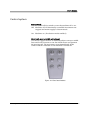
The destacker is equipment with a green status indicator. The
status indicator has three states. Light on, light off, or flashing.
Light on:
The machine is in production and no error has
occurred.
Flashing:
Low stack or empty.
Light off:
Power off, PCB not destacked properly, or
PCB jammed during infeed or outfeed.
MB760_061121u.doc/ 4/12/2007
9